
MemberMagix
| 开发者 | surfstyk |
|---|---|
| 更新时间 | 2026年4月14日 17:40 |
| PHP版本: | 7.4 及以上 |
| WordPress版本: | 6.9 |
| 版权: | GPLv2 or later |
| 版权网址: | 版权信息 |
详情介绍:
- Passwordless Magic Links — Members log in by clicking a secure link sent to their email. No passwords to forget, leak, or manage.
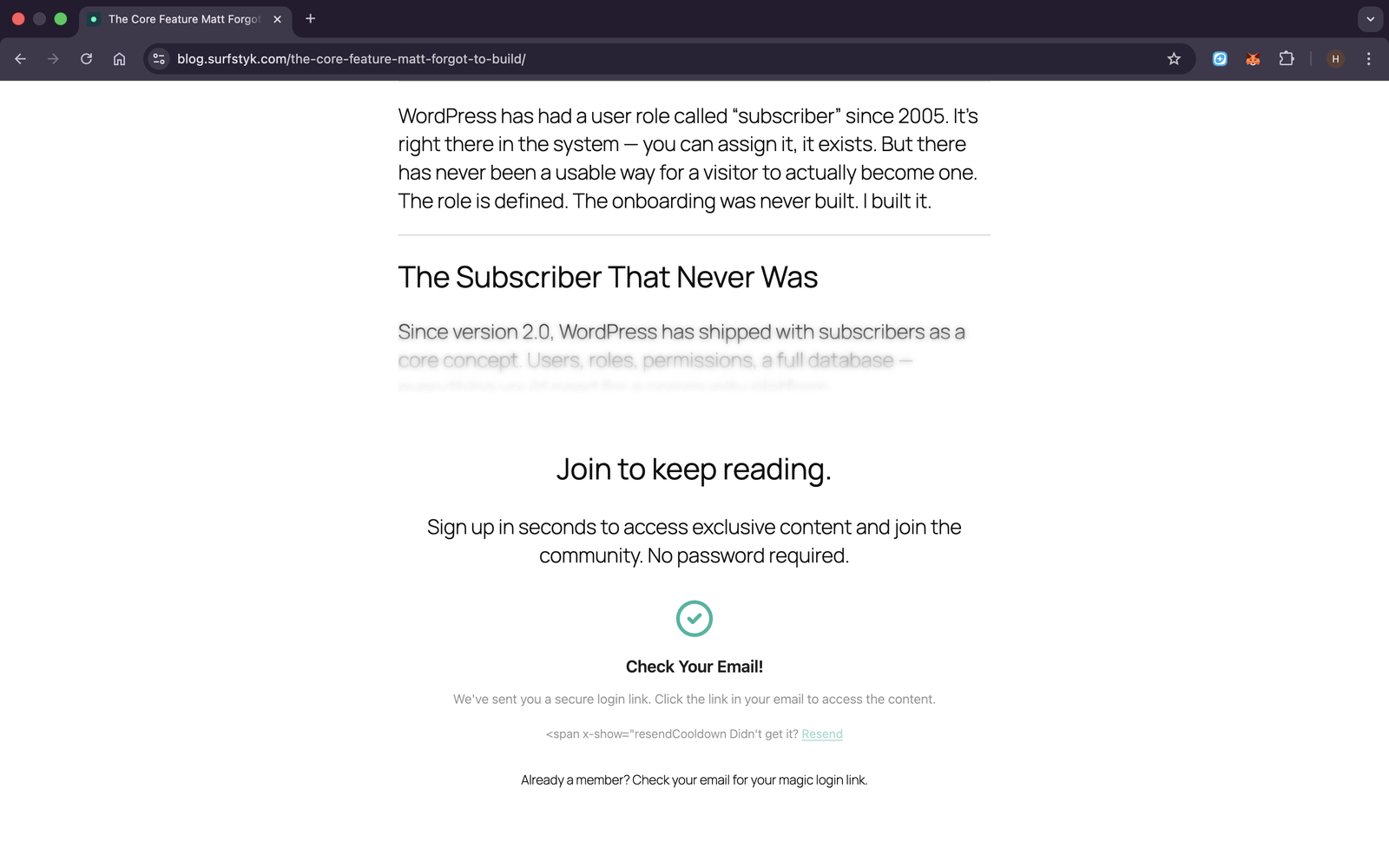
- Server-Side Content Protection — Protected content is never sent to unauthorized users. A teaser is extracted server-side with a blur overlay and membership panel.
- Author-Controlled Teasers — Use the
[mmax_cutoff]shortcode to control exactly where the teaser ends, or let MemberMagix auto-extract from your first paragraphs. - Custom Overlays — Design your protection panel using the WordPress block editor. Full creative control over what visitors see.
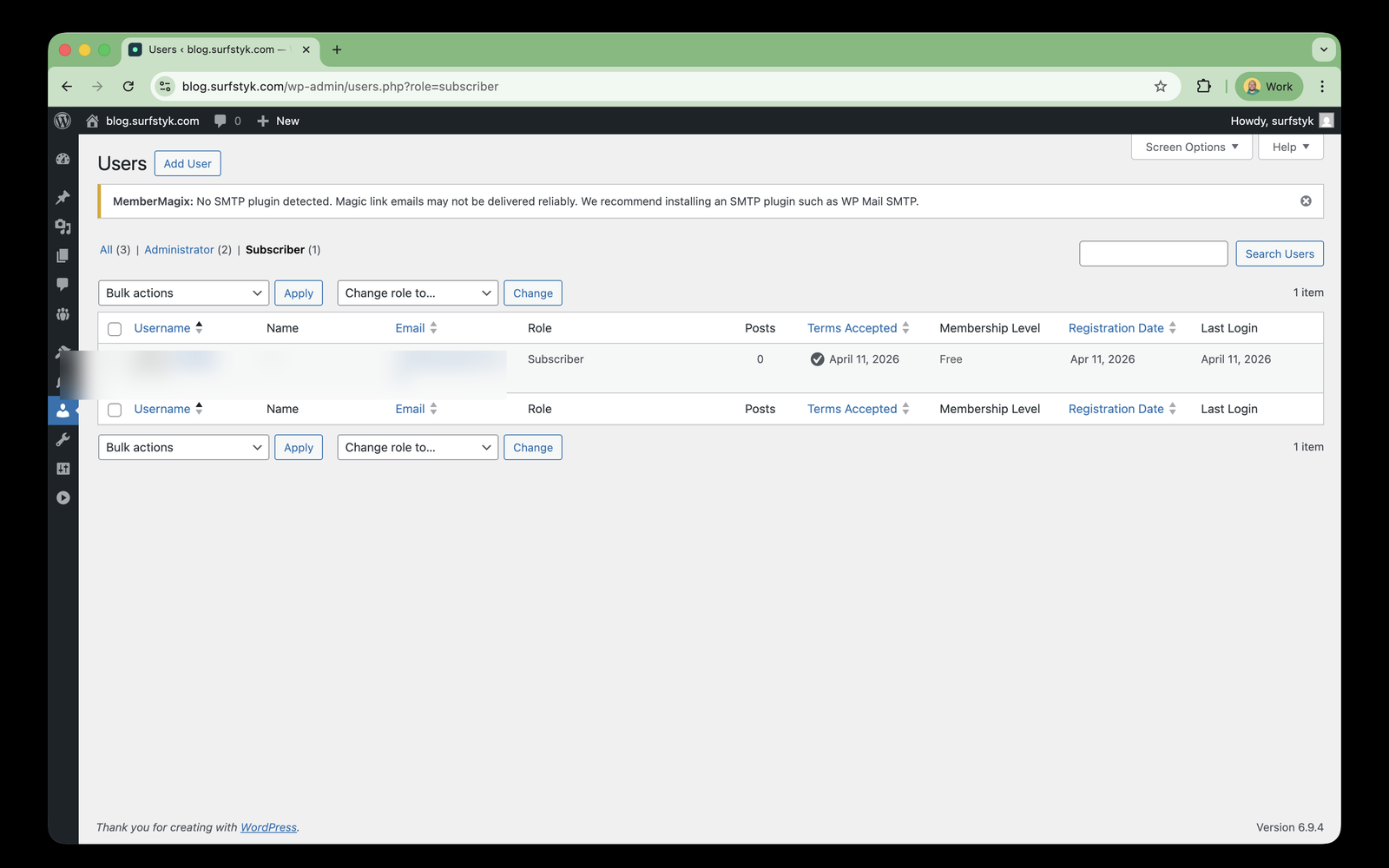
- Member Management — View, search, and export members. Track terms acceptance and login history.
- Brand Customization — Match membership forms and overlays to your site's brand colors via the Style settings tab.
- Multiple custom overlays with per-post assignment
- Bulk content protection tools
- Remove free-tier branding
- Stripe Premium Content — Monetize posts with Stripe Checkout, subscription management, and automatic magic-link delivery after payment
安装:
- Upload the
membermagixfolder to the/wp-content/plugins/directory, or install directly through the WordPress plugins screen. - Activate the plugin through the 'Plugins' screen in WordPress.
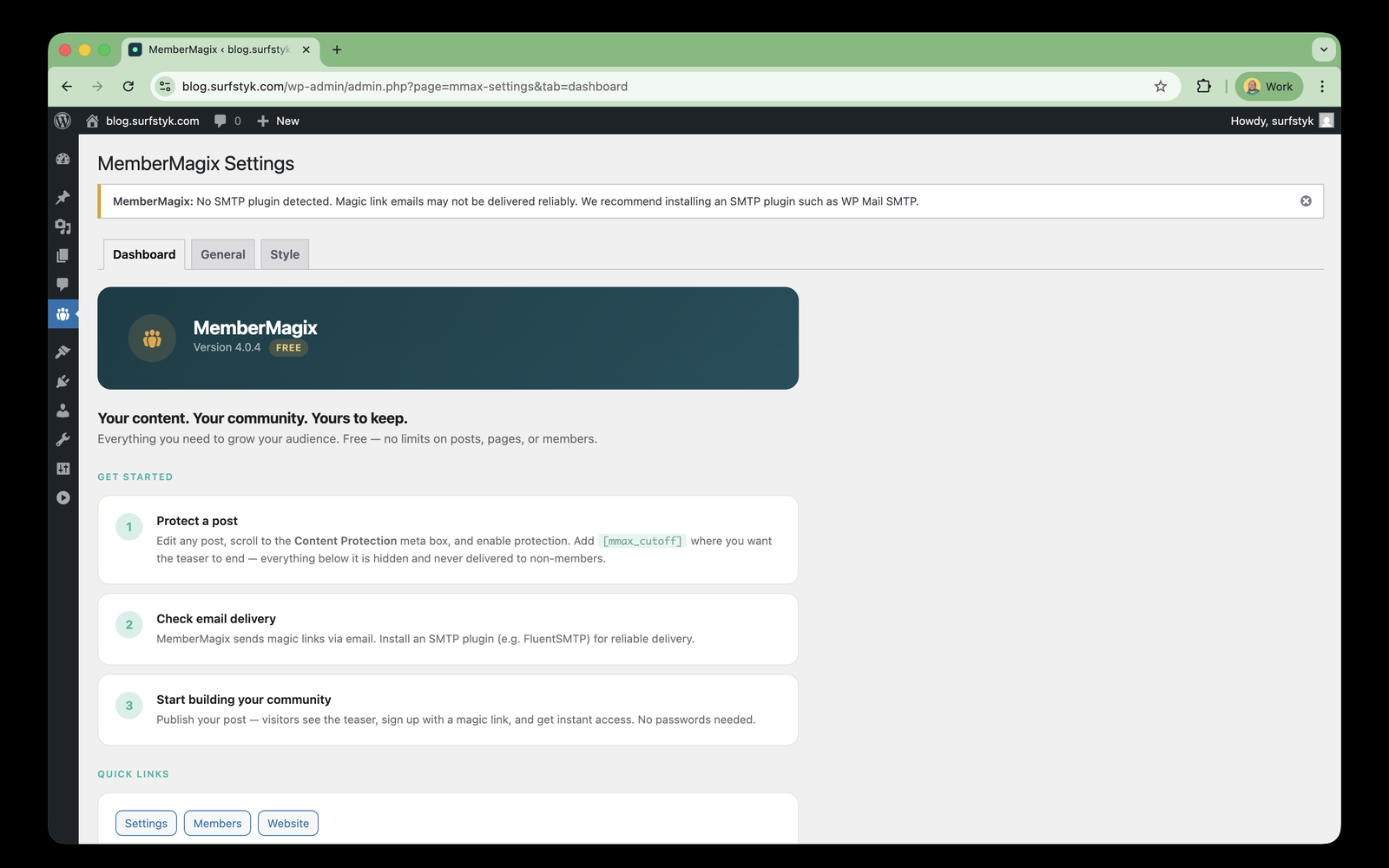
- Go to MemberMagix > Settings to configure your email sender, terms page URL, and overlay defaults.
- Add the
[mmax_membership_form]shortcode to any page to display the membership signup form. - Edit any post or page and enable content protection in the Content Protection meta box.
屏幕截图:
常见问题:
How do members log in?
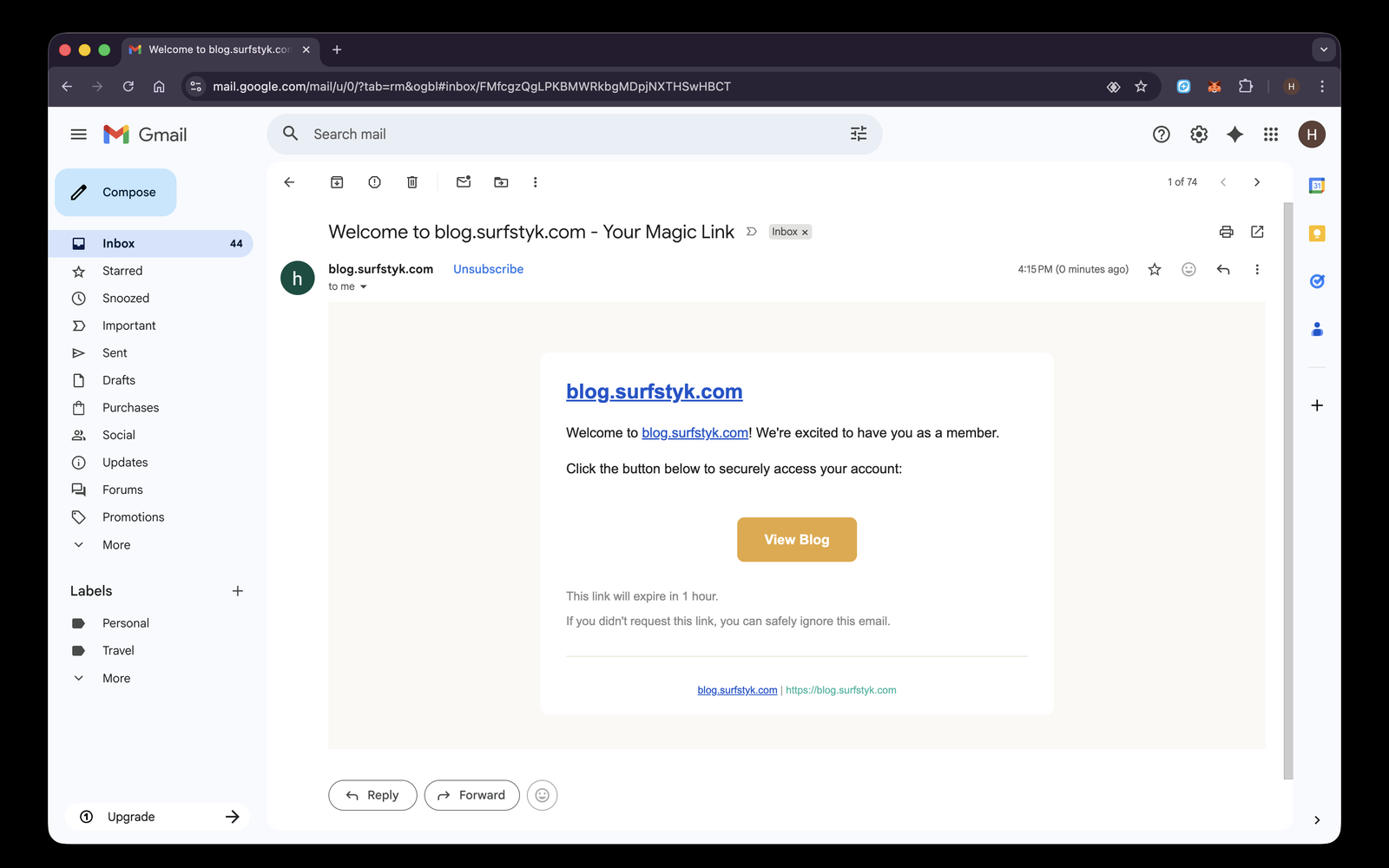
Members enter their email address in the membership form. MemberMagix sends them a secure, one-time magic link. Clicking the link logs them in instantly — no password required.
Is the protected content secure?
Yes. MemberMagix uses server-side content protection. The full content is never sent to unauthorized browsers. Only a teaser preview is delivered, with the rest replaced before the page reaches the visitor.
Can I control what appears in the teaser?
Yes. Place the [mmax_cutoff] shortcode anywhere in your post to define the exact split point. Everything above the shortcode becomes the teaser. If no cutoff is set, MemberMagix auto-extracts the first few paragraphs.
Magic link emails are delayed or never arrive — what's wrong?
The most common cause is WordPress's "pseudo-cron" (wp-cron.php). By default, WordPress only runs scheduled tasks — including sending emails — when someone visits the site via HTTP. On low-traffic or staging sites, this means magic link emails can be silently delayed for hours.
Symptoms: You submit the form, the plugin reports success, but the email doesn't arrive for a long time (or until someone else visits the site).
Fix: Disable WP pseudo-cron and set up a real system crontab:
- Add to
wp-config.php:define('DISABLE_WP_CRON', true); - Add a system cron job:
*/5 * * * * cd /path/to/wordpress && php wp-cron.php
Does MemberMagix require any external services?
The core plugin works standalone with no external service dependencies. Premium features are available via the MemberMagix Pro add-on, which uses the Keygen API for license validation and optionally connects to Stripe for payment processing. See the "Third-Party Services" section below for full details.
What happens when the plugin is uninstalled?
All plugin data (custom tables, options, user meta, post meta, overlays, cron jobs, and transients) is fully removed when you delete the plugin through WordPress admin.
更新日志:
- Content protection meta box now available on all public post types (was restricted to post/page, flagged as trialware)
- Removed check-email REST endpoint that leaked account existence (signup vs login mode)
- Simplified membership form: single-step email + terms flow, no account enumeration possible
- Terms acceptance now required for all magic link requests (new and returning users)
- Updated Alpine.js from 3.13.10 to 3.15.10
- Fixed register_setting sanitize_callback: use rest_sanitize_boolean instead of raw bool cast
- Overlay CPT now visible in admin menu (was hidden, flagged as locked feature)
- Applied kses sanitization to teaser and overlay content in the_content filter and REST responses
- Removed dead Pro-only methods (inject/remove cutoff shortcode) and helper meta reads
- Removed Pro-only table drops from uninstall.php (base only creates mmax_tokens)
- Added SVG stroke attributes to kses allowlist for success checkmark icon
- Added specific Alpine.js release URL to Third-Party Libraries documentation
- Fixed membership form not rendering on protected posts (wp_kses_post was stripping form HTML and Alpine.js attributes)
- Removed user ID from check-email REST response to prevent user enumeration
- Added Alpine.js x-cloak support to prevent flash of unstyled form steps
- Fixed auto-submit magic link for returning users (skip intermediate "Welcome back" step)
- Refined HTML sanitization: overlay content no longer passed through wp_kses_post
- Added escaping throughout for WP.org compliance (round 2 review feedback)
- Added Alpine.js third-party library attribution in readme.txt
- Freemium architecture: prefix rename mmx to mmax for WP.org uniqueness
- Plugin split: commercial features extracted to MemberMagix Pro add-on
- 18 extension points (filters and actions) for Pro add-on integration
- Database migration from mmx_ and ssm_ prefixes to mmax_
- All inline scripts and styles moved to enqueued files for WP.org compliance
- GPL license headers added to all files
- Email template restyled to match overlay/form brand palette (amber CTA, teal accents, warm neutrals)
- Email colors now read from Style tab settings with brand defaults
- Extracted email template to dedicated file for maintainability
- Configurable email button text (default: "View Blog") in General tab settings
- Send Test Email button on General tab for delivery verification
- Fixed email expiry notice: removed incorrect "single use" claim, respects token expiry filter with proper pluralization
- Reusable magic link tokens: both login and portal links in emails now work regardless of click order
- One-session-at-a-time: each magic link login destroys all previous sessions, enforcing single-device access
- Session replacement notification: dismissible toast informs users when a prior session was replaced
- Token usage analytics: new used_count column tracks how many times each token is used within its TTL
- Passwordless subscriber role: all password functionality disabled for subscribers (profile fields, password reset, wp-login.php password auth, REST API, users list reset action)
- Subscribers authenticate exclusively via magic links — role change to editor/admin restores password functionality
- Removed "Coming Soon" badges from Stripe Integration and Paid Subscriptions in feature table
- Moved blur settings from per-post meta box to Style tab (global Overlay Blur section)
- Added Membership Level and Subscription Status columns to CSV export
- Added Membership Level column and Edit Tier action to Members admin table
- Manual tier override: admins can assign membership levels independent of Stripe subscriptions
- License activation now redirects to Dashboard tab so newly unlocked tabs are immediately visible
- License notices display via admin_notices (visible on any tab)
- Left-aligned post-upgrade welcome screen to match admin panel layout
- Hardened Stripe settings fields against browser autofill (autocomplete, data-lpignore, data-1p-ignore)
- Added debug logging to Stripe portal redirect for troubleshooting broken email links
- REST protocol unification: all frontend API calls now use REST endpoints with wp_rest nonce
- New REST endpoint: POST /mmax/v1/check-email (email check for progressive form flow)
- Full implementation of POST /mmax/v1/magic-link (honeypot, bot detection, rate limiting, user creation, token, email)
- Removed legacy AJAX handlers (mmax_magic_link_request, mmax_check_email) — single protocol, single nonce
- Simplified frontend JS: removed AJAX FormData helpers, added restPost() utility
- Stripe-first checkout: removed identity step from premium flow — Stripe Checkout handles email + payment in one screen
- User creation moved to webhook handler — eliminates orphan users from abandoned checkouts
- Removed mmax_premium_create_user AJAX endpoint (no longer needed)
- Terms acceptance moved to pricing step with "By subscribing" consent pattern
- Subscription status polling now supports session_id for anonymous checkout tracking
- Premium flow reduced from 6 screens to 3: pricing → checkout → success
- Cleanup: removed dead templates (membership-form.php, overlay.php, overlay-css.php)
- Cleanup: replaced inline style attributes in premium panel with CSS classes
- Cleanup: moved payment warning hardcoded colors to CSS variables
- Updated health check file list to reflect current template structure
- Premium content: three-state content model (Public / Protected / Premium) with per-post access control
- Stripe Embedded Checkout: in-page subscription flow — visitors never leave the article
- Premium overlay panel with pricing toggle (monthly/annual), identity step, and checkout state machine
- Automatic magic-link email after payment via webhook — seamless onboarding for new subscribers
- Subscription status polling endpoint for real-time checkout confirmation
- Subscriber footer on premium posts: plan status, renewal date, and "Manage subscription" portal link
- Past-due payment banner: non-blocking warning with "Update payment method" link, content remains accessible
- [mmax_manage_billing] shortcode for site owners who want a dedicated billing page
- Magic-link emails now include "Manage your subscription" link for paid subscribers
- Stripe tab: Premium Content section with level name, Price ID configuration, and verify button
- Bulk protection supports Premium access level alongside Public and Protected
- Dashboard shows active subscriber count
- New AJAX handler for premium user creation (email + Stripe Customer in one step)
- Active subscription short-circuit: returning subscribers skip checkout, get a login link instead
- Extracted MMAX_Admin class: admin menu, tab shell, enqueue logic, and Dashboard tab now owned by dedicated module
- Modules register admin tabs via mmax_admin_tabs filter with priority sorting and conditional visibility
- Bulk Protection moved from submenu to tab (gated behind Personal+ tier)
- Removed duplicate Settings submenu entry
- Stripe tab now self-registered by MMAX_Stripe module
- License and Upgrade tabs now self-registered by MMAX_License module
- Fixed license tier detection: Business licenses were incorrectly displayed as Personal
- Added policy inclusion in Keygen API validation requests
- Added policy ID fallback for tier resolution
- In-plugin checkout: purchase a license directly from the Upgrade tab using Stripe Embedded Checkout
- Auto-activation: license key is automatically retrieved and activated after payment — zero redirects, zero copy-paste
- New Upgrade tab with pricing table, billing toggle (monthly/annual), and inline checkout
- Welcome screen with license key display, copy-to-clipboard, and email confirmation
- Graceful error handling: payment success always preserved, manual activation fallback
- Updated third-party services disclosure for Stripe and bridge service
- Migrated plugin licensing from Lemon Squeezy to Keygen CE (self-hosted)
- Updated third-party services disclosure for Keygen
- License key format updated to match Keygen key structure
- Removed external Google Fonts CDN dependency — uses system font stack
- Added Third-Party Services disclosure section (Lemon Squeezy, Stripe)
- Dashboard redesign: onboarding-focused "Get Started" steps replace feature cards
- WordPress.org submission release
- Email-first progressive form: email step determines signup vs login flow
- Returning users skip nickname and terms — just email and one click
- Resend magic link with 60-second cooldown on success screen
- Logged-in users without access see upgrade panel instead of signup form
- Removed redundant "Already a member?" overlay footer
- Rebranded icon from lock to groups — community over restriction
- Updated admin menu, dashboard header, feature cards, and free-tier branding footer
- Improved WordPress.org plugin check compliance
- Added readme.txt for WordPress.org submission
- Fixed escaping and sanitization throughout
- Added translator comments for all translatable strings with placeholders
- Added sanitize_callback to all register_setting calls
- Tier restructure: 3 tiers (free, personal, business)
- Bulk protection gated behind personal tier
- CPT protection gated behind business tier
- WordPress.org submission preparation
- Bulk cutoff shortcode injection and removal
- Protect & Add Cutoff / Unprotect & Remove Cutoff bulk actions
- Content protection v2: inline blur and panel overlay system
- Author-controlled teasers via [mmax_cutoff] shortcode
- Unified admin hub with tabbed settings
- Brand customization via Style tab
- Official lock icon logo
- Initial beta release
- Passwordless magic-link authentication
- Server-side content protection with teaser extraction
- Member management with CSV export
- Stripe integration wiring
- Lemon Squeezy plugin licensing