
MemoMatch: Bank and App Payments for WooCommerce
| 开发者 | aiofounderhq1 |
|---|---|
| 更新时间 | 2026年11月12日 01:42 |
| PHP版本: | 7.4 及以上 |
| WordPress版本: | 7.1 |
| 版权: | GPLv2 or later |
| 版权网址: | 版权信息 |
详情介绍:
Lots of US shoppers would rather pay with the apps they already use than type in a card. Zelle® in particular has no card fees for most small businesses. The problem is matching each payment to the right order.
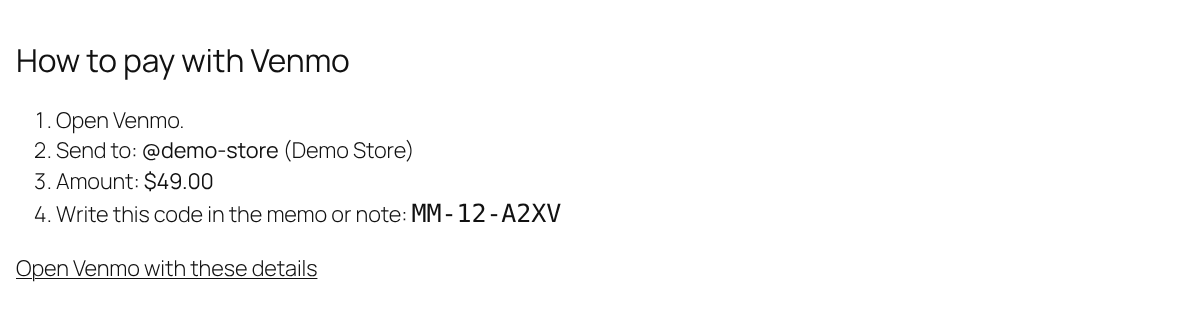
MemoMatch fixes that. At checkout the shopper picks Zelle®, Venmo or Cash App. The order goes on hold and gets a unique reference code like MM-1043-K7QD. The thank you page and the order email tell the shopper exactly who to pay, how much, and to put that code in the memo. When the money lands, you find the order by searching the code and mark it paid in one click.
Features
- Zelle®, Venmo and Cash App, each switched on separately
- Unique reference code on every order, easy to type into a memo
- Clear payment steps on the thank you page and in the on hold email
- Venmo and Cash App buttons that open the app with the amount filled in
- Optional QR code image for each method
- Search orders by reference code
- "Mark payment received" action on the order screen
- Works with the block checkout and the classic checkout
- Compatible with WooCommerce High Performance Order Storage
- Zelle® does not offer a public API, so payments are confirmed by you, not processed automatically.
- Many banks require a business account to receive business payments with Zelle®. Check with your bank.
- Banks set daily sending limits for Zelle®, so it works best for small and medium orders.
- Only ship once the money has arrived in your account. Never rely on a screenshot.
安装:
- Install and activate MemoMatch.
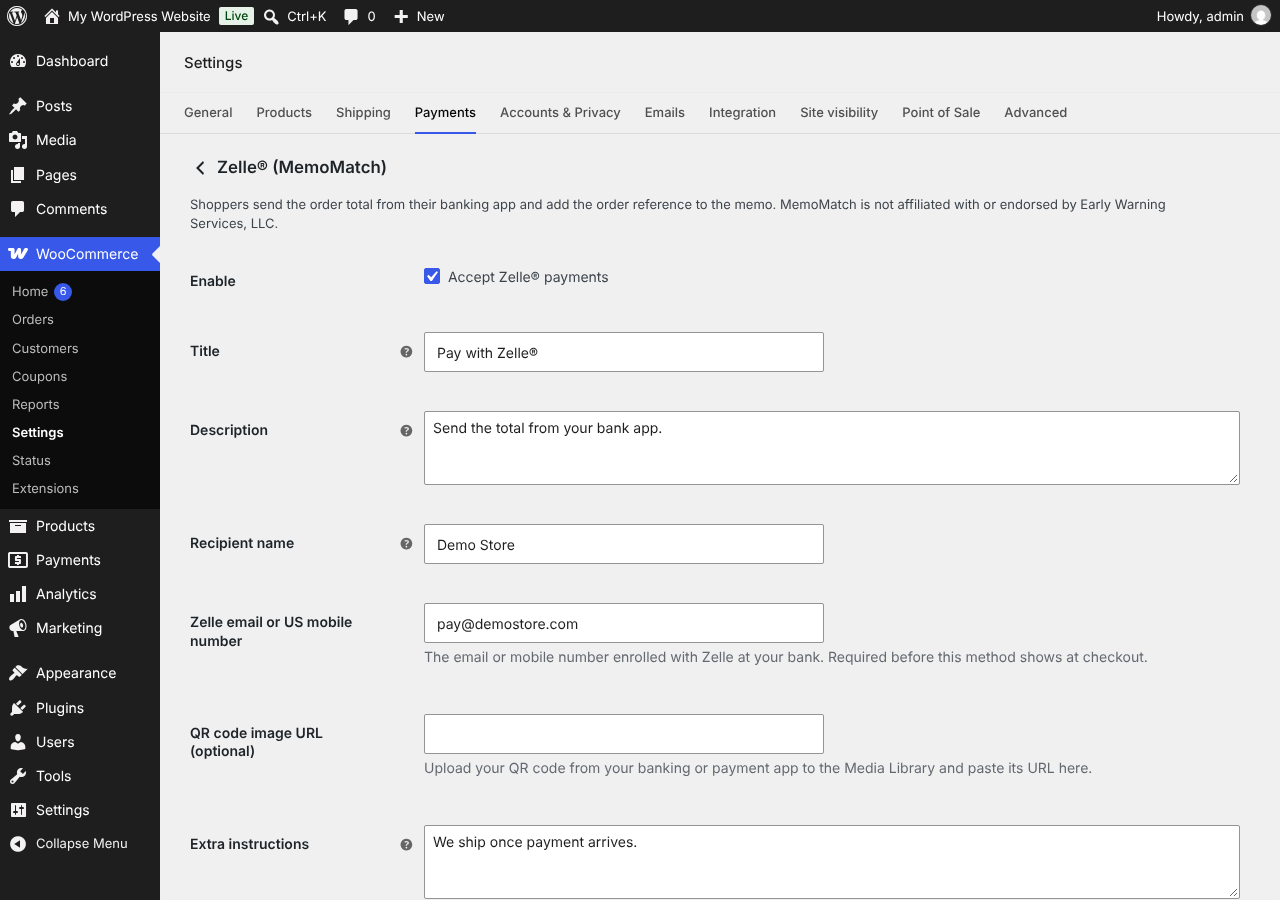
- Go to WooCommerce, Settings, Payments.
- Open Zelle® (MemoMatch), Venmo (MemoMatch) or Cash App (MemoMatch).
- Tick Enable, add your Zelle email or phone, Venmo username or $Cashtag, and save.
屏幕截图:
常见问题:
Does MemoMatch take a fee?
No. Money goes straight from the shopper to you.
Can it confirm payments automatically?
Not in the free version. You confirm each order with the "Mark payment received" action.
Can I use another currency?
The apps are US only, so methods are limited to USD by default. Developers can change this with the memomatch_supported_currencies filter.
How do I find an order from a payment?
Copy the code from the payment memo and paste it into the order search box on the Orders screen.
更新日志:
1.0.1
- Added a link to MemoMatch Pro for automatic payment confirmation.
- First release.