
mez eSoft Lead Submission
| 开发者 | mezbilisim |
|---|---|
| 更新时间 | 2026年10月2日 23:59 |
| PHP版本: | 7.4 及以上 |
| WordPress版本: | 7.1 |
| 版权: | GPLv2 or later |
| 版权网址: | 版权信息 |
详情介绍:
- Contact Form 7
- WPForms
- Elementor Forms (Pro)
- Forminator
- Gravity Forms
- Fluent Forms
- Ninja Forms
- Caldera Forms
- Plain HTML forms written into the theme (optional)
- When you connect the site (once, and only after you press the button): your site address and your site title, so that you can recognise the site on the approval screen.
- When a visitor submits a form (only for forms you leave enabled): the values entered into the form fields (name, phone, e-mail, message and any other fields on your form), the form's name, the address of the page the form was submitted from, and any extra fields you have defined yourself for that form on the Forms tab.
- Campaign parameters, if present in the page address (on by default, can be switched off under Advanced settings):
utm_source,utm_medium,utm_campaign,utm_term,utm_content,gclidandfbclid. This is a fixed list; no other address parameter is read, and nothing is stored on the visitor's device. They are read at the moment the form is submitted, from the request or from the referring page address, so that mez eSoft can show which campaign the enquiry came from. - Once a day, automatically, while the site is connected: a short "still here" signal that carries no visitor data. It reports only your site address and the plugin version, so that mez eSoft can show whether the connection is still alive and whether the plugin needs updating. This stops when you disconnect the site or deactivate the plugin.
- Every submission is recorded on this site as well, in a table of its own, so that the Submissions tab can show you what a visitor wrote and whether it reached mez eSoft. This includes the values entered into the form. Nothing is sent anywhere else because of this; it stays in your WordPress database.
- You choose how long it is kept (90 days by default) under the Submissions tab. Records past that age are deleted daily. You can delete a single record, or all of them, from the same screen.
- Removing the plugin deletes this table along with everything else it stored.
安装:
- Install and activate the plugin.
- Open the "mez eSoft" page from the admin menu.
- Press the "Connect with mez eSoft" button.
- Open the approval page with the button shown, check the site address and approve it.
屏幕截图:

常见问题:
I do not have a mez eSoft account, is the plugin useful?
No. The plugin transfers submissions to your mez eSoft account; without an account there is nowhere to send them.
Can I choose which forms are transferred?
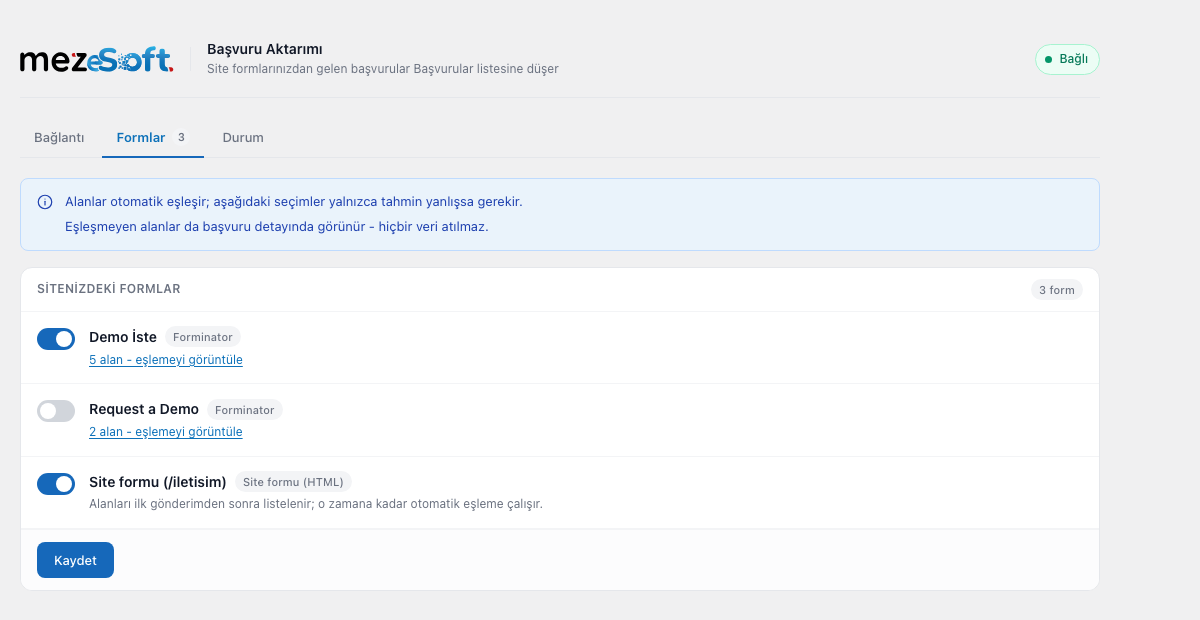
Yes. You can switch each form on or off individually on the Forms tab. All forms are enabled by default.
What if the field mapping is wrong?
On the Forms tab you can pick manually which mez eSoft field each form field goes to. A manual choice always overrides the automatic guess.
Can I change the name a field is sent under?
Yes. On the Forms tab, each form field has a "sent key" box next to its mapping. Leave it empty to keep the field's own label. If you change it, remember to update any automation in mez eSoft that refers to the old name.
Can I send values that are not on the form?
Yes. On the Forms tab you can add extra fields to any form. A fixed value is sent as you type it; a dynamic value is worked out at the moment the form is submitted and can use shortcuts such as {utm.source}, {page.url}, {form.name}, {site.name} and {date.d.m.Y}. The full list is shown on the Forms tab. Shortcuts can be mixed with text, for example Web - {utm.source}.
Are submissions lost if mez eSoft cannot be reached while the site is connected?
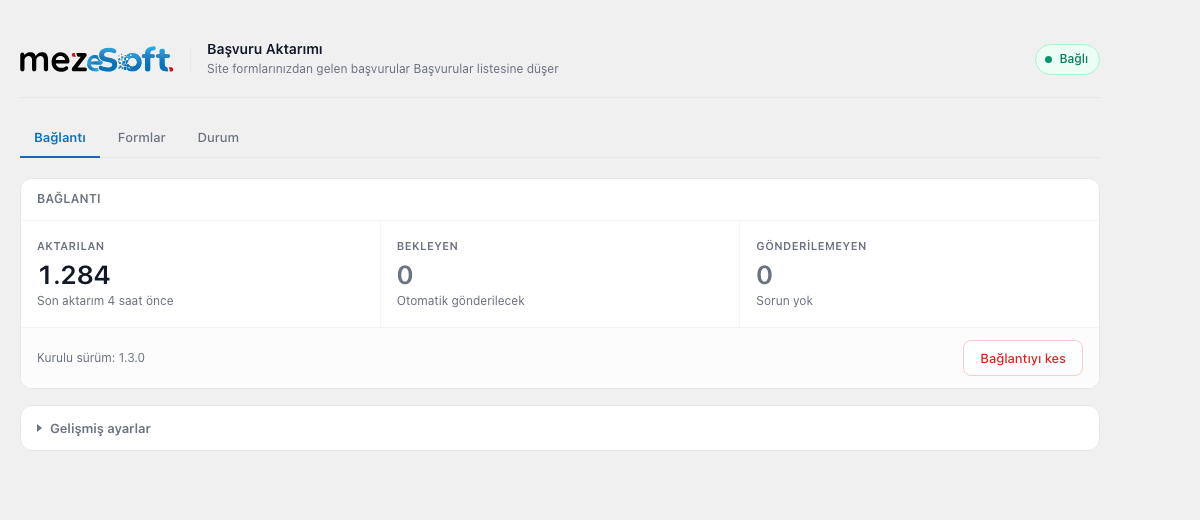
No. Submissions that could not be sent wait on your site and are sent automatically once the connection is restored. The Status tab shows how many are waiting and lets you send them immediately.
Does the plugin contact mez eSoft when nobody fills in a form?
Yes, once a day, and only while the site is connected. It is a short signal that carries no visitor data; it reports your site address and the plugin version so that mez eSoft can show the connection as alive and tell you when an update is needed. Disconnecting the site or deactivating the plugin stops it.
I have a hand written HTML form in my theme, is that transferred too?
Yes, if you enable "Also capture HTML forms embedded in the theme" under Advanced settings. This mode inspects every form submission on the site, so it is disabled by default. Fields whose names look sensitive (password, card, national ID) are never transferred in this mode.
更新日志:
- Added Caldera Forms support. A submission is sent once Caldera Forms has accepted it, so entries it turns away (a required field left empty, its spam trap, a failed spam check) are not sent. Editing an existing entry does not create a new lead.
- Credit card fields on a Caldera form are never sent and never stored by this plugin, and they are not listed on the Forms tab.
- File fields on a Caldera form send the file's name instead of its link when Caldera Forms deletes the upload after the submission, which it does unless "Add to Media Library" is switched on for the field. The link would have led nowhere.
- Submissions caught by the Caldera Forms spam trap are counted on the Status tab, together with the spam other form plugins report.
- Caldera Forms sends its submissions to an address of its own (/cf-api/...) rather than to the page the visitor is on. The page column and the {page.url} shortcut show the page the form was filled in on, not that address.
- On sites with a page cache, the campaign details (utm_*, gclid, fbclid) and the page of a submission could come from a copy of the page saved for an earlier visitor: the lead was credited to someone else's ad click, or lost its own. They are now read from the address the visitor's browser reports when the form is sent. This affected forms that carry the page address in a hidden field, as every Caldera Forms form does.
- The recorded page address always includes your site's address now. Some forms report only the path (/contact/), and it used to be passed on like that.
- The field picker lists your own form's fields first. They used to sit below the six groups of ready-made shortcuts, so picking a field from your form meant scrolling to the bottom of the list every time.
- The "a new version is available" notice now takes you somewhere useful. It used to open the plugin's information page, leaving you to find the update yourself; it now offers the one-click update when WordPress has it ready, or sends you to check for updates when it does not. If you are not allowed to update plugins on this site, it still only shows you the information page.
- You can switch on automatic updates for this plugin from Advanced settings. It is off by default, as WordPress intends, and the switch is disabled with an explanation if automatic updates are turned off for the whole site. The same setting is still available on the Plugins screen.
- The Forms tab now treats every field the same way. There is no separate list of mez eSoft columns any more: each field of your form is one row, and each row asks the same two questions - should this be sent, and under what name and value. The name box is empty by default, which means "leave it as it is"; the value box is empty by default, which means "send what the visitor typed".
- A field's value can be built from parts. You can send the field's own value with something added to it, a shortcut, or a fixed piece of text, the same way extra fields already worked.
- A preview panel shows what the lead will look like in mez eSoft: which of its columns will be filled and from where, and which rows will appear on the lead detail under which names. Colliding names are shown numbered, exactly as they are sent.
- Extra fields now use the same row layout AND the same value editor as your form's own fields, so the two lists read as one. Values that were saved as plain text keep working: a shortcut written inside them is recognised rather than sent literally.
- The Forms tab uses the full width of the screen, so the editor and the preview sit side by side instead of being squeezed into the left half.
- Every list you pick a value from now looks and behaves the same: grouped headings, one row per option with its raw shortcut underneath, type to filter (Turkish letters fold), keyboard throughout. The field picker used to be a wall of pill buttons while the extra-field picker was a list, so the same question had two different answers on one screen.
- Only phone and e-mail are still listed separately at the top, because a lead cannot be recorded without one of them. First name, last name, company and message are now filled by automatic detection.
- The Forms tab is now in three parts. First the two fields mez eSoft cannot record a lead without (phone and e-mail), then its other columns (first name, last name, company, message), then everything else your form asks for. Only phone and e-mail are marked required, because those are the only two the server insists on: a form without a name field is not missing anything.
- Values can be built from more than one piece again. A field's value can combine a form field, a fixed piece of text and a shortcut, so a phone number can be sent as a country code plus the number, or a name as first plus last. This had been reduced to a single choice per field in an earlier release.
- Any field can be switched off. Fields you switch off are not sent to mez eSoft at all: not as a lead column, not as an extra field, and not through a shortcut. Their values still appear under Submissions on your own site, marked as not sent, so you can still see what the visitor wrote.
- Dropdowns are ours now, not the operating system's. They can be searched (Turkish letters fold, so "kaynagi" finds "kaynağı"), group headings are readable, the keyboard works throughout, and each shortcut shows its raw form underneath so you can also type it by hand. If JavaScript is blocked, the ordinary browser dropdown is still there and still works.
- Layout blocks are no longer listed as fields you have to map. Form builders report an HTML block, a section heading, a page break, a submit button and the captcha as "fields" of the form, and the plugin was showing them next to your real ones, asking where each should go in mez eSoft. Only fields a visitor can fill in are listed now, and the field count on each form reflects that.
- Contact Form 7 field labels are recorded correctly again. Since 1.9.0 every field of a Contact Form 7 submission was stored with the label "Array" instead of its own name, both in the Submissions list and in what mez eSoft received. Labels recorded while that was broken cannot be recovered; new submissions are correct.
- Covers one more way a hosting firewall refuses the request: an empty HTTP 415. Imunify360 answers a JSON request from a greylisted address that way instead of showing its challenge page, and with no body to inspect the previous release still reported it as mez eSoft being unreachable.
- When a firewall or bot protection on your own hosting blocks the request, the plugin now says so instead of reporting that mez eSoft could not be reached. It had been pointing you at the wrong place: the server was reached, something in between refused the request, and the fix is on your hosting.
- Imunify360, Cloudflare and ModSecurity are named where their response identifies them, together with what to ask your host for.
- A submission to a form you have switched off is now recorded, with the reason. It used to leave no trace at all, so there was no way to tell a submission that never happened from one that was skipped because the form was off. What the visitor wrote is kept, so you can see it if you switch the form back on.
- The Status tab reports how many submissions your form plugin rejected as spam. Those never reach mez eSoft and are not in the Submissions list, which previously left the plugin looking at fault.
- Drafts are not counted as spam. A saved, unfinished entry is a normal step, not a lost enquiry.
- The Page column now names the page for submissions recorded before 1.11.8 as well. Those rows had no stored title and showed only the address; the title is read from the page itself, which is still on your site.
- Submissions made on the site's front page are named too. WordPress cannot resolve the home address to a page, so those rows were left without a title.
- The "7 fields" control no longer takes a row of its own. It sits next to the date, and the details only occupy space once you open them.
- The submissions list has a Page column: the title of the page the form was filled in on, with its address underneath, linked. You can see which pages bring you enquiries without opening a single record.
- The page title is also searchable, so you can pull up every enquiry that came from one page.
- Submissions recorded before this release have no stored title; those rows show the address instead of an empty cell.
- A submission's details are laid out as a record again: the label sits beside its value instead of above it, and there are at most two columns however wide your screen is. On a wide monitor the previous layout spread six columns across the page, so your eye had to travel to match a label to its answer.
- Field names are no longer forced into capitals. Many of them are the form's raw keys, and shouting them made them harder to tell apart from the labels your visitors actually saw.
- Each form now says its state on the list itself: ready, cannot be transferred, or off. You no longer have to open a form's mapping to find out whether it is working.
- If a form is switched on but cannot be transferred, the plugin says so at the top of every one of its screens, with the reason and a link to fix it. Submissions to your site keep working; only the transfer stops.
- A form you switched off yourself is reported as off, not as a fault.
- Fixes a mistake in 1.11.4: a submission's details hid any answer whose value also appeared in the row above it, so a record headed "8 fields" listed only four. Nothing had been deleted, but the screen behaved as though it had. Every answer the visitor submitted is shown again.
- The red "a submission cannot be transferred" line no longer appears when your fields were matched automatically. It only counted fields you had picked by hand, so a form that worked perfectly was reported as broken.
- Notices no longer land inside the page header, where they cut off the subtitle and sat beside the logo.
- A submission's details are laid out again: each answer has its label above the value with room to breathe, a long message runs the full width at a readable line length, and technical traces such as the IP address sit apart at the bottom instead of competing with what the visitor wrote.
- The same value is no longer shown twice. The message used to appear under both its form label and ours, and the name repeated the column beside it.
- Reloading a page after saving no longer shows an empty green bar.
- The Forms screen now lists your form's own fields, one row each, and asks where each should go in mez eSoft. Previously it showed six fixed mez eSoft rows and your fields were nowhere on screen.
- A line at the top says whether a submission can be transferred at all: without a Phone or E-mail match the server rejects it. It updates as you change the selections.
- Values are now chosen from a grouped list instead of built from tags. Extra fields take a plain name on the left and a choice on the right - one of your form's fields, a ready-made shortcut, or your own fixed text.
- Extra field names now arrive exactly as you typed them, or you are told why not. A name that already exists in your form used to arrive as "Name (2)", and a row named "message" was dropped entirely - both silently. Saving now explains both cases.
- The screen no longer describes a rename control that does not exist.
- The Submissions screen had no styling at all: the filters stacked as five full-width boxes and the table read as a run of plain text. It is now a proper list - a single filter row, aligned columns, coloured delivery badges, and a detail panel that opens across the full width instead of inside one narrow column.
- On the Forms screen, clicking into a value box now opens the list of your form's fields, and typing narrows it. Previously the list only opened from a small "+" button, so the box looked as though you had to know and type the field name yourself. Search ignores Turkish letter differences, so "gonderim" finds "Gönderim".
- Pressing Enter adds the first matching field; if nothing matches, what you typed is added as fixed text, as before.
- Submission rows now use the full screen width, and uppercase labels no longer lose their Turkish dotted İ on non-Turkish sites.
- Fixes a fatal error introduced in 1.11.0: once a mapping was saved, opening the Forms screen ended in a WordPress critical error. Submissions from your forms were never affected - only that one admin screen.
- The shortcut picker no longer breaks the row it belongs to. It was being placed inside the row's own column, which squeezed the shortcut names down to single letters and, in the extra fields, pushed the value box and the remove button out of place. Deleting a row also used to take the picker with it.
- Saved pieces now read as names again ("Sitenin adı") instead of their internal form ("site.name").
- The Forms screen now asks the question you actually have. Instead of a row per form field ("where does this go?"), there are six rows - Ad, Soyad, Telefon, E-posta, Firma, Mesaj - and you say where each one comes from. A form with forty fields no longer means forty dropdowns.
- A value can be built from more than one part. Pick a field, add another, type a separator between them: a country code and a number joined with nothing, a first and last name joined with a space. Nothing is typed in a special syntax; you pick and remove pieces as tags.
- Leaving a row empty still means automatic detection, and the row tells you what it will pick.
- Nothing you have set up is rewritten. Existing mappings are read as before and appear as a single tag.
- Groundwork only - nothing changes on screen. A field's value can now be built from more than one part (a country code and a number, a first and a last name), which the old one-field-per-target model could not express. Your existing settings are read as before and are not rewritten; the new editor arrives in the next release.
- "Sent as" appeared twice on the Forms screen with two different meanings - once for renaming a field your form already has, once for naming a field you add yourself. They are now "Gönderilecek ad" and "Alan adı".
- Every column now says what it is for, so the mapping table and the extra fields are no longer read as one table.
- Extra fields now start under their own heading, and the column headers only appear once you add a row - an empty table header used to look like something had gone wrong.
- Shortcuts are now picked from a grouped list that opens when you click either box, instead of a dropdown squeezed next to the value. The list works for both the key and the value box, and what you pick is inserted where your cursor is.
- The value box is no longer squashed by the shortcut control next to it.
- The two boxes now say what each is for: the key is the name the information appears under in mez eSoft, the value is the content that gets sent.
- The separate shortcut reference at the top of the page has been removed; the same shortcuts are now next to the field you are filling in.
- The "Fixed value / Dynamic value" selector has been removed from extra fields. It could not change the outcome either way: a value containing a shortcut was switched to dynamic on save regardless of the choice, and a value without one was returned unchanged. What you type is now sent as it is, and any shortcuts in it are replaced when the form is submitted. Existing settings behave exactly as before.
- Extra field rows are now three columns instead of four, so the value box has more room.
- Extra field values can now be built from the form's own answers. Pick "Form alanları" in the shortcut list next to a value and compose labels like "{field.ad} - {field.soyad}", or mix them with your own text.
- The shortcut list now says what each choice will return, which matters most for tick boxes and option lists: a multiple-choice field returns the selected options joined by commas, a single-choice field returns the one chosen.
- Shortcuts now work in the key boxes as well, not only in value boxes.
- A shortcut with no value no longer removes the whole line. Whatever the line resolves to is sent, so a form that keeps the full name in a single field is no longer dropped.
- Saving no longer warns about unrecognised shortcuts. A form's known field list can legitimately be incomplete - an unticked box, an unselected option or a hidden conditional field is never submitted - so the warning was telling people their correct shortcut was wrong.
- The value box no longer disappears when the shortcut list is shown next to it.
- The submissions list is now paginated with page numbers, and the record count is shown even on a single page.
- Submissions are kept until you delete them; the 90 day limit and its setting were removed. Deleting a single record or all of them is still on the same tab.
- New "Submissions" tab: every submission is listed with the time it arrived, the form it came from, what the visitor wrote and whether it reached mez eSoft. Until now a successful submission left nothing behind but a counter, and a record that finally went through after several retries left no trace at all.
- Submissions are shown in a table with the contact details visible at a glance - name, phone and e-mail alongside the time, the form and the result. Phone numbers and addresses are clickable.
- Submissions can be searched and filtered - by text in any field, by form, by result and by date range.
- Submissions are kept on your own site for 90 days by default; you can change the period, delete a single record, or delete all of them, from the same tab. Records past the period are removed daily, and removing the plugin deletes them too.
- "Not transferred" and "could not be saved" now say which form they came from. They used to be counters with no way to tell which form was affected.
- Forms you switch off now stay off. A form embedded in your theme (in the footer or sidebar, say) was given a new identity for every page it was submitted from, so a fresh copy kept appearing in the list with transfer switched on. It is now identified by the form itself, so one form is one row no matter which page it is sent from.
- Saving form settings no longer fails silently. If your host limits how much a page can send at once, the settings used to appear saved while the forms further down the list were never written, and a half-written form could lose its field mapping for good. Saving now stops and explains the problem instead.
- Opening the mez eSoft page in a browser tab no longer reloads the Forms tab while you are editing it, which used to discard unsaved changes without warning.
- Forms you have never configured are now marked as such, so "switched on by default" is no longer indistinguishable from "you switched this on".
- A form switched off while submissions are still waiting to be sent now says so. Those submissions are still delivered - switching off stops new ones only.
- Dynamic values can now be picked from a grouped list next to each field, instead of being typed by hand. The list is grouped by source (campaign, ad click, page, date, form, site); picking one inserts it where your cursor is, so mixed text like "Web - {page.title}" still works and nothing you had saved is lost.
- Saving now tells you when a shortcut is not recognised. A misspelt shortcut used to drop the whole field from the submission without a word.
- The list of known forms no longer drops the form you use most. Its limit removed the earliest-added form rather than the least recently used, and a form dropped from the list disappeared from the Forms tab entirely.
- Removing the plugin, or disconnecting from its settings, now tells mez eSoft straight away. Previously the connection stayed listed as active there, so reinstalling the plugin opened a second channel for the same site and split its enquiry history in two.
- Reconnecting is possible again when mez eSoft no longer recognises the site. Previously the Connection tab showed only a warning: pressing "Reconnect" returned to the same warning and the approval step was never reached, so the site could not be reconnected from that screen at all.
- After reconnecting, the Connection tab stops warning straight away instead of waiting for the next daily check.
- Submissions that arrived while the connection was down are now sent on their own once you reconnect. Previously they were held back until you pressed "Send pending now" by hand, and that button was hidden on the very screen that promised they would go automatically.
- Submissions made while the site is not connected are now kept and sent once the connection is restored. Previously they were lost without a trace, even though the Status tab said they were being kept.
- A connection that was revoked in mez eSoft is now noticed and shown on the plugin screen, with a button to reconnect. Previously the plugin kept showing a green "connected" badge.
- A revoked connection no longer fills the waiting list with retries that cannot succeed.
- You can now change the key each form field is sent under, instead of always using the field's own label.
- You can now add extra fields to any form: a fixed value, or a dynamic one worked out when the form is submitted (page address, form name, site name, date, campaign parameters).
- Campaign parameters in the page address (utm_source, utm_medium, utm_campaign, utm_term, utm_content, gclid, fbclid) are now sent with the submission, so enquiries can be filtered by source and campaign in mez eSoft. This can be switched off under Advanced settings.
- The page address recorded with a submission is now correct for forms that post to their own page; previously such submissions were recorded against the home page.
- Submissions from forms with more than a hundred fields are no longer rejected; the extra fields are trimmed instead of the submission being lost.
- An update notice left over from before an update is no longer shown after the update.
- Form fields that are not part of a particular submission (an unticked checkbox, a hidden conditional field) are no longer dropped from the Forms tab, so their settings survive.
- A form whose address contains non-Latin characters can now be configured; its settings were previously written against a mangled identifier and never applied.
- Submissions from very long page addresses or deep page paths are no longer rejected; the values are trimmed instead.
- Field names arriving from plain HTML forms are now sanitised as well, not only their values.
- Update and connection notices are shown on the Plugins screen and the plugin's own pages instead of every admin screen, and can always be dismissed.
- The approval page is now opened with the button on screen rather than automatically.
- Corrected the terms of use link and the tested WordPress version.
- The plugin now reports once a day that it is still running, so the connection is shown as live in mez eSoft even on sites whose forms are filled in rarely.
- A site whose plugin has been removed or switched off is now marked in the panel instead of appearing healthy.
- An update notice is cleared as soon as the update is done, without waiting for the next submission.
- The readme is now in English, as required by the plugin directory.
- Removed a redundant translation loading call and hardened a database query.
- Full compliance with the WordPress coding standards; admin notice text is no longer carried in the address bar.
- The plugin version is reported to mez eSoft; each site's version is visible in the panel.
- An admin notice appears when an update is needed. If a version that transfers data incorrectly is in use, the notice cannot be dismissed.
- Transfer is never interrupted by the version check; the notice is informational only.
- When the site is not connected, the Status tab now explains why and offers a way to reconnect.
- Submissions that could not be transferred (no phone or e-mail) and queue overflows are now counted and shown.
- Network and certificate errors are explained in plain language.
- Accessibility: names for switches and dropdowns, current tab indication, focus trap in the confirmation dialog.
- Secondary text contrast raised to WCAG AA.
- The admin interface was redesigned to match the visual language of the mez eSoft panel.
- The plugin is now called "mez eSoft Lead Submission".
- Disconnecting is confirmed in a designed dialog instead of a browser window.
- Field detection fixed: fields such as "date of birth" and "national ID" are no longer mistaken for a phone number.
- Submissions that could not be sent are now shown with their reason on the Status tab; nothing is lost silently.
- On multisite installations, removing the plugin now clears data for every site.
- Added Forminator support.
- First release.