Midrag Trust Widget
| 开发者 | midragtrust |
|---|---|
| 更新时间 | 2026年3月11日 18:57 |
| PHP版本: | 7.4 及以上 |
| WordPress版本: | 6.9 |
| 版权: | GPLv2 or later |
| 版权网址: | 版权信息 |
详情介绍:
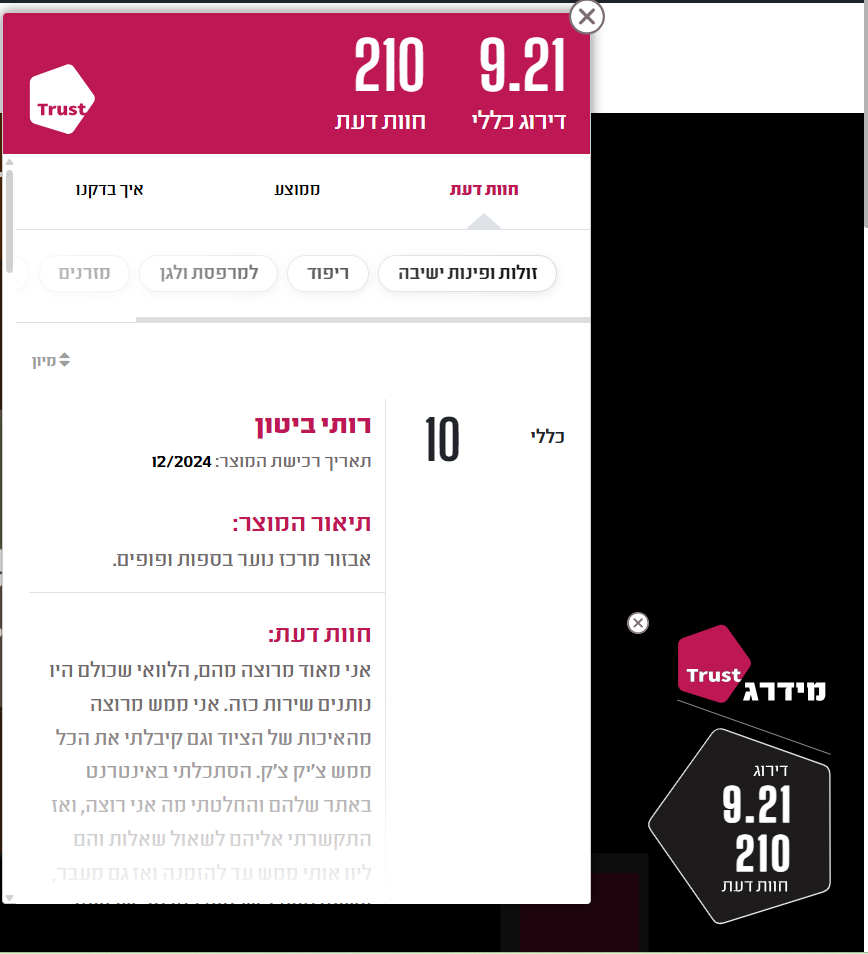
- Displays the Midrag Trust badge across the entire website, on every page.
- Supports three widget types: Pentagon, Circle, and Side.
- Separate position and size settings for desktop and mobile.
- Configurable offsets, color, and display options.
- No shortcode needed.
安装:
- Upload the plugin folder to
/wp-content/plugins/, or install through the WordPress admin screen directly. - Activate the plugin through the "Plugins" menu in WordPress.
- A notification will appear with a link to the settings page.
- Enter your Company GUID (provided by Midrag Trust).
- Configure position, size, and display options as needed.
- Click "Save Settings".
屏幕截图:
常见问题:
Who can use this plugin?
Only companies that have earned the Midrag Trust seal and received a unique Company GUID after passing the verification process.
Where do I find my Company GUID?
Your Company GUID is provided by Midrag Trust after your company successfully passes the verification process. It appears at the end of your company page URL on trust.midrag.co.il.
What happens if I don't enter a GUID?
The badge will not be displayed on the site until a valid Company GUID is entered in the settings page.
The badge appears but the reviews page isn't loading — what should I check?
This is usually a domain mismatch issue. When your company receives a GUID, Midrag Trust registers your domain automatically as part of the process. If the iframe isn't loading review content, make sure the domain where the plugin is installed matches the domain registered with Midrag Trust (for example, installing on a staging subdomain or a different domain than the one on file may cause this). If you're unsure, contact Midrag Trust to confirm which domain is registered for your account.
What widget types are available?
Three types are available: Pentagon (pentagon-shaped badge, supports black/white color), Circle (round badge), and Side (badge attached to the edge of the screen).
Can I set different positions for desktop and mobile?
Yes. You can choose an independent position and size for desktop and mobile, as well as separate X/Y offsets for each.
Does the plugin load any third-party scripts?
Yes. Once a valid GUID is entered, the plugin loads the Midrag Trust badge script from trust.midrag.co.il on every page. No scripts are loaded if the GUID field is empty.
更新日志:
- Initial public release.