
Mintall Keep
| 开发者 | mintallai |
|---|---|
| 更新时间 | 2026年10月25日 06:18 |
| PHP版本: | 7.4 及以上 |
| WordPress版本: | 7.1 |
| 版权: | GPL-2.0-or-later |
| 版权网址: | 版权信息 |
详情介绍:
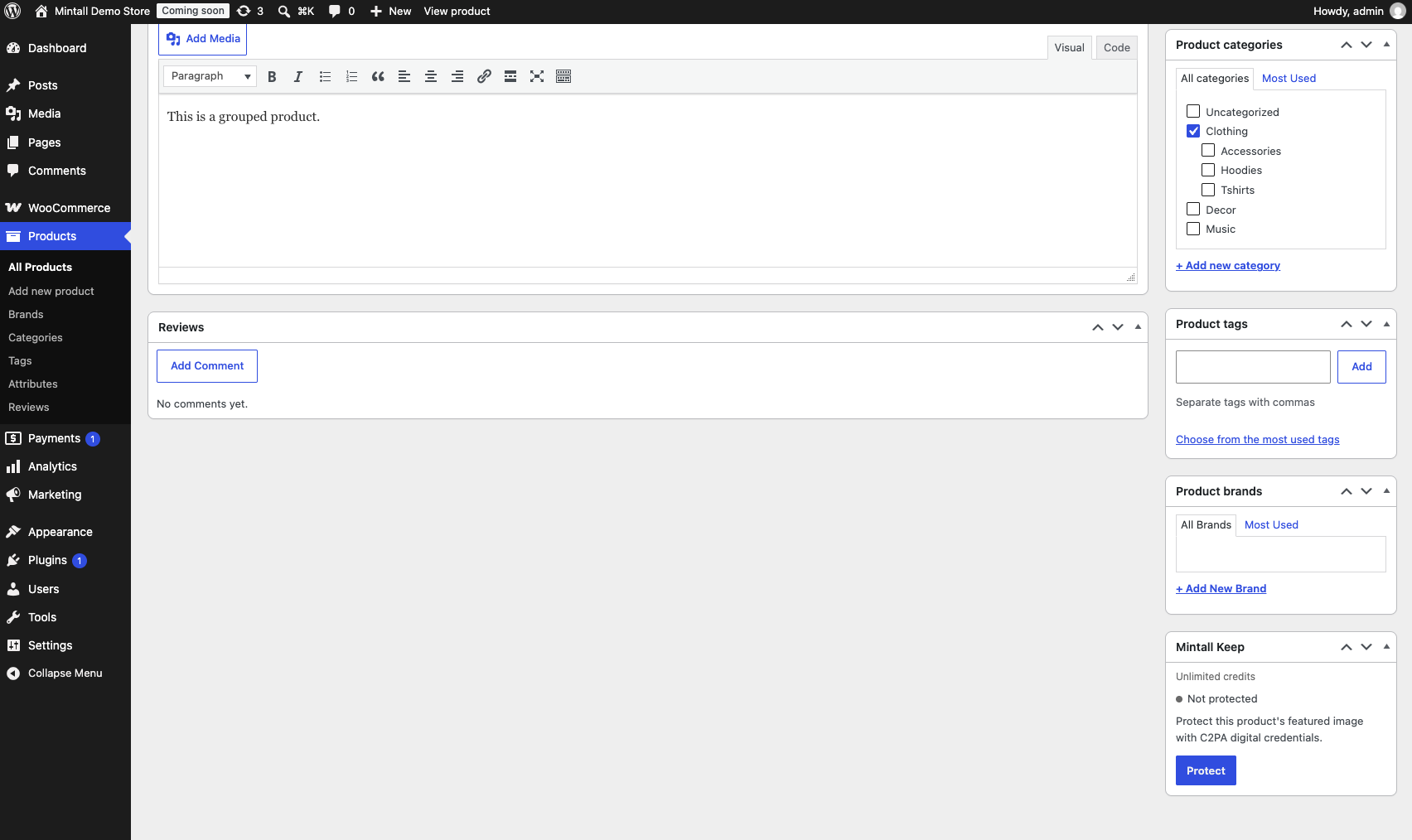
- Protect product images with C2PA digital credentials, so a product's images carry a verifiable record of their origin.
- Make products AI-visible — certified products are exposed to AI shopping agents via a Schema.org JSON-LD block injected on the product page, so agents can find and trust them.
- Verify your domain to add an extra trust signal to every product certificate.
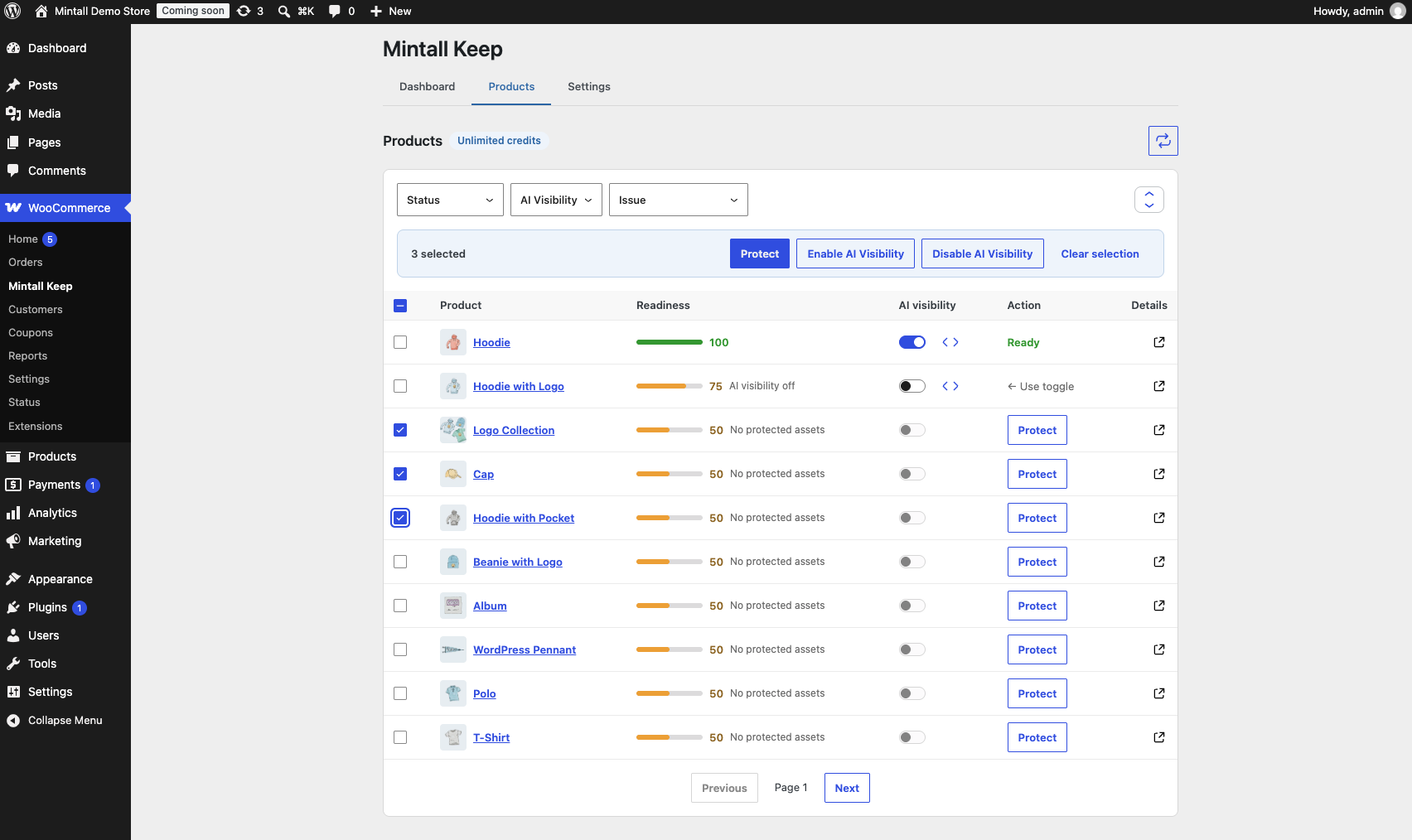
- Bulk actions for both protection and AI visibility, from the plugin's own Products page or WordPress's native product list.
- Dashboard with a setup checklist, auto-protect for new products, and account status at a glance.
安装:
- Upload the
mintall-keepfolder to the/wp-content/plugins/directory, or install directly from the WordPress plugin directory. - Activate the plugin through the "Plugins" menu in WordPress.
- Ensure WooCommerce is installed and active.
- Go to WooCommerce → Mintall Keep and connect your Mintall account.
屏幕截图:
常见问题:
Do I need a Mintall account?
Yes. The plugin is a WooCommerce integration for Mintall's certification and AI-visibility service — it doesn't do anything useful without a connected account. You can create one for free from inside the plugin.
Does this plugin cost money?
No. The plugin and a Mintall account are free. Usage is governed by your account's allowance, shown in the plugin dashboard.
What data does Mintall see?
Product images you choose to protect, and the product details needed to certify and sync those products (title, description, SKU, prices, stock and publish status, and similar catalog fields), plus your store's URL, name, and basic environment details when you connect. If you turn on page-view capture, which is off by default, Mintall also receives the User-Agent of each product page visitor. See "External services" above for exactly which hosts and when.
Does the plugin track my store's visitors?
Not unless you opt in. Page-view capture is off by default. When you turn it on in Settings, each product page view sends only the visitor's User-Agent, with no IP address or cookies, so Mintall can count AI shopping agent visits. Turning it off stops capture immediately, even if your store is disconnected from Mintall.
Does protecting a product change my images?
Your original files are never modified and stay in your media library. Protection adds a certified copy of each image alongside them and switches the product to use it.
更新日志:
- Added - Bulk enable/disable AI visibility, from the Products page and the native WooCommerce product list.
- Added - Domain verification and a dashboard setup checklist.
- Added - Optional page-view capture, off by default, to count visits from AI shopping agents.
- Improved - Safer JSON-LD output on product pages.
- Improved - A revamped Products page.
- Improved - A more reliable connection experience.
- Initial release.
- Added - Protect product images with C2PA digital credentials.
- Added - Schema.org JSON-LD injection for AI shopping agent discovery.
- Added - Dashboard with bulk protection support.
- Added - WooCommerce product edit metabox integration.