
MIS Webform
| 开发者 | mistechnolabs |
|---|---|
| 更新时间 | 2026年10月21日 00:06 |
| PHP版本: | 7.1 及以上 |
| WordPress版本: | 7.1 |
| 版权: | GPLv2 or later |
| 版权网址: | 版权信息 |
详情介绍:
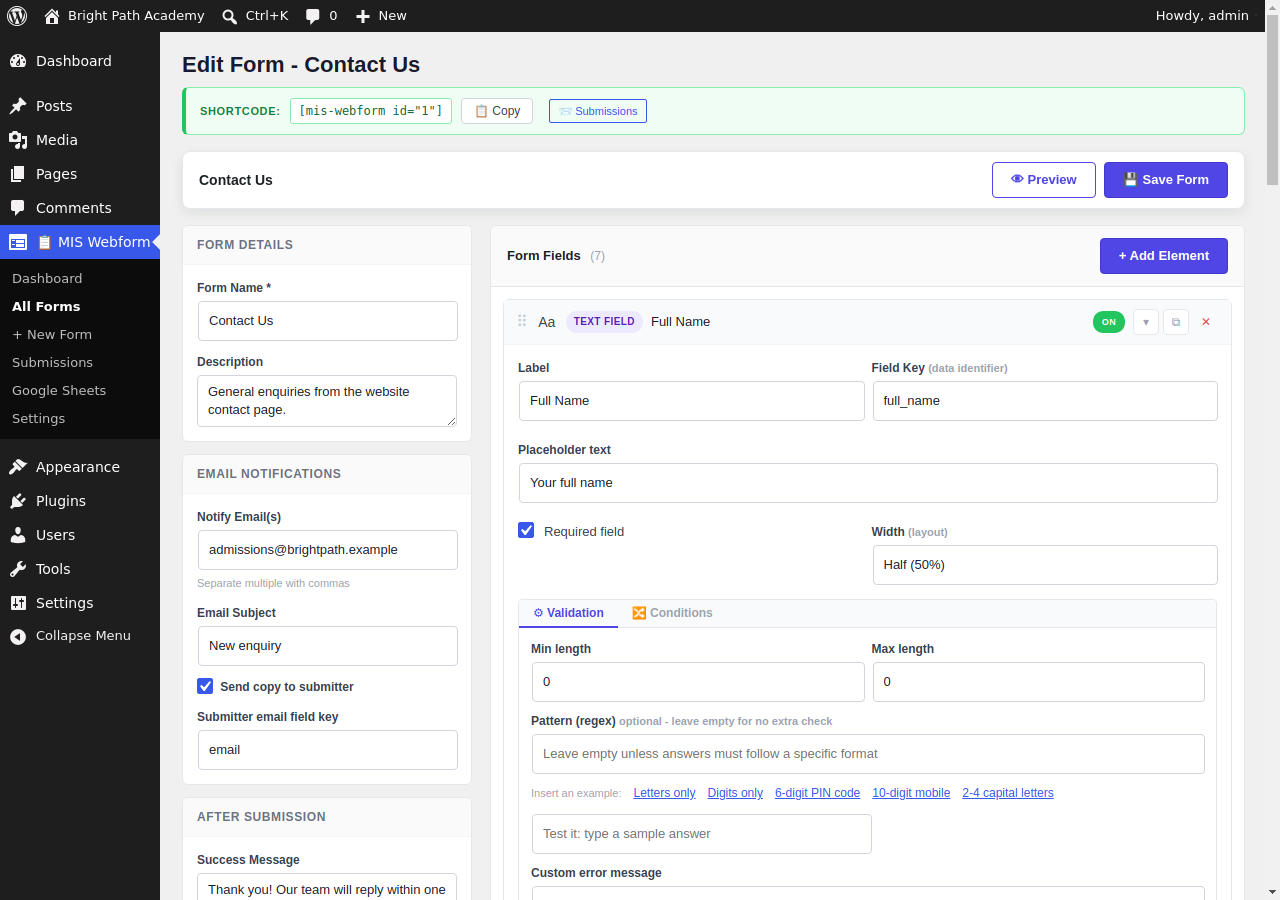
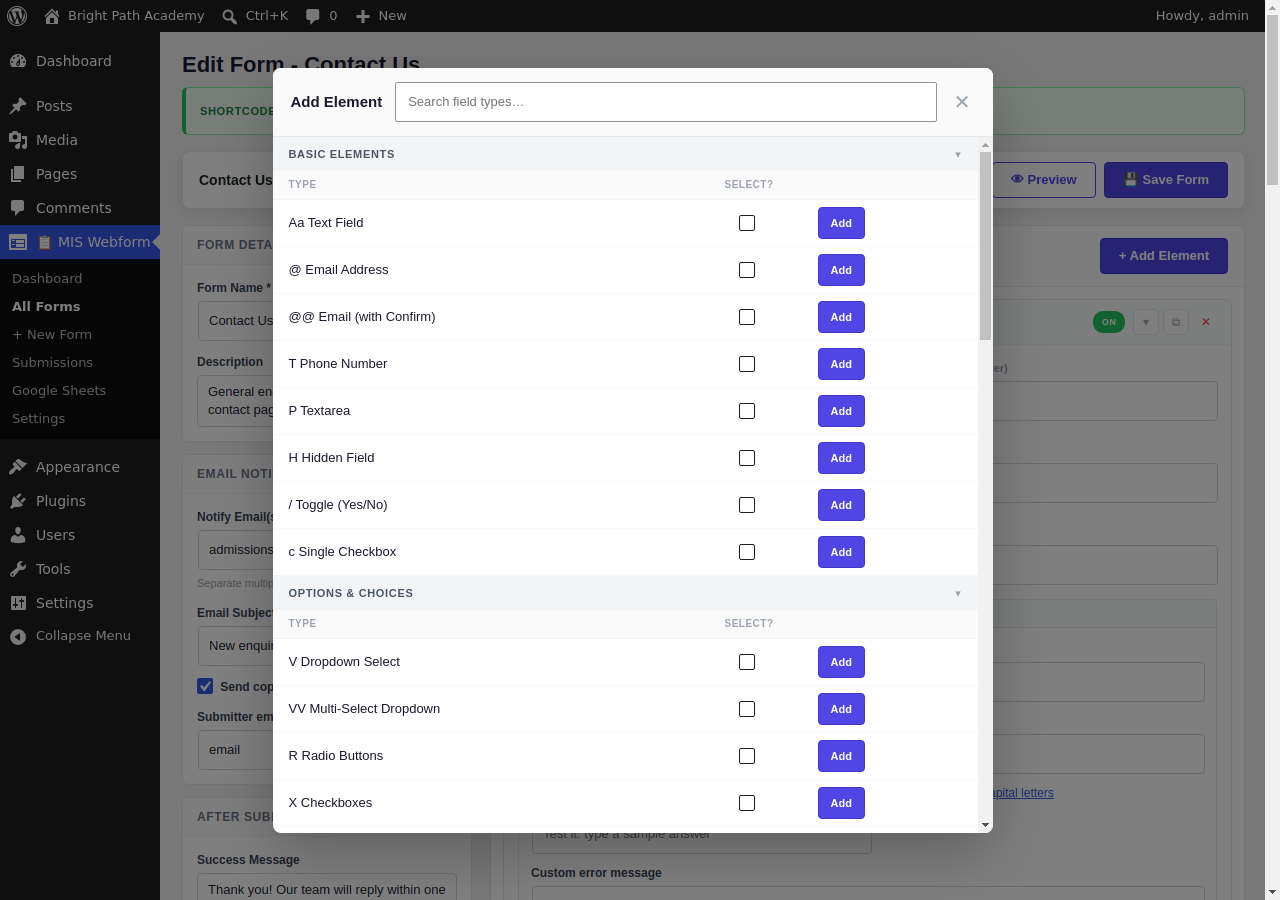
- Drag-and-drop form builder with 38+ field types
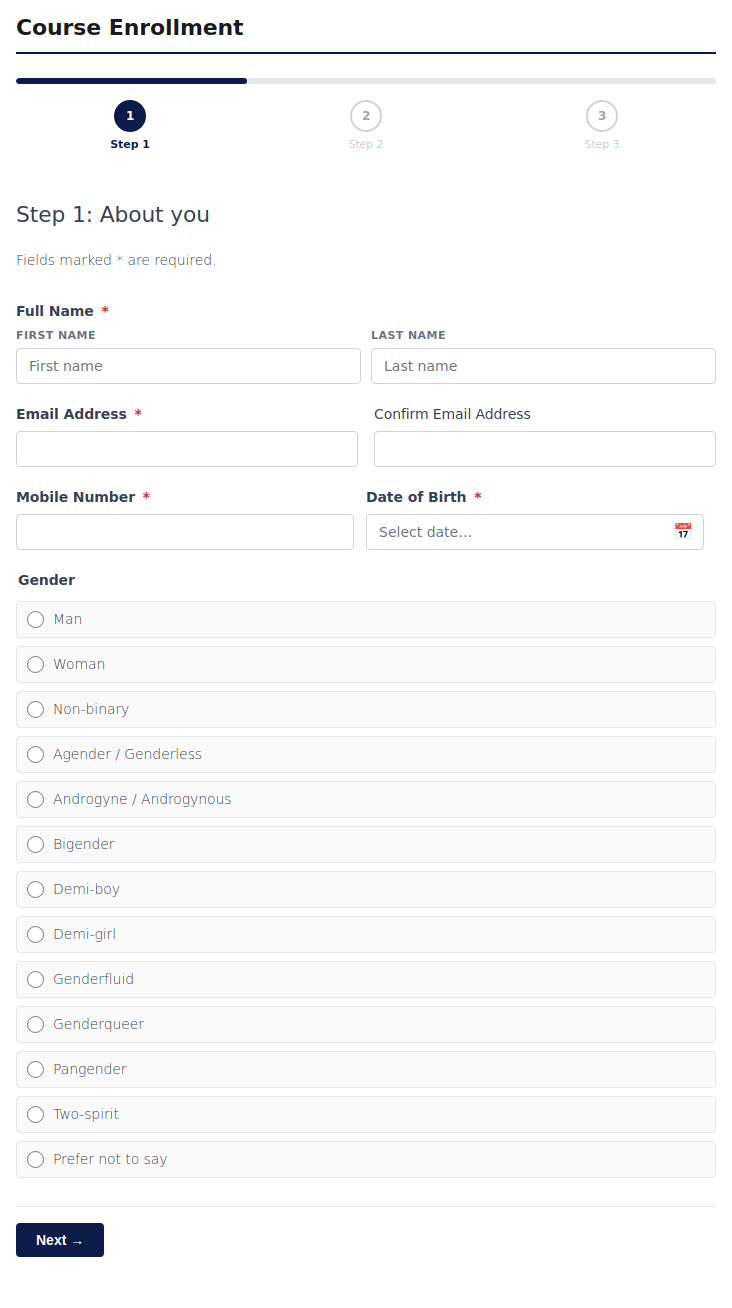
- 8 ready-made templates: contact, donation, membership, course enrollment, event RSVP, file upload, poll, and survey
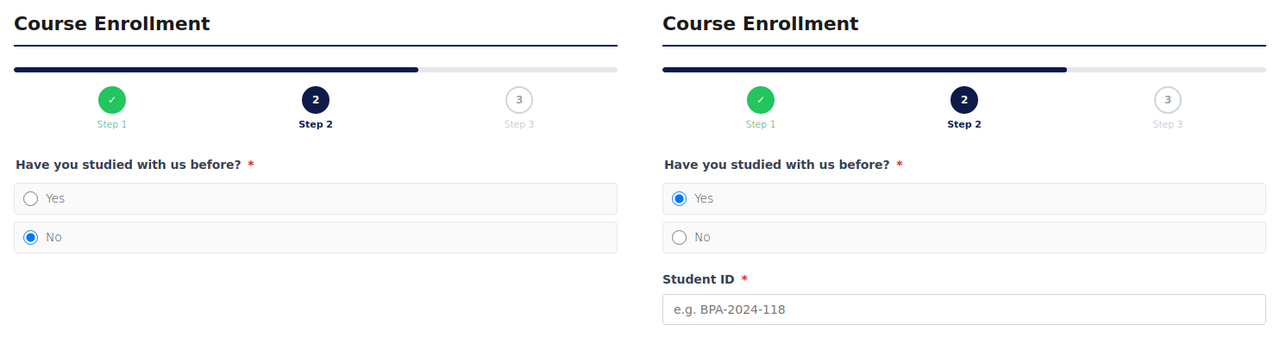
- Multi-step forms with a progress bar
- Conditional logic: show or hide fields based on the visitor's answers
- File uploads: images, documents, audio, and video, with file type and size limits
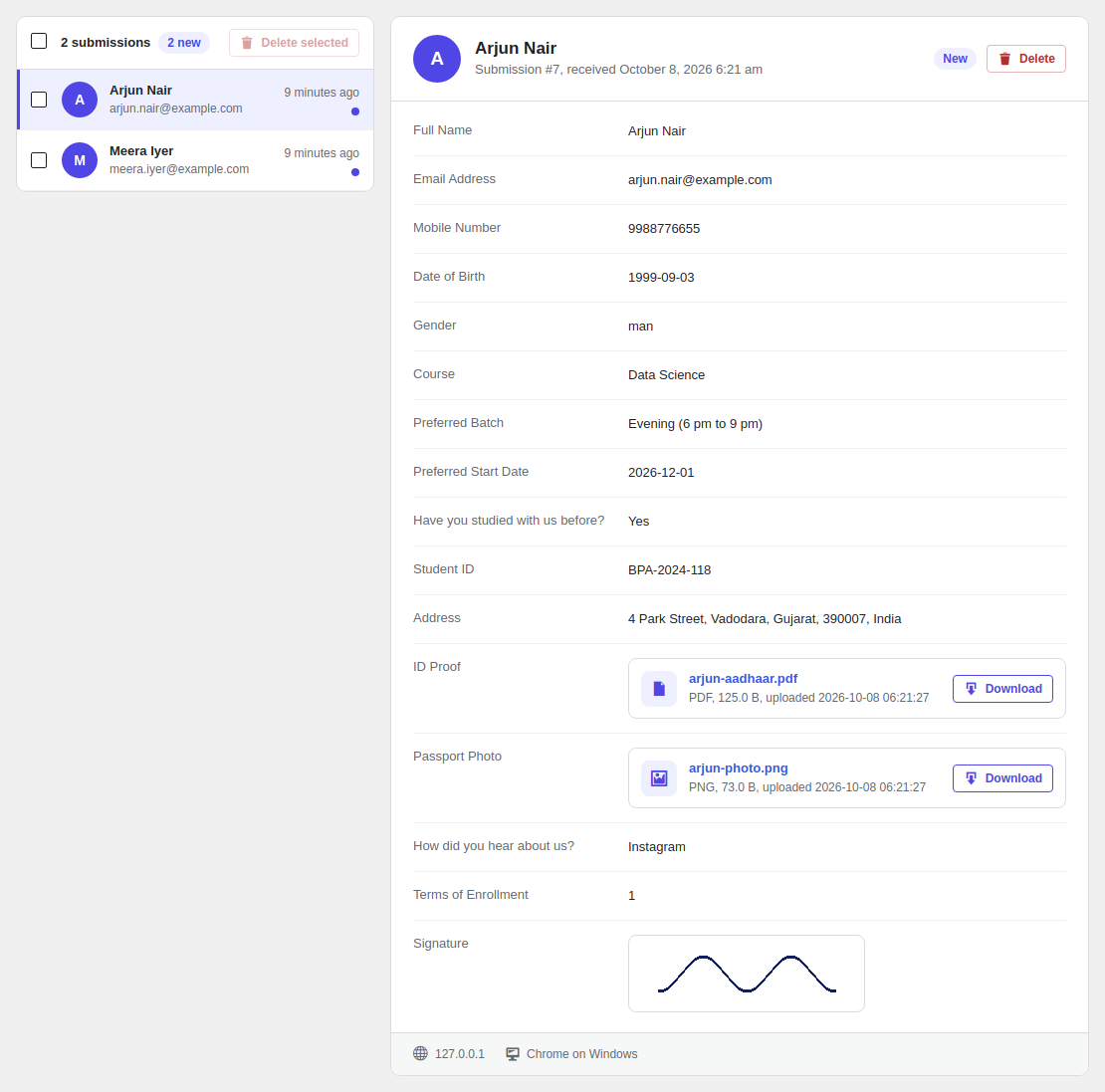
- Signature field: visitors sign with their mouse or finger
- Form validation: required fields, length limits, and custom error messages
- Email notifications to you, plus an optional copy to the visitor
- Spam protection: honeypot, Google reCAPTCHA, and submission rate limiting
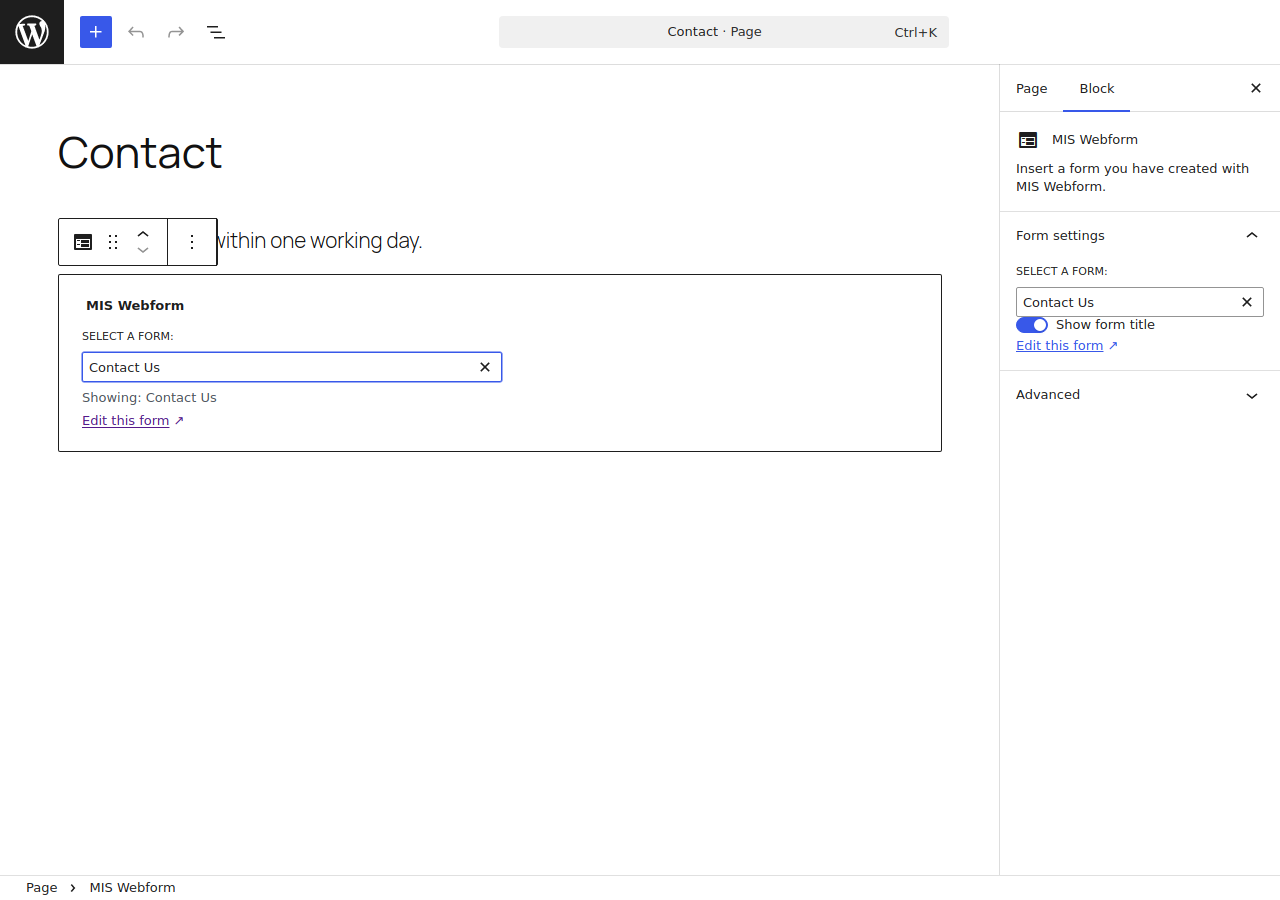
- Form block for the WordPress block editor, plus a shortcode for any page
- Live preview of your form before you publish it
- Submissions inbox with unread markers, file downloads, and CSV export
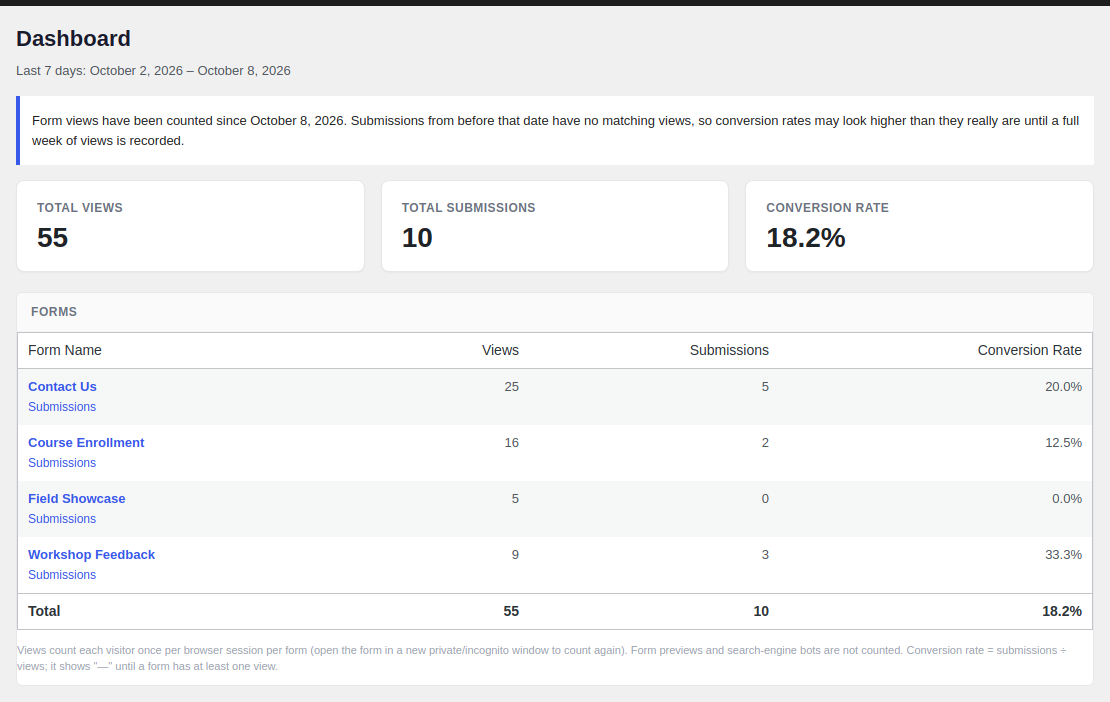
- Form analytics dashboard: views, submissions, and conversion rate for the last 7 days
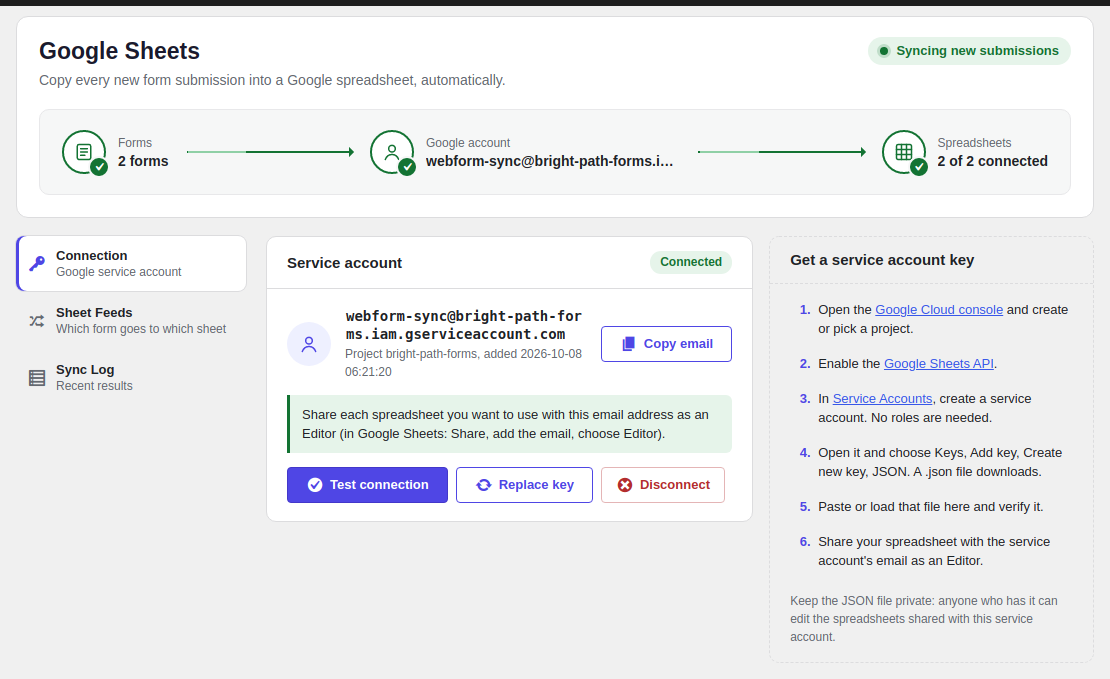
- Google Sheets sync: send every new submission to a Google spreadsheet automatically
- Privacy friendly: works with the WordPress personal data export and erase tools
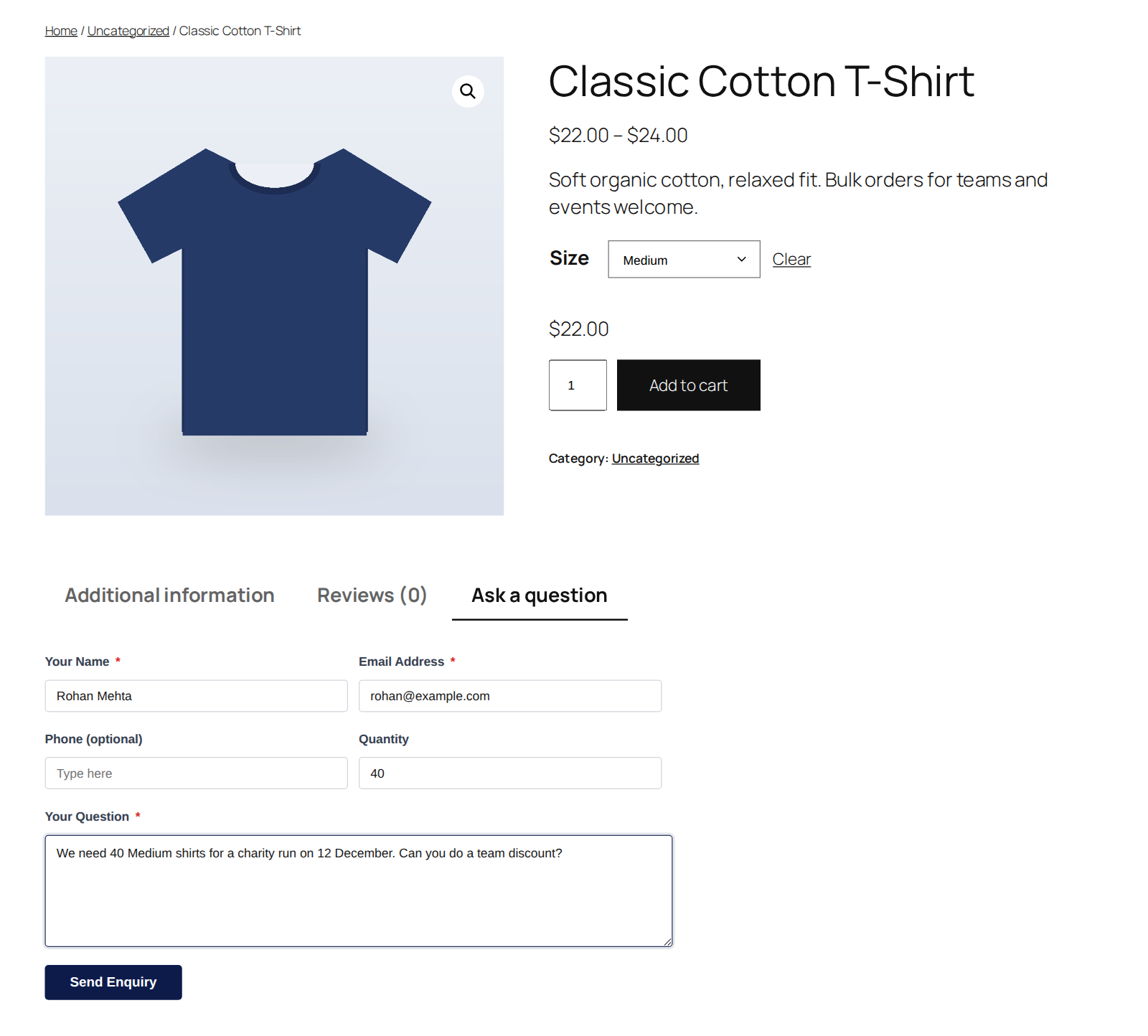
- WooCommerce integration (optional): product enquiry forms, a different form per product, and product, cart and order details saved with each submission. Off until you switch it on.
- Product enquiry forms: show a form in a product tab or under the Add to cart button.
- Product-specific forms: pick a different form, or none, for any product.
- Automatic product details: the product, chosen variation, SKU and price are saved with the enquiry. No hidden fields to set up.
- Product customization fields: add fields above Add to cart (engraving text, gift message, size notes and more). Required answers are checked, and the answers travel with the item into the cart, checkout, order emails, My Account and the order screen, and (optionally) under MIS Webform → Submissions. Prices don't change.
- Cart and order details: save the visitor's cart, or the order when the form is shown on the order confirmation page or in My Account. The submission is linked from the order's edit screen.
- Works with the Cart and Checkout blocks and High-Performance Order Storage (HPOS).
安装:
- Go to Plugins → Add New, search for MIS Webform, then install and activate it.
- Go to MIS Webform → New Form and build your form, or pick a template.
- Add the form to a page with the MIS Webform block, or paste its shortcode, for example
[mis-webform id="1"].
屏幕截图:




常见问题:
How do I add a form to a page?
In the block editor, click +, search for MIS Webform, and choose your form. In other editors,
paste the form's shortcode, for example [mis-webform id="1"].
Where can I see the submissions?
Go to MIS Webform → Submissions. You can read them, download uploaded files, delete them, and export them to CSV.
How do I send submissions to Google Sheets?
- Go to MIS Webform → Google Sheets and add your Google service account key. The page shows step-by-step how to get one.
- Share your spreadsheet with the service account email as an Editor.
- Create a feed: choose a form and a spreadsheet, then save.
What is the signature field?
It lets visitors sign your form with their mouse or finger, like signing on paper. The signature is saved as an image with the submission.
What does the dashboard show?
How many people viewed each form, how many submitted it, and the conversion rate, for the last 7 days. No personal visitor data is stored for this.
Are uploaded files safe?
Yes. Uploaded files are stored in a protected folder with random names, and only administrators can
download them. On Nginx servers, add this rule:
location ^~ /wp-content/uploads/mis-webform-private/ { deny all; }
My site uses Cloudflare. Why do all submissions show the same IP?
Go to MIS Webform → Settings → Visitor IP address and choose Cloudflare.
How do I add an enquiry form to my products?
- Turn on the integration in MIS Webform → Settings → WooCommerce.
- Create a form (the Product Enquiry template is a good start) and choose it as the Enquiry form on product pages. For fields shoppers fill in before buying, choose a form (the Product Customization template is a good start) as Customization fields on product pages.
- To use a different form on one product, edit the product and choose it in the MIS Webform
box. Block theme? Add the shortcode
[mis-webform-product-enquiry]to the product template.
What happens if I deactivate WooCommerce?
The WooCommerce features stop, and nothing else changes. Your forms keep working, and store details already saved with submissions are still shown on the Submissions screen and in CSV exports.
Will I lose my forms if I delete the plugin?
No. Your forms and submissions are kept unless you turn on Data on uninstall in MIS Webform → Settings before deleting the plugin.
更新日志:
- New: Settings are split into General and WooCommerce tabs; each tab saves only its own options.
- New: "Get started with WooCommerce" checklist on the WooCommerce tab, and a pointer to it in the Getting started guide on store sites.
- New: Optional WooCommerce integration (MIS Webform → Settings → WooCommerce). Off by default; loads only when switched on and WooCommerce is active.
- New: Product enquiry forms, shown in a product tab or under the Add to cart button, with a Product Enquiry template.
- New: Product-specific forms: choose a different form, or none, on any product.
- New: Google Sheets feeds can send store details (product, variation, SKU, price, quantity, order, customer, cart) as extra columns.
- New: Customization answers can also be saved as MIS Webform submissions (one per order item, linked to the order; on by default, no extra email).
- New: Product customization fields shown above Add to cart, with conditional logic. Answers are carried into the cart, checkout, order emails, My Account and the order screen, and kept by "Order again". Includes a Product Customization template.
- New: Product, variation, SKU and price saved automatically with each enquiry.
- New: Cart contents and order details can be saved with submissions; order submissions are linked from the order screen with an order note.
- New: Store details on the Submissions screen, in notification emails, in CSV exports and in personal data exports.
- New:
[mis-webform-product-enquiry]shortcode for block themes and page builders. - Compatible with the WooCommerce Cart and Checkout blocks and High-Performance Order Storage.
- Security: Multi-step Next and Previous button labels are now always shown as plain text.
- New: Welcome screen on the MIS Webform Dashboard: start from a template, build from scratch, or read the quick-start guide.
- New: "At a glance" on the Dashboard once you have forms: totals, new submissions, Google Sheets status and the latest entries.
- New: A welcome message on the Plugins screen after installing, with one click to create a contact form.
- New: Template gallery. Pick a template and the form is created right away. Browse templates any time from All Forms.
- New: "Add to a new page" button: creates a draft page that already contains the form.
- New: Getting-started checklist on the MIS Webform Dashboard. It hides itself when you're done; reopen the guide any time with the "Getting started" button or from Settings.
- Fixed: Switching a field's condition back to "No condition" no longer stops the form from saving.
- Fixed: After a form is sent, toggles, "Other" boxes and file names reset along with the rest of the form.
- Fixed: Refused or expired admin links now report "not allowed" or "not found" instead of a server error.
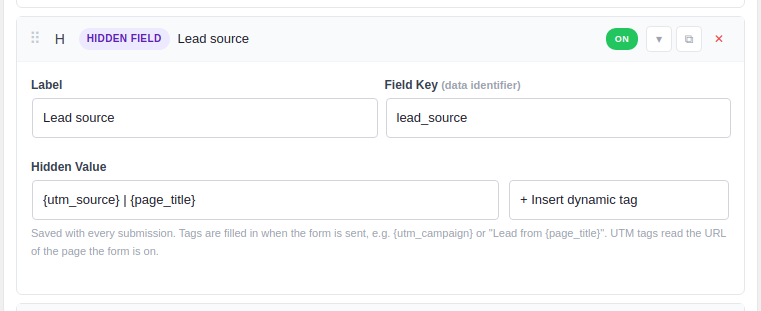
- New: Dynamic tags for Hidden Fields, filled in when the form is sent: UTM parameters, any URL parameter, page and post details, custom fields, site and logged-in user details, submission date and time, and WooCommerce product details.
- New: Number and Range Slider fields have Minimum, Maximum, and Step settings.
- New: Terms of Service fields have settings for the terms text and the agreement text.
- Improved: Each field shows only the settings that apply to it.
- Improved: The Pattern setting has one-click examples and a live test box, and warns when a pattern can't work.
- Improved: Email (with Confirm) shows its two boxes as one field, checks that they match while the visitor types, and shows the mismatch message under the second box.
- Improved: The conditional logic field list shows only fields that can be used in a condition.
- Improved: Column Layout is replaced by each field's Width setting.
- Fixed: When a field has no Field Key, the builder now highlights that field and names it, instead of showing an unclear error.
- Fixed: Single checkbox now shows its "Checkbox Label" text next to the box.
- Fixed: Custom error messages now show for every field type, including checkboxes, toggles, choices, and file uploads.
- Fixed: A required Toggle must now be switched on before the form can be sent.
- Fixed: The Textarea character and word counter now works, and Textarea length and pattern rules are checked.
- Fixed: Minimum and maximum dates and times are now checked when the form is sent, and Date & Time respects its time limits.
- Fixed: Range Slider fields no longer show empty labels.
- Fixed: Fields set to Half, One-third, or One-quarter width now sit side by side.
- Fixed: The character counter resets after a form is sent.
- Fixed: An error message on a field with several parts (such as Select with Other) no longer disappears.
- Fixed: Star rating fields now show their stars. Choose 3 to 10 stars and the icon (stars, hearts, dots, or thumbs up).
- Fixed: Dropdowns now start on "Select an option", so a required dropdown needs a real choice.
- Fixed: Select, Radios, and Checkboxes with "Other" now come with options.
- Fixed: Required choices, checkboxes, terms, ratings, signatures, and file uploads are now checked before Next and Submit.
- Fixed: Number and slider fields accept only numbers.
- Fixed: "Other" answers now show clearly on the submission screen.
- Fixed: Country, file upload, and HTML fields can now use conditional logic.
- New: Form block for the WordPress block editor.
- New: Form analytics dashboard with views, submissions, and conversion rate.
- New: Google Sheets sync for form submissions.
- New: Live preview of forms in a new tab.
- New: Save and Preview buttons stay visible while you edit a form. Press Ctrl+S to save.
- New: Cloudflare and proxy support for the visitor IP address.
- Improved: New design for the Submissions and Settings pages.
- Improved: Likert scale fields now show as a rating scale.
- Fixed: Forms with hidden required fields can now be submitted.
- Fixed: Name, address, and "Other" answers are now saved.
- Fixed: Multiple file uploads now keep every file.
- Fixed: File links in notification emails now open.
- Fixed: reCAPTCHA now works when the form is submitted a second time.
- Fixed: File uploads on Windows servers.
- Fixed: Uploaded files are now deleted together with their submission.
- Security: Stronger protection for uploaded files and email notifications.
- Fixed: Database tables now install on all MySQL and MariaDB versions.
- Initial release.