Modal Popup Box — Popup Maker & Popup Builder
| 开发者 |
awordpresslife
razipathhan hanif0991 muhammadshahid fkfaisalkhan007 sharikkhan007 zishlife FARAZFRANK |
|---|---|
| 更新时间 | 2026年8月20日 18:42 |
| 捐献地址: | 去捐款 |
| PHP版本: | 7.4 及以上 |
| WordPress版本: | 7.1 |
| 版权: | GPLv2 or later |
| 版权网址: | 版权信息 |
标签
下载
详情介绍:
- Display promotional offers, discount codes, and seasonal sale announcements
- Share important news updates or site-wide notifications with visitors
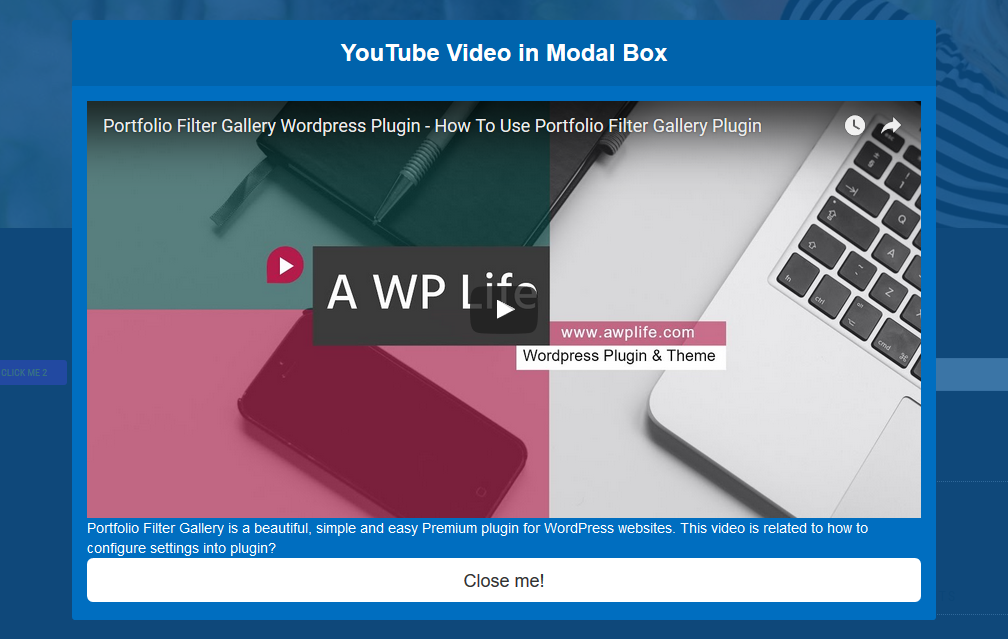
- Embed YouTube or Vimeo videos that auto-pause when the popup closes
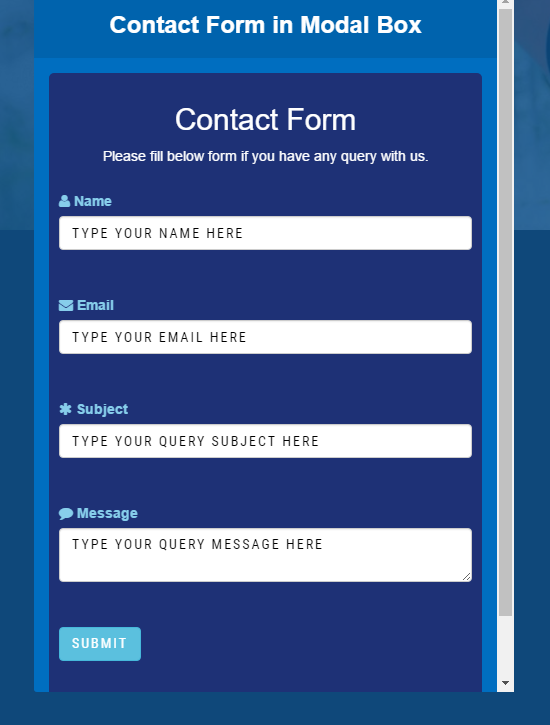
- Load contact forms like Contact Form 7 directly inside a popup
- Showcase image galleries, portfolios, or product highlights
- Run lead generation campaigns with newsletter signup forms
- Two Trigger Modes - Open your popup automatically on page load or let visitors click a button to open it
- Open Delay Timer - Set a custom delay from 0 to 60 seconds before your popup appears after page load
- 5 Color Presets - Choose from Blue, Red, Green, Purple, or Orange themes, or set a custom background color
- 4 Animation Effects - Fade and Scale, Slide Right, Side Fall, and 3D Flip for smooth popup transitions
- Overlay Opacity Control - Adjust background dimming from 0 percent to 100 percent to match your design
- Custom Button Styling - Change the popup trigger button text, font size, and color to fit your theme
- Simple Shortcode System - Place your popup on any page, post, or widget area with a single shortcode
- Fully Responsive Layout - Your popup adapts to every screen size without any extra configuration
- Content Flexibility - Embed text, HTML, shortcodes, images, videos, and forms inside your popup
- Lightweight and Fast - No Bootstrap, no jQuery, just clean code that loads quickly on every page
- Block Theme Compatible - Works perfectly with Full Site Editing themes and the WordPress block editor
- Accessible Design - Keyboard focus trapping and proper ARIA markup for screen reader support
安装:
- Go to Plugins > Add New in your WordPress dashboard and search for "Modal Popup Box".
- Click Install Now and then click Activate.
- Navigate to Modal Popup Box > Add New in the left sidebar menu.
- Write your popup content in the editor and configure the settings below it.
- Click Publish, then copy the shortcode and paste it into any page or post.
屏幕截图:
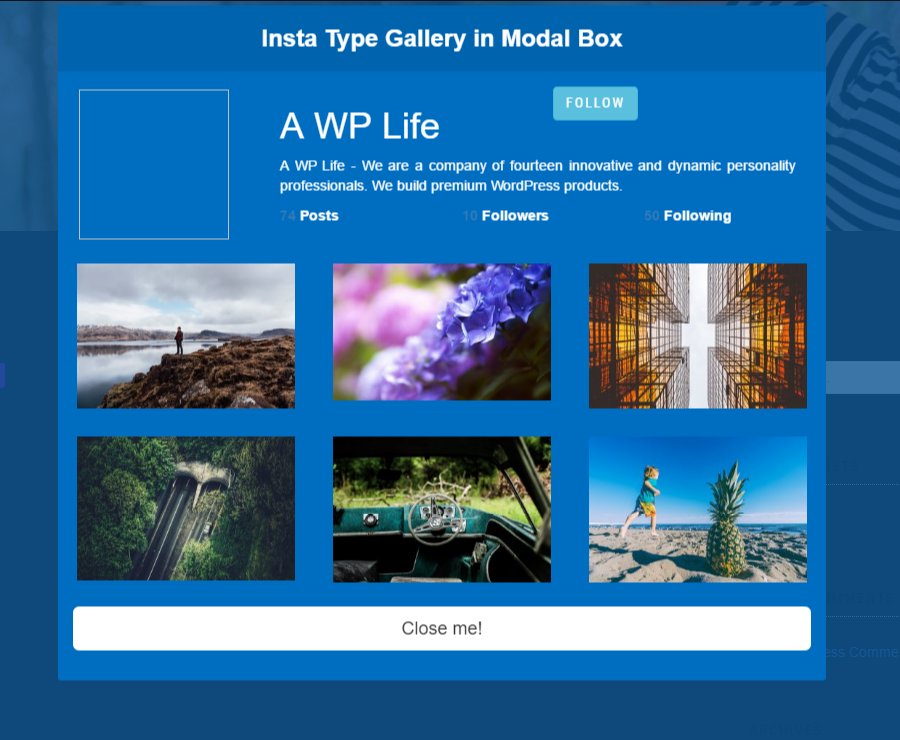
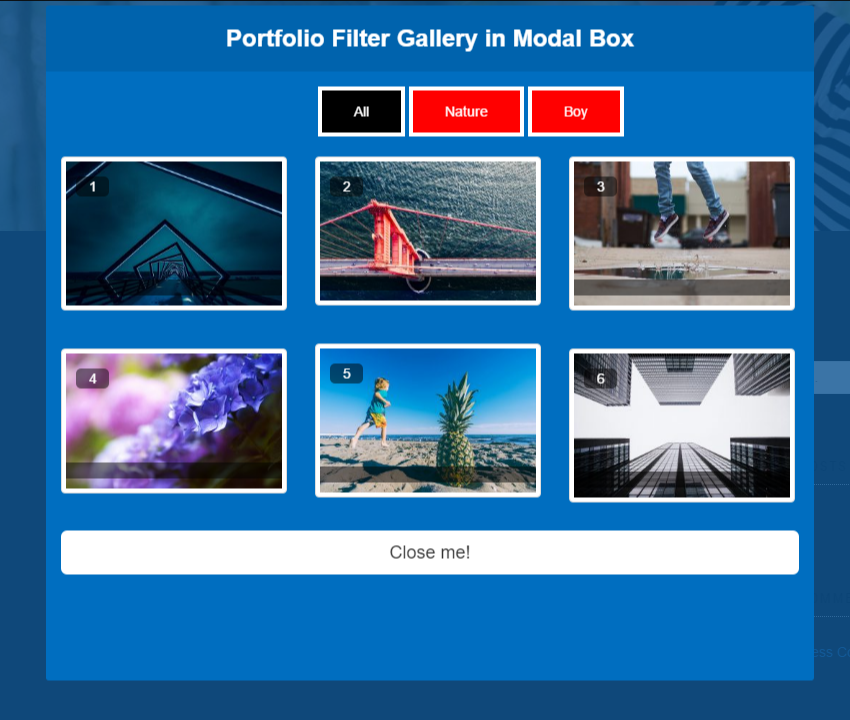
常见问题:
How do I create a popup with this popup builder?
Go to Modal Popup Box > Add New in your WordPress dashboard. Add your content in the editor, choose your preferred color preset and animation style, select whether the popup should open on page load or on button click, and hit Publish. Copy the generated shortcode and paste it wherever you want the popup to appear.
Can I set a popup to open automatically when the page loads?
Yes. In the popup settings panel, select the "On Page Load" trigger option. You can also set a delay timer so the popup appears after a specific number of seconds, giving visitors time to engage with your content first.
Does this popup maker work with contact form plugins?
Yes. You can embed any shortcode-based form plugin inside your popup. Contact Form 7, WPForms, Ninja Forms, and similar plugins all work. Just paste the form shortcode into the popup editor content area.
Will my popup display correctly on mobile devices?
Every popup created with this popup builder is fully responsive. The layout automatically adjusts to fit smartphones, tablets, and desktop screens without any additional configuration on your part.
Can I use this popup builder with Elementor or other page builders?
Yes. The popup works through a simple shortcode that you can paste into any page builder, including Elementor, Divi, Beaver Builder, WPBakery, and the default WordPress block editor. There are no compatibility issues.
Does the popup work with WordPress block themes?
Yes. Starting from version 2.1.0, this popup maker is fully compatible with Full Site Editing block themes such as Twenty Twenty-Five. The plugin uses inline styles and data attributes instead of inline scripts, so popups render reliably in block-based layouts.
How many popups can I create?
There is no limit. You can create as many popups as you need using this popup builder. Each popup has its own shortcode, so you can display different popups on different pages.
Is this popup maker lightweight and fast?
Yes. The plugin does not load Bootstrap, jQuery, or any other heavy framework. It uses custom lightweight CSS and vanilla JavaScript, so it has minimal impact on your page load speed.
Can I embed a YouTube video inside a popup?
Yes. Paste a YouTube or Vimeo embed code into the popup content area. The plugin automatically injects the enablejsapi parameter so the video pauses when visitors close the popup.
What animation effects are available in the free popup builder?
The free version includes four animation effects: Fade and Scale, Slide Right, Side Fall, and 3D Flip. The premium version unlocks 19 animation styles including Blur, Rotate, Super Scaled, 3D Slit, and more.
更新日志:
- Date: 22 July, 2026
- Feature: Implemented smooth auto-deactivation upgrade flow when switching to Premium.
- Fix: Enhanced close button styling and high-contrast accessibility across custom theme button styles.
- Fix: Corrected admin list table shortcode copy target selector behavior.
- Security: Hardened transient refresh actions with nonce and capability verification.
- Date: 30 June, 2026
- Fixed: Abrupt exit transitions by adding a 300ms closing delay to allow CSS transitions and overlay fades to play smoothly.
- Fixed: Style loss and overrides when multiple shortcodes are rendered concurrently or stylesheet is printed in the head early by utilizing unique style handles.
- Enhancement: Namespaced close button, body, and button padding rules to target individual modal IDs and prevent cross-modal styling conflicts.
- Date: 12 May, 2026
- Feature: Integrated high-definition in-dashboard Documentation & Tutorial guide.
- Feature: Added standalone "Our Plugins" & "Our Themes" showcases for broader ecosystem access.
- Enhancement: Modularized logic architecture to isolate settings and doc handlers for cleaner codebase.
- Enhancement: Optimized SEO readability standards across descriptions and saturated key terms (Popup Builder/Maker).
- Security: Completely excised redundant custom CSS inputs in compliance with hardened WordPress.org guidelines.
- Fix: Implemented full compatibility with WordPress Block Themes (FSE) like Twenty Twenty-Five.
- Enhancement: Migrated configuration delivery from inline scripts to HTML data-attributes for better reliability in block-based rendering.
- Enhancement: Replaced
wp_add_inline_style()with native HTML5<style>block injection to ensure per-modal styling renders reliably in FSE themes. - Enhancement: Refactored JavaScript to automatically detach modal wrappers and append them to the document body, preventing CSS clipping from theme stacking contexts.
- Security: Implemented granular data sanitization for admin settings and AJAX imports.
- Namespace Safety: Applied 'mpb-' prefix to all generic CSS classes to prevent conflicts.
- Performance: Migrated dynamic CSS to wp_add_inline_style() for CSP compliance.
- Accessibility: Implemented keyboard focus trap and ARIA-compliant HTML structure.
- YouTube Fix: Added automatic 'enablejsapi=1' injection for reliable auto-pause on close.
- Fixed: Critical fatal error related to versioning constant mismatch.
- Fully hardened for WordPress.org repository compliance.
- Enhancement: Removed Bootstrap dependency and replaced with custom lightweight utility classes to improve performance and prevent theme conflicts.
- New Feature: Added "Custom" color design option with a modal background color picker for greater design flexibility.
- Enhancement: Refined close button customization — removed size selection for a consistent Medium size and added background, text, and icon color settings.
- Enhancement: Added a smooth hover effect for the close icon with a matching border color.
- Improvement: Modernized settings page layout with a responsive 9/3 column grid and a premium-style action bar.
- Major Update: Complete plugin rewrite with modern architecture
- New Feature: 5 color presets (Blue, Red, Green, Purple, Orange)
- New Feature: 4 animation effects (Fade & Scale, Slide Right, Side Fall, 3D Flip)
- New Feature: Open Delay timer (0-60 seconds) for page load trigger
- New Feature: Overlay Opacity control (0-100%)
- New Feature: Redesigned admin dashboard with premium-style UI
- Enhancement: Improved modal centering across all themes
- Enhancement: Removed legacy code and unused dependencies
- Security: Improved data sanitization and escaping throughout
- Security: Fixed PHP Object Injection vulnerability
- Security: Fixed XSS vulnerability in custom CSS output
- Security Fix: Fixed PHP Object Injection vulnerability (Critical)
- Security Fix: Fixed XSS vulnerability in custom CSS output
- Security Fix: Improved data sanitization with proper escaping functions
- Bug Fix: Fixed undefined variable $columns causing PHP notices
- Bug Fix: Replaced deprecated wp_reset_query() with wp_reset_postdata()
- Bug Fix: Added missing isset() checks on POST data
- Enhancement: Changed capability check to allow editors to save settings
- Enhancement: Improved backward compatibility for legacy data formats
- Testing plugin for WordPress 6.9
- Testing plugin for WordPress 6.8.3
- Testing plugin for WordPress 6.8.1
- WordPress security issues fixed
- Testing plugin for WordPress 6.6.2
- Testing plugin for WordPress 6.5.5
- Hide/show fixed on settings page
- Admin demo link fixed
- WordPress security issues fixed
- Testing plugin for WordPress 6.4.3
- Bug Fix
- Testing plugin for WordPress 6.4.3