
Authlify – Custom Login URL, Login Security, 2FA & Login Page Designer
| 开发者 | MantraBrain |
|---|---|
| 更新时间 | 2026年10月6日 22:47 |
| 捐献地址: | 去捐款 |
| PHP版本: | 7.4 及以上 |
| WordPress版本: | 7.1 |
| 版权: | GPLv2 or later |
| 版权网址: | 版权信息 |
详情介绍:
- One plugin instead of four. A custom login URL (like WPS Hide Login), login lockouts (like Limit Login Attempts Reloaded), two-factor login (like Two Factor or WP 2FA) and a login page designer (like LoginPress), all built to work together.
- A hidden login that is actually hidden. Most hide-login setups leak the secret address through /wp-admin/, /login, password-reset links or emails. Authlify closes those routes, and its built-in Leak Check proves it on your own site.
- Built so you never lock yourself out. A new login URL must be confirmed before it applies, the address is emailed to you, and there are wp-config.php and WP-CLI recovery options for every setting.
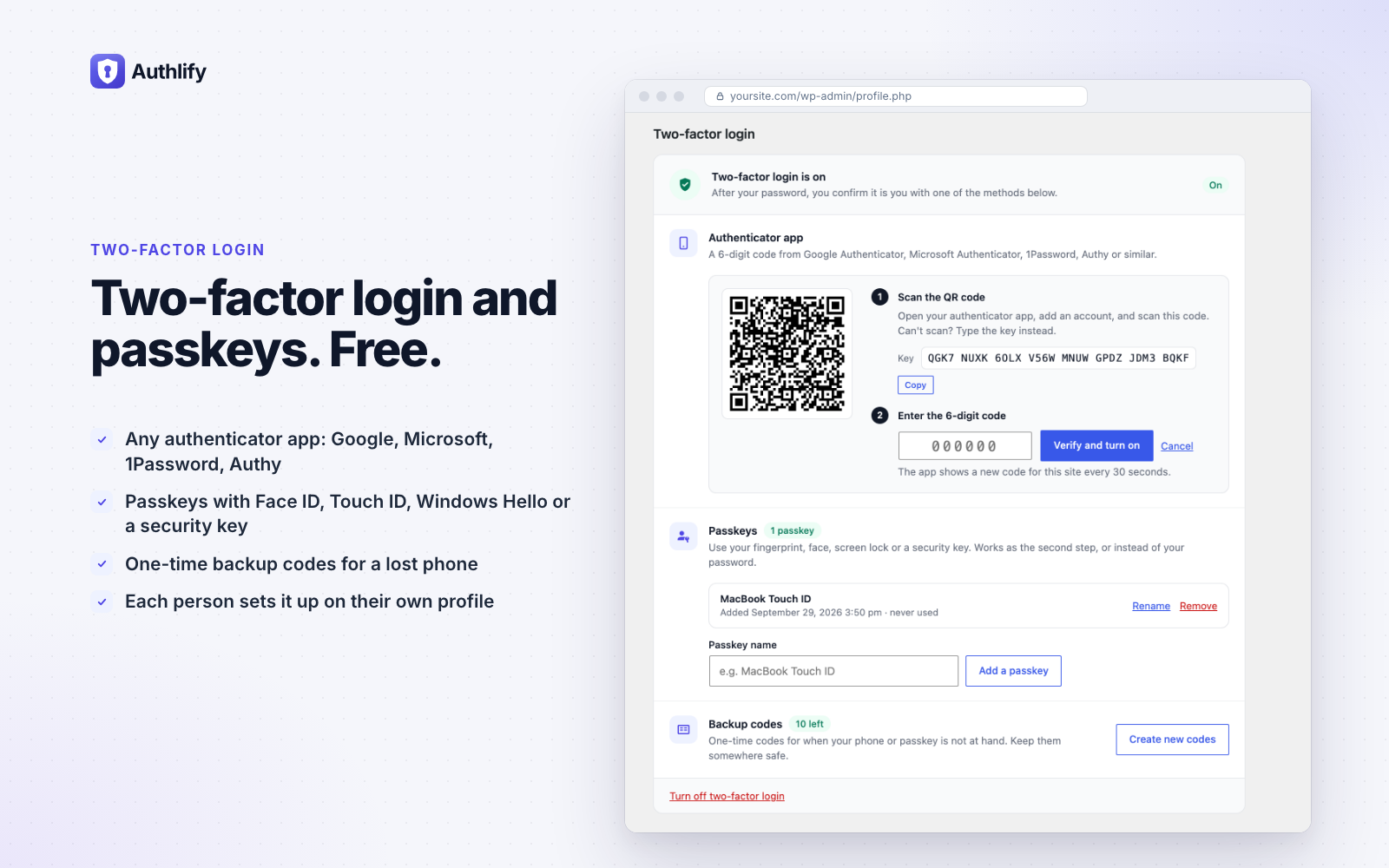
- Modern sign-in, free. Passkeys (Face ID, Touch ID, Windows Hello, security keys), authenticator apps and backup codes, with a two-factor step that matches your login design.
- Private by design. The activity log stays on your server, the self-hosted ALTCHA CAPTCHA needs no third party, and nothing is sent anywhere unless you switch on a service that needs it.
- Calm to use. A clear dashboard checklist, built-in documentation, no nag banners, and no features switched on behind your back by an update.
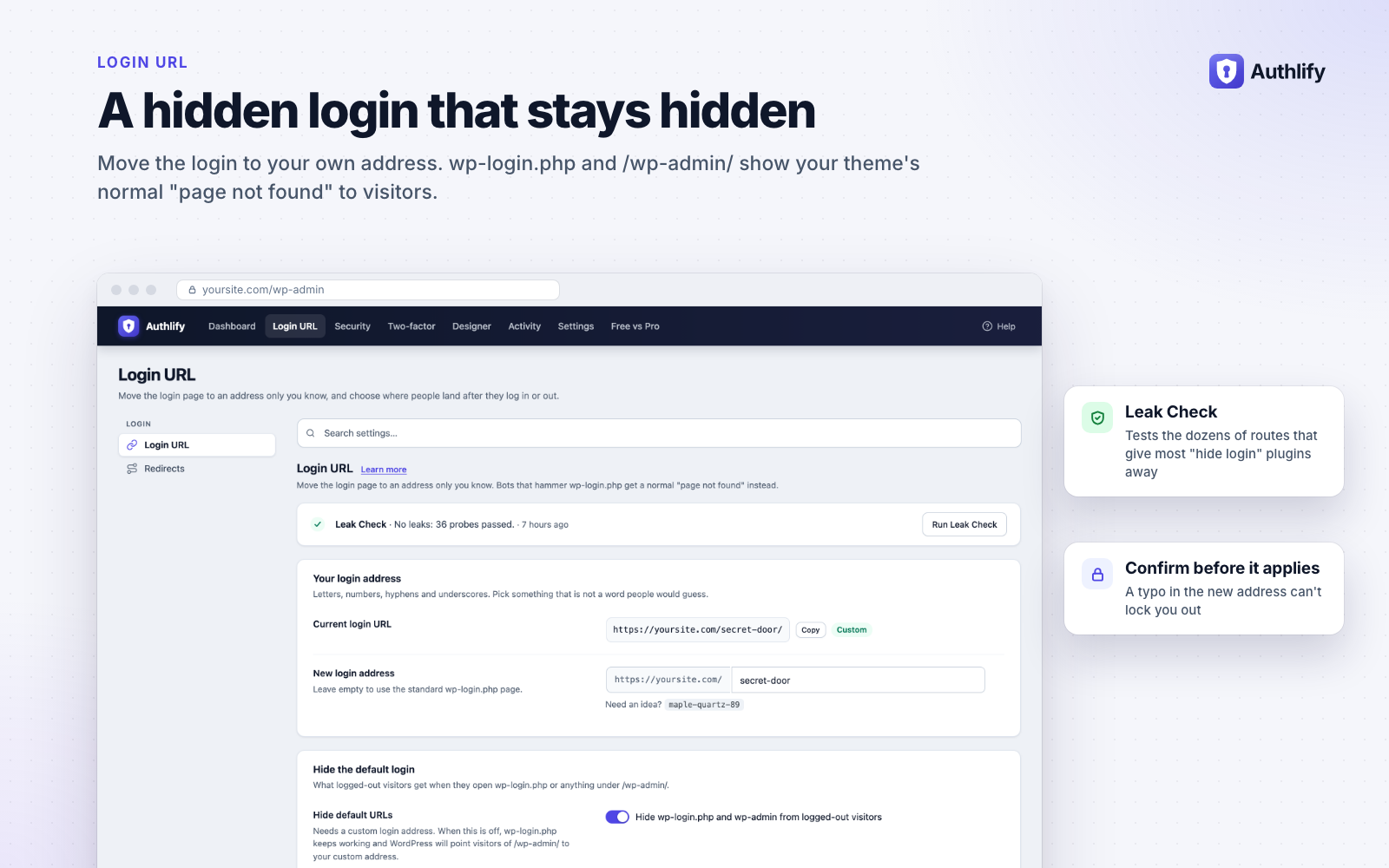
- Change the WordPress login URL to something like yoursite.com/my-door. It works on Apache, Nginx and managed hosts, with no .htaccess edits.
- Hide wp-login.php and wp-admin from logged-out visitors: they see your theme's "page not found" page, an "access denied" message, or a redirect of your choice.
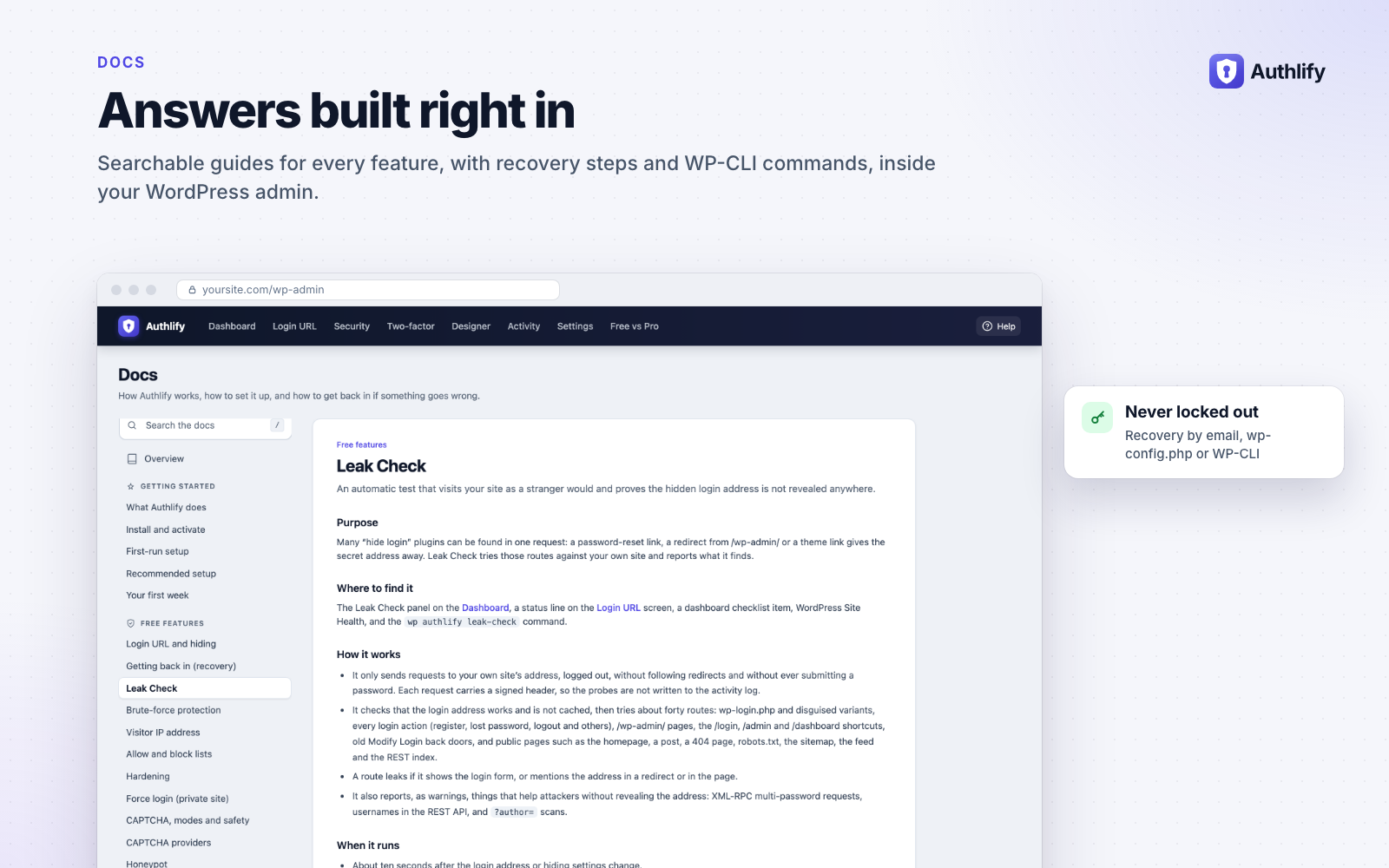
- Leak Check requests your own site about 40 times, the way a visitor would, and tells you exactly what, if anything, gives the address away. It can re-check weekly and after every change.
- Confirm before it applies. A new login URL works alongside the old one until you open it once, so a typo can't lock you out.
- Safe with page caches: the login page is never cached, and WP Rocket, LiteSpeed, SiteGround and Breeze exclusions are added automatically.
- Links to the login page from WooCommerce, membership and LMS plugins are rewritten to your custom address.
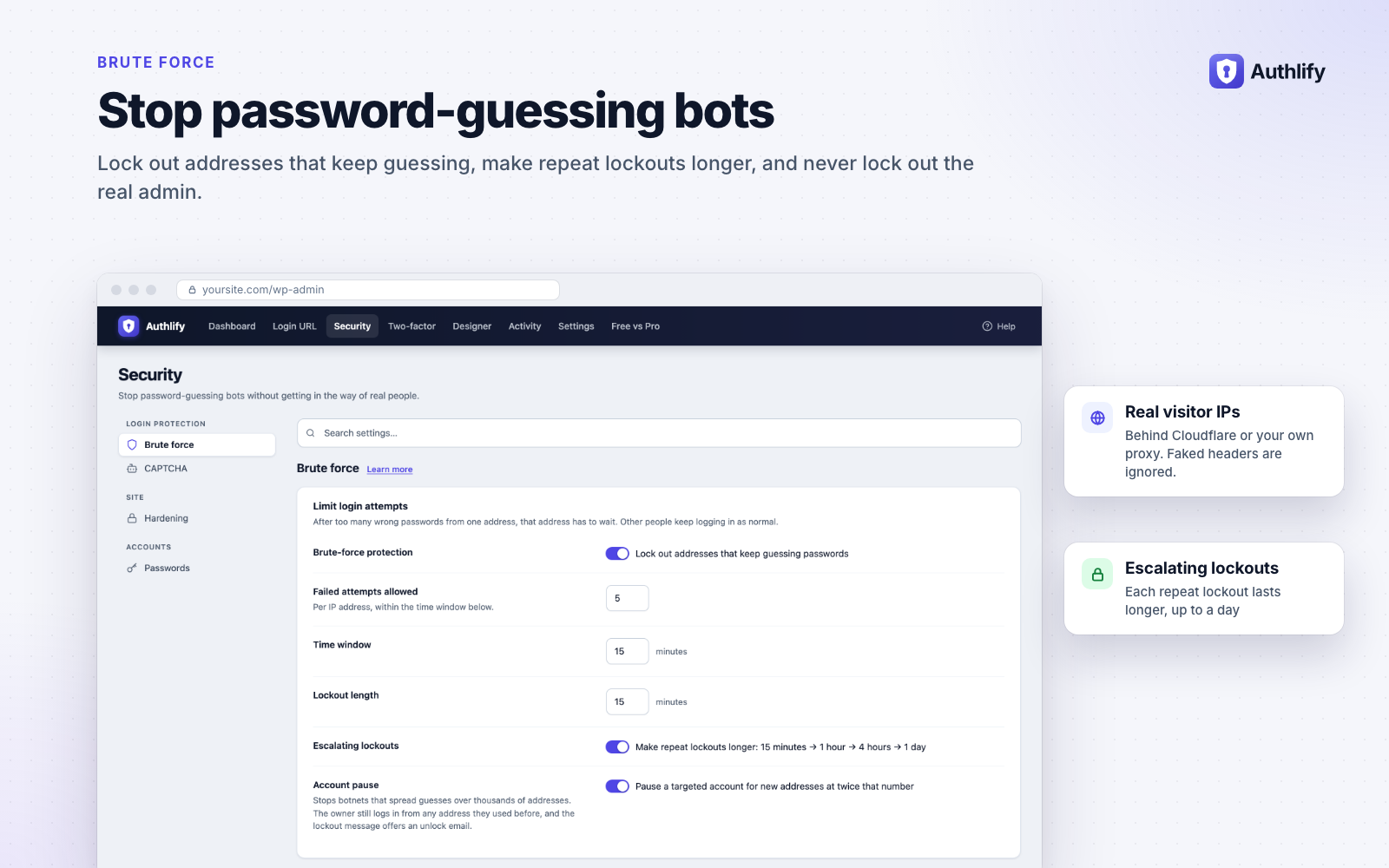
- Lockouts after too many failed logins, per IP address and optionally per network. Repeat lockouts get longer: 15 minutes, 1 hour, 4 hours, 1 day.
- Attackers can't lock out the real admin. A targeted account is never locked for everyone: it can ask for a CAPTCHA, and if the attack goes on it is paused only for addresses it has never logged in from. Its owner keeps logging in as usual and can always use an email unlock link.
- Lockouts also cover XML-RPC, the REST API and application passwords, not just the login form.
- Correct visitor IPs behind Cloudflare or your own proxy. Faked forwarding headers are ignored, so lockouts can't be dodged or pinned on someone else. Authlify detects your setup and suggests the right option.
- Allow and block lists (IP addresses and CIDR ranges). Block an address in one click from the activity log or the lockout list, and optionally block repeat offenders automatically after a number of lockouts (off by default; addresses an administrator has logged in from are never blocked).
- Hardening: switch off XML-RPC or its multi-password requests, hide usernames from the REST API and ?author= scans, limit application passwords, show generic login errors, and make the site private (force login) with public exceptions.
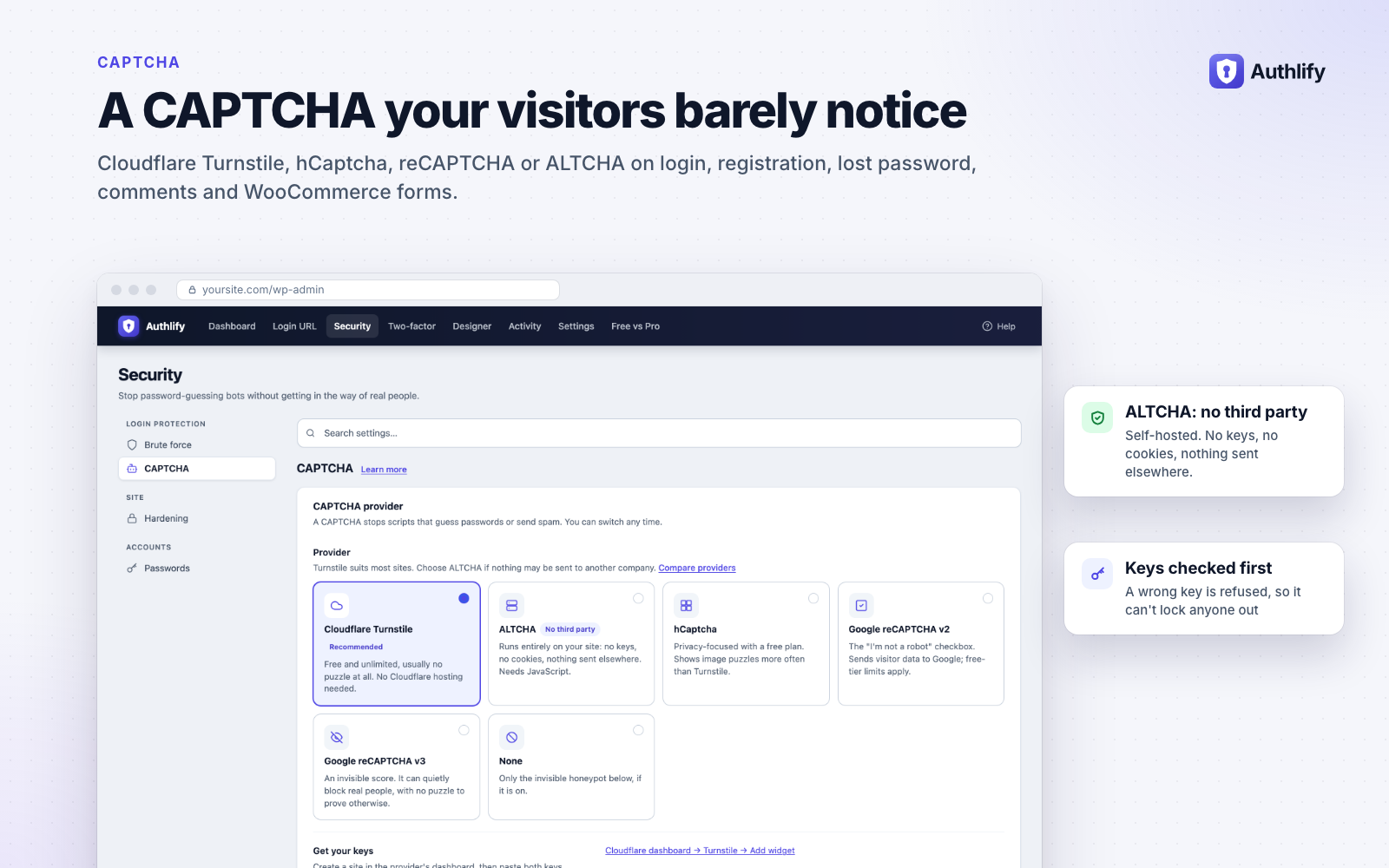
- Cloudflare Turnstile, hCaptcha, Google reCAPTCHA v2 and v3, and ALTCHA, a self-hosted, privacy-friendly CAPTCHA with no third party at all. Plus an invisible honeypot.
- On login, registration, lost password, comments, WooCommerce login, registration and lost-password forms, and WooCommerce checkout (classic and block checkout).
- Also on the login, registration and lost-password forms of Easy Digital Downloads, Ultimate Member, MemberPress and BuddyPress/BuddyBoss when those plugins are active. They follow the same form switches, and are checked before the password, so bots cost your server almost nothing.
- Show it always, or only after failed logins.
- Key checks before you switch it on, and a test mode that logs instead of blocking.
- Authenticator apps (Google Authenticator, Microsoft Authenticator, 1Password, Authy and others) with one-time backup codes.
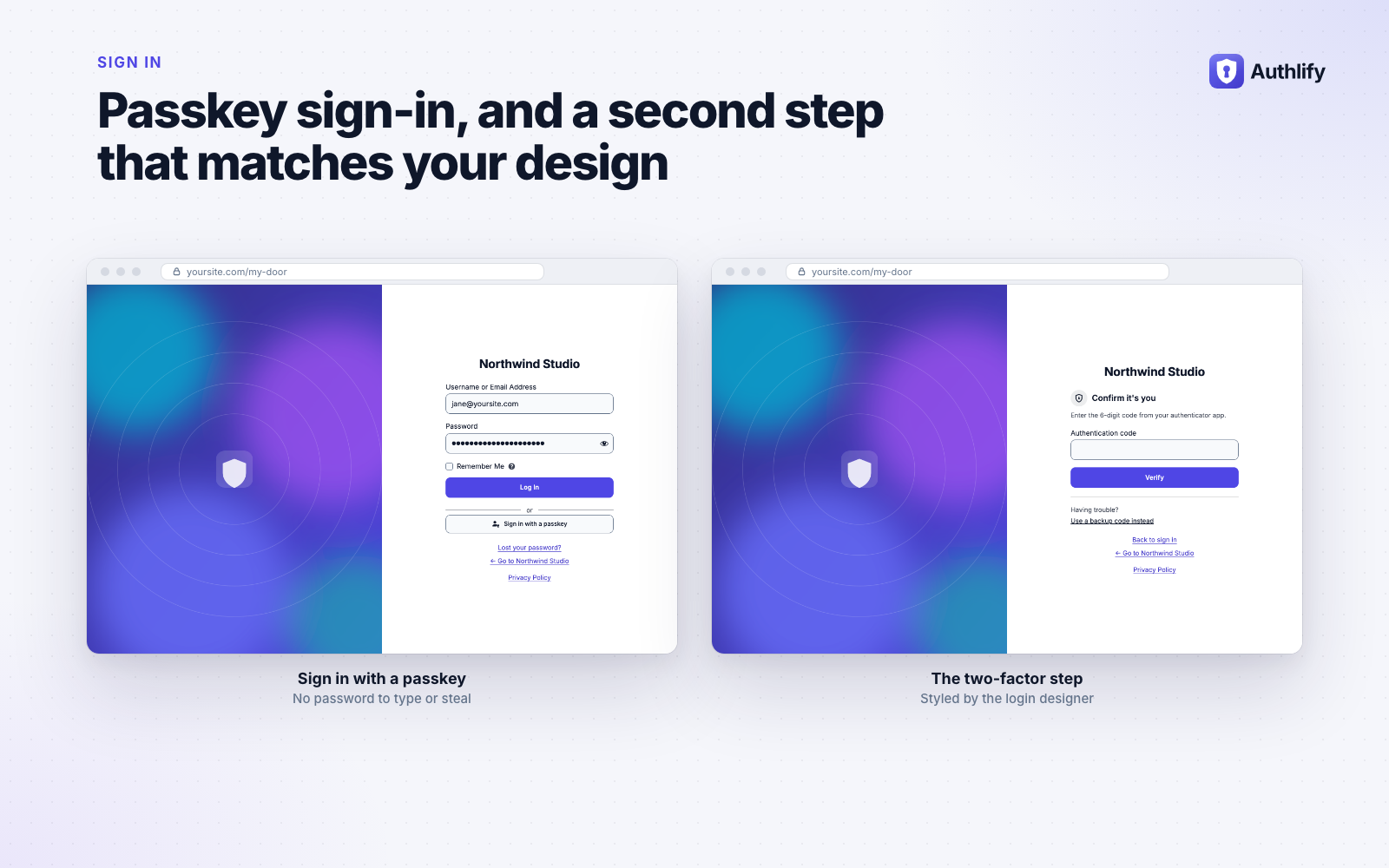
- Passkeys: sign in with Face ID, Touch ID, Windows Hello or a security key, plus a "Sign in with a passkey" button on the login page (PHP 8.0 or later with OpenSSL).
- Each user sets up two-factor login on their own profile. Admins can reset it, and users can recover by email.
- Switching from Two Factor or WP 2FA? Import your users' authenticator apps, with a preview first, so nobody has to set their app up again.
- The two-factor step uses your login page design.
- Breached-password check: optionally refuse passwords found in known data breaches, using the privacy-preserving Have I Been Pwned range API.
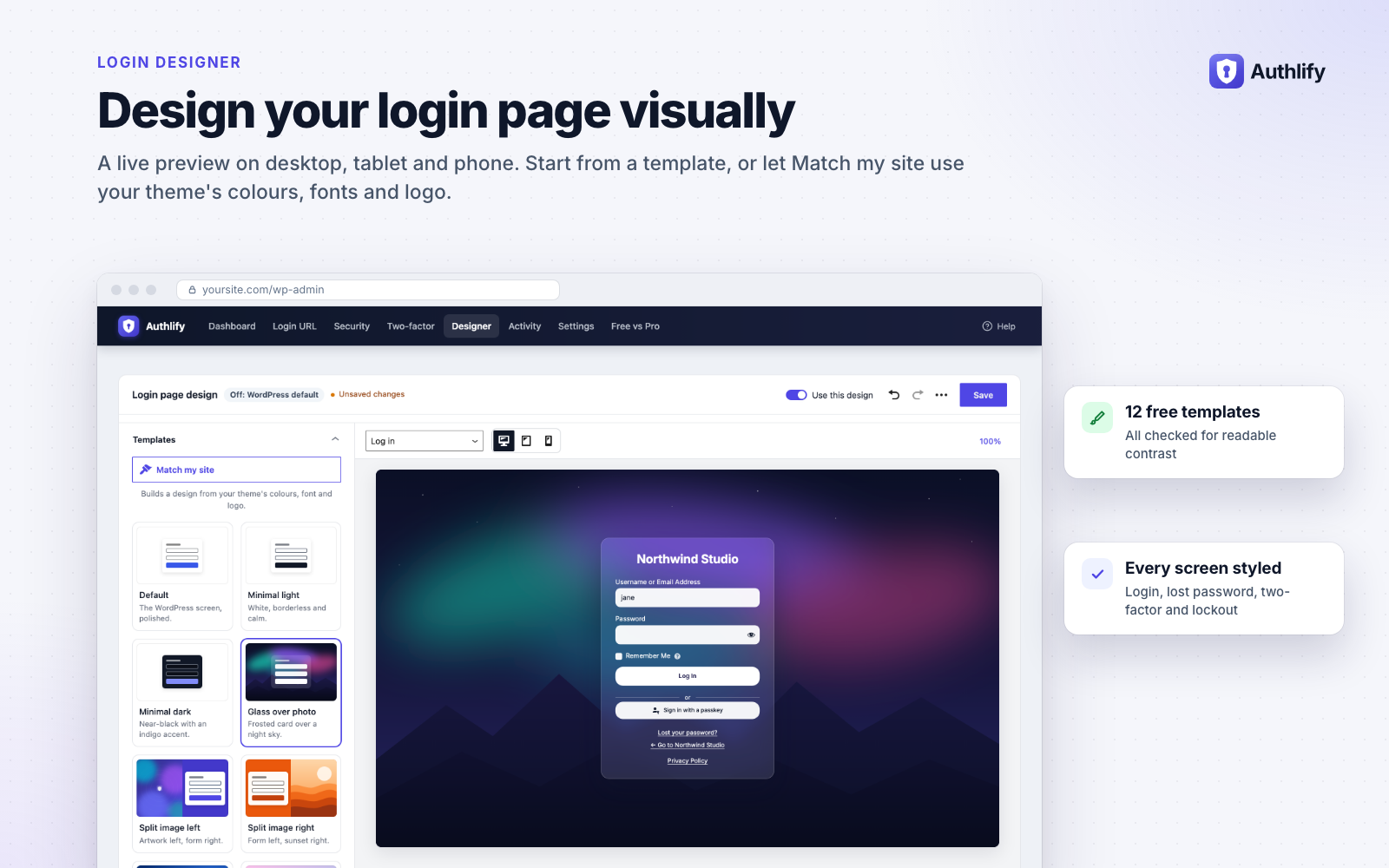
- A visual designer with a live preview of your real login page on desktop, tablet and phone.
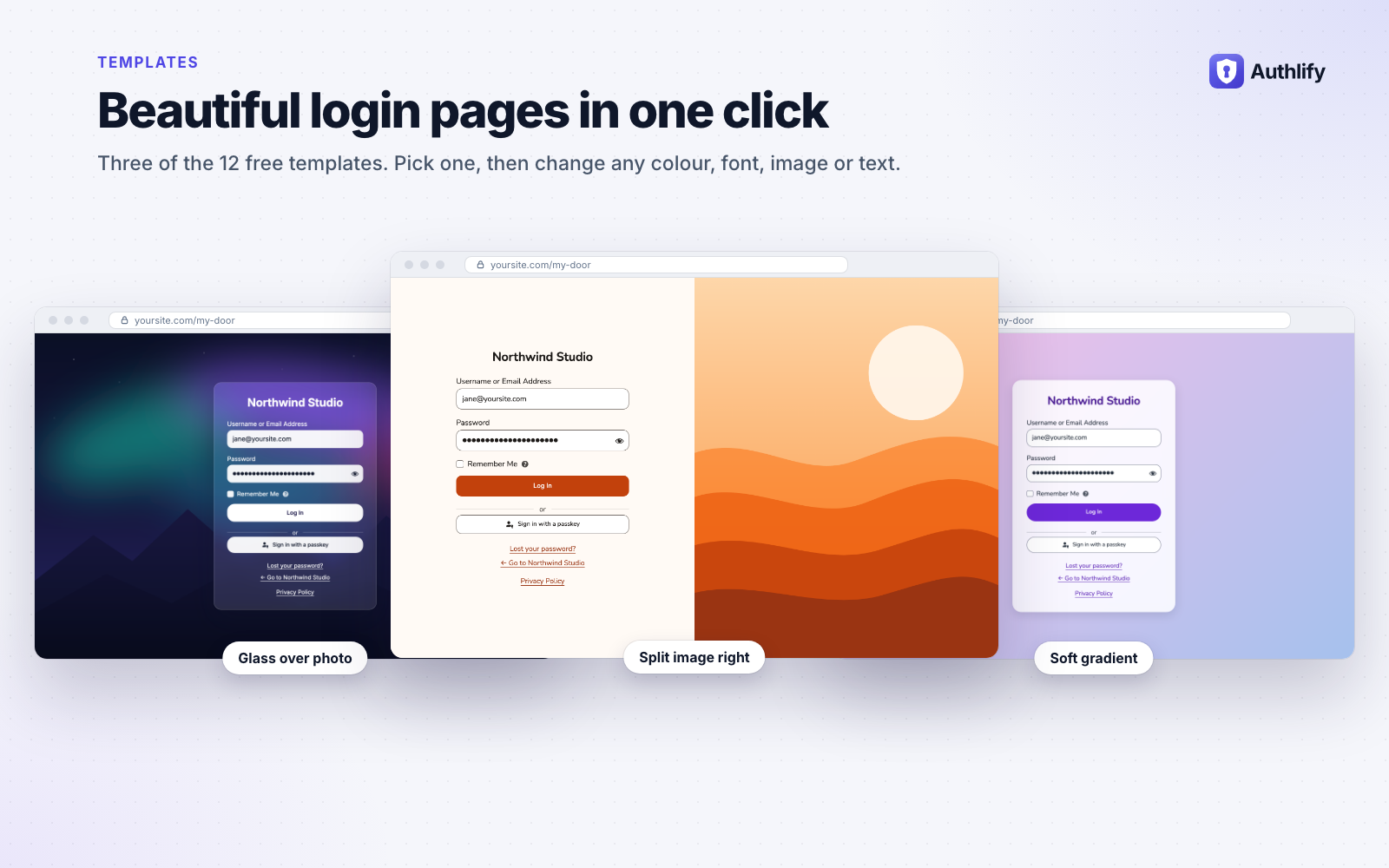
- 12 ready-made templates, including split-screen, glass and dark, all checked for readable contrast.
- Match my site builds a design from your theme's colours, fonts and logo in one click.
- Logo, background image, colours, fonts, form and button styles, and custom CSS.
- Every login screen is styled: login, lost password, reset, registration, two-factor and lockout.
- Import an existing design from LoginPress or Colorlib Login Customizer.
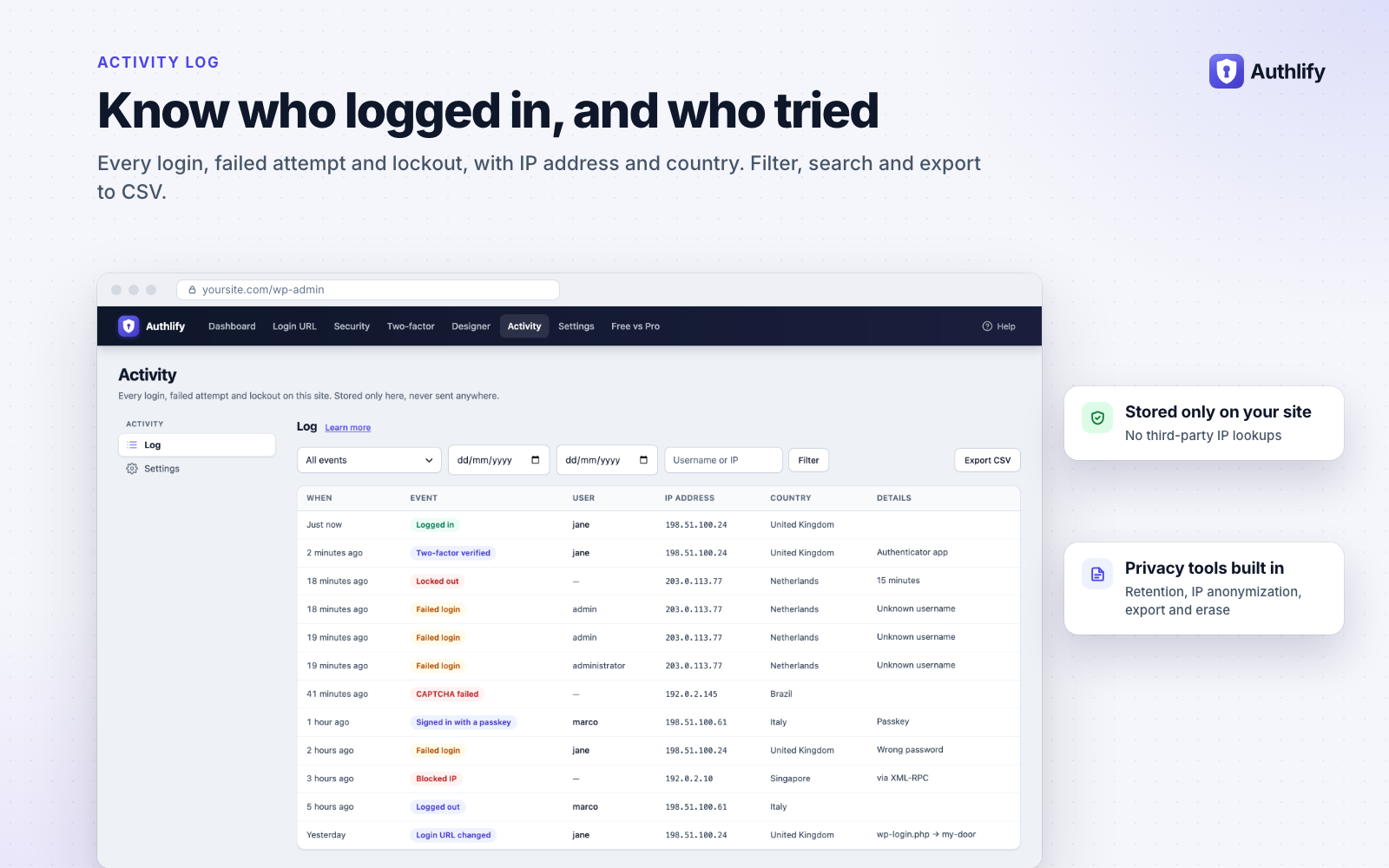
- Every login, failed login, lockout and security change, with IP address and country (from Cloudflare's country header, when the site is set up as behind Cloudflare).
- Filter, search and export to CSV.
- Stored only on your site, with a retention period, optional IP anonymization, and the WordPress privacy export and erase tools.
- Optional email to the admin when an administrator account is locked out.
- Optional new sign-in email: tell users (in the roles you choose) when their account signs in from a new device or IP address.
- Login and logout redirects for everyone or per role.
- Never locked out: the login URL is emailed to the site admin whenever it changes;
define( 'AUTHLIFY_DISABLE_HIDE', true );in wp-config.php brings wp-login.php back; locked-out users get an "email me an unlock link" option. - WP-CLI:
wp authlify url get|set|reset,wp authlify unlock,wp authlify lockouts,wp authlify reset_2faandwp authlify leak-check. - Switch in one click from WPS Hide Login, Limit Login Attempts Reloaded, Admin and Site Enhancements (ASE) and LoginPress: Authlify detects them and imports their settings.
- Settings export and import between sites, Site Health checks, and multisite support.
- Built-in documentation under Authlify → Docs, with a "Learn more" link on every settings screen.
- Require two-factor login by role: a grace period and setup wizard, email codes, trusted devices, passkey-only roles and a coverage report for each role.
- Social login and single sign-on: Google, Microsoft, Apple, GitHub and any OpenID Connect provider (Okta, Auth0, Keycloak, Entra ID), limited to your email domains if you like.
- Passwordless and temporary access: magic login links and sign-in codes by role, and temporary logins for support staff and clients that expire on their own.
- Login alerts: new-device and new-country emails with a "This wasn't me" link, and admin alerts by email, Slack, Discord, Telegram, Microsoft Teams or signed webhooks.
- Login by country, hours and a honeypot: allow or refuse logins by country (with a local country database), limit roles to set days and hours, and ban IPs that keep trying the old login addresses.
- 22 premium login designs: animated, video and seasonal backgrounds, branded emails, login and registration blocks, a popup login, a Site Editor login page and a WooCommerce My Account skin.
- Session control: maximum session length and devices per role, idle logout with a warning, and "log out everywhere".
- Password policy: length, character rules, no reuse and expiry for chosen roles, plus a breached-password check at login.
- Sudo mode: people confirm it is them before plugin, theme, user and security changes.
- WooCommerce: the two-factor step inside My Account, and a Security tab where customers manage two-factor login, passkeys and devices.
- Insights and scheduled exports: failed attempts by country, top IP addresses and targeted usernames, a weekly digest and scheduled CSV exports of the log.
- Agency and multisite: white-label, client handoff, network settings with per-site locks, and design sync between sites.
- REST API and WP-CLI: settings, the activity log, lockouts and the design over
/wp-json/authlify-pro/v1/, plus bulk WP-CLI commands.
安装:
- Install and activate Authlify from Plugins → Add New.
- Open Authlify → Login URL, choose a private address and open the confirmation link. Nothing is hidden until you do this.
- Review the protections under Authlify → Security. Brute-force lockouts are on for new installs; CAPTCHA and hardening options are yours to switch on.
- Follow the checklist on the Authlify dashboard: it shows what is protected and what to set up next.
- Optional: set up two-factor login or a passkey on your profile, and pick a design under Authlify → Designer.
- Stuck? Authlify → Docs has a getting-started guide and a troubleshooting section.
屏幕截图:


常见问题:
Is Authlify free?
Yes. Everything described above, including the custom login URL, lockouts, every CAPTCHA provider, two-factor login, passkeys, the designer and the activity log, is free with no limits and no expiry. Authlify Pro is an optional add-on for teams, stores and agencies.
I forgot my custom login URL. How do I get in?
Check your email: Authlify sends the login address to the site admin email every time it changes. You can also add define( 'AUTHLIFY_DISABLE_HIDE', true ); to wp-config.php to bring back wp-login.php, or run wp authlify url get with WP-CLI.
I'm locked out after too many failed logins. What now?
Wait for the lockout to end, or use the "email me an unlock link" option on the lockout screen. With WP-CLI, wp authlify unlock --all lifts every lockout. Add your own IP address to the "Never lock out" list to avoid it in future.
How is this different from WPS Hide Login?
Both change the login URL without touching .htaccess. Authlify also closes the routes that commonly leak the secret address (such as /wp-admin/, /login, password-reset and signup links, the Customizer and privacy emails), proves it with Leak Check, asks you to confirm a new address before it applies, and adds lockouts, CAPTCHA, two-factor login, passkeys and a login designer. It can import your WPS Hide Login address in one click.
Can it replace Limit Login Attempts Reloaded?
Yes for most sites: lockouts per IP and network, escalating lockout lengths, allow and block lists, lockout emails, a log with CSV export, and correct IPs behind Cloudflare or a proxy, all free. It can import your Limit Login Attempts Reloaded settings.
Does hiding the login page make my site secure?
It stops the huge volume of automated attacks on wp-login.php, which saves server resources and log noise. Pair it with lockouts, CAPTCHA and two-factor login for real protection. Leak Check also shows what a hidden URL does not cover, such as XML-RPC and application passwords.
Which CAPTCHA should I use?
Cloudflare Turnstile is free and invisible for most visitors. ALTCHA runs entirely on your own server, so no visitor data goes to a third party. hCaptcha and reCAPTCHA v2/v3 are also supported. You can show the CAPTCHA only after failed logins.
Do passkeys replace passwords?
They can. Once a user adds a passkey on their profile, they can sign in with the "Sign in with a passkey" button and Face ID, Touch ID, Windows Hello or a security key, or use it as their second step. Passkeys need PHP 8.0 or later with the OpenSSL extension, and a site on https.
Does it work with WooCommerce, membership and LMS plugins?
Yes. Lockouts, the block list and two-factor login apply to every login that goes through WordPress, whichever form it comes from. The CAPTCHA covers WooCommerce (My Account and checkout, classic and block), Easy Digital Downloads, Ultimate Member, MemberPress and BuddyPress/BuddyBoss forms; Ultimate Member and Easy Digital Downloads also show Authlify's lockout message instead of "wrong password". Links to the login page from other plugins are rewritten to your custom address automatically.
Can I keep my users' authenticator apps when I switch from another 2FA plugin?
Yes, from Two Factor and WP 2FA. Go to Authlify → Settings → Switch plugins, click Preview to see how many users would be imported, then Import, and deactivate the other plugin. Users keep the same entry in their app. Wordfence Login Security secrets cannot be copied (Wordfence does not document their format), so those users set up their app again.
Can users get an email when someone signs in to their account?
Yes. Under Activity → Settings, turn on "New sign-in email" and choose the roles. Users get one email when their account signs in from a device or IP address it has not used before (at most one every 15 minutes), with a link to change their password. It is off by default.
Does it work behind Cloudflare or a load balancer?
Yes. Choose "Through Cloudflare" or "Through my own proxy" under Security → Brute force, so lockouts use each visitor's real IP address. Authlify detects your setup and suggests the right option.
Does it work with caching plugins?
Yes. The login page is never cached, and exclusions for WP Rocket, LiteSpeed Cache, SiteGround Optimizer and Breeze are added automatically. Site Health tells you if another cache needs a manual exclusion.
Is it GDPR friendly?
The activity log stays on your site, is deleted after the retention period you choose, can store anonymized IPs, and is covered by the WordPress personal-data export and erase tools. ALTCHA and the honeypot need no third-party service at all. Suggested privacy-policy text is added to Settings → Privacy. The external services a feature may use are listed under "External services" above.
Will it conflict with other security plugins?
Turn off login-URL or lockout features in other plugins that do the same job. If another two-factor plugin (Two Factor, WP 2FA or Wordfence) is active, Authlify leaves two-factor login to it and tells you.
Does it support multisite?
Yes. When network-activated, one set of settings, one login URL and one activity log cover the whole network.
I was upgraded from Modify Login. What changed?
Your login URL, redirect settings, reCAPTCHA keys and login log carry over unchanged. New protections (lockouts, new CAPTCHA providers, two-factor login) stay off until you switch them on. The old settings stay in the database in case you roll back.
What is the difference between Authlify and Authlify Pro?
Free covers everything one site needs to protect its login. Pro adds two-factor rules by role, social login and single sign-on, passwordless and temporary access, login alerts, country and hours rules, session and password policies, 22 premium designs and agency tools. See the full comparison, or Authlify → Free vs Pro in your dashboard.
Where do I get help?
Start with Authlify → Docs in your dashboard. For free support, open a topic in the support forum. Authlify Pro customers get email support; see the Authlify page for details.
更新日志:
- New: CAPTCHA and lockout messages on the WooCommerce block checkout and on Easy Digital Downloads, Ultimate Member, MemberPress and BuddyPress/BuddyBoss forms. They follow your existing form switches.
- New: block an IP address in one click from the activity log or the lockout list, and optionally block repeat offenders automatically (off by default).
- New: import your users' authenticator apps from Two Factor and WP 2FA (Settings → Switch plugins), with a preview.
- New: optional email to users when they sign in from a new device or IP address (off by default).
- New: a notice when another plugin also limits logins or renames the login page, and a Site Health check that scheduled tasks (WP-Cron) run.
- Security: hardening of the hidden login URL, the CAPTCHA, unlock links, lost password and private-site mode. Leak Check covers more places and reports public login-form pages as a warning.
- Improved: the CAPTCHA is checked before the password, the attempt that locks an address says so, and locked-out WooCommerce customers can ask for an unlock link from My Account.
- Fixed: Solid Security no longer pauses Authlify two-factor login unless its own two-factor module is on; per-site network settings on multisite; right-to-left admin screens; layout on phones.
- Improved: the built-in help and readme describe the real defaults (lockouts, the activity log and the weekly Leak Check are on for new sites, the honeypot is off), the account pause, IPv6 network lockouts (/48) and the PHP 8 requirement for passkeys.
- Improved: a link to the online documentation on the Docs screen, and videos of Authlify and Authlify Pro in the readme.
- New name: Modify Login is now Authlify. Your settings, login URL and log carry over.
- Security: closed two ways to reach the login page without the custom URL, fixed a fatal error when reCAPTCHA could not be reached, and stopped sending visitor IPs to a third-party location service.
- Rebuilt login URL hiding: WordPress no longer reveals the secret address through /wp-admin/, /login, /admin, /dashboard, wp-signup.php, the Customizer, privacy emails or encoded paths. Works on Nginx and managed hosts (no rewrite rules).
- New: Leak Check self-test, confirm-before-apply for new login URLs, login-URL email, WP-CLI commands and wp-config recovery constants.
- New: brute-force lockouts per IP, network and targeted account, escalating lockouts, trusted-proxy IP detection, allow/block lists and email unlock links.
- New: Cloudflare Turnstile, hCaptcha, reCAPTCHA v3 and self-hosted ALTCHA CAPTCHAs on core and WooCommerce forms, plus a honeypot.
- New: two-factor login (authenticator apps, backup codes) and passkeys.
- New: breached-password check (Have I Been Pwned, privacy-preserving).
- New: login page designer with 12 templates, "Match my site", live preview and full coverage of every login screen.
- New: activity log with filters, CSV export, retention, IP anonymization and privacy tools. No more third-party IP lookups.
- New: per-role redirects, XML-RPC, username-discovery and application-password controls, private-site mode, settings import/export and importers from WPS Hide Login, Limit Login Attempts Reloaded, Admin and Site Enhancements and LoginPress.
- New: built-in, searchable documentation under Authlify → Docs.
- Requires WordPress 6.4 or later.
- Fixed: The 2.0.1 release never reached anyone. WordPress.org reads the version from the
Version:header in the main plugin file, and that header was still 2.0.0, so the directory kept advertising 2.0.0 and no installation was ever offered the update. The header is now correct, and the version is defined in one place so it cannot drift again. - Update: WordPress 7.1 compatibility. Every WordPress function the plugin calls was cross-checked against the 7.1 codebase; none are deprecated or removed.
- Fixed: The Login Logs screen requested
assets/dist/admin/js/logs.min.js, which has never existed, producing a 404 on every visit. - Fixed: The login page builder appended a timestamp to its asset URLs, so its CSS and JavaScript were re-downloaded on every page load instead of being cached.
- Fixed: Added the translation template the plugin's
Domain Pathhas always pointed at. - Update: Raw sources and source maps are no longer shipped in the plugin package.
- Added: Complete UI redesign with modern interface
- Added: Visual login page builder with live preview
- Added: Background image customization with opacity, position and size controls
- Added: Logo customization options
- Added: Form styling options with color picker
- Added: Button styling customization
- Added: Login/logout custom redirects
- Added: Google reCAPTCHA integration
- Added: Login attempt tracking and logging
- Added: Custom CSS support
- Improved: Better security measures for login protection
- Improved: Code architecture and performance optimization
- Improved: Documentation and user guidance
- Fixed: Various bugs and compatibility issues
- Fixed: Plain permalink issue resolved