
Monthwrap: Maintenance & Client Reports
| 开发者 | shazilkhan |
|---|---|
| 更新时间 | 2026年11月10日 06:07 |
| PHP版本: | 7.4 及以上 |
| WordPress版本: | 7.1 |
| 版权: | GPLv2 or later |
| 版权网址: | 版权信息 |
详情介绍:
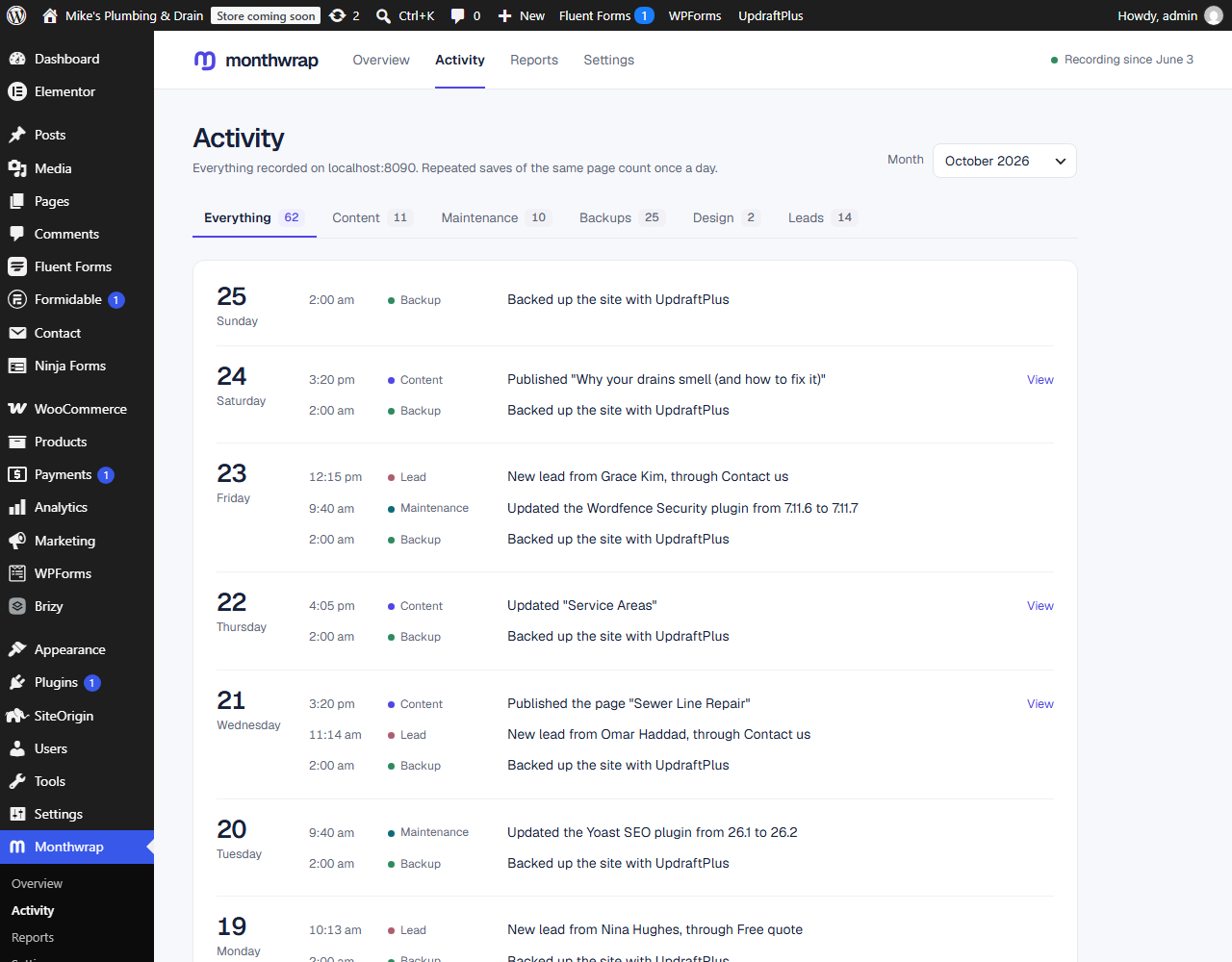
- Content work: posts, pages and WooCommerce products published, and edits to them. Edits are grouped to one entry per page per day, however many times it's saved.
- Page builder edits: works with the block editor, the classic editor, Elementor, Beaver Builder, SiteOrigin, Divi and WPBakery, and with builders that keep layouts in their own fields (Bricks, Oxygen, Breakdance, Thrive, Themify, Cornerstone, Zion, Visual Composer).
- Maintenance: plugins and themes installed, updated or removed, and WordPress updates, with the old and new version. Updates are noticed however they happen: the Updates screen, automatic updates, uploading a zip, the host's tools or FTP.
- Server updates: when the host upgrades PHP, MySQL or MariaDB.
- Backups: each UpdraftPlus backup, including ones that failed. Other backup tools can report theirs with one line of code.
- Design changes: templates (Site Editor, Elementor, Beaver Builder, Bricks, Divi, Breakdance and others), menus, and the theme's design settings.
- Leads: contact form submissions from Contact Form 7, WPForms, Gravity Forms, Elementor Pro, Fluent Forms, Forminator, Ninja Forms and Formidable Forms. Only the name, email address and phone number and the form's name are kept, never the message.
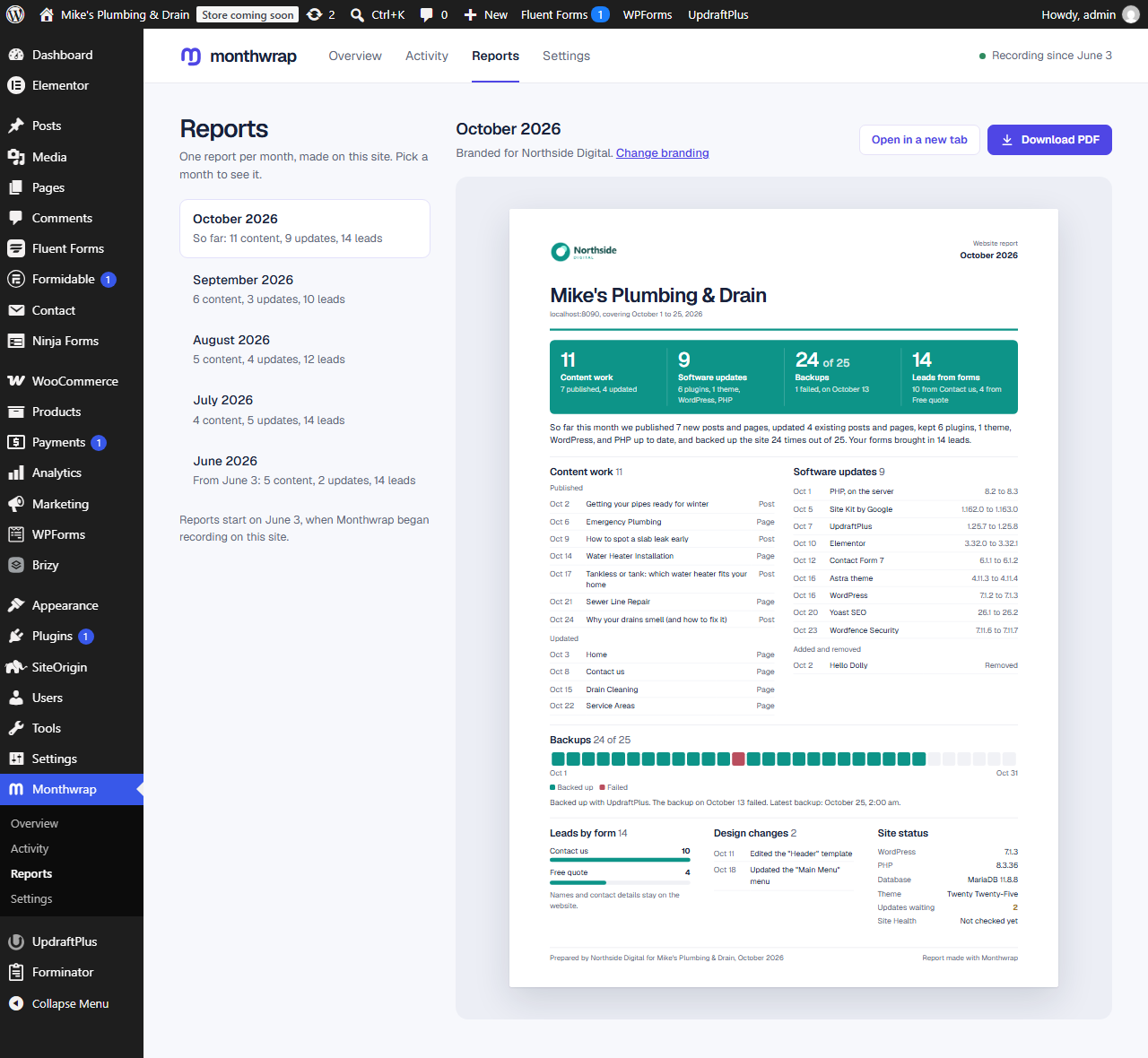
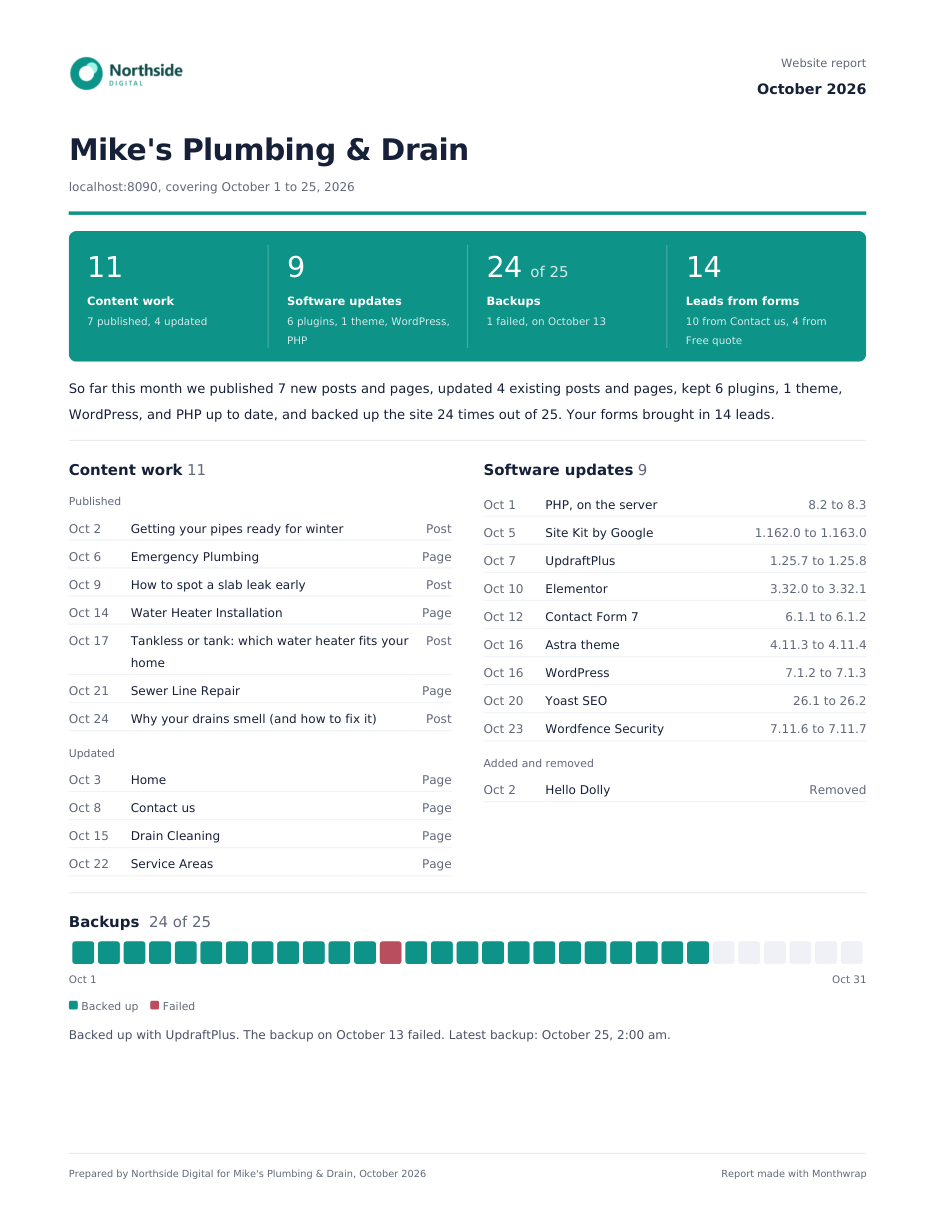
- totals: content published and updated, software updates, backups and leads
- every piece of work, by section, with dates
- leads by form (names only if you choose to show them)
- the site's state: WordPress, PHP and database versions, theme, updates still waiting, WordPress Site Health results and the last backup
- Overview: this month's work in four numbers, what needs attention (a failed backup, waiting updates, Site Health problems) with a button to fix each, this month's report and the latest work.
- Activity: everything recorded, day by day, filterable by month and kind.
- Reports: every month since the plugin started recording, each previewed as it will print, with the PDF download.
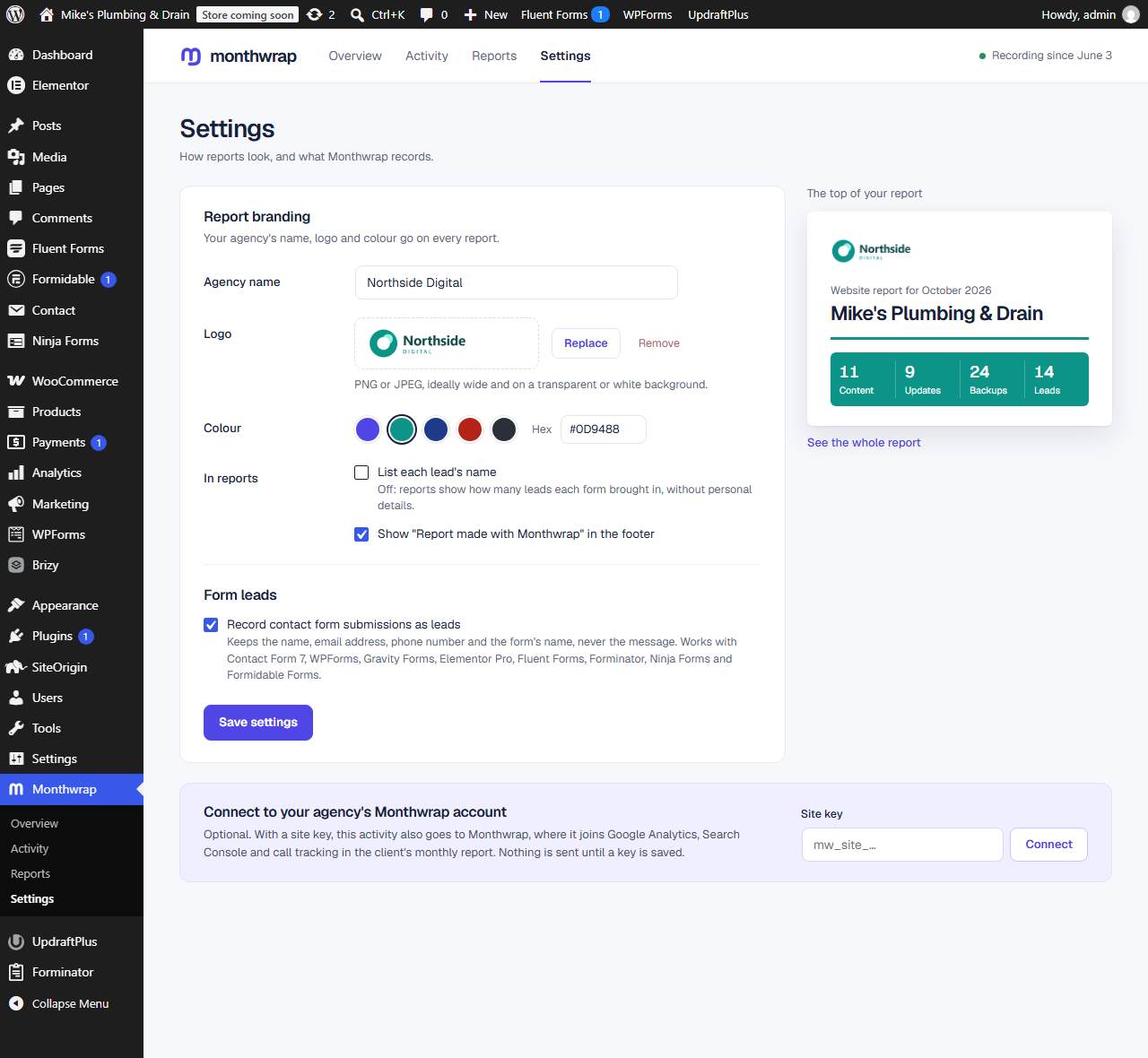
- Settings: report branding with a live preview, form leads on or off, and the optional Monthwrap connection.
安装:
- Install the plugin from Plugins > Add New, or upload the
monthwrapfolder to/wp-content/plugins/. - Activate it. It starts recording straight away.
- Go to Monthwrap > Settings to add your agency's name, logo and colour to reports.
- Go to Monthwrap > Reports for this month's report.
- Optional: if your agency uses Monthwrap, paste the site key under Monthwrap > Settings > Monthwrap connection.
屏幕截图:
常见问题:
Does it record work done before it was installed?
No. It starts recording when it's activated. Plugin, theme and WordPress versions are noted then, so the first update after that is recorded.
Does it slow the site down?
No. Recording is a single database insert when something happens, and anything sent to Monthwrap goes in the background with WP-Cron, never while a visitor waits.
How long is activity kept?
24 months. Older entries are deleted automatically.
Can it monitor uptime?
Not from inside the site: when a site is down, nothing on it runs, including this plugin. When the site is connected to Monthwrap, its hourly check-ins let the agency see when it stops responding.
Which backup plugins are supported?
UpdraftPlus, out of the box. Other backup tools, or your own scripts, can report a finished backup with do_action( 'monthwrap_backup_completed', 'Tool name', time(), true );.
Can I stop form submissions being recorded?
Yes. Untick "Record contact form submissions as leads" under Monthwrap > Settings. Developers can also decide per form with the monthwrap_send_form filter.
What about privacy and GDPR?
Leads are kept in the site's own database. The plugin adds a suggested paragraph to your privacy policy page, and works with WordPress's Export and Erase Personal Data tools under Tools. Erasing removes a person's name, email address and phone number but keeps the lead in the counts.
Can I leave some content types out?
Yes, with the monthwrap_track_post filter. Page builder template types and layout fields can be adjusted with the monthwrap_template_post_types and monthwrap_layout_meta_keys filters.
What does it leave behind if I delete it?
Nothing. Deleting the plugin removes its settings, its activity log and its scheduled tasks. Deactivating keeps them, in case you switch it back on.
更新日志:
- First release: activity log, branded monthly reports with PDF download, page builder, backup and server update tracking, form leads from eight form plugins, privacy tools, and the optional Monthwrap connection.