
Moonical – Moon Calendar Widgets
| 开发者 | moonical |
|---|---|
| 更新时间 | 2026年11月26日 16:14 |
| PHP版本: | 7.4 及以上 |
| WordPress版本: | 7.1 |
| 版权: | GPLv2 or later |
| 版权网址: | 版权信息 |
详情介绍:
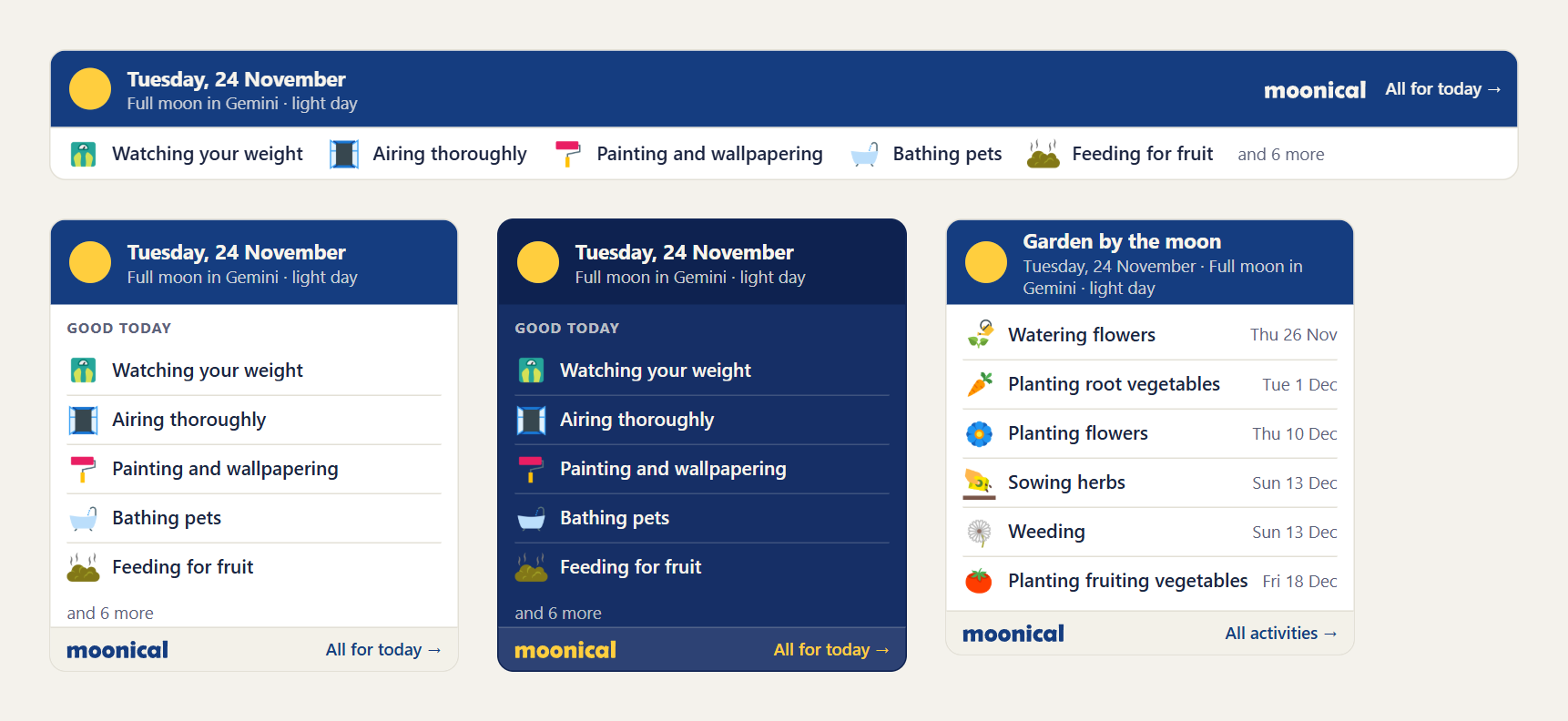
- Today: the moon's phase and zodiac sign, the kind of day, and the activities the traditional moon calendar recommends for it. As a card, or as a strip across the page.
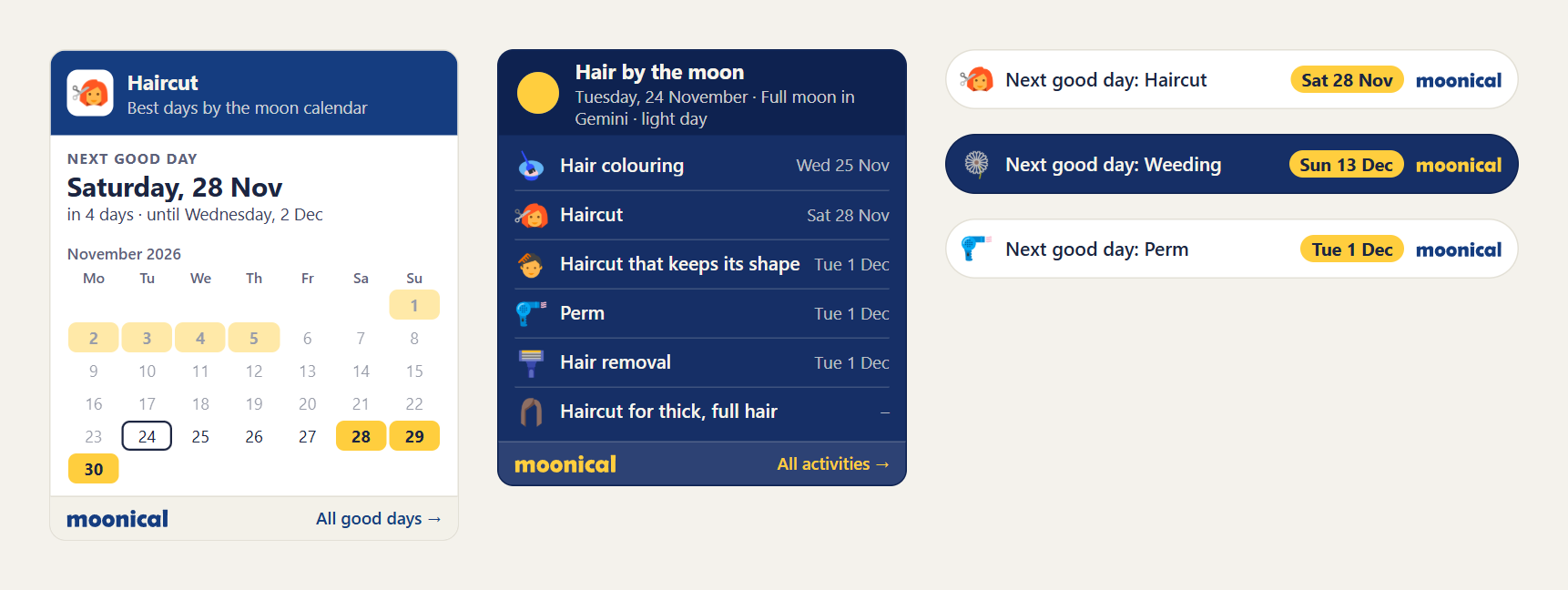
- One activity: the next good days for one of more than 130 activities, from a haircut to sowing tomatoes. As a card with a small month, or as a one-line badge.
- A topic: a few activities at once, such as hair, skin and nails, cleaning or the garden.
- Moon phases: the next new, first quarter, full and last quarter moon with their times, the days of the month with their moon, or the next full moon as a badge.
[moonical widget="haircut" shape="badge" look="night"]
widget:today(the default),moon-phases, a topic (topic/hair,topic/skin-nails,topic/cleaning,topic/garden) or an activity, named as in its address on moonical.com (haircutfor moonical.com/haircut).shape:card(the default),strip(today),badge(an activity, the moon phases) ormonth(the moon phases).look:nightfor the dark look.tz:sitefor your site's time zone (Settings › General, set as a city), or the name of a time zone such asEurope/London. Without it, every visitor sees their own day.
安装:
- Install the plugin from Plugins › Add New, or upload the folder
moonicalto/wp-content/plugins/. - Activate it.
- Add the block "Moonical moon calendar" to a page, a post or a widget area, or use the shortcode
[moonical]. - Click the block and choose what it shows in its settings, in the editor's right-hand sidebar (see the FAQ if you cannot find them).
屏幕截图:

常见问题:
Where are the widget's settings?
There is no settings page: each widget is set up where you place it. Click the widget once in the editor; its settings are in the right-hand sidebar, in the "Block" tab, under "Widget". If that sidebar is closed, open it with the Settings button at the top right.
How do I put a widget in my sidebar?
Under Appearance › Widgets, open the sidebar, click "+" and add the block "Moonical moon calendar". To choose what it shows, click the widget once, then click the Settings button (the gear) at the top right, since this screen starts with the settings closed, and switch to the "Block" tab. Click "Update" when done.
If that screen shows a list of widgets to drag in instead of a "+" (the Classic Widgets plugin, or a theme that keeps the old screen), drag in a "Shortcode" or "Text" widget and type a shortcode into it, such as [moonical] or [moonical widget="moon-phases"].
In the Customizer (Appearance › Customize › Widgets), the block's settings are behind the three dots on its toolbar: "Show more settings". Block themes such as Twenty Twenty-Five have no Appearance › Widgets; add the block in Appearance › Editor instead, in the template.
Does it set cookies or collect data?
The plugin stores nothing about your visitors. The widgets set no cookies; their requests to moonical.com appear in Moonical's server logs, see "External services".
Does the plugin add links to my site?
No. The widget itself, which moonical.com serves inside the iframe, shows the Moonical name and links to moonical.com for the full calendar. The plugin adds nothing around it: no credit, no "powered by", no link of its own.
Which time zone does the widget use?
By default each visitor's own: the widget shows their day, so a visitor in Sydney sees tomorrow when it is still today in London. Choose "This site's" in the block settings (or tz="site" in the shortcode) to show the day in your site's time zone to everyone. That needs the time zone set as a city under Settings › General, not as an offset like UTC+1.
Can I change the colours or the size?
There are two looks, light and night. The sizes are fixed, so the widget never needs a scroll bar; the strip takes the full width of its column.
Where do the recommendations come from?
From the traditional moon calendar, as books on it have given them for decades. They are tradition, not science; the widgets link to moonical.com, where each activity explains its rule.
更新日志:
- First version: a block and a shortcode for the widgets of moonical.com.