MountDev AI MCP Connector
| 开发者 | cascadiawebservices |
|---|---|
| 更新时间 | 2026年5月21日 20:42 |
| PHP版本: | 7.4 及以上 |
| WordPress版本: | 7.0 |
| 版权: | GPLv3 or later |
| 版权网址: | 版权信息 |
详情介绍:
- MCP Server Implementation - Full JSON-RPC 2.0 endpoint for MCP protocol
- OAuth 2.0 Support - Native OAuth authentication for ChatGPT with secure credential generation
- WordPress Application Passwords - Secure Basic Auth for Claude Desktop, Cursor, Windsurf
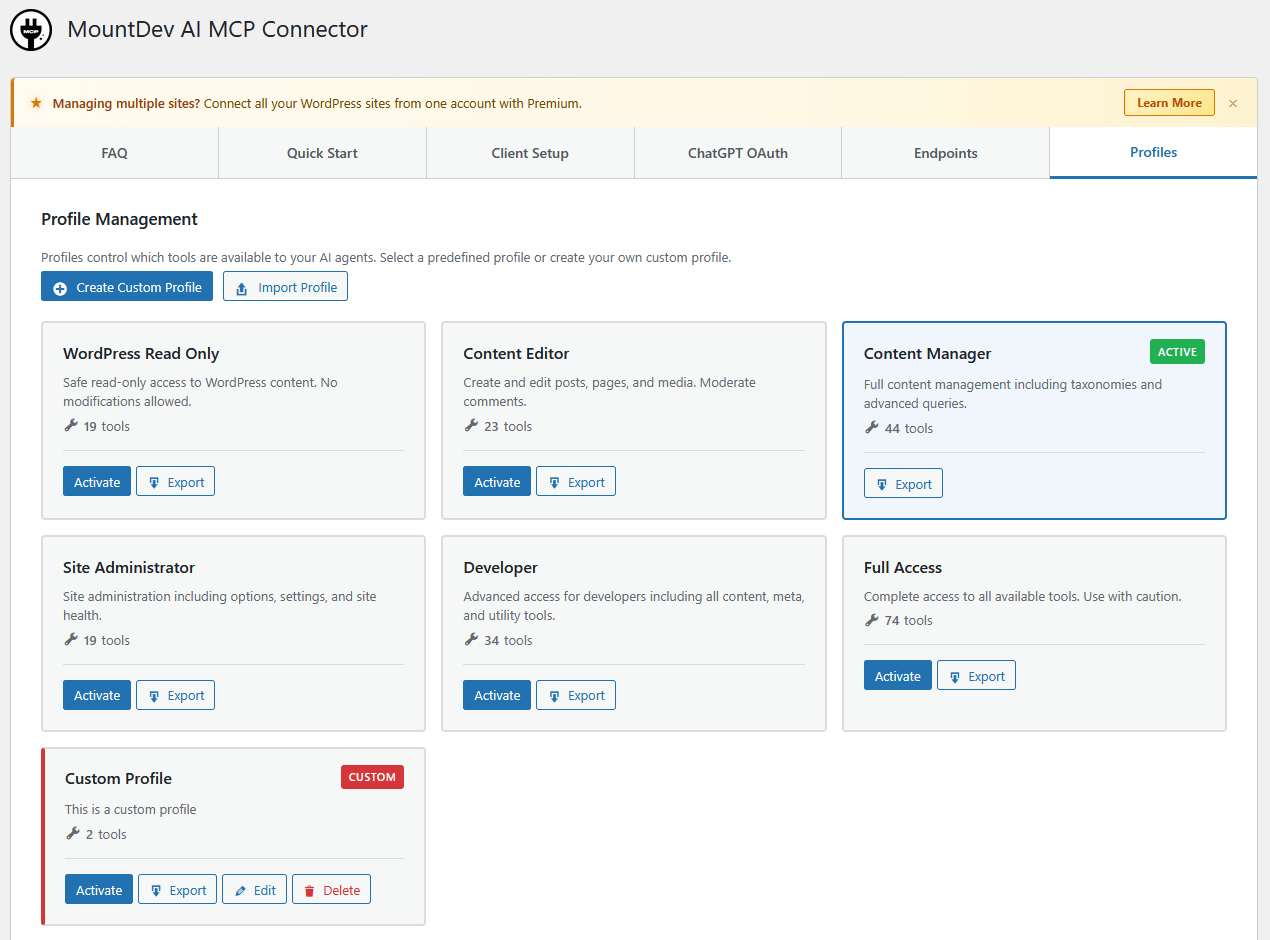
- Profile-Based Access Control - Predefined profiles for flexible tool management
- 347 Tools Across 6 Plugins - 75 WordPress core + 74 WooCommerce + 29 Yoast SEO + 78 Rank Math SEO + 20 Contact Form 7 + 71 Elementor (36 FREE + 35 Pro)
- 74 WooCommerce Tools - Products, orders, coupons, shipping, tax, and more (requires WooCommerce plugin)
- 29 Yoast SEO Tools - Meta data, analysis, schema, redirects, and more (requires Yoast SEO plugin)
- 78 Rank Math SEO Tools - Post SEO, schema, redirects, analytics, and more (requires Rank Math SEO plugin)
- 20 Contact Form 7 Tools - Form management, mail templates, messages, and more (requires Contact Form 7 plugin)
- 71 Elementor Tools - 36 FREE tools for page editing, elements tree, global design system, template library, and maintenance; 35 additional Pro tools for form submissions, theme builder, popups, global widgets, dynamic tags, loop templates, notes, custom fonts/icons, WooCommerce settings, element permissions, and role manager (36 require Elementor; all 71 require Elementor + Elementor Pro)
- Zero External Dependencies - Pure WordPress implementation
- AES-256-CBC Encryption - Client secrets stored securely
- ChatGPT - OAuth 2.0 authentication with Client ID/Secret
- Claude Desktop - Basic Auth with Application Passwords
- Cursor - Basic Auth with Application Passwords
- Windsurf - Basic Auth with Application Passwords
- Any MCP-compatible client supporting OAuth 2.0 or Basic Auth
- SEO Meta Data - Get and update SEO titles, meta descriptions, focus keywords, and canonical URLs
- Content Analysis - Readability scores, keyword density, internal linking suggestions
- Social Meta - Open Graph and Twitter Card management
- Schema Markup - View and update schema.org page and article types
- Sitemap Status - Check XML sitemap configuration and URLs
- Premium Features - Redirect management and multiple keyword analysis (requires Yoast SEO Premium) WooCommerce (74 tools) - Full integration with WooCommerce for managing your online store:
- Products & Inventory - Create, update, manage variations, stock levels, categories, tags, brands, and attributes
- Orders & Fulfillment - Process orders, refunds, order notes, and customer management
- Store Operations - Coupons, shipping zones, tax rates, payment gateways, webhooks, and sales reports Rank Math SEO (78 tools) - Full integration with Rank Math SEO for search engine optimization:
- Post SEO Meta - Get and update SEO titles, descriptions, focus keywords, canonical URLs, and robots directives
- Schema Markup - View and manage structured data including FAQ, HowTo, and article schemas
- Redirects & 404s - Create and manage redirects, monitor and clear 404 error logs
- Analytics - Site analytics, Search Console data, winning/losing posts, and Content AI scores
- Pro Features - Schema Templates, Keyword Tracking, Link Genius, News/Video Sitemaps, and Image SEO (requires Rank Math Pro) Contact Form 7 (20 tools) - Full integration with Contact Form 7 for form management:
- Form Management - List, create, update, duplicate, and delete contact forms
- Mail Templates - Get and update primary and auto-responder email templates
- Response Messages - Get and update form submission response message strings
- Advanced Config - Additional settings, mail tag discovery, SWV validation schema, and config validation
- Plugin Settings - Global CF7 options and integration service status (Akismet, reCAPTCHA, Turnstile, etc.) Elementor FREE (36 tools) - Full integration with Elementor FREE for page builder management:
- Pages & Documents - List, get, create, and delete Elementor pages; check document types and build status
- Page Editor - Read and write the full elements tree; add, update, duplicate, move, and remove elements
- Global Design System - Read and write global colors and typography; update FREE site settings
- Template Library - List, get, create, delete, and export local templates
- Backend Settings & Maintenance - Read/write plugin settings, manage feature experiments, regenerate CSS, clear cache Elementor Pro (35 tools) - Extended integration with Elementor Pro features (requires Elementor + Elementor Pro):
- Form Submissions - List forms, list/get/update/delete form submissions
- Theme Builder - List and create theme templates; get and save display conditions
- Popups - List, get, create, and delete popup templates
- Custom Code - List, get, create, update, and delete custom code snippets
- Global Widgets - List, get, and create global widgets
- Dynamic Tags - List available dynamic tag categories and tags
- Loop Templates - List and create loop item templates
- Notes - List, create, and delete page/element notes
- Custom Fonts & Icons - List custom font families and custom icon sets
- WooCommerce Settings - Get and update Elementor Pro WooCommerce integration settings
- Element Permissions - Get and update per-role element display permissions
- Role Manager - Get and update Elementor Pro role manager capabilities All tools respect WordPress user capabilities and permissions. Visit the plugin's Profiles tab to see the complete tool list and create custom access profiles.
安装:
- Upload the
mountdev-ai-mcp-connectorfolder to/wp-content/plugins/ - Activate the plugin through the 'Plugins' menu in WordPress
- Go to Settings → MCP Connector → Quick Start to configure
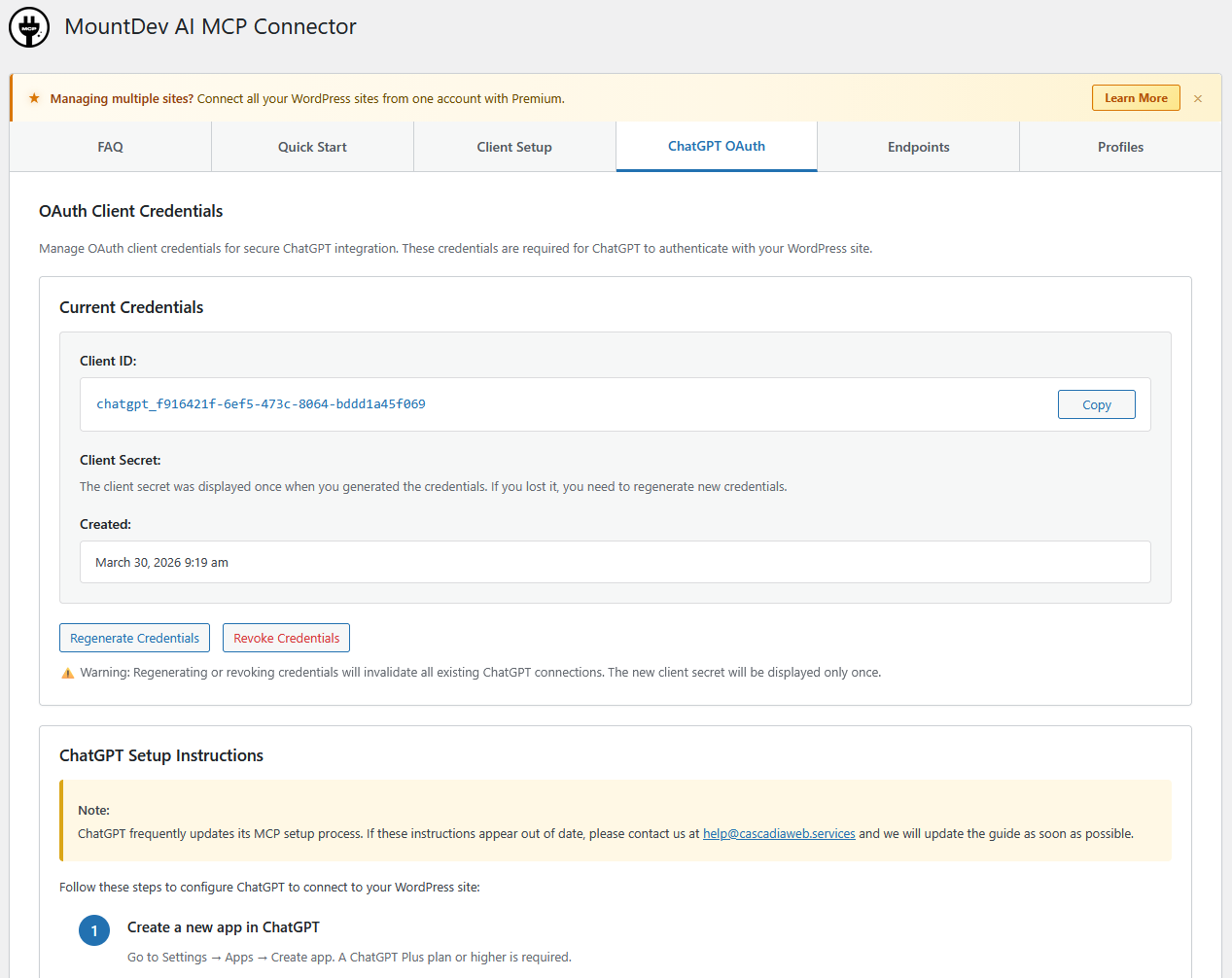
- Navigate to MountDev AI MCP Connector → ChatGPT OAuth tab
- Click Generate OAuth Credentials
- Copy the Client ID and Client Secret (keep them secure!)
- In ChatGPT, go to Settings → Apps → Create App
- Enter your MCP Server URL:
https://yoursite.com/wp-json/mountdev-ai-mcp-connector/v1/messages - Select OAuth authentication
- Paste your Client ID and Client Secret
- Authorize access when redirected to WordPress
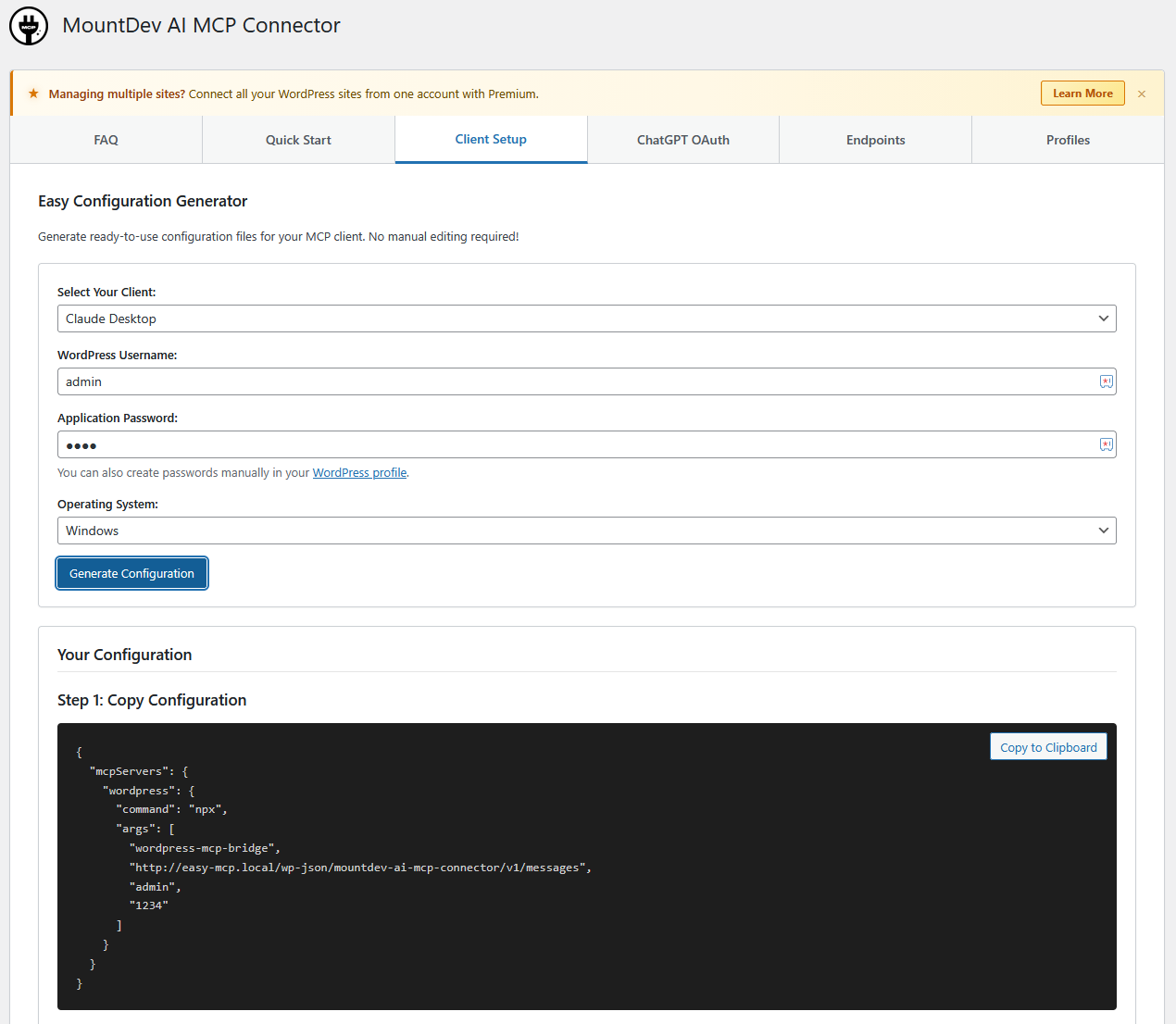
- Create an Application Password in Users → Profile
- Go to Settings → MCP Connector → Profiles and select a profile
- Use the Client Setup tab to automatically generate your configuration
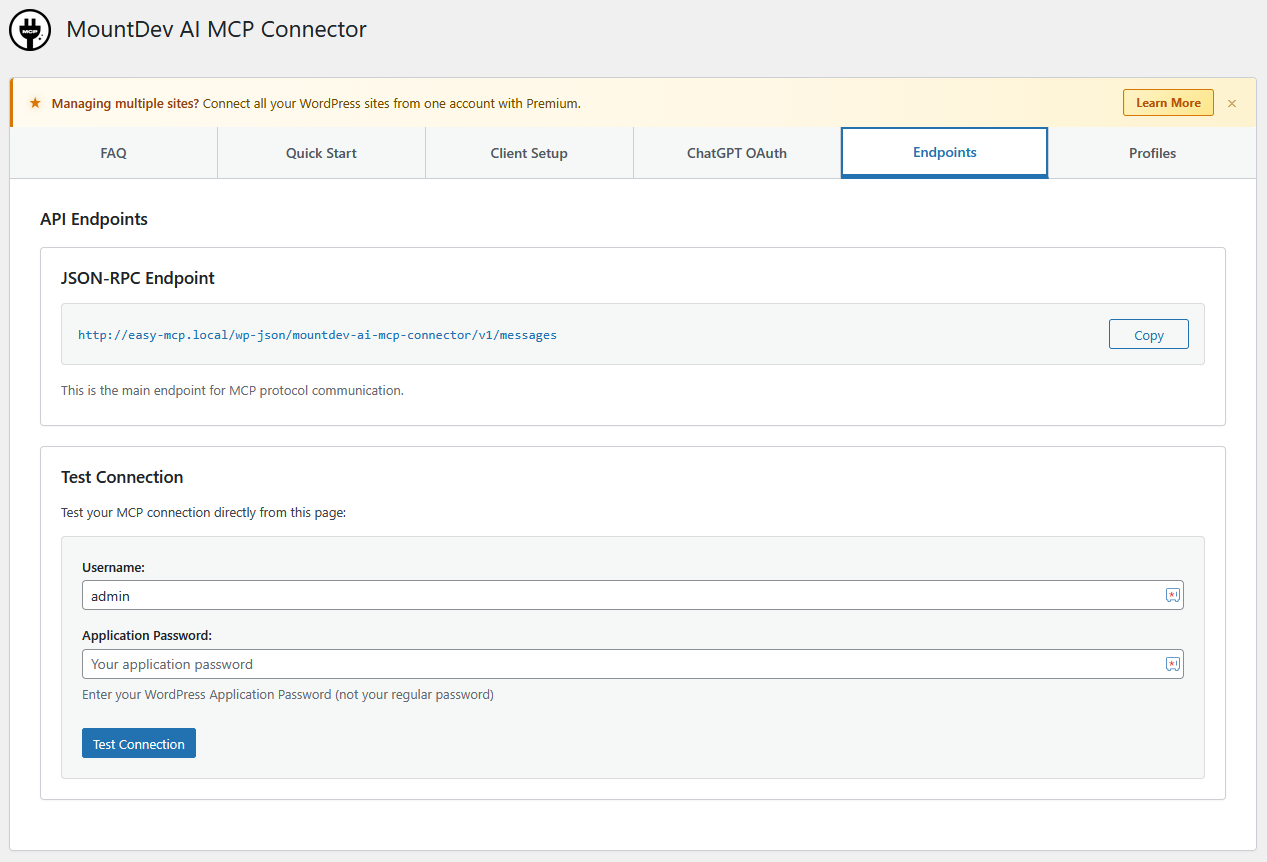
- Or manually use endpoint:
https://yoursite.com/wp-json/mountdev-ai-mcp-connector/v1/messages - Authenticate with your WordPress username and Application Password
屏幕截图:

常见问题:
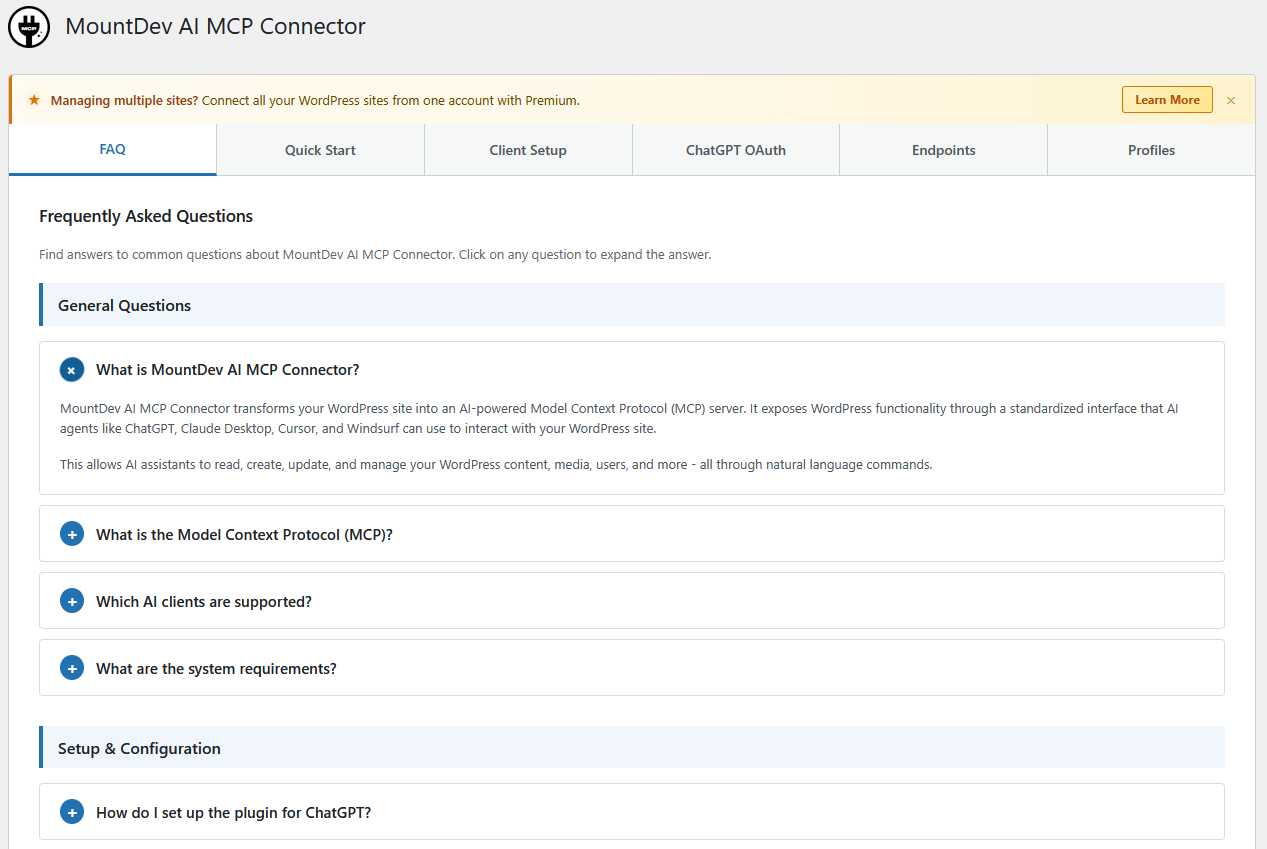
What is MCP?
Model Context Protocol (MCP) is an open protocol developed by Anthropic that standardizes how AI assistants connect to external data sources and tools.
Is OAuth 2.0 secure?
Yes, we implement OAuth 2.0 with PKCE (Proof Key for Code Exchange) for enhanced security. All tokens have expiration times and refresh token rotation.
Do I need an API key?
For ChatGPT, generate OAuth credentials in the plugin admin. For other clients, use WordPress Application Passwords.
How do I set up ChatGPT?
Generate OAuth credentials in MountDev AI MCP Connector → ChatGPT OAuth tab, then add the MCP server in ChatGPT settings with your Client ID and Secret. See Installation section for detailed steps.
Are my OAuth credentials secure?
Yes. Client secrets are encrypted using AES-256-CBC encryption before storage. Only WordPress administrators can generate or view credentials.
Do I need WooCommerce installed to use this plugin?
No. The plugin works independently for WordPress content management. WooCommerce tools only appear when WooCommerce is installed and active.
What WooCommerce features are supported?
74 tools covering products, variations, categories, tags, brands (with WooCommerce Brands extension), attributes, orders, refunds, order notes, coupons, shipping zones, tax rates, webhooks, payment gateways, sales reports, and system status.
How do I enable WooCommerce tools?
Install WooCommerce, then select a WooCommerce profile in Settings → MCP Connector → Profiles. Tools automatically appear when WooCommerce is active.
Can I use WooCommerce tools with ChatGPT and Claude?
Yes. WooCommerce tools work with all supported MCP clients (ChatGPT, Claude Desktop, Cursor, Windsurf) using the same OAuth or Application Password authentication.
更新日志:
- Fixed: Button size adjusted to fit profile cards correctly
- Fixed: Icon color not visible in create profile button
- Fixed: Removed icons from profile action buttons to resolve alignment issue
- Added: Settings link on the plugin page for quicker access
- Changed: Marked tested up to WordPress 7.0
- Added: 35 Elementor Pro tools for form submissions, theme builder templates, popups, global widgets, dynamic tags, loop templates, notes, custom fonts/icons, WooCommerce settings, element permissions, and role manager (requires Elementor Pro)
- Added: 2 new predefined profiles for Elementor Pro (elementor_pro_designer, elementor_pro_full_access)
- Improved: Profile manager category filter for easier navigation in admin UI
- Improved: OAuth Claude Desktop setup instructions updated with clearer guidance
- Changed: Tool count increased from 312 to 347 total tools
- Added: 36 Elementor FREE tools for complete page builder management (list/get/create/delete pages, read/write elements tree, global colors, global fonts, site settings, template library, plugin settings, experiments, CSS regeneration)
- Added: 3 new predefined profiles (elementor_read_only, elementor_designer, elementor_full_access)
- Added: Elementor plugin banner and tool grouping in admin UI
- Changed: Tool count increased from 276 to 312 total tools
- Added: 20 Contact Form 7 tools for complete form management (list, get, create, update, delete, duplicate, mail templates, messages, additional settings, plugin settings, integrations)
- Added: 3 new predefined profiles (cf7_read_only, cf7_form_manager, cf7_full_access)
- Added: Contact Form 7 plugin banner and profile category in admin UI
- Changed: Tool count increased from 256 to 276 total tools
- Fixed: RankMath per-post robots meta (noindex, nofollow, noarchive, noimageindex, nosnippet) now readable and writable via rankmath_get/update_post_meta
- Fixed: RankMath schema tools rewritten to use modern rank_math_schema_* meta format (was using deprecated rank_math_rich_snippet keys)
- Fixed: rankmath_update_schema, rankmath_get_post_schema, rankmath_add_faq_schema, rankmath_add_howto_schema now work correctly with Rank Math 1.0.42+
- Added: 11 new Yoast SEO tools (robot directives, breadcrumb title, term SEO metadata, global settings, keyword usage, post type settings, update redirect, inclusive language score)
- Fixed: Yoast SEO Premium tools were unreachable due to an early return in get_tools()
- Fixed: RankMath create_redirect now correctly uses the sources column; url_to/destination values were swapped
- Changed: Tool count increased from 245 to 256 total tools
- Added: 78 Rank Math SEO tools for comprehensive SEO management
- Added: 18 core read tools (post meta, social meta, canonical, content analysis, keyword analysis, schema, sitemap settings)
- Added: 16 core write tools (update post meta, social meta, schema, canonical, FAQ/HowTo schema blocks, global/sitemap settings)
- Added: 6 redirect and 404 monitor tools (list/create/bulk-delete/export redirects, 404 logs, 404 summary)
- Added: 6 analytics tools (site analytics, Search Console data, winning/losing posts, Content AI score)
- Added: 32 Rank Math Pro tools (Schema Templates, Link Genius, Keyword Tracking, Multi-Location, News/Video Sitemaps, Image SEO, Email Reports)
- Added: 3 new predefined profiles (rankmath_read_only, rankmath_content_optimizer, rankmath_full_access)
- Added: Pro badge detection in Profile Manager for profiles requiring Rank Math Pro
- Fixed: Page parent parameter now correctly sets post hierarchy when creating/updating pages
- Fixed: Reading Settings options (homepage display, feed settings) added to site tools whitelist
- Fixed: Claude Desktop OAuth setup instructions added to client setup page
- Changed: Tool count increased from 167 to 245 total tools
- Added: 18 Yoast SEO tools for comprehensive SEO management
- Added: 3 new predefined profiles (yoast_read_only, yoast_content_optimizer, yoast_full_access)
- Added: Yoast SEO Premium support with redirect management and multiple keywords
- Added: Content analysis, readability scoring, and keyword optimization tools
- Added: Schema markup management (page types and article types)
- Added: Social meta management (Open Graph and Twitter Card)
- Changed: Tool count increased from 149 to 167 total tools
- Changed: Updated readme description for better clarity
- Fixed: WooCommerce default profiles now properly hidden when WooCommerce plugin is deactivated
- Fixed: Removed WooCommerce badge from FAQ section when WooCommerce is not active
- Added: 74 WooCommerce tools across 3 new tool classes
- Added: 4 new predefined profiles (woo_read_only, woo_store_manager, woo_full_access, complete_site)
- Added: WooCommerce Brands extension support with 5 brand management tools
- Added: Global product attributes management with 8 attribute tools
- Added: Enhanced Profile Manager UI with WooCommerce branding and search/filter
- Added: Advanced product features (Global Unique ID, sold individually, shipping dimensions, linked products)
- Added: Comprehensive coupon management with usage restrictions and limits
- Changed: Profile Manager UI now separates WordPress and WooCommerce tools
- Changed: Tool categories expanded from 10 to 28 categories
- Changed: Tool count increased from 75 to 149 total tools
- Technical: Conditional WooCommerce tool registration (only when WooCommerce is active)
- Technical: 3 new tool classes (Woo_Product_Tools, Woo_Order_Tools, Woo_Store_Tools)
- Initial release
- MCP Server Implementation with JSON-RPC 2.0 endpoint
- OAuth 2.0 support for ChatGPT
- WordPress Application Passwords for Claude Desktop, Cursor, Windsurf
- 75 WordPress core tools across 10 categories
- Profile-based access control with 3 predefined profiles