
Mudrava RUM
| 开发者 | mudrava |
|---|---|
| 更新时间 | 2026年10月9日 04:19 |
| PHP版本: | 7.4 及以上 |
| WordPress版本: | 7.1.1 |
| 版权: | GPLv2 or later |
| 版权网址: | 版权信息 |
详情介绍:
- Collects TTFB, LCP, server generation time, total load, memory peak, device type, network type, country, and session ID
- Live Monitor dashboard with real-time log viewing
- Filterable by session ID, URL, device type, and network type
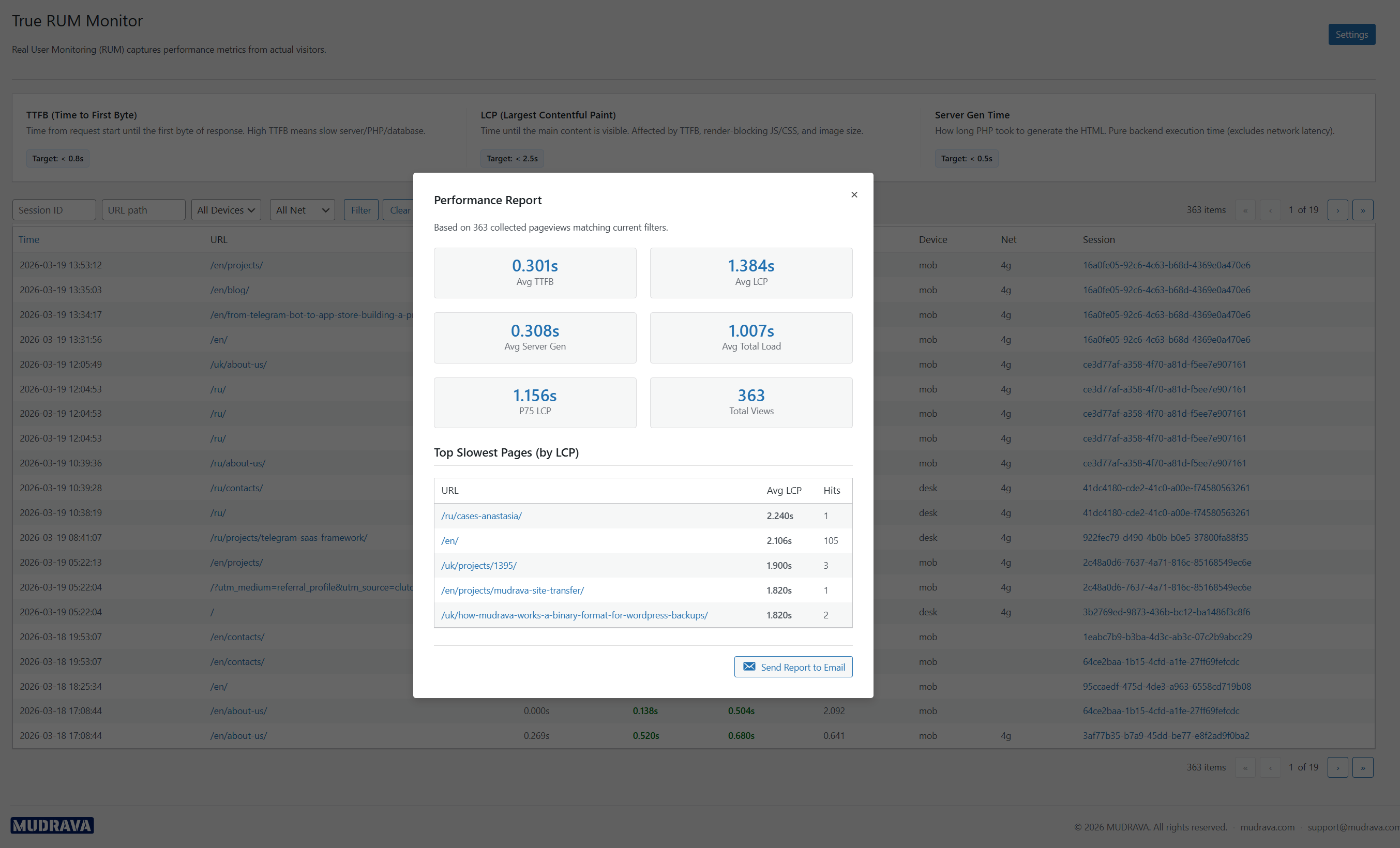
- On-demand performance reports with averages and P75 LCP
- Scheduled email summaries (daily or weekly via WP-Cron)
- Critical TTFB alerts with configurable thresholds
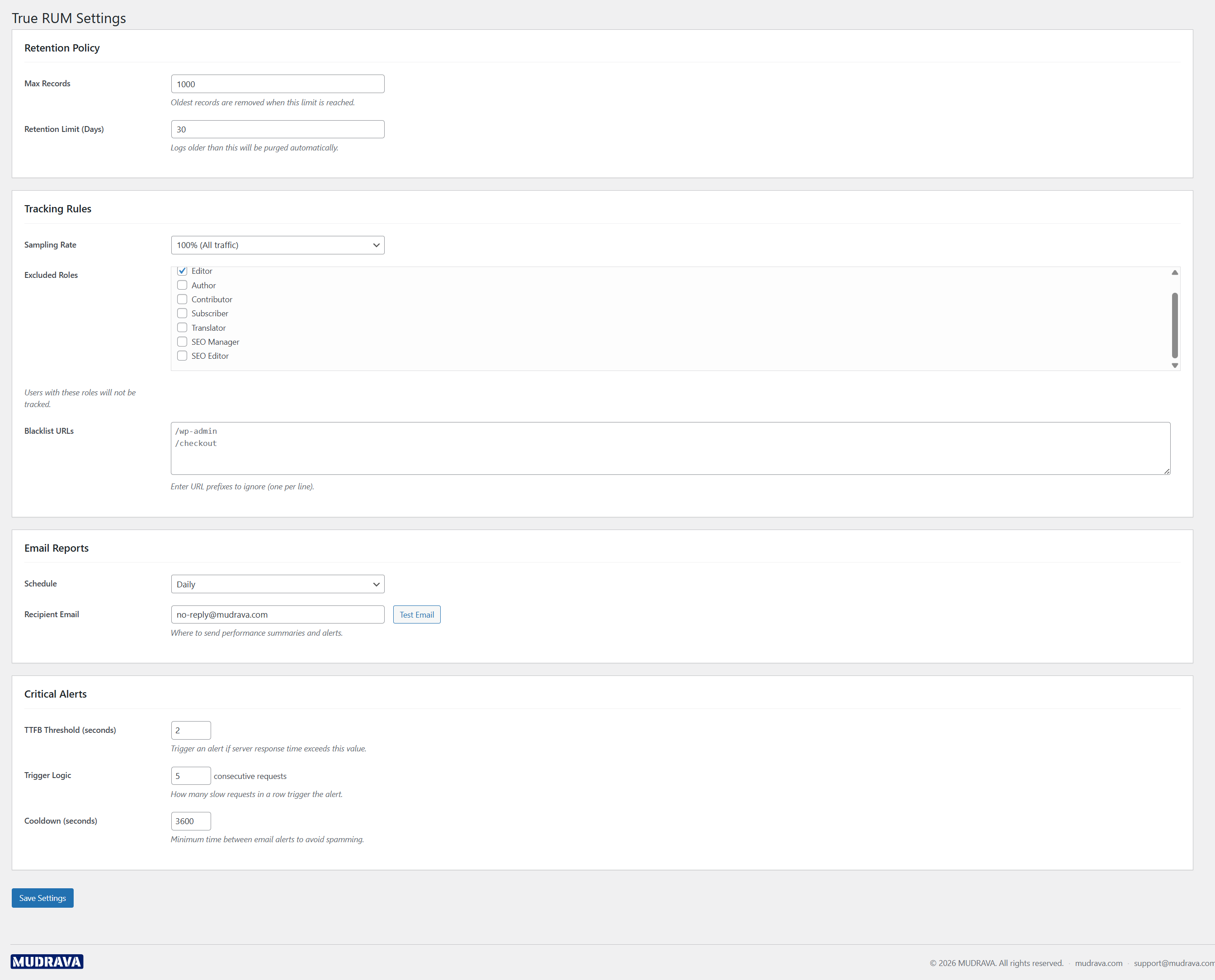
- Configurable sampling rate and URL blacklist
- Role-based exclusion (skip tracking for specific user roles)
- Automatic data retention management (max records and days)
- Color-coded performance indicators aligned with recommended performance thresholds
- Daily trend charts and CSV export
- Responsive admin interface for mobile and desktop
安装:
- Upload the
mudrava-rumfolder to the/wp-content/plugins/directory. - Activate the plugin through the 'Plugins' menu in WordPress.
- Go to Mudrava RUM > Settings to configure sampling rate, excluded roles, and email reports.
- Visit Mudrava RUM > Live Monitor to view incoming performance data.
屏幕截图:
常见问题:
Does this plugin slow down my site?
No. The JavaScript collector is lightweight and runs asynchronously after the page loads. Data is sent via a single POST request.
What metrics are collected?
TTFB (Time to First Byte), LCP (Largest Contentful Paint), server generation time (PHP render), total page load time, memory peak usage, device type, network type, country (via Cloudflare header), and session ID.
Does it require Cloudflare?
No. Country detection uses the Cloudflare CF-IPCountry header if available, but the plugin works without it. The country field will simply be empty.
Can I control how much data is collected?
Yes. You can set a sampling rate (100%, 50%, or 10%), exclude specific user roles, and blacklist URL prefixes in the settings page. Sampling is applied once per page render, and rate limiting protects the ingestion endpoint from flooding.
How is data stored?
Data is stored in a custom database table with automatic retention management. You can configure the maximum number of records and retention days.
Where can I see the reports?
Go to Mudrava RUM > Live Monitor in your WordPress admin. Click "Generate Report" for aggregated statistics. You can also configure scheduled email reports in Settings.
更新日志:
- Security: ingestion and rate limiting hardened - trusted-proxy header trust restricted to configured proxies, CIDR validation, payload size limits, metric caps, URL/device/network normalization.
- Reliability: versioned dashboard aggregate caches, batched retention cleanup, null-safe metrics, local-day report grouping.
- UX: Live Monitor status badges with localized labels; settings shortcut in the Plugins list.
- Added developer hooks: mdvrm_log_inserted, mdvrm_report_email_subject, mdvrm_alert_email_subject.
- Tested: verified full compatibility with WordPress 7.1.1 - activation, Live Monitor, stats and settings screens, ingestion endpoint and collector smoke-tested on PHP 8.5.
- Full admin UI redesign: responsive layout, color-coded KPI cards, SVG trend charts, CSV export, accessible controls
- Fixed WP-Cron scheduling so housekeeping, scheduled reports, and retention purge actually run (hourly housekeeping)
- Fixed double sampling: the configured rate is now applied exactly once per pageview
- TTFB alerts now evaluate in real time on each recorded pageview instead of waiting for cron
- Scheduled email reports now cover the actual reporting period (last 24h / 7 days) instead of all retained data
- Server-side ingestion timestamp; stricter validation and clamping for all incoming metrics
- Rate limiting on the ingestion endpoint; URL/device/net/session/country whitelist validation before storage
- Fixed URL port preservation, device/network normalization, metric caps, P75 LCP calculation, and trend averages
- Added developer hooks for stored events and extensible email subjects, plus a Plugins-list settings shortcut
- Added metric indexes, faster batched FIFO/retention cleanup, and reduced dashboard aggregate-cache churn
- Fixed single-site uninstall to avoid multisite-only helpers and complete cleanup reliably
- Automated test suite (integration + REST contract tests) and stricter i18n coverage
- Renamed plugin from "True RUM Monitor" to "Mudrava RUM"
- Updated all prefixes, text domain, and slug to mudrava-rum / mdvrm_
- Initial public release
- Live Monitor with real-time log viewing and filtering
- Performance reports with averages and P75 LCP
- Scheduled and manual email reports
- Critical TTFB alerts with configurable thresholds
- REST API endpoints for data collection and retrieval