Multi-Form Anti-Spam Image CAPTCHA
| 开发者 | pluginbrewery |
|---|---|
| 更新时间 | 2026年6月6日 09:03 |
| PHP版本: | 7.4 及以上 |
| WordPress版本: | 7.0 |
| 版权: | GPL v3 or later |
| 版权网址: | 版权信息 |
详情介绍:
- Gravity Forms — drag the MultiForm Image CAPTCHA field into any form
- Contact Form 7 — insert the
[pbmfasic]form-tag (a one-click tag generator is included) - WPForms — drag the MultiForm Anti-Spam Image CAPTCHA field into any form
- Formidable Forms — drop
[pbmfasic]inside an HTML field - Elementor Pro Forms — drop
[pbmfasic]inside an HTML widget - WooCommerce — toggle CAPTCHA on the Login, Registration, and classic shortcode Checkout forms (the block-based Checkout Block is not yet supported)
- WordPress login, registration, lost-password and reset-password forms
- WordPress comments
- Hashed, server-side icon challenge with per-render tamper tokens
- Honeypot fields plus a reverse-honeypot trap that catches bots that auto-fill every field
- Submission-speed check rejects bot-fast submissions
- Daily cleanup of stale CAPTCHA records
- Optional "disable for logged-in users" toggle
- Switch between Font Awesome icon fonts (bundled) and 780+ bundled SVG icons
- Full styling controls: colors, borders, padding, font size, layout, alignment
- Custom prompt text and custom error messages
- Toggle mode hides the CAPTCHA until the user starts interacting with the form
- Keyboard-navigable radio buttons with ARIA labels
- Optional audio cues for screen-reader users (off by default; opt in on the General tab if you need an audio alternative)
pbmfasic_skip_wp_login_option— filter whether validation runs on WordPress login, registration, lost-password and reset-password formspbmfasic_skip_validation— filter whether validation should be skipped for the current requestpbmfasic_force_synchronous_render— return true to render the CAPTCHA inline instead of lazy-loading it via AJAX, useful when a form submits over a custom AJAX flow that needs the CAPTCHA fields present at first paint
安装:
- Upload the plugin to
/wp-content/plugins/and activate it from the Plugins screen. - Go to Settings → MultiForm Anti-Spam Image CAPTCHA and configure styling, icon mode and integrations.
- Drop the CAPTCHA into your forms:
- Gravity Forms / WPForms — drag the MultiForm Anti-Spam Image CAPTCHA field into your form.
- Contact Form 7 — click the form-tag button or paste
[pbmfasic]into your form. - Formidable, Elementor Pro — paste
[pbmfasic]into an HTML field or widget. - WooCommerce, WordPress login, comments — enable the matching checkboxes on the General tab.
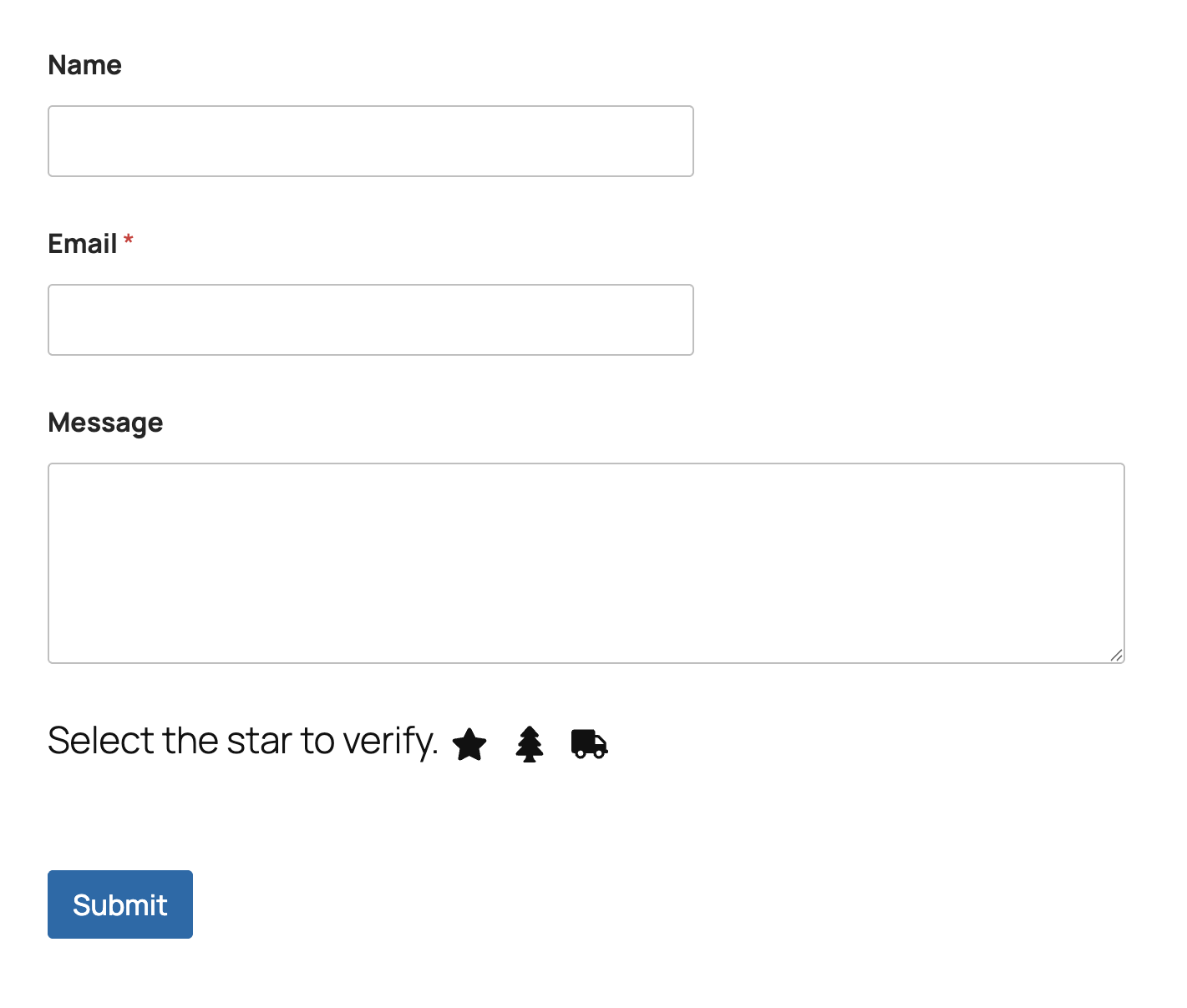
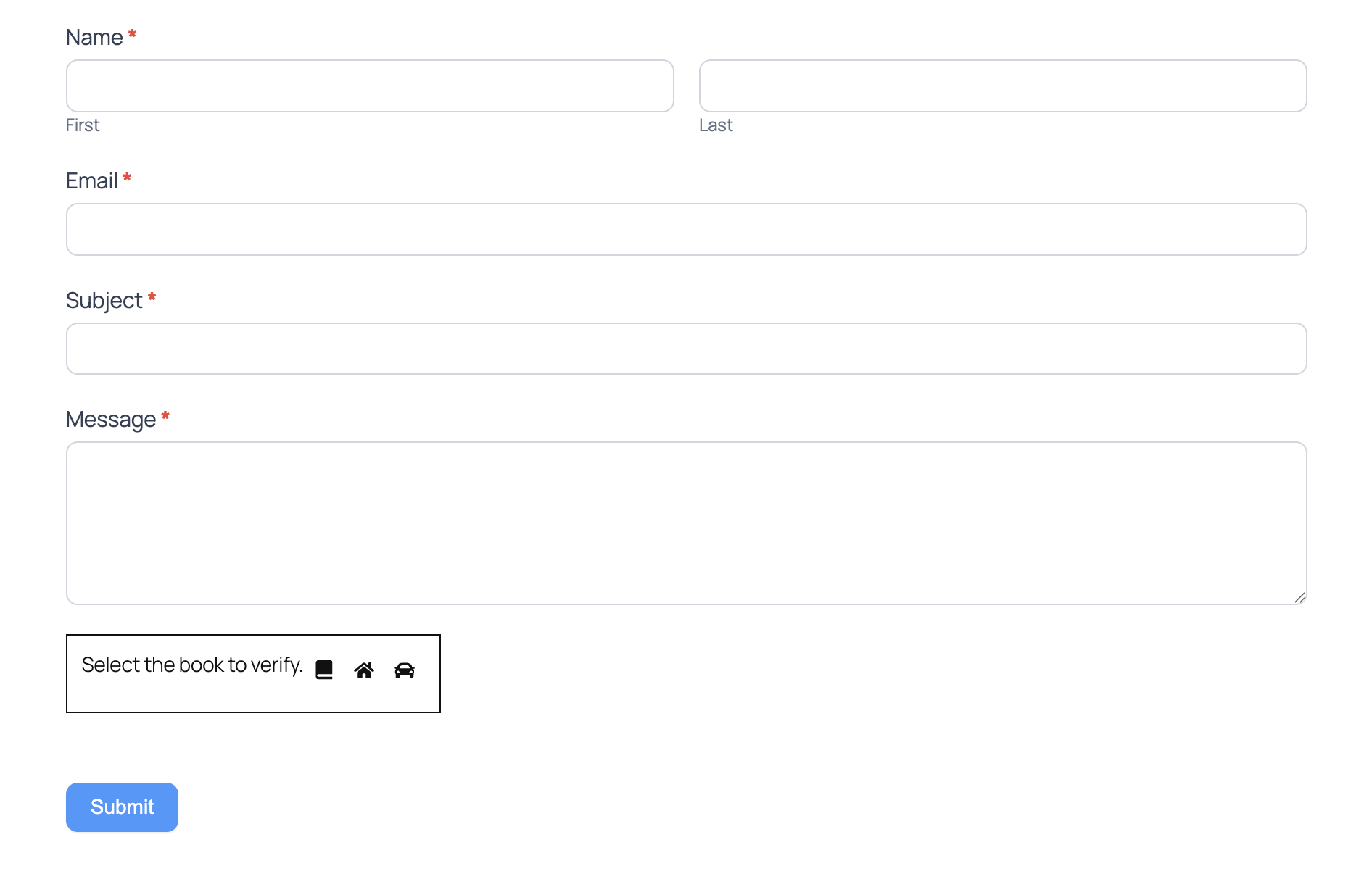
屏幕截图:
常见问题:
Does this plugin call any third-party service?
No. Everything runs on your server. There are no remote API calls, telemetry pings, or external assets.
Will it work with caching plugins and CDNs?
Yes. The CAPTCHA is validated server-side and supports AJAX lazy loading, so cached pages continue to work.
Can I use my own icons?
Yes. Enable Choose Default Icons on the General tab to provide your own icon names and titles. With SVG mode on, the plugin looks for a matching file in the bundled svgs/ directory or for an attachment with the same slug.
Is it accessible?
Yes. The challenge uses keyboard-friendly radio buttons and ARIA labels. An optional audio cue helper for screen-reader users is available on the General tab; it ships disabled because the audio endpoint can also help bots identify the correct icon, and should only be enabled when accessibility requirements call for an audio alternative.
Can I disable the CAPTCHA for logged-in users?
Yes. The General tab includes a Disable for logged in users toggle.
What does the submission speed check do?
When enabled, the plugin rejects submissions completed faster than your configured millisecond threshold (measured between CAPTCHA render and submit). Most legitimate users take well over a second.
Does it support WPML?
Yes. The plugin ships with a wpml-config.xml file that exposes the configurable prompt and error strings for translation.
Does it work with WooCommerce's block-based Checkout?
Not yet. The WooCommerce integration covers the My Account login and registration screens (both classic and block versions) and the classic shortcode [woocommerce_checkout] page. The block-based Checkout Block submits orders through the WooCommerce Store API, which bypasses the action hooks the CAPTCHA renders and validates against. If your store uses the Checkout Block, switch the checkout page back to the classic [woocommerce_checkout] shortcode for CAPTCHA protection, or leave the Checkout Block in place and protect the other forms only.
更新日志:
- Security - Audio accessibility cues are now opt-in and disabled by default. The audio endpoint streams a distinct "correct" or "wrong" tone for the selected radio, which bots can use to identify the right icon, so it is no longer registered unless an admin enables the new Audio Accessibility checkbox under General → Spam Protection.
- Enhancement - When audio is disabled the captcha markup omits the universal-access button and the "Press P to play the sound" radio aria-label, falling back to a neutral per-option label.
- New - Form integrations: Gravity Forms field, Elementor Pro Forms, WooCommerce login/registration/checkout, WordPress login/registration/lost-password/reset, and native WordPress comments.
- New - 780+ bundled SVG icons, full styling controls, and a custom icon picker.
- New - Spam defenses: reverse honeypot, submission speed check (2000 ms default), and AJAX lazy loading.
- New - JSON settings export/import on the Tools tab.
- New - Added a per-render tamper token that blocks stripped or modified CAPTCHA fields.
- New - Added the
pbmfasic_skip_wp_login_option,pbmfasic_skip_validationandpbmfasic_force_synchronous_renderdeveloper filters. - Enhancement - Rebuilt settings with General, Styling, Installation, and Tools tabs.
- Enhancement - Comment-form CAPTCHA failures now render WordPress's standard "Comment Submission Failure" page (with native Back-button recovery) instead of a custom error screen.
- Enhancement - Made the "Powered by" footer link opt-in and disabled by default.
- Fix - Audio AJAX endpoint URL now includes the missing
=aftert, so the per-radio audio file loads correctly in every browser. - Fix - Gravity Forms editor shows a CAPTCHA placeholder instead of attempting to render the live challenge inside the form builder.
- Security - Capped the audio AJAX endpoint to one response per captcha key so bots cannot enumerate which radio is correct.
- Security - Hardened SVG shortcode output, translatable prompt text, and CAPTCHA POST validation against malformed array payloads.
- Fix - Contact Form 7 validation errors now correctly highlight the CAPTCHA field instead of displaying generically.
- Fix - Multiple CAPTCHAs on the same page now work independently with correct screen-reader associations.
- Enhancement - Improved compatibility with form plugin stylesheets for icon radio-button display.
- Enhancement - Rebranded plugin to MultiForm Anti-Spam Image CAPTCHA.
- Fix - Corrected database table prefixes preventing validation on some installs.
- New - Initial release.