
Multiple Cart Fee – Custom Extra Charges, Surcharges & Conditional Fees for WooCommerce
| 开发者 | woosofts |
|---|---|
| 更新时间 | 2026年4月19日 21:37 |
| PHP版本: | 7.4 及以上 |
| WordPress版本: | 7.0 |
| 版权: | GPLv2 or later |
| 版权网址: | 版权信息 |
详情介绍:
🚀 Premium Addons for Your Store:
- Conditional Store Restrictions (PRO) - The ultimate access control engine for WooCommerce.
- Price & Cart Hider (PRO) - Professional Catalog Mode & B2B pricing control. Multiple Cart Fee for WooCommerce by VerseSofts empowers you to create unlimited conditional fees for your WooCommerce store. It is the perfect professional solution for adding handling fees, service charges, customized packaging costs, or product-based surcharges automatically during checkout.
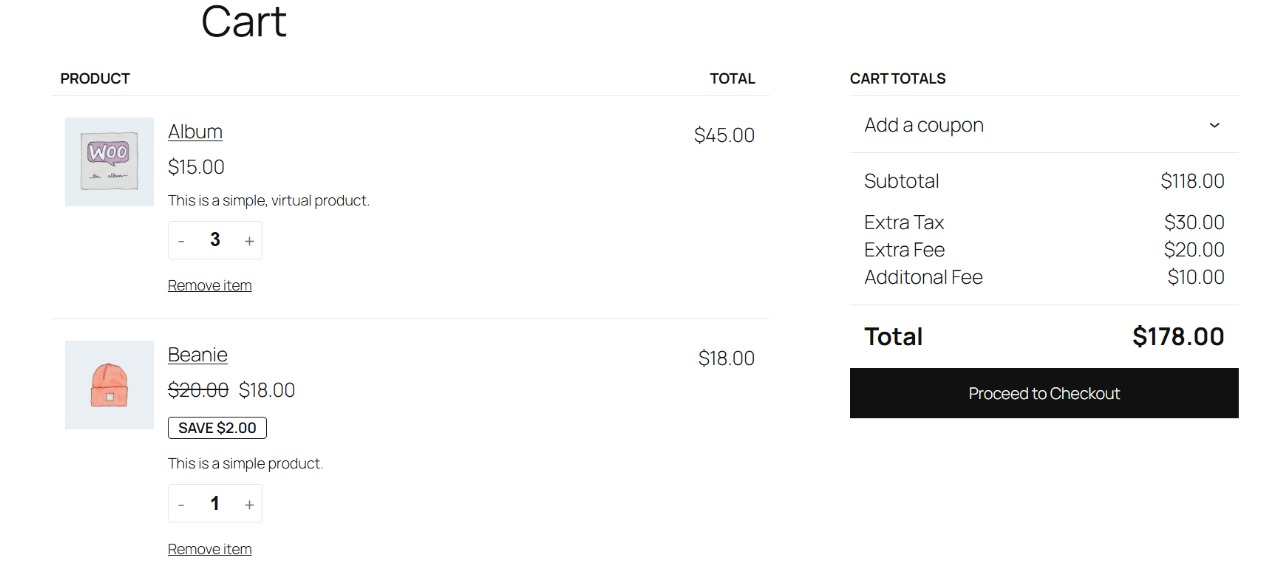
- Add Unlimited Fees: Create multiple fees with custom names and exact amounts or percentages.
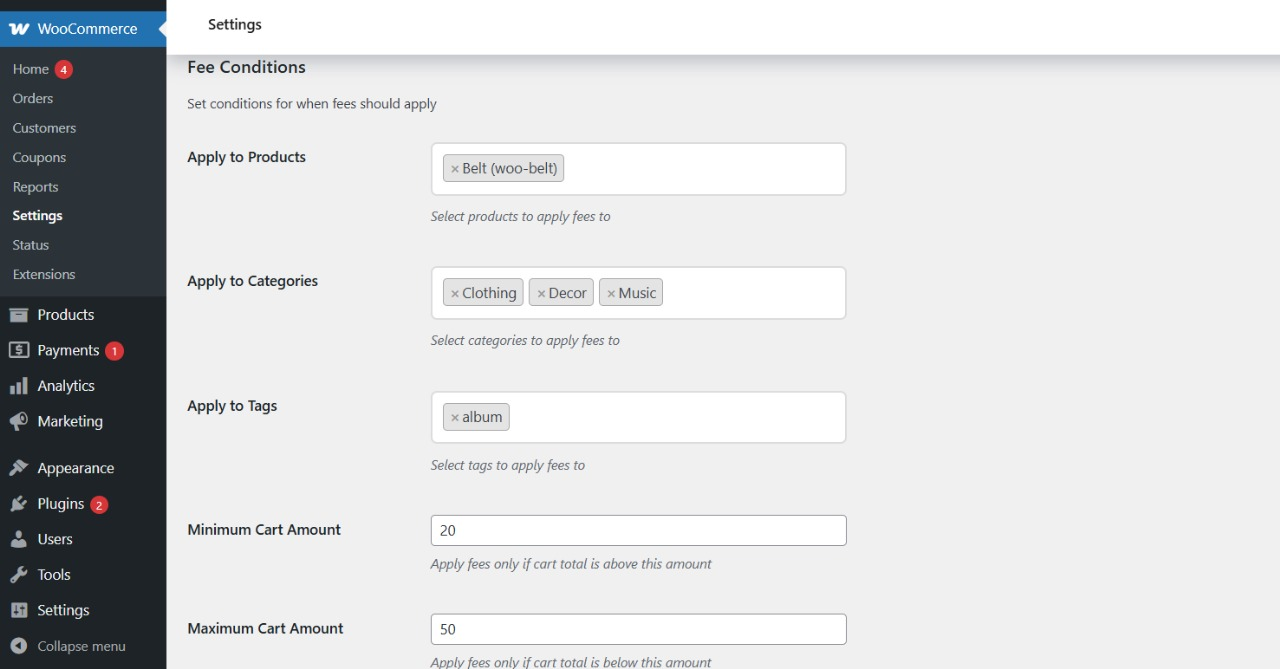
- Conditional Logic: Automatically apply fees based precisely on the products, categories, or tags currently in the customer's cart.
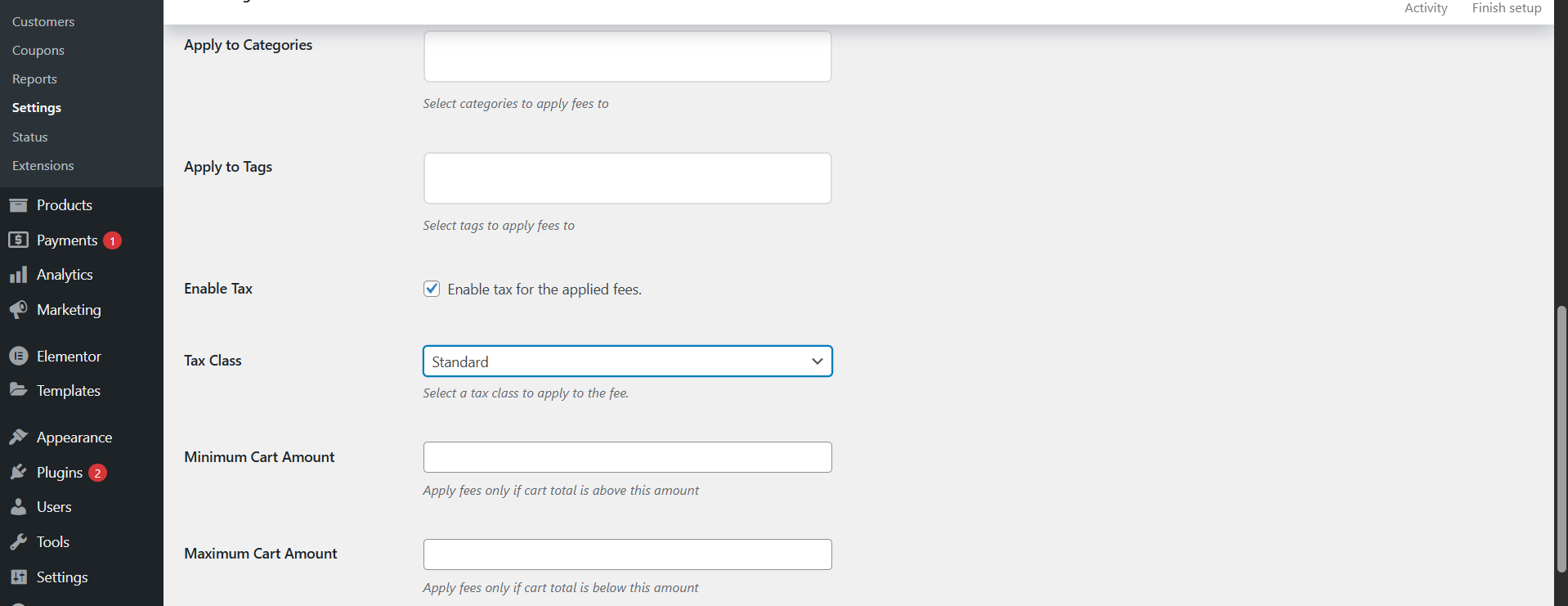
- Cart Value Rules: Set minimum and maximum cart subtotals to define exactly when a fee should be applied.
- Tax Support: Full capability to enable tax calculations for applied fees and select specific tax classes.
- Variation Support: Works flawlessly with both simple and variable WooCommerce products.
- HPOS Ready: Fully compatible with WooCommerce High-Performance Order Storage for maximum database speed.
- Lightweight & Fast: Clean, intuitive admin interface that ensures your store remains lightning fast.
- Handling & Service: Stores needing to enforce extra handling or service fees on specific items.
- Special Packaging: Shops with fragile items requiring crating, cooling, or special delivery surcharges.
- Restocking/Processing: Businesses that charge category-based or product-based processing fees.
- B2B & Wholesale: WooCommerce stores needing advanced fee control for orders under specific thresholds.
安装:
- Go to Plugins > Add New in your WordPress dashboard.
- Search for Multiple Cart Fee for WooCommerce.
- Click Install Now and then Activate.
- Go to WooCommerce > Settings > Multiple Cart Fees to configure your rule sets.
屏幕截图:
常见问题:
Is this compatible with HPOS?
= Can I add multiple fees to a single checkout? =\ Yes. You can add unlimited fees with different names, amounts, and triggering conditions running simultaneously. = Does it work with variable products? =\ Absolutely. The plugin supports both simple and variable products without issue. = Can I set cart subtotal limits? =\ Yes. You can easily define minimum and maximum cart totals to restrict when a fee application is valid. Yes, the plugin is fully compatible with WooCommerce's latest speed and architecture standards, including HPOS and Blocks.
更新日志:
1.1.4
- Updated: Fully tested and compatible with WordPress 7.0.
- Improved: Documentation links and official marketplace cross-promotion.
- Minor UI modifications and structural improvements.