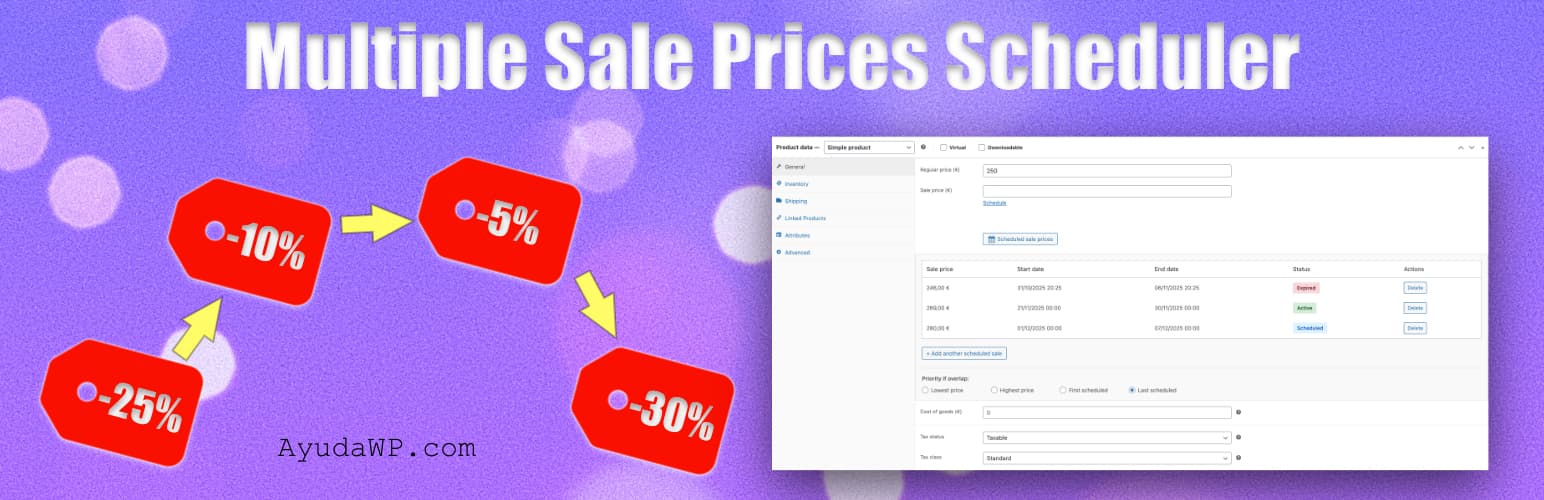
Scheduled Sales and Discounts for WooCommerce
| 开发者 |
fernandot
ayudawp |
|---|---|
| 更新时间 | 2026年9月22日 03:06 |
| PHP版本: | 7.4 及以上 |
| WordPress版本: | 7.1 |
| 版权: | GPLv2 or later |
| 版权网址: | 版权信息 |
详情介绍:
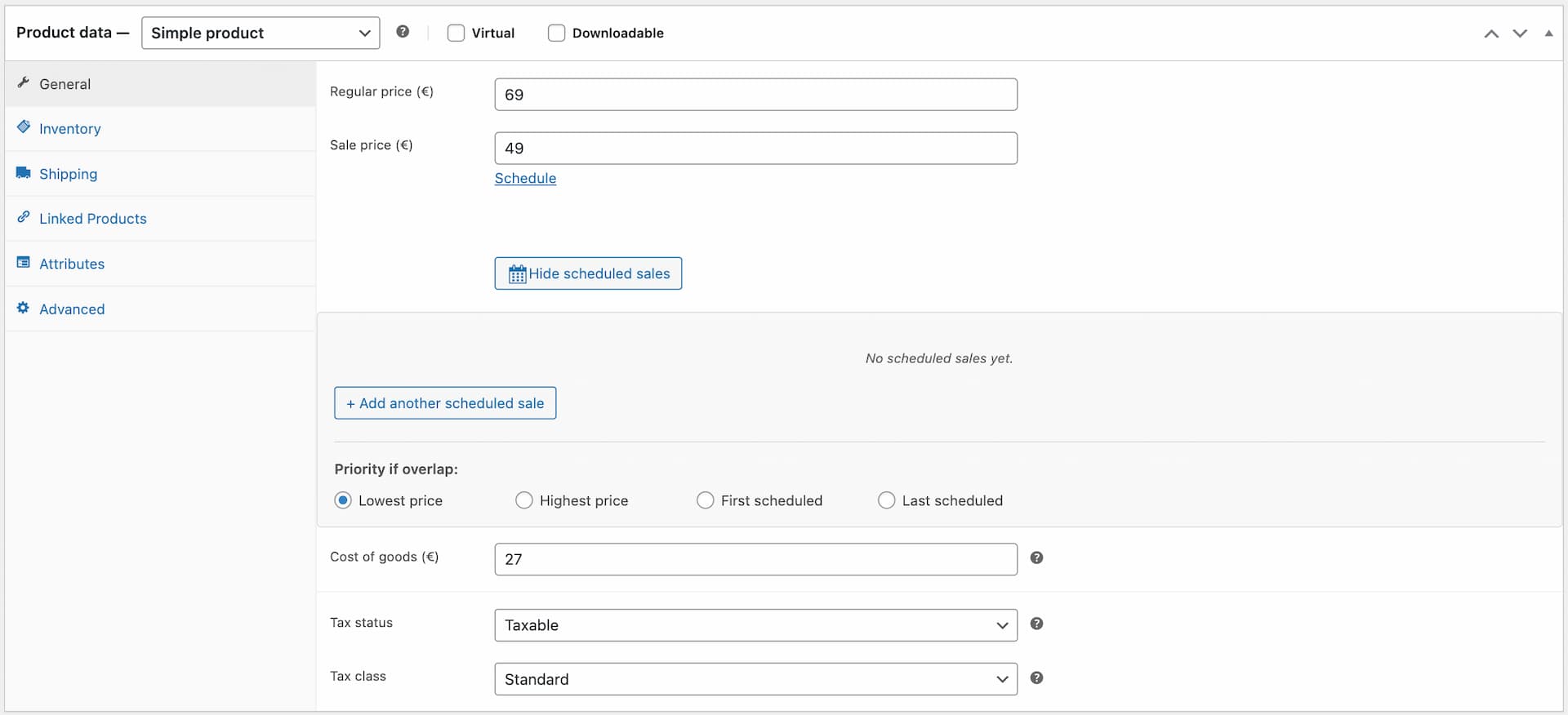
- Edit the product in WooCommerce → find the "Scheduled sale prices" section
- Add: 19,99 € from Nov 28 to Dec 1 (Black Friday)
- Add: 30% off from Dec 20 to Dec 26 (Christmas)
- Add: 12 € off from Jan 5 to Jan 15 (January sale)
- Save the product once. Done.
- All-in-one free solution combining: multiple sales per product, percentage and fixed amount discounts, variations support, CSV import/export, activity log, overlap priority, dashboard widget and Command Palette
- Automatic EU Omnibus Directive heads-up, tracking each product's lowest price over the last 30 days and flagging it in the editor and on the frontend when it's lower than the regular price WooCommerce would otherwise show struck through
- Integrated directly into the product editor — no separate complex screens to learn
- Lightweight: no build process, no external dependencies, no JavaScript frameworks
- HPOS-ready (High-Performance Order Storage) and ready for the WordPress Command Palette (Cmd+K / Ctrl+K)
- Built and maintained by a WordPress specialist with 15+ years of experience publishing plugins on WordPress.org
- Schedule multiple sale prices per product
- Fixed price, percentage discount or fixed amount off, with a live preview of the final price
- Optional minimum and maximum final price, so a percentage discount never goes further than you want
- Dynamic pricing: Schedule both discounts and price increases
- Each sale has its own start and end date and time, down to the minute
- Automatic EU Omnibus prior-price tracking: a rolling 30-day price history per product, a heads-up in the product editor, and a note next to the price on the frontend when a chained discount needs a lower reference price than the current regular price
- Configurable check frequency (every 5, 10, 15, 30 minutes or hourly)
- Works with simple and variable products
- Configurable priority when sales overlap
- Import and export scheduled sales via CSV
- Activity log with configurable retention period
- Automatic deletion of expired sales
- Admin notifications when sales activate or end
- Alert notifications before sales expire
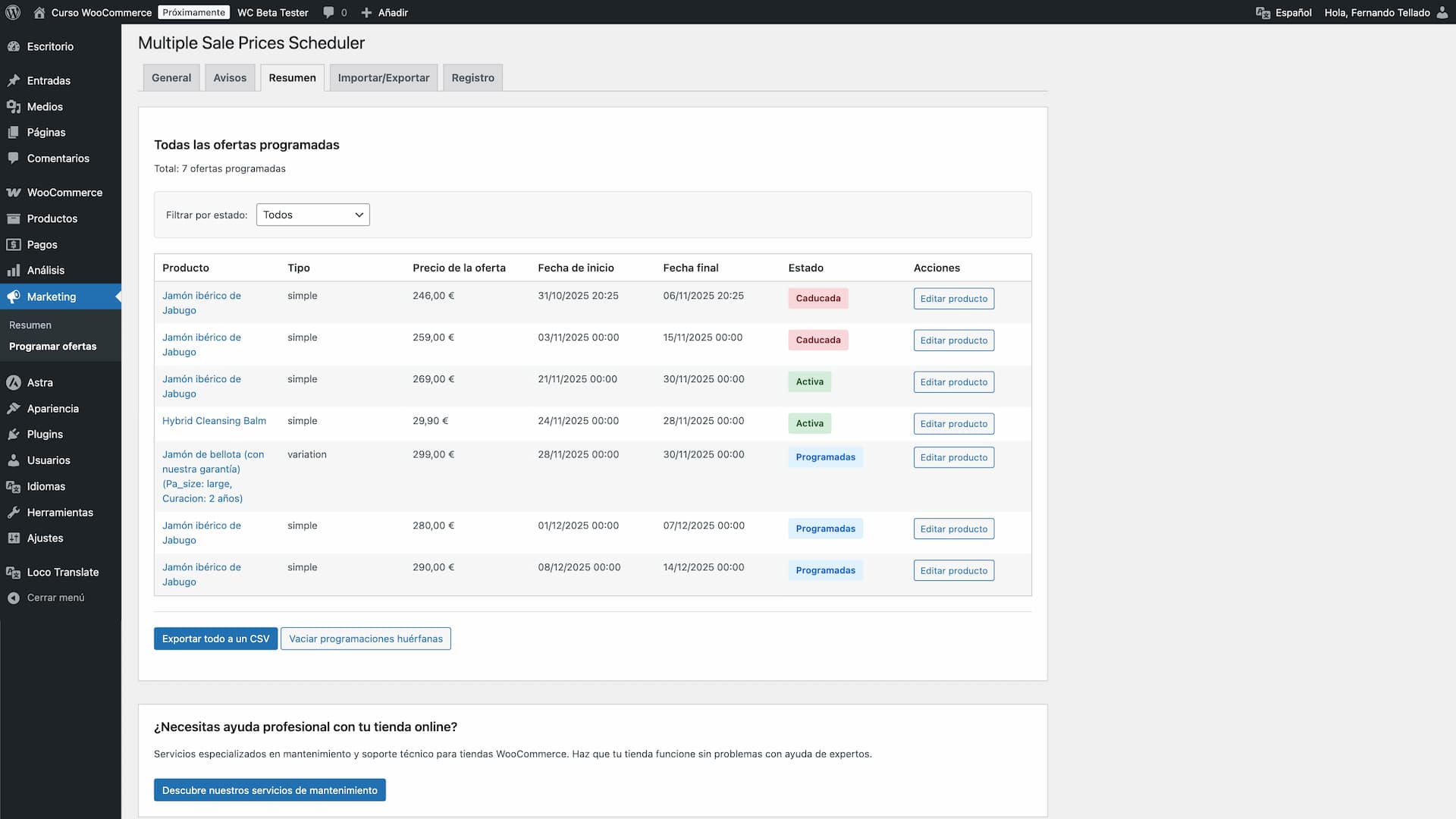
- Dashboard widget with sales overview
- Compatible with HPOS (High-Performance Order Storage)
- Automatic sale activation and deactivation via cron
- Import existing WooCommerce sales
- Clean orphaned scheduled sales from deleted products
- Command Palette integration (Cmd+K / Ctrl+K) for quick access to export and overview
- Plan Black Friday, Christmas and seasonal sales months in advance, all in one visit to the product editor
- Schedule different discounts for different promotional periods without losing track of the legally required reference price
- Implement dynamic pricing for high-demand periods (hotels, events, tickets)
- Seasonal price adjustments (peak season vs. off-season)
- Manage flash sales and special offers
- Coordinate pricing across multiple products
- Track pricing history with activity log
- Receive alerts when sales are about to end
- Automatically clean expired sales
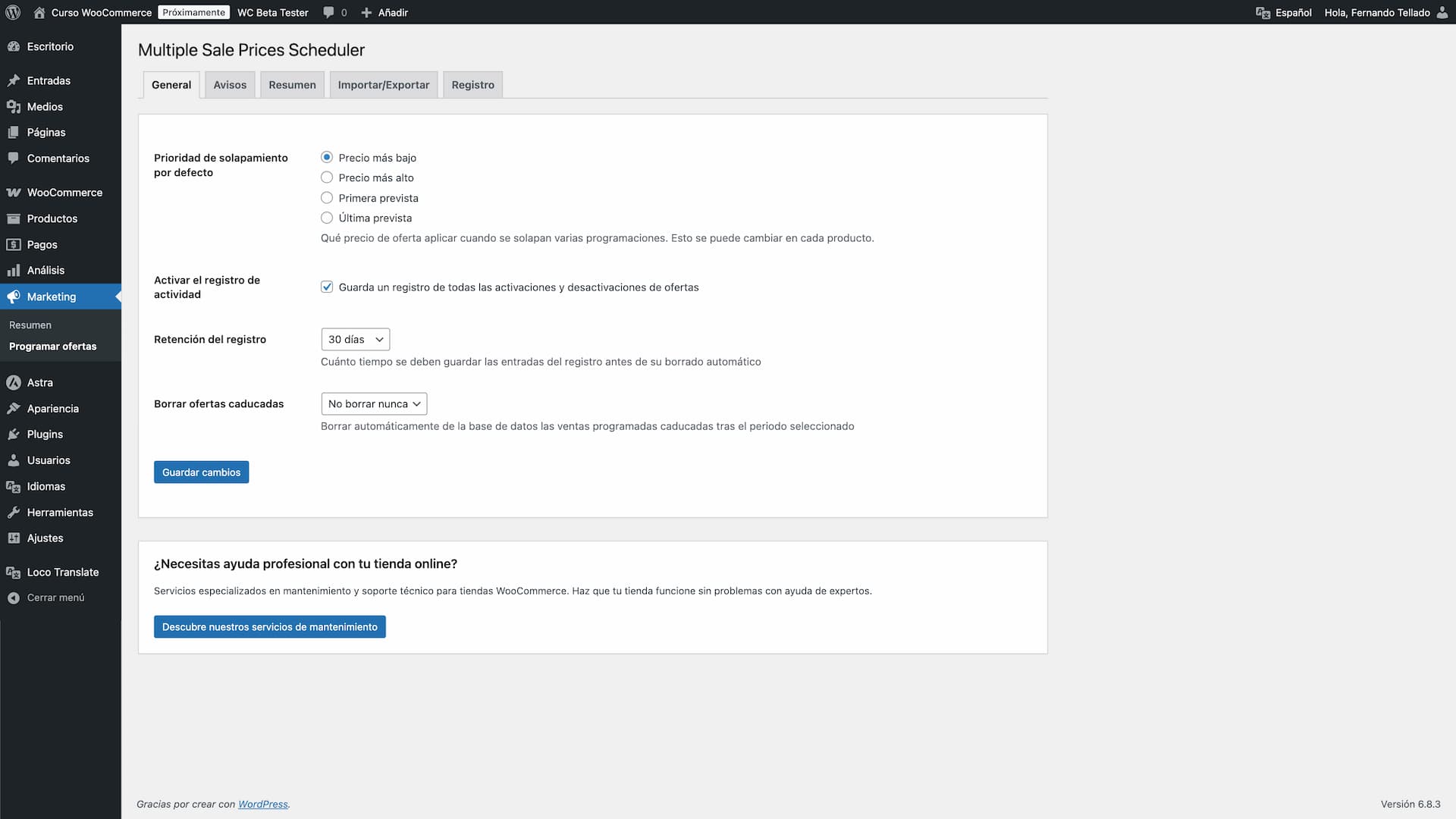
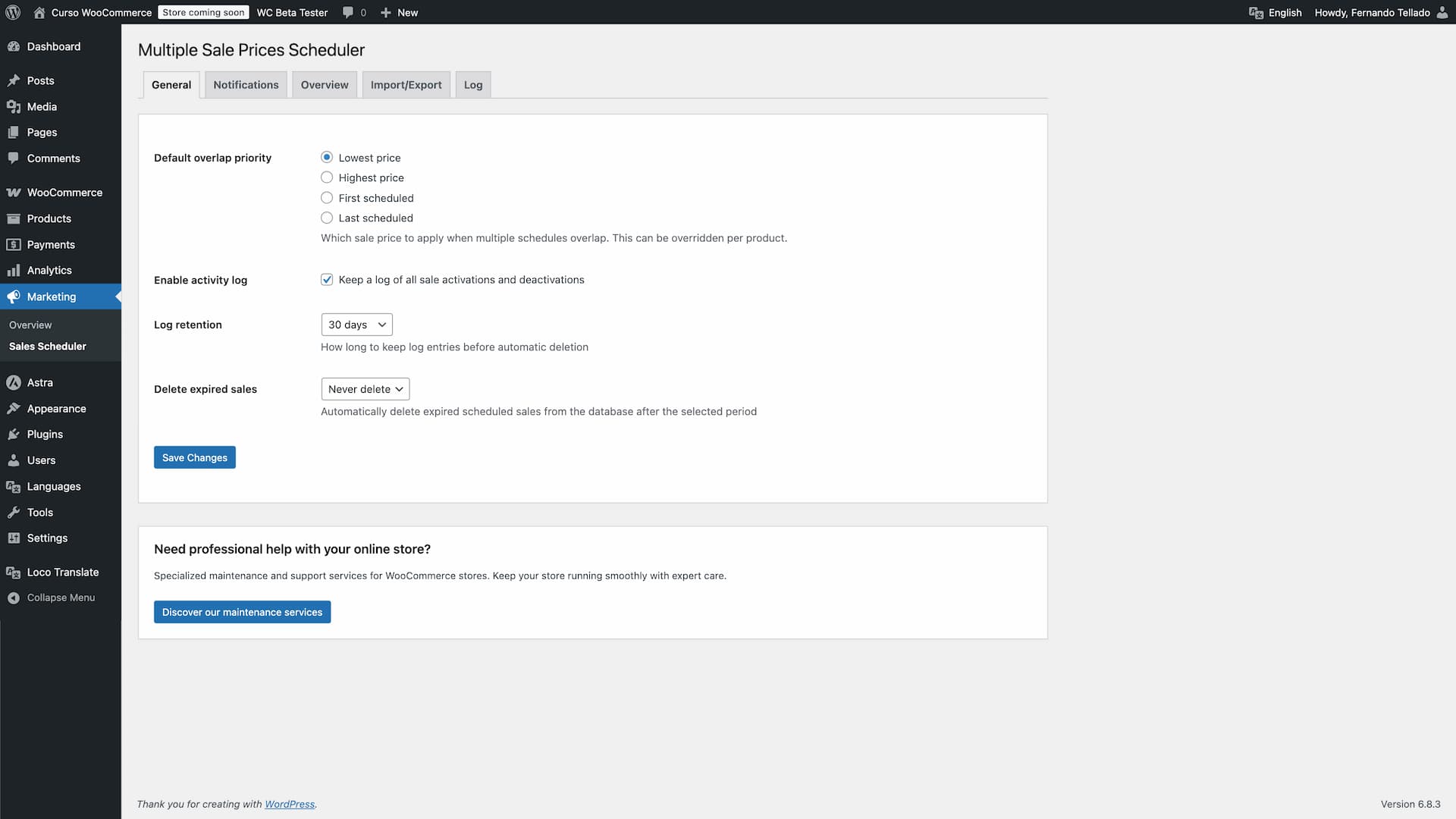
- Default overlap priority (lowest, highest, first, last)
- Enable/disable activity log
- Log retention period (30-365 days)
- Automatic deletion of expired sales (never, 30-365 days)
- Sale check frequency (every 5, 10, 15, 30 minutes or hourly)
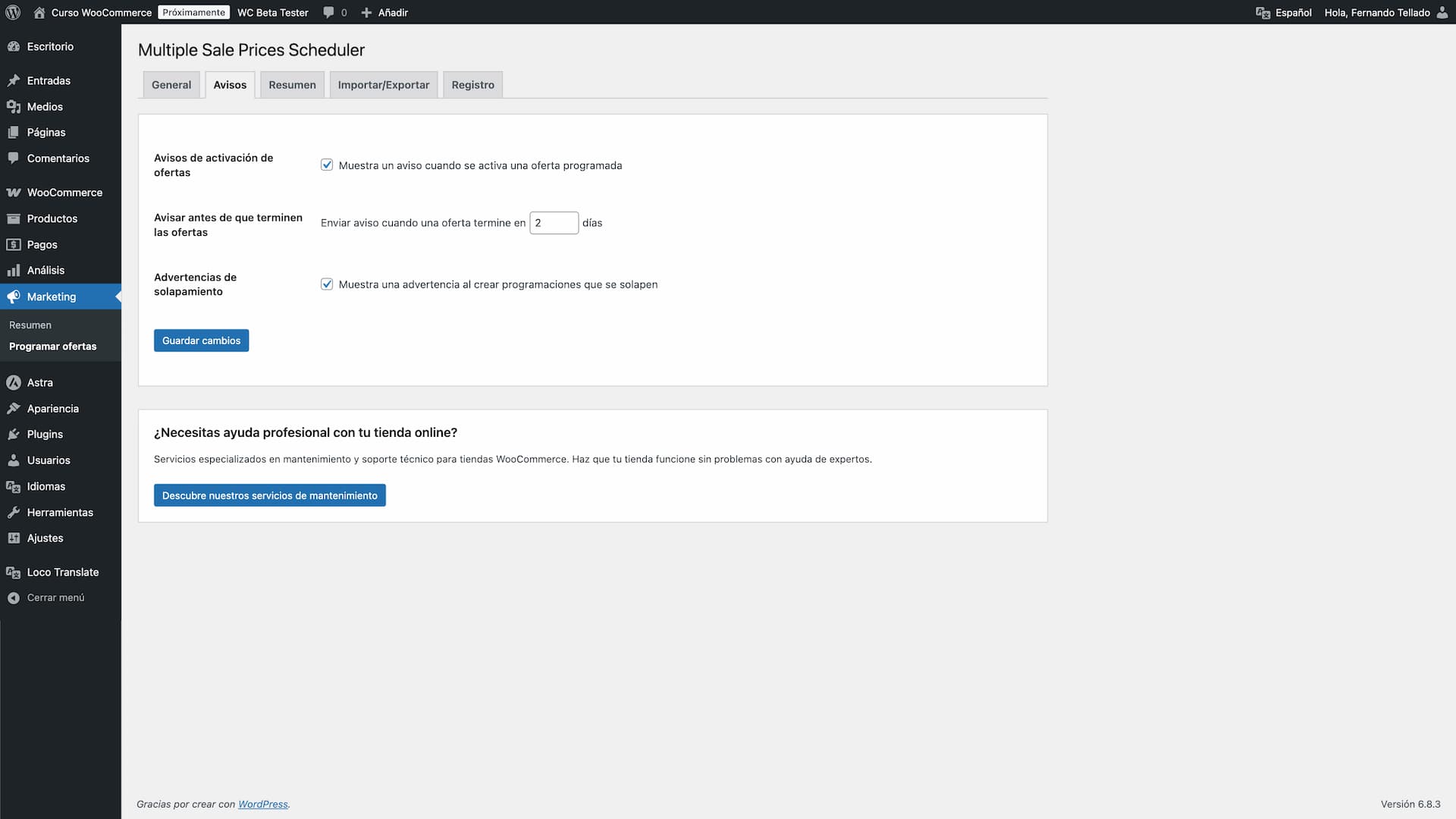
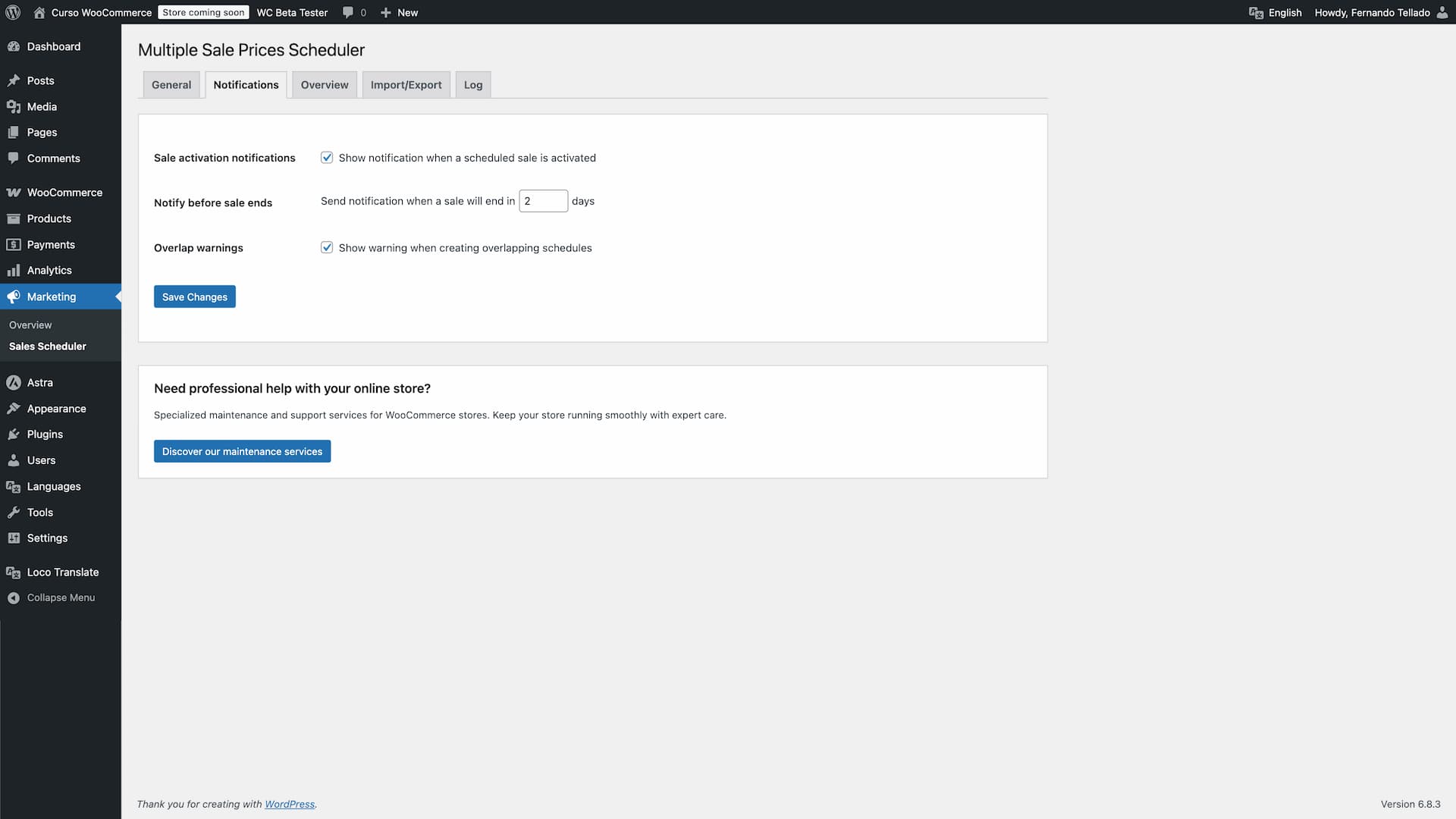
- Sale activation notifications
- Notifications before sale ends (1-30 days)
- Overlap warnings when creating schedules
- WordPress 5.8 or higher
- WooCommerce 6.0 or higher (tested up to 11.1)
- PHP 7.4 or higher
安装:
- Upload the plugin files to
/wp-content/plugins/multiple-sale-prices-scheduler/ - Activate the plugin through the 'Plugins' menu in WordPress
- Go to Marketing > Sales Scheduler to see the overview and configure settings
- Edit any product and find the "Scheduled sale prices" section
屏幕截图:
常见问题:
Does this work with variable products?
Yes, the plugin fully supports both simple and variable products. Each variation can have its own scheduled sales and priority settings.
What happens if two sales overlap?
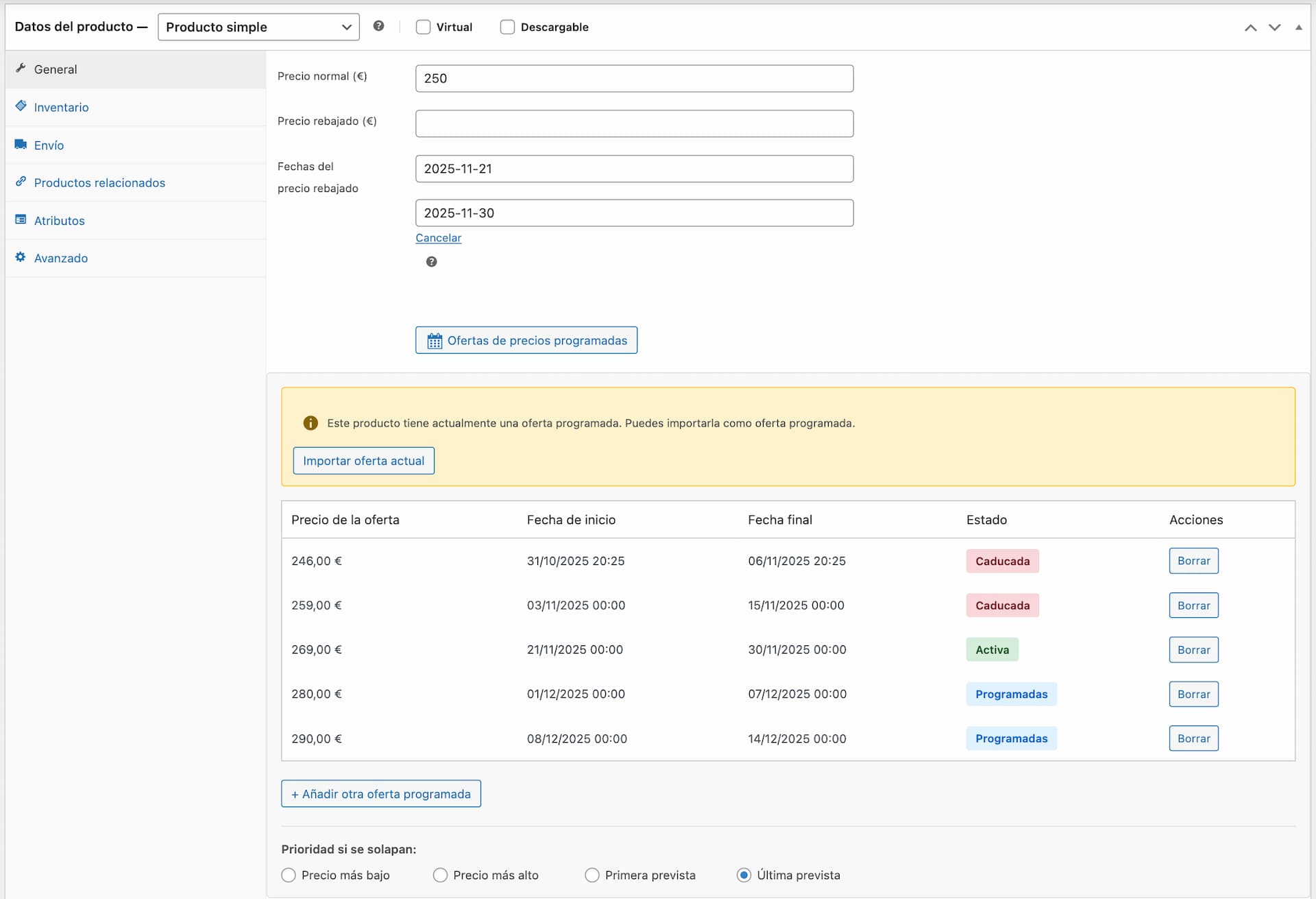
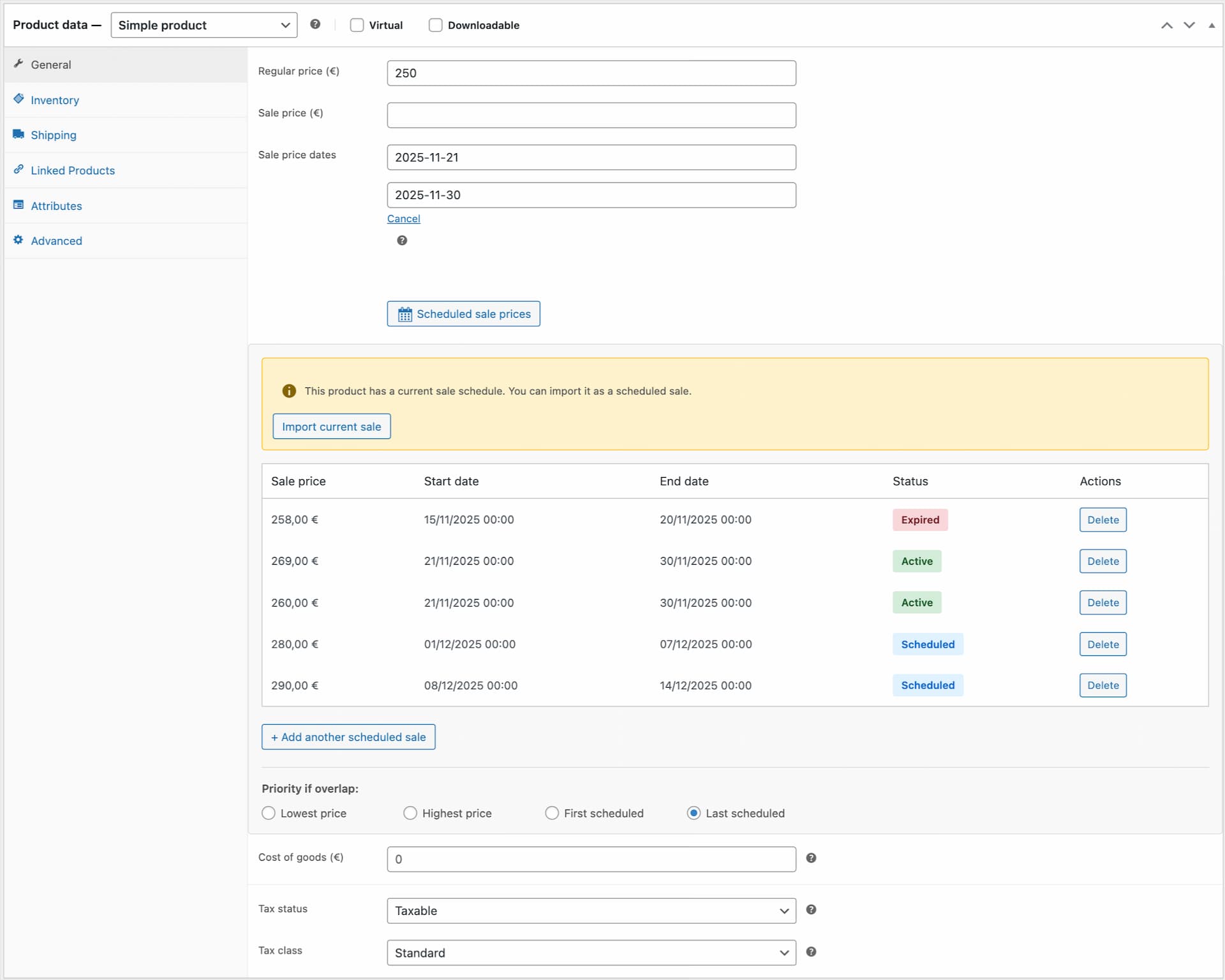
You can configure the priority (lowest price, highest price, first scheduled, or last scheduled) both globally in settings and per product/variation. The plugin will automatically apply the sale price according to your priority setting.
Can I import existing WooCommerce sales?
Yes, the plugin includes an "Import current sale" button that converts existing WooCommerce sales into scheduled sales, allowing you to add more sales to the same product.
Can I bulk import sales?
Yes, use the CSV import feature in the settings page to bulk import scheduled sales for multiple products. You can also download a CSV template to see the required format.
Is this compatible with HPOS?
Yes, the plugin is fully compatible with WooCommerce's High-Performance Order Storage (HPOS).
How often does the plugin check for sales to activate?
By default WordPress cron checks every hour, but you can change this to every 5, 10, 15 or 30 minutes in the Settings tab. More frequent checks make exact start and end times more precise. Note that WordPress cron depends on your site receiving traffic to run on schedule.
Can I schedule sales by exact time, not just by date?
Yes. Since version 1.3.0 each scheduled sale has a start and end time (hour and minute), interpreted in your store's timezone. Sales created before 1.3.0 keep working: with no specific time set, they start at the beginning of the first day and end at the end of the last day.
Can I automatically delete old expired sales?
Yes, you can configure automatic deletion of expired sales after a specified period (30, 60, 90, 180, or 365 days) in the General settings tab. This helps keep your database clean.
How long are activity logs kept?
You can configure log retention from 30 to 365 days in the General settings. Logs older than the retention period are automatically deleted.
What happens to scheduled sales when I delete a product?
You can use the "Clean orphaned schedules" button in the Overview tab to remove all scheduled sales from deleted or invalid products.
Can I get notified before a sale ends?
Yes, you can enable notifications to alert you a specified number of days (1-30) before a sale expires, giving you time to plan your next promotion.
Can I schedule price increases, not just sales?
Yes! While the plugin is designed primarily for scheduling sale prices (discounts), you have complete flexibility to set any price - including prices higher than the regular price. This allows you to handle seasonal pricing adjustments, high-demand periods, or other dynamic pricing strategies. Note: If you schedule a price higher than the regular price, the product will simply show the scheduled price without displaying a "sale" badge or strikethrough pricing.
Does this plugin work with the WordPress Command Palette?
Yes! Since version 1.2.0, the plugin registers two commands in the WordPress Command Palette (Cmd+K on Mac, Ctrl+K on Windows): "Export scheduled offers to CSV" for quick CSV downloads, and "Show scheduled offers" to jump directly to the overview page. These commands work from any admin screen (requires WordPress 6.3 or higher).
I sell in the EU. Do scheduled price changes affect my Omnibus Directive obligations?
They can. Directive (EU) 2019/2161 (the Omnibus Directive) requires that any price reduction announcement displays the prior price, meaning the lowest price applied during the 30 days before the reduction. If you schedule successive price changes or chained promotions, that prior price may not be your regular price but a lower price from a previous change within that window. Since version 1.5.0, the plugin keeps a rolling 30-day price history for each product, recording every price change it applies plus any regular or sale price change made another way (manual edit, CSV import, another plugin). When the lowest price in that window is below the regular price WooCommerce would otherwise show struck through, the plugin adds a note with the correct prior price next to the price on the frontend, and shows a heads-up in the product editor. This only covers price changes recorded while the plugin has been active on your site: it cannot reconstruct price history from before you installed it or before version 1.5.0. On a new install, give it 30 days to build a complete history. The plugin does not interpret or guarantee compliance with the Omnibus Directive on your behalf; verify the displayed prior price is correct for your situation.
更新日志:
- Improved: Tested up to WooCommerce 11.1
- New: Automatic EU Omnibus Directive prior-price tracking — a rolling 30-day price history per product, a heads-up in the product editor when a scheduled sale would need a lower reference price than the current regular price, and a note next to the price on the frontend when that happens
- New: Renamed to "Scheduled Sales and Discounts for WooCommerce" so it's easier to find when searching for what it actually does
- Improved: Rewrote the plugin description and FAQ around real use cases and the new Omnibus tracking