MW LLMS Index
| 开发者 | mohamedwazery |
|---|---|
| 更新时间 | 2025年12月8日 10:52 |
| 捐献地址: | 去捐款 |
| PHP版本: | 7.4 及以上 |
| WordPress版本: | 6.9 |
| 版权: | GPLv2 or later |
| 版权网址: | 版权信息 |
详情介绍:
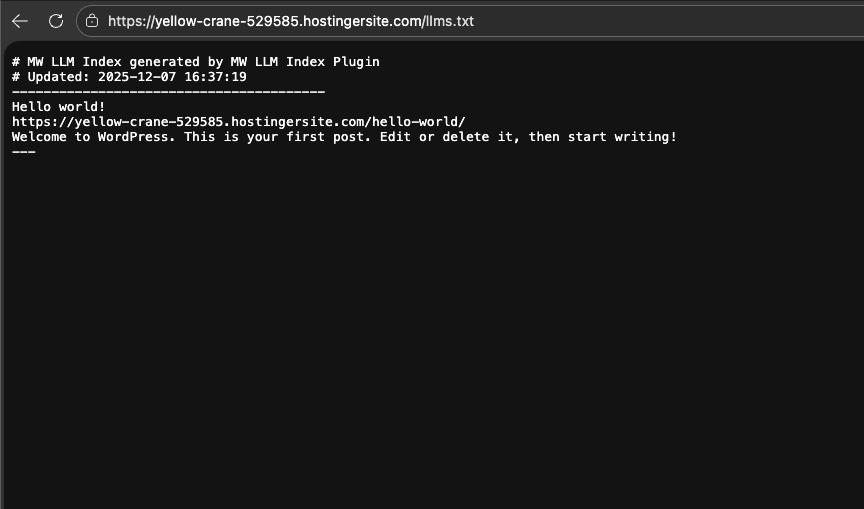
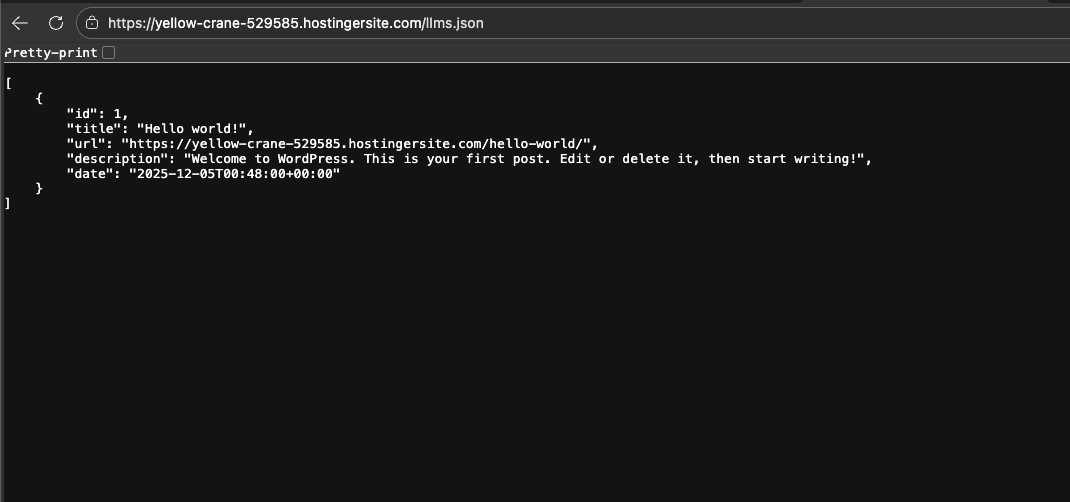
llms.txt (plain text) and llms.json (structured JSON) files inside wp-content/uploads/mw-llm-index/, making it easy for AI systems to discover and understand your content.
Key Features:
- Automatic Index Generation: Automatically generates
llms.txtandllms.jsonfiles with all your published posts and pages - SEO Plugin Integration: Seamlessly integrates with popular SEO plugins (Rank Math, Yoast SEO, All in One SEO) to use meta descriptions
- Flexible Scheduling: Choose from daily, weekly, or manual regeneration schedules using WP Cron
- AI Bot Logging: Optional logging of AI bot visits (GPTBot, ClaudeBot, PerplexityBot) to track when AI systems access your site
- REST API Access: Access your index data programmatically via WordPress REST API
- Auto-Generation: Automatically creates files on activation if they don't exist
- Clean Uninstall: Removes all generated files and settings when uninstalled
- ✔ WP Cron Integration: Uses WordPress built-in cron system for scheduled updates
- ✔ Editor Compatibility: Works seamlessly with both Gutenberg and Classic Editor
- ✔ Zero Frontend Assets: No JavaScript or CSS files loaded on the frontend - lightweight and fast
- ✔ WordPress Standards: Follows WordPress coding standards and best practices
- ✔ Multisite Compatible: Works on single-site and multisite installations
llms.txt file is a standardized format for providing AI systems with a structured index of your website's content. It helps AI models like ChatGPT, Claude, and Perplexity understand what content is available on your site and how to access it.
How It Works:
- The plugin scans all published posts and pages on your WordPress site
- Extracts titles, URLs, and descriptions (from SEO plugins when available)
- Generates two files:
llms.txt- Human-readable plain text formatllms.json- Machine-readable JSON format for programmatic access- Files are automatically updated based on your chosen schedule
- Help AI systems discover and index your content
- Improve AI model understanding of your website structure
- Provide structured content metadata for AI training
- Track when AI bots visit your site
- Export your content index for external use
安装:
- Log in to your WordPress admin panel
- Go to Plugins → Add New
- Search for "MW LLMS Index"
- Click "Install Now" then "Activate"
- Download the plugin zip file
- Upload the
mw-llms-indexfolder to/wp-content/plugins/ - Activate the plugin through the 'Plugins' menu in WordPress
- Go to Settings → MW LLMS Index
- Choose your preferred schedule (Daily/Weekly/Manual)
- Click "Save Settings & Regenerate Now"
- Verify files at:
wp-content/uploads/mw-llm-index/llms.txt
llms.txt and llms.json files inside wp-content/uploads/mw-llm-index/.屏幕截图:
常见问题:
What files does this plugin create?
The plugin creates two files inside the uploads directory (wp-content/uploads/mw-llm-index/):
llms.txt- Plain text index of your contentllms.json- Structured JSON index for programmatic access
Where are the files located?
Both files are created inside the uploads directory (the same location WordPress uses for media uploads), under wp-content/uploads/mw-llm-index/.
How can I view the generated files?
You can access the files directly via URLs:
Can I customize which posts are included?
Currently, the plugin includes all published posts and pages. Future versions may include filtering options.
Does this work with custom post types?
Currently, the plugin includes standard posts and pages. Support for custom post types may be added in future versions.
How often are the files updated?
You can choose from:
- Daily - Files are regenerated once per day
- Weekly - Files are regenerated once per week
- Manual - Files are only regenerated when you click the button
What SEO plugins are supported?
The plugin integrates with:
- Rank Math
- Yoast SEO
- All in One SEO (AIOSEO) If no SEO plugin is detected, it falls back to using post excerpts.
Can I access the index via API?
Yes! The plugin provides a REST API endpoint at /wp-json/mw-llms/v1/index that returns the JSON index data.
What is AI bot logging?
When enabled, the plugin logs visits from AI bots (GPTBot, ClaudeBot, PerplexityBot) to a file at wp-content/uploads/mw-llm-index/mw_llms_bot_log.txt. This helps you track when AI systems access your site.
Will this affect my site's performance?
The plugin is lightweight and only runs during file generation (scheduled or manual). The logger only runs when enabled and only checks user agents, so performance impact is minimal.
What happens when I uninstall the plugin?
All generated files (llms.txt, llms.json, and bot log files) are automatically deleted, along with all plugin settings.
更新日志:
- Initial release
- Automatic generation of llms.txt and llms.json files
- Integration with popular SEO plugins
- Flexible scheduling (daily, weekly, manual)
- AI bot logging functionality
- REST API endpoint for programmatic access
- Auto-generation on activation
- Clean uninstall functionality