My Account Menu Builder for WooCommerce
| 开发者 | nurkamol |
|---|---|
| 更新时间 | 2026年2月19日 00:54 |
| 捐献地址: | 去捐款 |
| PHP版本: | 7.4 及以上 |
| WordPress版本: | 6.9 |
| 版权: | GPLv2 or later |
| 版权网址: | 版权信息 |
详情介绍:
- Your customers deserve a polished, branded account experience
- Support teams need custom account pages (e.g. "Help Center", "My Subscriptions")
- Membership and course sites need role-specific navigation
- Agencies need a white-label solution they can rebrand for clients
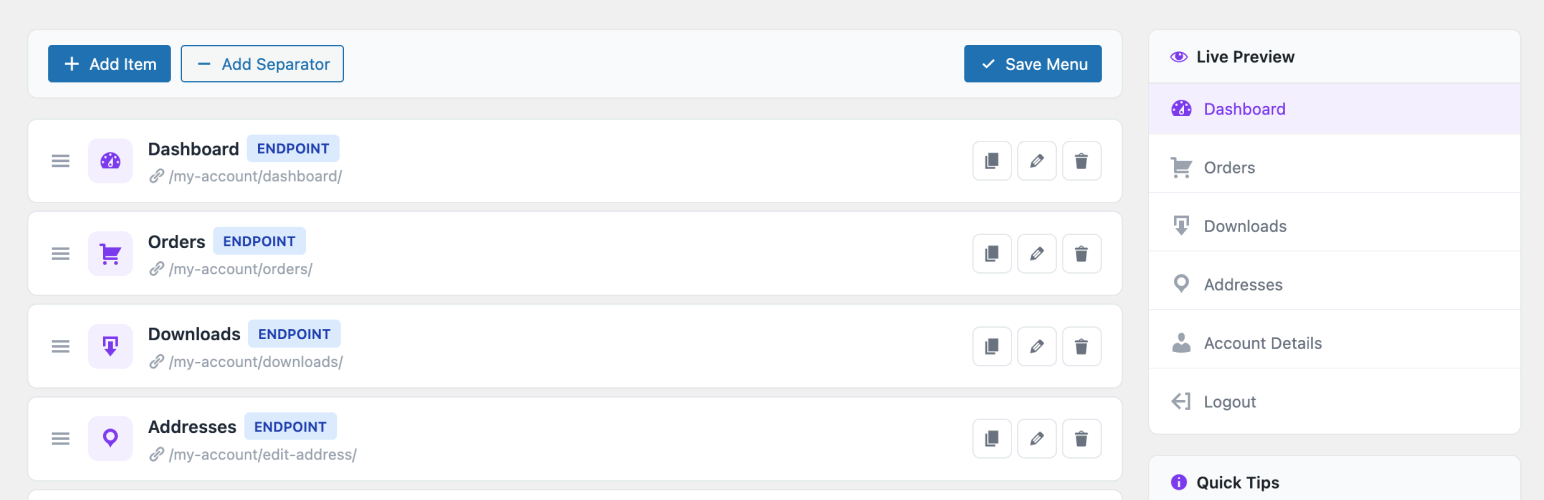
- Visual Drag & Drop Builder — Reorder menu items instantly
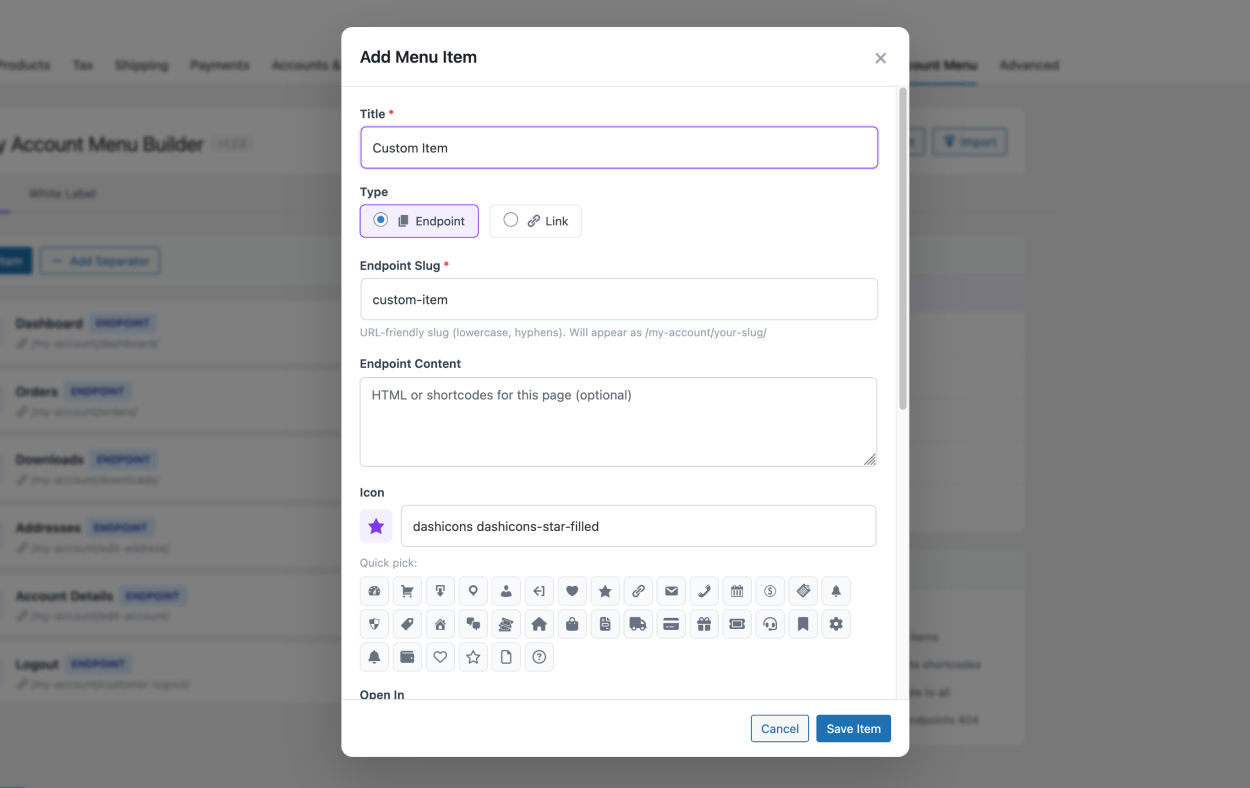
- Custom Endpoints — Create new My Account pages with any HTML content or shortcodes
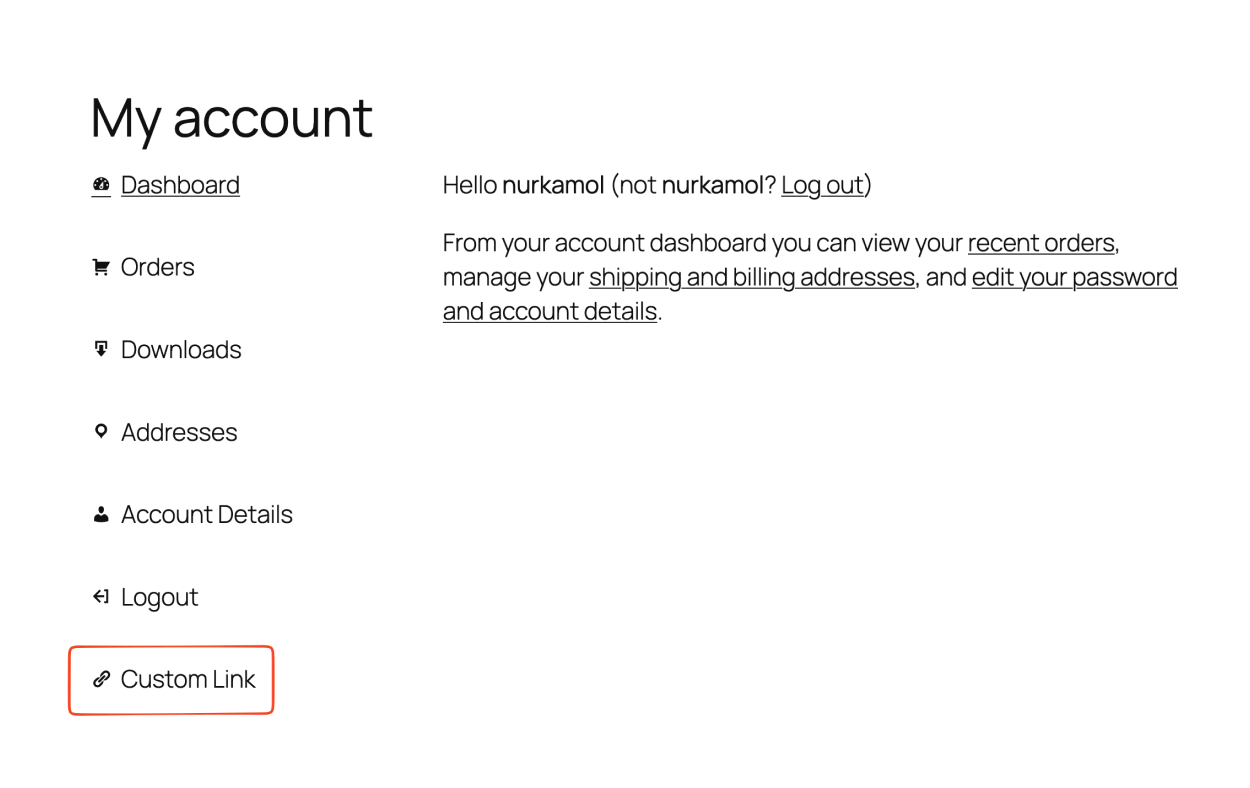
- External Links — Add links to any URL alongside account pages
- Open in New Tab — Per-item link target control
- Live Preview — See your menu exactly as customers will
- Dashicons — WordPress native icon set
- Font Awesome 6 — Thousands of solid and regular icons
- Visual Icon Picker — 36+ quick-pick icons in the editor
- Manual Input — Use any CSS icon class
- Role-Based Visibility — Show or hide items per user role (e.g. show "Wholesale" only to wholesale customers)
- Enable / Disable — Toggle items on and off without deleting
- All Roles Supported — Works with WooCommerce, membership plugins, and custom roles
- Separators — Visual dividers between menu groups
- Badges — Static text labels like "New", "Pro", or "Hot"
- Dynamic Counters — Auto-display order count or download count
- Descriptions — Subtitle text under menu titles
- Custom CSS Classes — Advanced per-item styling
- Duplicate Items — One-click cloning
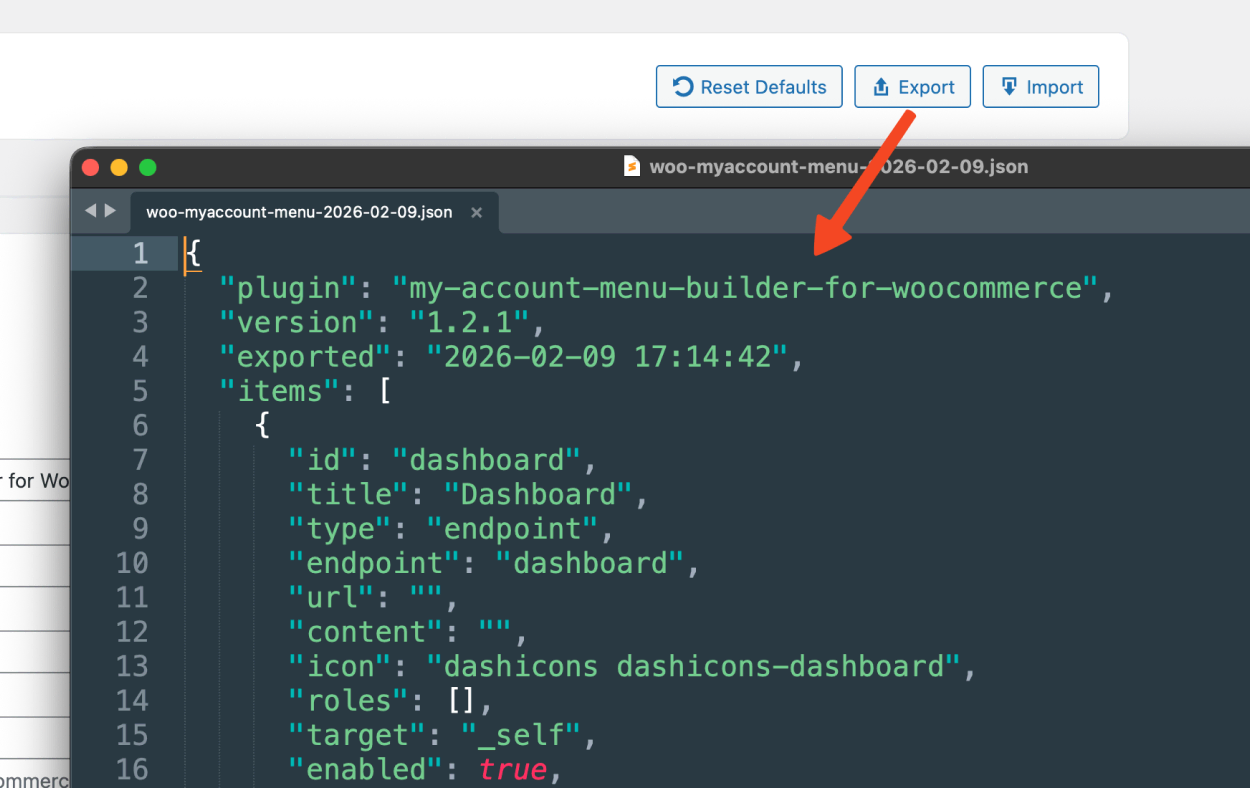
- Export / Import JSON — Migrate your menu between sites in seconds
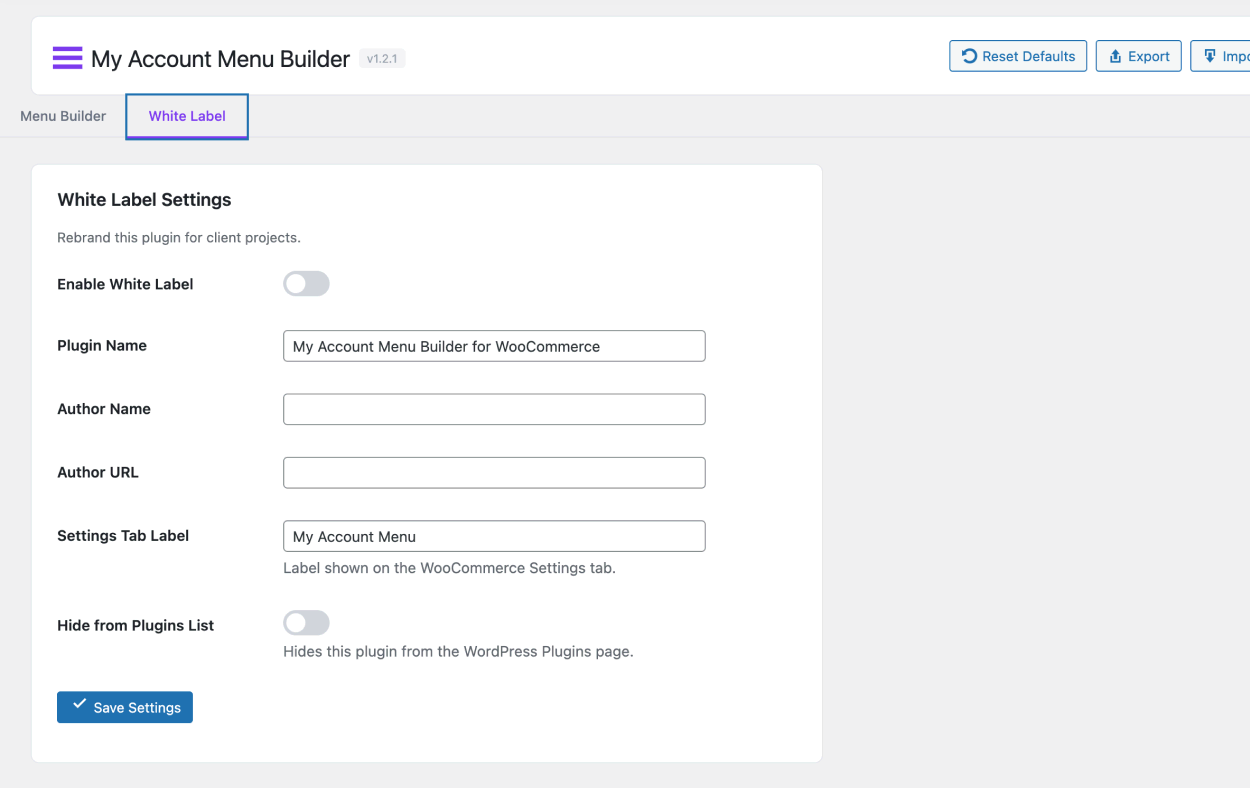
- White-Label Mode — Rebrand plugin name, author, and settings tab label
- Hide from Plugins List — Full client-facing white-label
- ✅ HPOS — Fully compatible with High-Performance Order Storage
- ✅ Cart & Checkout Blocks — Fully compatible with block-based cart/checkout
- ✅ WooCommerce 10.5+ — Tested with the latest release
- Translation-ready with .pot file and bundled translations
- Works on WordPress Multisite
安装:
- Go to Plugins → Add New in your WordPress admin
- Search for "My Account Menu Builder for WooCommerce"
- Click Install Now then Activate
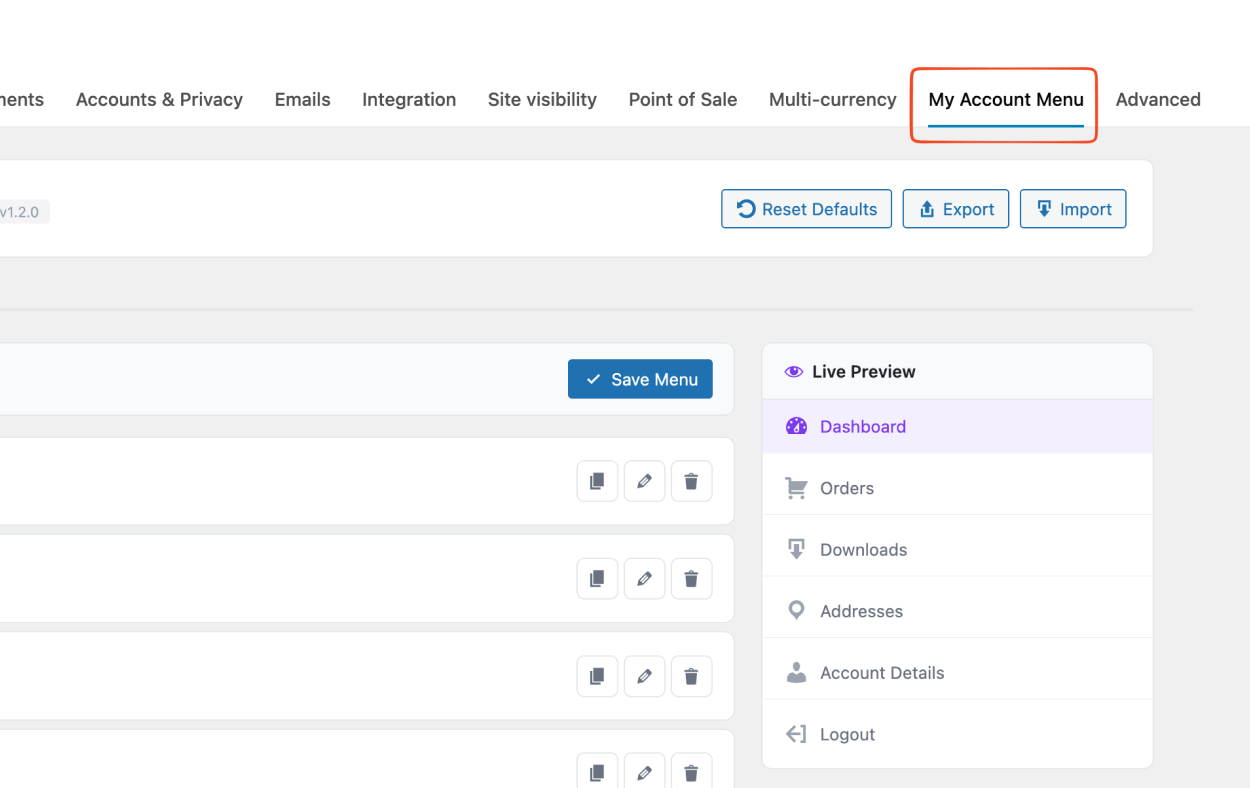
- Go to WooCommerce → Settings → My Account Menu tab
- Download the plugin ZIP from WordPress.org or GitHub
- Go to Plugins → Add New → Upload Plugin
- Choose the ZIP file and click Install Now
- Activate the plugin
屏幕截图:
常见问题:
Where do I find the plugin settings?
Go to WooCommerce → Settings and click the My Account Menu tab. It's located after the default WooCommerce tabs (General, Products, Shipping, etc.).
My custom endpoint shows a 404 page
After adding new endpoints, go to Settings → Permalinks and click Save Changes to flush rewrite rules. The plugin does this automatically on save, but a manual flush may be needed in some hosting configurations.
Can I show different menu items to different user roles?
Yes! Each menu item has a "Visible to Roles" option. Check the roles that should see the item. Leave all unchecked to make the item visible to everyone.
Does this work with WooCommerce Memberships / Subscriptions?
Yes. The plugin works with any WooCommerce extension that registers user roles. Custom roles from membership or subscription plugins will appear in the role visibility checkboxes.
Can I add icons to menu items?
Absolutely. Every item supports both WordPress Dashicons and Font Awesome 6 icons. Use the visual picker to choose from 36+ popular icons, or type any icon class manually.
How do I create a custom "My Account" page?
- Add a new menu item and set type to Endpoint
- Enter a title (e.g., "My Wishlist")
- The slug auto-generates (e.g.,
my-wishlist) - Add your page content (HTML or shortcodes) in the "Endpoint Content" field
- Save and visit
/my-account/my-wishlist/
Can I add external links (not WooCommerce pages)?
Yes. Set the item type to Link and enter any URL. You can also choose to open it in a new tab.
How do I migrate settings to another site?
Click Export to download a JSON file, then Import on the other site. This transfers all menu items and white-label settings.
Is it compatible with WooCommerce HPOS?
Yes! The plugin explicitly declares compatibility with High-Performance Order Storage (HPOS). It only modifies the My Account navigation and never touches order data.
Is it compatible with the block-based Cart & Checkout?
Yes! The plugin declares full compatibility with WooCommerce Cart & Checkout Blocks. It operates exclusively on the My Account page and doesn't interact with cart or checkout functionality.
Can I hide this plugin from clients?
Yes! Enable White Label mode in the settings. You can rename the plugin, change the author, customize the tab label, and even hide it completely from the Plugins page.
Does it support multisite?
Yes, the plugin works on WordPress Multisite. Activate it per-site or network-wide.
Is the plugin translation-ready?
Yes! The plugin includes a .pot file and bundled translations for Spanish, French, German, Portuguese, Russian, Turkish, Chinese, Japanese, Arabic, and Italian. Community translations are welcome via translate.wordpress.org.
更新日志:
- Added: Preview button in admin toolbar to open My Account page in a new tab
- Added:
Requires Plugins: woocommerceheader (WordPress.org requirement) - Changed: Removed Font Awesome entirely — all icons now use WordPress Dashicons (zero additional weight)
- Changed: Dynamic CSS now uses
wp_add_inline_style()instead of inline<style>tag (coding standards compliance) - Changed: Removed screenshot/banner/icon PNGs from plugin zip (uploaded separately to SVN assets)
- Fixed: Reverted Font Awesome 6.5.1 from external CDN back to local bundling (WordPress.org Plugin Check disallows offloading styles to remote services)
- Fixed: Renamed main plugin class to use plugin prefix (WordPress.org naming conventions compliance)
- Fixed: Updated @package docblock tags across all files
- Changed: Font Awesome 6.5.1 now loaded from cdnjs.cloudflare.com CDN instead of bundled locally
- Changed: Removed local fontawesome.min.css and webfonts directory
- Changed: Plugin size reduced by ~63% (1.7 MB → 610 KB)
- Updated: Plugin renamed from "Woo My Account Menu Builder" to "My Account Menu Builder for WooCommerce" to comply with WordPress.org trademark guidelines
- Updated: Plugin slug changed to
my-account-menu-builder-for-woocommerce - Updated: Text domain changed to
my-account-menu-builder-for-woocommerce - Updated: Tested up to WordPress 6.9
- Fixed: Removed
load_plugin_textdomain()— WordPress.org handles translations automatically since WP 4.6 - Fixed: Font Awesome now bundled locally instead of loading from external CDN (WordPress.org compliance)
- Fixed: Improved input sanitization for all
$_POSTdata with proper escaping annotations - Fixed: All
admin_url()calls wrapped inesc_url()for output escaping - Fixed: Dynamic CSS output uses
sanitize_html_class()for safe class names
- Added: WooCommerce HPOS (High-Performance Order Storage) compatibility declaration
- Added: WooCommerce Cart & Checkout Blocks compatibility declaration
- Added: Full i18n support with .pot file and 10 bundled translations
- Added: load_plugin_textdomain for proper translation loading
- Updated: WC tested up to 10.5
- Updated: WordPress.org-ready readme with full documentation
- Fixed: WooCommerce "incompatible plugins" warning after WC 10.5 update
- Added: Settings now live under WooCommerce → Settings → My Account Menu tab
- Added: Separator / divider support for grouping menu items
- Added: Static badge text (New, Pro, Hot, etc.) per item
- Added: Dynamic badge counters (order count, download count)
- Added: Description / subtitle text per menu item
- Added: Custom CSS class per item
- Added: Duplicate item with one click
- Added: Auto-generate endpoint slug from title
- Added: White-label: hide plugin from Plugins list
- Added: Plugin action link for quick Settings access
- Fixed: Endpoint URLs now use the proper endpoint slug
- Fixed: New tab (target="_blank") now works reliably
- Fixed: Fatal error from non-existent method hook
- Initial release
- Visual drag & drop menu builder
- Custom endpoint and external link support
- Icon support (Dashicons + Font Awesome)
- Role-based visibility
- Export / Import JSON
- White-label mode
- Live preview sidebar