Myfatoorah - WooCommerce
| 开发者 | myfatoorah |
|---|---|
| 更新时间 | 2021年3月8日 21:46 |
| PHP版本: | 7.0 及以上 |
| WordPress版本: | 5.6.2 |
| 版权: | GPLv3 |
| 版权网址: | 版权信息 |
详情介绍:
Myfatoorah Payment Gateway for WooCommerce. Integrated with Myfatoorah DHL/Aramex Shipping Methods.
Introduction
MyFatoorah is a flexible, open-source Gateway e-commerce solution built on WooCommerce. Sell anything, anywhere and make your way.
MyFatoorah offers a seamless business experience by offering a technology put together by our tech team. This enables smooth business operations involving sales activity, product invoicing, shipping, and payment processing. MyFatoorah invoicing and payment gateway solution trigger your business to greater success at all levels in the new age world of commerce. Leverage your sales and payments at all e-commerce platforms (ERPs, CRMs, CMSs) with transparent and slick applications that are well-integrated into social media and telecom services. For every closing sale click, you make a business function gets done for you, along with generating factual reports and statistics to fine-tune your business plan with no-barrier low-cost.
Our technology experts have designed the best GCC E-commerce solutions for the native financial instruments (Debit Cards, Credit Cards, etc.) supporting online sales and payments, for events, shopping, mall, and associated services.
Payment Gateways
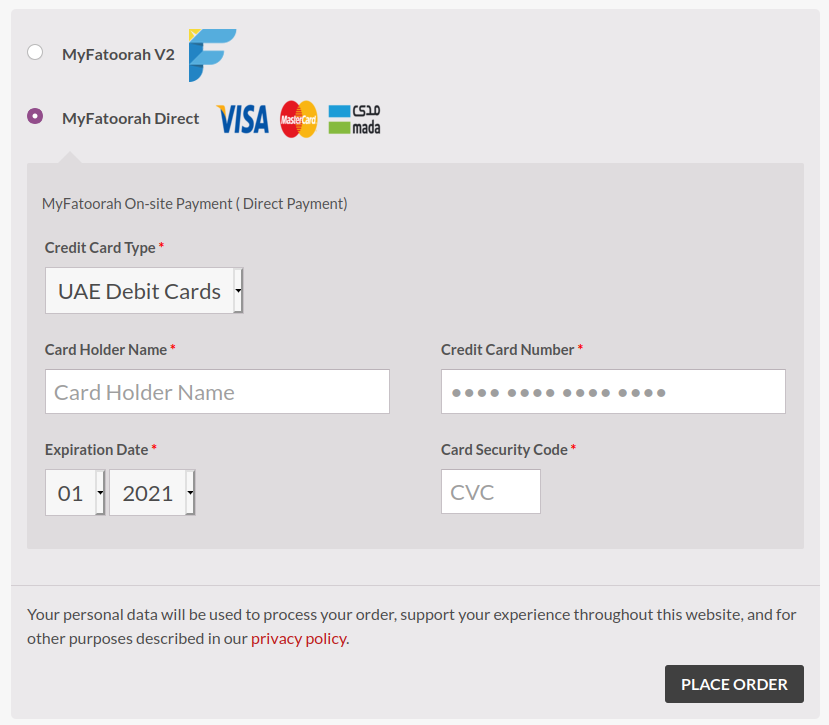
MyFatoorah plugin comes with off-site and on-site payments. If you need more payment options, you can contact MyFatoorah support team to activate Payment gateways in your account.
MyFatoorah supports below payment gateways:
- KNET
- VISA/MASTER
- MADA
- Benefit
- Qatar Debit Cards
- UAE Debit Cards
- Sadad
- AMEX
- Apple Pay
- KFast
- AFS
- STC Pay
- Mezza
- Orange Cash
- Oman Net
- DHL
- Aramex
安装:
Before you start, you need to create a new account on MyFatoorah portal website. Then, contact support@myfatoorah.com to activate it by an account manager.
After that, follow installation steps in link
Demo configuration
1- You can use demo token mentioned in link
2- Make sure test mode checkbox is enabled.
3- You can use test card
Live Configuration
1- You can use live token mentioned in link.
2. Make sure test mode is disabled.
Direct Payment Configuration
You need to contact MyFatoorah account manager or sales representative person to activate direct payment feature in your account.
Shipping Configuration
1- Contact MyFatoorah account manager or sales representative person to activate shipping feature in your account.
2- Add a valid address in MyFatoorah portal > update profile > Shipping configuration details. View more details.
3- All products should have a valid dimensions and weight.
4- Follow Shipping configuration guide