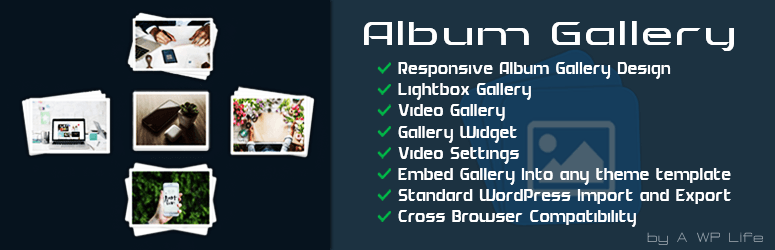
Album Gallery for Photo & Video
| 开发者 |
awordpresslife
razipathhan hanif0991 muhammadshahid fkfaisalkhan007 sharikkhan007 zishlife FARAZFRANK |
|---|---|
| 更新时间 | 2026年8月20日 18:43 |
| 捐献地址: | 去捐款 |
| PHP版本: | 7.0 及以上 |
| WordPress版本: | 7.1 |
| 版权: | GPLv2 or later |
| 版权网址: | 版权信息 |
标签
下载
2.1.6
2.1.7
1.0.5
0.0.17
0.0.18
0.0.2
0.0.4
0.0.6
0.0.8
0.0.9
0.1.1
0.1.5
0.1.7
0.1.8
1.0.0
1.0.1
1.0.10
1.0.2
1.0.3
1.0.6
1.0.7
1.0.9
1.1.0
1.1.1
1.2.0
1.2.1
1.2.10
1.2.2
1.2.4
1.2.5
1.2.6
1.2.7
1.2.8
1.2.9
1.3.0
1.3.1
1.3.2
1.3.3
1.3.4
2.1.5
1.0.8
1.6.7
0.0.13
0.0.7
0.0.5
1.3.5
1.4.0
1.4.1
1.4.2
1.3.6
1.3.9
1.4.4
1.4.6
0.0.1
0.0.10
0.0.14
0.0.3
1.4.7
1.4.9
1.5.0
1.5.2
1.5.3
1.5.1
1.5.4
1.5.5
1.5.6
0.0.15
0.1.2
0.1.4
1.2.3
1.4.3
0.0.11
0.0.12
1.4.5
1.7.0
0.1.6
1.6.4
1.3.7
1.3.8
1.4.8
1.6.0
1.6.1
1.6.2
0.0.16
0.1.0
0.1.3
1.0.4
1.5.7
1.5.9
1.6.3
1.6.5
1.6.6
1.6.8
1.6.9
1.7.1
2.0.0
1.5.8
2.0.1
2.0.2
2.1.0
2.1.2
2.1.1
2.1.3
2.1.4
详情介绍:
Album Gallery for Photo & Video
Need a clean way to show your media? Our album gallery for Photo & Video makes it simple. It is fully compatible with Gutenberg Blocks and Elementor Page Builder, allowing you to insert and design your collections visually.
You can group your images into organized collections. Visitors can browse your grid easily. When they click a cover, a beautiful lightbox opens up. It is fast, fully responsive, and works on all devices.
Free Version Demo: Album Gallery
Pro Version Demo: Album Gallery Premium
Where to Buy: Buy Album Gallery Premium
Video Tutoreal
https://www.youtube.com/watch?v=g6HC2r4QAOI
Why Choose Our Album Gallery?
- Organized Grid: Group your related pictures together. Keep your website neat and professional.
- Photo & Video Support: Add high-quality images. You can also embed YouTube or Vimeo videos easily.
- Responsive Layout: The grid adapts to desktops, tablets, and phones automatically.
- Local Assets: All styles and scripts load from your server. No external tracking is used.
- Photo Albums - Display vacation shots, events, or product catalogs.
- Video Playlists - Share video content with responsive thumbnail previews.
- Mixed Media - Combine images and clips inside the same collection.
- Responsive Grid: Adaptable column layouts for any screen size.
- Photo & Video: Beautiful image display and smooth video streaming.
- Local Lightbox: Fast pop-up viewer with touch navigation.
- Animations: Subtle entrance effects like pulse or fade on page load.
- Hover Effects: Creative stack and overlay designs for cover images.
- Perceived Speed: Skeleton loaders keep visitors engaged during load.
- Page Builders: Built-in Gutenberg Block and Elementor Page Builder widget for easy visual layouts.
- Easy Setup: Copy and paste shortcodes into any page or post.
- Global Shortcode: Display all your albums on one page with pagination.
- AJAX Load More: Infinite scroll or button triggers for larger galleries.
- Pro Lightbox: Zoom, full-screen, and social share buttons.
- Deep Linking: Give each image a unique direct link.
- Categories: Organize your media into separate filterable groups.
- Category Shortcodes: Display only specific album categories on any page with a single custom shortcode.
- Create a new collection from the admin panel.
- Upload images or paste video URLs.
- Choose your preferred column layout and hover styles.
- Copy the custom shortcode.
- Paste it on any WordPress page or post.
安装:
- Go to Plugins > Add New in your WordPress admin
- Search for "Album Gallery"
- Click Install Now and then Activate
- Navigate to Album Gallery in the admin menu
- Click Add New to create your first album
- Upload images and configure settings
- Copy the shortcode and add it to any page or post
屏幕截图:


常见问题:
How do I create my first album gallery?
Go to the admin menu. Click "Add New" to build an album. Give it a title. Upload your Photo & Video files. Publish the collection. Copy the shortcode and paste it on any page.
Can I display both Photo & Video files together?
Yes. You can add images and videos to the same album gallery. Simply paste your YouTube or Vimeo links.
Is the album gallery responsive on mobile?
Yes. The grid scales down automatically. Your Photo & Video content will look perfect on any screen.
How many albums can I make?
There is no limit. You can create as many album gallery grids as you want.
What comes with the Pro version?
The Pro version adds category filters, custom image sizes, deeper lightbox features, and priority support.
更新日志:
2.1.7
- Date: 20 July 2026
- Layout: Updated Shortcode column styling on All Galleries list table to match modern design system with monospace container, slate text, and animated copy status feedback.
- Fix: Enhanced concurrent activation compatibility check to automatically make the Free version dormant when Album Gallery Premium is active.
- Date: 9 July 2026
- Fix: Resolved Elementor widget AJAX re-rendering display issues by force-injecting link tags in the preview mode and added a self-executing script to initialize the skeleton loader state immediately.
- Fix: Upgraded Gutenberg block implementation to apiVersion 3 with ServerSideRender to support dynamic live editor previews.
- Layout: Standardized CSS layout grid and copied custom aspect ratio/shape properties from the premium plugin version.
- Fix: Transferred stack hover effect borders from image to wrapper div to prevent clipping in skeleton loading state.
- New: Implemented high-performance batch image uploading with a premium animated gradient loading spinner.
- Date: 2026-06-29
- Fix: Resolved Elementor widget AJAX re-rendering display issues by force-injecting link tags in the preview mode and added a self-executing script to initialize the skeleton loader state immediately.
- Fix: Upgraded Gutenberg block implementation to apiVersion 3 with ServerSideRender to support dynamic live editor previews.
- Layout: Standardized CSS layout grid and copied custom aspect ratio/shape properties from the premium plugin version.
- Fix: Transferred stack hover effect borders from image to wrapper div to prevent clipping in skeleton loading state.
- New: Implemented high-performance batch image uploading with a premium animated gradient loading spinner.
- Date: 2026-06-27
- Fix: Added concurrent activation compatibility checks to allow Free and Premium plugins to be active at the same time, with priority on the Premium version.
- Date: 2026-06-27
- Fix: Updated lightbox thumbnails to load medium size images for enhanced clarity and resolution.
- Layout: Increased grid spacing and padding between album containers for improved visual separation.
- Date: 2026-06-25
- New: Added Right-Click Protection integration block in Layout Settings tab.
- Docs: Documented Right-Click Protection option in Docs page and readme.txt.
- Date: 2026-06-20
- Security: Gated the
ajax_album_galleryAJAX handler with explicit capability checks (edit_posts/edit_pages) and added strict attachment post-type validation to prevent unauthorized metadata disclosure. - Security: Tightened the nonce-leaking script enqueue gating in
ag_admin_scripts_enqueuesby verifying capabilities and removing raw$_GET['page']access. - Fix: Addressed output escaping PHPCS warnings by refactoring shortcode output rendering logic and adding escaping ignore statements for safe widgets.
- Date: 2026-06-20
- New: Added YouTube video support for video slides.
- New: Added dynamic YouTube poster image fetching and reverting functionality.
- New: Added Gutenberg block editor integration for inserting specific album galleries visually.
- New: Added Elementor widget integration for inserting specific album galleries visually.
- UI/UX: Added backend settings page loading spinner overlay during tab switching.
- Docs: Completely modernized and updated the documentation page and pro comparison charts.
- Date: 2026-05-08
- New: Added "Album Title Alignment" option to the Global Settings page with support for Default, Even Height, Single Line, or Position Below Images formats.
- Layout: Standardized CSS classes for layout alignment directly inside external stylesheets.
- UI/UX: Updated the "Upgrade to Pro" admin dashboard page and comparison lists.
- Date: 2026-04-27
- Fix: Optimized shortcode flow to allow multiple independent galleries to sit side-by-side in a single row.
- Layout: Updated grid CSS to prevent horizontal overflow and improved responsive column widths.
- Layout: Added clearfix to the main grid container to prevent overlapping with theme content.
- Date: 2026-04-20
- Major: Complete rebranding to "Album Gallery" with standardized internal prefixing (ag-, nag-).
- Architecture: Purged legacy "Premium" code for full WordPress.org repository compliance.
- Lightbox: Integrated GPL-compliant LightGallery v1.10.0 for improved stability.
- Lightbox: Removed Zoom and Fullscreen modules to streamline performance.
- UI/UX: Modernized admin interface with a new tabbed layout and improved responsive controls.
- Security: Implemented comprehensive data sanitization, unslashing, and nonce verification.
- Performance: Optimized asset enqueuing and reduced DOM footprint.
- Compatibility: Added support for PHP 8.1+ and WordPress 6.5+.
- Fix: Resolved invalid PHP function name in TGM Plugin Activation library.
- Fix: Renamed invalid $GLOBALS key with hyphens to safe underscore-based key.
- Fix: Removed @ error suppression operator on is_readable().
- Security: Sanitized all $_REQUEST, $_GET superglobal access with sanitize_text_field() and wp_unslash().
- Improvement: Added translators comments to all _n_noop() calls for WordPress i18n standards.
- Compatibility: Added #[\ReturnTypeWillChange] attributes for PHP 8.1+ compatibility.
- Tested with WordPress 6.9.
- Security: Escaped all output with esc_html_e(), esc_attr(), esc_js(), and esc_url().
- Security: Added wp_unslash() before sanitize_text_field() for all POST data.
- Security: Added isset() checks for optional POST fields.
- Security: Added direct file access protection to docs.php and awp-theme.php.
- Improvement: Added version parameters to all wp_enqueue_script and wp_enqueue_style calls.
- Improvement: Prefixed global functions and variables with nag_ for WordPress coding standards.
- Improvement: Replaced wp_reset_query() with wp_reset_postdata() in shortcode.php.
- Improvement: Fixed plugin name mismatch between header and readme.txt.
- New: Completely redesigned documentation page with 12-section tutorial.
- New: Redesigned Upgrade to Pro tab with feature cards and comparison table.
- Tested with WordPress 6.9.