
NewsmanApp
| 开发者 | newsmanapp |
|---|---|
| 更新时间 | 2026年9月23日 01:45 |
| PHP版本: | 7.4 及以上 |
| WordPress版本: | 7.1 |
| 版权: | GPLv2 or later |
| 版权网址: | 版权信息 |
详情介绍:
NewsmanApp plugin for WordPress allows you to place a newsletter signup form on your blog (widget), to sync your subscribers via API and to send newsletters based on the blog posts via NewsmanApp.
This is the easiest way to connect your Blog with Newsman.com. Generate an API KEY in your NewsmanApp account, install this plugin and you will be able to collect and sync subscribers, remarketing and forms.
With the NewsMAN Plugin, you have the power to streamline your email and SMS marketing efforts. This tool enables you to manage subscription forms, contact lists, newsletters, email campaigns, SMS functionalities, smart automations, detailed analytics, and ensure reliable transactional emails - all accessed through the NewsMAN platform, providing you with enhanced marketing capabilities.
Subscription Forms & Pop-ups:
- Create: Craft visually engaging subscription forms and pop-ups, like embedded newsletter signups or exit-intent popups, strategically capturing potential leads before they leave. Customize these forms with compelling visuals and user-friendly designs to entice visitors effectively.
- Sync: Ensure forms are consistent across multiple platforms by synchronizing them, regardless of the device used. This maintains a smooth user experience and upholds brand consistency.
- Connect to Automations: Seamlessly integrate subscription forms with automated workflows. This enables the activation of welcome emails or specific responses upon form submissions, enhancing user engagement through automated processes.
- Auto Import Sync: Automate the import and synchronization of contact lists from different sources such as websites, e-commerce platforms, or marketing/sales software. This streamlines data management, ensuring your contact information remains accurate and updated effortlessly.
- Advanced Segmentation: Utilize demographic or behavioral segmentation techniques to better target specific audience segments. Tailor offers or promotions specific to regions based on users' interests and behaviors, enhancing the relevance of your marketing approaches.
- Mass Campaigns: Send newsletters or promotional offers to a broad subscriber base with convenience. This keeps your audience engaged with regular updates on fresh products or services.
- Segmented & Personalized: Tailor campaigns to resonate individually with subscribers by personalizing content. Address subscribers by name or suggest products aligned with their preferences or past interactions, ensuring personalized engagement.
- Resend to Unopened: Re-engage subscribers effectively by resending campaigns to those who haven't opened the initial email. Modify content to enhance interaction and expand reach, fostering increased engagement.
- A/B Tests: Improve campaign performance by experimenting with various elements such as subject lines, content formats, or visuals through A/B tests. Identify the most effective strategies to refine your approach.
- Fully Automated: Optimize campaign performance through experimentation with various elements like subject lines, content formats, or visuals to identify the most effective strategies.
- E-commerce & Non-E-commerce: Automate personalized product suggestions or follow-up emails based on user behavior, enhancing user engagement and providing customized experiences.
- Cart Abandonment & Product Views: Strategically address cart abandonment or showcase related products to encourage users to finalize their purchase journey, reclaiming potential sales opportunities.
- Order Review & Post-Purchase: Gather post-purchase feedback to bolster relationships and refine products/services based on valuable testimonials, strengthening customer satisfaction.
- Extensive Automation Flows: Develop comprehensive workflows triggered by specific user actions. Guide users through diverse touchpoints in their journey, such as onboarding sequences or re-engagement strategies, ensuring a fluid user experience.
- Efficient Targeting: Reconnect with subscribers by sending targeted offers or reminders based on their past interactions, amplifying the effectiveness of re-engagement strategies.
- Custom Flows: Personalize interactions by providing exclusive offers or reminders based on users' behavior or preferences, fostering a sense of exclusivity and engagement.
- Transactional Emails: Guarantee the prompt and reliable delivery of critical messages, such as order confirmations or shipping notifications, through SMTP. This ensures users consistently receive important communications without delay.
- Comprehensive Insights: Gain comprehensive insights into open rates, click-through rates, conversion rates, and overall campaign performance. These detailed analytics empower data-driven decision-making, refining future campaigns and enhancing overall performance.
安装:
Automatically:
- In your WordPress admin panel, go to Plugins > New Plugin, search for NewsmanApp and click "Install now" Manually:
- Download the plugin and upload the contents of newsmanapp.zip to your plugins directory, which usually is /wp-content/plugins/. Composer:
- The plugin is compatible now with WordPress installations managed by Composer. For this type of installation please visit the plugin's page on Github. Continue with:
- Activate the plugin, NewsmanApp and NewsMAN Remarketing
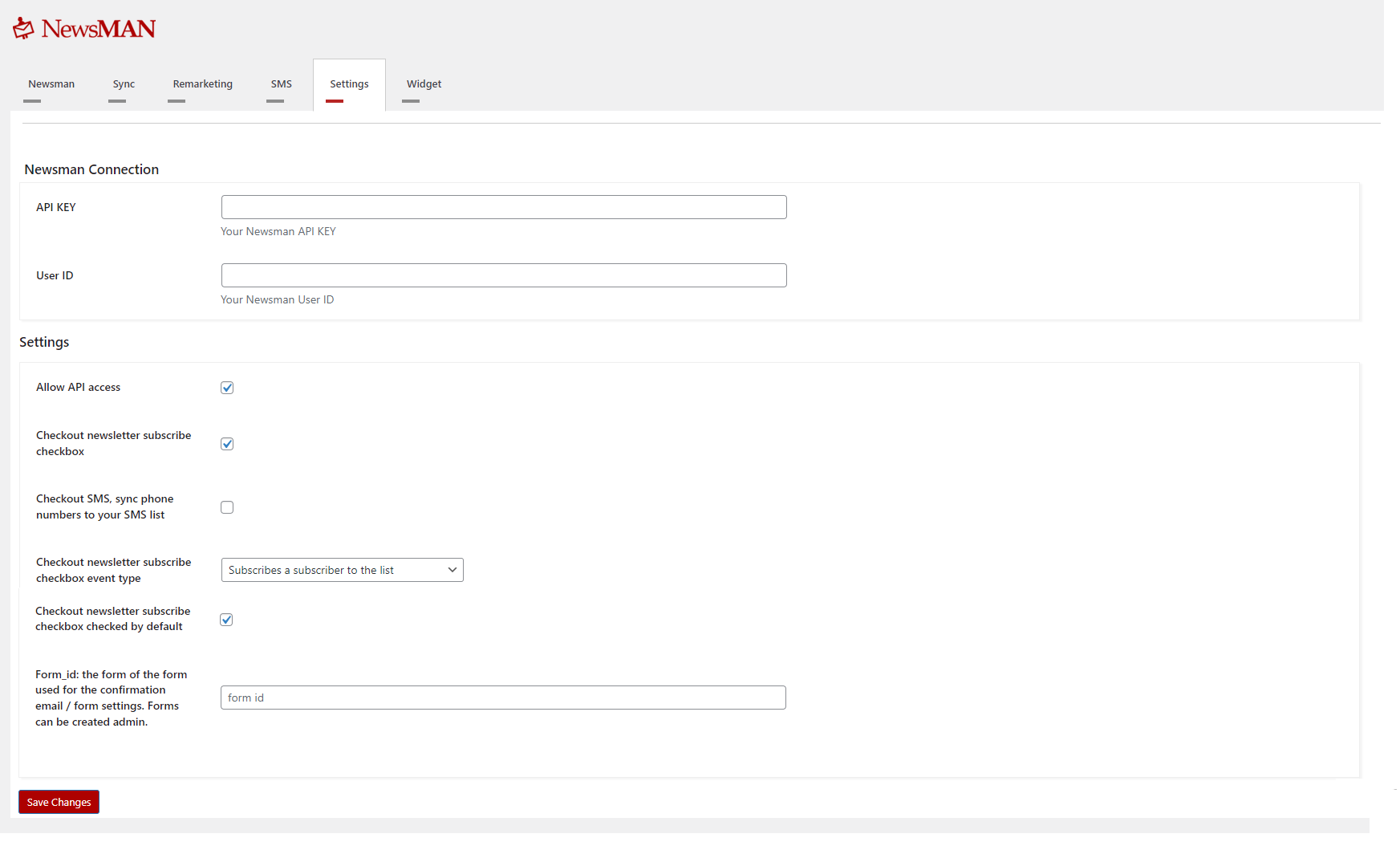
- Go to Admin > NewsMAN. You can login with NewsMAN via OAuth and automate the flow (API KEY, User ID, Remarketing ID), automated installer. Widget configuration:
-
Log in to your NewsMAN account: Select List -> Settings -> Subscription forms -> Create/Edit form -> select landing page -> Activate for newsletter subscription -> Select embedded form. Copy paste Shortcode
newsman_subscribe_widget - If selected modal window -> Activate for newsletter subscription -> it will automatically be displayed on the website.
屏幕截图:


常见问题:
Where can i find my NewsmanApp API key and User ID ?
Login to your acccount on https://www.newsman.com and go to General Settings -> API Keys. There is a list of generated API Keys. Generate a new API Key for the WordPress plugin.
更新日志:
3.7.28
- Declare compatibility with WordPress 7.1.
- Fix the Contact Form 7 subscriber export returning no rows when the source form is in the Trash: the Flamingo channel is now resolved from the form's own channel term instead of its
post_name, which WordPress renames with a__trashedsuffix. The export returned an empty list rather than an error, so the shop silently looked like it had no subscribers. - Fix doubled names on Contact Form 7 submissions: when the same form field is selected as both Firstname field and Lastname field (a form with a single "Full name" field), the value is now split on whitespace - the last word becomes the lastname and everything before it the firstname - instead of being sent as both. A value with no space is kept as the firstname.
- Skip Newsman processing for Contact Form 7 submissions made in demo mode or on forms carrying the
do_not_store: onadditional setting, and exclude form-tags flaggeddo-not-storefrom the subscriber properties - the same rules Contact Form 7 applies before handing a submission to Flamingo. - Fix the Contact Form 7 "Send as properties" selection not persisting when every field is unchecked; the fields were silently re-enabled on the next save.
- Exports: fixed sort fields being silently dropped by WordPress. The product export default sort and the explicit
product_id,created_atandmodified_atsorts now map to orderby keys WP_Query and both WooCommerce order stores actually accept ('ID', 'date', 'modified'); previously the invalid keys were discarded without an error and rows fell back to the non-unique post date, so small-page exports could repeat and skip products. - Exports: explicit sorts on non-unique columns (dates, name) now append the unique ID as a tie-breaker, in the WooCommerce-backed exports and in the form-plugin subscriber sources, so paginated exports stay stable under any allowed sort.
- Exports: sorting orders and WooCommerce-buyer subscribers by email is no longer accepted (API v1 now returns error 1008 instead of silently ignoring it) — neither WooCommerce order store can order by the billing email. Filtering by email is unaffected.
- Exports: paginated exports (products feed, orders, customers, subscribers and the form-plugin subscriber sources) now use a deterministic unique-key sort order. Without it, MySQL gives no stable row order between two pages of the same export, so pages could overlap and skip rows and part of the catalog never reached NewsMAN.
- Exports: the send-orders cron "last entities" window now returns the newest orders, as intended, instead of the oldest.
- Remarketing: guest checkout email is now identified for remarketing on both the classic and the Blocks checkout.
- Cart tracking script: renamed the inline
ajaxurlJS variable tonewsmanCartAjaxUrl(block-scopedconst) to avoid collision with the globalajaxurldefined by WordPress and other plugins. When caching/optimization plugins (e.g. LiteSpeed Cache) combine or defer inline JS, the unprefixed name was being overridden, causing the cart poller to fireGET /wp-admin/admin-ajax.php?t=...with noactionparameter and receive HTTP 400. - Cart tracking script: prefixed all remaining unprefixed global variables with
nzm(nzmisProd,nzmlastCart,nzmfirstLoad,nzmbufferedXHR,nzmisError,nzmstartTime,nzmendTime, etc.) to harden against future collisions with other plugins or themes. The'lastCart'sessionStorage key is preserved so previously cached carts remain valid across upgrade.
- Sync page: the segment dropdown now updates instantly when you change the list, with no page reload, using the cached per-list segment map (same behavior as the form-builder integrations)
- Plugin Check cleanup: added ABSPATH guards to template partials, fixed missing i18n text-domain arguments, added License/License URI headers, renamed the plugin to "NewsmanApp", and converted the WooCommerce HPOS compatibility declaration to a closure
- Refreshed translations
- Product feed: default stock_quantity to 10 for in-stock products that don't track stock (stock management disabled), instead of null
- Fix product feed in_stock: derive from WooCommerce stock status (is_in_stock()) instead of tracked quantity, so products with stock management disabled are no longer reported out of stock
- Fix customer.list missing phone: read the billing phone from user meta for WP_User customers
- Normalize exported phone numbers to digits only (strip +, -, ., spaces, parentheses and any other characters)
- OAuth wizard: show success messages after connecting (credentials saved, integration setup completed, remarketing JavaScript updated)
- Fix "Cannot modify header information" warning and missing redirect on sites without WooCommerce (guard redirect with headers_sent(); add a "Back to Settings" button)
- Remove deprecated commented-out product feed code from the OAuth flow
- Update translations (de, es, fr, it, nl, ro, sv)
- Bump bundled JS/CSS asset cache-bust versions (NEWSMAN_JS_SCRIPT_VERSION, NEWSMAN_CSS_SCRIPT_VERSION) so browsers pick up the latest tracker/admin assets
- Cache lists, segments and SMS lists in WordPress transients (1-hour TTL each) with a persistent stale-fallback tier so an API blip never returns an empty dropdown; the NewsMAN > Sync page now has a "Refresh lists & segments cache" button that force-refreshes every blog's caches in a multisite-aware loop
- Switch the form-builder segment dropdowns (Contact Form 7, WPForms, Elementor, Gravity Forms) to a single bulk
segment.all?list_id=allfetch per editor open, with the full per-list map embedded inline so list-change events swap segment options client-side without a round-trip
- Add Gravity Forms integration — new "Newsman" sub-page under each form's Form Settings menu with per-form list selection, segment, opt-in mode, email/firstname/lastname/phone field dropdowns, and a checkbox list of the form's fields to send as Newsman subscriber properties; submissions on
gform_after_submissionpush to the selected Newsman list - Add Gravity Forms branch to the API v1
subscriber.listexport — read entries fromwp_gf_entryjoined towp_gf_entry_meta, with compound-field sub-input resolution (e.g.1.3for the First Name sub-input of a Name field); routing priority is now Elementor - Contact Form 7 - WPForms - Gravity Forms - WC - WP - Add a warning to the per-form "Newsman List" field across all five form integrations (Elementor legacy, Atomic, CF7, WPForms, Gravity Forms): "Do not pick the same list as the one configured in Newsman - Sync unless you intend submissions to land in your global newsletter list. To send to that list, turn on 'Newsletter form' instead."
- Document tested versions: Contact Form 7 6.x + Flamingo 2.6.x, WPForms Lite and Pro 1.10.x, Gravity Forms 2.10.x
- Add "Export Subscribers from Form Submissions" API v1 source for Contact Form 7 (via Flamingo), Elementor Pro (legacy Form widget + Atomic Forms), and WPForms (Pro entries); per-integration toggle plus a Source Form dropdown that lists every form flagged with both "Send to Newsman" and "Newsletter form"
- Add per-form "Newsletter form" toggle, "Newsman Segment" dropdown, and firstname/lastname/phone field markers on all four form integrations (legacy Elementor, Atomic, CF7, WPForms)
- Add admin error notice when more than one form-export source is fully configured — surfaces the priority chain (Elementor - CF7 - WPForms) so a misconfiguration doesn't silently fall through to the wrong source
- Include trashed source forms in the Source Form dropdown with a "[Trash]" suffix — submissions persist after the host form is moved to Trash, so the export keeps working until WordPress auto-purges
- Fix Elementor export retriever:
wp_e_submissionscolumn iselement_id, notform_id; Atomic Form submissions are keyed by the input widget id, not by_cssid - Skip
subscriber.updatePropswhen the props payload is empty, avoiding a no-op API round-trip on every existing-subscriber form submission
- Add WPForms integration — new "Newsman" tab on the form-builder Settings panel with per-form enable, list selection, email-field dropdown, and a checkbox list of the form's fields to send as Newsman subscriber properties
- Add Contact Form 7 integration — new "Newsman" tab on the contact form editor with per-form enable, list selection, email-field dropdown (any tag type, not only [email]), and a checkbox list of the form's fields to send as Newsman subscriber properties
- Relocate the shared subscribe helper to
\Newsman\Subscribe\Helper; rename the helper-level hooksnewsman_elementor_subscribe_*-newsman_subscribe_*so they fire consistently for every form-source integration
- Add filter and action hooks throughout the Elementor integration so third parties can short-circuit submissions, mutate the email/properties/list_id, customize user-facing error messages, observe lifecycle events, swap list dropdown options, and disable either integration without code changes
- Add Elementor Pro integration for the legacy Form widget (per-form list selection, per-field properties, email field detection); tested with Elementor and Elementor Pro 3.35.x and 4.x, including forms placed inside Elementor popups
- Add Elementor Pro integration for Atomic Forms (Elementor 4.x); same on/off toggle, list dropdown, and per-field settings as the legacy Form widget
- Add API v1 error 3002 - throw a specific error when no subscriber export source is enabled
- Add Theme Cart Compatibility setting; when off, listen to the WooCommerce Store API for cart mutations instead of polling
- Bootstrap the Newsman remarketing cart once per browser session from the current WooCommerce cart when Theme Cart Compatibility is off
- Add newsletter and order-status SMS checkboxes to the WooCommerce Blocks checkout (classic shortcode already supported)
- Convert retry-wait log messages from microseconds to seconds
- Detect fetch() based add-to-cart (WooCommerce Blocks / Store API) in remarketing cart tracking
- Add API v1 endpoint platform.has_products
- Send platform_has_products=0 in SaveListIntegrationSetup payload when WooCommerce is not installed
- Use admin-configured order statuses for order save and status sync hooks
- Block legacy query-string access for API v1 endpoints
- Add translations for French, German, Spanish, Italian, Dutch, Swedish
- Add API v1 error 1011 - reject requests when plugin is not active or not configured
- Fix upgrade remarketing JS flag not set for sites without API key
- Add remarketing refresh endpoint
- Run get remarketing JS after sending integration setup
- Hotfix for wp_rand in setup context when automatic installation is used
- Add API v1 with JSON payload support for all data endpoints
- Add custom SQL query endpoint for advanced data retrieval
- Add platform, integration, server and database info endpoints
- Add customer groups to customer data and subcategories to product feed
- Add inbound webhook handling
- Send integration setup to Newsman API on OAuth connect
- Show plugin version and Newsman logo in admin
- Remove recurring export schedulers in favor of on-demand API fetching
- WooCommerce-specific endpoints now return proper error when WooCommerce is not installed
- Updated Romanian translations
- Change retargeting URL
- Compatibility with WooCommerce 10.4.0, change wc_enqueue_js into wp_add_inline_script
- Change "Tested up to" from "6.8.3" into "6.9"
- Minor fix, fix typos
- Emphasis wording in admin related to export emails from orders
- Hotfix on setup add my account newsletter endpoint
- Improved test on setup executed for latest version
- Fix sameday typo in courier placeholders
- Add SamedayCourier AWB in SMS messages (from official SamedayCourier Shipping plugin).
- Add FAN Courier AWB in SMS messages (from official FAN Courier plugin).
- Fix multi-site case. Now the plugin should work with multi-site network.
- Add Cargus AWB in SMS messages (from official Cargus plugin).
- Use getters from order instead of accessing properties in buyers export.
- Minor fix on codding standards
- Fix query limit set on buyers from orders
- Composer package rename but keep the same name for plugin folder
- Add Romanian i18n and better internationalization
- Add in customer My Account Newsletter Subscription Page
- Add checkbox to allow order status notifications by SMS message. Works on checkout classic.
- Add other general improvements
- Change "Tested up to" to "6.8.3"
- Updated installation documentation
- Add back settings link in installed plugins admin page
- Add Text Domain and Domain Path
- Reverse changelog in readme.txt
- Hotfix on setup. Add initial rows in table wp_newsman_options.
- General improvements and complete code refactoring. NewsmanApp Remarketing plugin was retired. Though, all features were added in the main NewsmanApp plugin.
- The plugin has to be deactivated and activated if the source is copied manually inside plugins' directory.
- Multiple admin configurations added. Most of the old admin configurations were kept for backward compatibility.
- ActionsScheduler is used for some API actions in Woo Commerce.
- Added comprehensive logging in Woo Commerce.
- WordPress codding standards.
- Remarketing improvements
- Patch
- Patch
- Improvements
- Cron improvements
- Remarketing improvements
- Bug Fixes
- Bug Fixes
- Improvements
- Sendpress plugin import
- Woocommerce customers import
- Small frontend corrections
- Sync improvements
- Import subscribers functionality from MailPoet plugin
- Initial release of the plugin