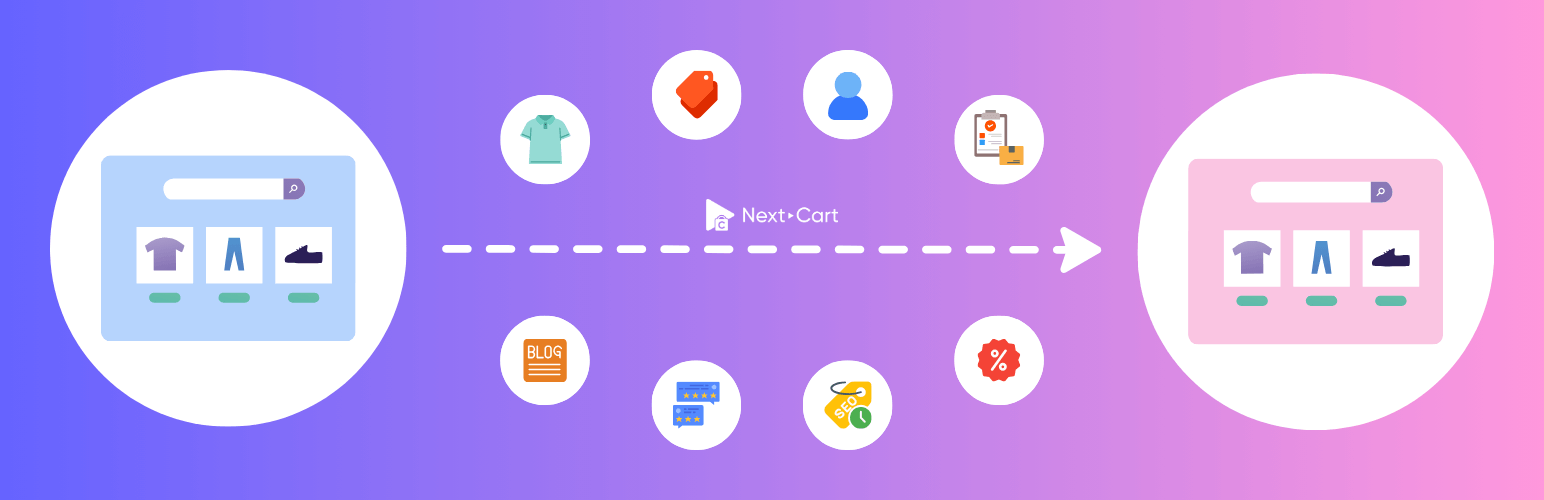
Next-Cart Store to WooCommerce Migration
| 开发者 | martinnguyen1990 |
|---|---|
| 更新时间 | 2026年10月16日 12:55 |
| 捐献地址: | 去捐款 |
| PHP版本: | 3.0 及以上 |
| WordPress版本: | 7.1 |
| 版权: | GPLv2 or later |
| 版权网址: | 版权信息 |
详情介绍:
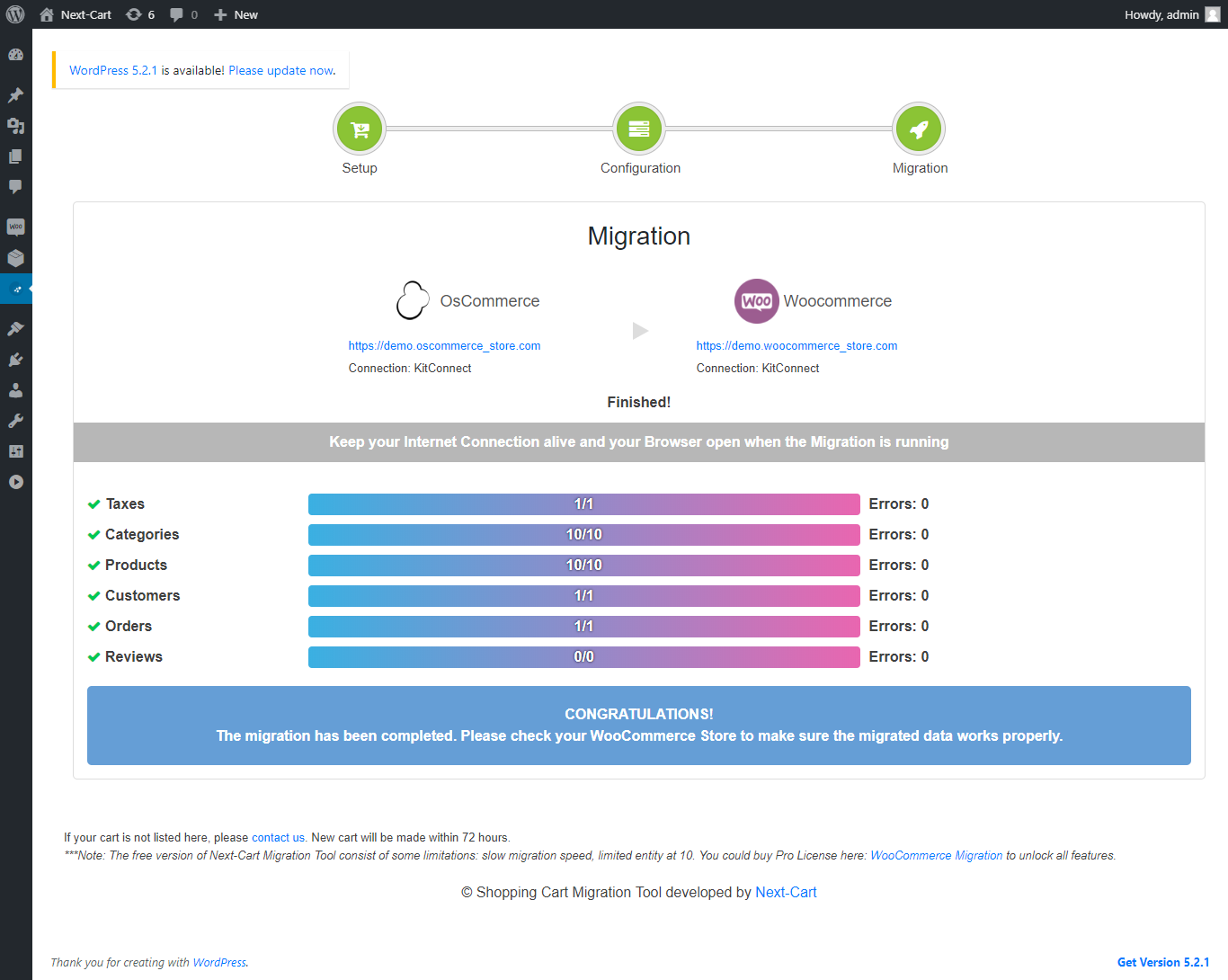
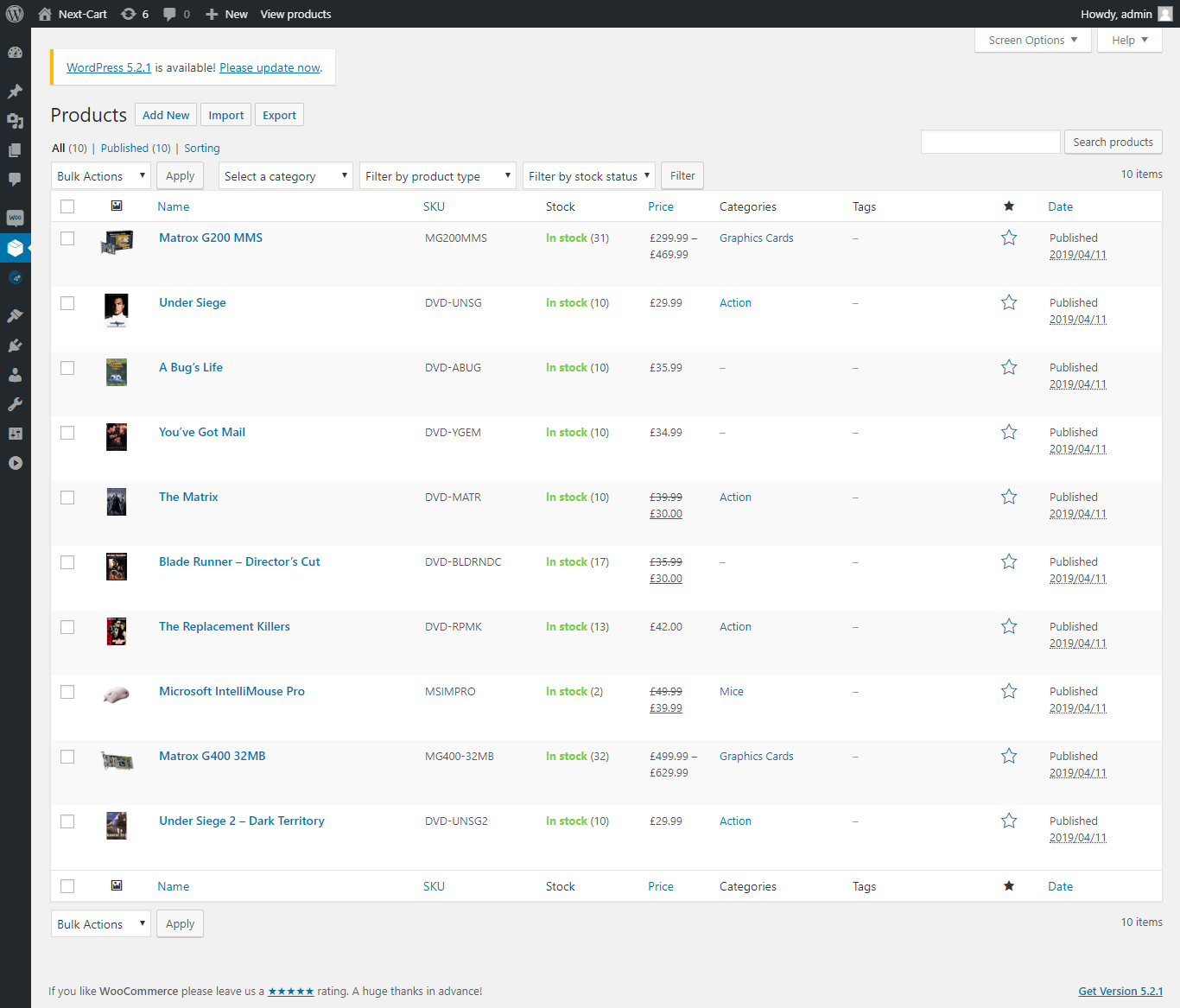
Next-Cart Store to WooCommerce Migration plugin allows auto migrating products, categories, customers (+passwords), orders, taxes, coupons, blog posts, pages and other related data from your website to WooCommerce and WordPress accurately. Multi-language data will be transferred to multilingual plugins such as WPML, Polylang.
We currently support migrating from 80+ eCommerce platforms in the world to WooCommerce WordPress and other platforms upon request. Our team members will always be there to support you 24/7 during the migration and fix any possible errors until you are pleased with the final result.
We currently support migrating from:
- E-commerce and CMS platforms: 3DCart, AbanteCart, AbleCommerce, Adobe Business Catalyst, Adobe Commerce, Amazon Webstore, AmeriCommerce, AspDotNetStorefront, Bagisto, Big Cartel, BigCommerce, Bluepark, Clover, CommerceHQ, CS-Cart, CubeCart, Custom Cart, DJ-Catalog2, Drupal, Easy Digital Downloads, EasyStore, eBay, Ecwid, Ekm, EShop, Gambio, GoDaddy, Helcim Commerce, HikaShop, Interspire, J2Store, Jigoshop, JooCart, Joomla, JoomShopping, Jumpseller, LemonStand, Lightspeed, LiteCart, Loaded Commerce, Magento, Maropost, MijoShop, Miva Merchant, Neto, nopCommerce, OpenCart, osCmax, OsCommerce, OXID eShop, Phoca Cart, Pinnacle Cart, Plentymarkets, PrestaShop, Quickbutik, Rain, Salesforce, Shift4Shop, ShopBase, Shopify, Shopp, Shop-Script, Shopware, ShopWired, Square, Squarespace, Storeden, Storenvy, Sunshop, Sylius, Ubercart, Upgates, Vend, VirtueMart, Volusion, VTEX, Weebly, WIX, WiziShop, WooCommerce, WordPress, WP EasyCart, WP eCommerce, X-Cart, xt-Commerce, Zen Cart.
- Data files: CSV, XML, XLS, XLSX, SQL.
- Custom platforms: Self-designed platform and other platforms are not in the list.
- Fill in your source store details
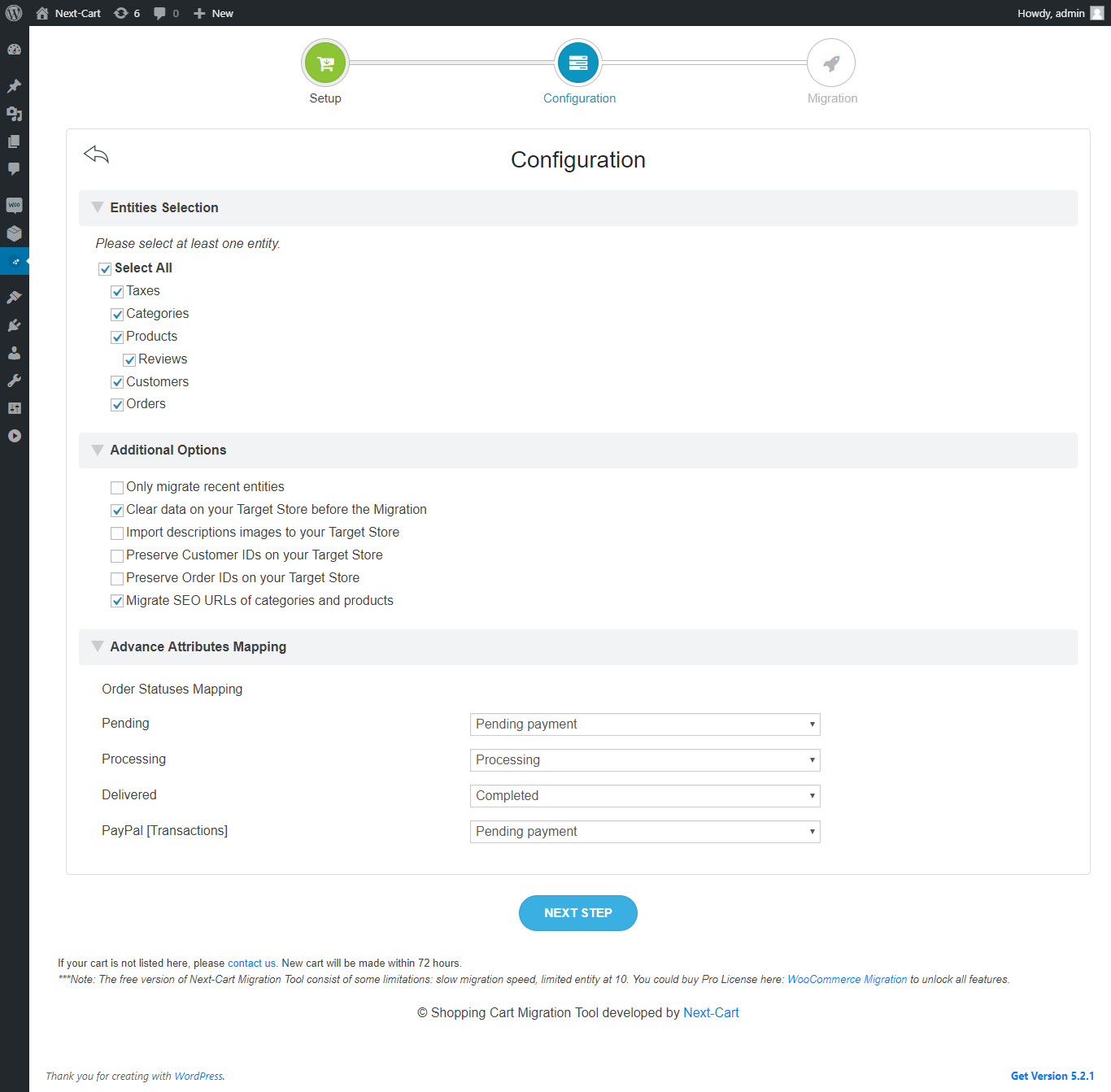
- Select the entities you want to migrate
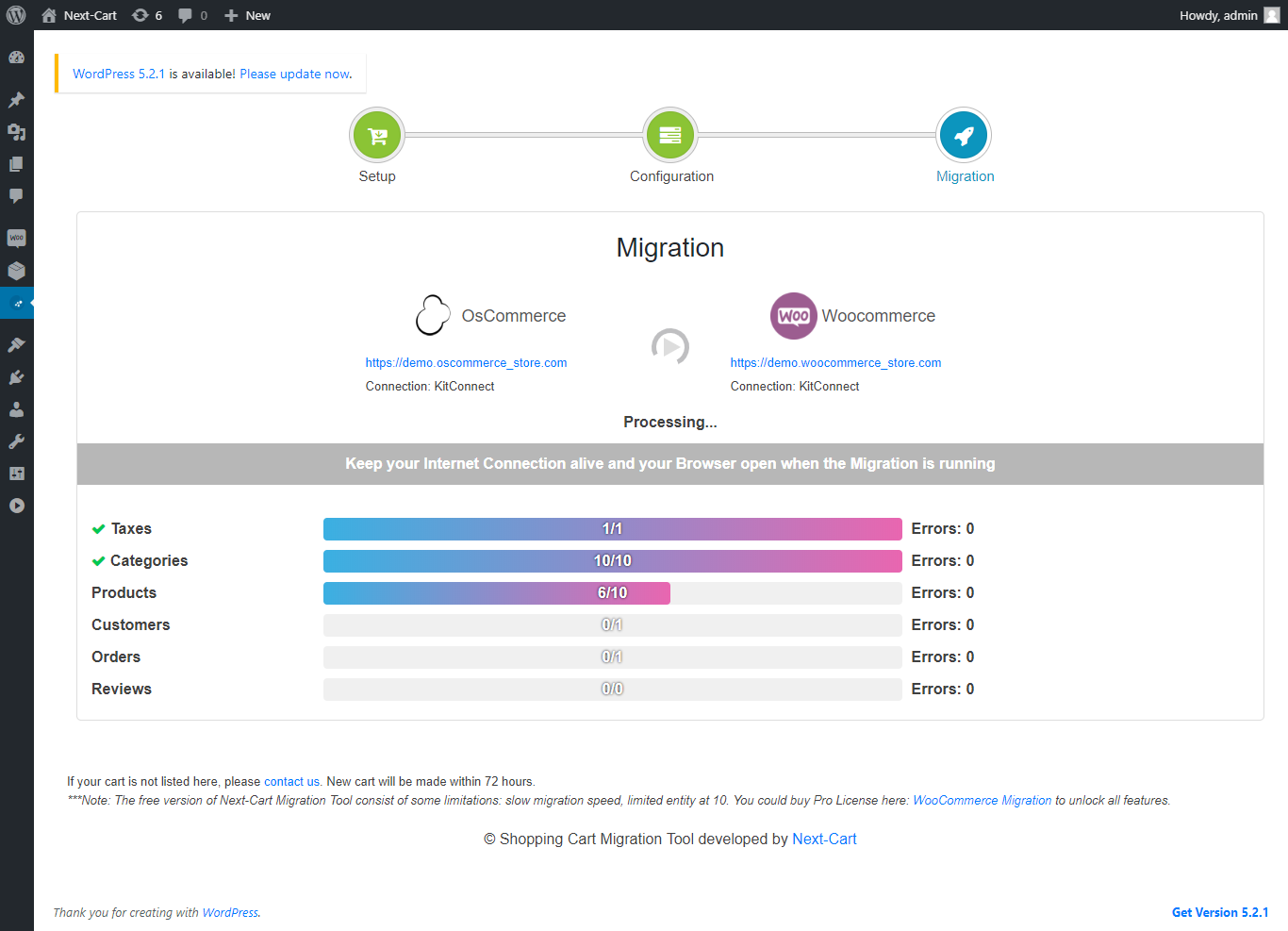
- Start migrating data to your WooCommerce site
- Always Up-to-Date: the plugin is updated frequently to ensure compatibility with new versions of WooCommerce and WordPress. New source eCommerce platforms will be added to the plugin monthly, maybe faster depend on your needs.
- Easy-to-use: you don't need to register an account or provide any personal information. Just install the plugin and perform the migration in 3 simple steps.
- Unlimited number of migrations: it is possible to perform migration endless times from any available eCommerce platform. It is completely FREE.
- 100% uptime of current stores: the migration runs in the background and doesn’t affect any other activities of your stores as same as you’re not running the migration.
- Flexible data migration: we support migrating all kinds of data available on WooCommerce. The relationships between the entities will be preserved (category-product, order-product, order-customer, product-review, etc).
- 24/7 Professional Support: our engineers are always at a vigil to support 24/7 (including holidays) in every difficulty underlying the service. If you have any question about this Plugin and this Service, please feel free to send us a message.
- 50 Products
- 50 Customers
- 50 Orders
- 50 Blog posts
- 50 CMS pages
- All Product categories
- All Product reviews
- All Tax Classes
- All Brands, Manufacturers
- All Coupons
- Normal migration speed Pro Version
- Migrate all data
- Migrate custom fields
- Migrate data from/to third-party modules
- Fast migration speed
安装:
- Upload plugin files to your plugins folder, or install using WordPress built-in Add New Plugin installer;
- Activate the plugin;
屏幕截图:
常见问题:
Will my source store work as normal during the migration?
The migration plugin only copies data from your source store to your WooCommerce store. Nothing will be changed on your source store and it will work as normal during the migration process.
What information is required to migrate my store to WooCommerce?
- For self-hosted websites (open-source eCommerce platforms), you need to download the Kitconnect from the first migration step and upload it to your website root folder. Then you can use your website URL to start the migration.
- For cloud-based websites (cloud eCommerce platforms) that support API access, you need to create API credentials and use them for the migration (you will see a tutorial link on How to get the API credentials below the setup form). Go to this Migration Guides to find the specific instruction for your shopping cart.
- For cloud-based websites (cloud eCommerce platforms) that does not support API access, you need to export data from your website to files and use the data files for the migration (you will see a tutorial link on How to get the data files below the setup form).
Where can I find the detail instruction for using the plugin?
The detail instruction is integrated into the plugin under How It Works menu tab. Please read it carefully before performing the migration. You could find the complete migration guide here: How Migration Tool Works.
Does this plugin support WPML and Polylang?
Yes. The plugin is designed to work accurately with WPML and Polylang.
更新日志:
1.0.0
- First commit
- Add source carts: LemonStand, AbanteCart, Squarespace, Shopp, nopCommerce.
- Update notice
- Update error log
- Add source carts: WordPress, Godaddy.
- Fix bugs in 1.1.0 version.
- Add source carts: Joomla, CommerceHQ, Shop-Script.
- Fix bugs in 1.2.0 version.
- Add source carts: Miva Merchant, AspDotNetStorefront.
- Fix bugs in 1.3.0 version.
- Add source carts: Helcim Commerce, VTEX, EShop.
- Fix bugs in 1.x version.
- Add source carts: Drupal.
- Fix bugs in 2.1.0 version.
- Add source carts: Shopware, Kabia Commerce
- Fix bugs in 2.2.0 version.
- Add kitconnect file to the plugin. You don't need to manually upload the kitconnect to the WordPress website anymore.
- Fix bugs in 2.2.1 version.
- Update kitconnect.
- Fix bugs in 2.3.0 version.
- Update kitconnect.
- Fix bugs in 2.3.1 version. Add JooCart, VirtueMart 1.x
- Update WooCommerce 4.3.1 compatibility.
- Test with WordPress 5.5 Beta.
- Update WooCommerce 4.5.1 compatibility.
- Compatible with WordPress 5.5.1.
- Add coupon migration.
- Update WooCommerce 4.6.0 compatibility.
- Add J2Store
- Update WooCommerce 4.6.1 compatibility.
- Update WordPress 5.5.3 compatibility.
- Add Sylius
- Update WooCommerce 4.8.0 compatibility.
- Update WordPress 5.6 compatibility.
- Update kitconnect
- Update WooCommerce 4.9.2 compatibility.
- Update source Miva Merchant
- Update WooCommerce 5.0.0 compatibility.
- Update WordPress 5.6.1 compatibility.
- Add Square, Yahoo and ShopWired.
- Update WordPress 5.6.2 compatibility.
- Fix bugs in 2.4.0 version.
- Update WooCommerce 5.1.0 compatibility.
- Update WordPress 5.7 compatibility.
- Fix bugs in 2.4.1 version.
- Update source Shopware 6.
- Add source Bagisto.
- Fix bugs in 2.4.2 version.
- Add source ShopBase.
- Update WooCommerce 5.2.2 compatibility.
- Update WordPress 5.7.1 compatibility.
- Upgrade UI/UX.
- Fix bugs in 2.x version.
- Add source Shift4Shop (3dcart rebranded).
- Update WooCommerce 5.3.0 compatibility.
- Update WordPress 5.7.2 compatibility.
- Fix bugs in 3.1.0 version.
- Update WooCommerce 5.4.1 compatibility.
- Fix bugs in 3.1.1 version.
- Update WooCommerce 5.5.2 compatibility.
- Fix bugs and vulnerability in 3.1.2 version.
- Update WooCommerce 5.6.0 compatibility.
- Add source WiziShop.
- Update WooCommerce 5.7.0 compatibility.
- Update WordPress 5.8.1 compatibility.
- Add source Sunshop, Jumpseller.
- Update WooCommerce 5.8.0 compatibility.
- Fix product migration issues.
- Update WooCommerce 5.9.0 compatibility.
- Update WordPress 5.8.2 compatibility.
- Fix page migration issues.
- Update WooCommerce 6.0.0 compatibility.
- Fix errors when migrating from Magento.
- Update WooCommerce 6.1.1 compatibility.
- Update WordPress 5.9 compatibility.
- Fix coupon migration issues.
- Add source WP EasyCart.
- Fix migration server connectivity issue.
- Update WooCommerce 6.2.0 compatibility.
- Update WooCommerce 6.2.1 compatibility.
- Update WordPress 5.9.1 compatibility.
- Update WooCommerce 6.3.1 compatibility.
- Update WordPress 5.9.2 compatibility.
- Update WooCommerce 6.4.0 compatibility.
- Update WordPress 5.9.3 compatibility.
- Add Gambio Cloud.
- Update WooCommerce 6.4.1 compatibility.
- Fix Bagisto connection.
- Update Polylang compatibility.
- Update WooCommerce 6.5.1 compatibility.
- Add SEO URL Redirects feature
- Fix SEO URL Redirects issues
- Update WordPress 6.0 compatibility.
- Fix bugs on version 3.3.2.
- Update WooCommerce 6.6.0 compatibility.
- Add Drupal Commerce.
- Fix issues on version 3.3.4 (Magento, Drupal)
- Update WordPress 6.0.1 compatibility.
- Update WooCommerce 6.7.0 compatibility.
- Fix issues on version 3.3.5: order import.
- Fix bug 301 URL redirects (infinite loop).
- Update WooCommerce 6.8.0 compatibility.
- Fix bug WordPress uploads directory.
- Update WooCommerce 6.8.1 compatibility.
- Fix kitconnect issue.
- Update WooCommerce 6.9.2 compatibility.
- Add Lightspeed and Quickbutik.
- Update WooCommerce 6.9.4 compatibility.
- Add eBay.
- Update WooCommerce 7.0.0 compatibility.
- Update WordPress 6.0.3 compatibility.
- Add eBay form.
- Update guide.
- Update WordPress 6.1.1 compatibility.
- Update WooCommerce 7.1.0 compatibility.
- Add more source carts.
- Update WooCommerce 7.2.2 compatibility.
- Fix display issue.
- Update WooCommerce 7.3.0 compatibility.
- Add JoomShopping.
- Update WooCommerce 7.4.1 compatibility.
- Fix a problem with kitconnect download through HTTPS.
- Update WooCommerce 7.5.1 and 7.6.0 compatibility.
- Add more source carts.
- Change eBay input.
- Update WooCommerce 7.6.1 compatibility.
- Update tutorial URLs.
- Update GUI and input forms.
- Add more source carts.
- Update migration screen.
- Update WooCommerce 7.7.2 compatibility.
- Add more source carts.
- Update WooCommerce 7.8.0 compatibility.
- Fix Woo connection.
- Update WooCommerce 7.8.1 compatibility.
- Fix image download function.
- Add go back button.
- Update WooCommerce 7.8.2 compatibility.
- Fix language mapping for WPML and Polylang.
- Update WooCommerce 8.0.2 compatibility.
- Fix search function.
- Update WooCommerce 8.2.1 compatibility.
- Change to source cart setup form.
- Add more source carts.
- Add more source carts.
- Update WordPress 6.4 compatibility.
- Add more source carts.
- Update WooCommerce 8.3.1 compatibility.
- Add post category SEO redirect type
- Update WordPress 6.4.1 compatibility.
- Update WordPress 6.4.2 compatibility.
- Update WooCommerce 8.5.0 compatibility.
- Add more source carts.
- Update WooCommerce 8.5.2 compatibility.
- Add more source carts.
- Update WooCommerce 8.6.0 compatibility.
- Update WordPress 6.4.3 compatibility.
- Add more source carts.
- Update WooCommerce 8.6.1 compatibility.
- Update guide.
- Update WooCommerce 8.7.0 compatibility.
- Update website connection.
- Fix website connection issues.
- Update website connection method.
- Update the connection and the migration instructions.
- Update the config options.
- Update WooCommerce 8.9.3 compatibility.
- Update WordPress 6.5.4 compatibility.
- Add more source carts.
- Update WooCommerce 9.0.2 compatibility.
- Update WordPress 6.5.5 compatibility.
- Add more source carts.
- Update WooCommerce 9.1.0 compatibility.
- Update the connection.
- Update WooCommerce 9.1.4 compatibility.
- Update WordPress 6.6.1 compatibility.
- Update WooCommerce 9.2.0 compatibility.
- Update GUI.
- Update WooCommerce 9.3.1 compatibility.
- Update WordPress 6.6.2 compatibility.
- Update GUI.
- Update WooCommerce 9.3.3 compatibility.
- Update WooCommerce 9.5.0 compatibility.
- Update WordPress 6.7.1 compatibility.
- Update GUI.
- Fixed a security bug reported by Wordfence.
- Fixed a security bug reported by patchstack.
- Update WordPress 6.7.2 compatibility.
- Update WooCommerce 9.7.0 compatibility.
- Update WordPress 6.8 compatibility.
- Update WooCommerce 9.8.1 compatibility.
- Update WooCommerce 9.8.2 compatibility.
- Update WordPress 6.8.1 compatibility.
- Update WooCommerce 9.8.4 compatibility.
- Update WordPress 6.8.2 compatibility.
- Update WooCommerce 10.2.0 compatibility.
- Update connection
- Security fix: removed insecure default fallback value for the migration REST API secret token, which could allow unauthenticated access on sites where the token had not yet been generated. The token is now generated on activation and the endpoint fails closed when no token is set.
- Updated the documentation links to point to the latest documentation.