NextDash - Modern Customer Dashboard
| 开发者 | wenextcoder |
|---|---|
| 更新时间 | 2026年8月16日 14:40 |
| PHP版本: | 7.4 及以上 |
| WordPress版本: | 7.0 |
| 版权: | GPLv2 or later |
| 版权网址: | 版权信息 |
详情介绍:
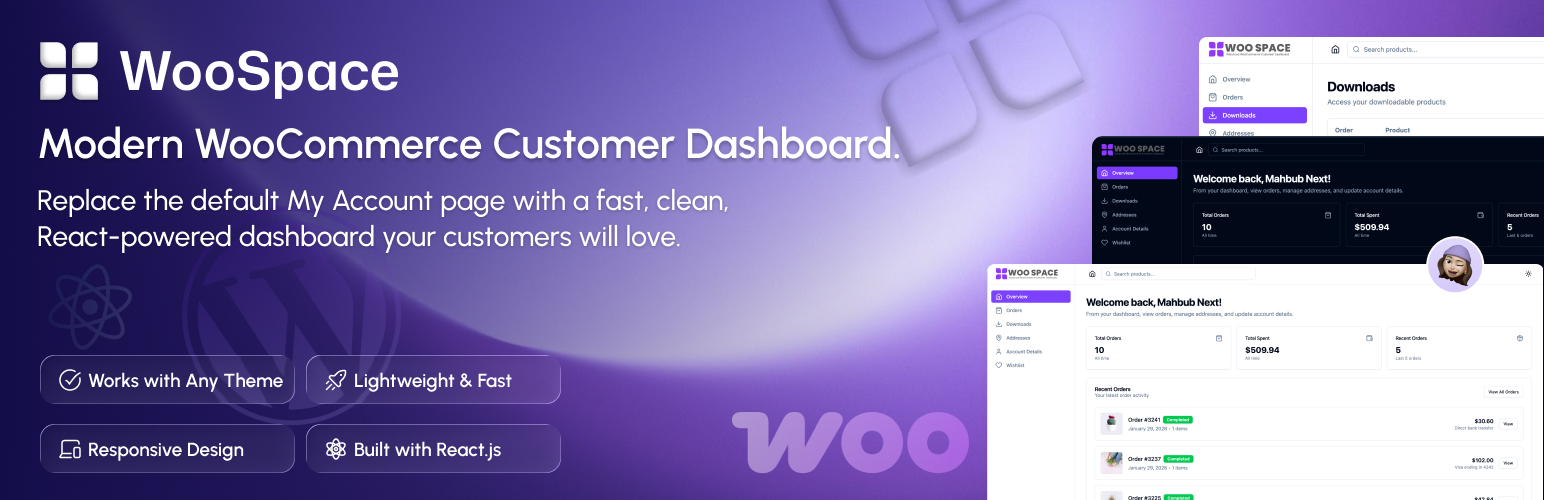
NextDash replaces the default WooCommerce My Account page with a modern customer dashboard.
Give your customers a faster, cleaner, and more intuitive account experience — without breaking WooCommerce compatibility or your WordPress theme.
Built with React and modern web technologies, NextDash improves usability, reduces friction, and makes your store feel professional and up to date.
Live demo
Visit our live demo to see how this plugin works.
Demo login:
- Username: mahbub
- Password: 12345678
- Faster navigation
- Clear visual hierarchy
- Mobile-friendly layouts
- A dashboard customers actually enjoy using A better account experience leads to:
- Higher customer satisfaction
- Fewer support requests
- Increased repeat purchases
- Modern Customer Dashboard - Clean, intuitive interface replacing WooCommerce's default My Account page
- Email-based Login - customers can sign in using their email
- Signup - create a new customer account
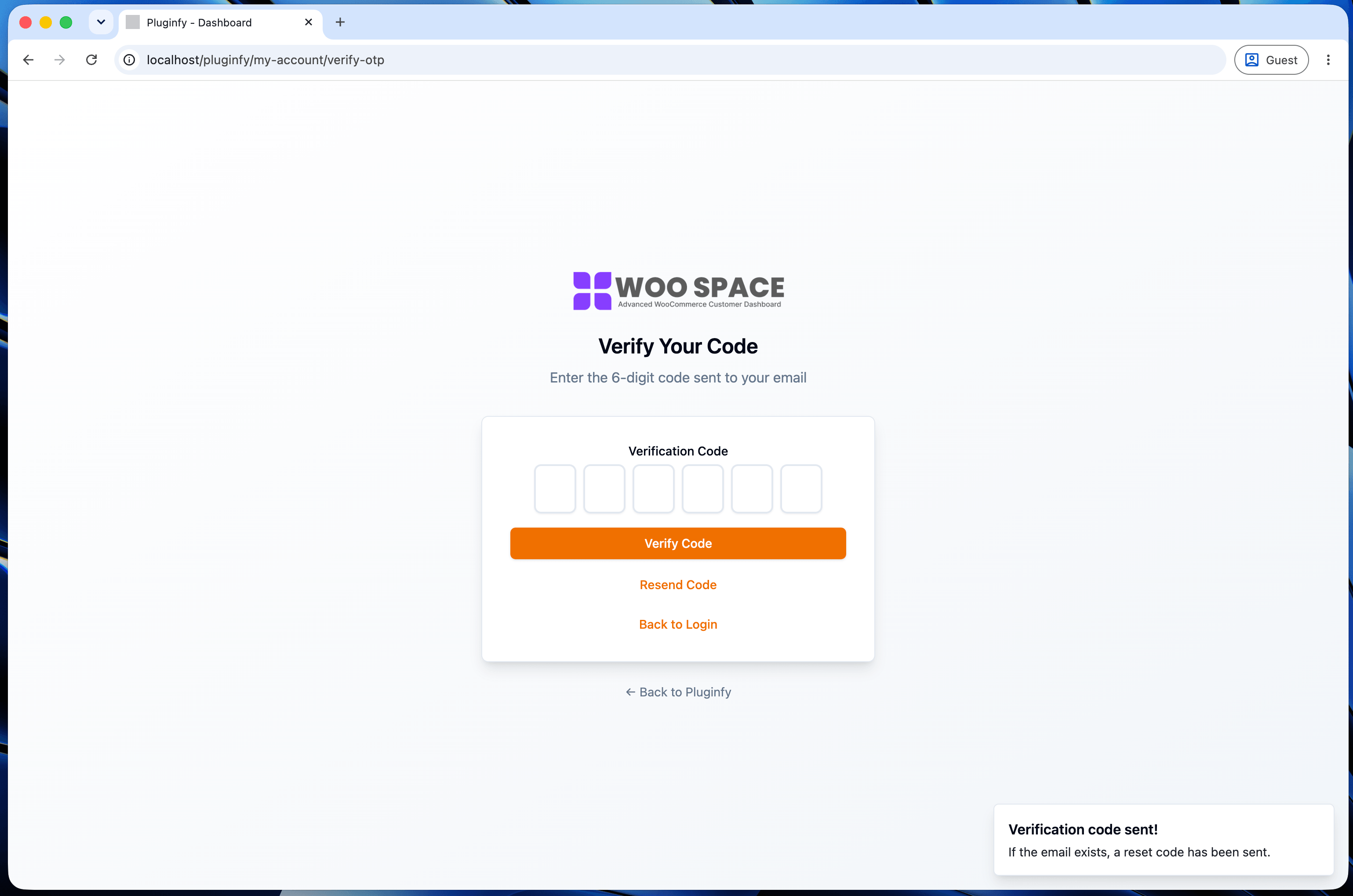
- OTP-based Forgot Password - email one-time code, verify OTP, then reset password
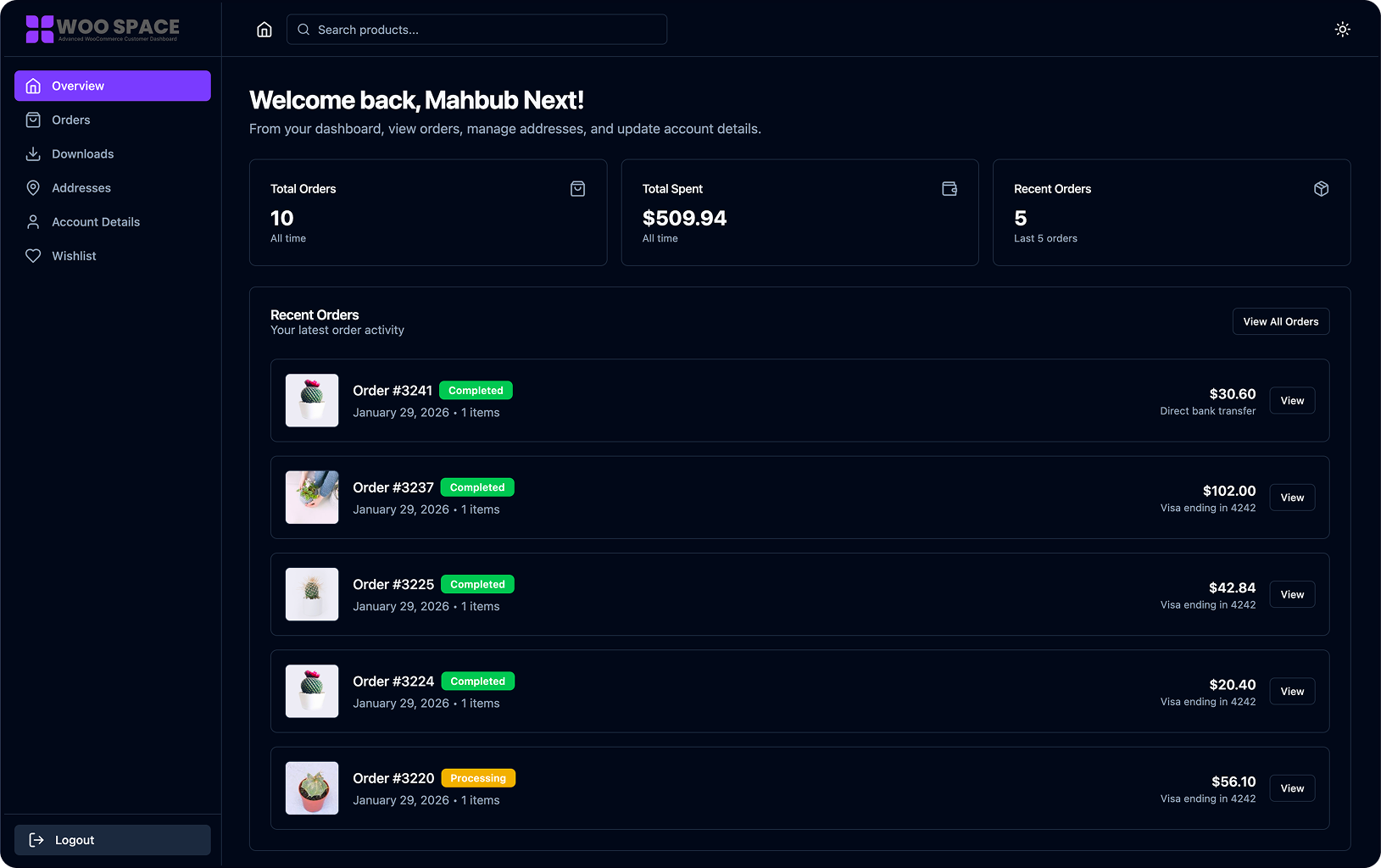
- Dashboard Overview - order statistics, recent orders, and account summary at a glance
- Order Management - full order history with status badges, filtering, and pagination
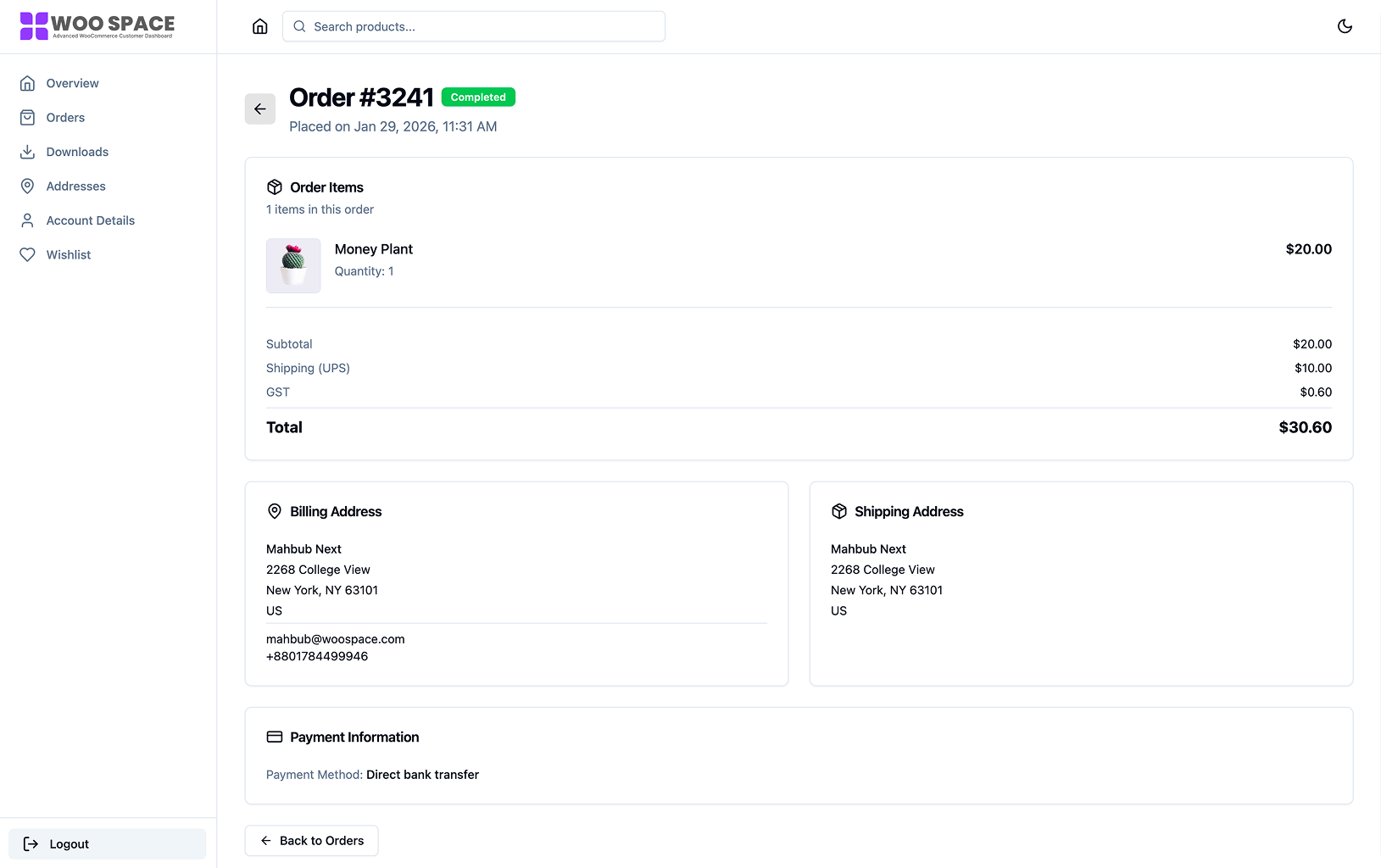
- Order Details - complete order information including items, billing, shipping, and payment details
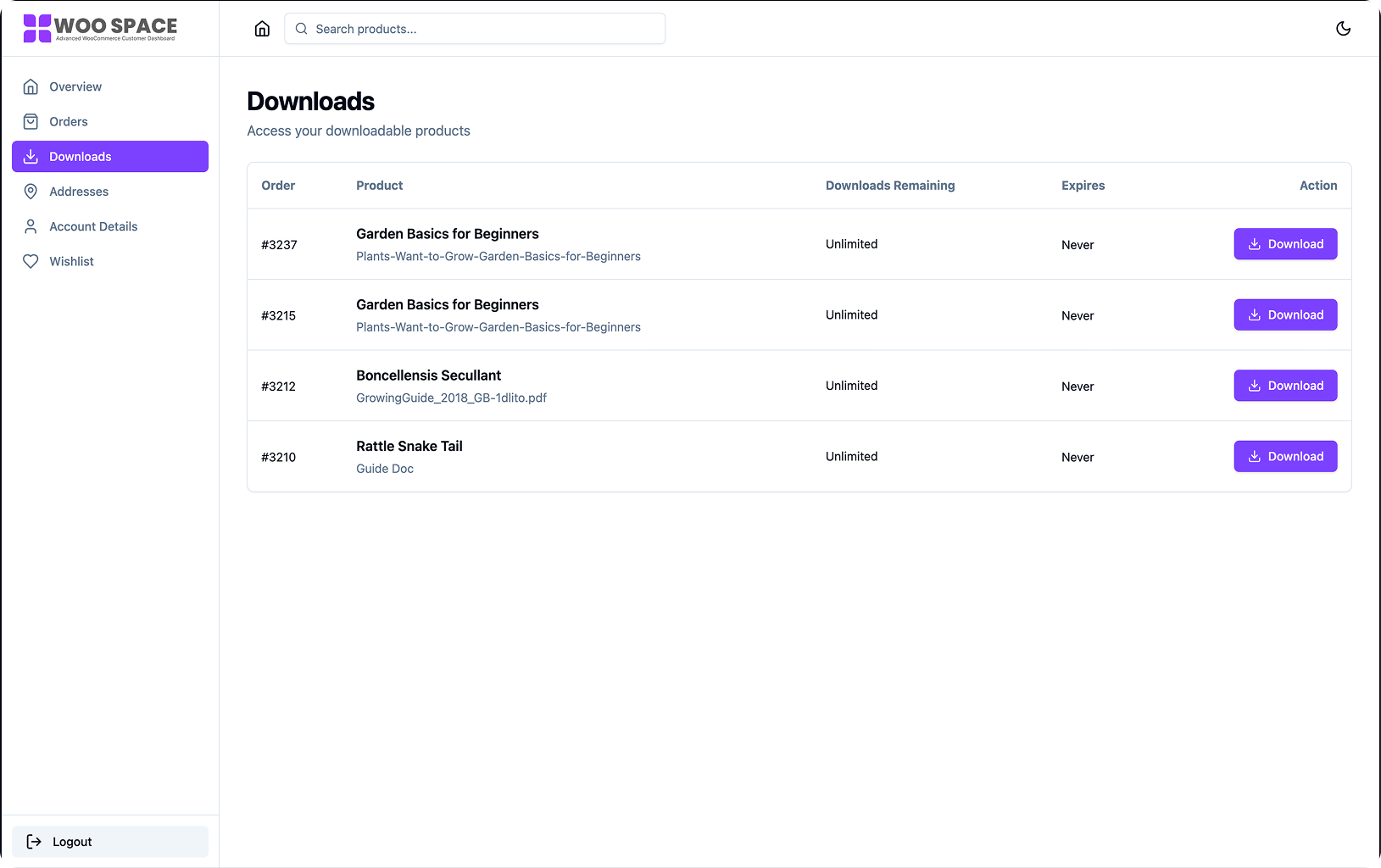
- Downloads Center - easy access to all downloadable products
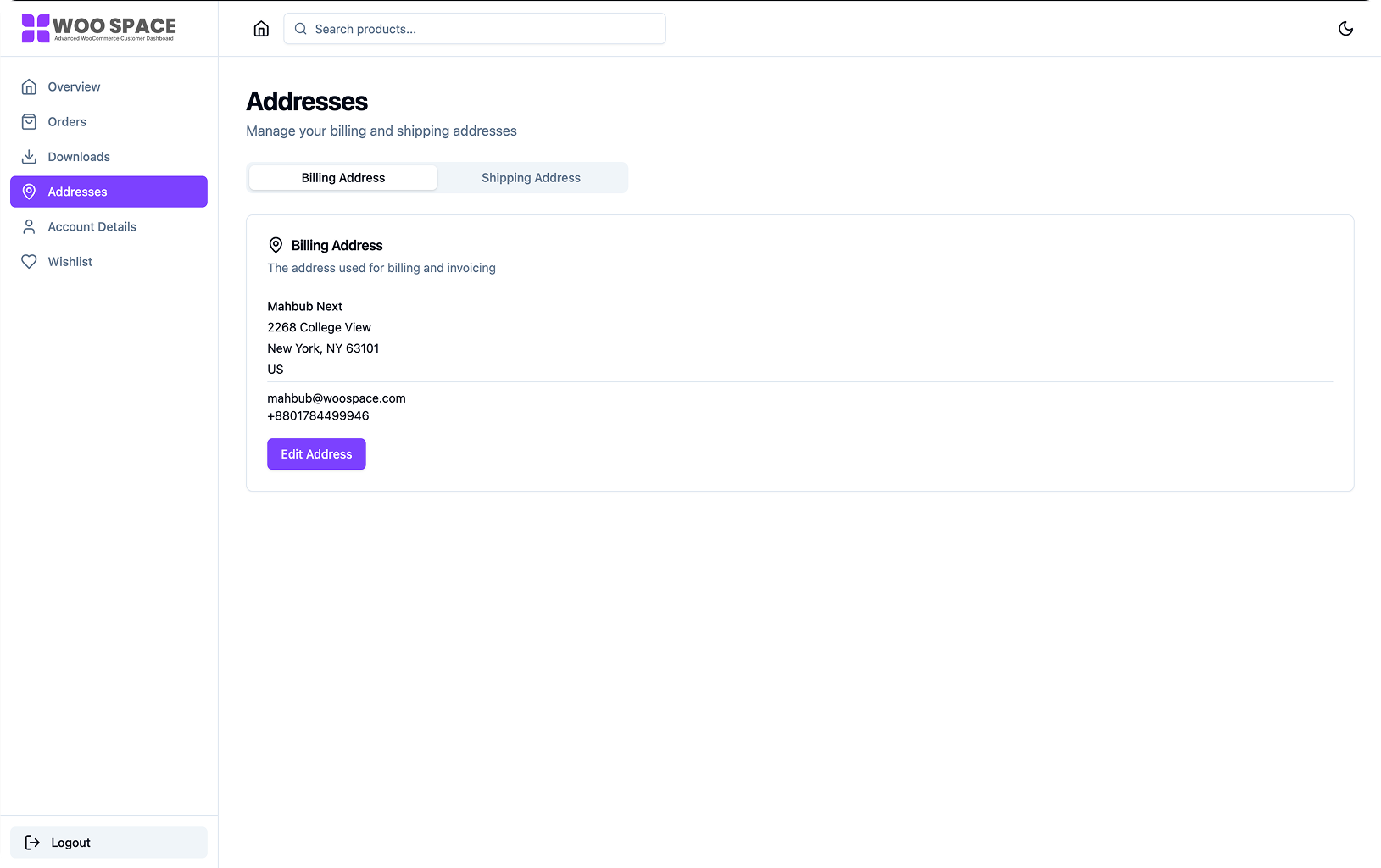
- Address Management - edit billing and shipping addresses inline
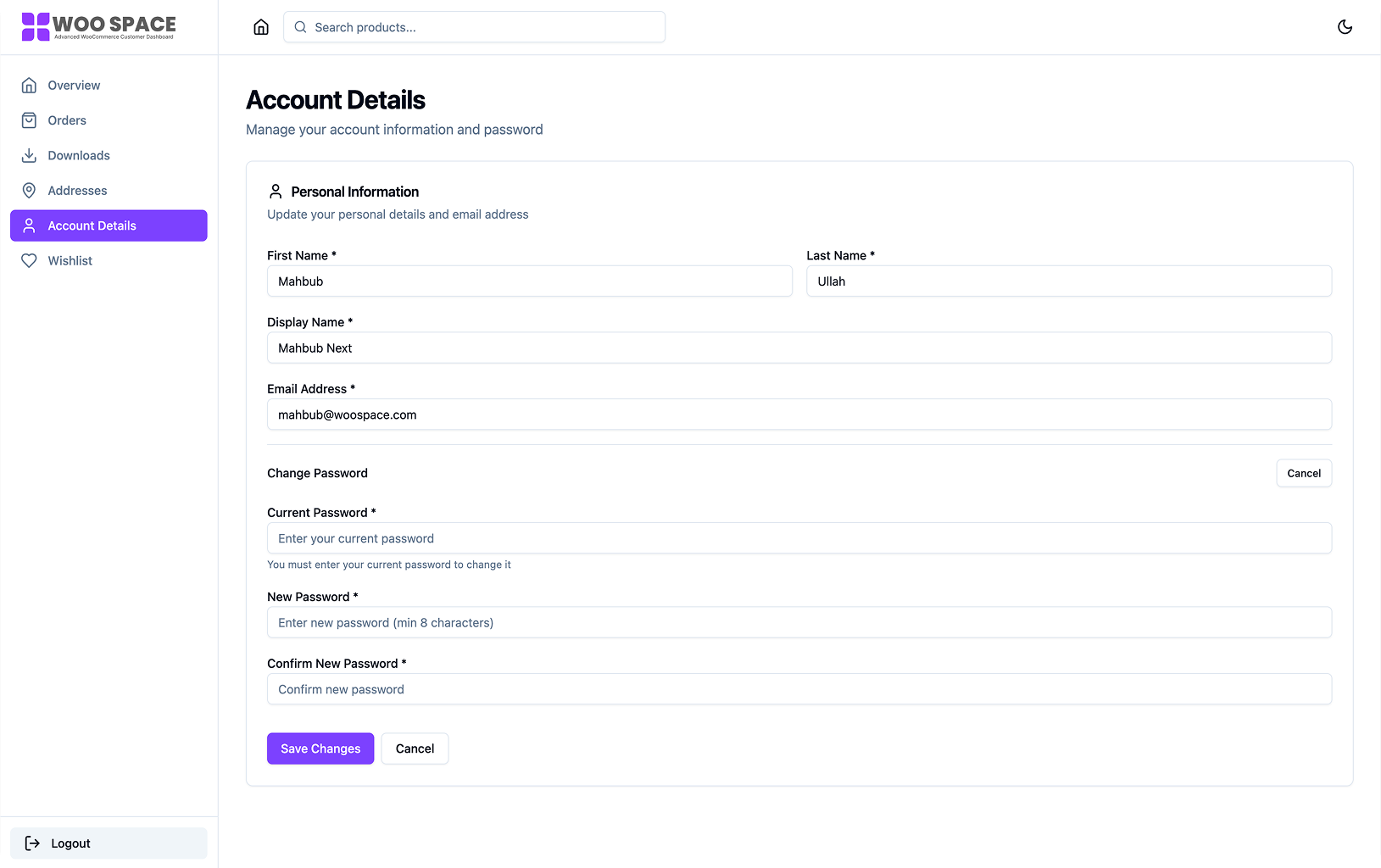
- Account Settings - update name, email, and password
- Dark Mode Support - light, dark, or system-based theme
- Mobile-First Design - optimized for phones, tablets, and desktops
- Performance - loads only on WooCommerce My Account pages
- Developer Friendly - hooks, filters, and extensibility
- Social Login - Google, Facebook, Apple (Premium feature)
- Subscriptions - built into NextDash Premium, no subscriptions plugin required. Automatic renewals on the customer's saved payment method, free trials, sign-up fees, failed-payment retries, and pause, cancel or renew from the dashboard. Existing WooCommerce Subscriptions data can be imported. (Premium feature)
- Memberships (WooCommerce Memberships) (Premium feature)
- Bookings (WooCommerce Bookings) (Premium feature)
- Gift Cards (WooCommerce Gift Cards) (Premium feature)
- Works with any WordPress theme
- Compatible with WooCommerce Blocks
- Supports WooCommerce HPOS (Custom Order Tables)
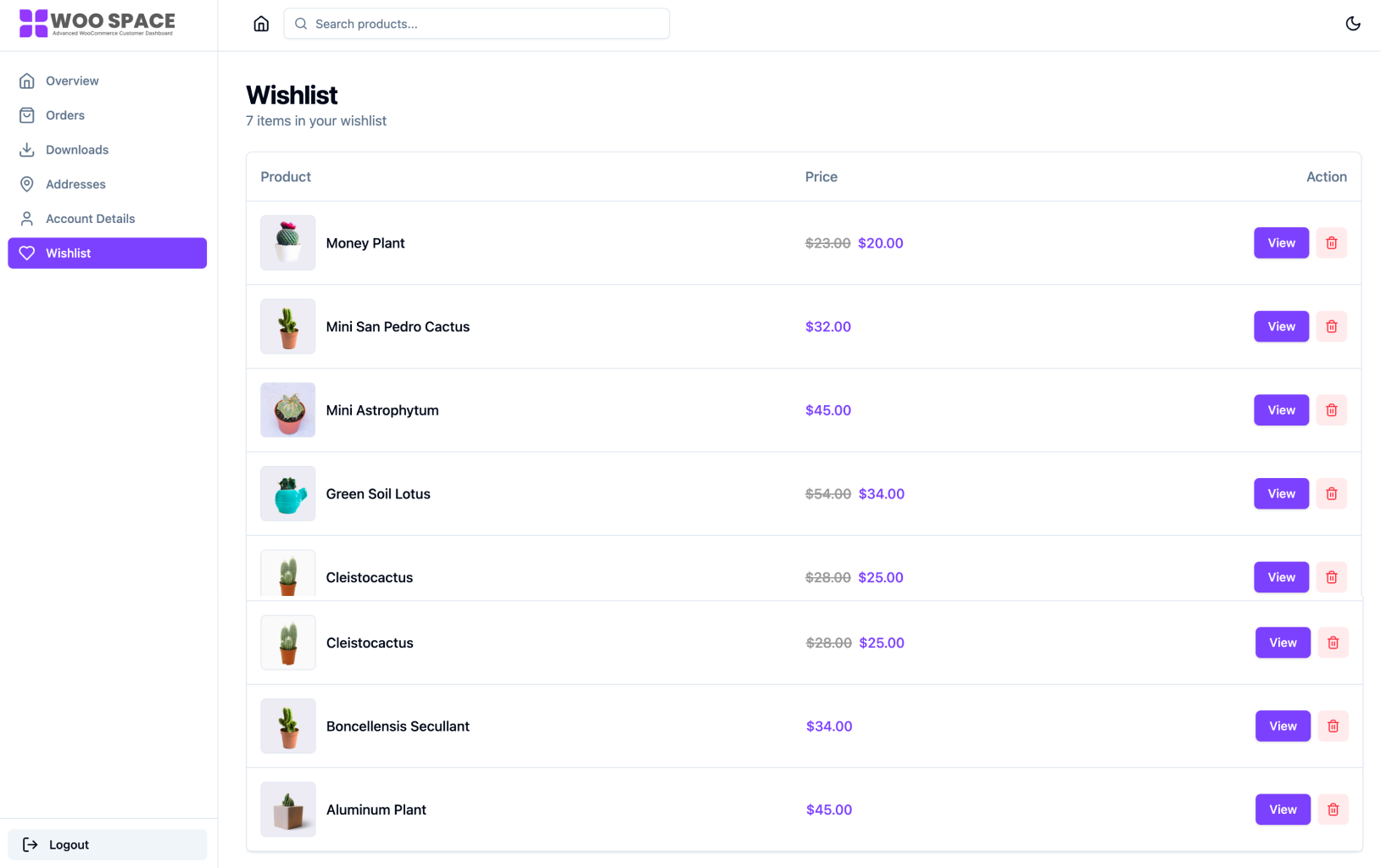
- Compatible with YITH WooCommerce Wishlist
- No conflicts with standard WooCommerce extensions
- Mobile-first responsive layout
- Touch-friendly interface
- Keyboard navigation support
- Screen reader compatible
- WCAG-friendly contrast and structure
- Optimized React bundle
- Lazy-loaded components
- Minimal server load
- Only loads on WooCommerce My Account pages
- English (en_US)
- Spanish (es_ES)
- French (fr_FR)
- Bengali (bn_BD)
languages/nextdash.pot with a tool such as Poedit and save it as nextdash-{locale}.po / .mo in the same folder.
安装:
Automatic Installation
- Log in to your WordPress admin panel
- Navigate to Plugins → Add New
- Search for "NextDash"
- Click "Install Now" and then "Activate"
- Download the plugin zip file
- Go to Plugins → Add New → Upload Plugin
- Upload the zip file and click "Install Now"
- Activate the plugin
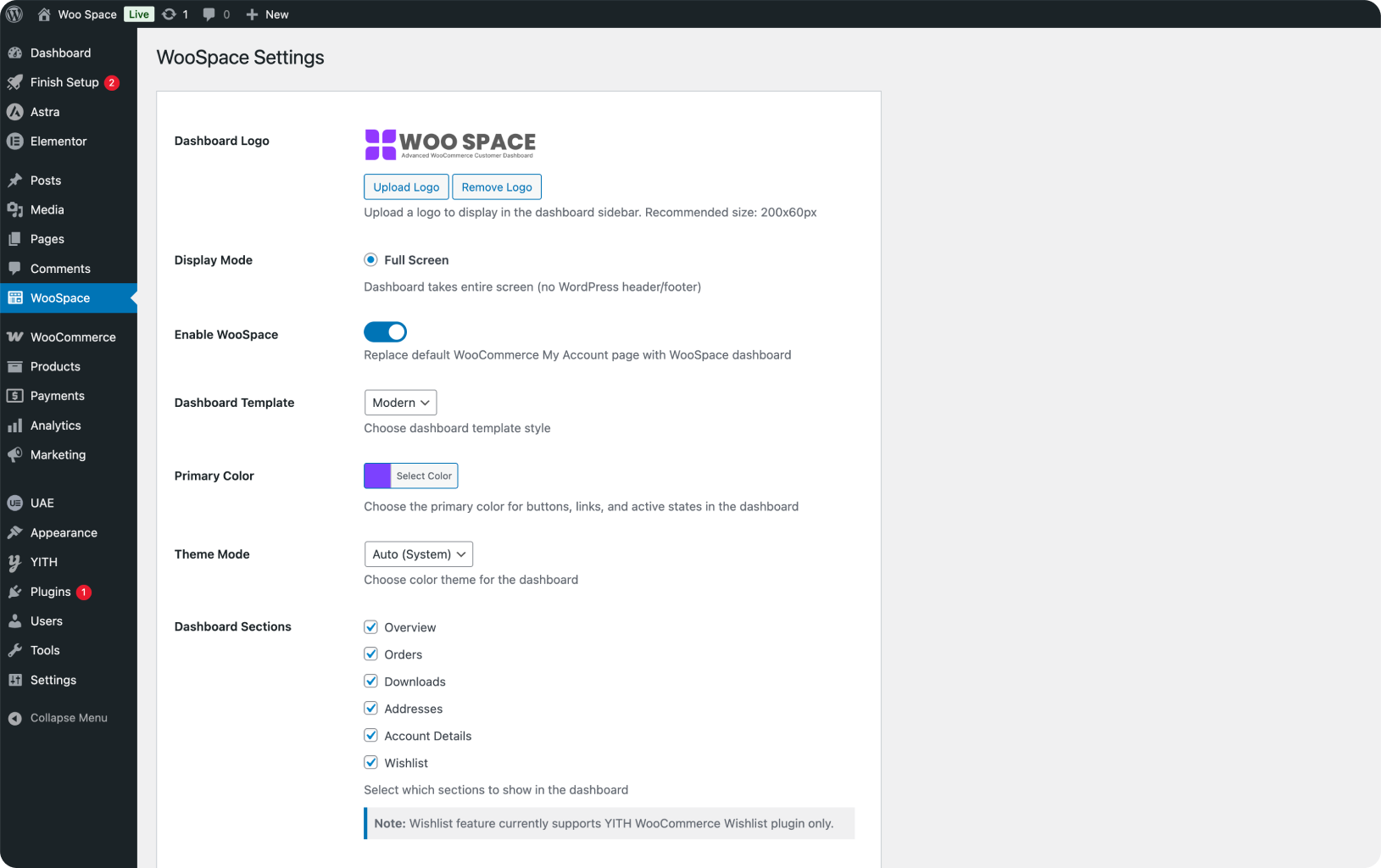
- Go to NextDash in your WordPress admin
- Enable NextDash from the settings page
- Configure your preferences (theme mode, sections, etc.)
- Visit your WooCommerce My Account page
屏幕截图:


常见问题:
Will this work with my WordPress theme?
Yes. NextDash works independently of your theme and only affects the WooCommerce My Account page.
Does it work on mobile devices?
Absolutely. NextDash is built mobile-first and works smoothly on phones, tablets, and desktops.
Do I need coding knowledge?
No. NextDash works out of the box after activation. Simply enable it from the settings page.
Will it slow down my site?
No. NextDash only loads on WooCommerce My Account pages and is optimized for performance.
Does it support dark mode?
Yes. Users can choose light, dark, or system-based theme preferences.
Is it translation ready?
Yes. All strings are internationalized and a .pot file is included.
Is NextDash compatible with Wishlist?
Yes. Wishlist functionality integrates YITH WooCommerce Wishlist.
更新日志:
1.1.0 - 2026-08-16
- Added TI WooCommerce Wishlist support alongside YITH - whichever is active is detected automatically
- Added an Addons screen listing every NextDash module and its status
- Added Spanish, and completed the French and Bengali translations
- Fixed a fatal error on every front-end page when WooCommerce was deactivated or deleted
- Fixed removing a wishlist item failing on YITH WooCommerce Wishlist 4.0 and later
- Fixed Total Orders and Total Spent on the overview counting only the ten most recent orders
- Fixed the sidebar logo detaching while scrolling the dashboard
- Hardened the password reset flow against brute-force and user enumeration
- Assets are now cache-busted per file, so updates are not served from a stale browser cache
- Added email-based login, signup, and OTP-based forgot password flow (send code, verify OTP, reset password)
- Added Premium features support: Subscriptions, Memberships, Bookings, and Gift Cards (via NextDash Premium)
- Fixed various issues and improved stability (dashboard routing, settings validation, and WordPress coding-standard fixes)
- Initial release
- React-based WooCommerce customer dashboard
- Order management and order details
- Downloadable products section
- Address management (billing and shipping)
- Account details editing
- Dark mode support