
NGM Content AI
| 开发者 | nabinmagar |
|---|---|
| 更新时间 | 2026年2月15日 15:40 |
| PHP版本: | 7.4 及以上 |
| WordPress版本: | 6.9 |
| 版权: | GPL v3 or later |
| 版权网址: | 版权信息 |
详情介绍:
- Free-Tier AI Services - Uses Google Gemini's free tier for text and Pollinations.ai for images (subject to third-party terms and limits)
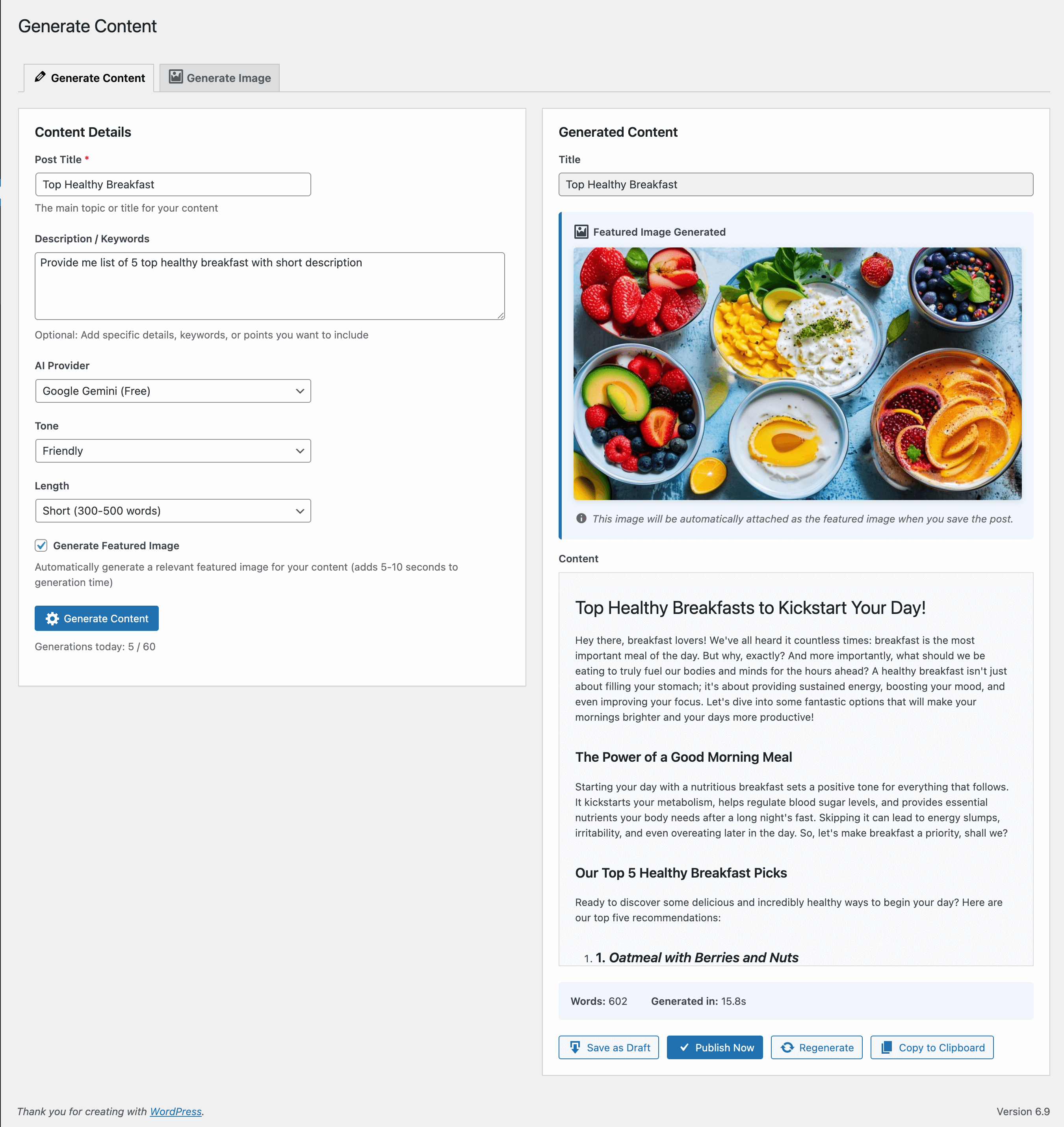
- Smart Content Generation - Create full blog posts with proper HTML formatting
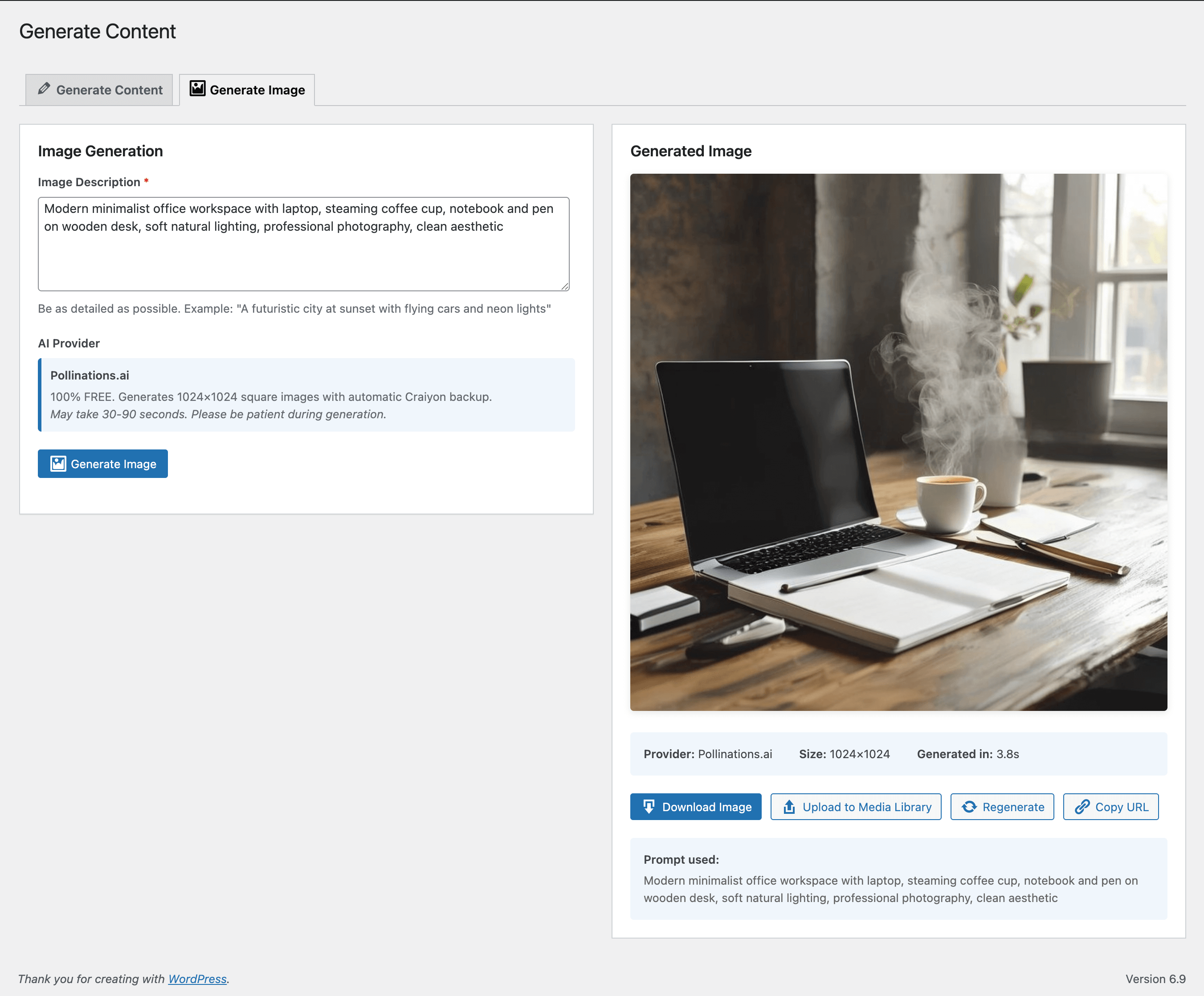
- AI Image Generation - Generate custom images with detailed prompts
- Multiple Writing Tones - Professional, casual, friendly, technical, creative, and formal
- Flexible Word Counts - Short (300-500), Medium (500-800), Long (800-1200), or Very Long (1200-2000 words)
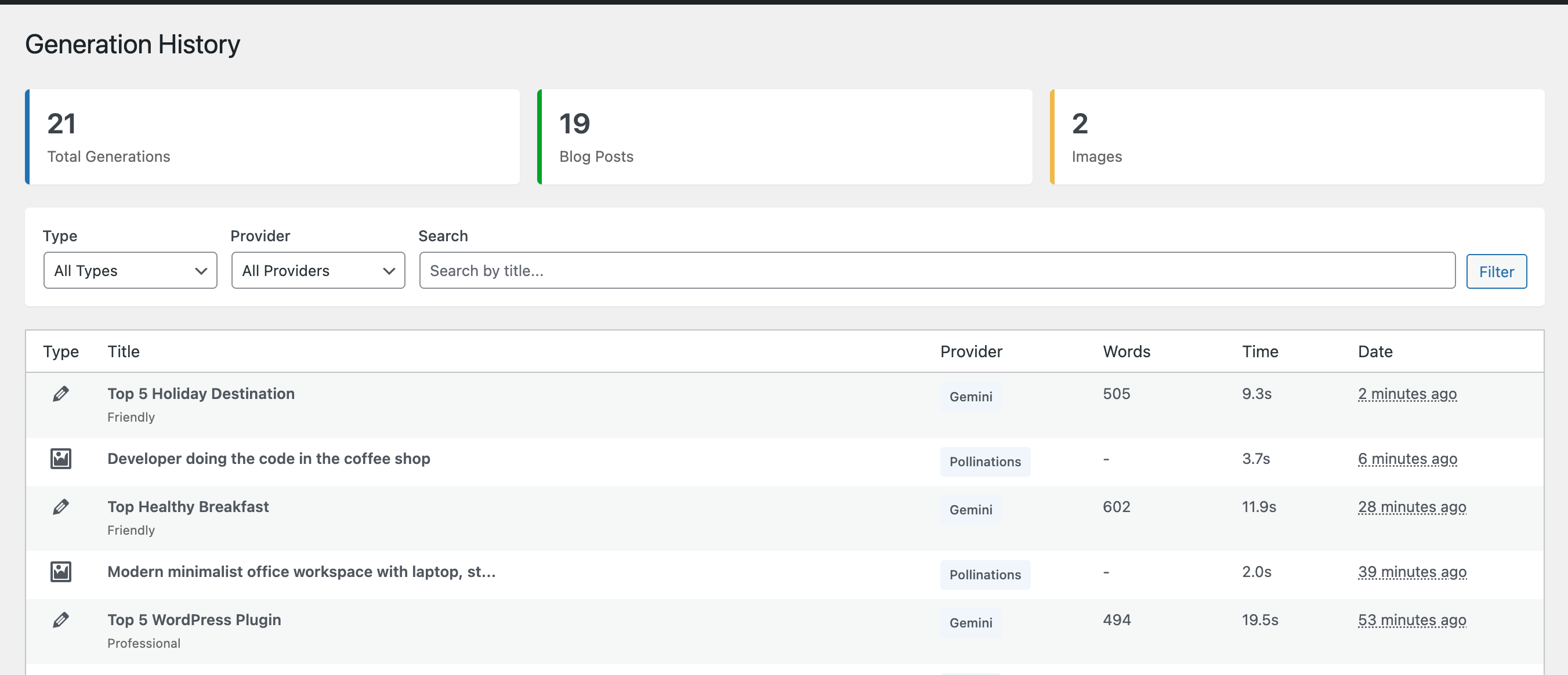
- Generation History - Track all your AI-generated content and images
- Rate Limiting - Configurable daily limits to manage API usage
- Media Library Integration - Upload generated images directly to WordPress media library
- User-Friendly Interface - Clean, intuitive admin dashboard
- Bloggers who need fresh content regularly
- Content marketers looking to scale production
- Website owners who want to save time writing
- Agencies managing multiple client websites
- Anyone who needs high-quality content quickly
- Free tier available (see Google's terms for current limits)
- Fast, high-quality text generation
- Supports multiple writing styles and tones
- Get your free API key at Google AI Studio Pollinations.ai
- Free image generation service (subject to their terms)
- Automatic Craiyon backup for reliability
- 1024x1024 image resolution
- No API key required
- Google Gemini API - For text content generation
- Pollinations.ai - For image generation Your prompts and titles are sent to these services to generate content. Please review their privacy policies:
- Google AI Terms
- Pollinations.ai No content is stored on external servers beyond the generation process.
- Service: https://generativelanguage.googleapis.com/
- Purpose: Generate AI-powered text content
- Terms of Service: https://ai.google.dev/terms
- Privacy Policy: https://policies.google.com/privacy Pollinations.ai
- Service: https://image.pollinations.ai/
- Purpose: Generate AI-powered images
- Website: https://pollinations.ai/ Craiyon API (Backup)
- Service: https://api.craiyon.com/
- Purpose: Backup image generation service
- Website: https://www.craiyon.com/ Data sent to these services includes:
- Text prompts and titles for content generation
- Image descriptions for image generation Please review each service's terms and privacy policy before using this plugin.
- Install and activate the plugin
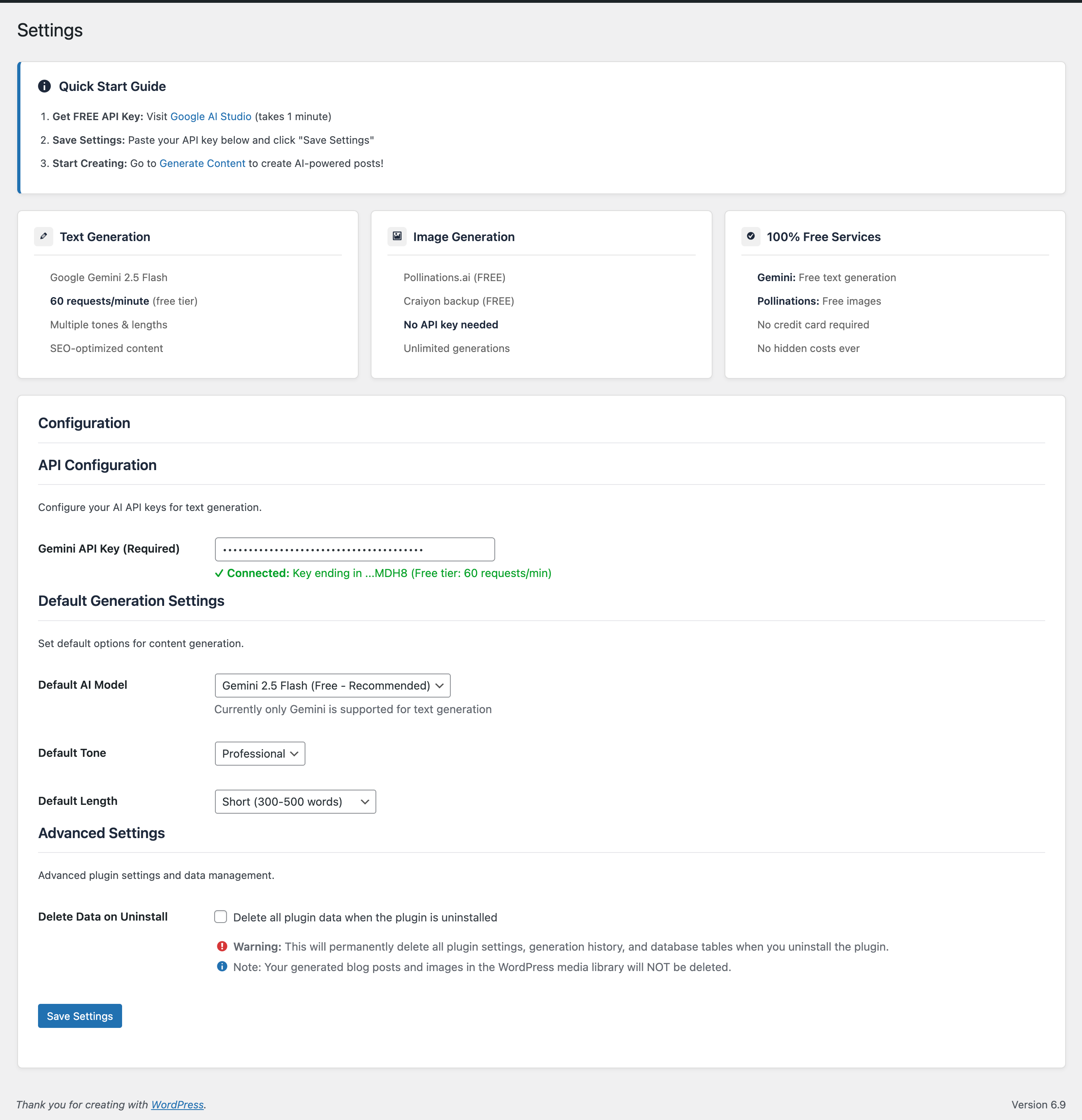
- Get your free Gemini API key from Google AI Studio
- Enter your API key in Settings
- Start generating content and images!
- Write a title and optional description
- Choose your preferred tone and word count
- Generate SEO-friendly, well-structured content
- Edit generated content before publishing
- Save as draft or publish immediately Image Generation
- Describe your desired image in detail
- Free generation with Pollinations.ai
- Automatic backup with Craiyon if needed
- Download or upload to media library
- View generation history Dashboard
- Track monthly content/image generation
- View average generation time
- Monitor API status
- Quick access to recent generations History & Analytics
- Complete generation history
- Filter by provider and type
- Search by title
- Pagination support
- WordPress 5.8 or higher
- PHP 7.4 or higher
- Google Gemini API key (free from Google AI Studio)
安装:
- Log in to your WordPress admin panel
- Navigate to Plugins > Add New
- Search for "NGM Content AI"
- Click "Install Now" and then "Activate"
- Download the plugin ZIP file
- Log in to your WordPress admin panel
- Navigate to Plugins > Add New > Upload Plugin
- Choose the downloaded ZIP file and click "Install Now"
- Click "Activate Plugin"
- After activation, go to NGM Content AI > Settings
- Visit Google AI Studio to get your free API key
- Copy your Gemini API key
- Paste it into the "Gemini API Key" field in Settings
- Click "Save Changes"
- You're ready to generate content!
屏幕截图:
常见问题:
Is this plugin really free?
Yes! The plugin itself is free, and it uses free-tier AI services:
- Google Gemini API has a free tier (check Google's current terms for limits)
- Pollinations.ai is a free service with no API key required Please note these are third-party services with their own terms and conditions.
Do I need an API key?
You need a free Gemini API key from Google AI Studio for text generation. Image generation with Pollinations.ai requires no API key.
How do I get a Gemini API key?
- Visit Google AI Studio
- Sign in with your Google account
- Click "Get API Key"
- Create a new API key
- Copy and paste it into NGM Content AI settings
What are the rate limits?
Rate limits depend on the third-party services:
- Gemini Free Tier: Check Google's current terms for up-to-date limits
- Plugin Default: 60 generations per user per day (configurable in settings)
- Pollinations.ai: Please use reasonably as per their terms
Can I use this for commercial projects?
The plugin is GPL licensed, but usage depends on the third-party services' terms. Please review Google Gemini's terms of service and Pollinations.ai's terms for commercial use policies.
What languages are supported?
The plugin interface is in English, but Gemini AI can generate content in multiple languages. Simply write your prompt in your desired language.
How long does generation take?
- Text Content: Usually 5-15 seconds
- Images: 30-90 seconds (Pollinations.ai may take longer during peak times)
Can I edit generated content before publishing?
Yes! Generated content appears in an editor where you can review and edit before saving as a draft or publishing.
What if image generation fails?
The plugin automatically tries Pollinations.ai first, then falls back to Craiyon if needed. If both fail, you'll get a helpful error message. Simply wait 30 seconds and try again.
Is my data private?
Your prompts are sent to Google Gemini and Pollinations.ai to generate content. These services process your requests but don't store them long-term. Generated content is stored only in your WordPress database.
Can I delete generation history?
Currently, history is stored in your WordPress database. You can manually delete records from the history page in a future update.
Does this work with Gutenberg?
Yes! Generated content can be saved as posts and edited in any WordPress editor, including Gutenberg.
Can I generate content in bulk?
The current version generates one piece of content at a time. Bulk generation may be added in a future update.
更新日志:
- Initial release
- Google Gemini AI integration for text content
- Pollinations.ai integration for image generation
- Craiyon backup for image generation
- Dashboard with statistics
- Generation history with filtering
- Customizable writing tones and word counts
- Media library integration
- Rate limiting system
- Internationalization ready
- Security: Nonce verification and capability checks