
Nice Login Widget
| 开发者 | sgPlanwize |
|---|---|
| 更新时间 | 2014年9月30日 20:49 |
| PHP版本: | 3.0.0 及以上 |
| WordPress版本: | 3.9.1 |
| 版权: | GPLv2 or later |
| 版权网址: | 版权信息 |
详情介绍:
- Add login/register widget in any widget area in your site.
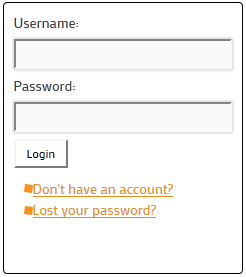
- Uses only one area and screen to login, register, and retrieve forgotten passwords.
- Cleanly transitions by flipping between login, register, and forgotten password screens on command.
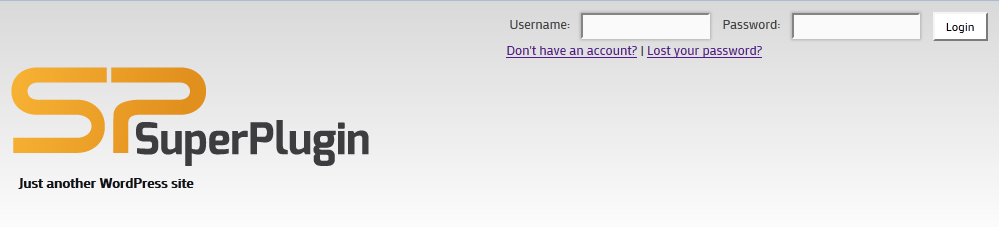
- Can appear horizontally or vertically.
- Ajax enabled authentication, allowing the whole process to take place on a single page instead of linking to the WordPress login page.
- SSL compatible to keep your website secure.
- Nice Login Widget is now support WP-reCAPTCHA plugin.
- France (fr_FR) - GabLeRoux.
- Lithuania (lt_LT) - Justas Malinauskas
- Arab (ar_AR) - Mehdi Bounya
- Spanish (es_ES) - Pedro Bibiloni
- German (de_DE) - Alexander Conca
- Danish (da_DK) - henrik
- Dutch (nl_NL) - Jan Hilhorst
- Norwegian/bokmål (no_NB) - flytende.no
- Slovenian / Slovenščina (sl_SI) - tanja.kosec
info@superplug.in so I can bundle it into next versions.
Login Widget Pro
Login Widget Pro has launched!, Check it out here
Author Background
This plugin is brought to you by the SuperPlugin team.
We at SuperPlugin make our experience crafting WordPress sites for clients available to you - creating both free and premium plugins embodying the lessons we learned and the problems we've solved.
Visit our site to learn more about us and our revolutionary new widget management plugin: Power Widgets
安装:
- Upload
pw-login-widget.zipto the/wp-content/plugins/directory. - Activate the plugin through
Pluginsmenu. - Go to
Appearance->Widgets,in available widgets you will findNice Login/Regiterwidget, drag it to chosen widget area where you want it to appear. - Now visit your blog and you will see the login/register section.
屏幕截图:
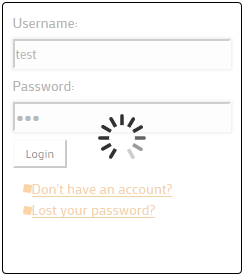
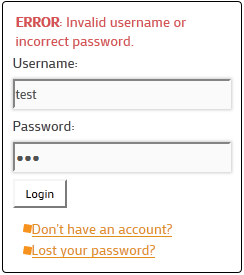
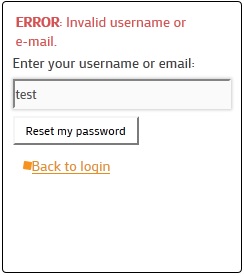
常见问题:
Can I change the float to either vertical or horizontal ?
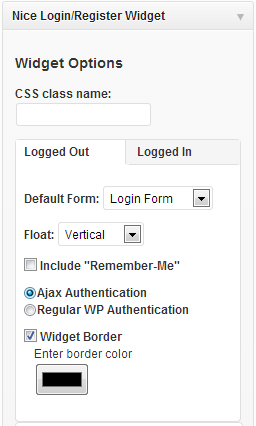
Yes you can. Go to widget options in the widgets area and the float can be adjusted to either horizontal or vertical.
Can I choose which authentication control should take effect?
Yes, simply switch the radio button between ajax authentication and WP regular authentication in the backend widget options.
Can I get rid of the border or change it's color?
Yes, you can change the border's color or get rid of it entirely in the backend widget options.
How do I use the shortcode to insert the login widget in posts and pages?
In order to enable the shortcode, you will have to go to the Widget menu under Appearances, then drag and drop the nice login widget into the custom widget area entitled Nice Login Widget Shortcode. Once in this is completed, you will be able to insert this widget area by using the [sp_login_shortcode] shortcode.
Why can't I see the "don�t have an account?" link?
In order to see this link you have to enable the "Anyone can register" option. This option is found in Settings under the General section.
Will this work with my other plugins, such as "Limit Login Attempts"
Our widget should be compatible with most other plugins associated with logging in. For example Limit Login Attempts. However, if you find that a plugin you use is not compatible, please let us know via a support request.
更新日志:
- Tested on Wordpress 3.9+
- WP-reCAPTCHA compatibility
- Minor bug fixes.
- Widget options UI rearranged.
- The languages main PO file has been refreshed.
- Bug fixes and stabilities improved.
- Tested on Wordpress 3.8 .
- Login shortcode css and layout improved.
- Slovenian translation added.
- Fix Norwegian translation files.
- Norwegian translation added.
- Fixed a bug when using rename login.php file.
- Dutch translation added.
- Minor optimizations and bug fix.
- Minor bug fixes.
- Improved German translation file added. Credits to Alexander Conca.
- Danish translation added.
- German translation added.
- Minor bug fixes.
- Title field was added to the widget option. Now you can add any title you want for your login widget.
- Bug fixed.
- JQuery capabilities performance improved.
- Fixed an jQuery issue that occurred when adding multiple login widgets in single documet.
- Ajax enabled authentication, allowing the whole process to take place on a single page instead of linking to the WordPress login page.
- Added the option to turn the Widget Border on or off, or to change its color.
- Added shortcode capability, allowing the widget to placed within any page or post content.
- Enabled SSL communication to improve security.
- Fixed multisite bug issues.
- Fixed lost password bug issue.
- jQuery Feature has been added to the administrator widget control.
- Fixed bug when your blog is on "Anyone can register" unchecked and the "Don't have an account" link shows up. Now this link shows up properly.
- First version released.