
Nix Image Optimizer
| 开发者 | nixtool |
|---|---|
| 更新时间 | 2026年10月29日 04:40 |
| PHP版本: | 7.4 及以上 |
| WordPress版本: | 7.1 |
| 版权: | GPLv2 or later |
| 版权网址: | 版权信息 |
详情介绍:
- Automatically converts new JPG, JPEG, PNG, and AVIF uploads to WebP.
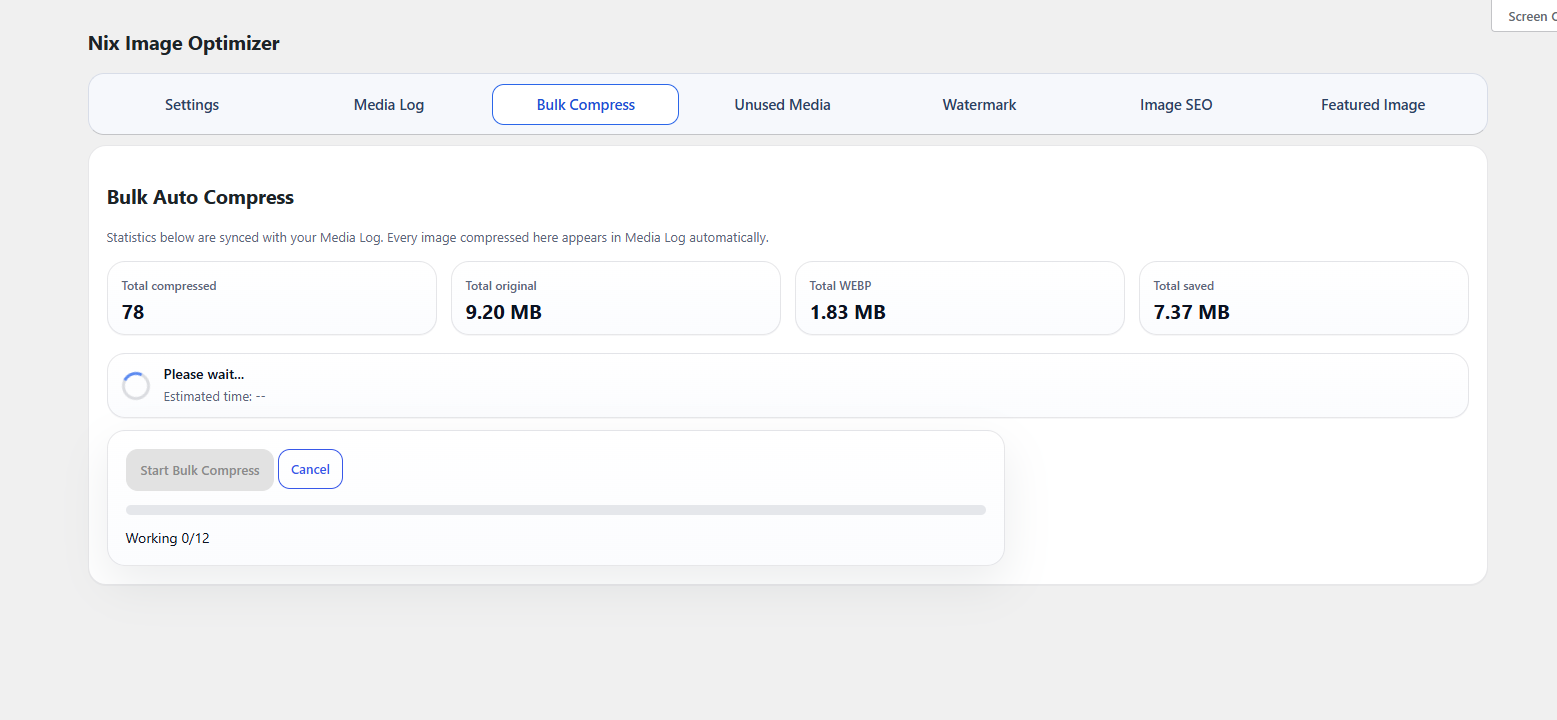
- Bulk-compresses existing Media Library images.
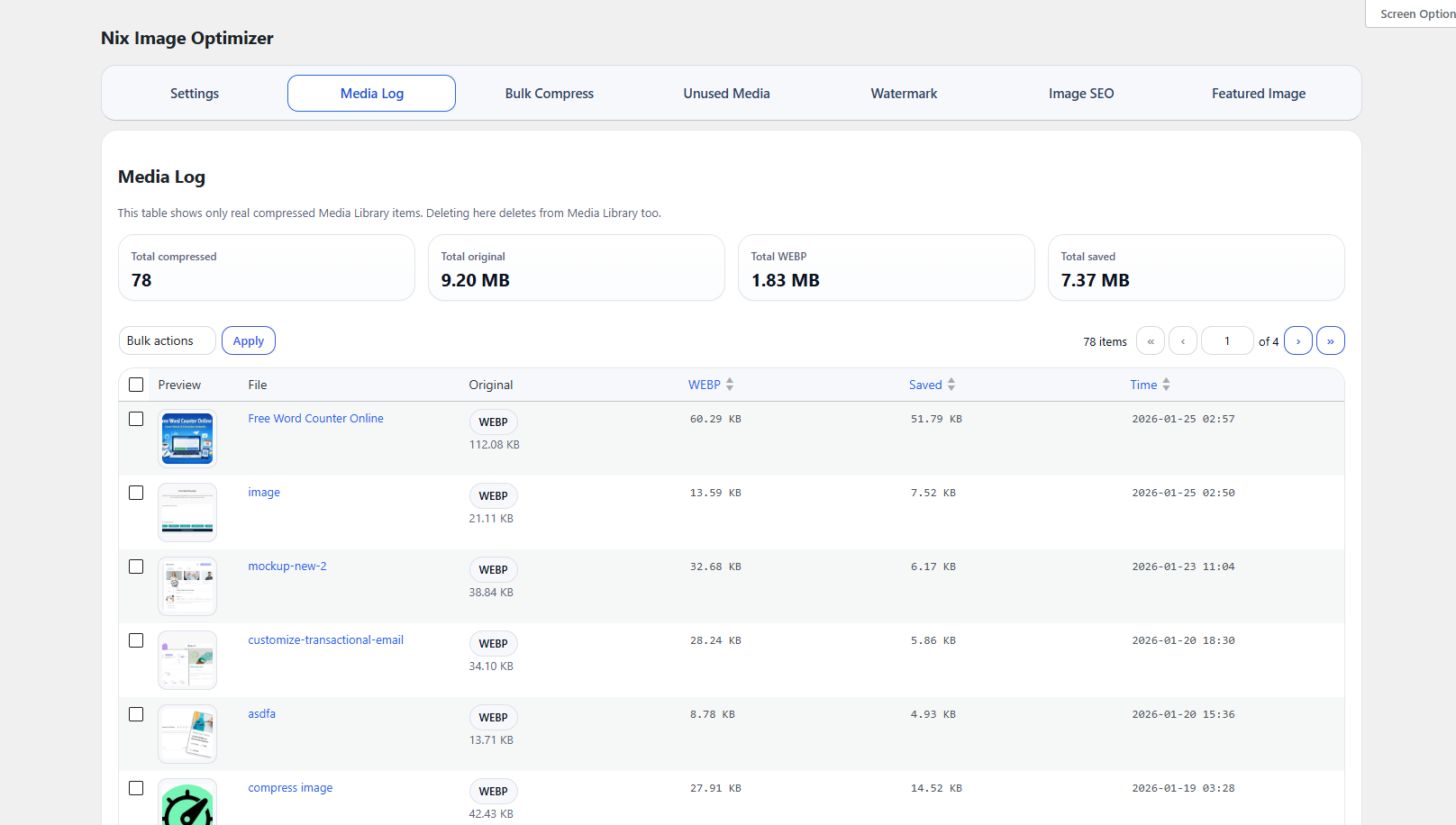
- Shows compression statistics in a Media Log.
- Adds optional watermark support before compression.
- Generates blog-style featured images from post title, category, author name, and avatar.
- Supports custom featured image background colors, gradients, typography, and output dimensions.
- Auto-fills missing image ALT text and attachment descriptions from post content.
- Includes Basic and Advanced Image SEO Metadata modes.
- Scans and backfills existing posts with safe generated-metadata rules.
- Includes an unused media scanner and cleaner.
- Works with WordPress Media Library metadata and regeneration flow.
安装:
- Upload the
nix-image-optimizerfolder to the/wp-content/plugins/directory. - Activate the plugin through the
Pluginsscreen in WordPress. - Go to
Nix Image Optimizerin the WordPress admin menu. - Configure your compression quality and optional watermark settings.
屏幕截图:


常见问题:
Which image formats are supported?
New uploads in JPG, JPEG, PNG, and AVIF format can be converted to WebP. Existing supported images can also be processed through Bulk Compress.
Does the plugin modify existing images automatically?
No. Existing images are only processed when you run the bulk compression or watermark rebuild tools.
Does this plugin support watermarking?
Yes. You can upload a watermark logo, choose the position, opacity, size, and margin, and optionally exclude specific images.
Can I clean unused images from my Media Library?
Yes. The plugin includes an unused media scanner and cleaner to help identify media items that are not referenced in content or common metadata. Back up your media library before deleting files. The scanner cannot detect every reference made by themes, page builders, or external sites. Deletion permanently removes the selected attachments and their files.
Who can run bulk compression?
Administrators with the manage_options capability can start, advance, or cancel bulk compression across the media library.
What does Image SEO Metadata do?
It can fill missing image ALT text and attachment descriptions when posts are saved. Basic mode uses the post title and meta description or excerpt. Advanced mode uses nearby headings and section text for content images.
Will Image SEO Metadata overwrite custom ALT text?
No. Future post saves fill empty fields by default. Backfill tools separate missing, generated Basic, generated Advanced, and custom image metadata so you can safely update only the intended group.
What format does the Featured Image Generator use?
The Featured Image Generator saves JPEG files to keep smooth gradient output predictable between 20 KB and 60 KB.
更新日志:
- Split unused media scanning and deletion into small requests with progress updates and request timeouts.
- Kept skipped images visible after deletion and validated image attachments before deleting.
- Stopped usage queries at the first matching reference instead of counting all matches.
- Fixed bulk processing cron registration outside the WordPress admin.
- Restricted library-wide bulk processing to administrators and verified requests before changing queue state.
- Disabled external author avatars by default for new installs and prevented avatar URL requests in disabled previews.
- Added safe, size-limited avatar downloads and required upload permission for featured image generation.
- Checked runtime behavior on WordPress 7.1.3 and updated the tested version header.
- Confirmed compatibility with WordPress 7.0.
- Improved Featured Image Generator author fallback to use the post author, current user, or site name instead of plugin placeholder text.
- Bundled Noto Sans Bengali and improved multilingual font lookup for generated featured images.
- Improved generated text handling so Bangla/non-English text does not fall back to broken bitmap output.
- Documented the optional Gravatar/WordPress avatar request used by the Featured Image Generator.
- Updated the WordPress core fonts path lookup to use the WordPress core include directory constant.
- Improved WordPress.org review compatibility and shortened the readme short description.
- Updated Featured Image Generator to stay focused on posts and pages, with post-first preview data.
- Improved generated category badge fitting for longer category names.
- Hardened request sanitization for admin AJAX actions.
- Updated Featured Image Generator output to JPEG with a 20 KB to 60 KB size window for cleaner gradients.
- Fixed generated featured image file-size reporting after target padding and improved gradient texture.
- Added target-size padding for generated featured images when the optimized file is naturally smaller than the configured size.
- Updated Featured Image Generator output saving to choose the closest available quality to the target file size.
- Improved Featured Image Generator gradient quality and avoided overly aggressive compression.
- Tweaked Featured Image Generator output proportions to match the live preview more closely.
- Improved generated featured image styling to better match the live preview.
- Added a latest-post live preview and accordion settings panel for the Featured Image Generator.
- Added Featured Image Generator for posts and pages.
- Added generator settings for size, target file size, gradient, colors, typography, badge, and avatar display.
- Added post and page editor button to generate and assign a featured image.
- Shortened the admin tab label for Image SEO.
- Updated Image SEO Metadata admin typography.
- Fixed Image SEO Metadata backfill tab switching inside the AJAX admin screen.
- Added Image SEO Metadata with Basic and Advanced metadata modes.
- Added existing posts scan and backfill tools for missing or generated image metadata.
- Improved WordPress.org submission compatibility.
- Removed custom licensing and updater logic from the public build.
- Added WordPress.org readme metadata and localization baseline updates.