
Nonce Failure Explainer — Diagnose "Are You Sure You Want To Do This?"
| 开发者 | shahzaibhassan |
|---|---|
| 更新时间 | 2026年8月22日 04:15 |
| PHP版本: | 7.4 及以上 |
| WordPress版本: | 7.1 |
| 版权: | GPLv2 or later |
| 版权网址: | 版权信息 |
详情介绍:
- "Are you sure you want to do this?" — the classic admin nonce failure
- "Security check failed" — the same failure, phrased by a plugin or theme
- "The link you followed has expired" — an expired nonce on a link or form
- A silent 403 or
-1response fromadmin-ajax.php - Forms that submit and appear to do nothing at all
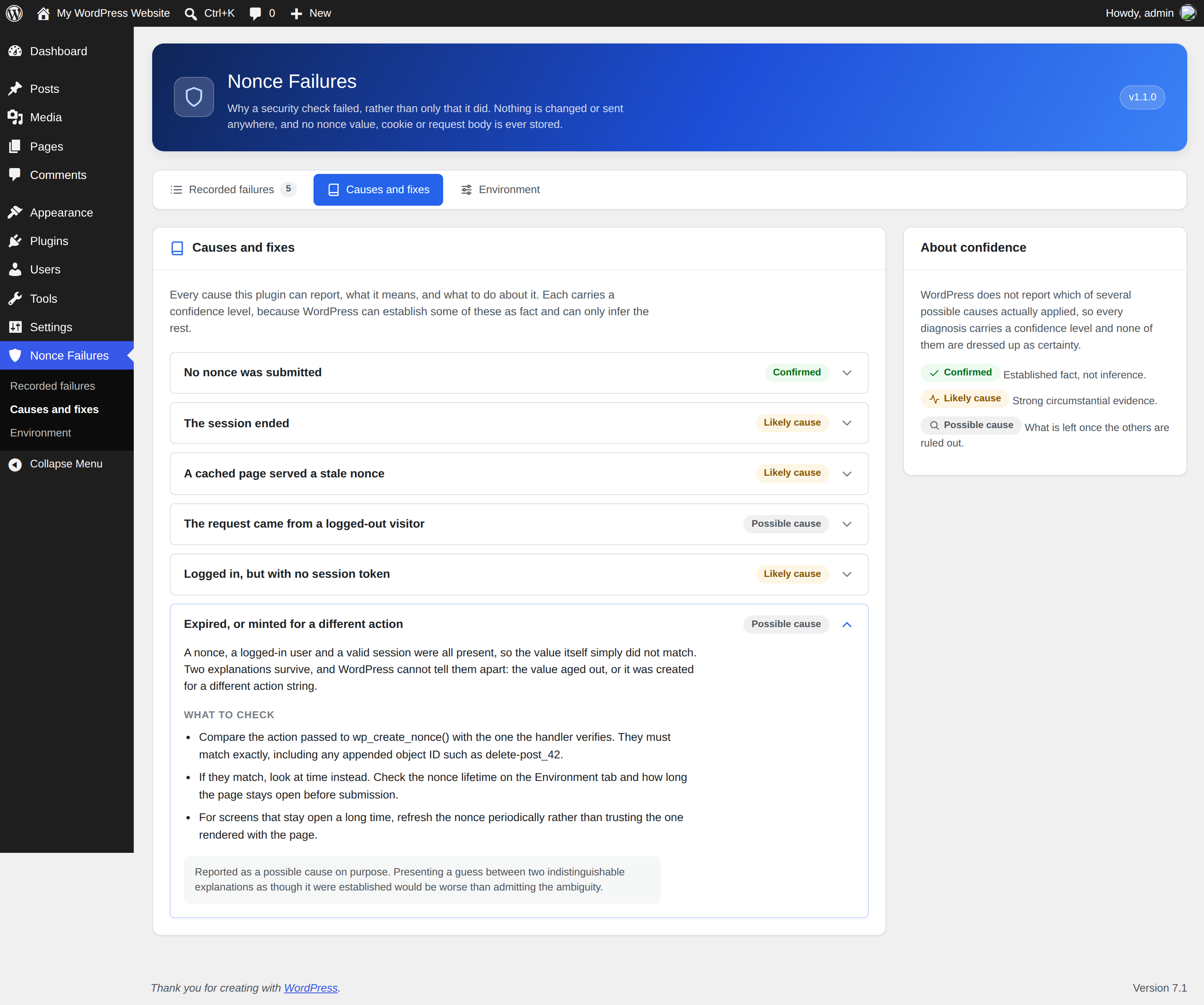
- No nonce was submitted — the field or query argument never reached the server. Confirmed, not inferred.
- The session ended — an auth cookie arrived but no longer resolves to a user.
- A cached page served a stale nonce — detected when an anonymous request fails while a known caching layer is active.
- No session token — the user is logged in but has no session for the nonce to key against.
- Expired or mismatched action — everything needed was present, so the value itself did not match.
- The most likely cause, with an explicit confidence level
- A concrete next check to run
- The nonce action string
- The request type (ajax, rest, admin, admin-post, cron, cli, frontend), method, and path
- A best-effort guess at which plugin or theme ran the check
- Whether the user was logged in
- The nonce value itself
- Authentication cookies or session tokens
- Passwords, API keys, or any request body
- Query strings, which routinely carry one-time tokens
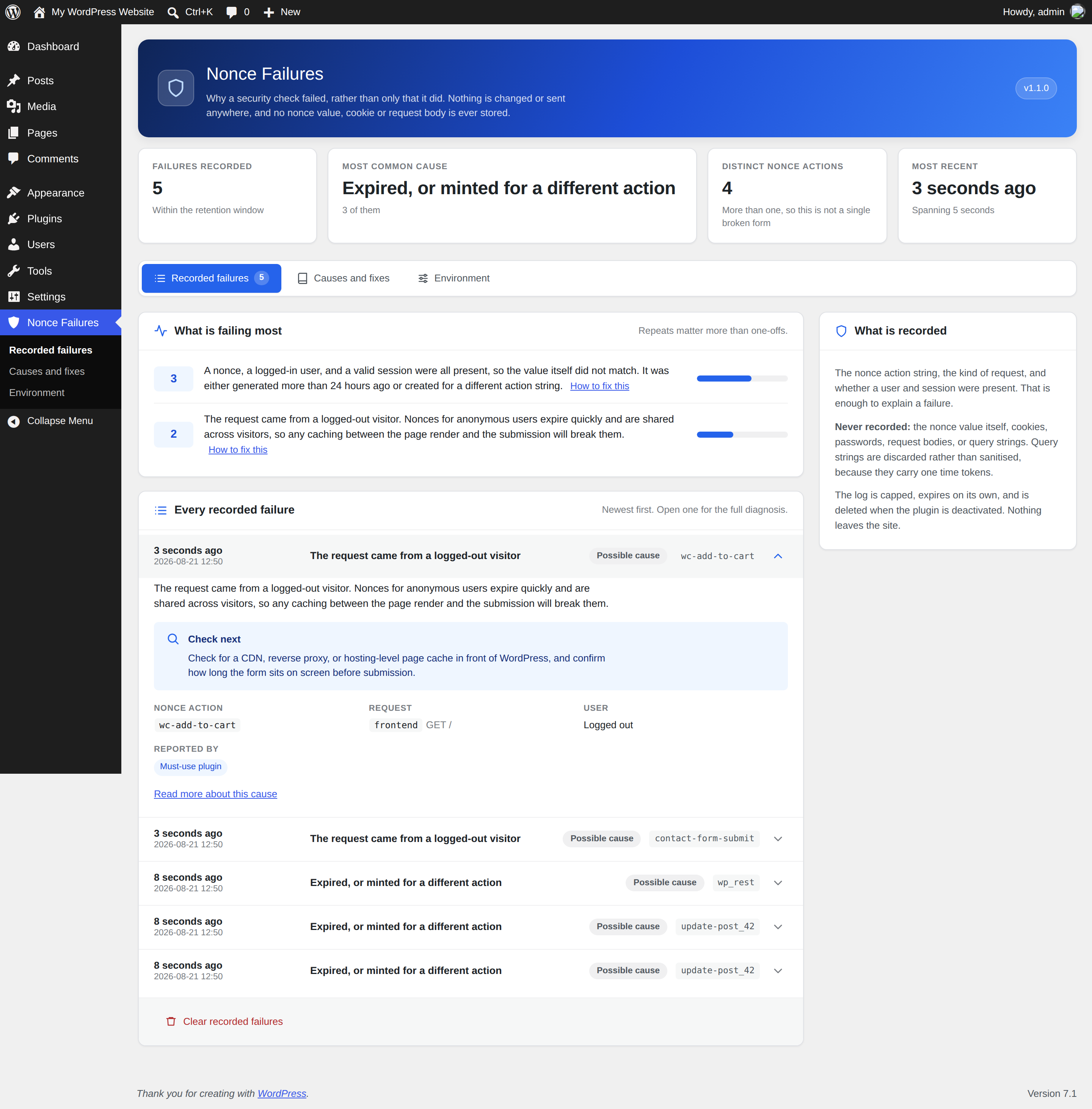
- Recorded failures — the log, with headline figures and a ranking of what is failing most.
- Causes and fixes — every diagnosis explained in full, with the concrete checks to run.
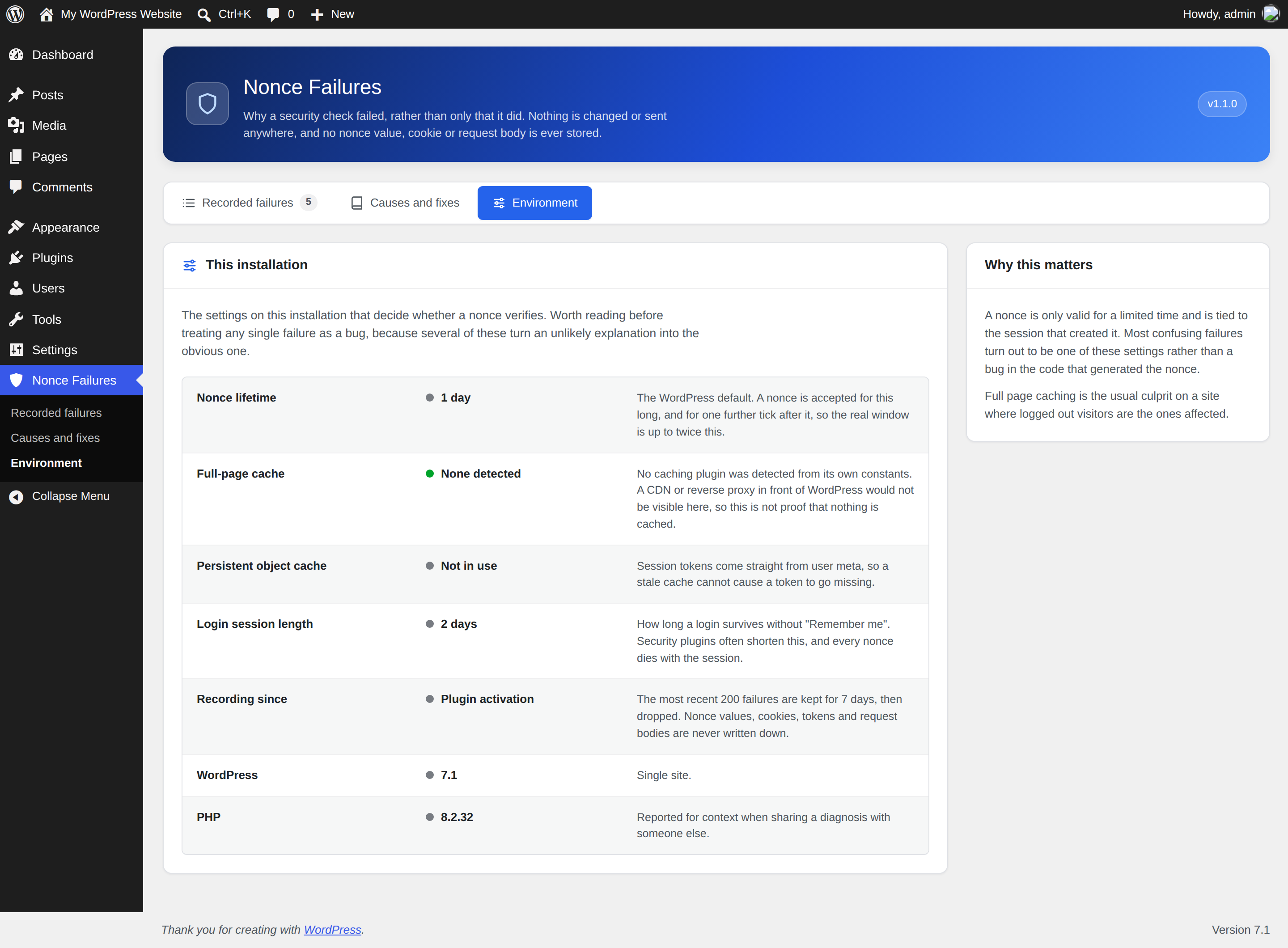
- Environment — the settings that decide whether a nonce verifies at all: nonce lifetime, any detected page cache, persistent object cache, and login session length. A nonce lifetime shortened by another plugin, or a session shorter than the nonce it carries, explains failures that otherwise look like bugs.
安装:
- Upload the plugin to
/wp-content/plugins/nonce-failure-explainer, or install it through the Plugins screen. - Activate it.
- Reproduce the failing request.
- Visit Nonce Failures in the admin menu.
屏幕截图:
常见问题:
Why does WordPress say "Are you sure you want to do this?"
Because a nonce check failed. WordPress puts a one-time token into admin forms and links to prove a request came from your own page, rather than being forged by another site while you are logged in. When that token is missing, expired, or does not match, WordPress blocks the request and shows that message — without saying which of those it was. This plugin records the failure and tells you which.
What is a nonce in WordPress?
A "number used once": a short-lived token WordPress adds to forms and action links to protect against cross-site request forgery. Nonces expire after 24 hours by default, which is why a page left open overnight often fails on submit.
Does this fix nonce failures?
No, and deliberately so. It is a diagnostic tool. Automatically extending nonce lifetimes or bypassing checks would weaken the protection nonces exist to provide. It tells you where the fault is; fixing it stays a decision you make.
Why is my log empty?
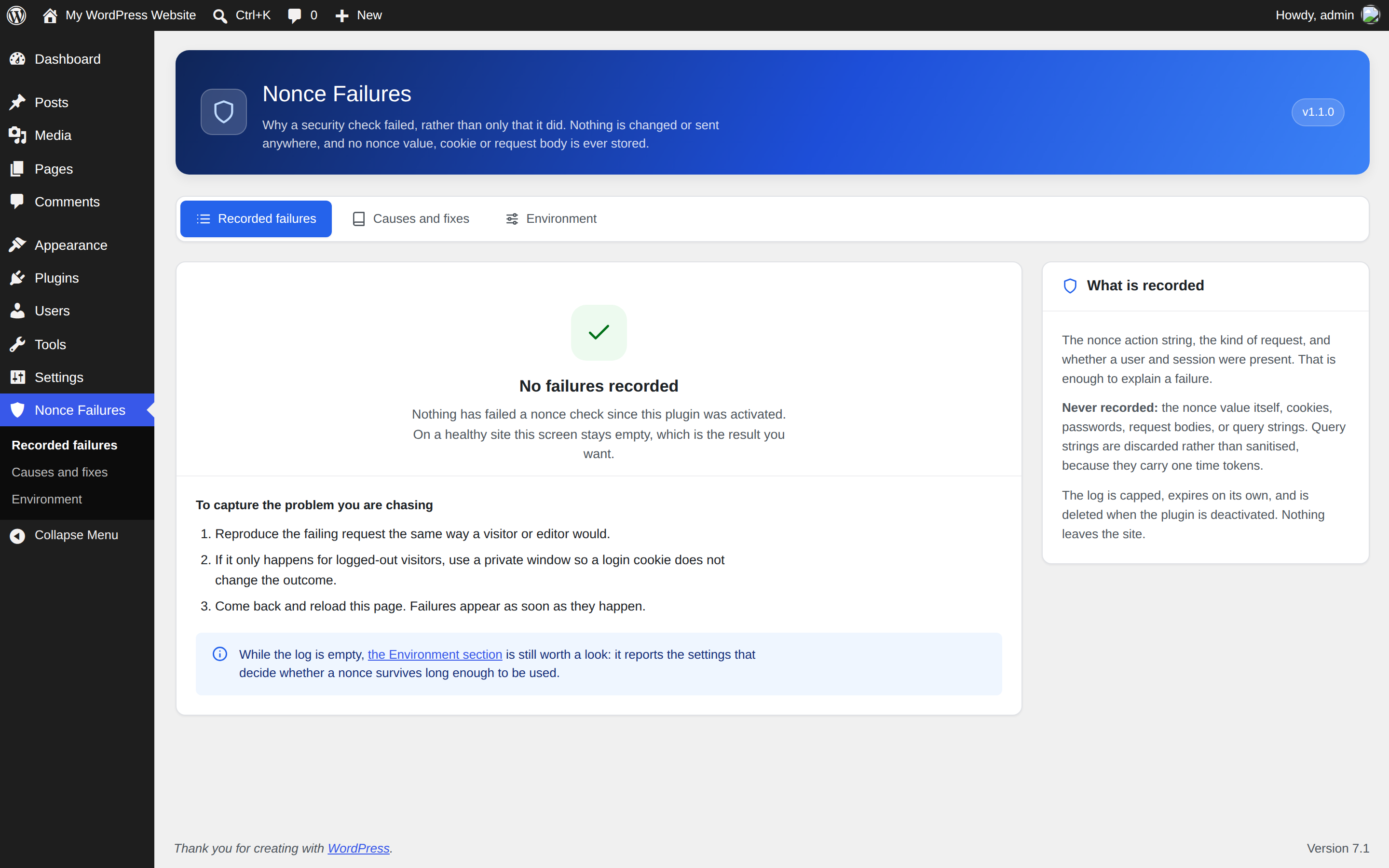
That is the expected result on a healthy site, and since version 1.2.0 it is considerably more likely. The plugin now records only checks that actually blocked a request. Reproduce the failing request and it will be captured.
Will it slow my site down?
The recorder only does work when a check actually fails. There is no cost on successful requests, and events are written once per request rather than once per event.
Why does it say "possible cause" rather than telling me exactly what happened?
Because WordPress does not distinguish an expired nonce from one generated for a different action — both simply fail to match. Where the cause can be established as fact, the plugin says "Confirmed". Where it is inference, it says so.
Is it safe on a production site?
Yes. It is read-only, stores no secrets, and caps its own storage. The clearing action is capability-checked and nonce-protected.
Does it work with multisite?
Yes. The log is per-site, and uninstalling clears it across every site in the network.
Can I stop it recording a particular nonce action?
Yes. Add the action string to the noncfaex_muted_actions filter and it is ignored entirely.
更新日志:
- Fixed: non-blocking nonce checks are no longer recorded as failures.
check_ajax_referer()andcheck_admin_referer()both take a$stopargument, and when it is false the caller is asking a question rather than guarding a door — Yoast SEO, for one, asks on every admin screen whether the current request is a Quick Edit save. Version 1.1.0 logged every one of those as a confirmed failure, naming a plugin that had done nothing wrong. On a real site that was the large majority of the log, and the noise pushed genuine failures out of the capped log within the hour. - Fixed: events are written once per request instead of once per event. The previous read-modify-write meant two failures in the same instant could lose one of the two.
- New: a nonce action can be silenced with the
noncfaex_muted_actionsfilter. - New: a Settings link on the Plugins screen, alongside support and review links.
- Changed: every option the plugin creates is now removed on uninstall, not just the log.
- The screen is now its own top-level menu rather than an item under Tools, and is split into three tabs.
- New "Causes and fixes" tab explaining every diagnosis in full, with the concrete checks to run for each. The log links straight to the relevant entry.
- New "Environment" tab reporting the settings that decide whether a nonce verifies: nonce lifetime, any detected page cache, persistent object cache, and login session length. A nonce lifetime shortened by another plugin, or a session shorter than the nonce it carries, explains failures that otherwise look like bugs.
- Headline figures above the log: how many failures, the most common cause, how many distinct nonce actions are involved, and the time span they cover. More than one action string means the problem is not a single broken form.
- The empty state now says that an empty log is the expected result on a healthy site, and explains how to reproduce a failure so it gets captured.
- The screen has been rebuilt: the three sections are now real pages in the sidebar, each recorded failure folds down so a long log stays readable, and every cause is a section you can open rather than a wall of text.
- Assets are versioned by file rather than by plugin version, so a changed stylesheet can never be served from a stale browser cache.
- Tested up to WordPress 7.1.
- Initial release.