
NotifyPress - Web Push Notifications
| 开发者 | fynolab |
|---|---|
| 更新时间 | 2026年11月6日 02:21 |
| PHP版本: | 8.1 及以上 |
| WordPress版本: | 7.1 |
| 版权: | GPLv2 or later |
| 版权网址: | 版权信息 |
详情介绍:
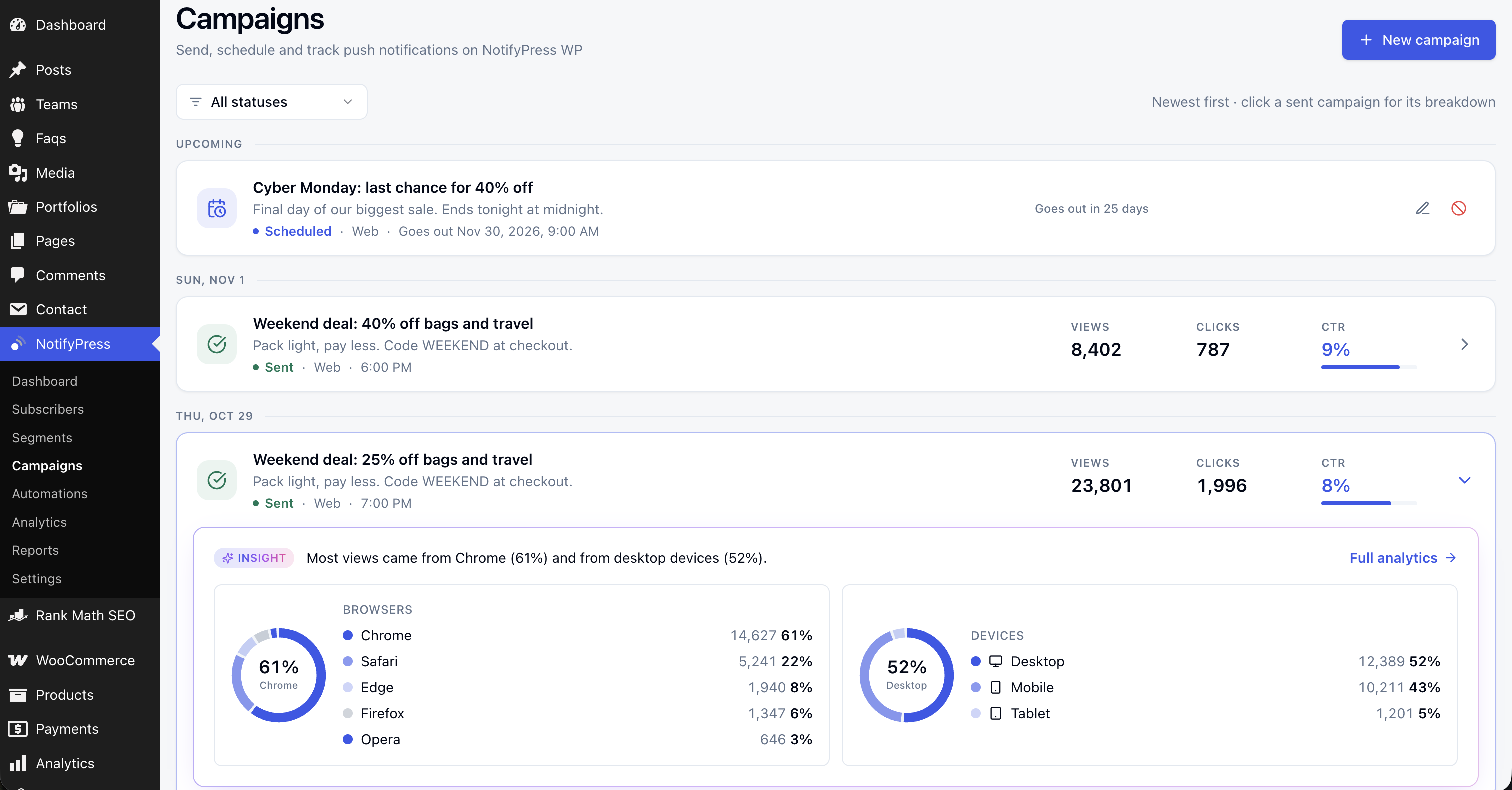
- Send a notification now or schedule it for later.
- Notify subscribers automatically when you publish a post, page or any public custom post type.
- Write a custom title and message per post from the block editor sidebar, with a live preview.
- See delivery status, views and clicks for every notification.
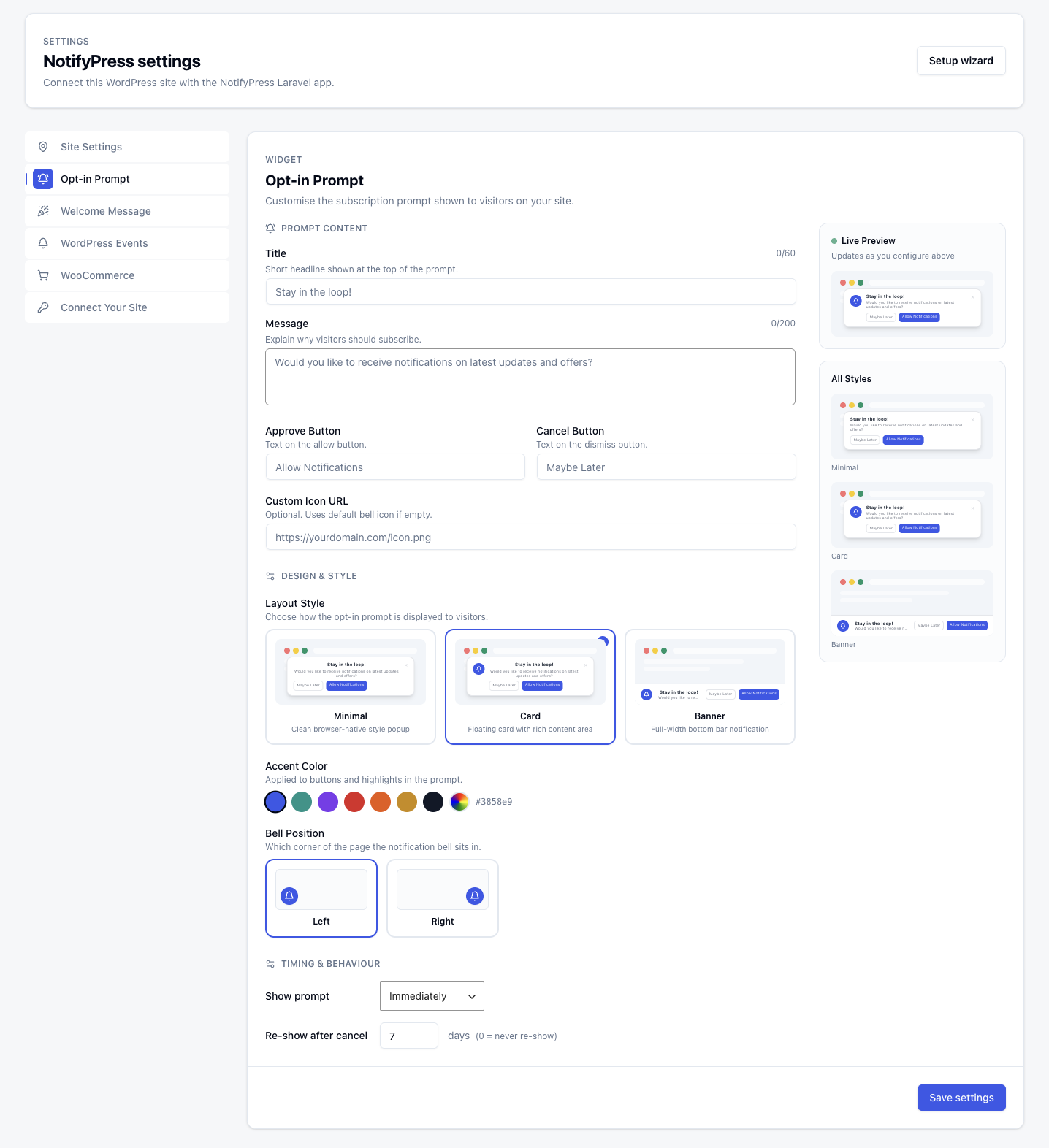
- Choose a Minimal, Card or Banner prompt and match it to your brand color.
- Set the prompt text, buttons, icon and bell position.
- Control when the prompt appears and how long to wait before showing it again.
- Greet new subscribers with an optional welcome notification.
- Send order confirmations to the customer who placed the order.
- Remind subscribers about an abandoned cart one hour later.
- Both are sent only to the customer they concern, and both can be turned off.
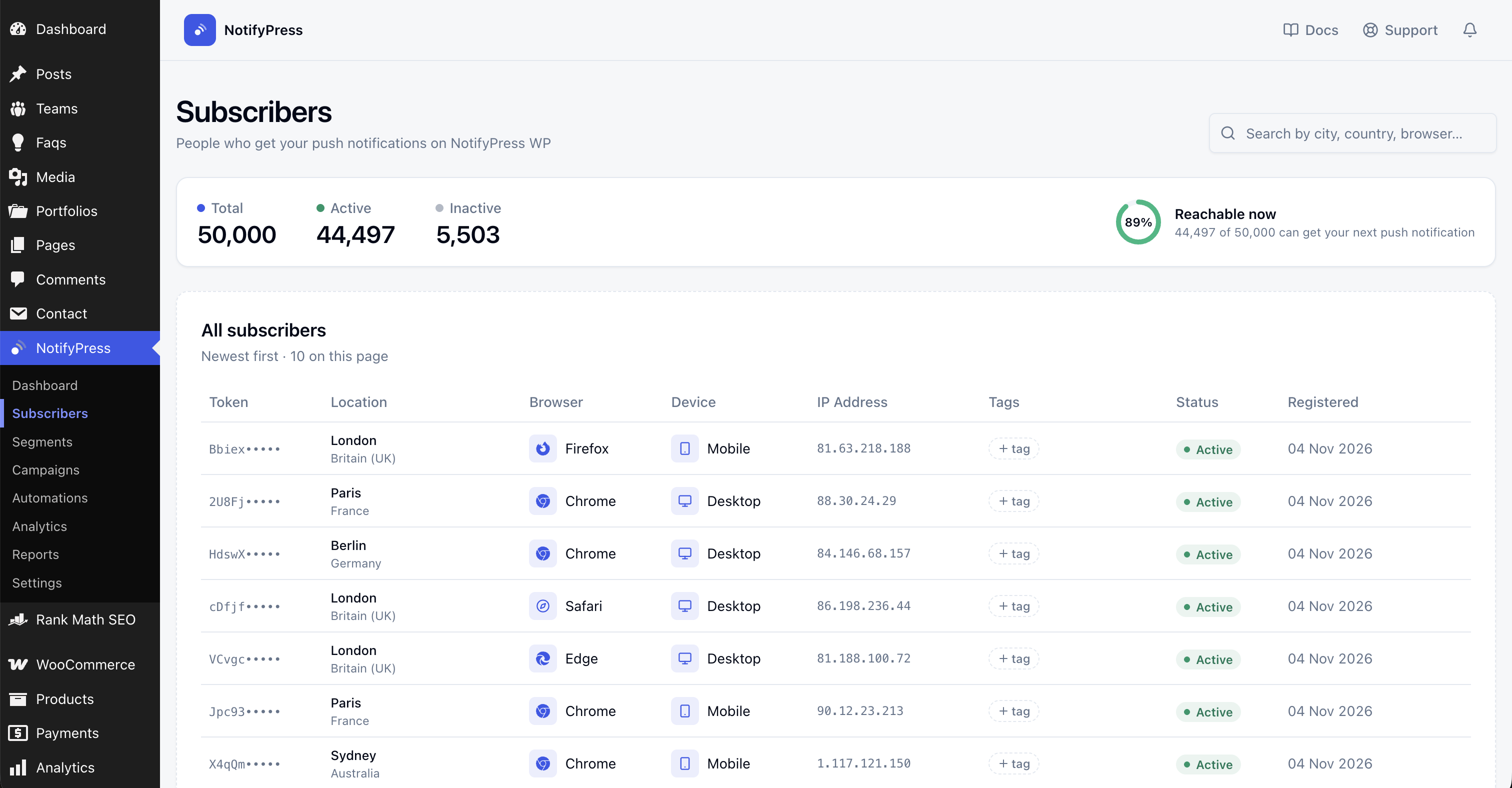
- Browse subscribers with their city, country, browser, device and timezone.
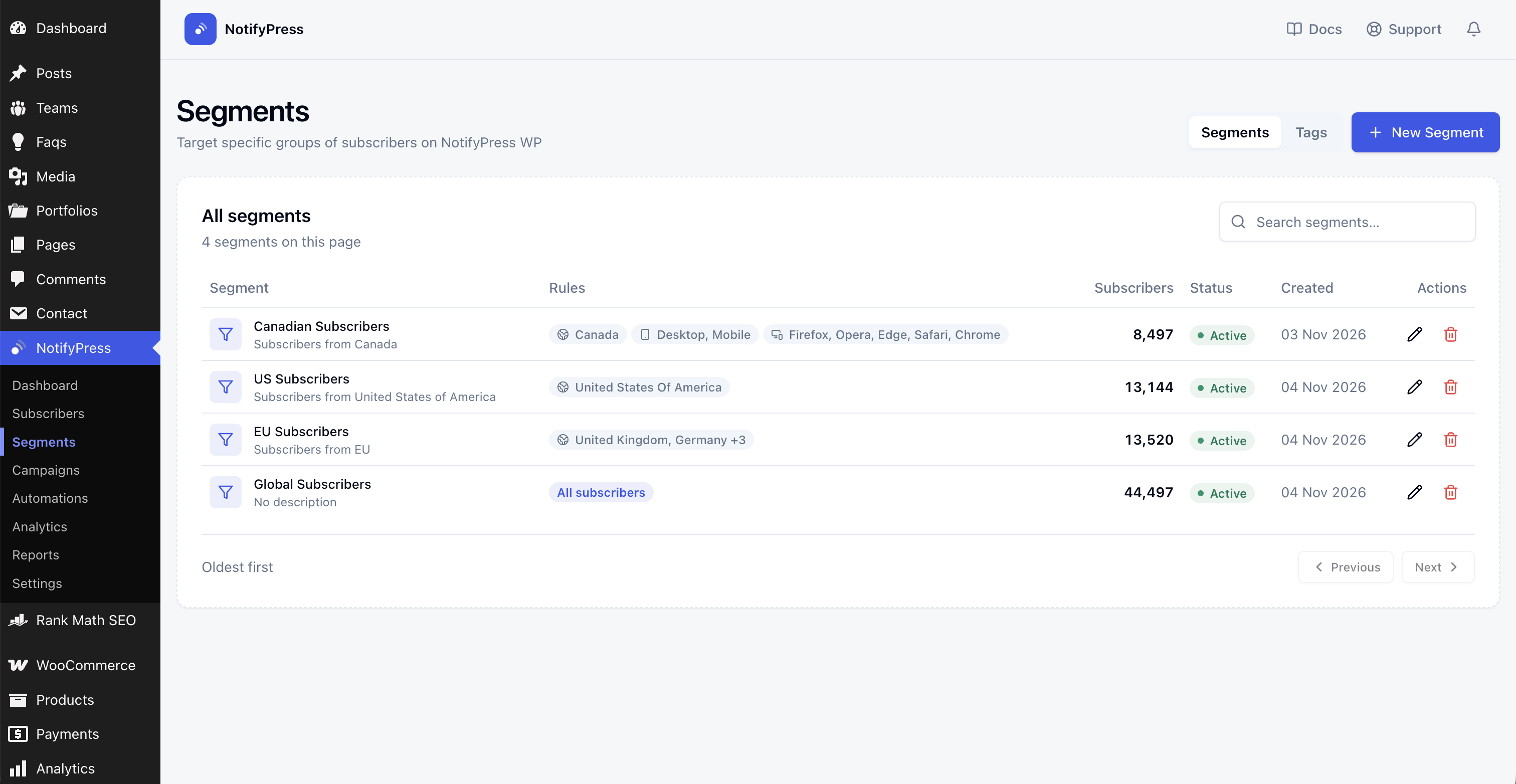
- Build segments by country and other rules to target the right audience. (Paid plans)
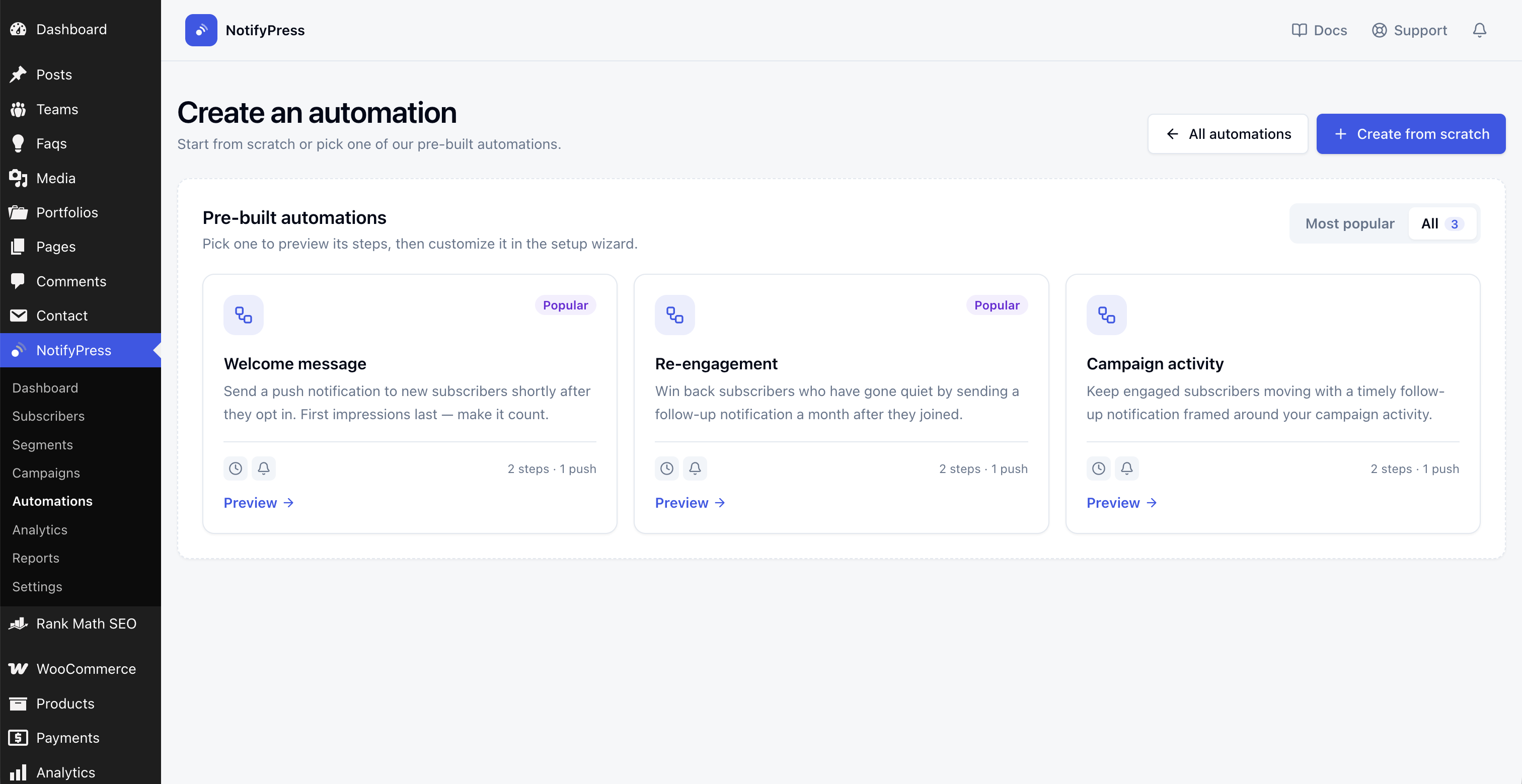
- Start from a pre-built template such as a welcome message or re-engagement series.
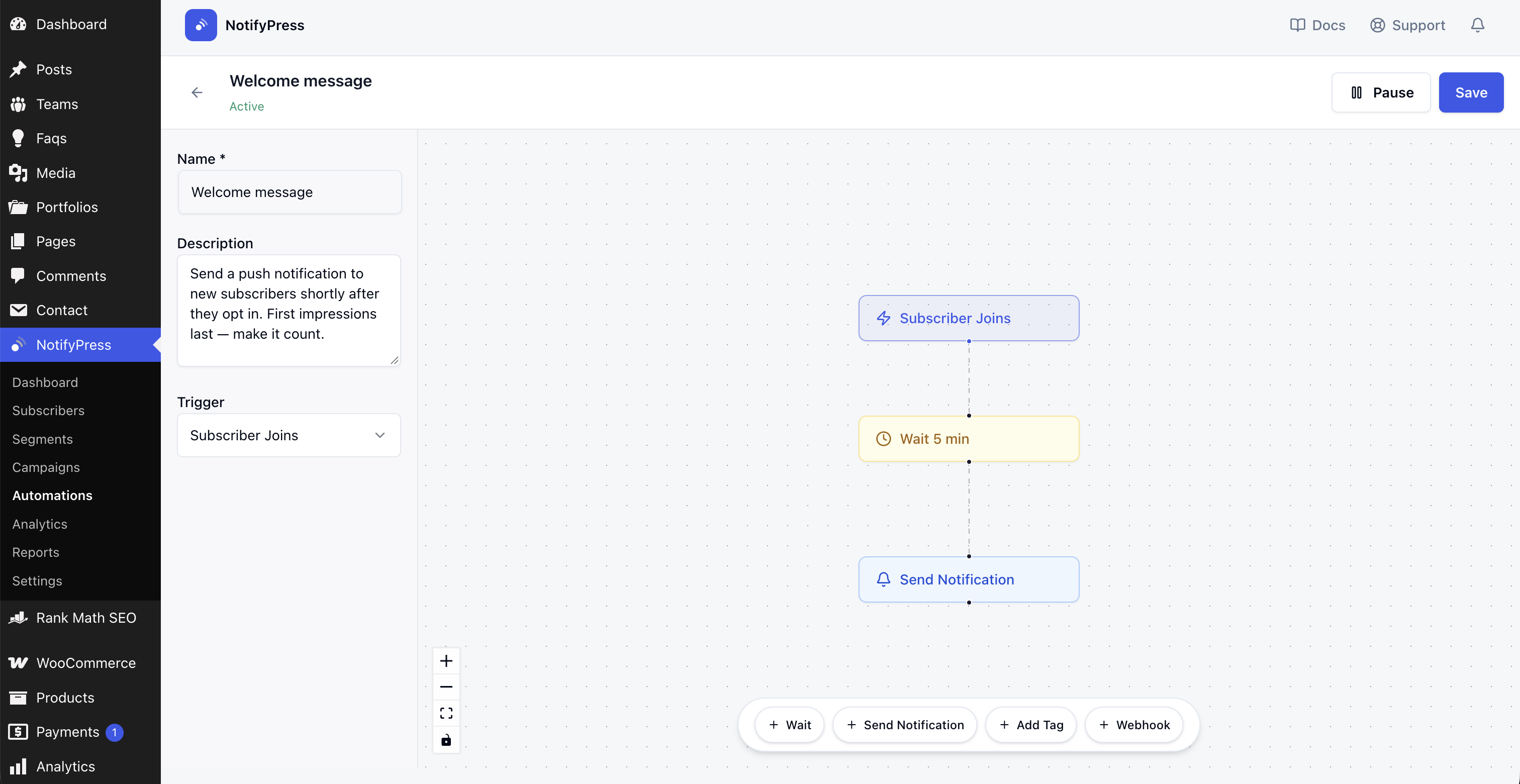
- Build workflows on a visual canvas with wait, send notification, add tag and webhook steps.
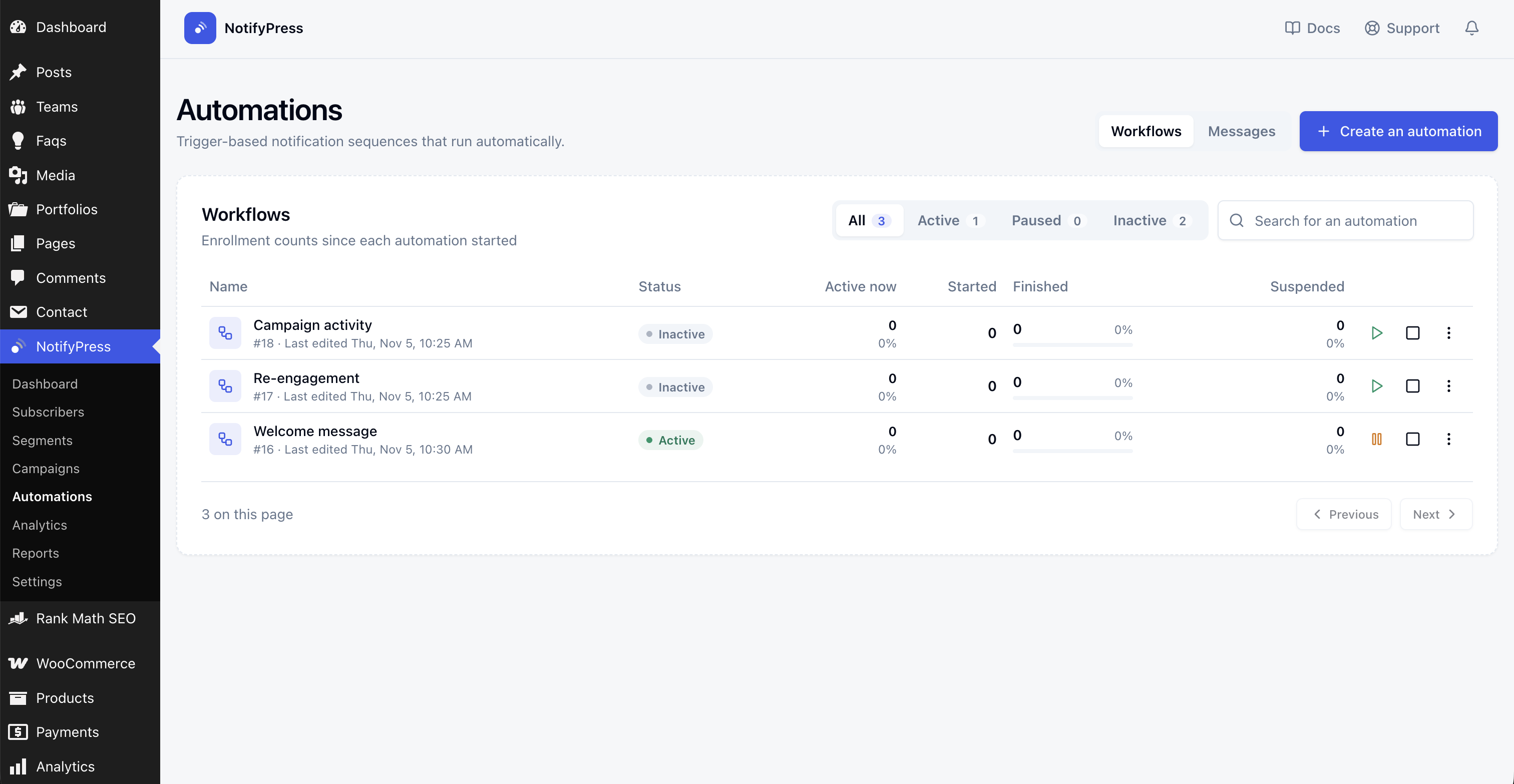
- Track how many subscribers are active, finished or suspended in each workflow.
- Automations are available on paid plans.
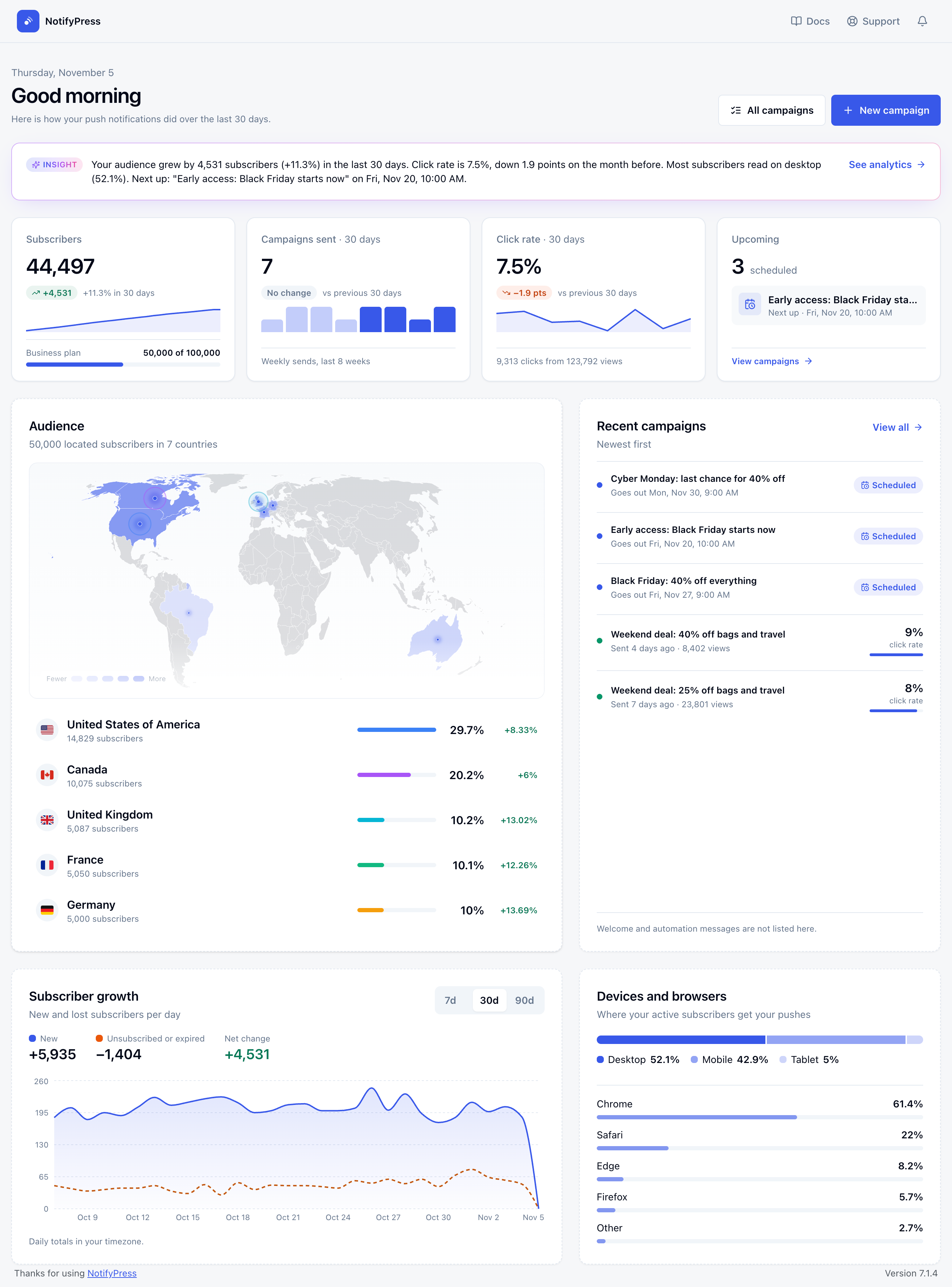
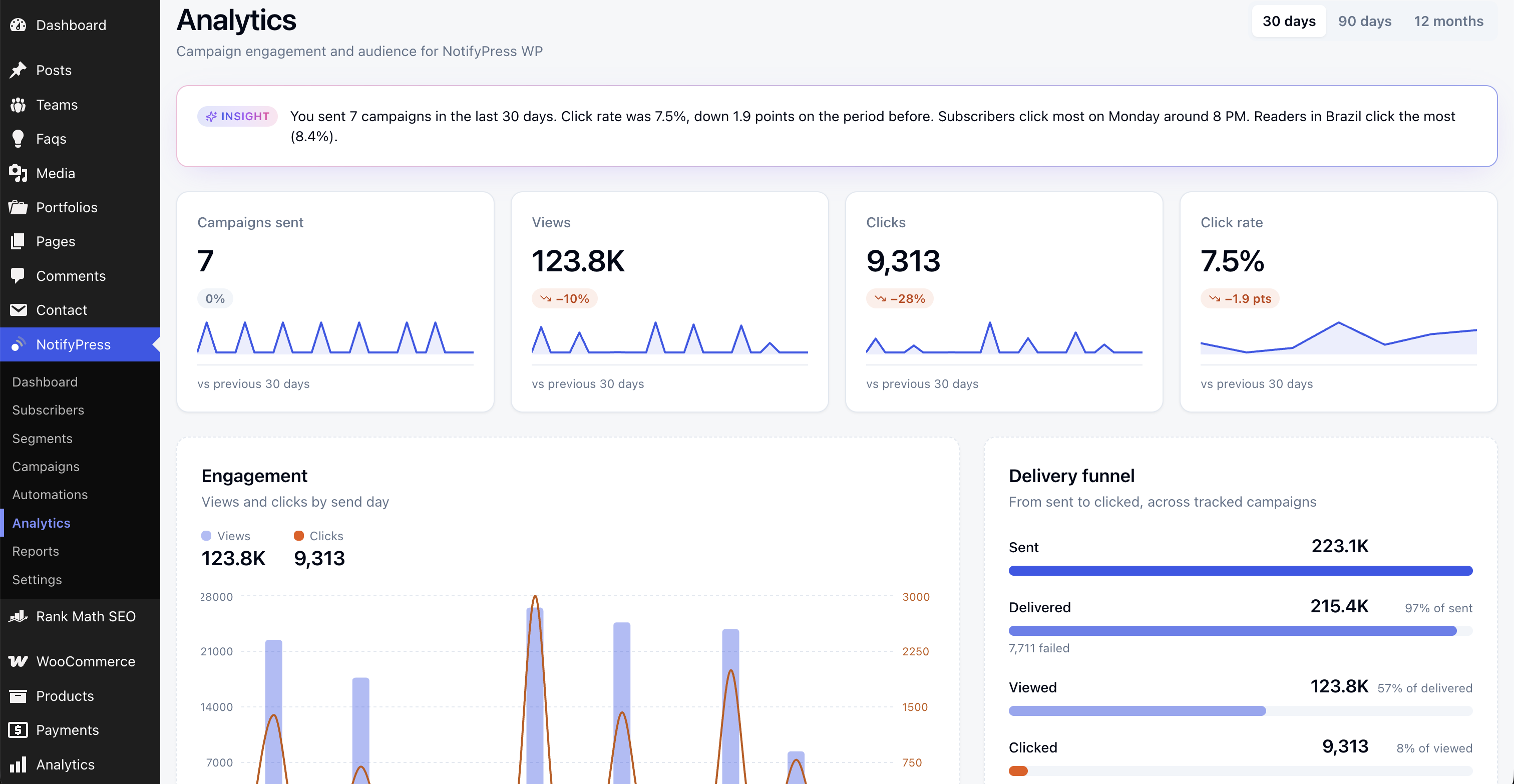
- Dashboard with subscriber growth, campaigns sent, click rate, upcoming sends, an audience map, devices and browsers, and plan limit warnings.
- Charts for monthly sends, subscriber growth, browser breakdown and subscriber activity.
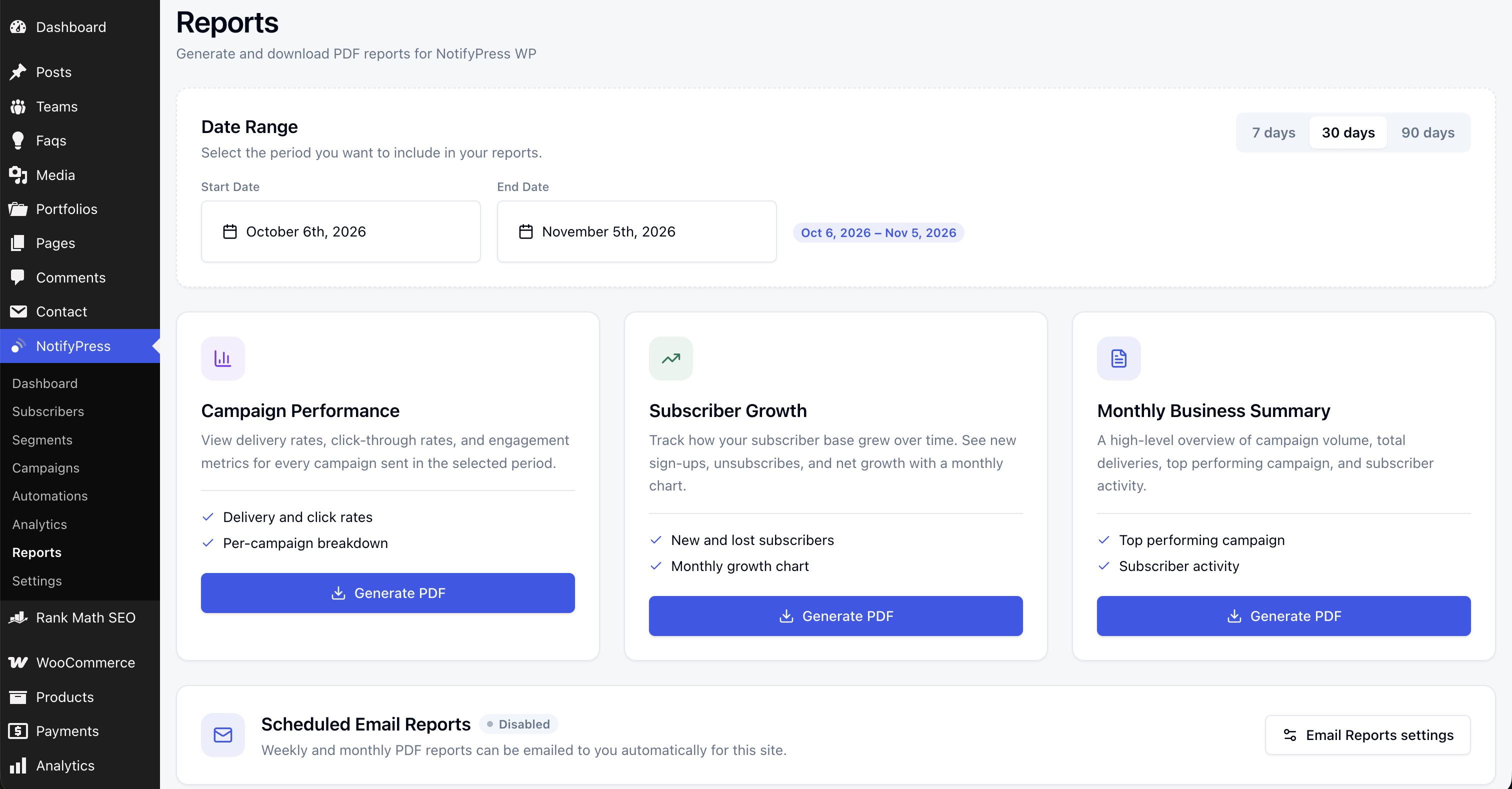
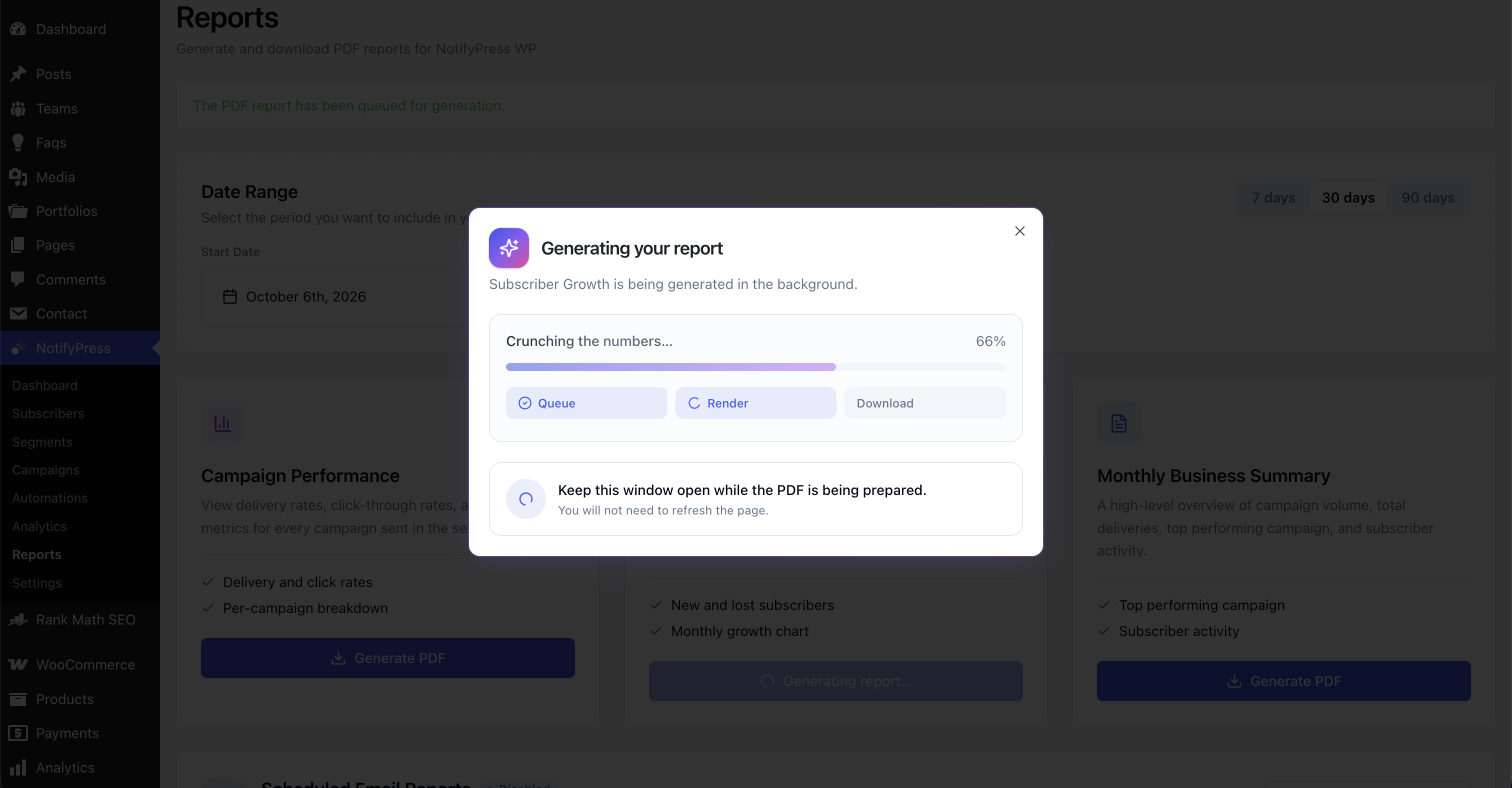
- Download PDF reports for campaign performance, subscriber growth and a monthly summary. (Paid plans)
- Optional Progressive Web App (PWA) support.
- Works on desktop and mobile browsers that support the Web Push API.
- Install and activate the plugin.
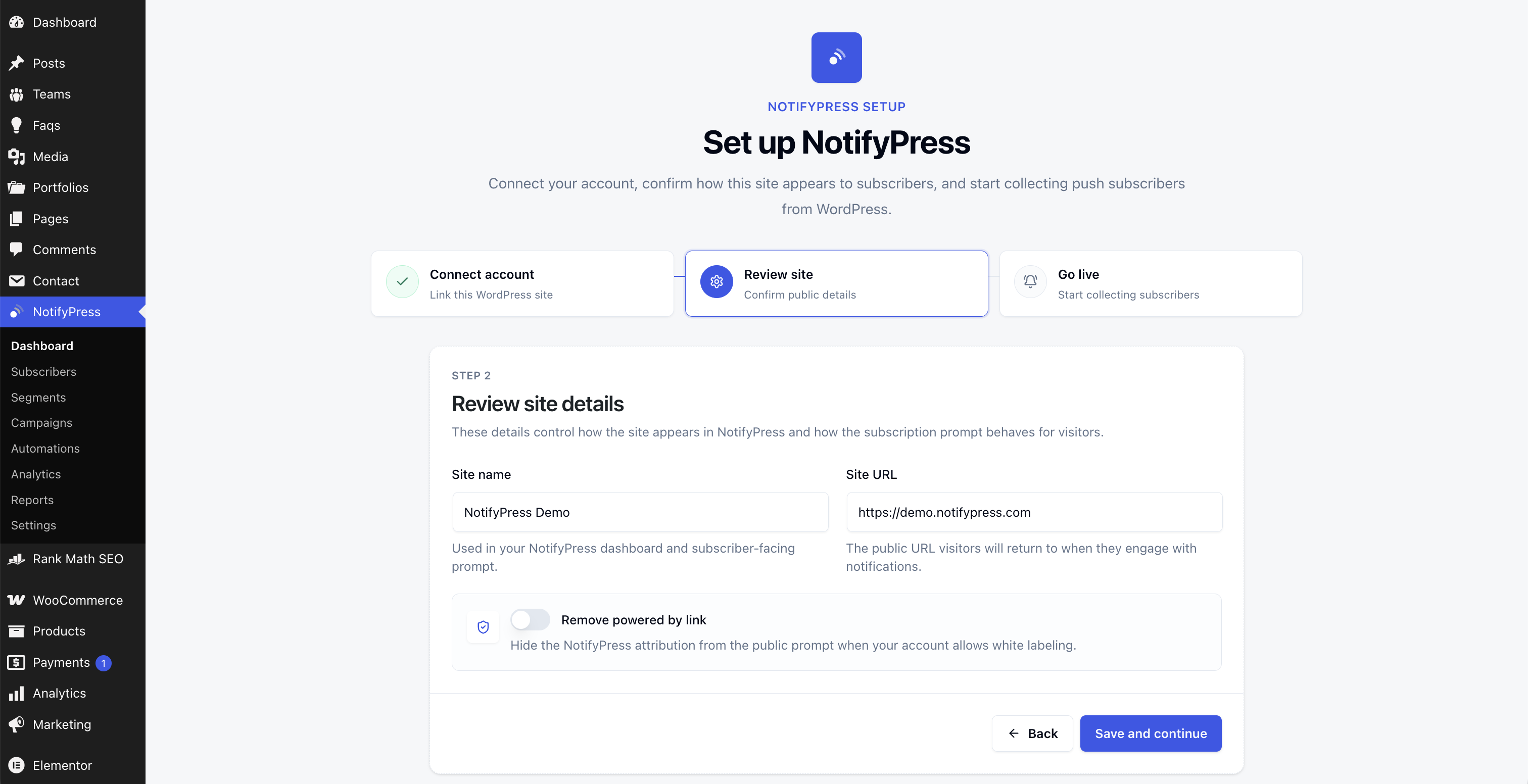
- Run the setup wizard and connect a free NotifyPress account.
- Visitors see the opt-in prompt and subscribe with one click.
- Send campaigns, or let new posts, WooCommerce events and automations send for you.
- All data is sent over HTTPS.
- Visitors are only subscribed after they accept the browser's notification permission prompt.
- Visitors can unsubscribe at any time.
- See "External services" below for exactly what is sent and when.
安装:
- Upload the
notifypressfolder to the/wp-content/plugins/directory - Activate the plugin through the 'Plugins' menu in WordPress
- Go to NotifyPress settings page
- Click "Connect to NotifyPress App" and sign in or create a free account, or paste an API token from app.notifypress.com
- Choose which notifications to send automatically
- Configure your notification preferences
屏幕截图:
常见问题:
Do I need a NotifyPress account?
Yes. The plugin connects your site to the NotifyPress service, which stores subscribers and delivers notifications. You can create a free account at app.notifypress.com.
Is this plugin free?
Yes, the plugin is free to use. The NotifyPress service has a free plan, and paid plans raise subscriber limits and unlock segments, automations and PDF reports.
Does this work on mobile devices?
Yes! Web push notifications work on mobile browsers that support the Web Push API, including Chrome, Firefox, and Safari.
Do visitors need to install an app?
No, visitors simply click "Allow" when prompted to receive notifications. No app installation required.
Is this GDPR compliant?
Visitors must opt in through the browser's permission prompt and can unsubscribe at any time. Subscribing stores personal data (such as the visitor's IP address and approximate location) with NotifyPress, so as the site owner you should mention web push notifications and NotifyPress in your own privacy policy. See the NotifyPress GDPR page.
Does this work with WooCommerce?
Yes. When a customer who has subscribed to notifications places an order, they get a confirmation notification. Subscribers who leave items in their cart get one reminder an hour later. Both can be turned off in the plugin settings.
Can I customize the notifications?
Yes, you can customize notification titles, messages, icons, and target URLs through the plugin settings.
更新日志:
- Improved: Updated the bundled NotifyPress PHP SDK to 0.2.0.
- New: Redesigned admin pages that match the NotifyPress app: dashboard, campaigns, subscribers, segments, automations, analytics and reports.
- New: Every date and time shows in your own timezone, and scheduled campaigns go out at the exact time you pick.
- New: Recurring campaigns keep their timezone, including across daylight saving changes.
- New: Subscriber list with browser and device icons, tags and how many subscribers you can reach.
- New: Developers can point the plugin at another NotifyPress app with the NOTIFYPRESS_APP_URL constant in wp-config.php.
- Improved: Subscribers show in the same order and date format as the app.
- Improved: Clearer setup screen description that covers sending push notifications.
- Improved: Plugin listing title and clickable links in the plugin description.
- Initial release
- Web push notification support
- WooCommerce integration
- New post notifications
- Subscriber management
- Segmentation features
- PWA support
- REST API endpoints