
Oberon Chat – AI Chatbot, Support Agent & Lead Generator (ChatGPT, Gemini, Claude)
| 开发者 | oberonie |
|---|---|
| 更新时间 | 2025年11月27日 02:37 |
| PHP版本: | 8.0 及以上 |
| WordPress版本: | 6.8 |
| 版权: | GPL-2.0-or-later |
| 版权网址: | 版权信息 |
详情介绍:
Are you ignoring your visitors when you sleep?
Most website visitors leave because they can't get answers fast enough. You can't be online 24/7—but Oberon Chat can.
Oberon Chat isn't just a "chatbot"; it is an intelligent employee that lives on your website. It answers questions, captures leads, and guides visitors to checkout while you sleep.
Unlike other plugins that lock you into expensive monthly subscriptions, Oberon Chat gives you total control. You connect directly to the world's smartest AI models (OpenAI, Gemini, Claude) using your own API keys. No middleman fees. No data lock-in.
🚀 Why Oberon Chat? (The Exceptional Benefits)
- Never Miss a Lead Again: Engage every visitor instantly, 24/7/365.
- Cut Support Costs: Let AI handle the repetitive questions so you can focus on growing your business.
- Total Privacy Control: Your data stays with you. We don't proxy your conversations.
- Pay Less: Don't pay a plugin subscription markup. Pay the AI providers directly for exactly what you use (often pennies per month).
- Multi-Brain Power: Switch between ChatGPT (OpenAI), Google Gemini, or Anthropic Claude to find the smartest model for your needs.
- Instant Personality: Use our "Prompt Presets" to instantly turn your bot into a Support Agent, Sales Rep, or Product Expert with one click.
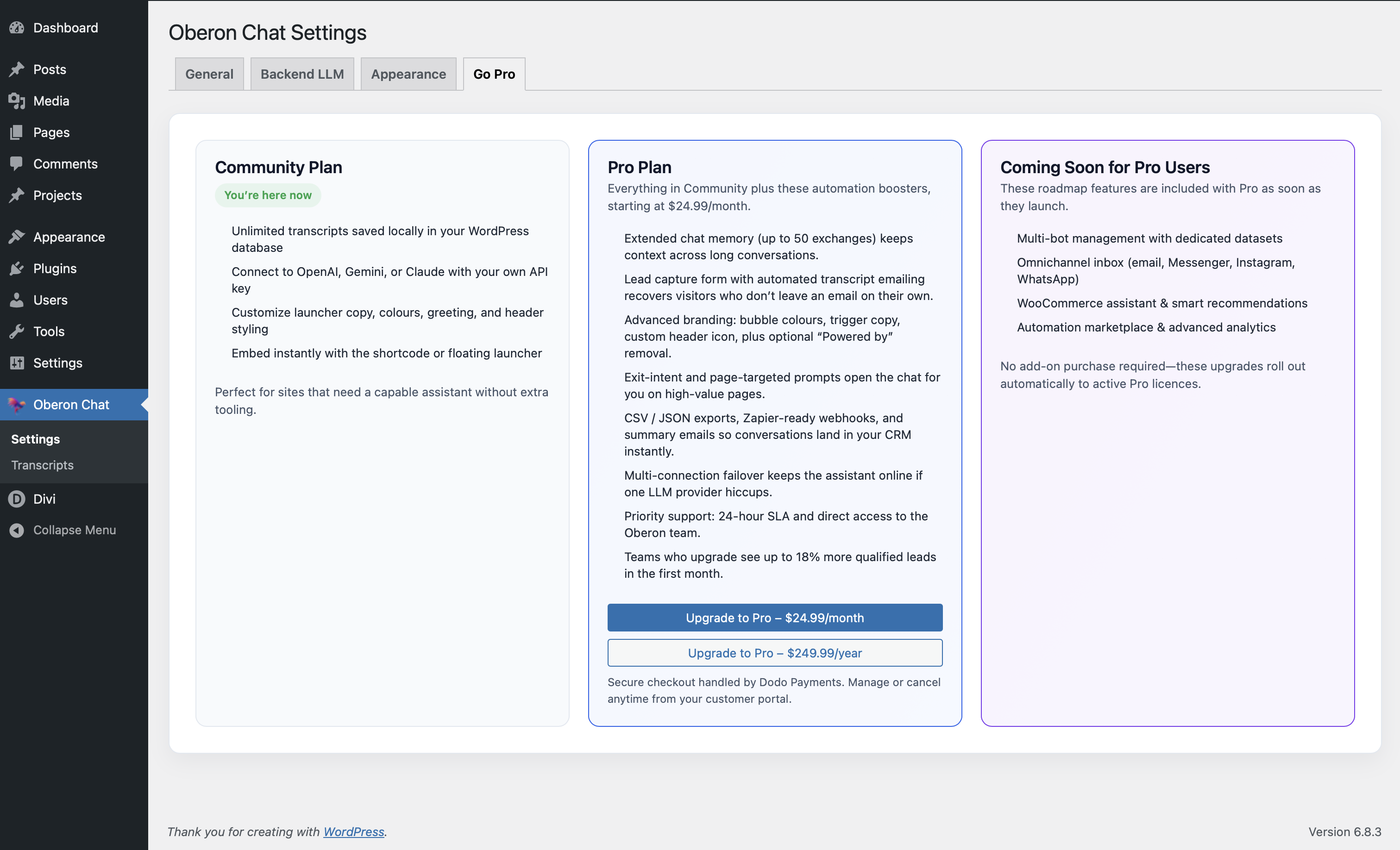
- The Transcript Vault: automatically captures every conversation. See exactly what your customers are asking and export leads directly to your CRM.
- Brand-Perfect Design: Customize the chat bubble, colors, and greetings to look like a native part of your brand, not a cheap add-on.
- Direct Connection: Chat data flows directly from your server to the AI provider.
- History Trimming: We automatically manage context to keep API costs low and relevance high.
- GDPR Friendly: You control the data. View, export, or delete transcripts instantly.
- Install and Activate Oberon Chat.
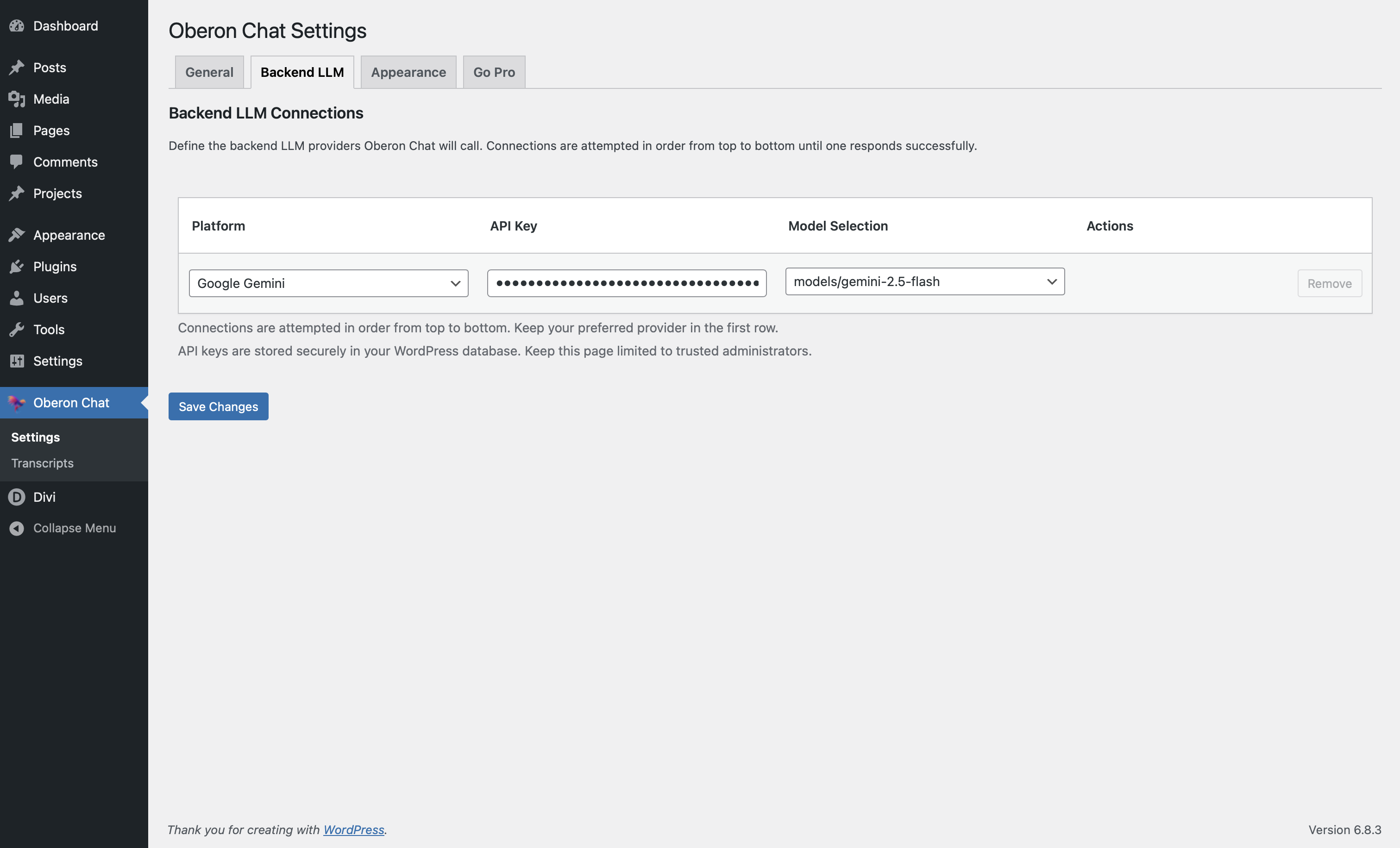
- Paste your API Key (OpenAI, Gemini, or Claude).
- Select a System Prompt (e.g., "Customer Support"). That's it! Your AI agent is live.
- OpenAI: Sends prompts/history to
https://api.openai.com/v1/chat/completions. OpenAI Terms | Privacy Policy - Google Gemini: Connects to
https://generativelanguage.googleapis.com/v1beta/models. Google API Terms | Privacy Policy - Anthropic Claude: Connects to
https://api.anthropic.com/v1/models. Anthropic Terms | Privacy Policy - OpenRouter: Optional connection to
https://openrouter.ai/api/v1/models. OpenRouter Terms | Privacy Policy
安装:
- Upload the
oberon-chatfolder to the/wp-content/plugins/directory. - Activate the plugin through the Plugins menu in WordPress.
- Navigate to Oberon Chat → Settings and enter your chosen API Key.
- Place the
[oberon_chat]shortcode on any page (or enable the site-wide widget).
屏幕截图:
常见问题:
Will this slow down my site?
No. Oberon Chat is built for performance. Assets only load when required, ensuring your site speed scores remain high.
Is this plugin free?
The plugin is free to download and use. You only pay the AI provider (like OpenAI) for the actual text generated, which is usually very affordable.
Can I train it on my own data?
You can use the "System Prompt" area to paste specific instructions, business hours, or return policies that the AI will reference in every chat.
Is it hard to set up?
Not at all. If you can copy and paste an API key, you can use Oberon Chat. We have designed it to be "plug and play."
更新日志:
2.9.12
- Fix: Resolved issue where cron job could send duplicate emails.
- Update: Maintenance release.
- Dev: Added debug_cron.php for troubleshooting.
- Fix: Forced cron scheduling on initialization to ensure automated emails run.
- Fix: Added detailed logging for automated transcript emails.
- Fix: Resolved scope error when accessing default options in Pro edition.
- Fix: Added error handling to manual transcript email actions.
- Fix: Resolved fatal error when manually emailing transcripts from the admin panel.
- Update: Maintenance release.
- Update: Maintenance release.
- Fix: Resolved undefined array key warnings in frontend localization for Community users.
- Fix: Resolved fatal error in settings sanitization for Community users.
- Enhancement: General stability improvements and build process updates.
- New: Streamlined OpenRouter conversations.
- Update: Refreshed default widget branding for a modern look.