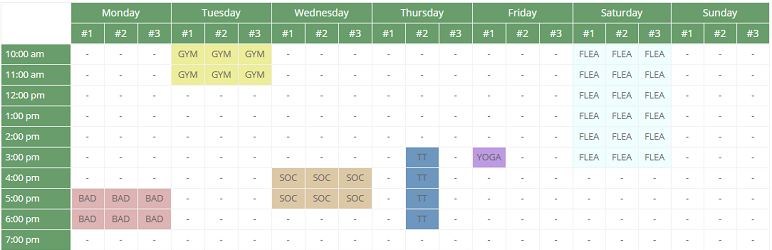
Occupancy Plan
| 开发者 | tharkun69 |
|---|---|
| 更新时间 | 2026年8月28日 14:58 |
| 捐献地址: | 去捐款 |
| PHP版本: | 5.3 及以上 |
| WordPress版本: | 7.1 |
| 版权: | GPLv2 or later |
| 版权网址: | 版权信息 |
标签
下载
1.3.5
1.4.13
1.4.18
1.4.2
1.4.3
1.6.3
1.5.7
1.4.19
1.3.18
1.3.8
1.3.9
1.4.14
1.4.15
1.4.20
1.5
1.0.2
1.0.0
1.0.1
1.1.1
1.1.3
1.2.7
1.2.9
1.4.1
1.4.16
1.0.11
1.0.7
1.4.17
1.3.1
1.3.16
1.3.20
1.4
1.4.4
1.4.5
1.0.3
1.0.4
1.1
1.2.1
1.2.4
1.2.5
1.3.0
1.3.3
1.3.4
1.3.6
1.3.7
1.0.12
1.0.6
1.2.3
1.3.10
1.3.12
1.3.13
1.3.14
1.1.4
1.1.7
1.2.6
1.0.9
1.3.15
1.0.10
1.3.17
1.0.5
1.1.0
1.1.5
1.1.6
1.2.8
1.3.2
1.4.6
1.4.7
1.4.8
1.4.10
1.4.11
1.4.12
1.4.9
1.0.8
1.1.2
1.3.19
1.5.9
1.6.0
详情介绍:
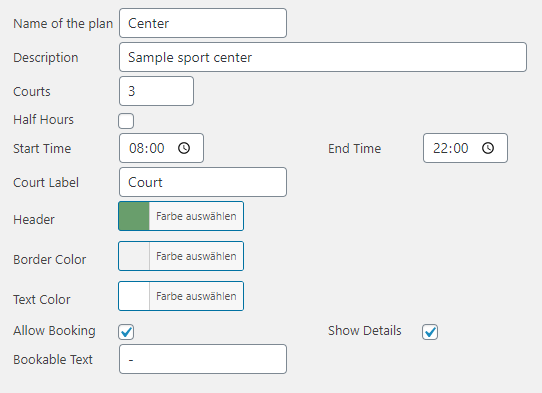
Occupancy Plan provides schedules for sports facilities, rooms, courts, halls and other shared resources. Create schedules in WordPress and publish each with a shortcode.
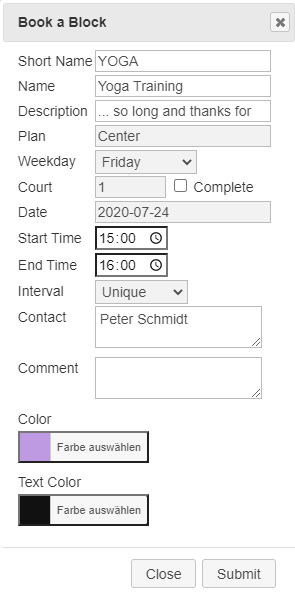
Visitors can browse available periods without reloading the complete page. Depending on the schedule configuration and their permissions, guests or logged-in users can create bookings, view details and manage existing bookings directly in the frontend.
SCHEDULE DISPLAY AND NAVIGATION
- Daily, one-week, two-week, monthly and yearly schedule views
- Responsive desktop and mobile layouts
- AJAX navigation between dates, weeks, months, years and courts without reloading the page
- Optional compact monthly week picker for fast navigation in weekly views
- Configurable weekday selection, abbreviated weekday names and optional navigation header
- Print-optimized schedule, including the date below each weekday in the weekly view
- Configurable header, text, border, booking background and booking text colors
- Eight selectable frontend themes via shortcode: Classic, Modern, Cards, Minimal, Dark, Soft, Outline and Sport
- Independent display density via shortcode: Normal, Compact or Spacious
- Anonymized frontend display and configurable booking tooltips PLANS, COURTS AND TIME SLOTS
- Create and manage multiple independent occupancy schedules
- Limit each schedule to a configurable start and end date
- Configure operating hours and time intervals from 5 to 90 minutes
- Define break periods and optional breaks between consecutive slots
- Use automatically generated periods or individually configured fixed time slots with display names
- Manage multiple courts, rooms or other resources with custom names, short names and sort order
- Divide resources into named child courts or sub-resources
- Configure schedules for time-based or full-day bookings BOOKINGS AND SERIES
- Create, edit, delete and move authorized bookings in the frontend
- When enabled per schedule, reserve a second court/resource with one logical booking; both entries stay synchronized
- Create and manage bookings in the WordPress administration area
- One-time, weekly, monthly, flexible and every-second-week booking intervals
- Exceptions for individual dates in recurring bookings, for example holidays
- Conflict detection for times, courts, child courts and recurring bookings
- Configurable booking window with independent minimum and maximum lead times
- Booking priorities to control the display order of overlapping entries
- Prepared booking templates for frequently used booking data
- Custom booking colors, contact information, comments and authorized users
- Up to four configurable custom fields, including mandatory fields and selectable values PERMISSIONS, PRIVACY AND APPROVALS
- Optional guest booking or capability-based access for logged-in users
- Dedicated Occupancy User, Editor, Owner and Manager roles
- Users can be allowed to edit their own bookings; managers retain full administration access
- Separate permissions for changing booking times, intervals and courts in the frontend
- Optional provisional booking and approval workflow
- Confirm or reject requests in the administration area and send corresponding notifications
- Optional confirmation checkbox, information text and information link in the booking dialog
- Server-side validation, nonce protection and escaped frontend output for protected booking actions ADMINISTRATION, EMAIL AND DATA EXCHANGE
- Searchable administration lists and bulk deletion for schedule data
- Context-sensitive help for schedule, booking, template, court, time-slot, exception and preview pages
- Copyable shortcode reference with defaults and practical examples
- CSV import and export for schedules and bookings
- Protected iCalendar download and secret subscription feed with recurrence rules and exceptions
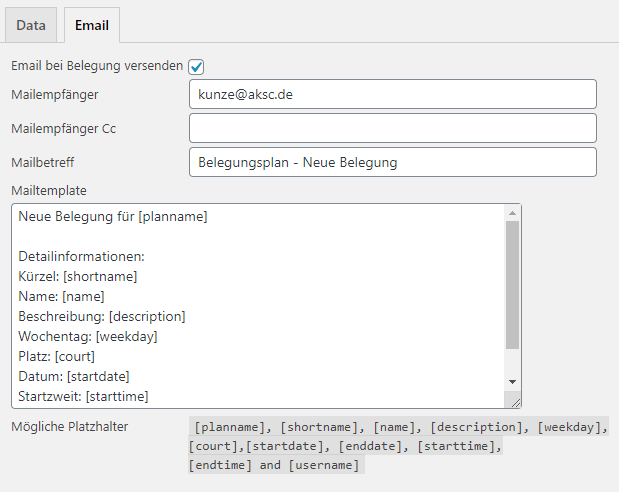
- Configurable email notifications to administrators and booking users
- Custom sender, recipients, CC, subjects and message templates with booking placeholders
- Dashboard widget for occupancy managers showing the latest bookings
- Optional automatic cleanup of old bookings
- Complete bundled German translation and WordPress.org-compatible localization support
安装:
- Upload the plugin ZIP through Plugins > Add New > Upload Plugin, or copy the
occupancy-planfolder to/wp-content/plugins/. - Activate Occupancy Plan in the WordPress plugin list.
- Open Occupancy Plan in the administration area and create or configure a schedule.
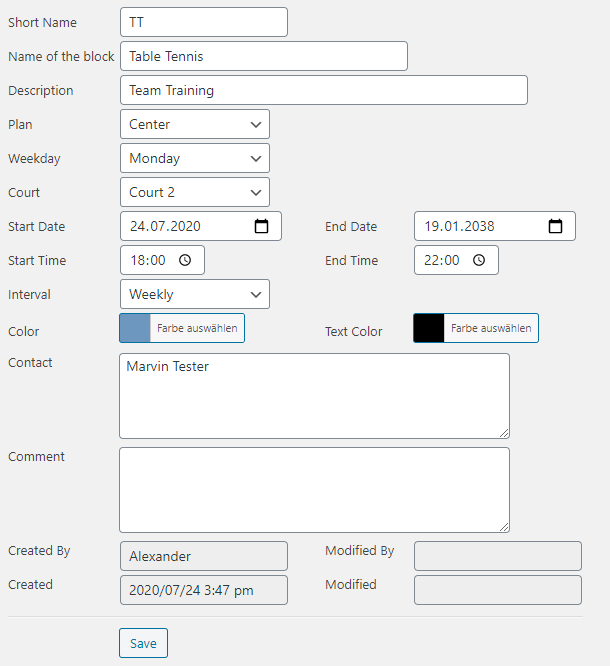
- Configure courts, time slots, booking permissions, email notifications and optional approval settings.
- Insert
[occupancy_plan id="1"]into a page or post and replace1with the ID of your schedule.
屏幕截图:
更新日志:
1.6.4
- Feature: Turn the one-sided booking limit into a true booking window with independent Start and End values
- Feature: Booking Window Start is a signed calendar-day offset; negative values allow retrospective bookings, zero starts today and positive values block spontaneous bookings by requiring lead time
- Feature: Booking Window End continues to limit how far in advance bookings are allowed; zero means no upper limit, so 0/0 means today onward without a future limit
- Compatibility: Migrate the former
bookingwindowvalue tobookingwindowendand initializebookingwindowstartwith zero - Security: Enforce both booking-window boundaries when opening, creating and drag-and-drop moving frontend bookings, not only when rendering available slots
- Data exchange: Export the new booking-window fields and remain compatible with legacy schedule CSV imports
- UI: Update schedule fields, tooltips and contextual help for the two-sided booking window
- Localization: Polish the bundled German translation, including booking-window wording and consistent backend terminology
- Localization: Merge bundled translations as a fallback after the normal WordPress language pack so newly added release strings do not temporarily remain untranslated
- Compatibility: Resolve Plugin Check findings for the WordPress 4.9 translation fallback and safely escaped plugin-owned table identifiers during the 1.6.4 schema migration
- Fix: Run the database/role migration check on
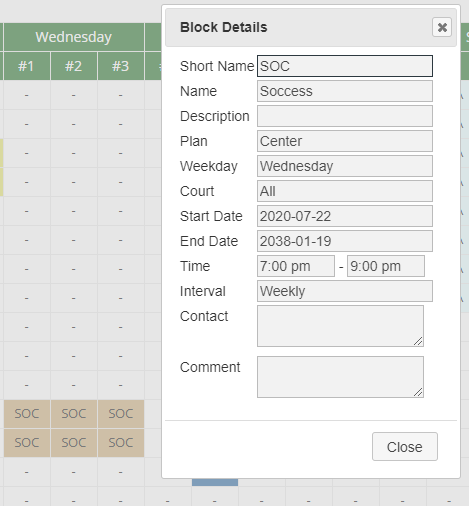
initinstead ofplugins_loadedso localized role names no longer trigger WordPress 6.7+_load_textdomain_just_in_timenotices. - UI: Compact the read-only frontend booking details dialog to 24px fields with reduced row spacing
- Fix: Frontend details remain available when booking is disabled; current pages use the detail endpoint directly and stale cached edit markup is resolved server-side without a 403 round-trip.
- Feature: Add the
themeshortcode parameter with Classic, Modern, Cards, Minimal, Dark, Soft, Outline and Sport frontend themes - Feature: Add the independent
densityshortcode parameter with Normal, Compact and Spacious spacing - UI: Add Theme and Density selectors to the backend Preview and show the resulting shortcode for easy reuse
- Compatibility: Keep Classic and Normal as defaults so existing shortcodes retain their current appearance
- Improvement: Preserve theme and density during AJAX date, week, month, year and court navigation
- Improvement: Scope schedule colors per plan and expose them as CSS custom properties so multiple themed schedules can coexist on one page
- Documentation: Add theme/density parameters and practical examples to the contextual shortcode help
- UI: Refine the Dark theme so weekday/resource headers and the complete time column stay consistently dark while individual booking colors remain unchanged
- UI: Make frontend booking form controls more compact and resistant to oversized theme defaults
- UI: Further reduce booking field heights and remove the explanatory Court 2 text for a denser dialog
- Feature: Make the optional second court selectable per schedule; existing grouped bookings remain editable when the option is switched off
- Fix: Restore reliable confirmation/privacy checkbox interaction and validate required confirmation on the server
- Fix: Preserve the explicitly configured weekday of recurring weekly, monthly and biweekly bookings when an existing booking is opened and saved
- Fix: Reconcile stale cached court IDs with current court/child-court labels before rendering a new booking dialog
- UI: Align the contextual Help panel with the Create/Edit Booking panel and keep a consistent gutter between both columns
- Fix: Restore the backend booking form on current WordPress/PHP versions by replacing the unavailable required() helper with a plugin-owned compatibility helper
- Maintenance: Silence five false-positive prepared-SQL warnings by attaching PHPCS exceptions directly to trusted plugin table identifiers
- Compatibility: Verified PHP syntax with PHP 8.4
- Feature: Add an optional second court/resource to frontend bookings
- Feature: Store multi-court reservations as synchronized booking groups while continuing to render one normal booking per court
- Validation: Check both selected resources for conflicts before saving and prevent overlapping selections within the same booking
- Improvement: Editing or deleting either entry updates or deletes the complete multi-court booking
- Improvement: Keep recurring-booking exceptions synchronized across both resources
- Improvement: Move one-time grouped bookings together when using drag and drop
- Improvement: Make administration and bulk deletion group-aware
- Data exchange: Preserve booking group identifiers in block CSV export/import
- Tested with WordPress version 7.1
- Fix: Let Occupancy Editors edit, move and delete bookings they created themselves while keeping Authorized Users restricted to Occupancy Owners and managers
- Fix: Delete frontend bookings through a dedicated authenticated AJAX endpoint with nonce, schedule and ownership checks
- Fix: Decouple the core frontend click/AJAX script from optional jQuery UI and color-picker dependencies so optimization or theme changes cannot suppress booking interaction entirely
- Compatibility: Enqueue Occupancy Plan assets during the regular wp_enqueue_scripts phase when the shortcode is present, with shortcode-time loading retained as a fallback for dynamic builders
- Fix: Repair missing capabilities on existing Occupancy Plan roles during normal plugin updates, including legacy Occupancy Editor installations, so editors retain permission to create frontend bookings
- Fix: Keep the current day bookable when a booking window is configured; compare booking windows by calendar date instead of clock time.
- Fix: Make frontend availability cache-safe: render structurally available slots independently of the cached viewer and verify booking permission when the AJAX dialog is requested
- Privacy: Populate logged-in user name and email only in the fresh AJAX booking dialog instead of embedding user-specific defaults in cacheable schedule markup
- Fix: Ensure clicks on free frontend slots always reach the booking dialog, even if optional jQuery UI drag/drop or color-picker enhancements are unavailable or loaded late
- Fix: Read booking slot metadata robustly from the clickable schedule cell and its inner element
- Fix: Route frontend booking saves through WordPress AJAX and return structured validation errors
- Fix: Restore reliable frontend booking dialogs on cached pages while keeping booking writes protected by a fresh nonce
- Fix: Use the localized admin-post endpoint and the fresh dialog nonce for frontend booking actions
- Fix: Render the administration preview without stripping shortcode form controls
- Fix: Load frontend schedule assets early enough for a correctly styled administration preview
- Internationalization: Rebuild the translation catalog from the current plugin source
- Translation: Complete the bundled German translation for all current plugin strings
- Translation: Add missing strings introduced after the previous POT generation
- Translation: Rely on WordPress just-in-time localization using the plugin Text Domain and Domain Path metadata
- Maintenance: Add a reproducible WP-CLI translation update script for future releases
- Improvement: Increase horizontal spacing in the compact weekly date range for readability
- Improvement: Shorten the weekly date range by omitting repeated month and year components
- Improvement: Remove the "from"/"to" labels, emphasize the separator and add more horizontal breathing room
- Fix: Critical-Error in admin help page
- Improvement: Redesign the frontend period selector as a compact toolbar with grouped navigation, date range and resource selector
- Improvement: Add clearer hover/focus states and responsive wrapping for narrow screens
- Fix: Remove theme-added borders around the empty top-left schedule corner, including collapsed table-border conflicts
- Accessibility: Mark structural empty corner cells as hidden from assistive technology
- Repository: Use the numeric stable tag 1.5.7 for the corresponding WordPress.org SVN release tag
- Maintenance: Correct PHPCS suppression scopes for 15 prepared queries that use trusted plugin table identifiers
- Compatibility: Retain the declared WordPress 4.9 baseline instead of requiring the newer %i identifier placeholder
- Compatibility: Replace deprecated readonly() calls with a WordPress 4.9-compatible plugin helper
- Maintenance: Clarify translator comments for CSV upload-size placeholders
- Maintenance: Document trusted plugin table identifiers and prepared query variables for static analysis
- Maintenance: Mark the WordPress core plugin_locale filter as an intentional unprefixed hook
- Security: Add direct-access protection to executable PHP files
- Security: Validate and unslash request values, enforce nonces and capabilities for protected actions
- Security: Prepare dynamic database queries and allowlist list-table sorting and bulk operations
- Security: Escape frontend and administration output according to HTML, attribute, URL and style context
- Security: Validate remote email-template URLs and retrieve them through the WordPress HTTP API
- Compatibility: Remove PHP string helpers unavailable on the declared WordPress baseline and use WordPress-aware date handling
- Reliability: Correct sample schedule installation formats, default color values and schedule defaults
- Reliability: Fix time-slot initialization, weekday rendering, exception edit links and several malformed or duplicated form controls
- Maintenance: Normalize line endings, resource versions, footer loading, translation comments and plugin text domains
- Maintenance: Consolidate permanent data removal in uninstall.php and remove all plugin roles, capabilities, options, calendar tokens and tables
- Fix: Keep booking dialogs visible and scrollable on narrow Android screens
- Troubleshooting: If forms are blank after an update, clear browser cache and site data (including cookies), then reload
- Improvement: Add a responsive CSV import with validation and progress feedback
- Reliability: Support long rows and UTF-8 BOM; fix upload validation and field mappings
- Documentation: Add administration help for lists, forms, CSV, previews, templates, resources, time slots and exceptions
- Documentation: Add practical shortcode examples to the schedule settings
- Improvement: Make the monthly week picker optional with
monthpicker="true"; the default uses the week field and date range - Improvement: Add contextual schedule help and a copyable shortcode reference
- Documentation: Share shortcode defaults between frontend and administration help
- Feature: Show one or two consecutive weeks with the
weeksshortcode attribute - Feature: Select weeks from a compact, AJAX-powered monthly overview
- Feature: Export bookings as iCalendar files or subscribe through a secret calendar URL
- Calendar: Include recurring bookings, recurrence exceptions, courts, details and contact data
- Privacy: Restrict calendar management to occupancy managers and allow subscription tokens to be reset
- Documentation: Complete the description, feature overview, shortcode usage and installation instructions
- Improvement: Keep fixed time-slot labels readable in the first schedule column
- Improvement: Show each day's date below the weekday in the weekly print view
- Improvement: Navigate between schedule periods without reloading the complete page
- Improvement: Load frontend dialog markup only when requested via AJAX
- Fix: Preserve an existing booking ID in AJAX edit dialogs to prevent self-conflicts
- Fix: Complete AJAX rendering for frontend booking and details dialogs
- Fix: Keep frontend dialog behavior consistent for guests and logged-in users
- Fix: Detect booking conflicts for edits, enclosing time ranges and recurring bookings
- Fix: Show the actual server error when a frontend booking cannot be saved
- Security: Enforce capabilities and nonces for all backend write actions
- Security: Restrict frontend booking updates, moves and deletes to authorized users
- Security: Validate booking plans, dates, times, courts, booking windows and colors server-side
- Security: Escape stored booking data and configuration before frontend output
- Privacy: Show the booking dashboard widget only to occupancy managers
- Fix: Import CSV => Set of correct court number
- Fix: Select correct plan tab
- Tested with WordPress version 7.0
- New Feature: Booking window - Number of days in advance that an booking can be booked
- Fix: Correct check for number of courts
- Fix: Delete of block exceptions
- Tested with WordPress version 6.9.4
- Improvements to the block table => Changed from POST to GET
- Fix: CSV Import of schedules and blocks
- Tested with WordPress version 6.9.1
- Fix: Display of the correct week when the first week begins in the previous year
changelog.txt.