Oderland SMTP & Postal Mailer
| 开发者 | oderlandab |
|---|---|
| 更新时间 | 2026年10月1日 22:29 |
| PHP版本: | 8.1 及以上 |
| WordPress版本: | 7.1 |
| 版权: | GPLv3 or later |
| 版权网址: | 版权信息 |
详情介绍:
- Send transactional emails via SMTP, Postal API or PHP mail()
- Multiple mail account support with priority-based failover
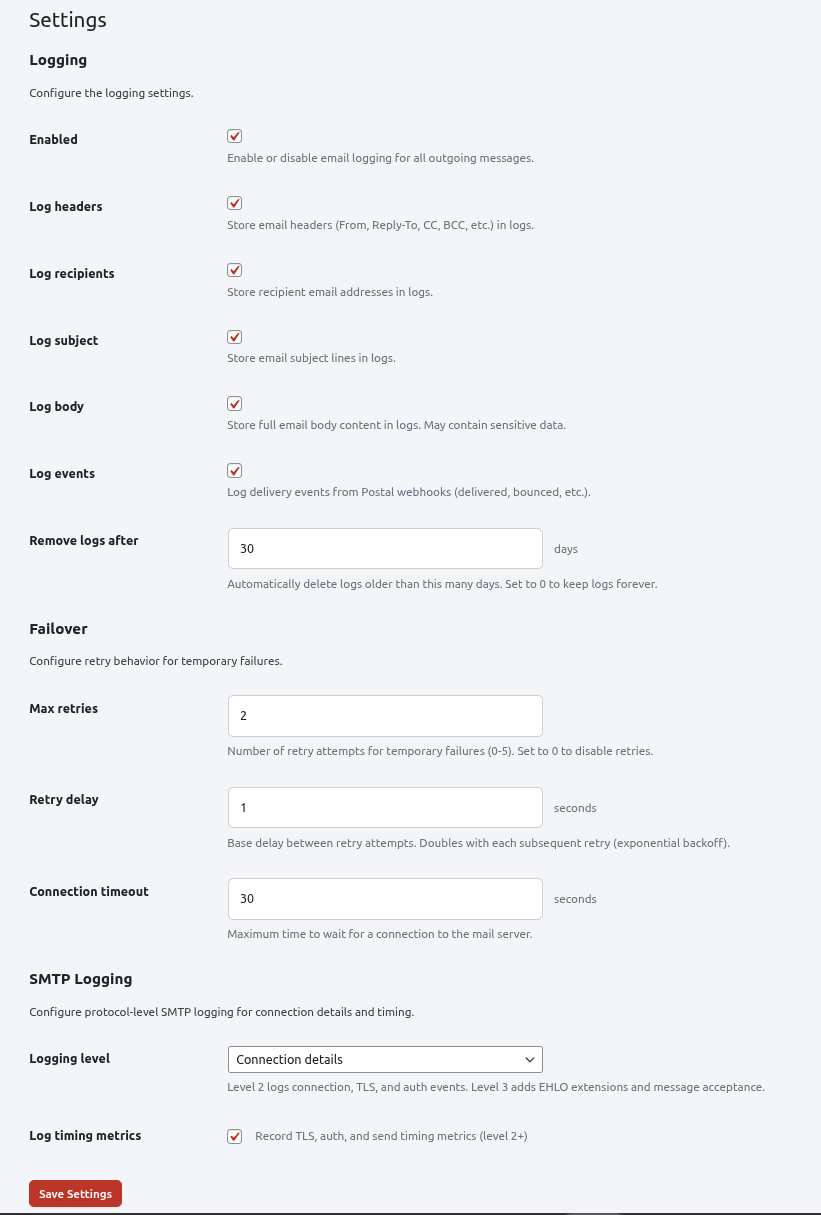
- Automatic retry on temporary failures with exponential backoff
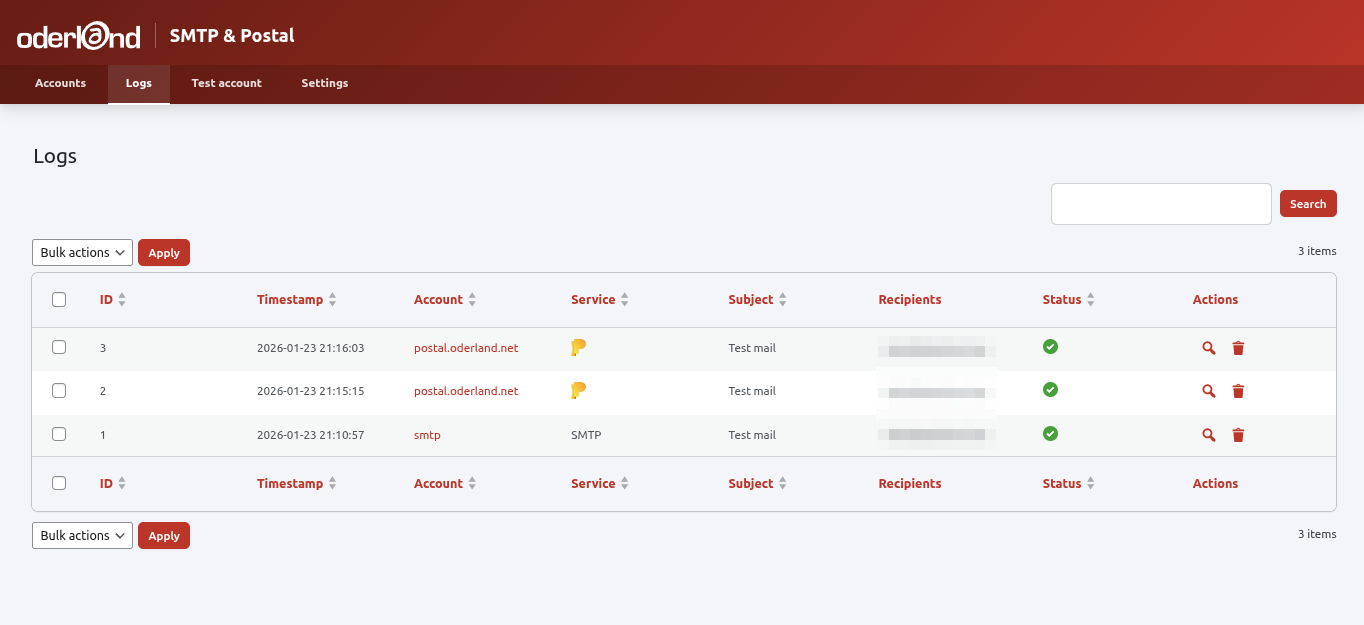
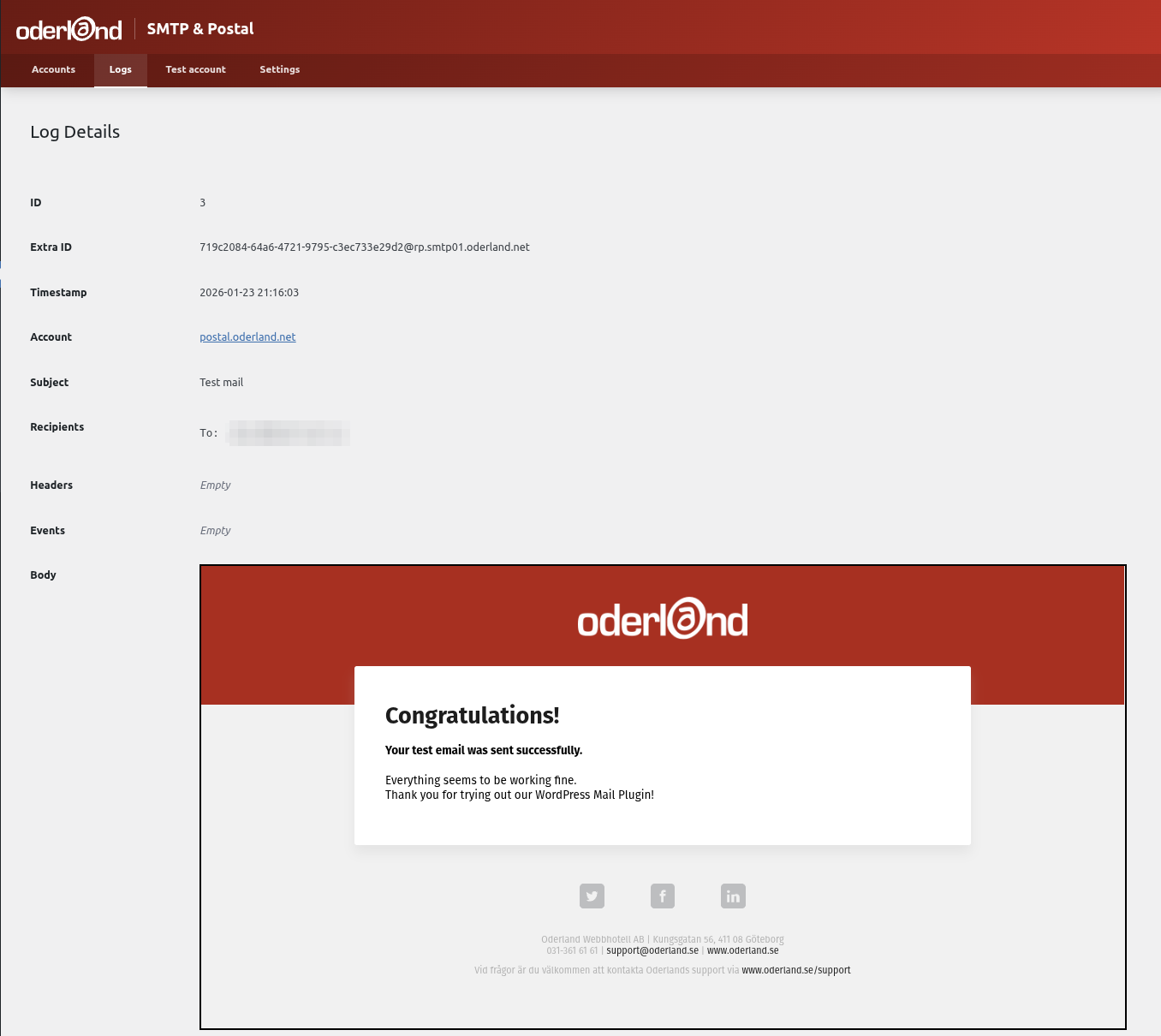
- Comprehensive email logging with configurable retention
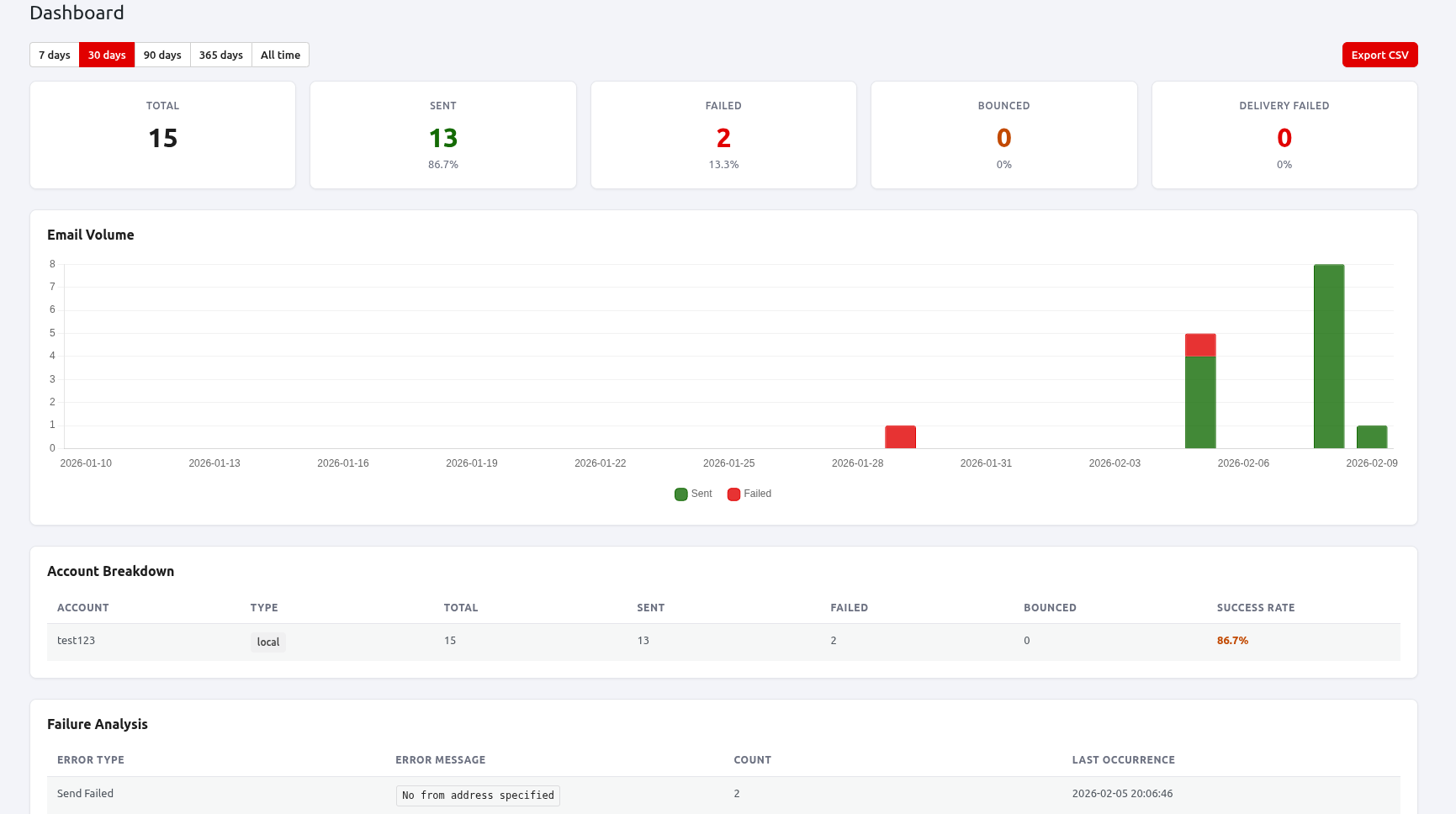
- Statistics dashboard — email volume over time, delivery success rates, per-account breakdown, failure analysis, recipient domain insights, and send time patterns
- CSV export of all dashboard statistics
- WordPress admin dashboard widget with 7-day email summary
- Engagement tracking (opens, clicks) for Postal accounts
- Postal webhook integration for delivery status tracking
- Per-account webhook debug logging for Postal accounts
- Secure credential storage with AES-256 encryption
- Protocol-level SMTP debugging
- SMTP – Connect to any SMTP server
- Postal – Integration with Postal mail delivery platform
- Local – Fallback to PHP mail() function
安装:
- Upload the
oderland-smtp-postal-mailerfolder to the/wp-content/plugins/directory - Activate the plugin through the 'Plugins' menu in WordPress
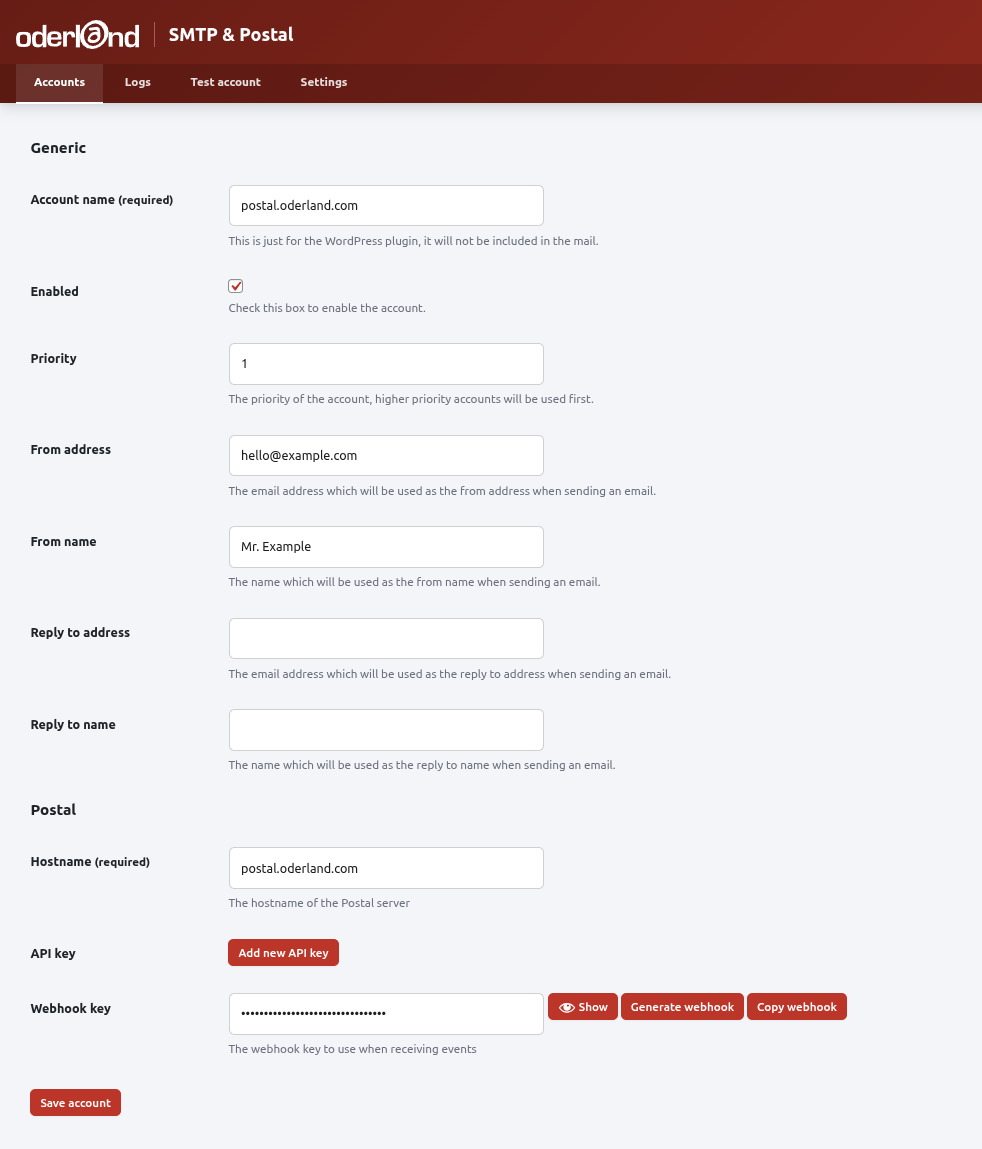
- Go to Settings > Oderland SMTP & Postal Mailer to configure your mail accounts
- Add at least one mail account (SMTP or Postal)
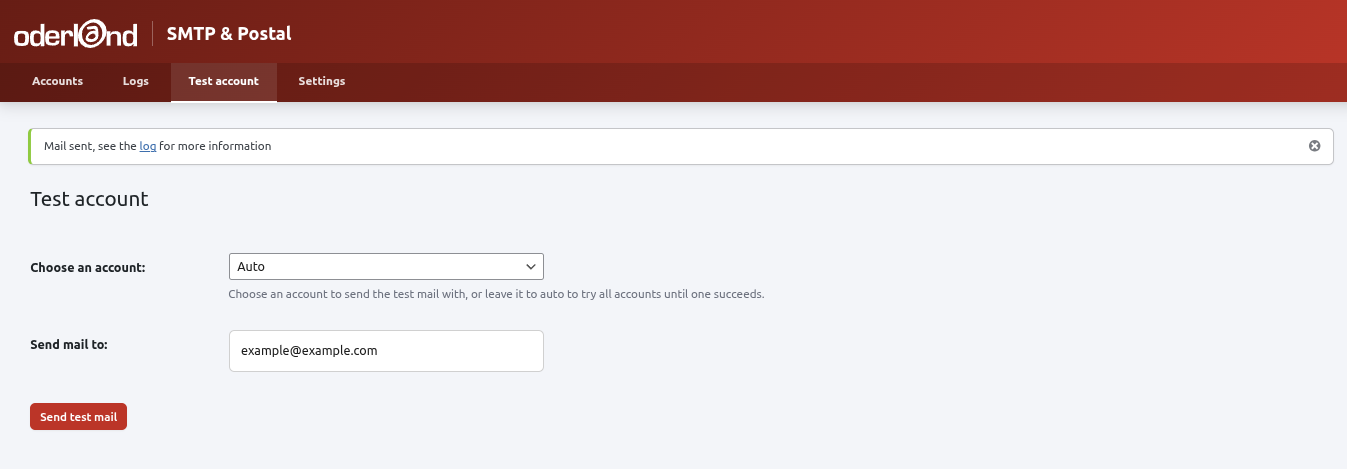
- Send a test email to verify your configuration
屏幕截图:

常见问题:
How do I configure SMTP?
Go to Settings > Oderland SMTP & Postal Mailer > Accounts and click "Add Account". Select SMTP as the service type and enter your SMTP server details including host, port, username, and password.
How does the failover work?
Accounts are tried in priority order (lower number = higher priority). If sending fails with a temporary error, the plugin retries with exponential backoff. If all retries fail, it moves to the next account.
What gets logged?
By default, the plugin logs email headers, recipients, and subjects. You can optionally enable body logging. Logs are automatically removed after 30 days (configurable).
How do I set up Postal webhooks?
When you create a Postal account, the plugin generates a webhook URL. Add this URL in your Postal server's webhook settings to receive delivery status updates.
Is my SMTP password secure?
Yes. All sensitive credentials (SMTP passwords, API keys) are encrypted using AES-256-GCM. The encryption key is derived from your WordPress auth constants in wp-config.php, so it is never stored in the database.
更新日志:
- Redesigned admin screens: calm neutral colours with red kept for the header and destructive actions, new status and service icons, and status lights on delivery events. The fonts are bundled with the plugin; nothing is loaded from Google Fonts
- New: duplicate an account from the accounts list. The copy keeps the settings and stored credentials, starts disabled and gets a "(copy)" name; Postal copies get their own webhook key
- New: "Expand all" / "Collapse all" for the delivery events on Log Details, and each event can now be opened with the keyboard (Tab, then Enter or Space)
- Logs and accounts tables: a View/Edit button plus a "More actions" menu on each row, a priority stepper for accounts, column headers aligned with their content, and column widths that suit both wide and narrow screens. Long email addresses and hostnames now wrap at "@" and "." instead of mid-word
- Changed: disabled accounts no longer send mail. Previously every account was tried in priority order whether it was enabled or not. If no account is enabled, WordPress now sends the mail itself instead of it being dropped. A disabled account can still be tried from Test Account before you enable it
- Fixed Log Details rendering the logged email as HTML instead of showing its source. Besides broken layout and stray text, this meant opening a log entry loaded the email's remote images, such as tracking pixels. The body is now shown as plain text again, as 1.4.5 intended
- Fixed the privacy eraser (Tools > Erase Personal Data) leaving log entries behind for addresses with more than 100 logged emails
- Postal connection failures and timeouts are now classified more reliably, and a Postal server that redirects is reported as a configuration error instead of being retried
- Fixed the per-row delete on the Logs page, which did nothing
- Refreshing the page after a row action no longer repeats the action
- Updated bundled dependencies, including the Guzzle HTTP client 8 (via postal/postal 2.0.4) and Chart.js 4.5.1
- Tested and confirmed compatible with WordPress 7.1
- Raised the minimum required WordPress version to 6.4. The plugin calls wp_admin_notice(), which was added in WordPress 6.4, so earlier versions could fail on some admin screens
- Fixed Postal webhooks being rejected, which left delivery status, bounces and DNS warnings not updating
- Fixed the Log Details page being cut short. An unclosed iframe around the email body made browsers treat the rest of the page as iframe content, which dropped the admin footer and every script loaded there, leaving the delivery event accordion unable to expand
- Fixed a doubled percent sign in the dashboard failover summary, which read "6.3%%" instead of "6.3%"
- Fixed delivery events from one Postal account being applied to mail sent through a different account. Only affected sites running more than one Postal account; the webhook now only accepts events for mail belonging to the account it authenticated as
- Admin notices are no longer shown to, or cleared by, other logged-in users. Each administrator now sees only the notices raised by their own actions
- The logged email body is now shown in a sandboxed frame with scripts and forms disabled
- Account names are now sanitised the same way whether an account is created or edited, and accounts can no longer be saved with an unrecognised service type
- The stored SMTP password is never written back into the settings form; leave the field blank to keep the current password
- The Postal webhook key can no longer be viewed or typed in. Use the generate button on the account form to create or rotate one, then save the account before configuring the webhook URL in Postal
- Updated bundled dependencies (Guzzle HTTP client and related libraries) to their latest patch/minor releases
- Fixed a fatal error when running WP-CLI commands on Bedrock (Roots) installations caused by loading the vendor autoloader via a relative path; the plugin now uses its absolute path
- Updated bundled dependencies (Guzzle HTTP client and related libraries) to their latest patch/minor releases
- Tested with WordPress 7.0
- Fixed admin checkboxes showing the new WordPress 7.0 blue background when checked instead of the plugin's brand colors
- Fixed creating a Postal account on first page load failing with browser validation errors for hidden SMTP fields
- Fixed accessibility issues on the Add/Edit Account form (duplicate field IDs and mismatched labels)
- Reduced the chance that browsers offer to autofill SMTP and Postal API credentials on the Account form
- Creating a new account now returns to the Accounts list instead of the Dashboard
- Fixed fatal TypeError in automatic log cleanup when deleting old mail entries
- Added bounce export feature: download bounced/failed email addresses as CSV or JSON from the Logs page
- Show delivery failures (MessageDeliveryFailed) in Account Breakdown, Service Comparison, Domain Insights tables, charts, and CSV export on the Dashboard
- Added explanatory note on Dashboard distinguishing Sent/Failed from Bounced/Delivery Failed
- Fixed Domain Insights not showing bounced/delivery failed counts for Postal webhook events
- Fixed sorting by Service or Status columns on the Logs page causing a database error
- Added sorting by Recipient column on the Logs page
- Code quality: resolved all PHPStan level 8 errors and all PHPCS coding standard violations
- Fixed emails with Swedish characters (å ä ö) showing scrambled MIME headers instead of rendered HTML
- Filter out Content-Type, Content-Transfer-Encoding, and MIME-Version headers that conflict with transport layer
- Respect Content-Type: text/plain header to force plain text emails
- Fixed bulk delete action label mismatch in log table
- Fixed SMTP mailer not honoring Reply-To headers passed by wp_mail() (e.g. from form plugins)
- Fixed SMTP mailer not forwarding custom headers (X-Mailer, X-Priority, etc.)
- Fixed CC and BCC headers from wp_mail() not being handled as proper recipients
- Fixed From header from wp_mail() not being parsed into structured sender field
- SMTP Reply-To now uses same priority as Postal: wp_mail header first, account config fallback
- wp_mail() headers (CC, BCC, Reply-To, From) are now parsed like WordPress core does
- Security: SMTP credentials (password) are now encrypted at rest using AES-256-GCM
- Security: Encryption key is now derived from WordPress auth constants (AUTH_KEY/SECURE_AUTH_KEY) instead of being stored in the database
- Security: Added input sanitization for SMTP service data fields (hostname, port, username, secure protocol)
- Security: Added SQL alias allowlist validation in statistics queries
- Security: Added direct file access guards to remaining PHP files
- Existing credentials are automatically re-encrypted during upgrade
- Added DNS warning system for Postal accounts — automatically displays warnings when Postal detects DNS issues (SPF, DKIM, MX, Return Path) for your sending domain
- Added DNS warnings to the edit-account page, accounts list, and WordPress dashboard widget with dismiss buttons
- Added "DNS warnings" setting under Settings > Postal Webhooks (enabled by default)
- Added per-account webhook debug logging for Postal accounts — toggle on the edit-account page to log the last 10 incoming webhooks (successful, failed auth, errors, and filtered DNS events)
- Added "Clear debug log" button to reset entries per account
- Added cleanup of webhook debug log and DNS error data on plugin uninstall
- Fixed "From address" required indicator missing on initial page load
- Fixed accordion payload row spacing in log details and webhook debug
- Fixed settings page "Log timing metrics" description alignment
- Removed deprecated load_plugin_textdomain() call
- Added statistics dashboard with summary cards, time-series chart, and account breakdown
- Added delivery insights with failure analysis, failover monitoring, and service comparison
- Added recipient domain insights and top recipients table
- Added engagement tracking (open rate, click rate) for Postal accounts
- Added send time pattern charts (hour of day, day of week)
- Added CSV export for all dashboard statistics
- Added WordPress admin dashboard widget with 7-day email summary
- Added REST API endpoint for aggregated statistics with transient caching
- Fixed test email template not showing red header background in Outlook
- Improved Swedish translations throughout dashboard
- Security: Improved input validation for database queries
- Security: Added output escaping throughout admin tables
- Security: Hardened email header processing
- Security: Added authentication to REST endpoints
- Security: Upgraded encryption to AES-256-GCM with backward compatibility
- Security: Moved sensitive storage to wp_options
- Updated brand colors to match Oderland guidelines
- Made Oderland logo in header clickable, linking to oderland.se/postal
- Fixed SQL injection vulnerability and wpdb::prepare errors in account search
- Implemented log search functionality (search by subject, account, service, recipient)
- Fixed plugin action links (Settings, Accounts, Logs) not showing on plugins page
- Made account and log table rows clickable to navigate to edit/details page
- Styled input placeholders to be visibly greyed out
- Fixed Swedish translations and made Save Settings translatable
- Changed enable/disable icons to play/pause in account table
- Fixed Postal account form: mark webhook key as required and hide non-selected service form
- Fixed JavaScript text domain mismatch preventing datetime translations
- Regenerated .pot file to include JavaScript translatable strings
- Fixed missing vendor directory in distribution causing plugin activation failure
- Renamed plugin to "Oderland SMTP & Postal Mailer" for WordPress.org submission
- Added migration for existing users from old plugin name
- Fixed input sanitization issues
- Moved inline scripts to external JavaScript file
- Moved inline styles to CSS file
- First stable release
- Added direct file access protection to all PHP files
- Added settings sanitization for improved security
- Removed deprecated load_plugin_textdomain call
- Updated WordPress compatibility to 6.9
- Consolidated from address fields - removed duplicate address field from Postal service form
- From address now required and validated for SMTP and Postal services
- Added client-side and server-side validation for from address
- Added protocol-level SMTP logging with timing metrics
- Implemented improved failover logic with retry support
- Lowered WordPress requirement from 6.3 to 5.7
- Major overhaul of the plugin
- Initial release