StatCounter - Real Time Visitor Stats, Session Replay & Heatmaps
| 开发者 | StatCounter |
|---|---|
| 更新时间 | 2026年8月19日 22:10 |
| 捐献地址: | 去捐款 |
| PHP版本: | 2.0.2 及以上 |
| WordPress版本: | 7.0 |
| 版权: | GPLv2 or later |
| 版权网址: | 版权信息 |
详情介绍:
The Official StatCounter WordPress Plugin adds StatCounter to your site in a couple of clicks - no code editing required. StatCounter has provided reliable, real-time visitor analytics to millions of websites since 1999, and now includes session replay and heatmaps.
Session Replay
Watch recordings of real visits to your site - a video-like playback of each visitor's clicks, scrolls and page navigation:
- See exactly where visitors get stuck, confused or frustrated
- Understand why visitors abandon carts, forms and signups
- Watch how visitors from a specific campaign, country or referrer actually use your site
- Improve support: replay a customer's session to see what went wrong
- Click heatmaps highlight the links, buttons and images getting the most attention
- Interactive elements like dropdowns and mobile menus are tracked too
- Spot "dead clicks" on elements that look clickable but aren't
- Compare engagement across desktop and mobile
- Popular pages, entry pages and exit pages
- Incoming traffic: referring sites, keywords and campaigns
- Visitor paths, visit length and returning visits
- Country, state and city stats with a recent visitor map
- Browser, OS, screen resolution and ISP stats
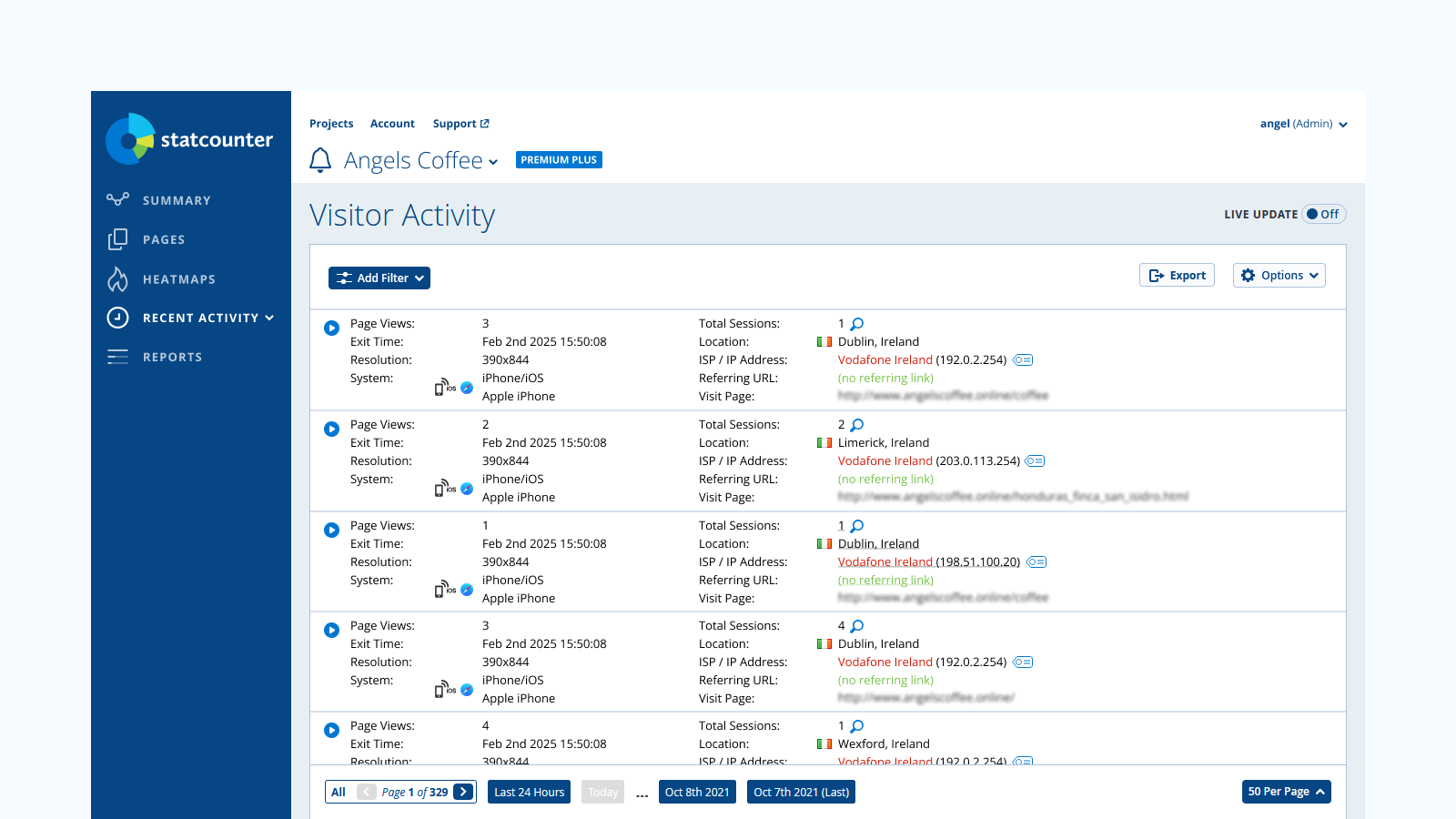
- Magnify individual visitors for a detailed session report
- Email reports, multiple site management and user access management
- Invisible counter option
安装:
To activate the StatCounter service for your WordPress site:
- Sign up with StatCounter or add a new project to your existing account
- The installation process will detect your WordPress installation and provide you with your Project ID and Security Code
- Install and activate this plugin, then enter your Project ID and Security Code on the plugin's options page
- The installation instructions are also available at https://statcounter.com/wordpress.org/
屏幕截图:

常见问题:
Do I need to edit my theme or add any code?
No. Activate the plugin, enter your StatCounter Project ID and Security Code, and the tracking code is added to every page automatically.
Is StatCounter free?
Yes - the Basic plan is free forever and includes real-time visitor stats. Session replay and heatmaps are premium features, and every new account starts with a 30-day free trial (no credit card required).
Will the tracking code slow down my site?
No. The StatCounter code is lightweight and loads asynchronously, so it does not block your pages from rendering.
Do you have any other questions?
更新日志:
2.2.0
Added a dismissible review reminder for site admins (shown once, snoozable, only after tracking has been active for a couple of weeks). Updated plugin listing: new description and screenshots covering Session Replay and Heatmaps.
2.1.2
Security fix: properly escape the post author nickname in the front-end author tag script (CVE-2026-6275). Tested up to WordPress 7.0.
2.0.9
Updated security checks
2.0.8
Added additional security checks
2.0.7
Added additional sanitation to prevent XSS attacks
2.0.6
Readme fix
2.0.5
Bug fix for async JS support
2.0.4
Async JS support
2.0.2
Compatibility enhancements
2.0.1
Security enhancements
2.0
StatCounter Tags supported.
1.7.1
Removed unnecessary type attribute from script element
1.7
Updated constant definitions to be case sensitive
1.6.9
Fixed small bug with form
1.6.8
Addd StatCounter https compatible code
1.6.7
Support https/http for wordpress admin section when viewing StatCounter stats
1.6.6
Removed deprecated function calls
1.6.5
Modified url used for dashboard to not include project id when it has not been set.
1.6.4
Improved UI to give error message in dashboard when no project id has been set
1.6.3
- Bug fix to prevent user entry of whitespace characters for Project ID and Security Code
- Bug fix for Upgrade with PayPal link.
- Correct incorrect spelling of 'invisibility'
- Removed the 'Logging Enabled/Disabled' option (you can deactivate the plugin instead). Updated installation instructions.
- Removed option to set partition - no longer required.
- Added noscript to StatCounter code - allowing non-javascript enabled visitors to be tracked.
- Added counter position option. Allows you to specify the position of the counter in the header or footer.
- Added 'forced invisibility' option. Allows you to enable an invisible counter without logging into your StatCounter account.
- Fixed critical bug.
- Added ability to view StatCounter Stats from within the Wordpress Admin.