ogdynamic
| 开发者 | mehedimi |
|---|---|
| 更新时间 | 2026年10月11日 22:38 |
| PHP版本: | 7.4 及以上 |
| WordPress版本: | 7.1 |
| 版权: | GPLv2 or later |
| 版权网址: | 版权信息 |
详情介绍:
- Increase click-through rates — Eye-catching social preview images get more clicks from Facebook, Twitter, LinkedIn, and other platforms
- Save hours of design work — No need to manually create share images for every post or product
- Works with your existing setup — Compatible with popular SEO plugins like Yoast SEO, Rank Math, AIOSEO, SEOPress, and more
- Set it and forget it — Configure once and every new post automatically gets its own unique OG image
- eCommerce ready — Full WooCommerce support with product price, SKU, stock status, and attributes in your social images
- Dynamic Open Graph Images — Automatically generate unique OG images for posts, pages, products, and archives using your content
- Facebook, Twitter & LinkedIn Ready — Outputs proper og:image, og:image:width, og:image:height, and twitter:image meta tags
- WooCommerce Integration — Product OG images can include title, price, regular price, sale price, SKU, currency, stock status, rating, review count, categories, tags, and attributes
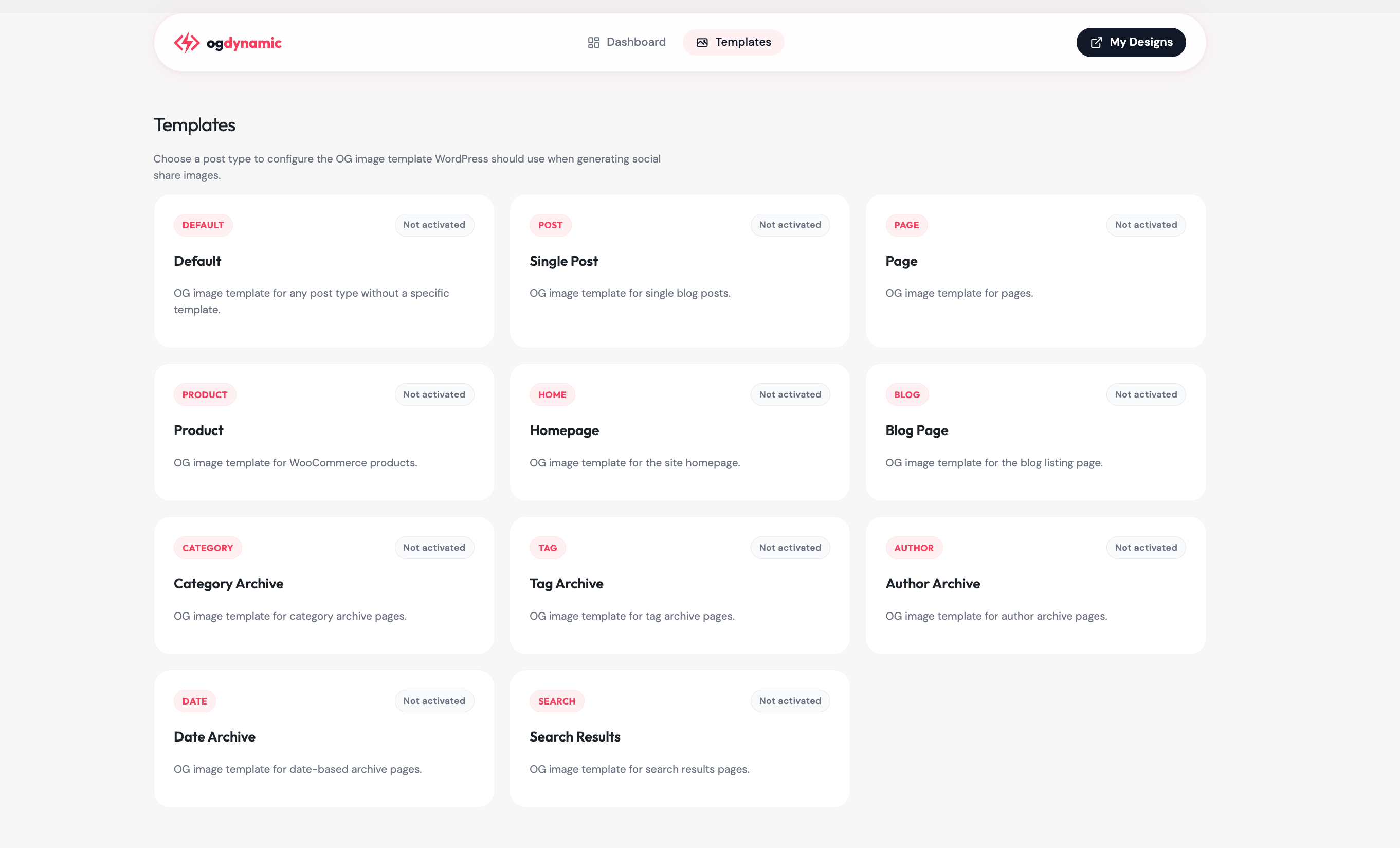
- Archive Page Support — Generate social images for homepage, blog page, category archives, tag archives, author pages, date archives, and search results
- Field Mapping — Choose exactly which WordPress data appears in each template field using an intuitive admin interface
- Canvas Editor — Design your own OG image templates in the ogdynamic canvas editor; the plugin lists your public 1200x630 canvases, ready to map
- Custom Fields (ACF) — Map Advanced Custom Fields data (text, image, gallery, link, taxonomy, relationship, and more) into your OG images
- SEO Plugin Friendly — Automatically works alongside Yoast SEO, Rank Math, AIOSEO, SEOPress, The SEO Framework, Squirrly SEO, and Slim SEO without duplicate tags
- CDN Delivered — Images are generated and served from ogdynamic's fast CDN — zero impact on your WordPress server performance
- Fallback Support — Set a default template for any post type without a specific template configured
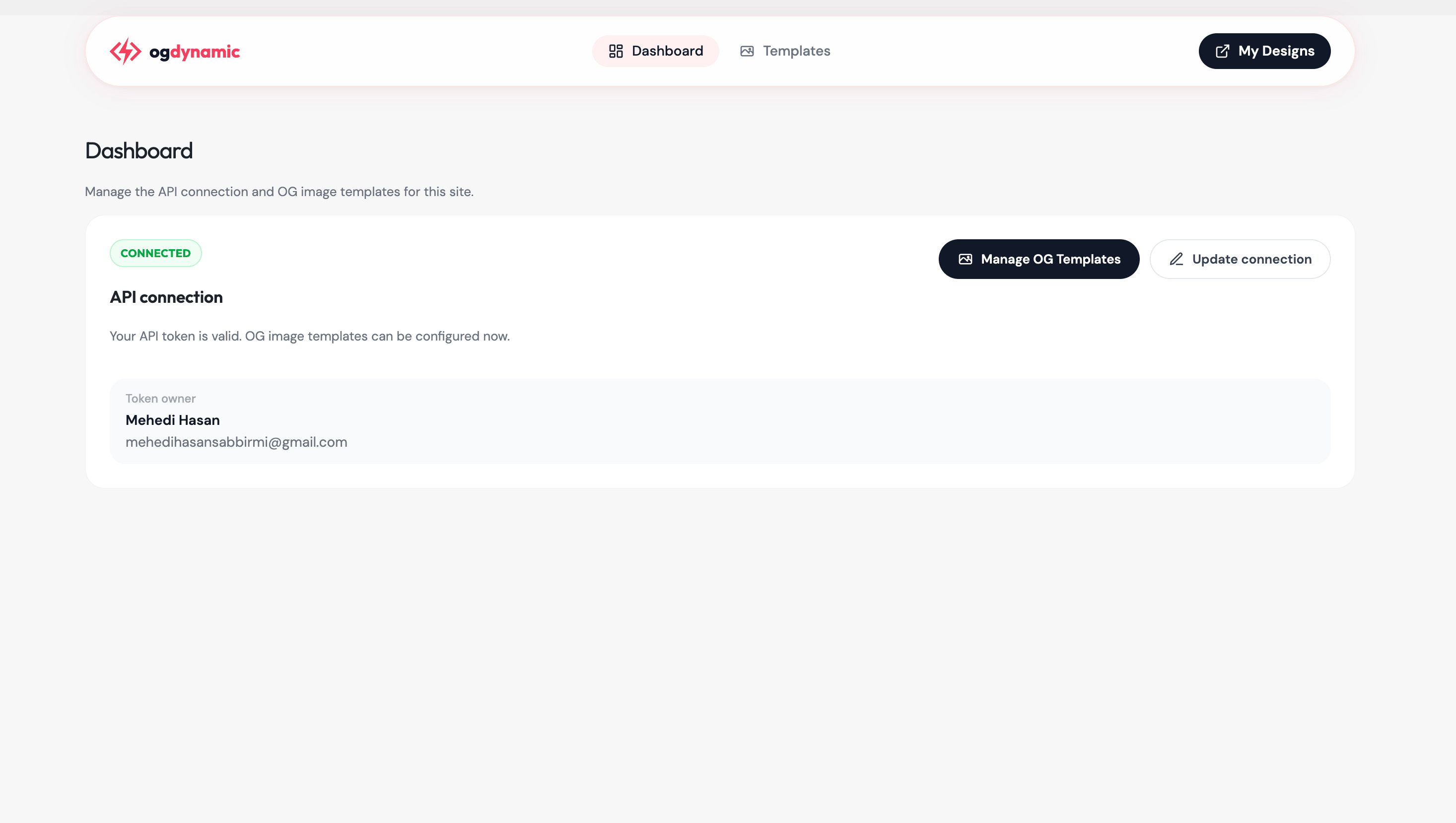
- Connect your WordPress site to ogdynamic via secure OAuth from the admin dashboard
- Choose a template from your ogdynamic account for each content type (posts, pages, products, archives)
- Map your WordPress content fields to the template variables (title, subtitle, image, price, etc.)
- ogdynamic automatically generates the right Open Graph image for every page — no ongoing effort needed
- All content types: Site name, site tagline
- Posts & Pages: Post title, excerpt, trimmed content, featured image, author name, published date, modified date, category, tags
- Products (WooCommerce): All post fields plus product short description, product price, regular price, sale price, SKU, product category, product tags, product attributes, stock status, rating, review count
- Archive pages: Site name, site tagline, plus category or tag names for their respective archives
- Custom fields (ACF): When Advanced Custom Fields is active, fields from groups assigned to the content type are listed as mapping sources
- Authenticate your site via OAuth when you connect the plugin
- Fetch your ogdynamic account and template data in the WordPress admin
- Generate and serve dynamic Open Graph images from ogdynamic's infrastructure
- Service: https://ogdynamic.com
- Terms of Service: https://ogdynamic.com/terms
- Privacy Policy: https://ogdynamic.com/privacy
安装:
- Go to Plugins > Add New in WordPress
- Search for "ogdynamic"
- Click Install Now and activate the plugin
- Upload the
ogdynamicfolder to/wp-content/plugins/ - Activate the plugin through the Plugins menu in WordPress
- Navigate to the ogdynamic admin page
- Connect your ogdynamic.com account via OAuth
- Configure templates for each content type
- WordPress 6.3 or higher
- PHP 7.4 or higher
- An ogdynamic.com account (OAuth connection required)
屏幕截图:


常见问题:
How do I add Open Graph images to my WordPress site?
Install and activate ogdynamic, connect your ogdynamic.com account via OAuth, choose a template for each content type, and you're done. The plugin automatically adds og:image meta tags to every configured page.
Do I need an ogdynamic.com account?
Yes. Image generation happens on ogdynamic's servers, so your WordPress site stays fast. The plugin connects via secure OAuth — just log in with your ogdynamic account from the WordPress admin and you're set. No manual API key setup needed. Create a free account at ogdynamic.com.
What Open Graph tags does this plugin add?
ogdynamic adds og:image, og:image:width, og:image:height, twitter:card, and twitter:image meta tags to your pages. Images are 1200x630 pixels — the recommended size for Facebook, Twitter, and LinkedIn link previews.
Will this slow down my WordPress site?
No. The plugin only generates the image URL and adds a few meta tags to your page. The actual image is generated and served from ogdynamic's CDN. Your visitors never download the OG image during normal browsing — only social platforms fetch it when someone shares your link.
Can I use this with my SEO plugin?
Yes. ogdynamic works alongside Yoast SEO, Rank Math, All in One SEO Pack (AIOSEO), SEOPress, The SEO Framework, Squirrly SEO, and Slim SEO. When ogdynamic generates an OG image for a page, it automatically prevents the SEO plugin from outputting a duplicate og:image tag. If a page has no ogdynamic image configured, your SEO plugin's tags are used as normal.
How do template mappings work?
Each ogdynamic canvas has overridable fields like title, subtitle, and image. In the WordPress admin, you map these to WordPress data — for example, mapping the template's title field to your post title, or the image field to your featured image. The plugin then sends those values to ogdynamic, which renders them into your OG image. Empty fields are automatically skipped.
What happens if I haven't set a template for a post type?
You can configure a Default template as a fallback for any post type without its own template. If no default is set either, ogdynamic simply won't output an OG image for that content type, and your SEO plugin or theme will handle it normally.
Does this work for WooCommerce product pages?
Yes. When WooCommerce is active, ogdynamic adds a Product template option. You can include product-specific data like formatted price (with currency symbol), regular price, sale price, SKU, stock status, average rating, review count, product categories, tags, and attributes in your product OG images.
Does it support category and tag archive pages?
Yes. You can configure OG images for homepage, blog listing, category archives, tag archives, author pages, date archives, and search results pages.
Can I use this with custom post types?
Yes, any public post type is available. You can also set up a Default template as a fallback for all post types that don't have a dedicated template configured.
What image size does ogdynamic use?
OG images are generated at 1200x630 pixels, which is the recommended Open Graph image size for Facebook, Twitter/X, LinkedIn, and most social platforms.
更新日志:
- Canvas templates: design OG image templates in the ogdynamic canvas editor and map them to your content types (existing design mappings keep working but designs are deprecated)
- Template selector lists your public 1200x630 canvases and warns when a saved mapping points to a private or resized canvas
- Advanced Custom Fields (ACF) support: map ACF fields (text, image, gallery, link, taxonomy, relationship, and more) to template fields
- Orphaned field mappings are cleaned up automatically when switching templates
- Twitter/X image variant support for canvas templates
- MVP release with Vue 3 admin interface
- Template configuration per post type
- Field mapping between WordPress data and OG image templates
- WooCommerce product support
- SEO plugin compatibility - prevents conflicts with Rank Math, Yoast, AIOSEO, SEOPress, The SEO Framework, Squirrly SEO, and Slim SEO when ogdynamic generates an image
- Archive page support (homepage, blog, category, tag, author, date, search)
- Multisite support