
OGEEAT
| 开发者 | wpformation |
|---|---|
| 更新时间 | 2026年10月7日 17:22 |
| PHP版本: | 7.4 及以上 |
| WordPress版本: | 7.1 |
| 版权: | GPLv2 or later |
| 版权网址: | 版权信息 |
详情介绍:
- Identity and authority: linked Person, Organization/LocalBusiness and Article schemas, E-E-A-T profiles, Author Box, Reviewed By, trust signals, local SEO, Open Graph and social cards.
- AI citability:
llms.txtandllms-full.txt, manual editor, Polylang and WPML, 12-check GEO score, FAQ/HowTo/Video/Speakable and APA references. - Share with AI: readers summarize your article with ChatGPT, Perplexity, Claude, Mistral, Gemini or Grok, or make you a Google preferred source.
- Measure and control: 52-bot firewall, AI visibility, Search Console, bulk and internal-link audits, IndexNow, read-only MCP and BYO-LLM tools.
- Identité et autorité : schémas reliés Person, Organization/LocalBusiness et Article, profils E-E-A-T, Author Box, Reviewed By, signaux de confiance, SEO local, Open Graph et cartes sociales.
- Citabilité IA :
llms.txtetllms-full.txt, éditeur manuel, Polylang et WPML, score GEO sur 12 critères, FAQ/HowTo/Video/Speakable et références APA. - Partage avec l'IA : votre lectorat résume l'article avec ChatGPT, Perplexity, Claude, Mistral, Gemini ou Grok, ou vous ajoute à ses sources préférées Google.
- Mesure et contrôle : firewall de 52 robots IA, visibilité IA, Search Console, audits en masse et du maillage interne, IndexNow, MCP en lecture seule et outils BYO-LLM.
安装:
- Upload the
ogeeatfolder to/wp-content/plugins/, or install the ZIP from the WordPress admin. - Activate OGEEAT from the Plugins screen.
- Open OGEEAT > Settings and configure the modules you need.
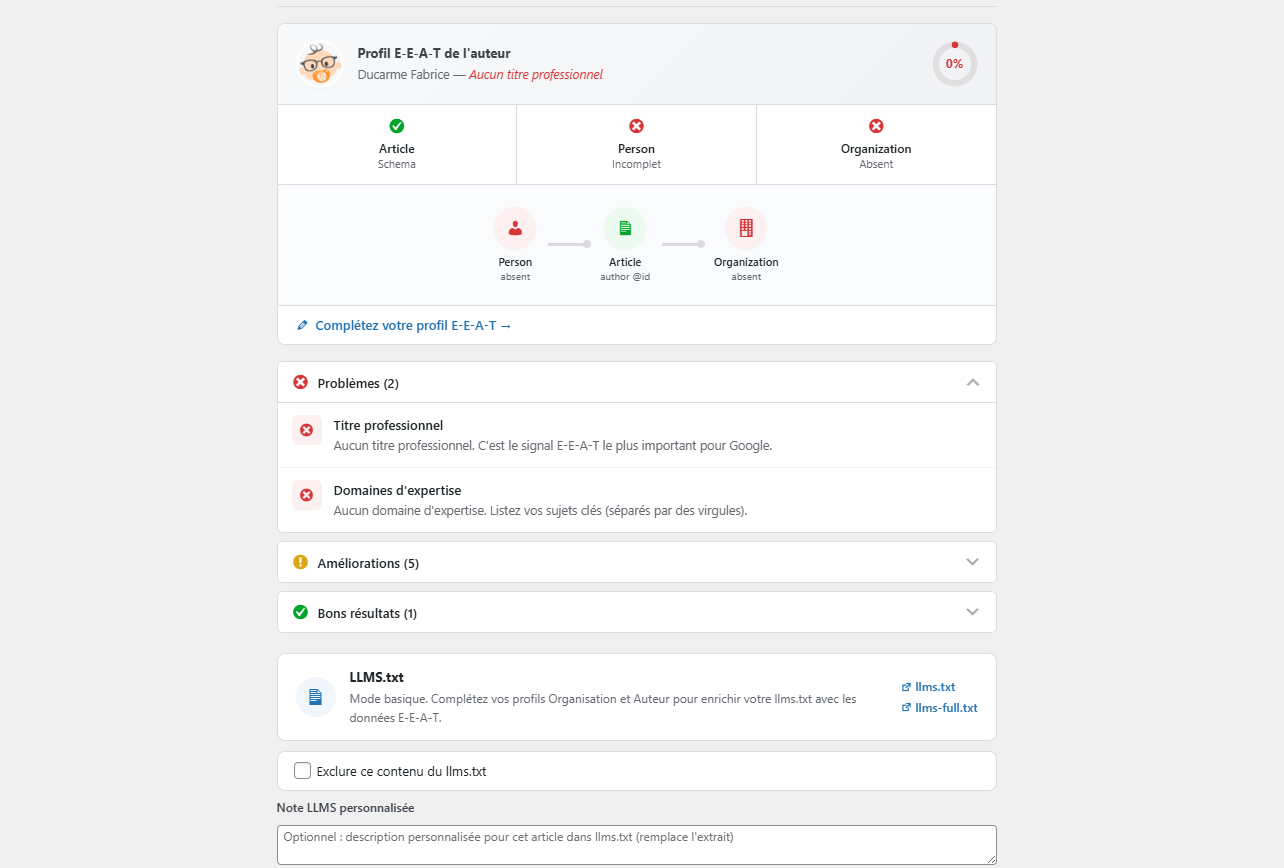
- Complete the E-E-A-T fields under Users > Profile.
屏幕截图:
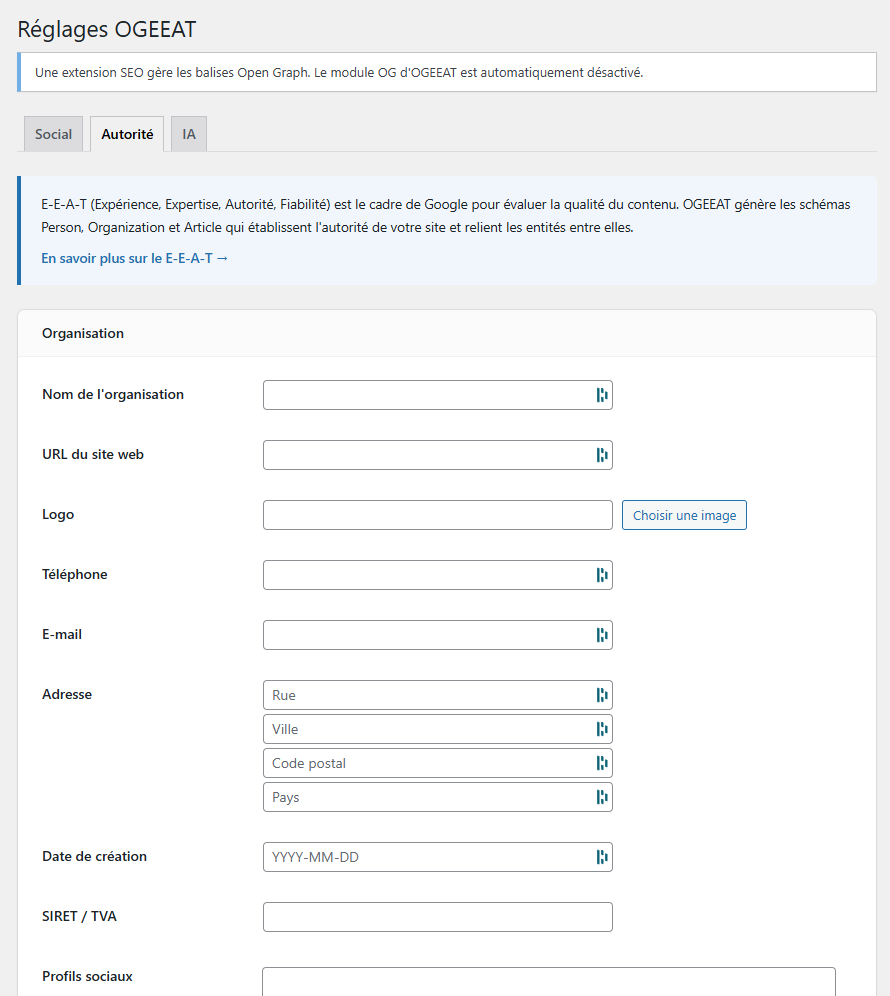
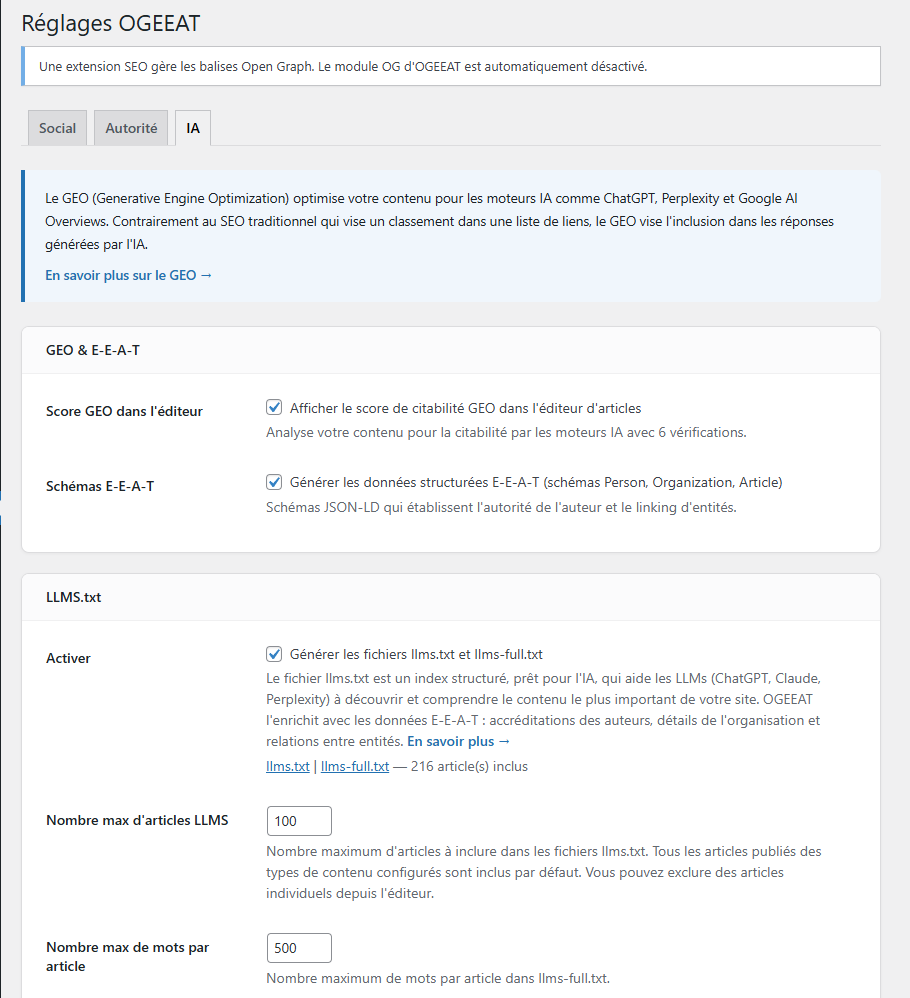
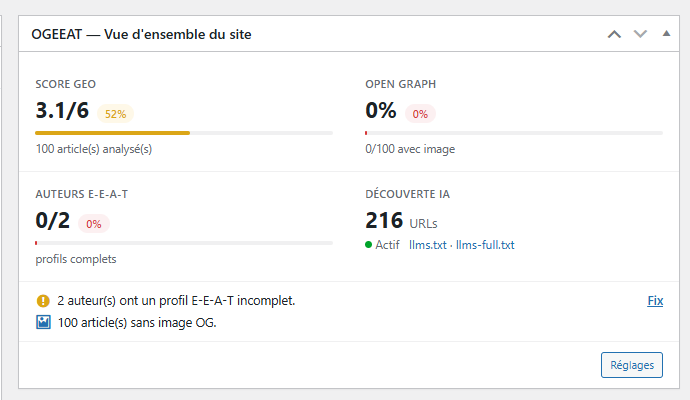
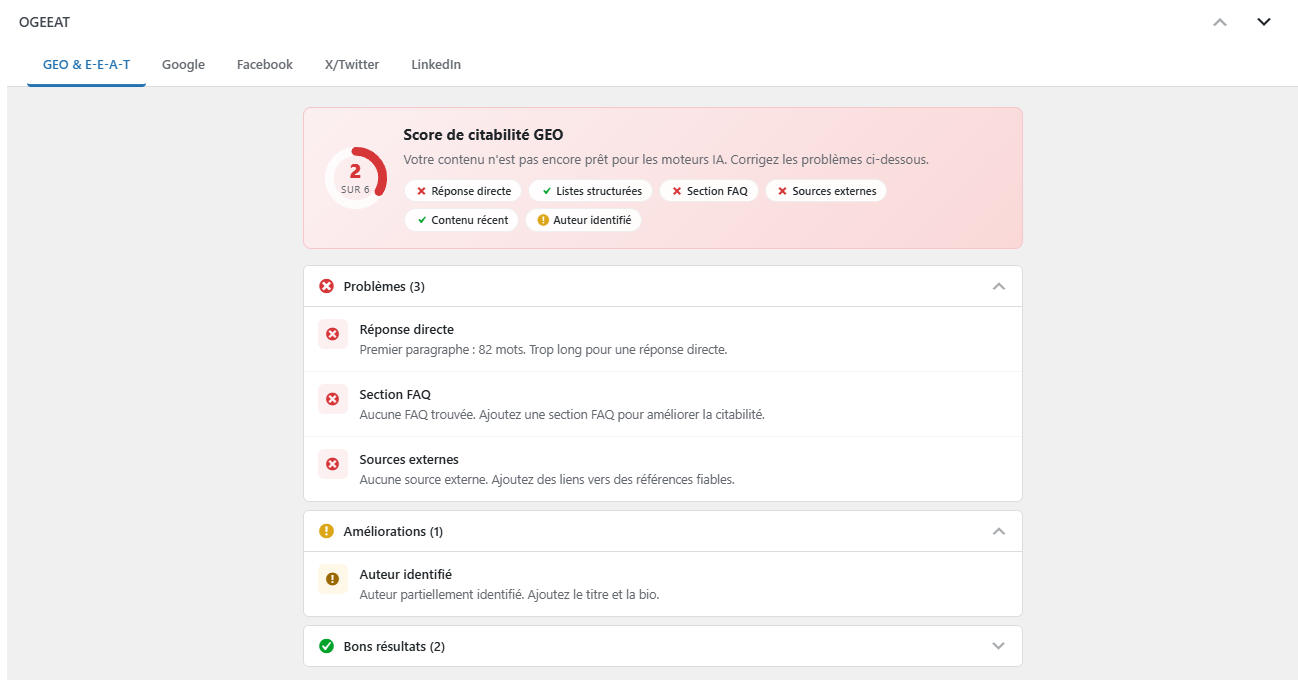
常见问题:
Does OGEEAT replace Yoast, Rank Math or another SEO plugin?
No. OGEEAT complements SEO plugins. It automatically defers its Open Graph output when a compatible SEO plugin already manages those tags. JSON-LD remains independent so you can keep OGEEAT's E-E-A-T graph or disable it under OGEEAT > Settings when another plugin should own all schemas.
How does multilingual llms.txt work with Polylang or WPML?
OGEEAT keeps one canonical /llms.txt and one /llms-full.txt at the site root, whatever the language setup (directories, subdomains or one domain per language). On a multilingual site the file opens with the list of languages and their home URLs, then gives each language its own section with the site name in that language, its pages and posts in their original language, and closes with interaction rules asking AI assistants to answer in the language of the question and not to mix languages. No separate /en/llms.txt file is created. A wpml-config.xml file lets WPML (and Polylang) translate the free-text settings such as the llms.txt title, description and footer.
Can I use an ACF field as the llms.txt description?
Yes. Use the ogeeat_llms_post_description filter. It receives the resolved description and the WP_Post object, so a developer can return a custom field for selected post types without changing post_excerpt.
Can I serve a different body in llms-full.txt?
Yes. Use the ogeeat_llms_post_content filter. It receives the resolved body, the WP_Post object and the configured word limit, so a developer can serve a summary written for AI from a custom field. The returned value is written as is, so sanitize and trim it. The filter never runs on password-protected or excluded content.
How do I place the Share with AI buttons myself, or hide them on one page?
Insert the [ogeeat_share] shortcode where the buttons should appear, for instance in a Toolset, ACF or page builder content template, then set their position to "Manual only (shortcode)" under OGEEAT > Settings > AI, GEO & Firewall so they are not also added automatically. Optional attributes: style="stacked" and label="...". To hide them on a single page, such as the home page, tick "Hide the Share with AI buttons on this content" in its OGEEAT box: the shortcode follows that choice too. Developers can use the ogeeat_ai_share_display filter. The automatic insertion only targets the body of the content, never a custom field displayed through the_content: if a template does not display the body at all, for instance a page built only from fields, use the shortcode.
How does the Google preferred sources button work?
Google lets each signed-in reader choose preferred sources: content from those sites shows up more often in Top Stories, with a "Preferred" badge, and in AI Mode and AI Overviews. Turn the module on under OGEEAT > Settings > AI, GEO & Firewall. Google accepts a domain or a subdomain, never a folder: the "Check eligibility" link opens Google's tool for your domain. Nothing is requested from Google until a reader clicks the button, and the button stays a plain link to Google when JavaScript is off. Choose "Card" for a larger block with an explanation and a preview, "Compact" for one line. Under the Share with AI buttons the button is always one line; tick "Also add a line under the Share with AI buttons" to have both, the line there and the card below the content. To place it yourself, use the [ogeeat_preferred_source] shortcode, with optional style="compact" or style="card" and label="..." attributes. Both styles take the fonts and colors of your theme; to adjust them, set --ogeeat-preferred-source-accent, --ogeeat-preferred-source-radius or --ogeeat-preferred-source-card-radius in your theme's CSS.
The Google preferred source button looks like a plain link
A page optimizer removed its stylesheet. OGEEAT marks the stylesheet and the script of the button so that LiteSpeed Cache leaves them alone: update to 2.7.1 or later, then purge the cache. With another optimizer, exclude preferred-source.css from the "remove unused CSS" feature and preferred-source.js from the delayed JavaScript, then purge the cache.
The Google window reloads my article instead of closing
Your site most likely sends the Cross-Origin-Opener-Policy: same-origin header. It cuts the link between the article and the Google window, so Google cannot report back: after "Add", the window loads the article again, with #__WA_RES__ in its address, and no confirmation appears. Use same-origin-allow-popups instead, or remove the header: the page stays protected from other sites that open it, and its own windows can answer it. The header usually comes from a security plugin, the host, a Cloudflare rule or the server configuration. The Google Preferred Sources section of OGEEAT > Settings > AI, GEO & Firewall checks this header, and a Content Security Policy that would block https://news.google.com. The link to Google works in every case.
Can a custom FAQ block count toward the GEO score?
Yes. The existing ogeeat_geo_checks filter can replace or extend the FAQ check for custom blocks. A ready-to-use example is included on the OGEEAT Documentation screen.
What are E-E-A-T and GEO?
E-E-A-T means Experience, Expertise, Authoritativeness and Trustworthiness. GEO means Generative Engine Optimization: structuring content so AI engines can understand and cite it. OGEEAT exposes identity signals and evaluates each post with 12 citability checks.
Is OGEEAT free?
Yes. OGEEAT is GPL software with no premium version or subscription.
更新日志:
- Fixed: the Google preferred source button showed as a bare link, and could open the Google page instead of the Google window, on sites that optimize their pages with LiteSpeed Cache. The stylesheet was dropped by the "used CSS" of the post type, computed before the button existed, and the script was delayed until the first interaction. Both files are now marked
data-no-optimizeanddata-no-defer, which LiteSpeed Cache leaves untouched. Purge the LiteSpeed cache after updating. - New: "Also add a line under the Share with AI buttons" shows a short line under the AI buttons in addition to the block placed at the chosen position, for instance the line at the top of the article and the card below the content.
- Improved: above the content, the Google preferred source block now comes after the Share with AI buttons when these are above the content too. The settings screen also says that the button is always one line under the Share with AI buttons, whatever the style.
- New: Google Preferred Sources. A button lets readers add your site to their preferred sources on Google, so they see more of your content in Top Stories, AI Mode and AI Overviews. Google's script is loaded only when a reader clicks the button: nothing is requested from Google before that, and Google's deep link remains the fallback without JavaScript, on a modified click or when Google does not answer. Off by default, under Settings > AI, GEO & Firewall. Suggested on the support forum.
- New: two styles that take the fonts and colors of your theme, light or dark: a compact line, or a card with a short explanation and a preview of the result. The button can also sit as one line under the Share with AI buttons.
- New: the
[ogeeat_preferred_source]shortcode, withstyleandlabelattributes, a per-content opt-out that the shortcode honours too, and theogeeat_preferred_source_displayandogeeat_preferred_source_langfilters. - New: the settings screen reads the headers of the home page and warns when
Cross-Origin-Opener-Policy: same-originwould stop the Google window from reporting back to the article, or when a Content Security Policy blockshttps://news.google.com. - New: a suggested paragraph for the privacy policy of the site, under Settings > Privacy, while the module is on.
- New: the
ogeeat_ai_share_footerfilter adds HTML under the Share with AI buttons.
- Fixed: the Share with AI buttons, the Author Box and the References list are now added to the body of the content only. A custom field displayed through
the_contenton its own, such as a Toolset WYSIWYG field shown by an Elementor dynamic tag, received a copy of each, so they were still repeated on such templates after 2.6.21. Reported in a plugin review. - Fixed: inside a content template that runs
the_contentagain within the page content, the References list is no longer repeated and cited links are no longer numbered twice. - Note: a template that never displays the body of the content no longer gets the automatic insertion. Place the
[ogeeat_share]shortcode there and choose the "Manual only (shortcode)" position.
- New: the
[ogeeat_share]shortcode places the Share with AI buttons exactly where you want them, for instance in a Toolset, ACF or page builder content template. Optionalstyle(inlineorstacked) andlabelattributes. Suggested in a plugin review. - New: a "Manual only (shortcode)" position turns the automatic insertion off, so a template can hold the only set of buttons.
- New: each content can hide the Share with AI buttons from its editing screen, like the Author Box, for instance on a home page. The choice also applies to the shortcode. Filter:
ogeeat_ai_share_display. Suggested in a plugin review. - Fixed: the Share with AI buttons and the Author Box were repeated once per nested
the_contentcall, which content templates and fields rendered throughthe_contentrun inside the page content. They are now added once, at the end of the whole content. Reported in a plugin review. - Fixed: the "Hide the Author Box on this content" choice was erased when the content was saved while the Author Box was switched off, or not offered on that post type. The checkbox was disabled, and a disabled field is never submitted.
- Improved: the Share with AI stylesheet is no longer loaded on a content that hides the buttons.
- Fixed: the IndexNow key file now answers 200. It was served with the right content and content type, but WordPress had already resolved the URL as a 404 and that status was kept, so search engines could not validate the key and rejected the notifications. If you use IndexNow, purge your page cache after updating: a cached 404 can outlive the fix for up to an hour. Reported by a user.
- Fixed: on a WordPress installed in a subdirectory, the key file is now served under the site address, where the notifications say it is. It was looked for at the domain root and never matched.
- Improved: the key file is sent with
X-Robots-Tag: noindex, so it cannot end up in search results.
- Fixed: the dashboard Open Graph metric no longer reads 0 percent on a site whose Open Graph is handled by a SEO plugin. It now says which plugin is in charge, or that the output is disabled, instead of scoring metas nobody serves. Reported on the support forum.
- Fixed: the Open Graph completeness status now measures what a page actually publishes, following the same cascades as the front end, instead of the raw OGEEAT fields. A post relying on its featured image and its excerpt is no longer reported as incomplete.
- Fixed: the dashboard metric and the "posts without OG image" action now cover every post type OGEEAT manages, not only posts, and the action counts the posts that really ship no image.
- Fixed: the preview of the default OG image no longer overflows its card when the picked image is wider than the settings page. Reported on the support forum.
- New: picking a default OG image shows it immediately, and warns when it is under 600x315 px or far from the recommended 1200x630 ratio. No image is ever refused.
- Fixed: a FAQ written as question headings inside a
<section>, a Group block or Columns now produces a FAQPage schema. Headings were only read at the root of the content, so the score could turn green while no schema was published. - Improved: OGEEAT no longer adds a FAQPage schema to a page that already declares one in its content, so a hand-written block and the generated one can no longer compete. Suggested on the support forum.
- Improved: the bulk audit now says when the Open Graph output is delegated to a SEO plugin or disabled, so its OG column cannot be read as a coverage report of the live pages.
- Fixed: the llms.txt excerpt setting no longer claims to use the meta descriptions of SEO plugins, which it never read, and the custom footer placeholder now shows the real default.
- Fixed: dismissing an OGEEAT admin notice now sticks. The click handler was attached to jQuery from
admin_notices, after jQuery had already been printed, so it never reached the page: the cross did nothing and every notice came back on the next screen. Reported on the support forum. - Improved: the robots.txt warning no longer prints on every single admin screen, and its cross now dismisses it like the others, the text link staying as the no-JavaScript fallback.
- Improved: the Open Graph notice now requires the capability needed to act on it, so contributors and authors no longer see it, and it names SEOKEY like the rest of the plugin does.
- New: Settings > AI, GEO & Firewall can hide OGEEAT notices outside the plugin's own screens, for the whole site.
- Improved: the GEO score now detects a FAQ written as a plain HTML
<details>accordion, two or more headings ending with a question mark, or a FAQPage JSON-LD block already present in the content. Detection is shared with the FAQPage schema, so the score no longer reports "no FAQ" on a page that publishes one. Reported on the support forum. - New: the
ogeeat_geo_contentfilter overrides the content analyzed by the GEO score, for a FAQ, a list or sources produced by a template or a custom field rather than by the post body. Counterpart ofogeeat_llms_post_content. - Improved: a FAQ kept in a synced pattern is now visible to the score, which used to see only the pattern reference. Each pattern is read once per request, whatever the number of posts sharing it.
- Improved: the block editor sidebar now shows the description the page publishes when the OG description field is left empty, as a placeholder and a note, like the title and the image already did. The field looked empty while the page did output a description. Reported on the support forum.
- Improved: the Voice Snippet field states what the Speakable schema falls back to when it is left empty.
- New: the Organization (or LocalBusiness) schema now has its own switch in Settings > E-E-A-T > Schemas to emit, separate from Person and Article. Sites where an SEO plugin already publishes an Organization can drop the duplicate without a filter, and without losing the author and article schemas.
- New: the
ogeeat_llms_post_contentfilter overrides the body served for a post inllms-full.txt, the counterpart ofogeeat_llms_post_descriptionfor the index. It receives the resolved body, theWP_Postobject and the configured word limit, and never runs on password-protected or excluded content. Requested on the support forum. - Improved: Share with AI buttons are now
rel="nofollow". Each button carries the article permalink inside its prompt, so every post produced six distinct external URLs that site crawlers walked by default, flooding an audit. Filter:ogeeat_ai_share_link_rel. - Improved: the Schemas to emit setting names the SEO plugin it detects and states that such plugins publish their own Organization, WebSite and breadcrumb schemas without linking them by @id. Nothing is disabled automatically.
- New: WPML support for
llms.txtandllms-full.txt. Languages come from the public WPML API and each section is generated with the language switched, so permalinks, site name and translated settings are correct on every setup, one domain per language included. - New: on multilingual sites (Polylang or WPML) both files are now structured by language: a languages line with home URLs in the header, one
## Languagesection per language with the localized site name, and a closing## Interaction Rulesblock asking AI assistants to answer in the language of the question and to keep languages apart. Filter:ogeeat_llms_interaction_rules. - New:
wpml-config.xmlships with the plugin so the llms.txt title, description, footer, badge and share labels, and the organization name and address can be translated with WPML String Translation. The same texts are registered with Polylang. - Improved: the
ogeeat_llms_query_argsfilter receives the multilingual provider as a fourth argument. Monolingual output is unchanged.
- Fix: the GEO score no longer reports a missing OG image when the site-wide default image applies. The score now follows the same cascade as the published tags, and says which image is in use.
- Fix: the OG column of the post list follows that same cascade, instead of flagging content that does ship an image.
- Improved: when the OG image field is left empty, the editor now shows the image the page actually publishes, the featured image or the site-wide default, the way the title and description fields already announce their inherited value.
- Fix: the bulk audit now lists every post type OGEEAT manages, pages included. A site made only of pages had an empty audit screen.
- Fix: AI Visibility content freshness now counts every managed post type, and looks at the modification date as its label always claimed. A site made only of pages scored a flat zero whatever its publishing pace.
- New: the
ogeeat_managed_post_typesfilter to extend both to custom post types.
- New: choose which schema families OGEEAT emits, Identity, Site or Content, instead of turning every JSON-LD off at once. Useful when another extension already publishes your FAQ or your breadcrumb trail.
- New: SEOKEY is now detected, so OGEEAT defers its Open Graph output as it already does for Yoast, Rank Math and the others.
- New: the OGEEAT panel in the block editor now says when Open Graph output is disabled or handled by another extension, instead of silently accepting values that are never published.
- Fix: the Author Box no longer prints an em dash between the article count and the areas of expertise, and the article count now uses a real plural form.
- Fix: the Author Box no longer wraps the author name and photo in a dead link when author archives are disabled.
- Fix: a FAQ block from SEOKEY is now recognized by the GEO score.
- Improved: French typography throughout the interface, the documentation and llms.txt, with the em dash replaced by proper punctuation.
- Improved: the AI Crawler Firewall states its rule of thumb, allow search bots, block training bots, and the documentation covers the ogeeat_schema filter.
- Fix: the Open Graph title, description and image entered in the block editor sidebar are saved again. Post meta is now registered on REST requests too, so the block editor no longer discards those values silently. Values entered in the classic editor were never affected.
- Security: the Open Graph and X/Twitter meta are now sanitized on the REST path as well, and editing them requires the capability to edit that specific post.
- Fix: the warning about a physical robots.txt file overriding the WordPress virtual one now actually displays, in the admin notices and in the AI Crawler Firewall settings.
- Improved: the AI Crawler Firewall now states plainly what robots.txt rules and X-Robots-Tag headers can and cannot do, and what really blocks a crawler that ignores them.
- New: Polylang compatibility for
llms.txtandllms-full.txt. One canonical root file groups published content by language, preserves the original language, and shares the configured post limit fairly. - New: the
ogeeat_llms_post_descriptionfilter lets developers provide an ACF or custom-field description without changingpost_excerpt. - Improved: the E-E-A-T schema setting explains how to delegate JSON-LD to another plugin and prevent duplicate structured data.
- Documentation: added examples for disabling OGEEAT schemas and recognizing custom FAQ blocks through existing filters.
- Fix: Share with AI SVG icons now keep explicit dimensions when a theme, cache or critical-CSS tool prevents the plugin stylesheet from loading.