OhmTang RFQ
| 开发者 | ohmtang |
|---|---|
| 更新时间 | 2026年5月5日 17:01 |
| PHP版本: | 7.4 及以上 |
| WordPress版本: | 6.9 |
| 版权: | GPLv2 or later |
| 版权网址: | 版权信息 |
详情介绍:
OhmTang RFQ is an excellent, fully open-source and free inquiry form plugin for WooCommerce, designed specifically for B2B operations.
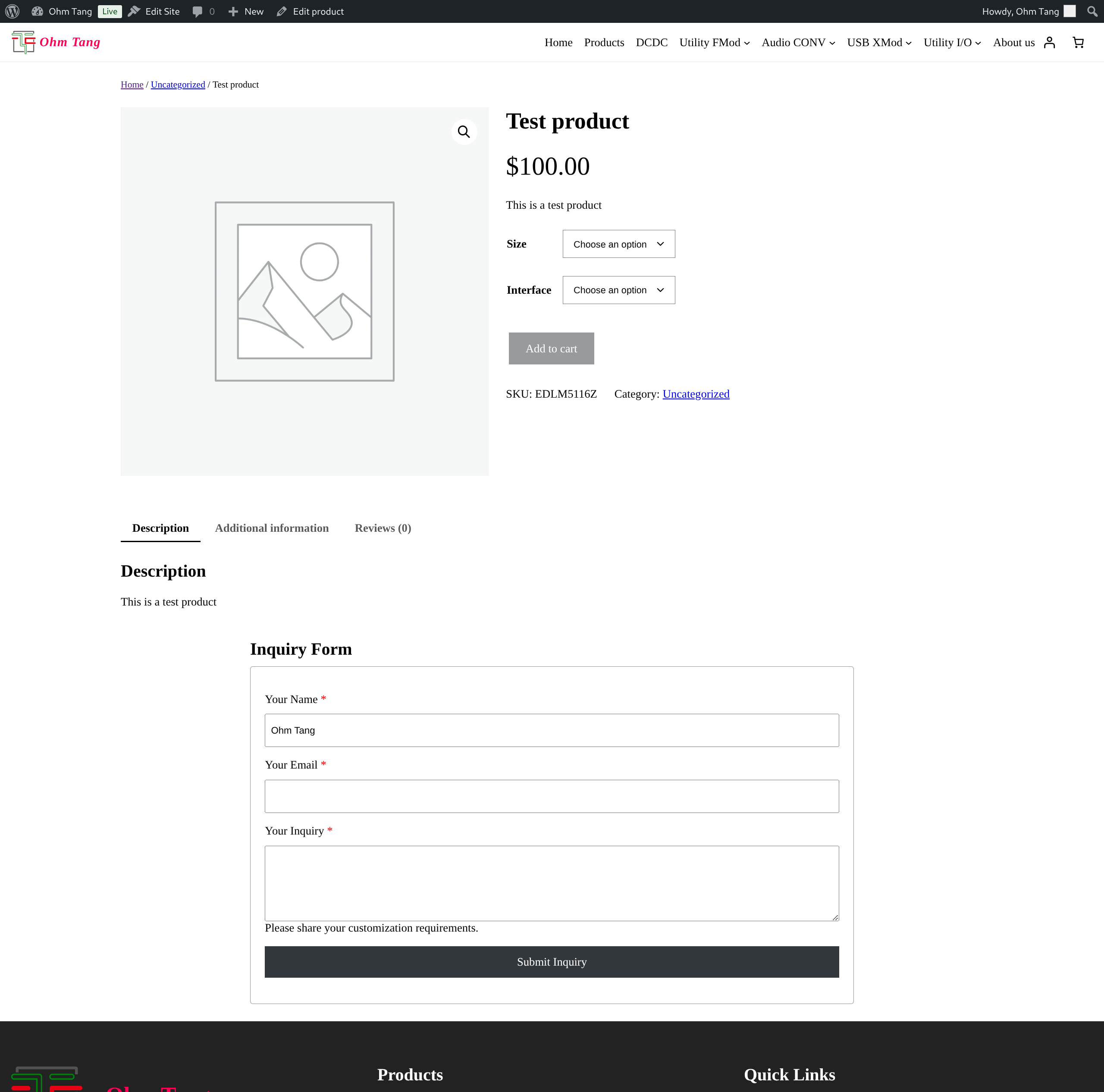
OhmTang RFQ seamlessly inserts a customizable RFQ form for WooCommerce product pages. It automatically captures and submits crucial product information with each inquiry, saving time for both customers and administrators.
Key Features
- Smart Form Placement: Insert the RFQ form at different positions on your product pages (e.g., after price, after add-to-cart, before product Description).
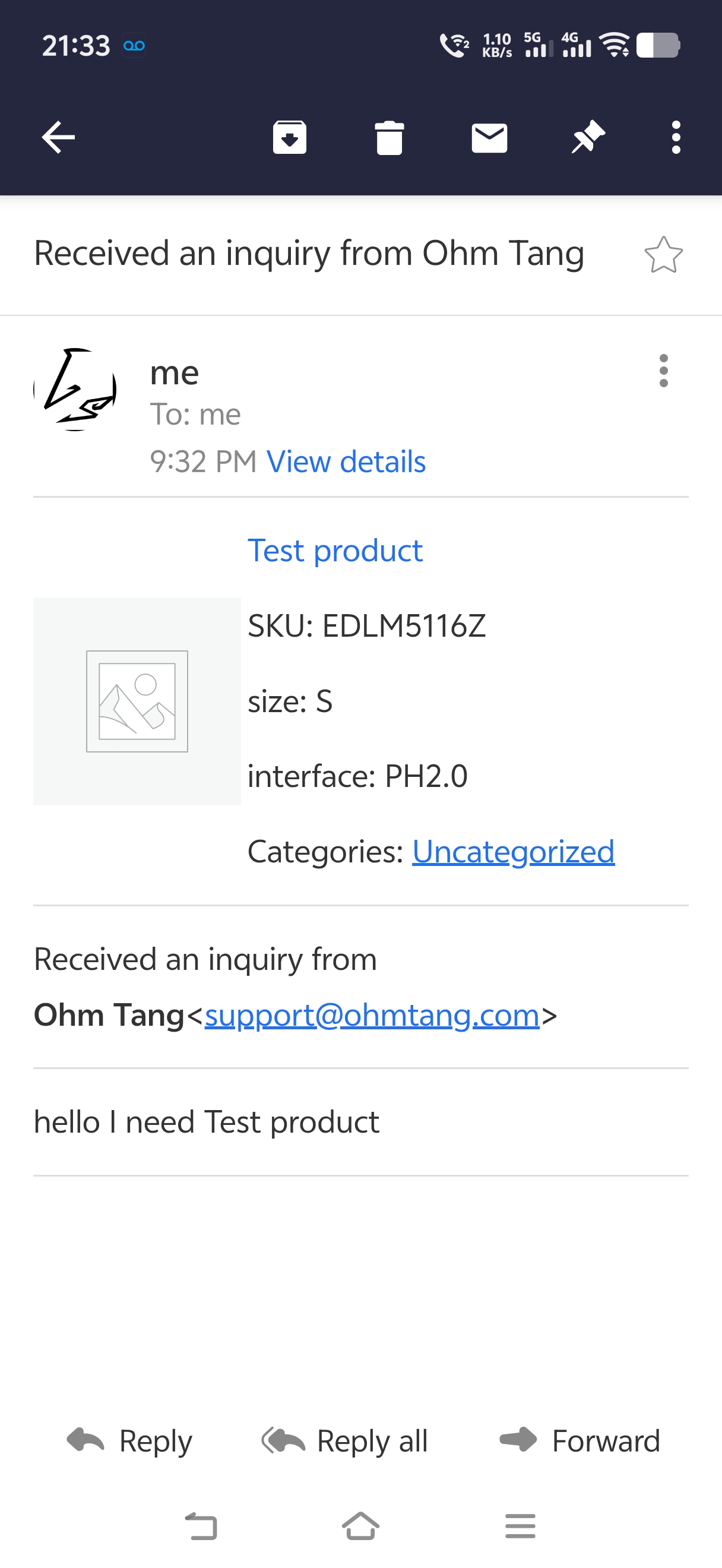
- Automated Product Data Capture: When a customer submits the form, it automatically includes:
- Product Image
- Product Link/URL
- Product Category
- Default or customer-selected product attributes (like size, color)
- Efficient Lead Management: This automation allows managers to quickly identify which product page the inquiry came from and understand the customer's specific needs, eliminating repetitive basic questions and improving reply efficiency.
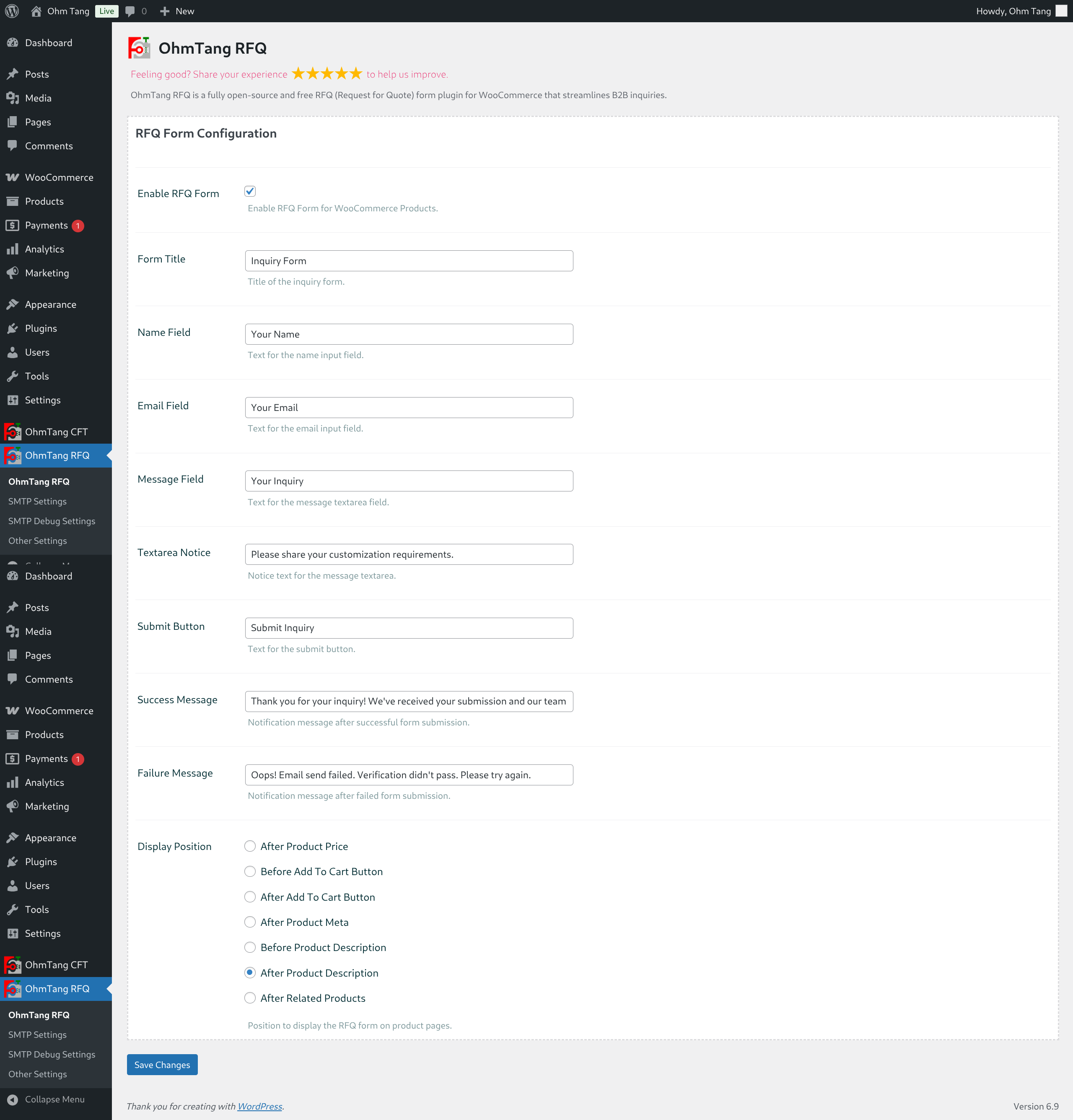
- Full Form Customization:
- Custom form title.
- Customize field labels for Name, Email, and Message.
- Custom placeholder text for the message area.
- Customizable success and error messages upon form submission.
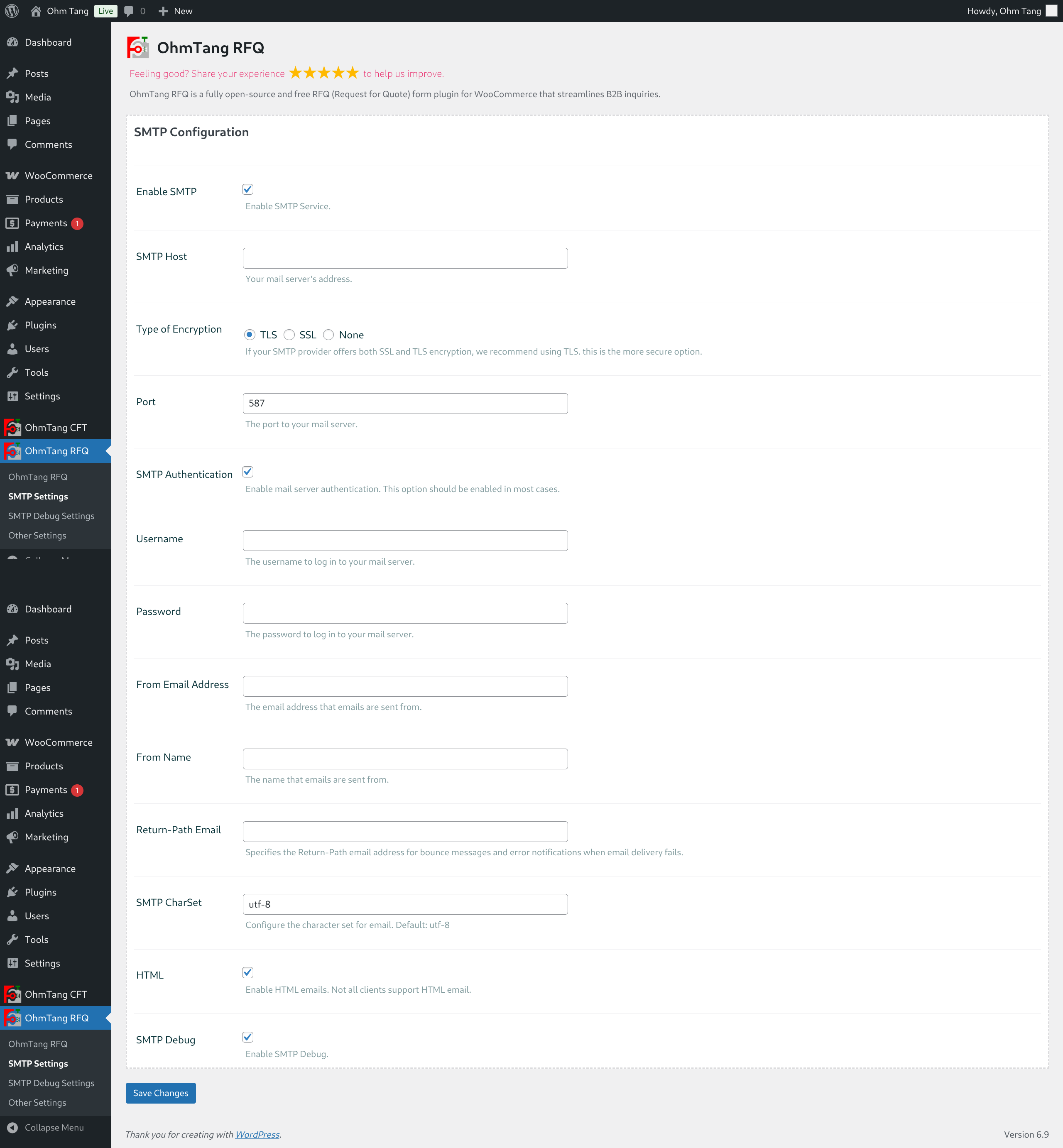
- Integrated SMTP Engine:
- Built-in, complete SMTP functionality - no need for an additional SMTP plugin.
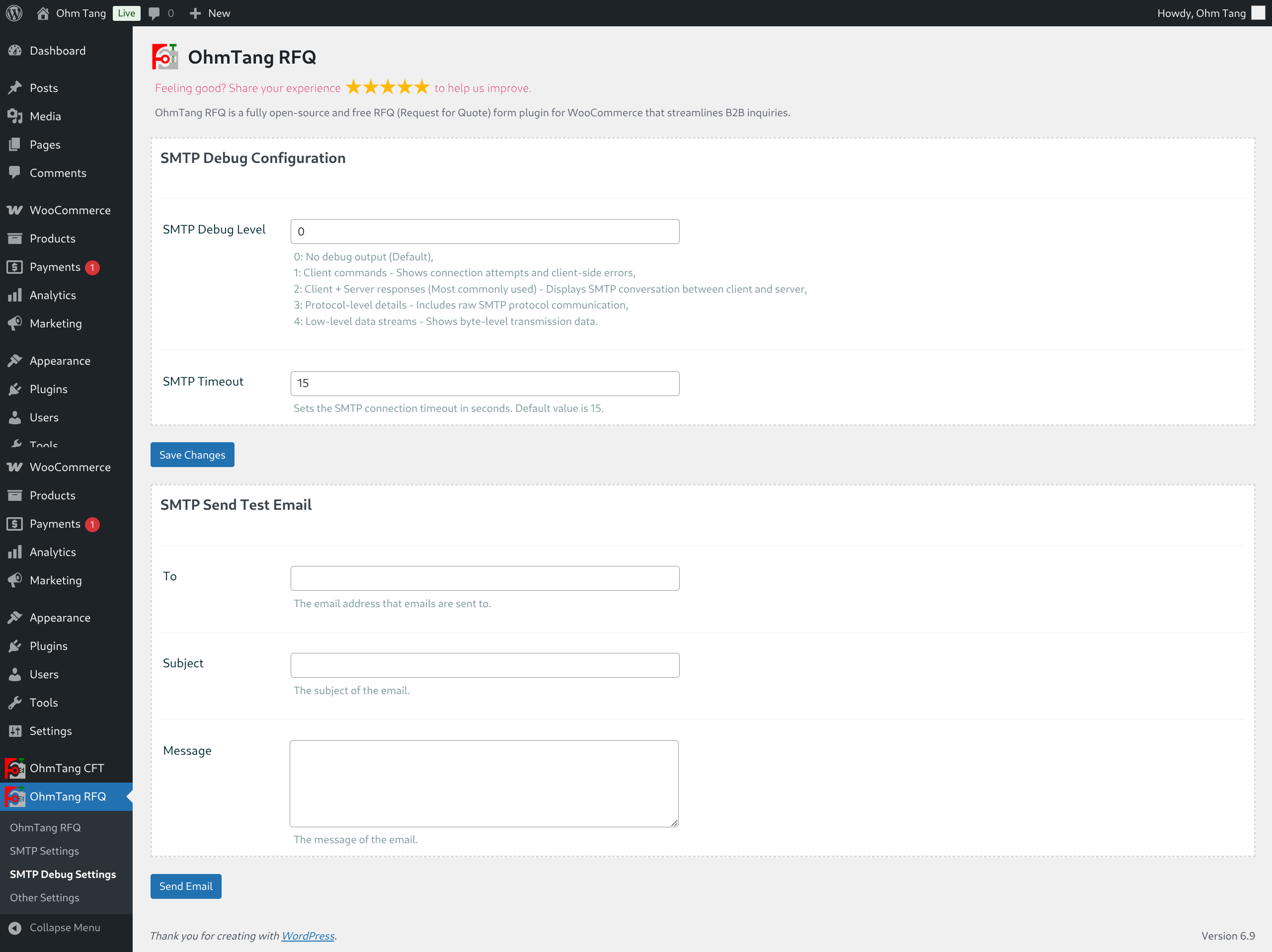
- Granular SMTP error debugging at all levels to verify configuration and troubleshoot issues.
- Dedicated debugging page with a "Send Test Email" feature to:
- Verify your SMTP setup is working correctly.
- Send temporary emails to customers if needed.
- Provides error logs for easy problem diagnosis.
- Full translation support with .pot file
安装:
- Upload the
ohmtang-rfqfolder to the/wp-content/plugins/directory. - Activate the plugin through the 'Plugins' menu in WordPress.
- Navigate to OhmTang RFQ to configure the form placement, labels.
- Navigate to SMTP Settings to configure the SMTP settings.
- Navigate to SMTP Debug Settings to configure SMTP Debug settings and send test emails.
屏幕截图:
常见问题:
Where can I configure the form?
All settings are located under OhmTang RFQ in your WordPress admin panel.
Does this plugin require WooCommerce?
Yes, this plugin is designed specifically as an extension for WooCommerce and requires it to be installed and active.
Can I use my own SMTP plugin instead of the built-in one?
Yes, you can go to Dashboard->OhmTang RFQ->SMTP Settings uncheck Enable SMTP option and save settings, then you can use your own SMTP plugin.
How do I test if emails are sending correctly?
Go to the plugin's settings page and find the "SMTP Debug Settings" section. use SMTP Send Test Email function there.
更新日志:
1.0.1
- Update date: 2026-05-05
- Optimized file reading method: use WordPress built-in function to read files
- Fixed issue where the EDCCM RFQ form still showed validation even after excluding logged-in users
- Fixed issue where product category links showed as raw code in some mobile email clients
- Fixed issue where styles were not displayed in some mobile email clients
- Initial release.