Omada AI
| 开发者 | omadaops |
|---|---|
| 更新时间 | 2026年2月5日 05:06 |
| PHP版本: | 7.4 及以上 |
| WordPress版本: | 6.9 |
| 版权: | GPLv2 or later |
| 版权网址: | 版权信息 |
详情介绍:
OmadaAI helps website owners install and manage the Omada Chat widget seamlessly on their WordPress sites.
The plugin provides a simple admin settings page where site administrators can configure their Omada Chat credentials (Agent ID, Workspace ID, and Access Token). Once enabled, the chat widget is automatically injected on all public-facing pages of the website.
This plugin is ideal for businesses looking for a Do-It-For-Me (DIFM) chat solution without touching code.
Key Features
- One-click installation of Omada Chat
- Secure admin settings page for credentials
- Automatic loading on all public pages
- Validation for required fields
- No impact on admin or login pages
- Follows WordPress coding and security best practices
安装:
- Upload the
omada-aifolder to the/wp-content/plugins/directory, or install the plugin through the WordPress Plugins screen. - Activate the plugin through the Plugins menu in WordPress.
- Go to Omada AI → Settings in the WordPress admin.
- Enter your Agent ID, Workspace ID, and Access Token.
- Enable the chat widget and save settings.
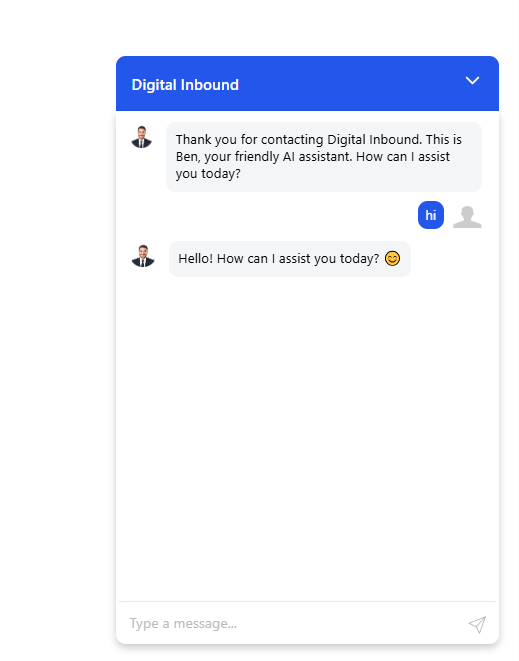
- Visit any public page to see the chat widget in action.
屏幕截图:
常见问题:
Does this plugin load the chat on all pages?
Yes. The chat widget is automatically loaded on all public-facing pages. Admin and login pages are excluded.
Is any data sent to third-party servers?
The plugin loads the Omada Chat script from Omada’s CDN. Chat functionality and messaging are handled by Omada’s services.
Where can I find Omada’s privacy policy?
You can review Omada’s privacy policy here: https://omada.ai/privacy-policy
Does the plugin store sensitive data?
The plugin stores the provided credentials securely using WordPress options and does not expose them publicly.
更新日志:
1.1.0
- Reliability: Fixed REST route registration timing to ensure endpoints always load
- Security: Standardized text domains, corrected HTTP status codes (401/403)
- Security/PHPCS: Sanitized/unslashed superglobals in auth handler
- Performance: Set options autoload=no; optimized admin asset handling
- UX: Added password reveal toggle in settings
- API: Added argument validation schemas for REST endpoints
- Initial release
- Admin settings UI for chat credentials
- Automatic front-end widget injection
- Validation and security improvements