OnyxFlo Watchdog for WooCommerce
| 开发者 | broderconsulting |
|---|---|
| 更新时间 | 2025年12月12日 04:35 |
| 捐献地址: | 去捐款 |
| PHP版本: | 7.4 及以上 |
| WordPress版本: | 6.9 |
| 版权: | GPLv2 or later |
| 版权网址: | 版权信息 |
详情介绍:
{prefix}onyxflo_watchdog_snapshots) to store order snapshots. Uninstalling the plugin does not automatically delete existing snapshot data, so you can retain a historical audit log if needed.
Examples of what OnyxFlo Watchdog can help catch:
- Orders where the cart or subtotal has changed between checkout and payment.
- Orders that have been modified after payment but before fulfillment.
- Data mismatches caused by buggy plugins, imports, or external integrations.
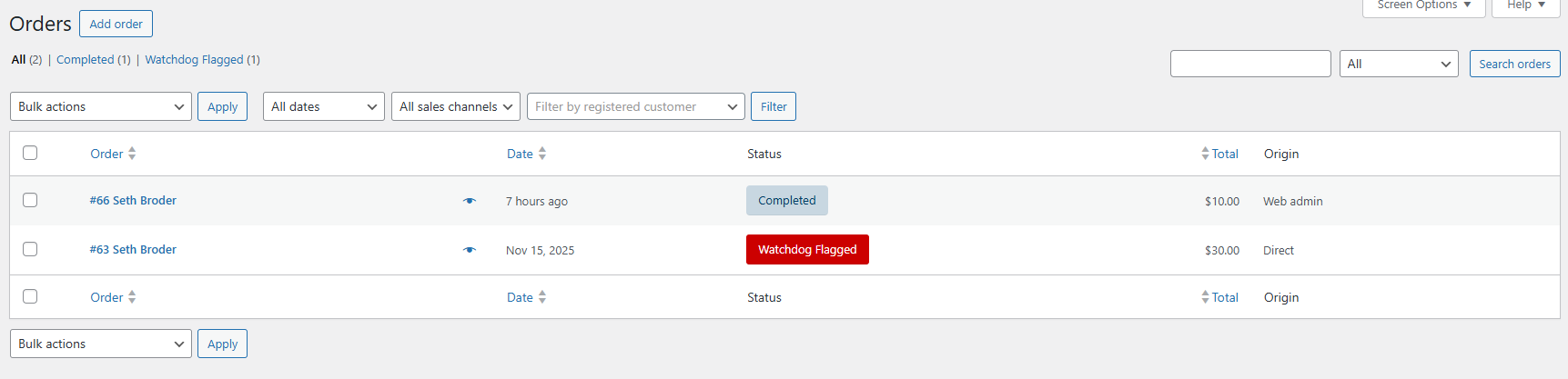
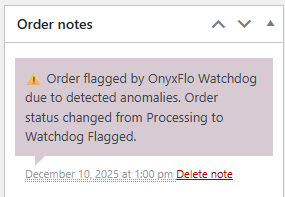
- The order is changed to a custom status: Watchdog Flagged.
- A clear warning notice appears on the order screen in wp-admin.
- (Optional) An email alert can be sent to a configured address.
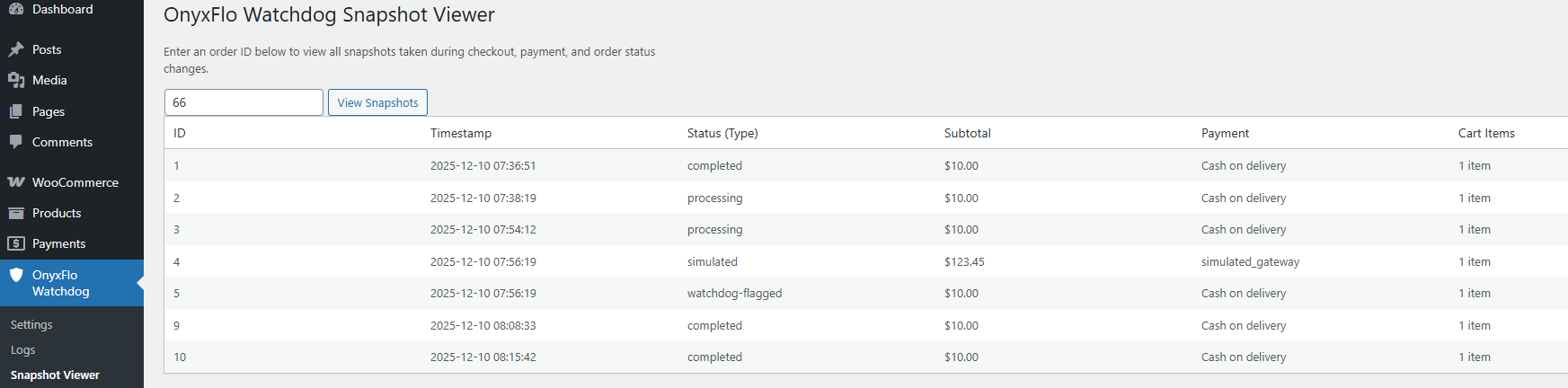
- A snapshot history is stored so you can see what changed and when.
- Order snapshots\ Automatically logs snapshots of WooCommerce orders at:
- Checkout (classic and block checkout)
- Thank you page
- Order status changes
- Mismatch detection\ Compares snapshots to detect:
- Cart changes (items added/removed/quantities changed)
- Subtotal changes over a tolerance threshold
- (Extensible for more rules later)
- Custom order status: “Watchdog Flagged”\ Suspicious orders are moved into a dedicated status:
- Highlighted in the admin order list
- Clearly labeled so your team knows to review before fulfilling
- Snapshot viewer\ View the snapshot history for a given order directly in wp-admin to see what changed over time.
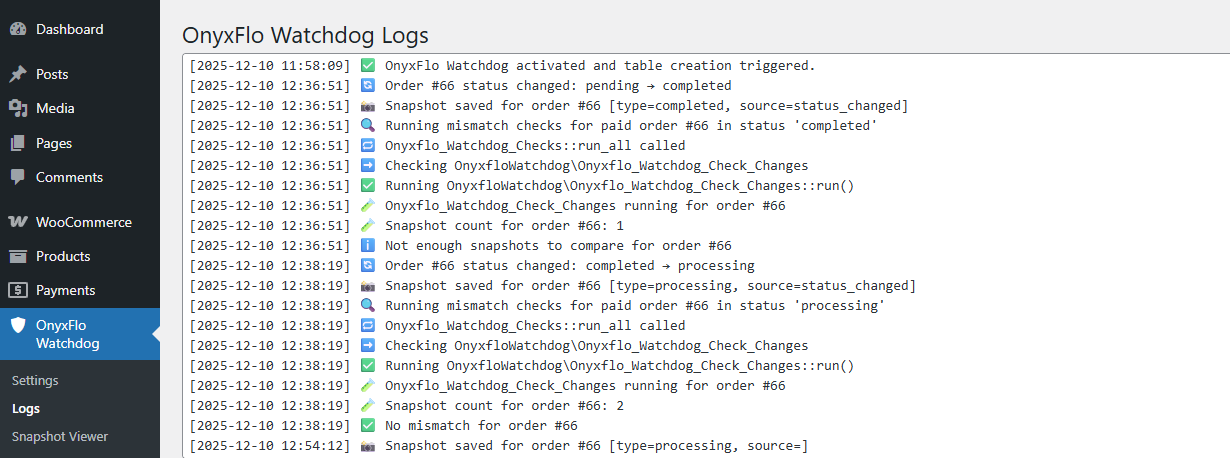
- Logging\
Optional file logging for debugging and audit trails, stored inside the WordPress uploads directory (
/wp-content/uploads/onyxflo-watchdog/). - Lightweight and focused\ No bloat, no marketing overlays, no tracking. Just tools to help you protect your orders.
- WooCommerce (latest major version recommended)
- WordPress 5.8+
- PHP 7.4+ (PHP 8.x supported)
安装:
- Upload the plugin files to the
/wp-content/plugins/onyxflo-watchdog/directory, or install via the Plugins screen in WordPress. - Activate the plugin through the Plugins → Installed Plugins screen.
- Ensure WooCommerce is active.
- Go to OnyxFlo Watchdog → Settings in the wp-admin sidebar to review settings and configuration.
- Place a test order on your site to generate snapshots and confirm everything is working as expected.
屏幕截图:
常见问题:
Does this plugin block orders or payments?
OnyxFlo Watchdog does not interfere with the payment process itself. It monitors orders after they are created and paid, and then flags suspicious ones by moving them into the Watchdog Flagged status. You (or your team) can then review these orders before shipping or issuing refunds.
What is the “Watchdog Flagged” status?
It’s a custom WooCommerce order status created by the plugin. When OnyxFlo Watchdog detects a potential mismatch, it can:
- Move the order into Watchdog Flagged.
- Show a warning notice on the order edit screen.
- Help prevent your team from accidentally fulfilling or refunding the order until it’s reviewed.
Can I still process flagged orders?
Yes. Once you’ve reviewed the order and confirmed it’s safe, you can change the status back to a normal state such as Processing or Completed and proceed as usual.
Does this work with block checkout?
Yes. The plugin hooks into both:
- Classic WooCommerce checkout
- WooCommerce Blocks / Store API checkout
Will this slow down my site?
OnyxFlo Watchdog is designed to be lightweight. Snapshot logging happens on key order events and stores compact JSON in a custom database table. Under normal usage, it should have negligible impact on performance. For very high-volume stores, you may want to periodically prune old snapshots or logs.
Does this send any data to external servers?
No. All data stays on your site. The plugin only writes to:
- A custom database table for snapshots.
- A log file inside the WordPress uploads directory (
/wp-content/uploads/onyxflo-watchdog/).
更新日志:
- Initial release.
- Order snapshot logging (checkout, thank you, status changes).
- Cart/subtotal mismatch detection.
- Custom Watchdog Flagged order status.
- Snapshot viewer and logging.