OpsGate — WordPress Operational Intelligence
OpsGate gives WordPress professionals and agencies a clearer view of what is happening across the sites they manage, what requires attention, and what to do next.
It turns site signals, WordPress inventory, operational checks, security posture, updates, performance, availability, decisions, and history into one operational intelligence workflow.
Instead of working across disconnected tools and raw technical outputs, OpsGate helps you move from:
observe → understand → prioritize → act → verify
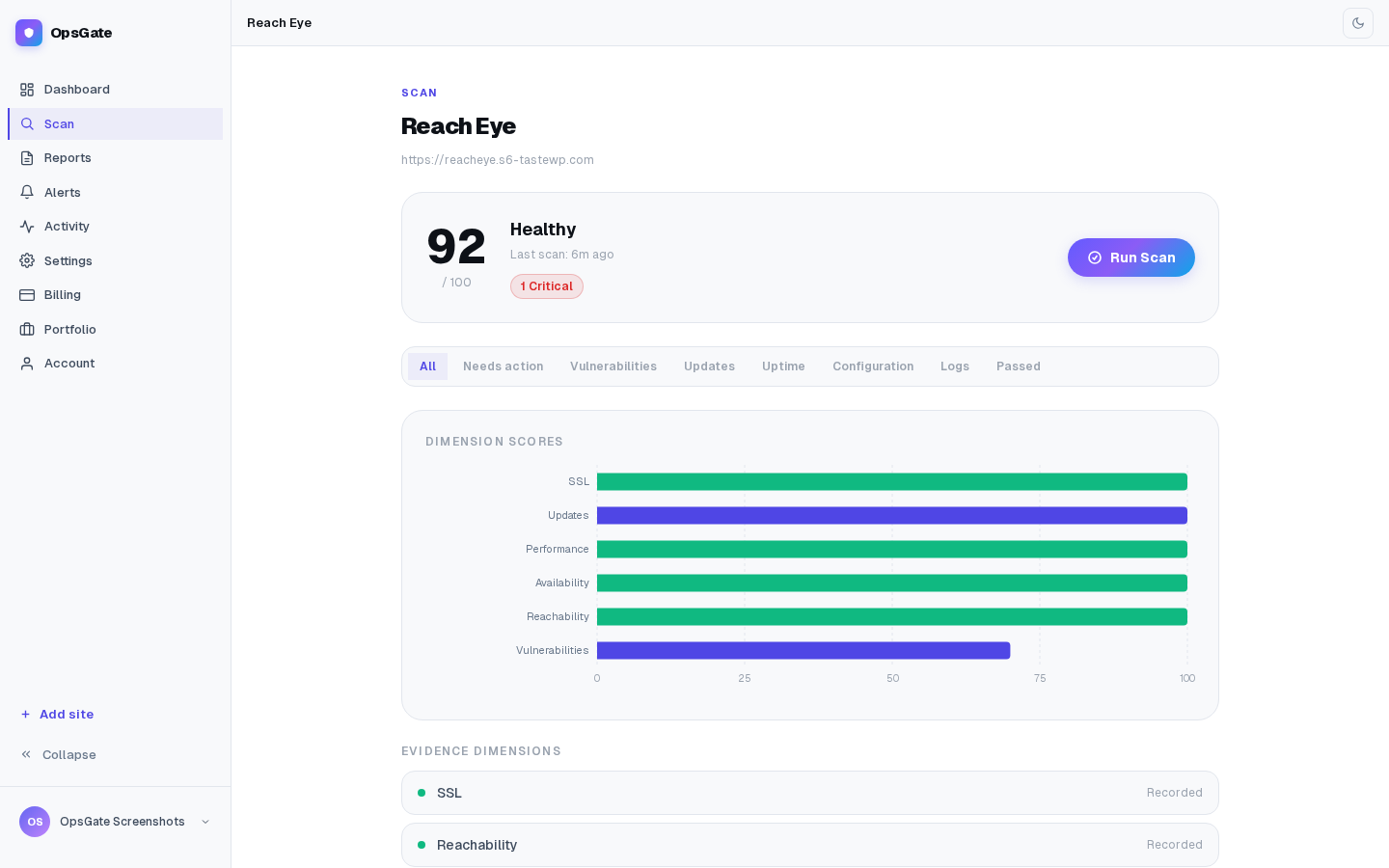
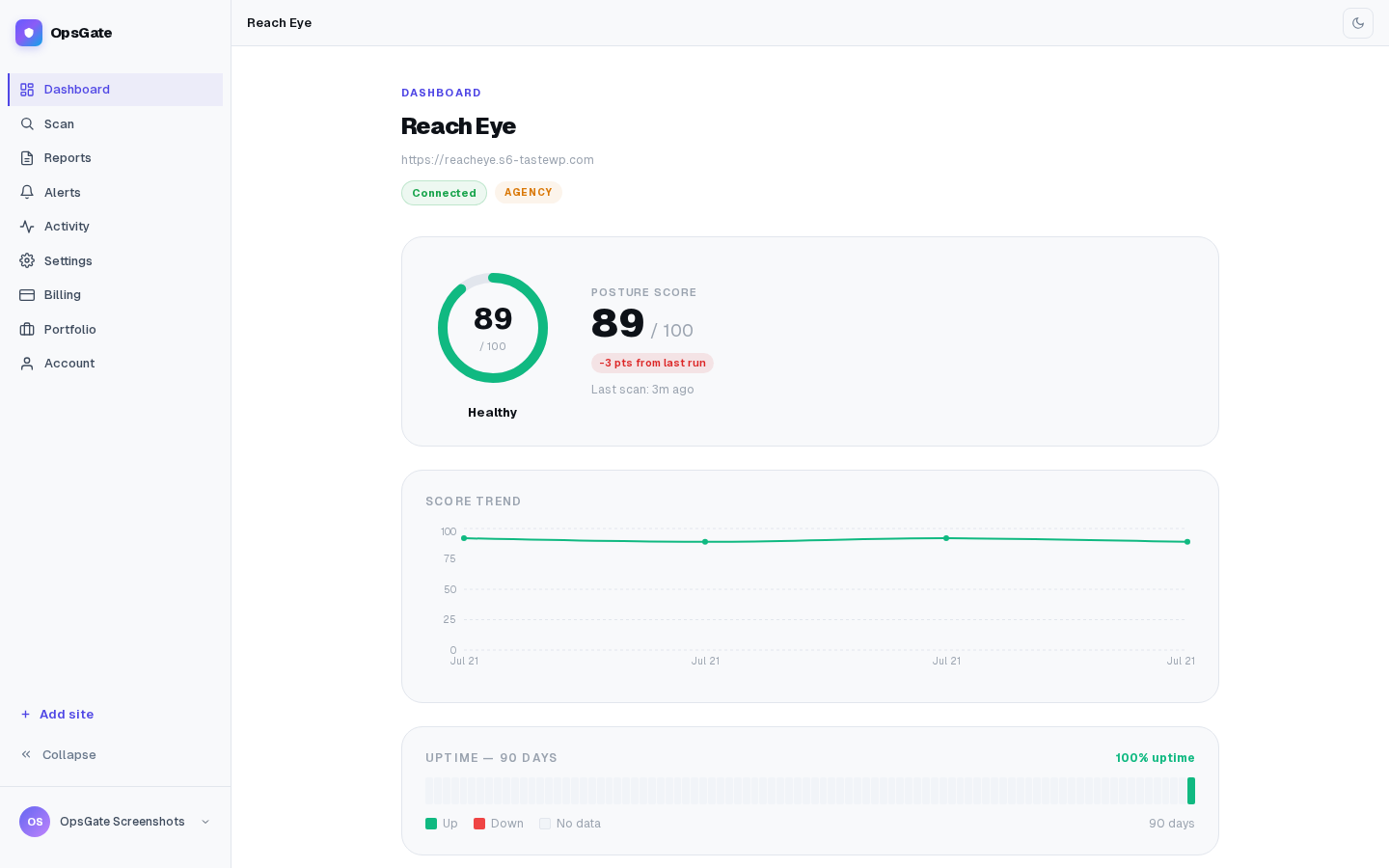
Know what needs attention
OpsGate evaluates the current condition of a site and brings the most important operational signals together in context.
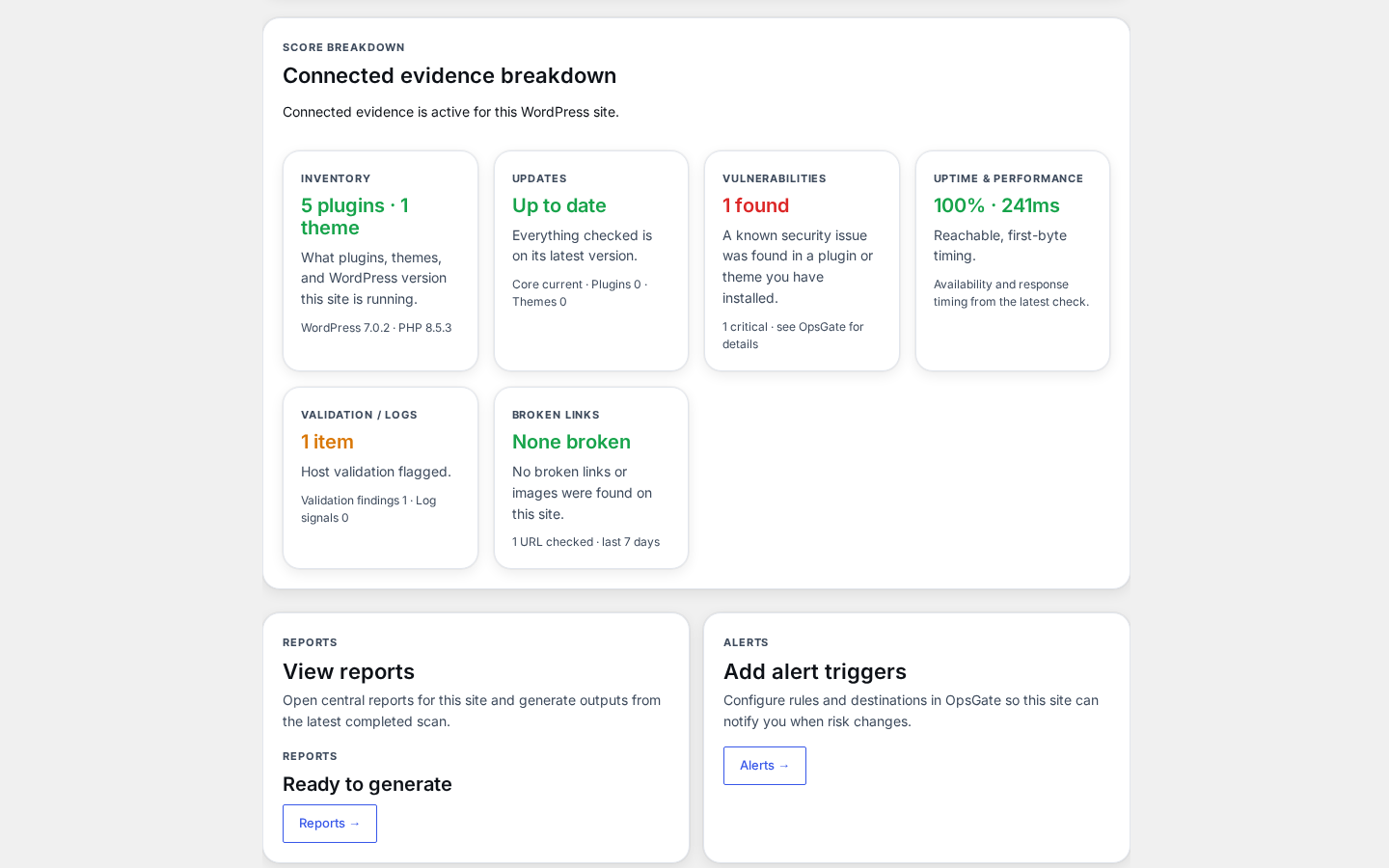
Depending on your plan and site connection, OpsGate can surface intelligence across:
- WordPress core, plugin, and theme inventory
- Update posture
- Vulnerability exposure
- Site availability and reachability
- SSL/TLS and supported public checks
- Performance signals
- Operational changes over time
- Recorded findings and decisions
- Reports and exports
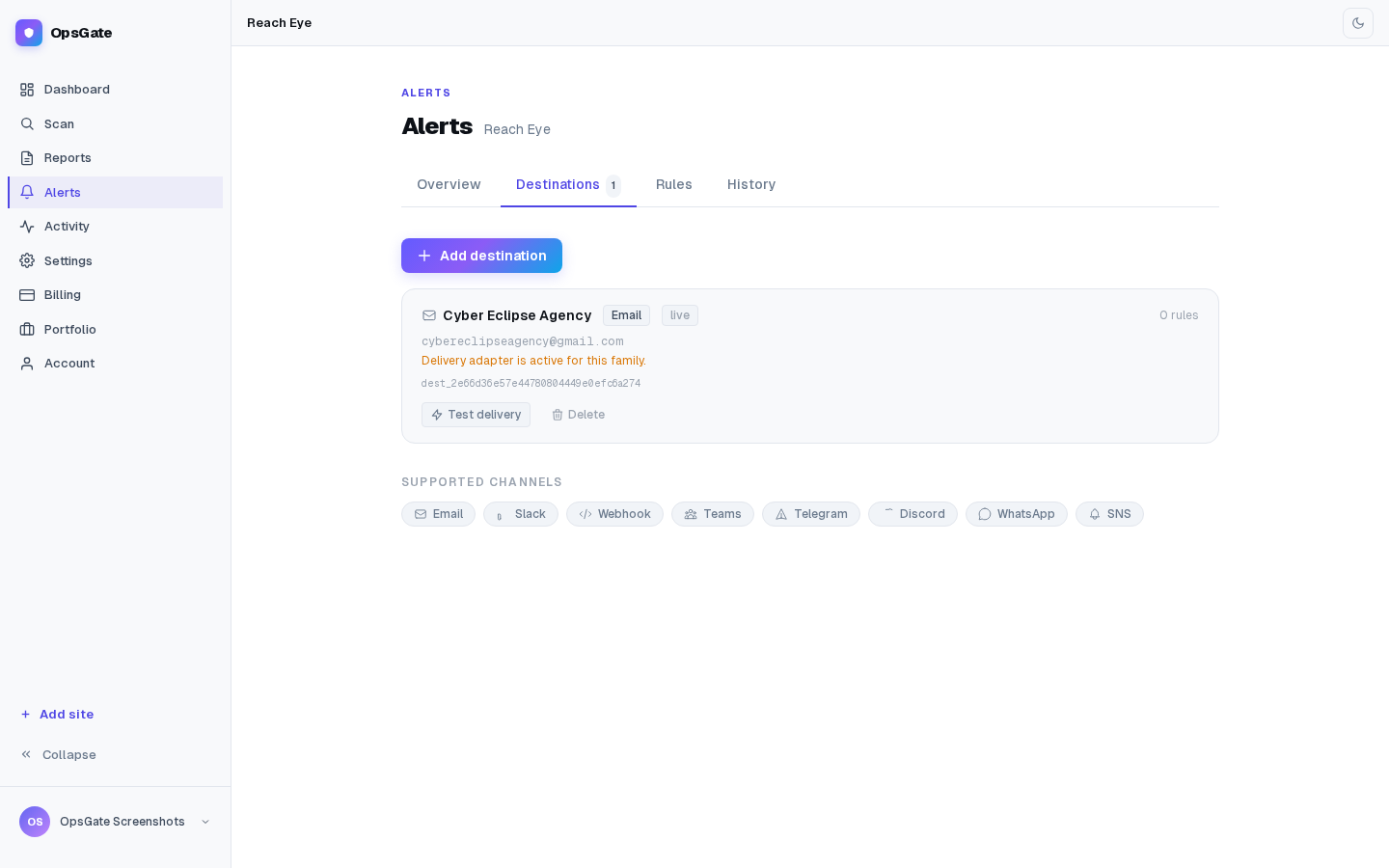
- Alerts and notification workflows
- Site and portfolio history
- Multi-site operational intelligence
The objective is not more monitoring noise.
It is a clearer answer to:
What is happening, why does it matter, and where should I focus next?
From one site to an entire portfolio
The WordPress plugin connects the individual site to OpsGate and provides a focused site-level operating surface.
The OpsGate web console at
opsgate.ca extends that intelligence across deeper site analysis, reports, alerts, history, account management, and multi-site portfolio operations.
For agencies, OpsGate provides a central operating view across managed WordPress sites so attention can be directed by operational priority rather than by manually checking sites one by one.
Free public intelligence
OpsGate can begin with supported external checks using publicly observable site information.
This mode does not require authenticated access to private WordPress inventory.
Connected intelligence
Connecting a WordPress site allows OpsGate to incorporate supported WordPress-specific information that cannot be obtained reliably through public observation alone.
Connected capabilities vary by plan and may include deeper site triage, operational history, reports, alerts, and portfolio intelligence.
Choose the level of operational intelligence you need
Free — Start with supported public site intelligence using externally observable signals. Free is
designed for an initial view of site condition without requiring authenticated access to private
WordPress inventory.
Starter — Connect one WordPress site for deeper operational intelligence. Starter brings
WordPress-specific inventory and assessment into OpsGate so you can move beyond public observation into
connected site operations.
Pro — Expand from assessment into a broader professional operating workflow. Pro is designed for
professionals managing multiple sites who need deeper reporting, alerts, operational history, and
connected site intelligence.
Agency — Operate across a client portfolio. Agency brings multi-site intelligence, portfolio
prioritization, professional reporting, branding, and agency-level workflows into one OpsGate operating
environment.
The progression is straightforward:
- Free — observe externally
- Starter — understand one site deeply
- Pro — operate professionally across sites
- Agency — command a client portfolio
Available capabilities depend on the active OpsGate plan.
Built for professional operations
OpsGate is designed for people responsible for keeping WordPress sites reliable, secure, current, and accountable.
That includes:
- independent WordPress professionals
- managed-service providers
- agencies
- technical operations teams
- organizations responsible for multiple WordPress properties
OpsGate is not intended to replace professional judgment.
It is designed to make that judgment faster, better informed, and easier to support with operational history.
External Service
OpsGate is a hosted service operated by Cyber Eclipse in Quebec, Canada.
The WordPress plugin communicates with the OpsGate service through:
https://api.opsgate.ca
This endpoint provides the secure application interface used to connect the WordPress site with OpsGate.
Depending on the operation and connection state, information transmitted to OpsGate may include:
- the site URL;
- supported WordPress environment information;
- installed plugin and theme information;
- supported version and update information;
- operational information required for enabled OpsGate assessments.
Public assessments use supported publicly observable site information and do not require authenticated access to private WordPress inventory.
Connected assessments require an authorized OpsGate site connection.
Information is transmitted when an OpsGate operation requires it, such as connecting a site, running an assessment, or refreshing connected site information.
The
WordPress.org version of OpsGate receives plugin updates through
WordPress.org.
Terms of Service:
https://opsgate.ca/terms
Privacy Policy:
https://opsgate.ca/privacy
Install OpsGate
- In WordPress Admin, open Plugins → Add New Plugin.
- Search for OpsGate.
- Select Install Now.
- Activate the plugin.
- Open OpsGate from the WordPress Admin menu.
Start with a public assessment
You can begin with supported public site intelligence without connecting private WordPress inventory.
Enter or select the site and follow the OpsGate workflow.
Connect the WordPress site
For deeper connected intelligence:
- Sign in to your OpsGate account at opsgate.ca.
- Add or select the WordPress site.
- Start the site connection.
- Complete the secure pairing process in WordPress.
- Return to OpsGate to continue with the connected site.
Available capabilities depend on the active OpsGate plan.
0.10.9
- Refreshed the plugin interface to match the current OpsGate product design.
- Confirmed compatibility with WordPress 7.1.
- No change to connection, scanning, reports, alerts or activity behaviour.
0.10.8
- Introduced the current OpsGate WordPress companion experience.
- Improved site connection and pairing workflows.
- Added clearer site condition, account, and connection context.
- Improved navigation between WordPress and the OpsGate web console.
- Improved connected-site recovery and support diagnostics.
- General reliability and compatibility improvements.
Earlier releases
Earlier development releases established the initial OpsGate connection, assessment, reporting, alerting, and site-management foundations.