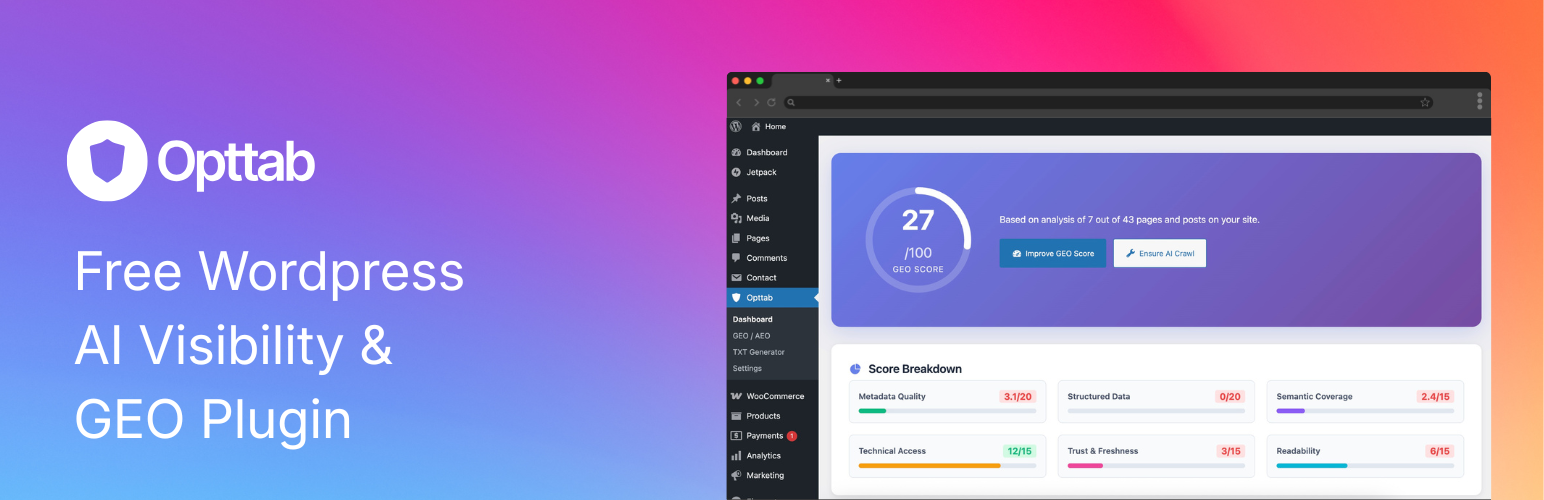
Opttab - AI Visibility & GEO
| 开发者 | opttab |
|---|---|
| 更新时间 | 2025年12月24日 04:10 |
| PHP版本: | 7.4 及以上 |
| WordPress版本: | 6.9 |
| 版权: | GPLv2 or later |
| 版权网址: | 版权信息 |
详情介绍:
Opttab - AI Visibility & GEO empowers WordPress site owners to optimize their content for AI discoverability. Get your overall sitewide GEO score, detailed breakdowns, and actionable improvement recommendations to help AI models better discover and understand your content—completely free, no account required!
This is the free version of the Opttab WordPress plugin, focused on GEO optimization. For advanced features like AI Visibility tracking, Studio (AI Content Generator), and OAuth authentication, upgrade to the full version.
Key Features (Free Version)
GEO Score Analysis
- Get your overall sitewide GEO score
- Detailed breakdown by component (Metadata, Structured Data, Semantic Coverage, etc.)
- Understand how AI models discover your content Improvement Recommendations
- Receive actionable suggestions to improve your GEO score
- Priority-based recommendations (High/Medium)
- Visual progress indicators for each improvement area TXT File Generator
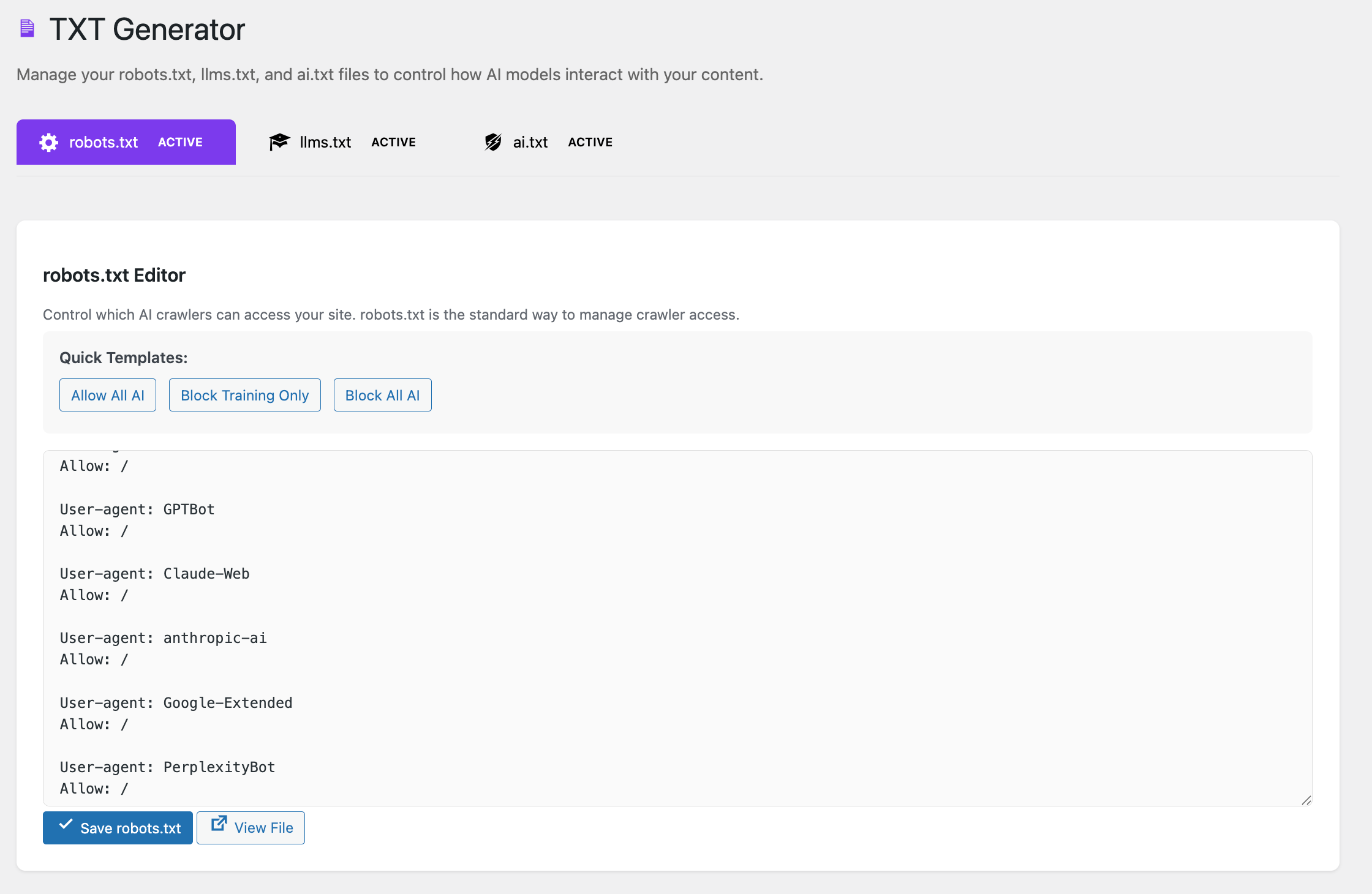
- Generate robots.txt, llms.txt, and ai.txt files
- Help AI models discover and understand your content
- Easy-to-use interface with preview No Account Required
- Start using immediately after installation
- No API keys or authentication needed
- Completely free to use
- OAuth authentication
- AI Visibility tracking
- Studio (AI Content Generator)
- Advanced analytics
- Monetization features
- Sitewide GEO score analysis (unlimited)
- Individual page GEO analysis (unlimited)
- Improvement recommendations (unlimited)
- TXT file generator (robots.txt, llms.txt, ai.txt)
- No account or API key required
- All features work offline/locally
- No usage limits or trials
- 100% free forever Premium Plans (Requires Opttab Account) To access premium features, you need to:
- Create a free Opttab account at https://opttab.com/register
- Choose a paid plan (Starter, Pro, or Enterprise) Premium features include:
- AI Model Visibility Tracking - Track how AI models reference your content
- Advanced Analytics - Detailed performance metrics and trends
- Studio - AI-powered content generator
- Monetization - Earn revenue from AI model usage
- Campaign Management - Promote content through AI models
- Priority Support - Dedicated technical assistance How Plan Limits Work
- Free plugin: All GEO features unlocked, no API key needed
- Opttab Free Account: Basic API access (50 requests/day limit)
- Paid Plans: Higher API limits based on tier (Starter: 500/day, Pro: 2000/day, Enterprise: unlimited)
- When limits are reached: Plugin shows upgrade prompt, GEO features continue to work offline Data Flow
- Free GEO Analysis: Processed locally, no external API calls
- API Key: Optional, only needed for premium features
- Privacy: No data is sent to external services without explicit API connection
- Install: Install and activate the plugin from WordPress.org
- Start Journey: Click "Start Your Journey" on the welcome dashboard
- No Configuration Needed: Start analyzing immediately—no account required Using Free Features
- Dashboard: View your overall sitewide GEO score
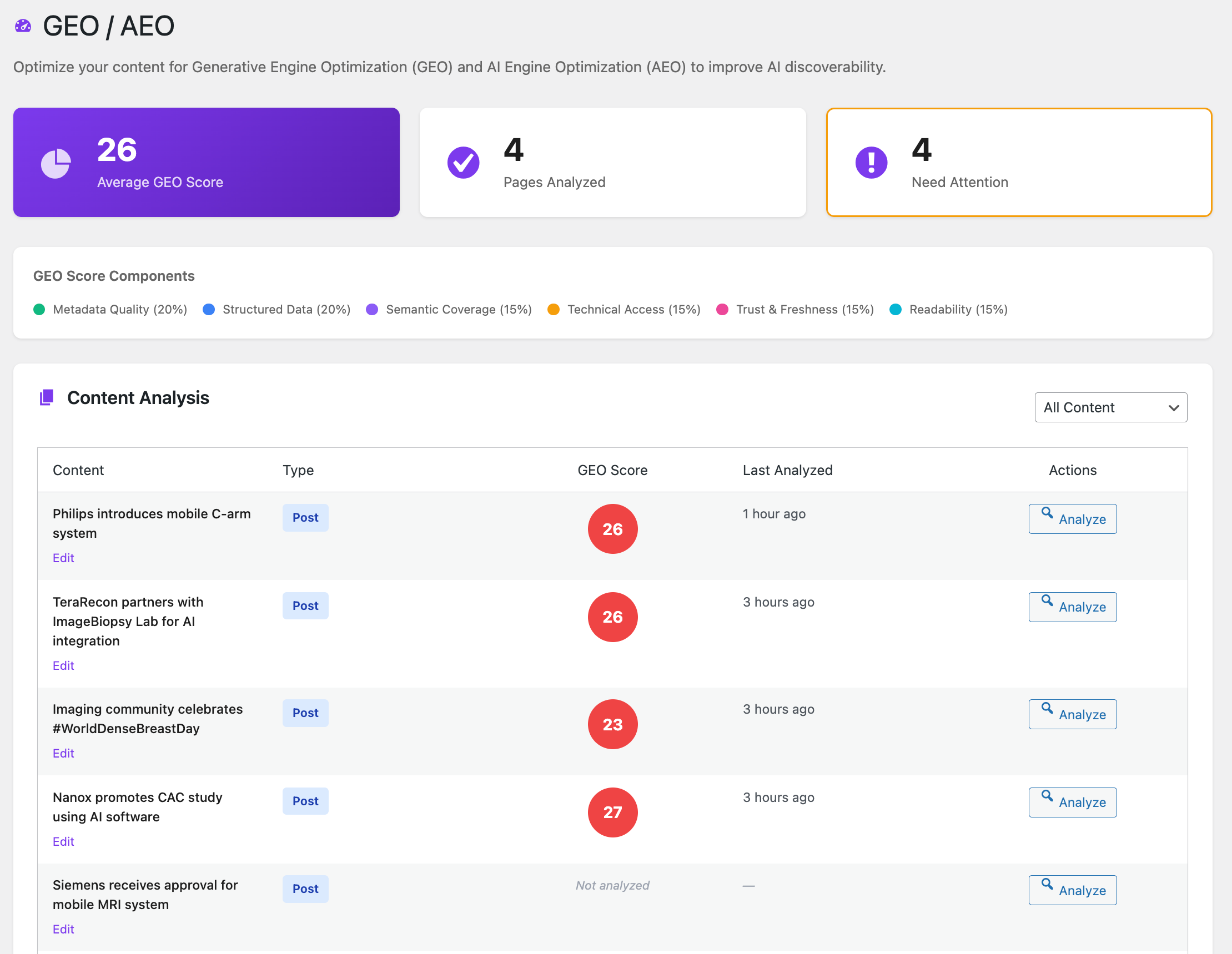
- GEO / AEO Page: Analyze individual posts/pages for detailed recommendations
- Improvement Recommendations: Follow actionable tips to improve your score
- TXT Generator: Generate robots.txt, llms.txt, and ai.txt files for AI crawlers Upgrading to Premium (Optional)
- Create Account: Visit https://opttab.com/register to create a free account
- Choose Plan: Select a paid plan if you want premium features
- Get API Key: Generate an API key from your Opttab dashboard (Settings > API Settings)
- Access Premium: New menu items and features will appear automatically Technical Workflow
- Plugin checks user plan tier on activation
- Free tier: All GEO features enabled, no external calls
- Premium features: Gated behind plan check, shows upgrade prompts if needed
- Offline fallback: GEO analysis always works even without internet connection
安装:
From WordPress Dashboard
- Go to Plugins > Add New
- Upload the plugin ZIP file
- Click "Install Now" and then "Activate"
- Go to Opttab in your admin menu
- Start your AI Visibility and GEO journey
- Download the plugin ZIP file
- Extract to your WordPress plugins directory (
wp-content/plugins/) - Go to Plugins and activate "Opttab - AI Visibility & GEO"
- Go to Opttab in your admin menu
- Start your AI Visibility and GEO journey
- Set up a WordPress environment (Local of Prod)
- Install and activate the plugin as described above
- Navigate to Opttab > Dashboard to see the main interface
- Click "Start Your Journey" to begin using the plugin
- Go to Opttab > GEO / AEO to analyze your content's GEO score
- Create a post/page and use the "Opttab GEO Analysis" metabox in the sidebar
- Click "Analyze GEO Score" to analyze the content (requires internet connection)
- Go to Opttab > TXT Generator to create robots.txt, llms.txt, or ai.txt files and place them in the website root.
- Navigate to Opttab > Dashboard
- Click "Start Journey" to begin
- Visit the GEO / AEO page to analyze your content
- View your sitewide GEO score and improvement recommendations on the Dashboard
屏幕截图:
常见问题:
Do I need an Opttab account?
No! This free version works without any account or API key. Just install and start using it. If you want to upgrade to premium features, you can create a free account at opttab.com/register.
What is GEO score?
GEO (Generative Engine Optimization) score measures how well your content is optimized for AI model discoverability. It evaluates metadata quality, structured data, semantic coverage, technical accessibility, trust & freshness, and readability.
Can I upgrade to the full version?
Yes! The full version includes OAuth authentication, AI Visibility tracking, Studio (AI Content Generator), and more. Visit opttab.com to learn about premium plans.
What content can be analyzed?
The plugin can analyze published posts and pages. Visit the GEO / AEO page to analyze individual pages and get detailed recommendations.
更新日志:
2.3.12 - 2024-12-24
- Enhanced: Improved GEO metabox design with color-coded progress bars
- Enhanced: Progress bars now display below category names for better readability
- Enhanced: Added support for products and custom post types in GEO metabox
- Enhanced: Improved visual design with better spacing and color coding
- Fixed: Metabox styles now properly load on all post type edit screens
- Fixed: Progress bars now fit properly within metabox boundaries
- Fixed: TXT Generator tab switching now works correctly (llms.txt and ai.txt tabs)
- Fixed: Quick template buttons (Allow All AI, Block Training Only, Block All AI) now work properly
- Fixed: Button icon alignment (checkmark and external link icons) now properly aligned
- Improved: JavaScript now uses jQuery and waits for DOM ready for better reliability
- Improved: Added comprehensive CSS styling for TXT Generator page
- Fixed: Removed inline onclick handlers that were not working (script loaded in footer)
- Fixed: Template buttons now use data attributes and event listeners
- Fixed: Tab switching now properly attaches event listeners after DOM ready
- Improved: All TXT Generator JavaScript wrapped in IIFE for better scoping
- Fixed: TXT Generator tab switching now works correctly (llms.txt and ai.txt tabs)
- Fixed: Quick template buttons (Allow All AI, Block Training Only, Block All AI) now work
- Fixed: Template key mismatch between view and JavaScript
- Improved: Templates now properly inject site URL, name, and contact info
- Fixed: Removed all remaining inline scripts from prompts.php and discover.php
- Fixed: All JavaScript now properly enqueued using wp_add_inline_script()
- Fixed: Short description shortened to comply with 150 character limit
- Added: Local testing instructions in readme for reviewers
- Improved: Localized strings for prompts page modal and AJAX operations
- Improved: Enhanced visual styling for GEO score display in metabox
- Improved: Better breakdown component visualization with color-coded bars
- Improved: More polished and professional UI following WordPress standards
- Fixed: GEO score circle now displays with proper gradient colors
- Fixed: Breakdown scores now show with visual bars for better readability
- Fixed: GEO analysis button now works correctly on GEO/AEO page and post/page metabox
- Fixed: Added missing API route for public GEO analysis endpoint
- Improved: Enhanced error handling for GEO analysis requests
- WordPress.org Compliance Update
- Fixed: All inline scripts now use wp_add_inline_script()
- Fixed: All inline styles now use wp_add_inline_style()
- Fixed: Replaced json_encode() with wp_json_encode() for proper escaping
- Enhanced: Comprehensive readme documentation for plans and services
- Enhanced: Clear workflow explanation for free vs premium features
- Enhanced: Technical details on plan limits and data flow
- Improved: Better code organization following WordPress standards
- Updated readme file
- Initial free version release
- Focused on GEO optimization
- No account or API key required
- Sitewide GEO score dashboard
- Improvement recommendations
- TXT file generator
- Onboarding flow