
Orchestra Map
| 开发者 | swulabs |
|---|---|
| 更新时间 | 2026年11月3日 18:09 |
| PHP版本: | 8.0 及以上 |
| WordPress版本: | 7.0 |
| 版权: | GPL-2.0-or-later |
| 版权网址: | 版权信息 |
详情介绍:
- Interactive map via [orchestra_map] shortcode – powered by Leaflet.js and MarkerCluster
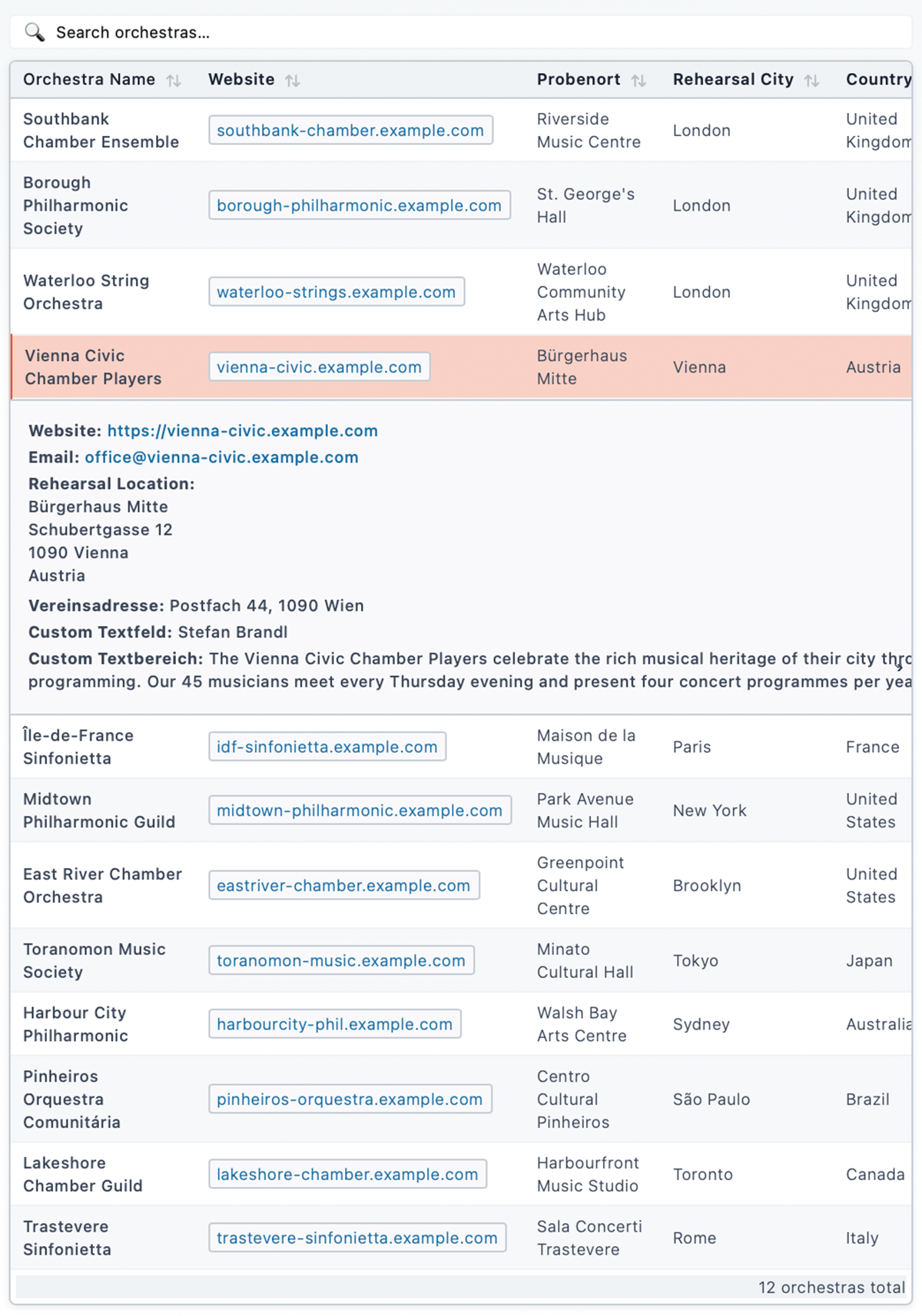
- List view via [orchestra_list] shortcode – filterable, connected to the map
- Search bar via [orchestra_search] shortcode – communicates with map and list via DOM events
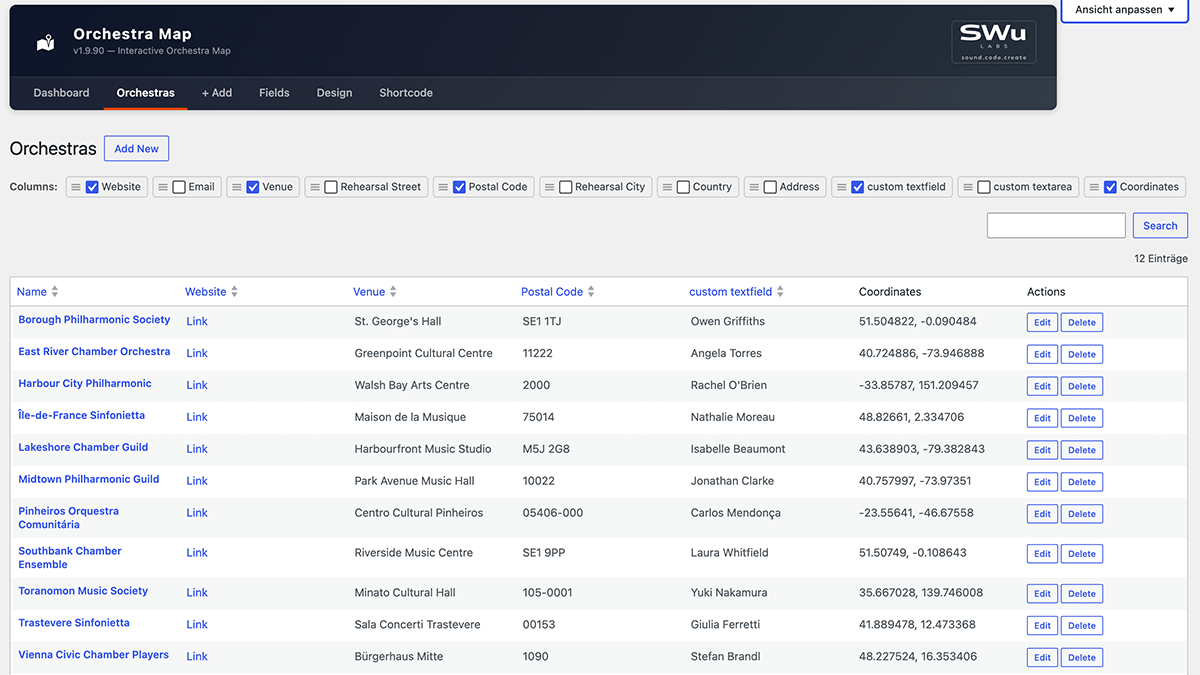
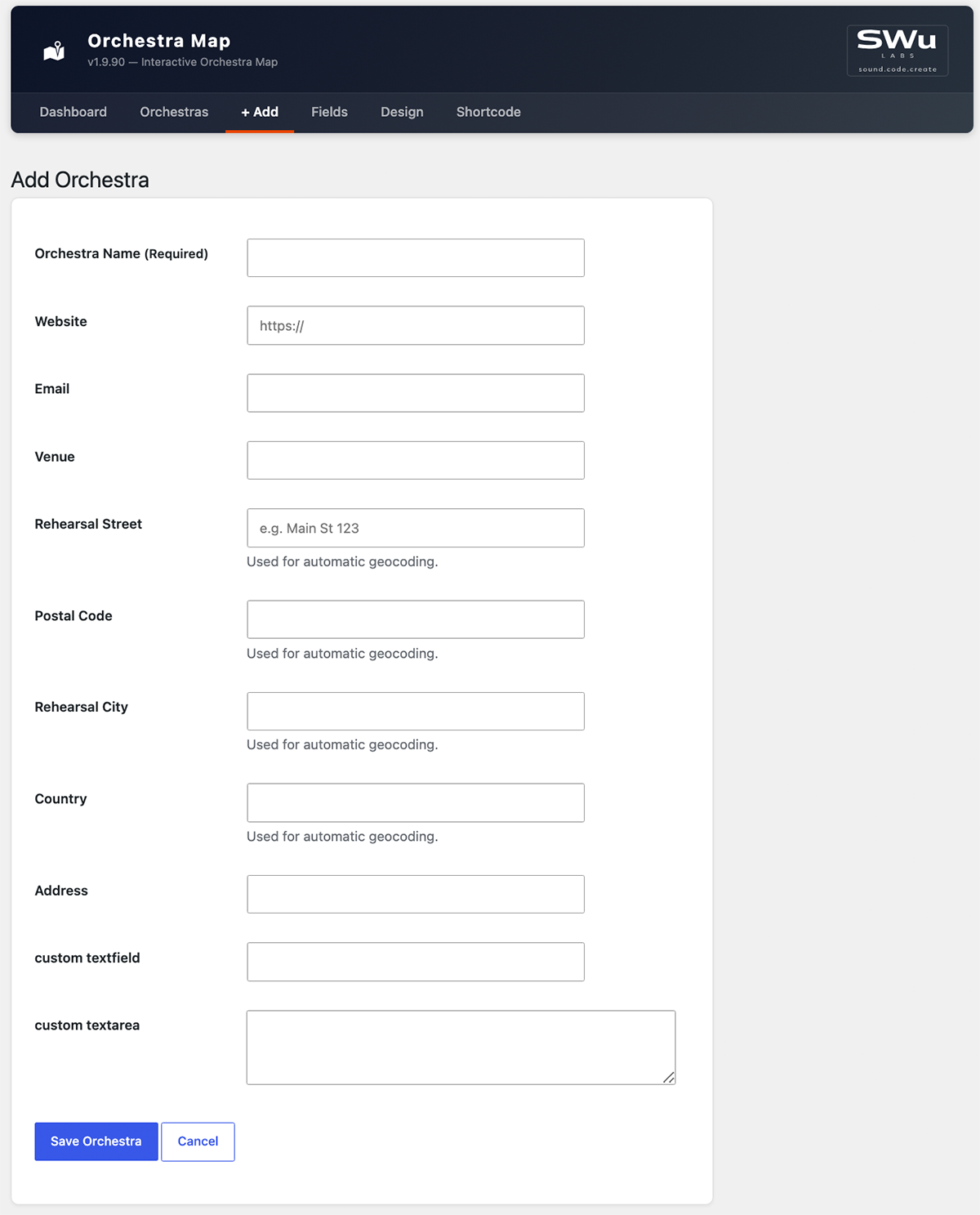
- Add / edit / delete orchestras in a clean admin UI
- Built-in fields: Name, Website, Email, Venue name, Address, ZIP, City, Country
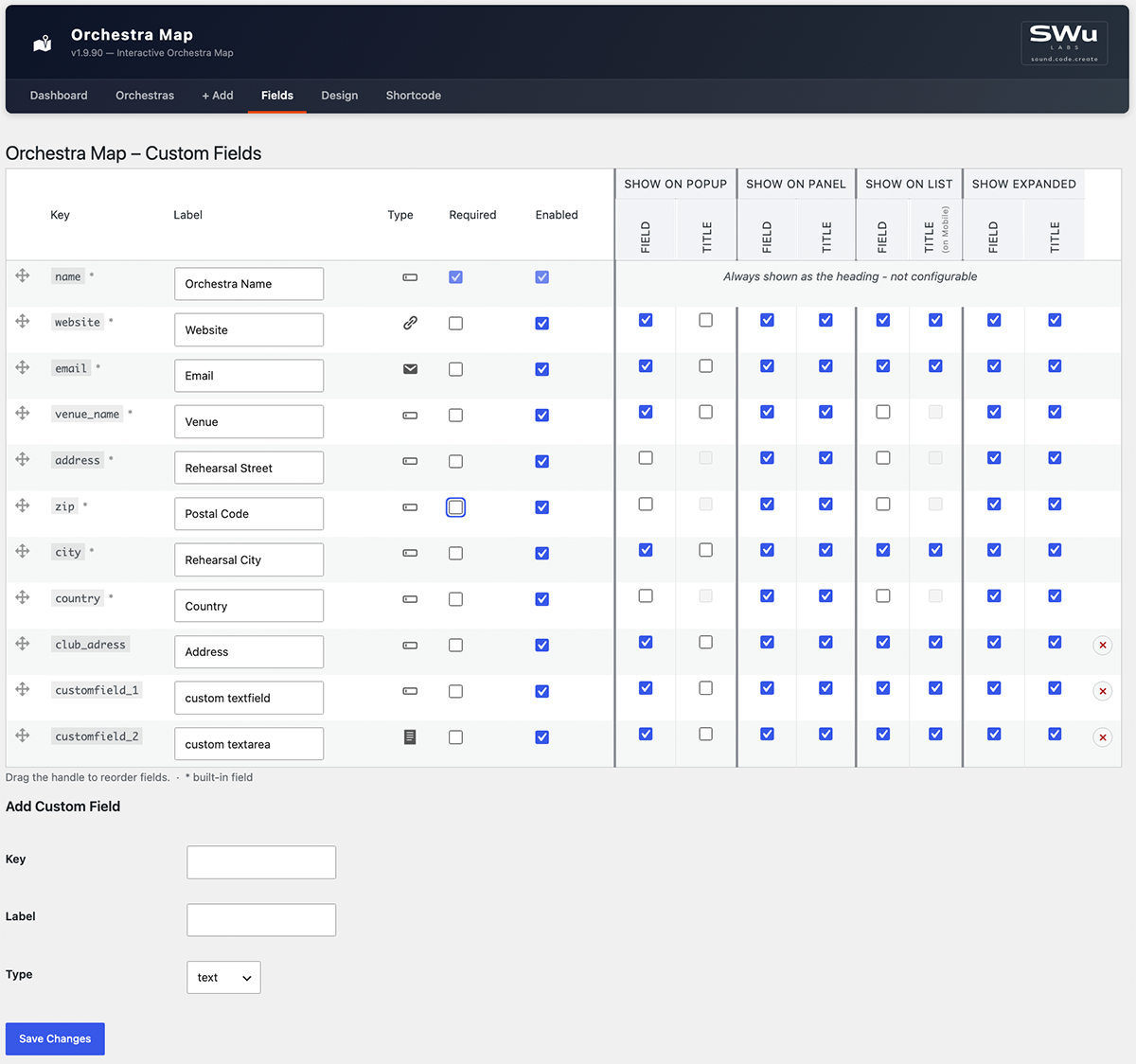
- Custom Fields – add, reorder, and label your own data columns in the Fields settings page
- Design settings – customise map colors, fonts and sizes in the Design settings page
- Geocoding – converts addresses to coordinates automatically via OpenStreetMap Nominatim (free, no API key required)
- Shortcode reference – full attribute documentation for all shortcodes, right in the admin
- Import & Export of orchestra data (CSV / Excel)
- Export & import of design settings (JSON) - e.g. to copy a look between sites
orchestra-map:filter and orchestra-map:select.
安装:
- Upload the
orchestra-mapfolder to/wp-content/plugins/. - Activate the plugin via Plugins → Installed Plugins.
- Go to Orchestra Map → + Add and create your first entry.
- Use the geocoding button in the orchestra list to convert addresses to coordinates.
- Insert
[orchestra_map]into any page or block.
屏幕截图:

常见问题:
Does this plugin require an API key?
No. Geocoding uses OpenStreetMap Nominatim, which is free and requires no registration.
Does this plugin send data to external servers?
Two kinds. Geocoding sends the address fields (street, ZIP, city, country) of an orchestra entry to the OpenStreetMap Nominatim API (nominatim.openstreetmap.org) to retrieve geographic coordinates — always initiated by an admin action, never automatically in the background. Subject to the Nominatim Usage Policy. Separately, every visitor viewing the [orchestra_map] shortcode loads map tiles directly from the OpenStreetMap tile server (tile.openstreetmap.org) in their own browser — no orchestra data is sent, only standard map tile requests. Subject to the Tile Usage Policy. High-traffic sites should consider a commercial tile provider per that policy.
How many orchestras can I add?
There is no hard limit. The plugin stores data in a custom database table.
Can I import from Excel or CSV?
Import and Export are available in the Orchestra Map Pro add-on.
Can I customise the map colors and fonts?
Yes. The free Design settings page lets you customise marker, search, map, info panel, popup and list colors and sizes.
Can I add custom data fields?
Yes. The free Fields settings page lets you add, reorder and label your own custom data fields.
Is the plugin compatible with Full-Site Editing (FSE) themes?
Yes. The shortcodes work in both classic and block-based themes.
更新日志:
- Fix: Sites upgrading from a version before 1.9.50 lost their saved field visibility settings (Popup/Panel/List, field titles) - the old settings are now carried over automatically on update.
- Fix: Design values saved by older versions that are no longer accepted (e.g. an empty color) could break the map and the Design settings page after updating - they now fall back to their default instead.
- Docs: Shortcode reference still named the old
om:filter/om:selectevents - updated toorchestra-map:filter/orchestra-map:select.
- Fix: One constant (
GEOCODING_FIELD_KEYS) didn't carry the plugin's naming prefix, per WP.org review feedback - renamed toORCHESTRA_MAP_GEOCODING_FIELD_KEYS. - Change: All internal CSS classes, IDs, CSS custom properties and custom DOM events switched from the
om-prefix toorchestra-map-(e.g.om-card→orchestra-map-card, eventom:filter→orchestra-map:filter), to avoid the short, generic prefix colliding with other plugins/themes on the same page.
- Fix: Saving the Fields settings page while a venue-group field's "Field" checkbox was off (making its shared "Title" checkbox disabled) silently reset that Title flag to off, discarding the previously saved value instead of preserving it.
- Fix: Adding a custom field with a key that already existed silently added nothing while still showing "Field settings saved." - now shows a clear "already exists" error instead.
- Fix: A pasted non-breaking space, zero-width space, or byte-order-mark in a Label field could pass as "non-empty" while rendering blank; detecting a blank label now strips these too, not just plain ASCII whitespace.
- Change: The default Cluster Color is now a shade of blue matching the plugin's usual accent color, instead of Leaflet's default green, so it's consistent with the rest of the built-in color palette.
- Feature: The Design settings page's Marker section now has a "Cluster Count Text Color" field, for the number shown inside each cluster bubble - defaults to white, since it wasn't previously configurable and the darker default cluster background made the old (unstyled) text hard to read.
- Fix: The Orchestra List's "Alternating Row Color" (zebra striping) never actually showed - each row's hidden expanded-row sibling in the page threw off the even/odd counting the striping relied on, so it only ever matched hidden rows. Rows are now striped explicitly instead of relying on position, so this works correctly.
- Feature: The Orchestra List's own link color and its expanded (accordion) row background are now independently configurable on the Design settings page ("Link Color", "Expanded Row Background" under Orchestra List), instead of silently reusing the Info Panel's colors. Changing the Info Panel's background/link color on the Design page no longer affects the list view at all.
- Fix: The new cluster color (1.9.84) made the cluster bubbles fully solid, losing the lighter-ring-around-a-darker-circle "halo" the default green/yellow/orange clusters had - restored with the custom color, so clusters still visually read as "grouped" at a glance.
- Fix: Clearing a color or dimension field on the Design settings page (e.g. Border Radius) and saving crashed with a hard error page instead of a normal validation message. Clearing a field now resets it to its default instead.
- Feature: Every field on the Design settings page now shows its default value underneath, so it's clear what a field resets to (or started as). For older versions see changelog.txt.