
OrderArc – Order Archive for WooCommerce
| 开发者 | nicolassalinas |
|---|---|
| 更新时间 | 2026年11月21日 00:02 |
| PHP版本: | 7.4 及以上 |
| WordPress版本: | 7.1 |
| 版权: | GPLv2 or later |
| 版权网址: | 版权信息 |
详情介绍:
- Every row of an order is moved: the order, addresses, items, item meta, notes, order meta, refunds, the legacy
wp_posts/wp_postmetacopy when there is one, and rows that other plugins keep per order (detected automatically, for example invoices or tracking numbers). - Each batch runs inside one database transaction. Before anything is deleted, OrderArc checks that the copy has the same number of rows and the same checksum of every column as the original. If anything differs, the whole batch is rolled back and those orders are not touched.
- It does not use the WooCommerce order API to move orders, so no emails are sent, stock is not changed and no "order deleted" hooks run.
- The order number stays reserved, so a new order never reuses an archived number.
- WooCommerce Analytics and reports keep counting archived orders (their tables are not moved).
- Download links that customers already received keep working; archived orders do not appear under Downloads in My Account.
- Overview: how your orders are stored (HPOS, legacy, with or without sync), how many orders are ready to archive, and a button that measures how long a real WooCommerce order search takes on your site.
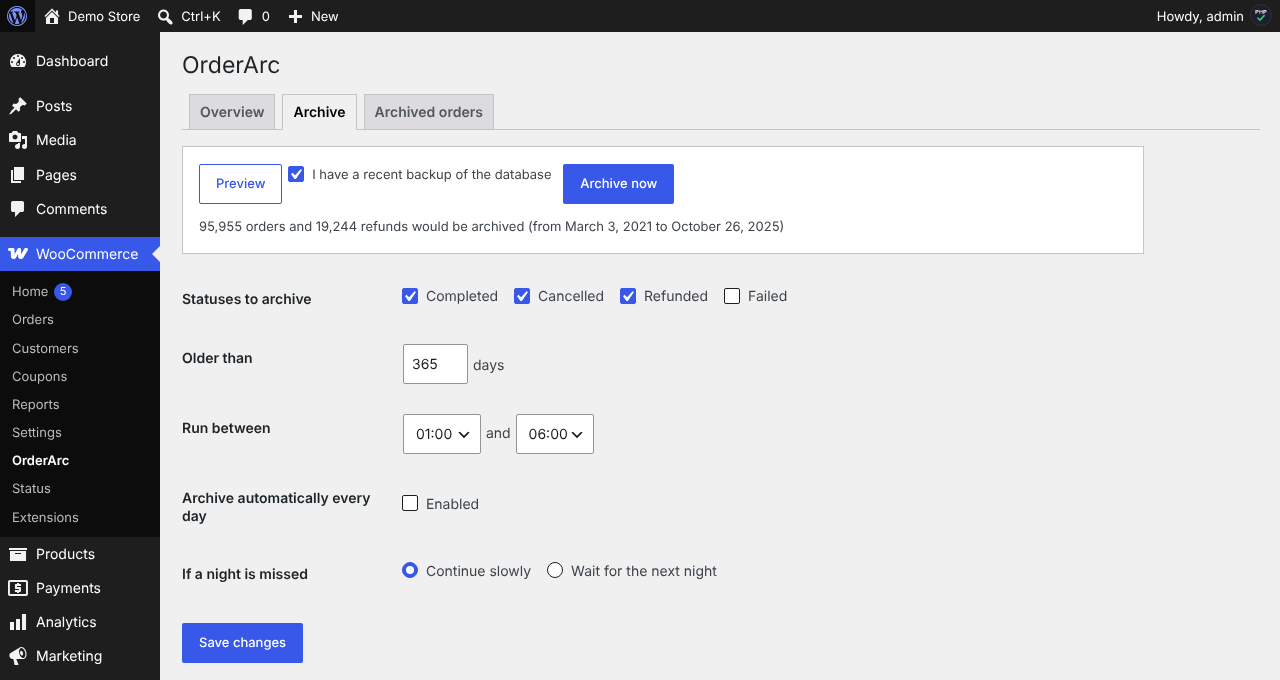
- Preview before archiving, then "Archive now" or a daily automatic run.
- Runs in the background with Action Scheduler (included with WooCommerce), inside a time window you choose (01:00–06:00 by default), and slows down by itself if the server gets slow.
- If the site had no traffic during the night and the run did not start, it can continue slowly during the day or wait for the next night (your choice).
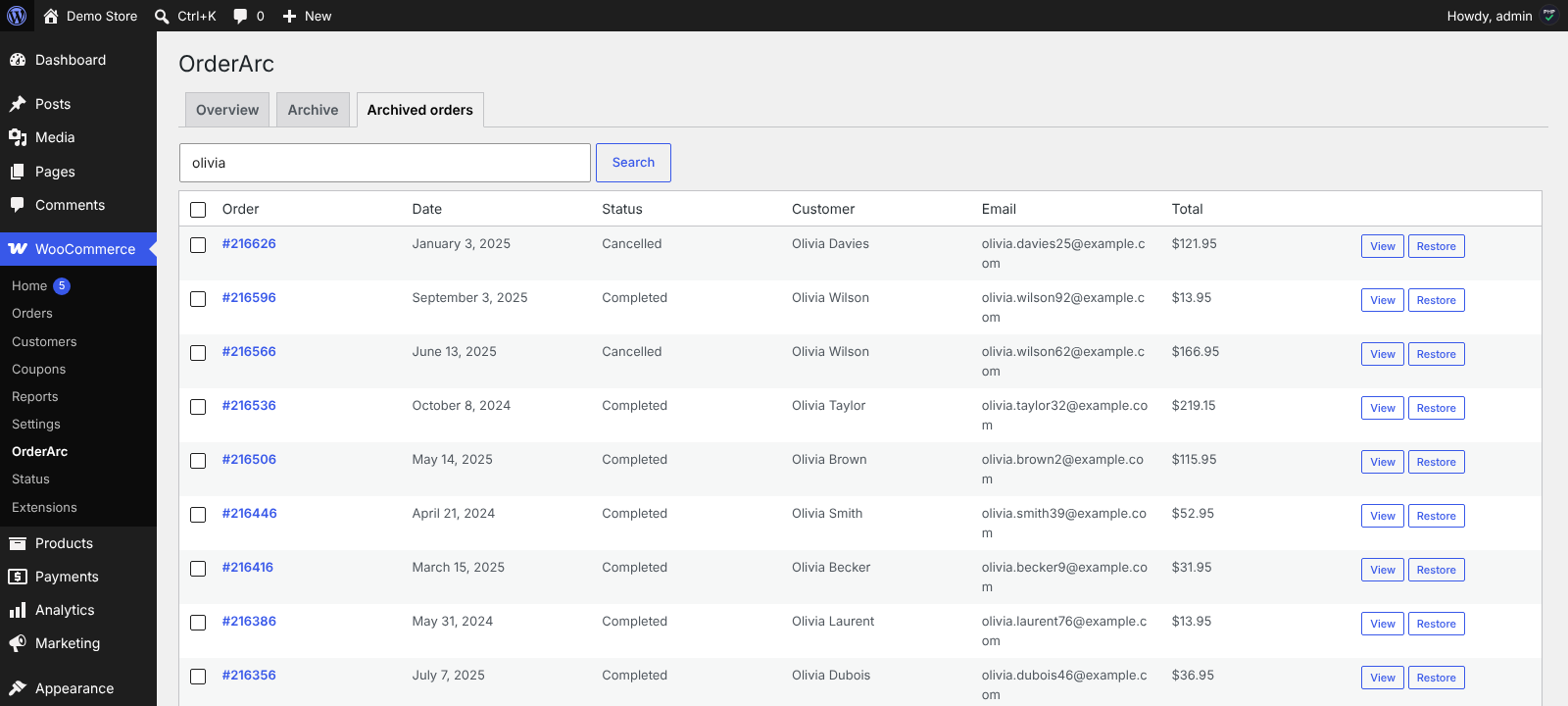
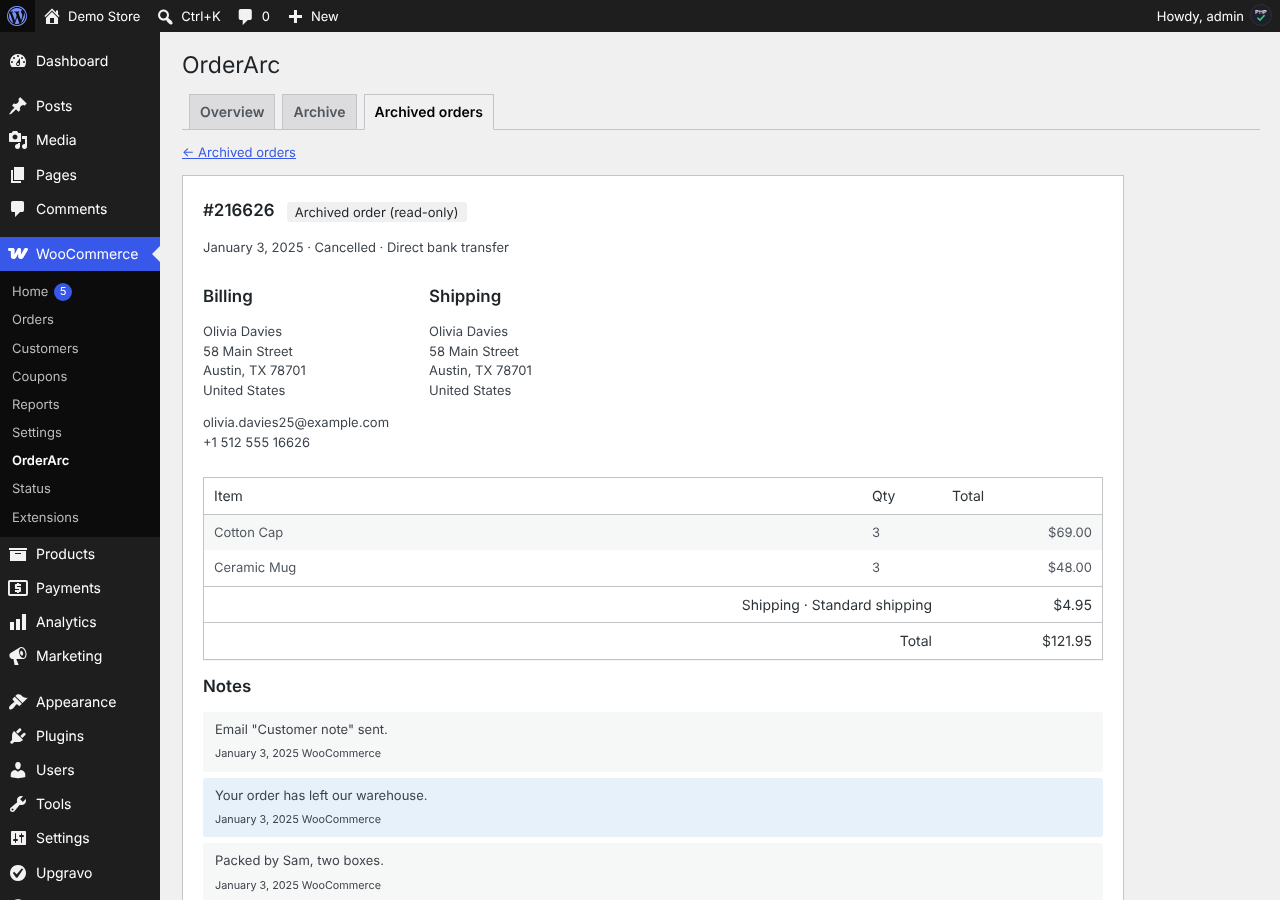
- "Archived orders" tab: search by order number, email, name or phone, open any archived order (read-only) and restore one, several or all.
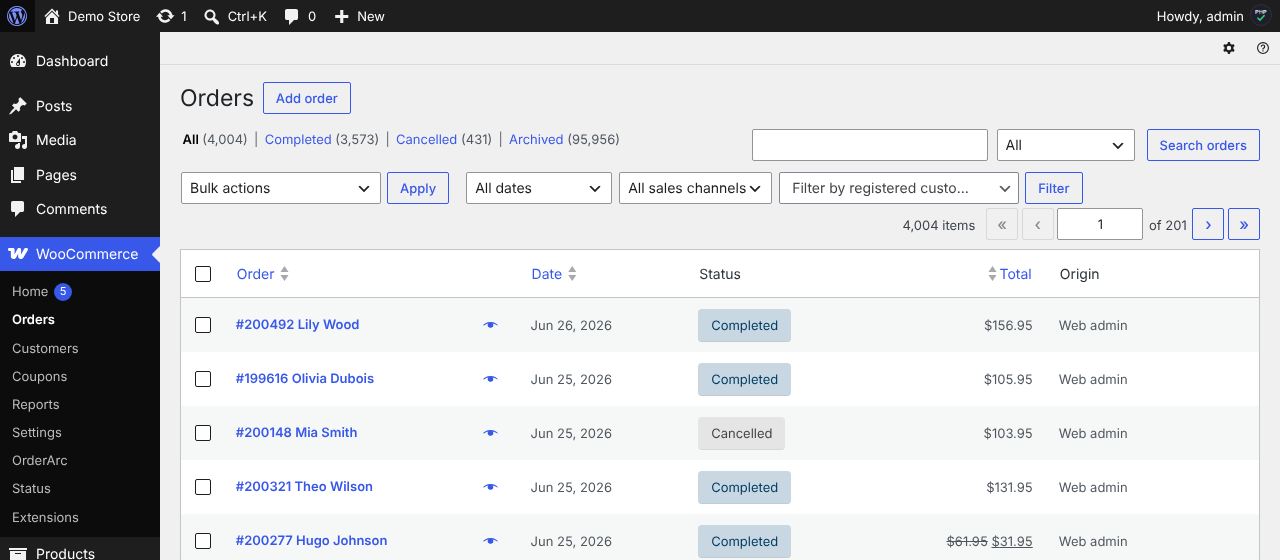
- An "Archived (N)" link in the WooCommerce orders list, and old links to an archived order open its archived view.
- Customers see their archived orders under "Older orders" in My Account (only orders placed with their own account).
- Works with HPOS (with or without sync) and with legacy order storage.
- Orders that have child orders other than refunds (for example subscriptions), and renewal orders of a subscription, are never archived.
- Personal data requests (Tools → Export Personal Data and Erase Personal Data) also cover archived orders, following the WooCommerce setting for removing personal data from orders.
- It does not delete orders. Archived orders stay in your database until you restore them.
- It does not send your data anywhere. Everything happens on your own server.
安装:
- Install and activate WooCommerce and OrderArc.
- Go to WooCommerce → OrderArc.
- Make a backup of your database.
- In the Archive tab, choose which statuses and how old, click Preview, then Archive now.
屏幕截图:

常见问题:
Is it safe?
Each batch is copied, verified (row count and checksum of every column) and only then removed from the live tables, all inside one transaction. If the check fails, nothing changes for those orders. Even so, OrderArc asks you to confirm that you have a recent database backup before the first run, and you should have one.
Do my reports change?
No. WooCommerce Analytics tables are not moved, so totals and history stay the same. One exception: if you re-import historical data in Analytics with "Delete previously imported data", WooCommerce rebuilds the reports from live orders only, so archived orders drop out until you restore them.
Can I get an order back?
Yes. Open the Archived orders tab, find the order and click Restore. It goes back exactly as it was. Orders you restore by hand are not archived again by the automatic run.
Which orders can be archived?
Orders that are no longer in progress: Completed, Cancelled, Refunded, Failed or a final status added by another plugin (Completed, Cancelled and Refunded by default), older than the number of days you choose (minimum 30, 365 by default). Renewal orders of a subscription are never archived.
What happens if I uninstall the plugin?
If there are archived orders, their tables are kept, so nothing is lost. Install OrderArc again to see and restore them. If the archive is empty, uninstalling removes everything the plugin created.
What if I switch between HPOS and legacy storage?
Restore all archived orders before switching. If you switch anyway, OrderArc shows a notice in its screen.
Does it work on shared hosting?
Yes. Work is done in short slices (about 20 seconds each) that fit common PHP time limits, and the batch size adapts to how fast your server answers.
更新日志:
- Clearer plugin description. No change in behaviour.
- Once there are archived orders, the OrderArc screen asks once for a review on WordPress.org (Maybe later hides it for 14 days; Don't ask again hides it for good).
- Database queries reworked so that only placeholders are added to the SQL. No change in behaviour.
- Translations are now delivered by translate.wordpress.org.
- Personal data export and erasure requests now include archived orders.
- Renewal orders of a subscription are never archived.
- Stricter detection of tables that other plugins use to store data per order.
- First release.