
OrderSieve
| 开发者 | jahirulwp |
|---|---|
| 更新时间 | 2026年11月3日 00:40 |
| PHP版本: | 7.4 及以上 |
| WordPress版本: | 7.1 |
| 版权: | GPLv2 or later |
| 版权网址: | 版权信息 |
详情介绍:
- A hidden field. The checkout form gets an extra field that people never see. Bots that fill in every field give themselves away. This one needs the classic checkout.
- How fast the checkout was. A person needs a few seconds at least to fill in a checkout form. Checkouts submitted faster than that, 3 seconds by default, are turned away. On the classic checkout the start time is signed and tied to the shopper's session, so it cannot be forged or reused. On the block checkout it is the moment the shopper first added something to the cart.
- The email address. Addresses from throwaway providers such as mailinator.com or temp-mail.org are rejected, along with any subdomain of them. You can add your own domains to the list.
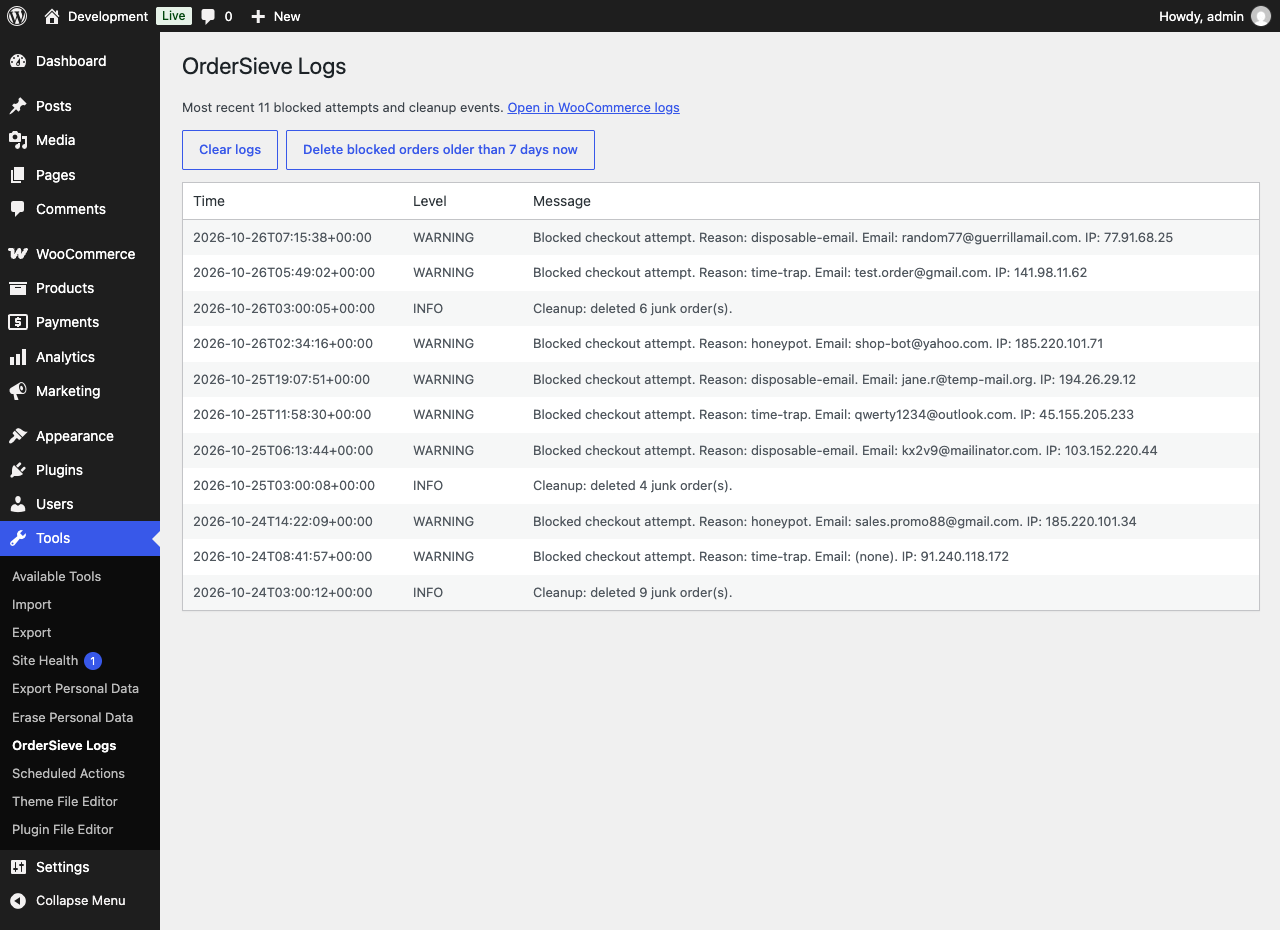
ordersieve, whether WooCommerce writes its logs to files or to the database. From the logs screen you can clear the log or run the junk order cleanup straight away.
Clean up junk orders
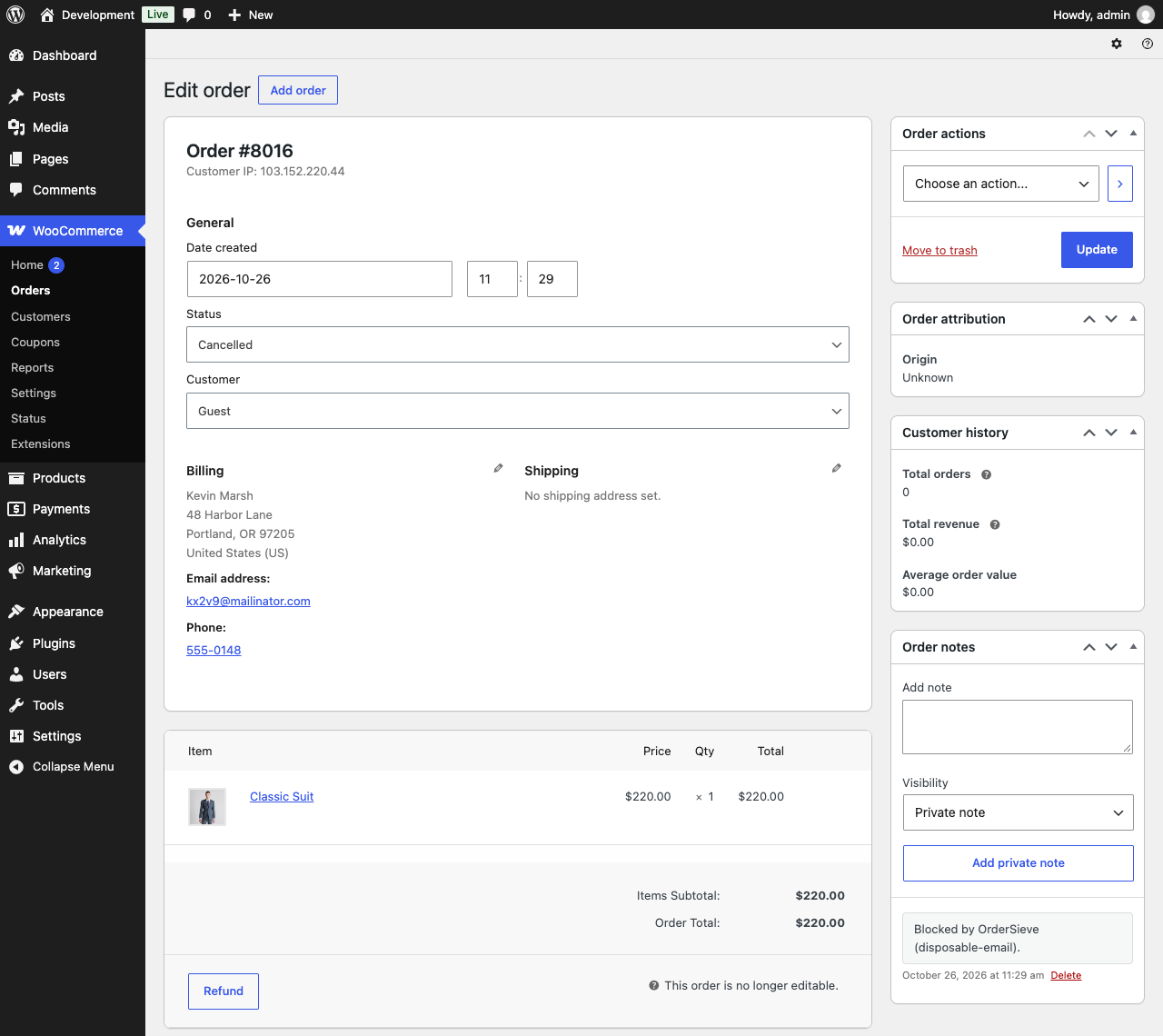
Blocked block-checkout orders stay in your orders list as cancelled. If you would rather not keep them, turn on the cleanup. Once a day, through WooCommerce's Action Scheduler, it deletes orders that OrderSieve blocked and that are older than the number of days you choose, up to 50 per run. Orders OrderSieve did not block are never touched, including ones you cancelled yourself. The cleanup is off by default.
What you can adjust
Everything lives on one tab under WooCommerce → Settings → OrderSieve:
- Turn all checks on or off.
- The minimum time a checkout must take, from 0 to 60 seconds. 0 turns the time check off.
- Whether to block throwaway email providers, and your own list of extra domains, one per line.
- The message a blocked shopper sees. Leave it empty and shoppers get the default message in their own language.
- Whether blocked attempts are logged.
- How many days to keep blocked orders before the cleanup deletes them, from 0 to 365. 0 turns the cleanup off.
安装:
- Install WooCommerce 8.0 or later if it is not already active.
- Upload the
ordersievefolder to/wp-content/plugins/, or install it from Plugins → Add New. - Activate OrderSieve. Protection is on straight away with the recommended settings.
- To change them, go to WooCommerce → Settings → OrderSieve.
- To see what has been blocked, visit Tools → OrderSieve Logs.
屏幕截图:
常见问题:
Does it work with the block-based checkout?
Yes. The time check and the email check both work on the block checkout. The hidden field needs the classic checkout, because the block checkout does not show extra fields added in PHP.
Will real customers be blocked?
It is very unlikely. All three checks look for machine behaviour: people do not see the hidden field, take longer than a few seconds to check out, and rarely use throwaway email addresses. Every blocked attempt is logged so you can review it, and the rejection message can tell shoppers how to reach you.
Where can I see blocked attempts?
Go to Tools → OrderSieve Logs. It lists the 100 most recent blocked attempts and cleanup runs. The same entries are under WooCommerce → Status → Logs with the source ordersieve.
Will I get emails about blocked orders?
No. On the classic checkout no order is created. On the block checkout the unfinished order is cancelled without sending the "Cancelled order" email.
Does the cleanup delete real orders?
No. It only deletes orders that OrderSieve blocked and flagged, older than the number of days you set, at most 50 per run. Orders you cancelled or trashed yourself are never touched.
Does it work with page caching or a custom checkout template?
Yes. If a cached or custom checkout page is missing the signed start time, or it does not match the shopper's session, OrderSieve uses the age of the shopper's WooCommerce session instead of blocking the order.
What about express checkout (Apple Pay, Google Pay)?
Express checkout can be very quick, so now and then a one-click payment may beat the minimum time. If that happens on your store, lower the minimum time, set it to 0, or turn the time check off with a filter:
add_filter( 'ordersieve_run_time_trap', '__return_false' );
How can I test that it works?
Add a test domain such as example.com under Additional blocked email domains, then place a test order with an @example.com email address. The order is rejected and the attempt shows up under Tools → OrderSieve Logs. Remove the test domain afterwards.
Can I block more email domains from code?
Yes, with the ordersieve_disposable_domains filter. Subdomains of each domain you add are blocked too:
add_filter( 'ordersieve_disposable_domains', function ( $domains ) { $domains[] = 'example.com'; return $domains; } );
Which hooks are available for developers?
ordersieve_run_time_trap(filter) –bool $run. Return false to skip the time check.ordersieve_disposable_domains(filter) –string[] $domains. Lowercase domains to block.ordersieve_block_message(filter) –string $message. The message shown to a blocked shopper.ordersieve_blocked(action) –string $reason,string $email. Fires whenever an attempt is blocked. The reason ishoneypot,time-trapordisposable-email.
What happens if I deactivate the plugin?
Checkouts are no longer screened and the daily cleanup stops. Your settings and logs are kept, so everything picks up where it left off when you turn it back on. Deleting the plugin removes its settings, scheduled cleanup and log entries.
Does the plugin connect to any external service?
No. See the Privacy section above.
更新日志:
- Initial release.
- Hidden honeypot field and a signed, session-bound time trap for the classic checkout.
- Block checkout protection with a session-based time trap and the disposable email check, applied before any customer account, coupon hold or stock reservation is made.
- Disposable email domain blocking, including subdomains, with your own extra domains.
- Blocked-attempt log under Tools → OrderSieve Logs, for both the file and database WooCommerce log handlers.
- Optional daily junk order cleanup through WooCommerce's Action Scheduler, limited to orders OrderSieve blocked.
- Filter and action hooks for the domain list, the rejection message, the time trap and blocked attempts.
- Compatible with HPOS and the Cart and Checkout blocks, with suggested privacy policy text.