Osom Multi Theme Switcher
| 开发者 |
osomstudio
bartosznowak tomziel kamiljanq rainkom |
|---|---|
| 更新时间 | 2026年2月23日 17:05 |
| PHP版本: | 7.0 及以上 |
| WordPress版本: | 6.9 |
| 版权: | GPLv2 or later |
| 版权网址: | 版权信息 |
详情介绍:
- Landing pages with a unique design — without touching your main theme
- WooCommerce stores running a dedicated shop theme alongside a corporate theme
- Membership or gated sections with a separate visual identity
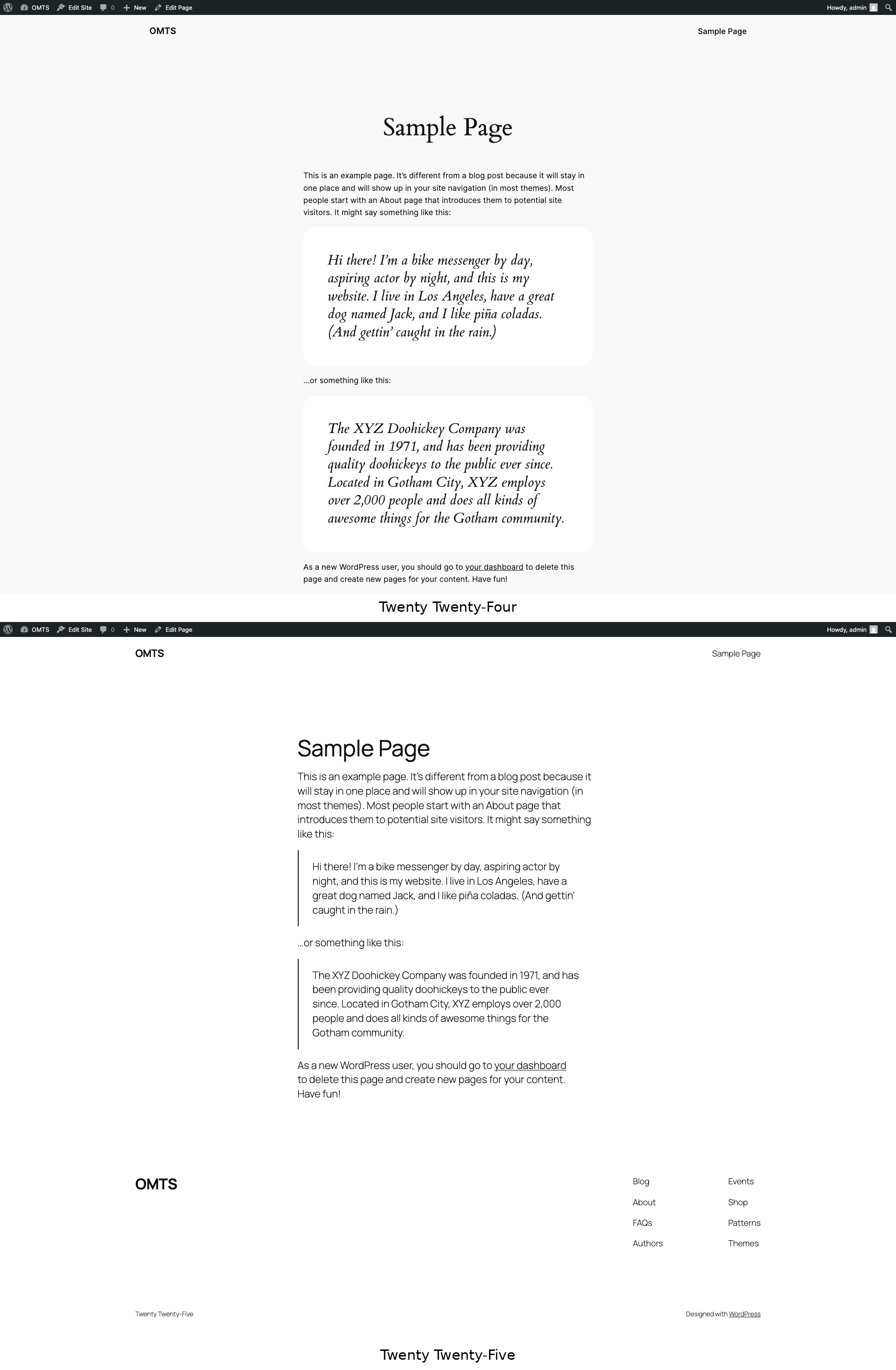
- Theme testing — preview a new theme on specific pages before switching site-wide
- Agencies managing multi-brand WordPress installations from a single dashboard
- Flexible rules — assign themes by page, post, post type, custom URL, category, or tag
- Full theme loading — the alternative theme's functions.php loads completely, so page builders (Elementor, Divi, Beaver Builder) and custom functionality work as expected
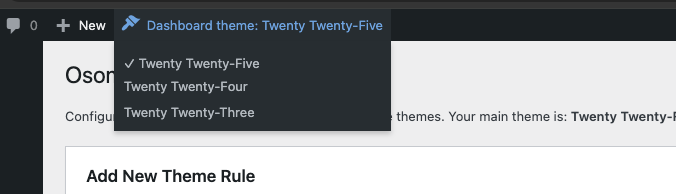
- Admin theme switcher — access settings for any installed theme directly from the admin bar
- Per-user admin theme — each administrator can use their preferred dashboard theme independently
- Draft & scheduled support — apply themes to unpublished content for preview and staging
- REST API support — configure custom REST API prefixes per theme
- ACF compatible — loads Advanced Custom Fields JSON from all active theme directories
- No code required — set up everything through the WordPress admin panel
- Install and activate the plugin
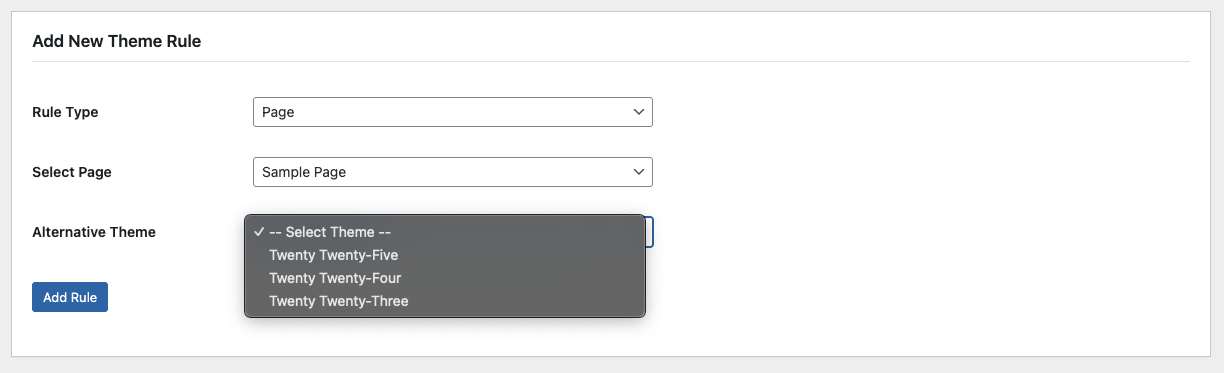
- Go to Appearance > Theme Switcher
- Select a rule type (Page, Post, Post Type, Category, Tag, or Custom URL)
- Choose the content to target
- Pick the alternative theme
- Click Add Rule — changes apply immediately
setup_theme action, before any theme code runs. This ensures full compatibility with theme features, widgets, customizer settings, and page builders.
安装:
- Upload the
osom-multi-theme-switcherfolder to the/wp-content/plugins/directory - Activate the plugin through the 'Plugins' menu in WordPress
- Go to Appearance > Theme Switcher to configure your theme rules
屏幕截图:
常见问题:
Does this affect my site's main theme?
No. Your main active theme remains unchanged for all pages that don't have a specific rule. Only the pages, posts, or URLs you configure will use an alternative theme.
Can each admin user have their own dashboard theme?
Yes. The admin bar theme switcher stores preferences per user. Each administrator can view the WordPress dashboard with their preferred theme without affecting other users or the frontend.
Does the alternative theme's functions.php load?
Yes. The plugin switches themes early in the WordPress loading process (on the setup_theme hook), ensuring the alternative theme's functions.php and all its features load correctly.
Will this work with my page builder?
Yes. Since the full theme is loaded (not just styles), page builders like Elementor, Divi, and Beaver Builder work correctly with the alternative theme.
Can I apply a theme to all products in WooCommerce?
Yes. Use the "Post Type" rule type and select "Products" to apply a theme to all WooCommerce products and the shop archive.
Does it work with caching plugins?
Most caching plugins work correctly. However, if you experience issues, you may need to exclude pages with alternative themes from the cache or use a caching plugin that supports conditional caching.
Can I use this for A/B testing themes?
While not designed specifically for A/B testing, you can apply different themes to specific URLs and manually direct traffic to test user preferences.
Is this plugin compatible with WordPress multisite?
The plugin is designed for single-site WordPress installations. For multisite setups, WordPress already provides per-site theme management. If you have a specific multisite use case, let us know through the support forum.
更新日志:
- Fix bug with object selectors
- Added cascading selector UI for adding theme rules (Custom Post Type, Taxonomy support)
- Added automatic status synchronization (OMTS_Status_Sync) — rules update when post status changes
- Added CPT/taxonomy registry for re-registering missing CPTs across themes (OMTS_Theme_Switcher)
- Added early URL matching for categories, tags, custom taxonomies, post types, and CPT items
- Added is_query_ready() guard to prevent rule matching before WP_Query is available
- Added theme existence validation before switching template/stylesheet
- Added get_rule_type_display() shared static method for consistent rule type labels
- Added new AJAX handlers: omts_get_rule_objects, omts_get_rule_items
- readme.txt and screenshot changes
- Removed deprecated load_plugin_textdomain() call - translations are now handled automatically by WordPress.org
- Removed Domain Path header pointing to non-existent languages folder
- Initial release
- Support for pages, posts, post types, custom URLs, categories, and tags
- Support for draft, pending, private, and scheduled content
- AJAX-powered admin interface for real-time rule management
- Admin dashboard theme switcher in the top admin bar
- Per-user admin theme preferences stored in user meta
- REST API custom prefix support per theme
- ACF JSON loading from all installed themes
- Early theme switching via setup_theme hook for full compatibility