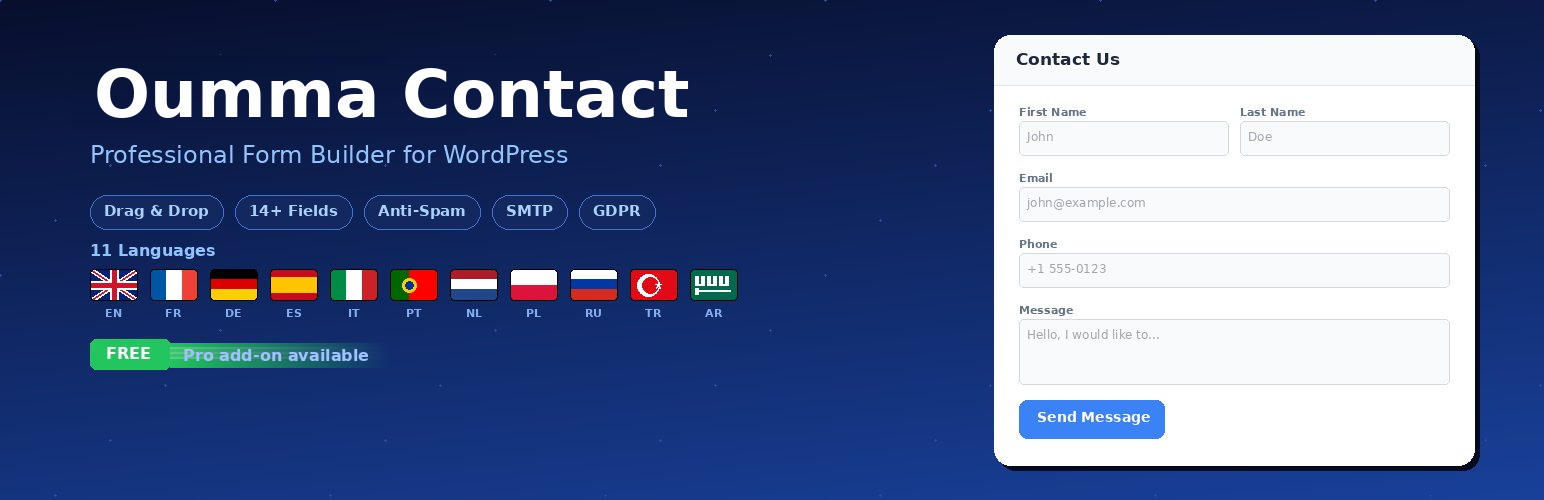
Oumma Contact – Drag & Drop Contact Form Builder
| 开发者 | oummapro |
|---|---|
| 更新时间 | 2026年3月17日 16:31 |
| 捐献地址: | 去捐款 |
| PHP版本: | 7.4 及以上 |
| WordPress版本: | 6.9 |
| 版权: | GPL-2.0-or-later |
| 版权网址: | 版权信息 |
详情介绍:
- Drag-and-Drop Form Builder – Create and customize forms visually with an easy-to-use interface
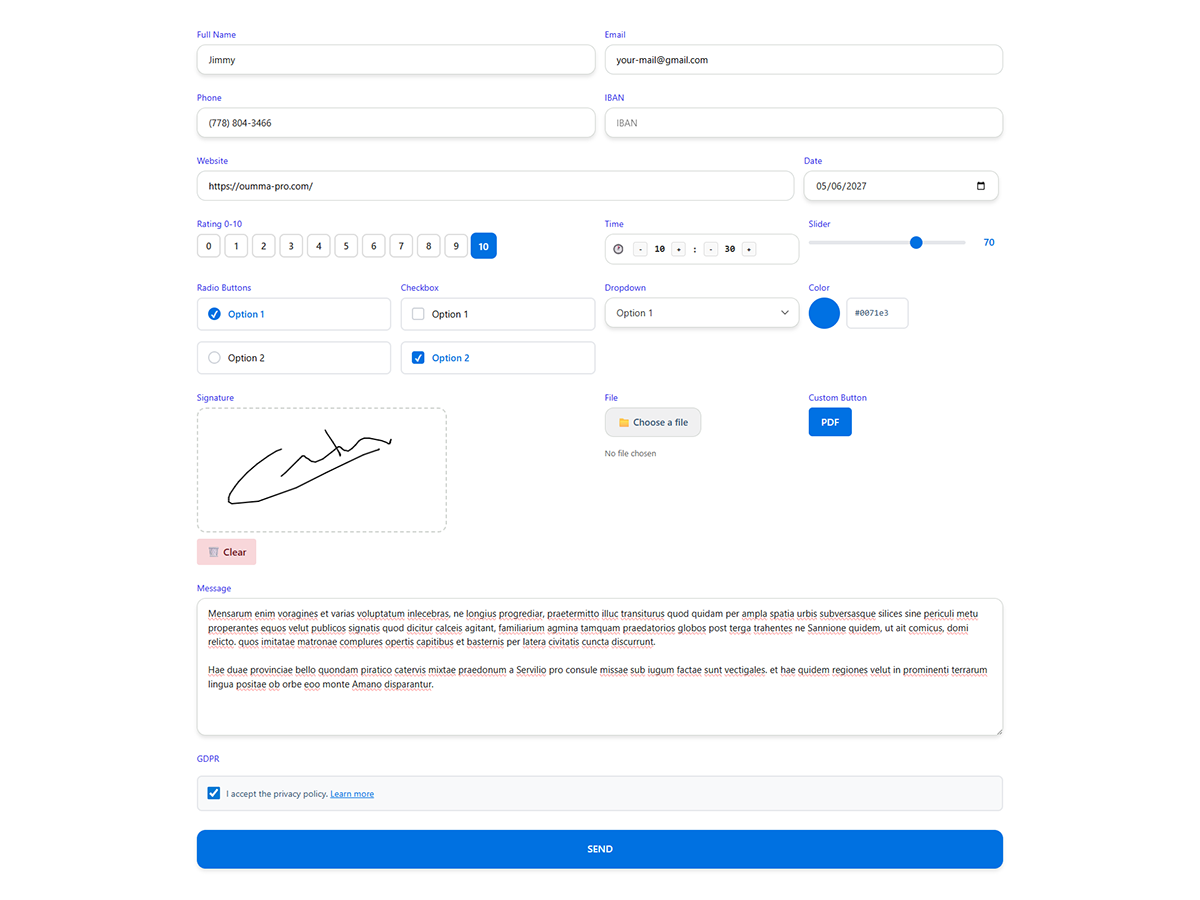
- 30+ Field Types – Text, email, phone, textarea, select, radio, checkbox, number, full name, date, time, file upload, signature, rating, NPS, address, URL, range slider, switch, color picker, IBAN, GDPR consent, and more
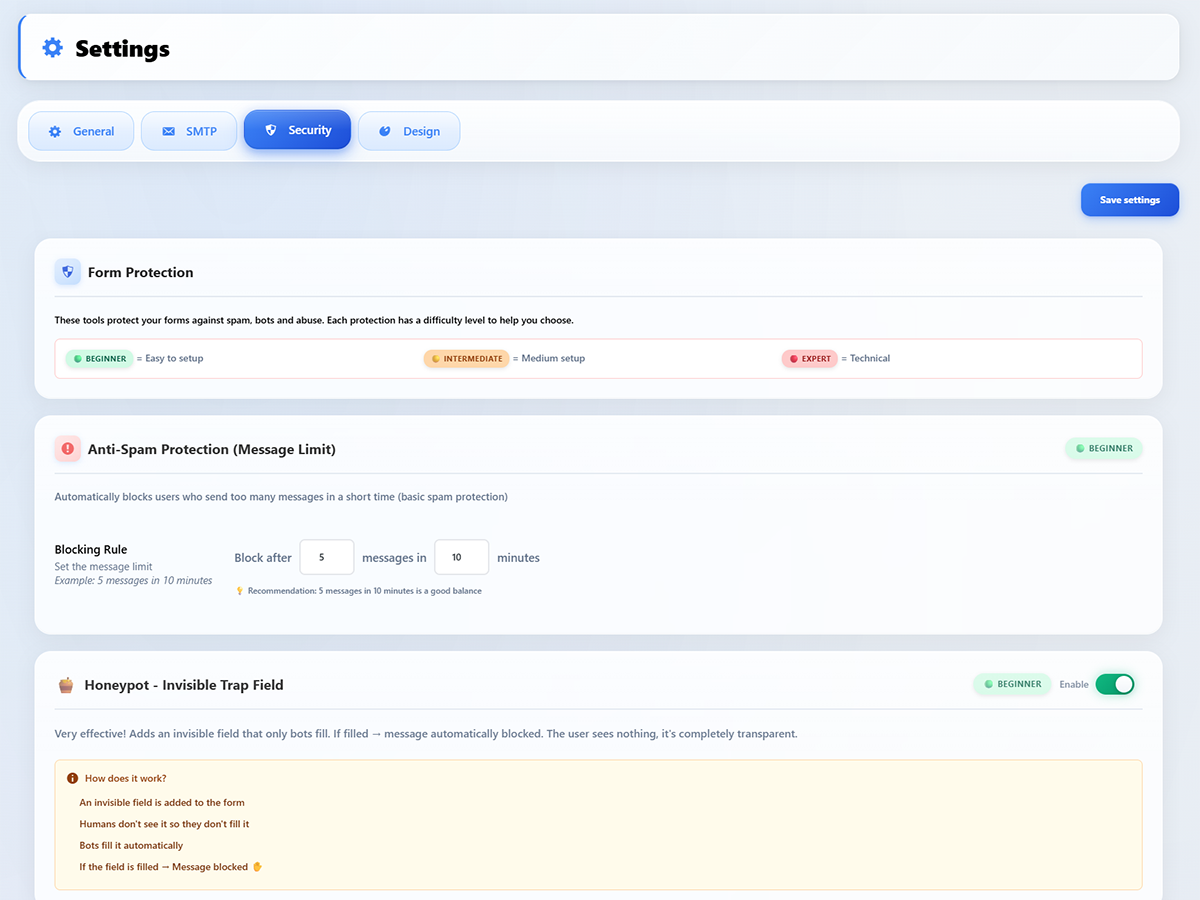
- Anti-Spam Protection – Time-based verification, honeypot trap, reCAPTCHA v2/v3, IP/email/word blacklists, and rate limiting per IP
- Beautiful Form Design – Modern, mobile-responsive forms with customizable colors, borders, shadows, corner radius, and fonts
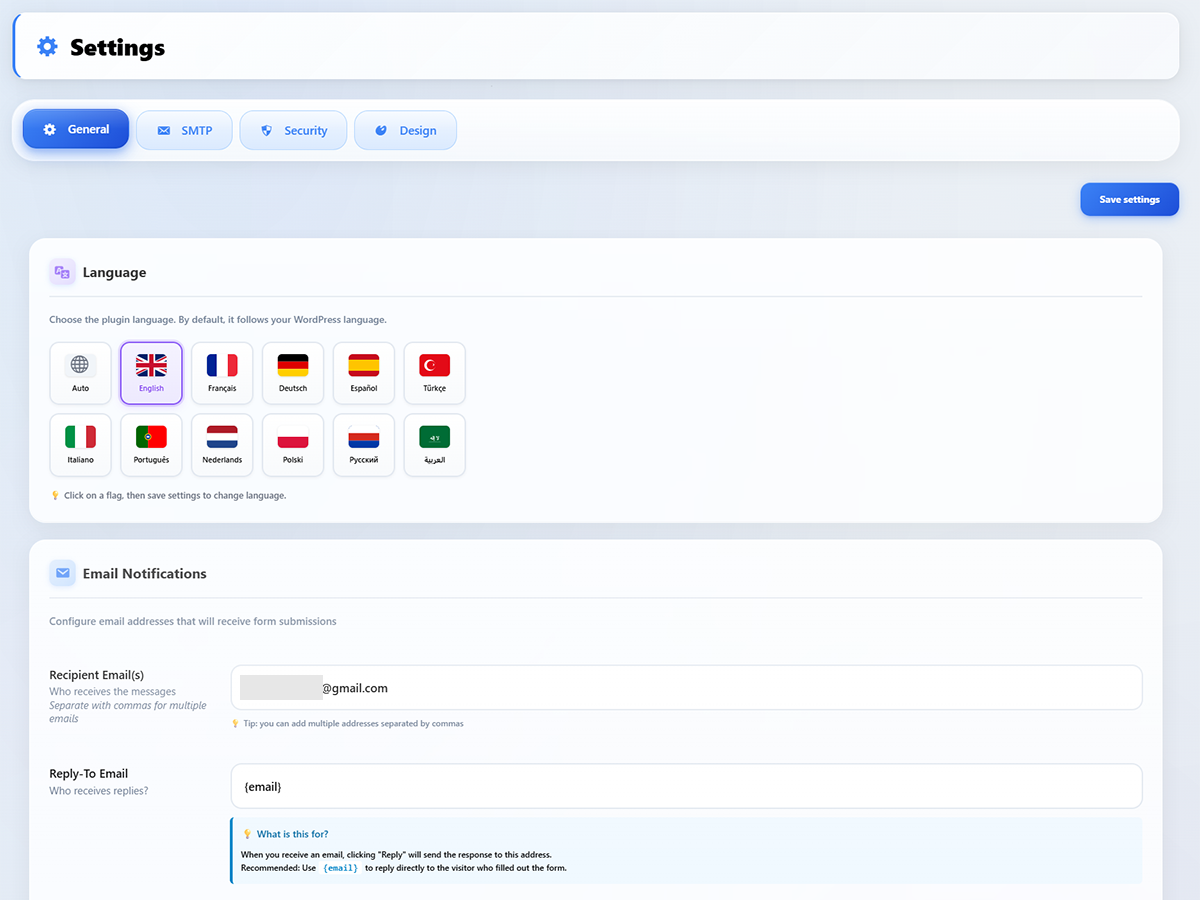
- Multi-Language Support – Fully translated in 11 languages including RTL (EN, FR, DE, ES, IT, PT, NL, PL, RU, TR, AR)
- Email Notifications – Receive submissions via beautifully formatted HTML emails
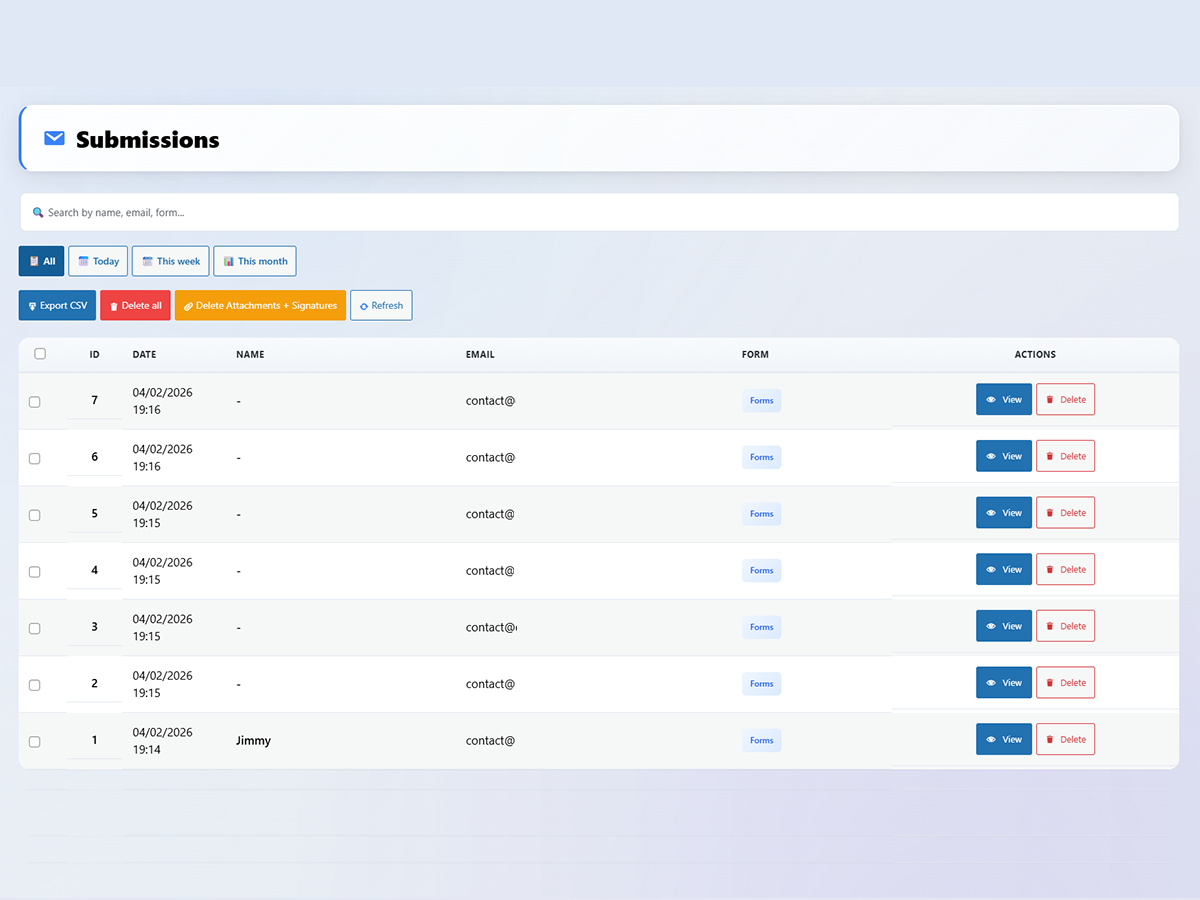
- Submission Management – View, filter, search, and export all entries from your dashboard
- Shortcode Integration – Embed anywhere with
[oumma-contact id="X"] - Elementor Widget – Native Elementor integration for drag-and-drop embedding
- Gutenberg Compatible – Works seamlessly with the block editor
- Unlimited Forms & Submissions – No limits whatsoever
- GDPR Ready – Built-in consent checkbox with customizable privacy policy link
- Dashboard Widget – View recent submissions at a glance
- Lightweight & Fast – Minimal footprint, assets loaded only on pages with forms
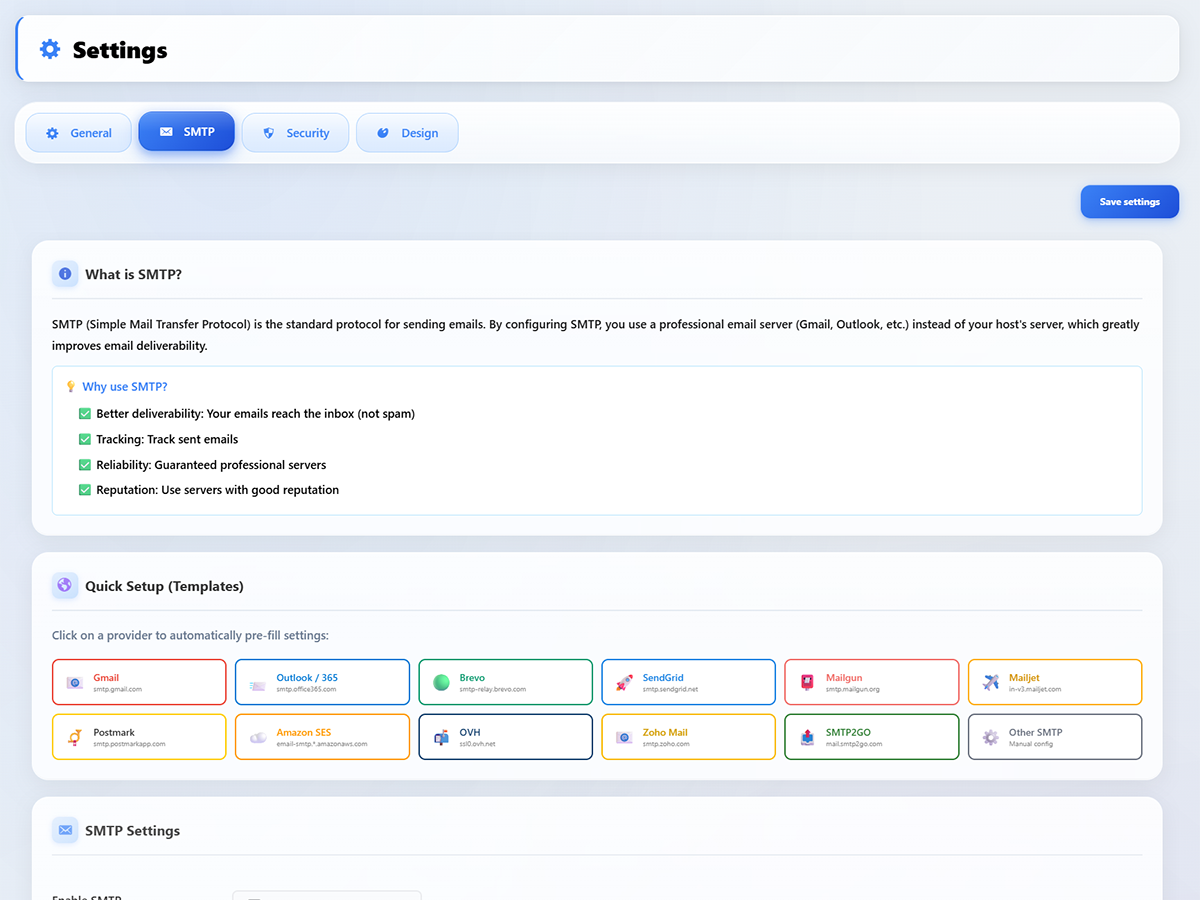
- SMTP configuration – Built-in SMTP setup with test tool for reliable email delivery
- Auto-reply emails – Automatic confirmation emails to form submitters
- CSV export – Export all submissions to CSV
- Form duplication – Duplicate forms with one click
- Advanced design options – Premium styling controls for inputs, labels, and buttons
- 🇬🇧 English
- 🇫🇷 Français
- 🇩🇪 Deutsch
- 🇪🇸 Español
- 🇮🇹 Italiano
- 🇵🇹 Português
- 🇳🇱 Nederlands
- 🇵🇱 Polski
- 🇷🇺 Русский
- 🇹🇷 Türkçe
- 🇸🇦 العربية (RTL supported)
安装:
- Upload the
oumma-contactfolder to/wp-content/plugins/ - Activate the plugin through the 'Plugins' menu
- Go to Oumma Contact > Forms to create your first form
- Use shortcode
[oumma-contact id="X"]to display your form on any page or post - (Optional) Purchase and install the Premium add-on for advanced features
屏幕截图:
常见问题:
Is Oumma Contact free?
Yes! Oumma Contact is completely free with unlimited forms, submissions, and 30+ field types. A separate premium add-on is available for advanced features like built-in SMTP, auto-reply emails, and CSV export.
Is Oumma Contact GDPR compliant?
Yes. Oumma Contact includes a built-in GDPR consent checkbox field. When reCAPTCHA is enabled, the plugin communicates with Google servers as described in the "External services" section below.
Does it work with Elementor?
Yes! A native Elementor widget is included for easy drag-and-drop embedding.
How many forms can I create?
Unlimited. There are no form or submission limits in the free version.
What languages are supported?
11 languages: English, French, German, Spanish, Italian, Portuguese, Dutch, Polish, Russian, Turkish, and Arabic (with full RTL support).
Can I receive email notifications?
Yes. You receive a beautifully formatted HTML email for each form submission. The premium add-on adds SMTP configuration for reliable delivery.
Does it include anti-spam protection?
Yes. Oumma Contact includes multiple layers of anti-spam protection: time-based verification, invisible honeypot trap, reCAPTCHA v2/v3 integration, IP/email/word blacklists, and rate limiting per IP.
How do I get premium features?
Visit oumma-pro.com/contact-pro to purchase a license. Then install the Oumma Contact add-on and enter your license key under Oumma Contact > License.
Can I export submissions?
CSV export is available with the premium add-on.
Does the free version contain locked or restricted features?
No. The free version is fully functional with all 30+ field types. The premium add-on extends functionality via WordPress hooks (SMTP, auto-reply, CSV export, etc.).
Does it work with page builders?
Yes. Oumma Contact works with Elementor (native widget included), Gutenberg, Divi, Beaver Builder, and any page builder that supports shortcodes.
Can I customize the form design?
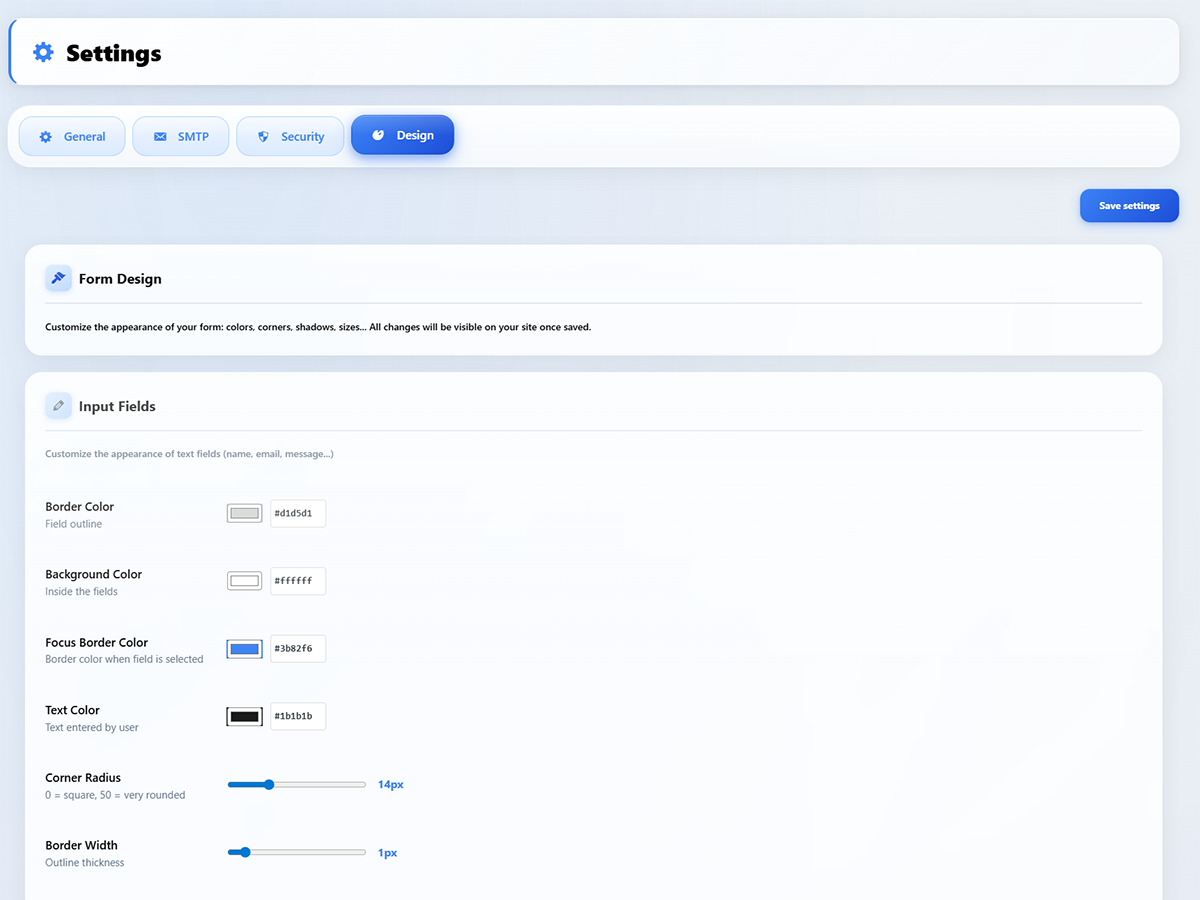
Yes. The Design settings let you customize border colors, background colors, focus colors, text colors, corner radius, border width, font families, label styles, button colors, shadows, and spacing — all without writing CSS.
Does it support file uploads?
Yes. The file upload field supports images (jpg, png, gif, webp), PDF, and documents (doc, docx). You can configure allowed file types and maximum file size.
Is it mobile-responsive?
Yes. All forms are fully responsive and adapt to any screen size. The form builder also lets you control field widths (25%, 33%, 50%, 75%, 100%) for flexible layouts.
更新日志:
- Fixed: Plugin Check compliance — added phpcs:ignore for custom escaping function
- Fixed: Design settings (colors, borders, button styles) now correctly applied to frontend forms
- Changed: License page only visible when the Pro add-on is installed or a license was previously activated
- Fixed: Design settings not applied to forms — CSS inline style handle mismatch (oumc-public-css → oumc-public)
- Fixed: File attachment not included in emails — base64-reconstructed files now use wp_handle_sideload() instead of wp_handle_upload()
- Fixed: Form submission not working — inline script handle mismatch prevented form data from loading
- Fixed: Premium fields (file upload, signature, date, etc.) not rendering — wp_kses_post() was stripping form elements
- Fixed: Console debug message changed from French to English
- Verified: Full compatibility with WordPress 6.9.3 (bugfix follow-up to 6.9.2 security release)
- Updated: Tested up to WordPress 6.9.2 (security release)
- Verified: Full compatibility with WordPress 6.9.2 security patches
- Improved: SEO-optimized readme title for better search visibility on WordPress.org
- Improved: Enriched long description with detailed feature overview and use cases
- Added: 4 new FAQ entries (page builders, form design, file uploads, mobile responsive)
- Updated: Anti-spam FAQ now reflects all free features (honeypot, blacklists, rate limiting)
- Added: Gutenberg compatibility mention in features list
- Fixed: Dashboard widget CSS not loading on WordPress dashboard (dedicated stylesheet)
- Fixed: Dashboard widget displays correctly with proper grid layout for stats
- Fixed: PRO/FREE detection now correctly checks if add-on is installed with valid license
- Fixed: Builder PRO tools correctly greyed out when add-on is not active
- Fixed: License page shows activation form when add-on is not installed
- Fixed: Dashboard widget shows upgrade button when add-on is not active
- Fixed: Settings page, forms list, and submissions list correctly reflect add-on status
- Added: New oumc_has_pro_addon() function for accurate PRO add-on detection
- Updated: Field types FAQ corrected to reflect all 30+ types included for free
- Updated: All new content translated in 11 languages
- Improved: SEO-optimized plugin title and description for better discoverability
- Updated: All 30+ field types now listed in plugin description
- Improved: Translation quality for German (du-form per WordPress standard) and Dutch (je-form per WordPress standard)
- Fixed: WordPress glossary compliance across all 11 languages (Settings, Configuration terms)
- Fixed: Portuguese translations standardized to PT-PT
- Updated: Translation files refreshed for all 11 languages
- Fixed: All inline styles converted to properly enqueued CSS files
- Fixed: All inline scripts converted to wp_add_inline_script
- Fixed: Variable gettext replaced with literal string mapping
- Fixed: All features enabled in free version (premium add-on extends via hooks)
- Fixed: Plugin Check – 0 errors, 0 warnings
- Fixed: SMTP provider documentation links now fully disclosed in External Services section of readme.txt
- Fixed: file_base64 POST data sanitization improved with explicit wp_unslash + character whitelist
- Fixed: $_FILES properties now explicitly sanitized (sanitize_file_name, sanitize_mime_type, intval) instead of raw assignment
- Fixed: All phpcs:ignore comments updated with precise justifications
- Fixed: External services (Google reCAPTCHA, Oumma Pro License API) fully documented in readme.txt as required by WordPress.org
- Fixed: ABSPATH replaced with wp_get_upload_dir() for file path resolution
- Fixed: Settings save no longer iterates over entire $_POST — all fields explicitly listed with proper sanitization
- Fixed: JSON-decoded form data now recursively sanitized after json_decode()
- Fixed: Premium field output escaped with wp_kses_post() instead of raw echo
- Fixed: Removed unprefixed shortcodes (contact_pro, oumma_contact) — only [oumma-contact] remains
- Fixed: Elementor widget name prefixed (oumc_contact)
- Fixed: GDPR FAQ corrected to mention reCAPTCHA external service
- Fixed: Installation instructions reference correct plugin folder name
- Fixed: Duplicate ABSPATH check removed in admin-forms class
- Improved: SMTP provider help texts with detailed warnings for Outlook/Microsoft 365 (SMTP AUTH, MFA, Azure Security Defaults)
- Improved: SMTP provider help texts for OVH, Zoho Mail, SMTP2GO and Other SMTP with clear instructions and links
- Improved: UI font weights normalized across all admin pages (lighter, more readable text)
- Improved: Input fields text no longer appears bold
- Improved: Page titles changed from bold to normal weight
- Improved: Forms list name column no longer bold
- Improved: Builder right panel labels and controls normalized
- Added: 23 new translated strings for SMTP provider help (11 languages)
- Fixed: File upload attachment now uses base64 encoding to bypass WAF/firewall blocking
- Fixed: Textarea line breaks preserved in emails (sanitize_textarea_field)
- Fixed: OC License Manager footer CSS selector updated after prefix rename
- Major: All internal prefixes renamed for WordPress.org compliance (cp_ → oumc_, cpp_ → oumcp_)
- Major: 27 files refactored, ~3400 replacements across PHP, CSS, JS
- Major: PRO plugin now uses dedicated text domain (oumma-contact-pro) with 31 strings × 10 languages
- Fixed: Plugin Check now passes with 0 errors
- Fixed: Global variables properly prefixed
- Fixed: Shortcodes renamed [contact_pro] → [oumma-contact] (backward compat aliases maintained)
- Architecture: All premium functional code moved to the separate Oumma Contact add-on
- Compliance: No locked, restricted, or gated functionality in the free plugin (WordPress.org Guideline #5)
- Added: Hook system (do_action/apply_filters) for premium features delegation to add-on
- Fixed: cp_is_pro() now requires the Premium add-on to be installed and active
- Fixed: reCAPTCHA v3 site key option name corrected in form renderer
- Fixed: reCAPTCHA moved to free field types where it belongs
- Updated: readme.txt to accurately describe free vs premium features
- Fixed: All remaining Plugin Check errors in password field escaping
- Fixed: PreparedSQL.NotPrepared error on count_submissions query
- Fixed: NonceVerification warning on form builder navigation parameter
- Improved: Full Plugin Check compliance with 0 errors and 0 warnings
- Fixed: phpcs:ignore directives moved inside PHP tags in HTML templates
- Fixed: wp_unslash() and sanitize_text_field() added on all $_POST and $_SERVER access
- Fixed: isset() added on $_FILES and $_POST access
- Added: phpcs:ignore for DirectDatabaseQuery on custom table queries
- Fixed: All Plugin Check escaping errors (esc_html, esc_attr, esc_url, intval)
- Fixed: wp_redirect() replaced with wp_safe_redirect() everywhere
- Fixed: wp_unslash() added on all superglobals
- Fixed: unlink() replaced with wp_delete_file()
- Fixed: rand() replaced with wp_rand()
- Fixed: date() replaced with gmdate()
- Fixed: Nonce verification added to all admin forms
- Prepared for WordPress.org submission
- Added: Plugin URI and Tested up to in plugin header
- Improved: Plugin description for guidelines compliance
- Fixed: License activation now works on external sites via remote API
- Added: New error messages for connection and API errors
- Improved: License activation flow with multiple fallback methods
- Improved: License status detection and support email formatting
- Fixed: Cache refresh for license expiration date after renewal
- Improved: Auto-update icon display with cache-busting
- Fixed: WordPress transient cache handling
- Added: Automatic updates for Premium add-on via license server
- Added: Dashboard widget with recent submissions
- Improved: Freemium architecture with separate add-on for premium features
- Removed: Form and submission limits – now unlimited for all users
- Fixed: Security improvements
- Improved: 11 language translations