
ouRSVP - Event RSVP Forms
| 开发者 | oursvp |
|---|---|
| 更新时间 | 2026年1月23日 06:32 |
| PHP版本: | 7.4 及以上 |
| WordPress版本: | 6.9 |
| 版权: | GPLv2 or later |
| 版权网址: | 版权信息 |
详情介绍:
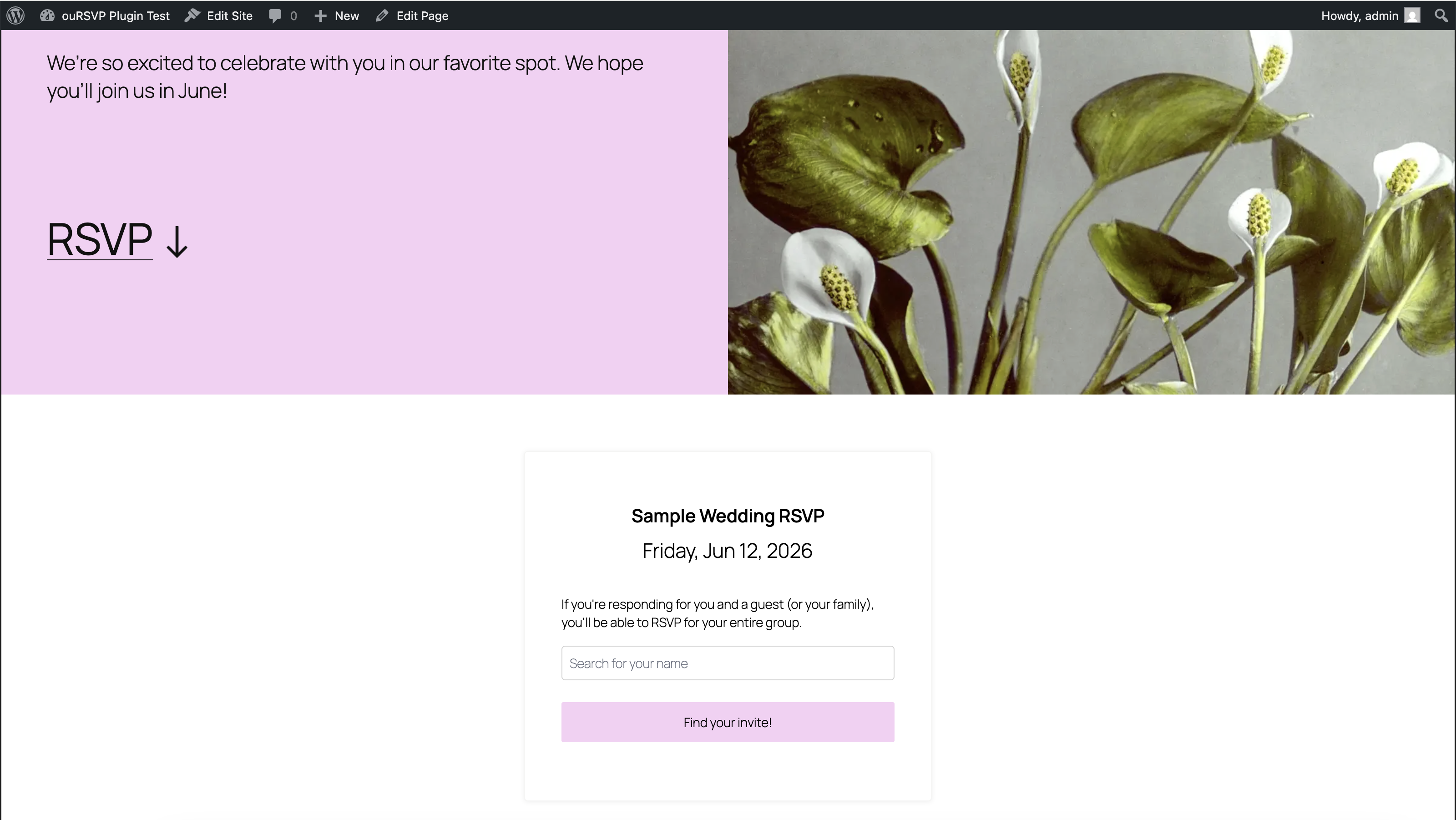
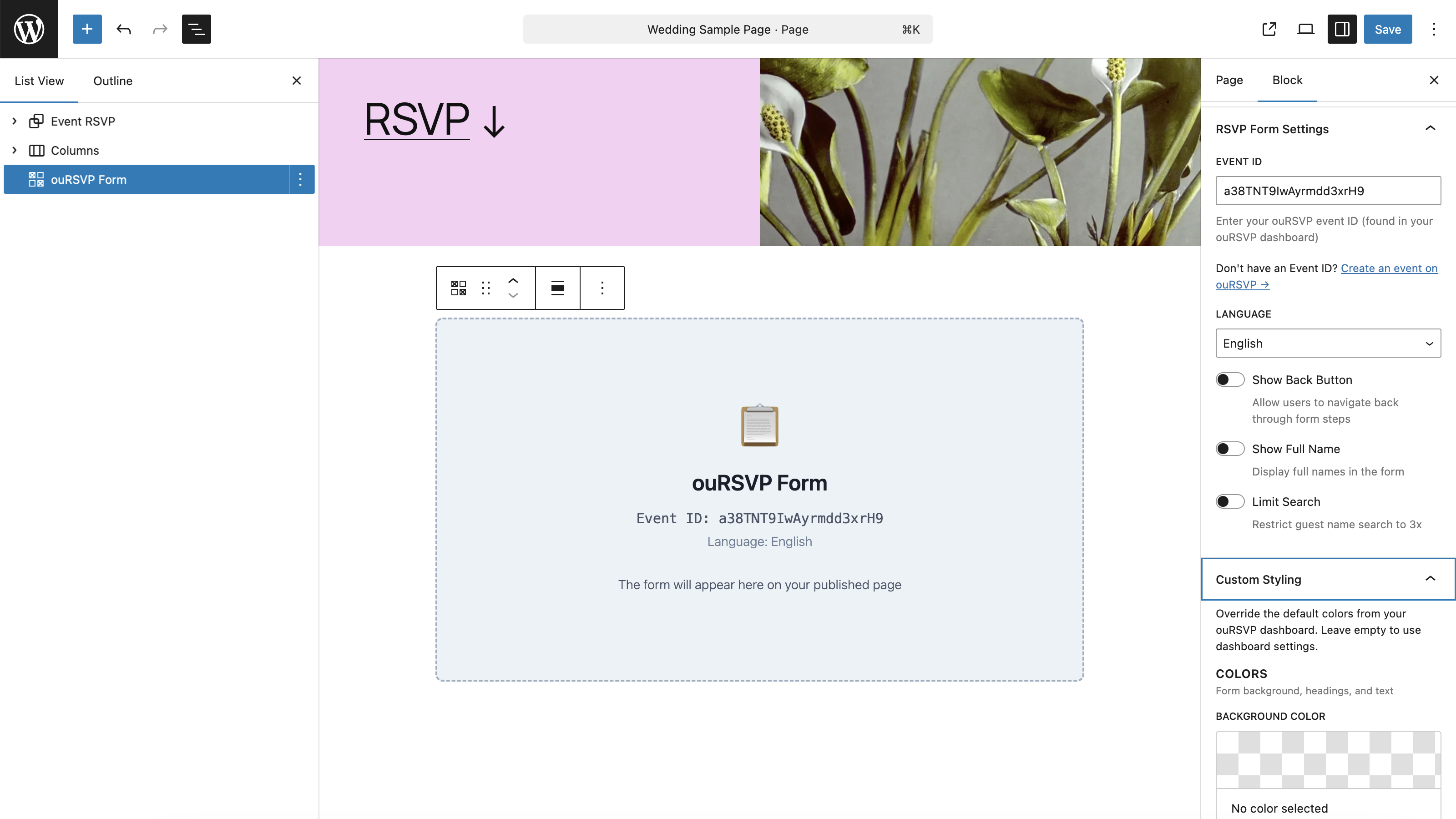
- Visual Gutenberg Block - Just add a block and enter your event ID
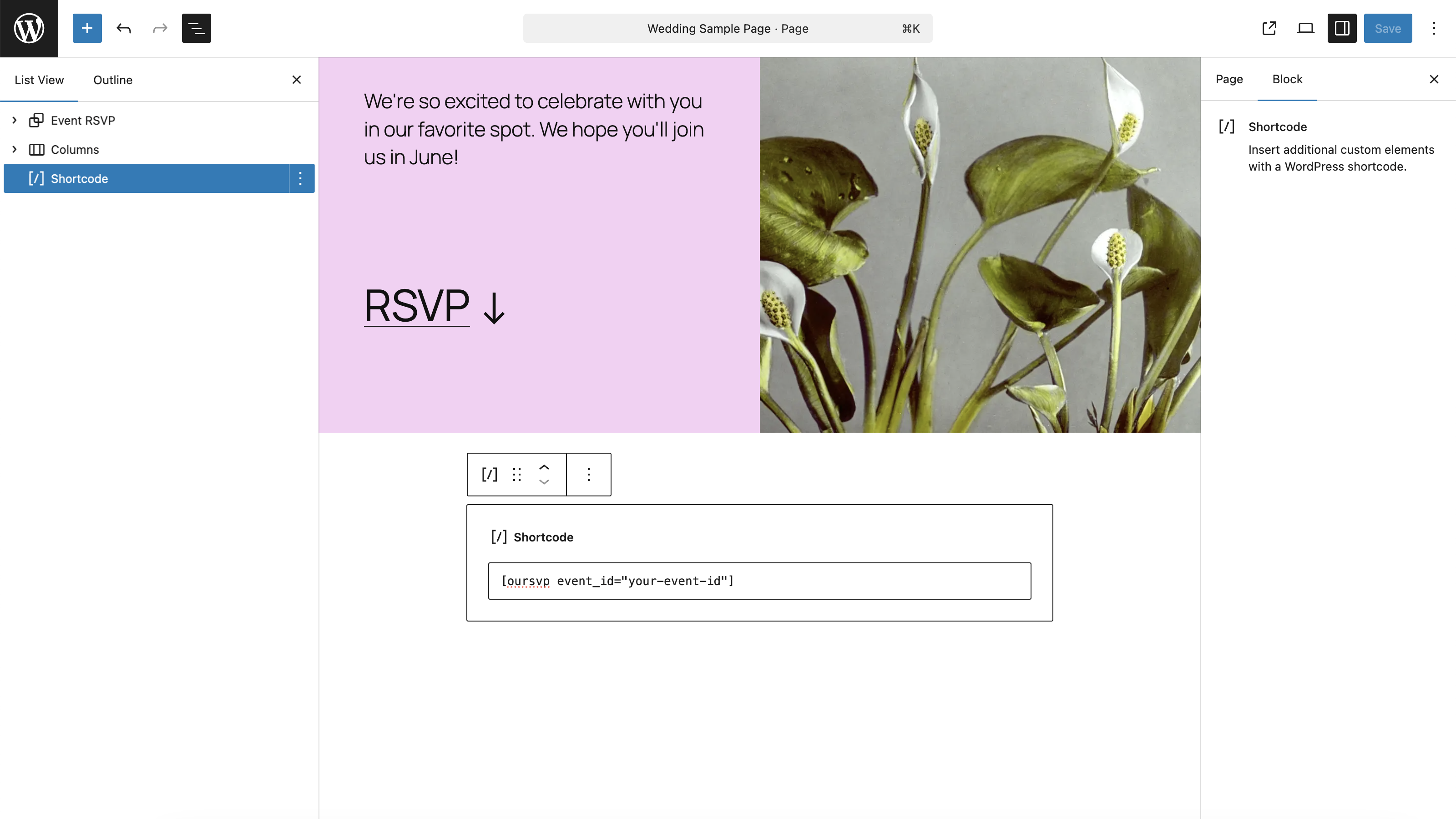
- Simple Shortcode - Use
[oursvp event_id="your-id"]anywhere - Beautiful Forms - Fully customizable forms that match your website
- Multi-language - Support for English and Spanish
- Mobile Responsive - Perfect on all devices
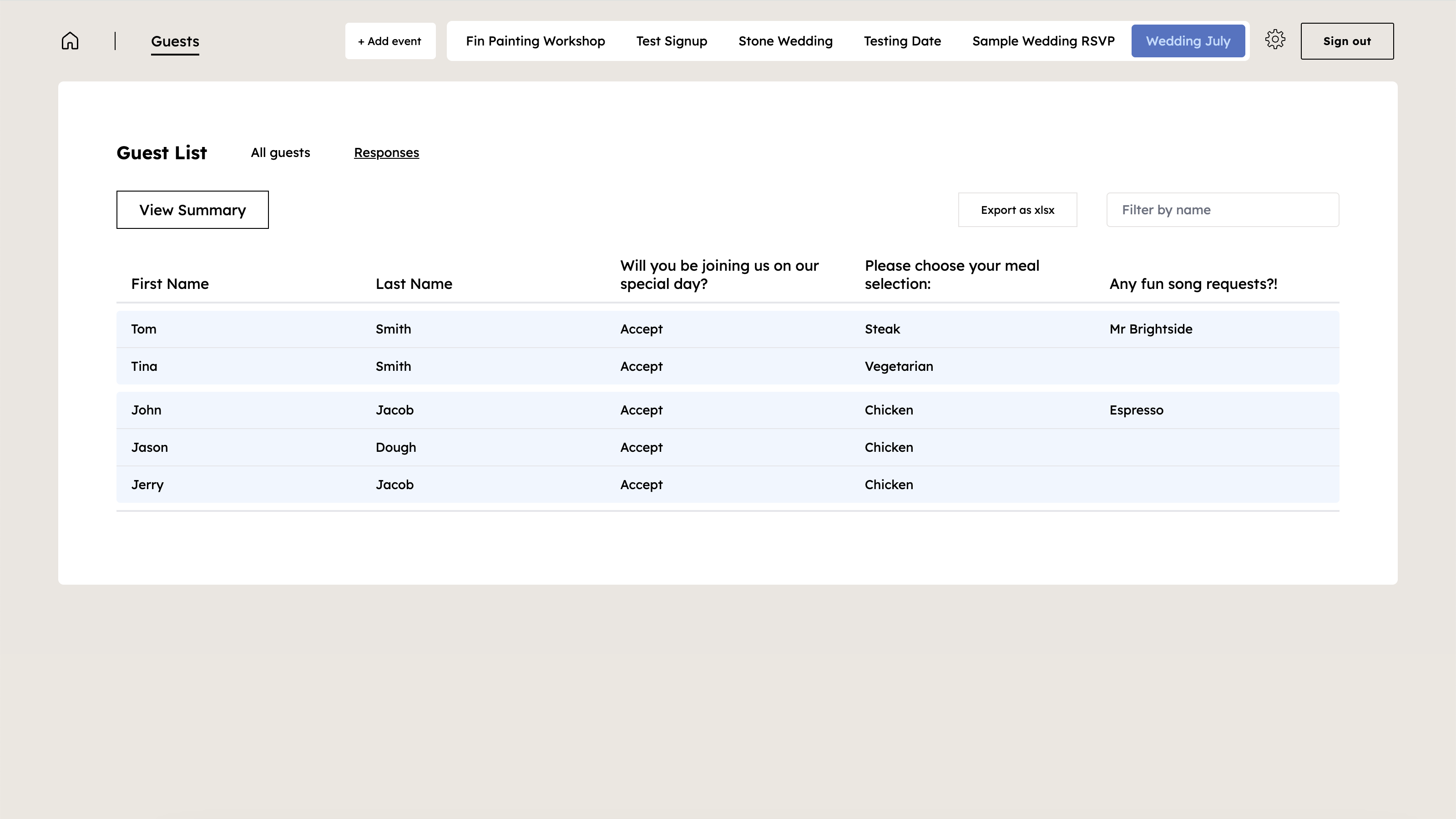
- Guest Management - Manage all responses from your ouRSVP dashboard
- Zero Configuration - Works instantly after installation
- Wedding websites
- Birthday parties
- Corporate events
- Baby showers
- Engagement parties
- Any event requiring RSVPs
- Create your event at ouRSVP.app
- Customize your RSVP form questions and styling
- Install this plugin on your WordPress site
- Add the ouRSVP block or shortcode to any page
- Enter your event ID
- Done! Guests can RSVP directly on your website
[oursvp event_id="abc123"]
With all options:
[oursvp event_id="abc123" language="spanish" show_back_btn="true" show_full_name="true" limit_search="true"]
Attributes:
event_id(required) - Your ouRSVP event IDlanguage(optional) - "english" or "spanish" (default: "english")show_back_btn(optional) - "true" or "false" (default: "false")show_full_name(optional) - "true" or "false" (default: "false")limit_search(optional) - "true" or "false" (default: "false")
安装:
- Log in to your WordPress dashboard
- Navigate to Plugins > Add New
- Search for "ouRSVP"
- Click "Install Now" and then "Activate"
- Download the plugin zip file
- Log in to your WordPress dashboard
- Navigate to Plugins > Add New > Upload Plugin
- Choose the zip file and click "Install Now"
- Activate the plugin
- Create an event at ouRSVP.app
- Copy your event ID from the dashboard
- Add the ouRSVP block to any page, or use the shortcode
[oursvp event_id="your-id"]
屏幕截图:
常见问题:
Do I need an ouRSVP account?
Yes. You can create an account at ouRSVP.app.
Is ouRSVP free?
ouRSVP costs $5 / month. The WordPress plugin itself is completely free.
Can I customize the form appearance?
Yes! Customize colors, fonts, and styling from your ouRSVP dashboard. Changes appear instantly on your WordPress site.
Can I use multiple forms on my site?
Yes! You can embed different RSVP forms on different pages by using different event IDs.
Does it work with my theme?
Yes! The plugin works with any WordPress theme that supports the block editor (Gutenberg).
Can I use it with page builders?
Yes! Use the shortcode [oursvp event_id="your-id"] in any page builder that supports shortcodes.
Where is my RSVP data stored?
All RSVP responses are securely stored in your ouRSVP account, accessible from your dashboard at ouRSVP.app.
Does it work on mobile?
Yes! The forms are fully responsive and work perfectly on all devices.
Can I export my guest list?
Yes! Export your guest list from your ouRSVP dashboard.
What languages are supported?
Currently English and Spanish. More languages coming soon!
How do I get support?
For plugin issues, use the WordPress.org support forum. For ouRSVP account questions, contact support@oursvp.app.
更新日志:
- Initial release
- Gutenberg block support
- Shortcode support
- Multi-language support (English, Spanish)
- Mobile responsive design
- Multiple forms per page support