
OuterWhisper - Interactive Feedback Form, Feedback Button, Survey, Rate Post & Collect User Feedback in Minutes
| 开发者 | outerwhisper |
|---|---|
| 更新时间 | 2026年11月9日 23:32 |
| PHP版本: | 7.4 及以上 |
| WordPress版本: | 7.1 |
| 版权: | GPLv2 or later |
| 版权网址: | 版权信息 |
详情介绍:
安装:
- Install OuterWhisper from the WordPress plugin directory or upload the plugin ZIP file.
- Activate OuterWhisper from the Plugins screen in WordPress.
- Open OuterWhisper in the WordPress admin area.
- Create your first feedback form using the visual form builder.
- Configure where and when the form should be displayed.
- Publish the form.
[outerwhisper_form id="123"], replacing 123 with the ID of your form.屏幕截图:

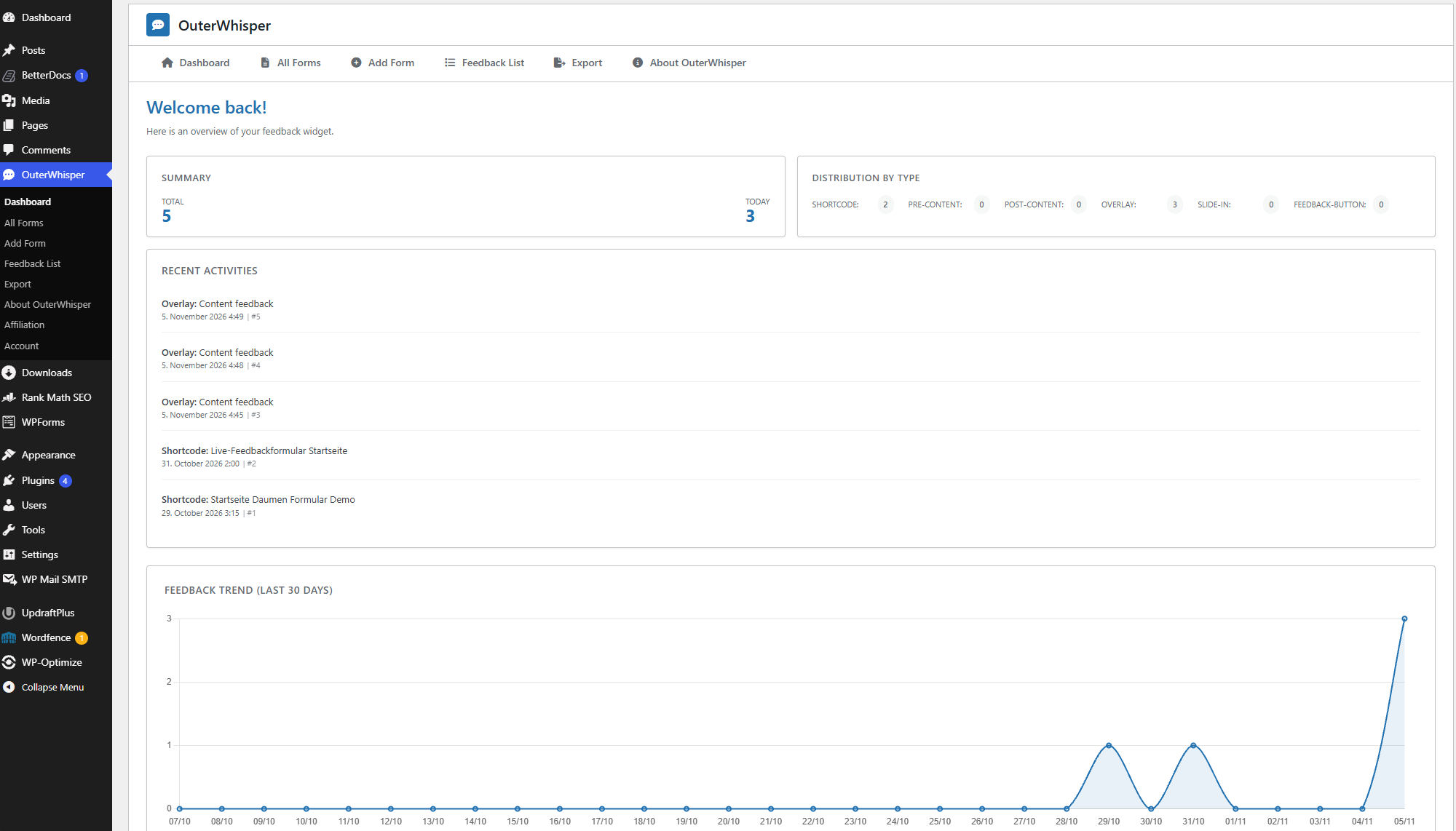
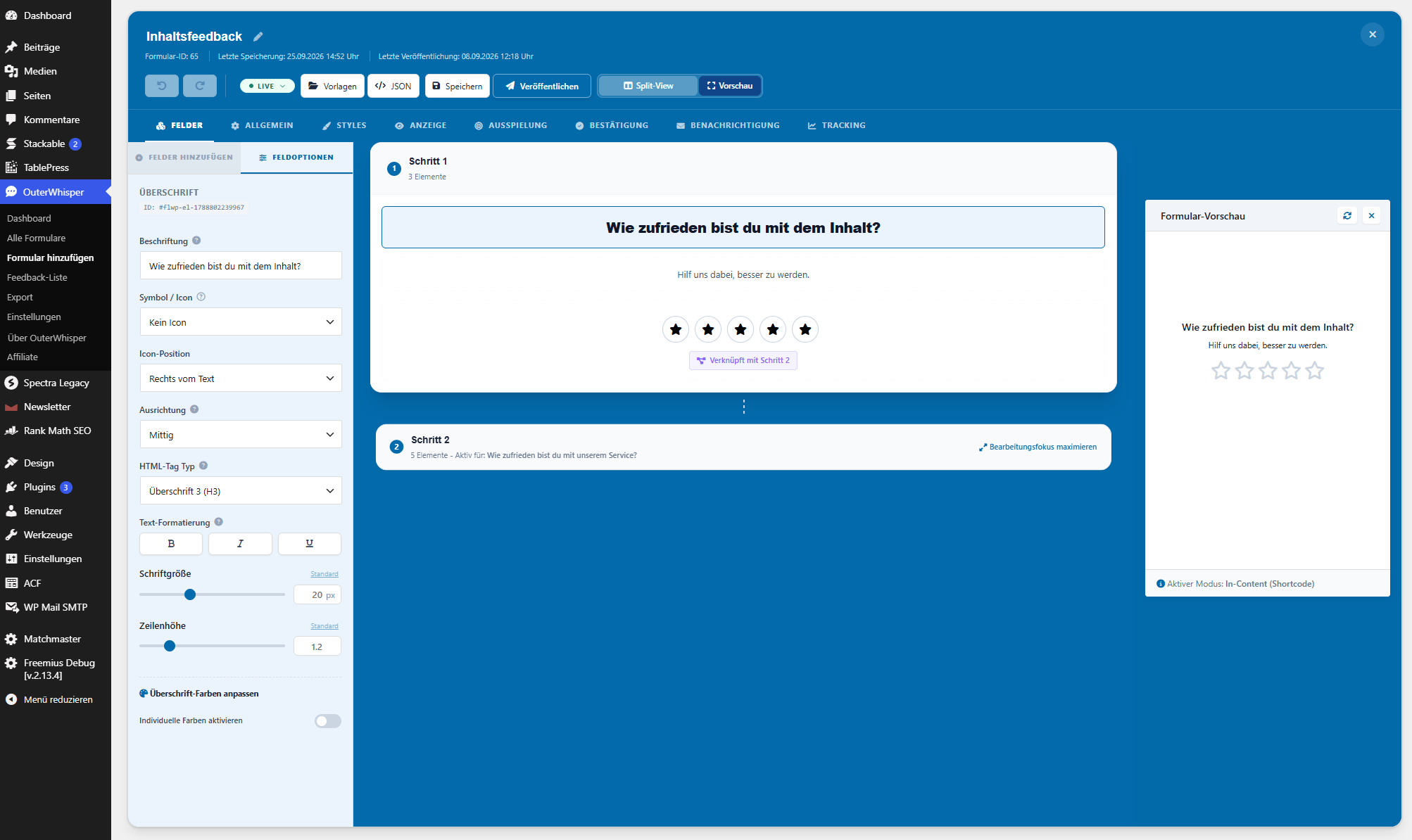

常见问题:
How many feedback forms can I create?
Both OuterWhisper Free and OuterWhisper Pro allow you to create and use unlimited feedback forms.
Where is submitted feedback stored?
Submitted feedback data is stored locally in your WordPress database. Both Free and Pro store submitted feedback locally and let you view and manage responses in the WordPress admin area. Email notifications are also available. OuterWhisper Pro adds advanced analysis and technical context.
How do I manually embed a form into a page?
Use the shortcode [outerwhisper_form id="123"], replacing 123 with the ID of the form you want to display.
Which form fields are included in the free version?
The free version includes headline, description, text area, button, rating, dropdown, chips, radio button, name, and email fields. OuterWhisper Pro additionally provides thumbs up/down, smiley/emoji ratings, and NPS (Net Promoter Score 0–10).
Which display types are available in the free version?
The free version supports in-content forms, shortcodes, overlays, slide-ins, and floating feedback buttons. These display types are not restricted to OuterWhisper Pro.
Can I control when a feedback form appears?
Yes. OuterWhisper supports triggers such as clicks, time delays, scroll depth, and exit intent. Frequency controls can also be used to limit repeated displays. OuterWhisper Pro additionally provides URL- and cookie-based targeting rules.
Can I combine multiple display conditions?
Yes. Display conditions can be combined using AND/OR logic to create more specific targeting rules.
Can I manage submitted feedback in WordPress?
Yes. OuterWhisper Free includes a feedback list, individual submitted answers, unread/read/archived statuses, deletion, and basic filtering. OuterWhisper Pro adds detailed technical context, advanced analysis, and extended filtering capabilities.
Can feedback data be exported?
Yes, with OuterWhisper Pro. Feedback can be exported as CSV or JSON. OuterWhisper Pro also supports importing feedback data and importing or exporting form configurations.
Does OuterWhisper collect additional context about feedback submissions?
Tracking is optional and can be turned off. You can choose which available data points to collect. OuterWhisper Free can collect the page URL, page title, referrer URL, and user agent. OuterWhisper Pro additionally offers browser language, screen resolution, viewport size, local timezone, network connection type, device type, anonymized session ID, time spent on page, and colour scheme. The Pro edition also unlocks a detailed technical context view for individual submissions. Availability of individual data points depends on browser support and the tracking options enabled.
What is the anonymized session ID?
OuterWhisper can generate a random session identifier in the visitor's browser session. The identifier can be used to technically associate feedback submissions from the same browser session. It does not contain a WordPress user ID.
Does OuterWhisper require an external feedback service?
No. Submitted feedback data is stored locally in your WordPress database and does not require an external feedback service for storage or analysis.
Does OuterWhisper require a JavaScript framework in the frontend?
No. OuterWhisper's frontend functionality is built with native JavaScript (ES Modules) and CSS without requiring a frontend framework such as React or Vue.
更新日志:
- Feature: add support for custom post types
- Improvement: redesign feedback list, add feedback score
- Improvement: add same spacing for all form fields
- Improvement: set default line-height to form fields
- Feature: add new form field gap setting
- Feature: add new box shadow setting
- Fix: also validate not required form fields
- Improvement: add custom validation error messages
- Initial public release of OuterWhisper.