
PackAm
| 开发者 | surgentlabs |
|---|---|
| 更新时间 | 2026年11月24日 02:06 |
| PHP版本: | 7.4 及以上 |
| WordPress版本: | 7.1 |
| 版权: | GPLv2 or later |
| 版权网址: | 版权信息 |
详情介绍:
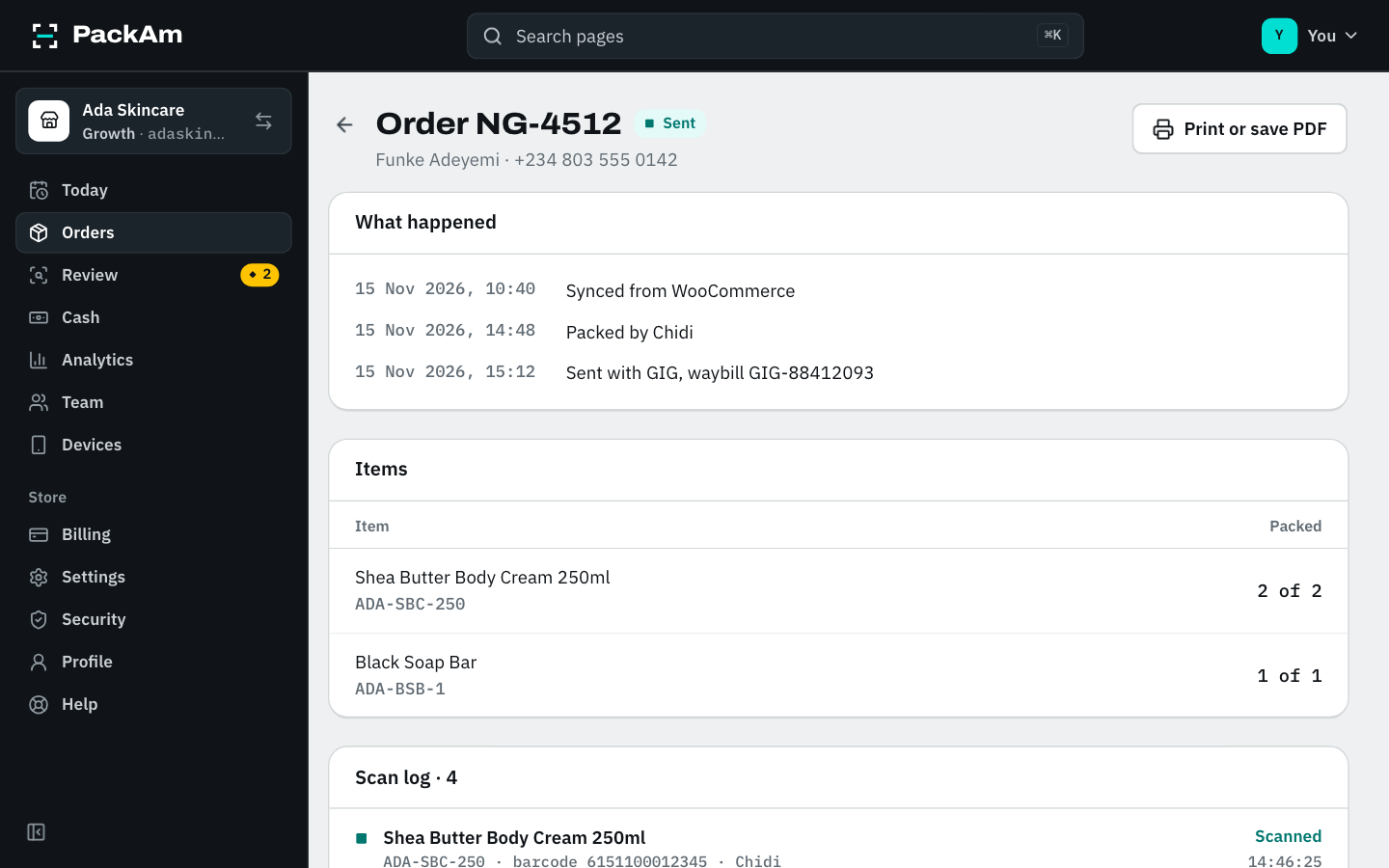
PackAm links your WooCommerce store to PackAm, the
scan-to-pack verification app for Nigerian merchants. It:
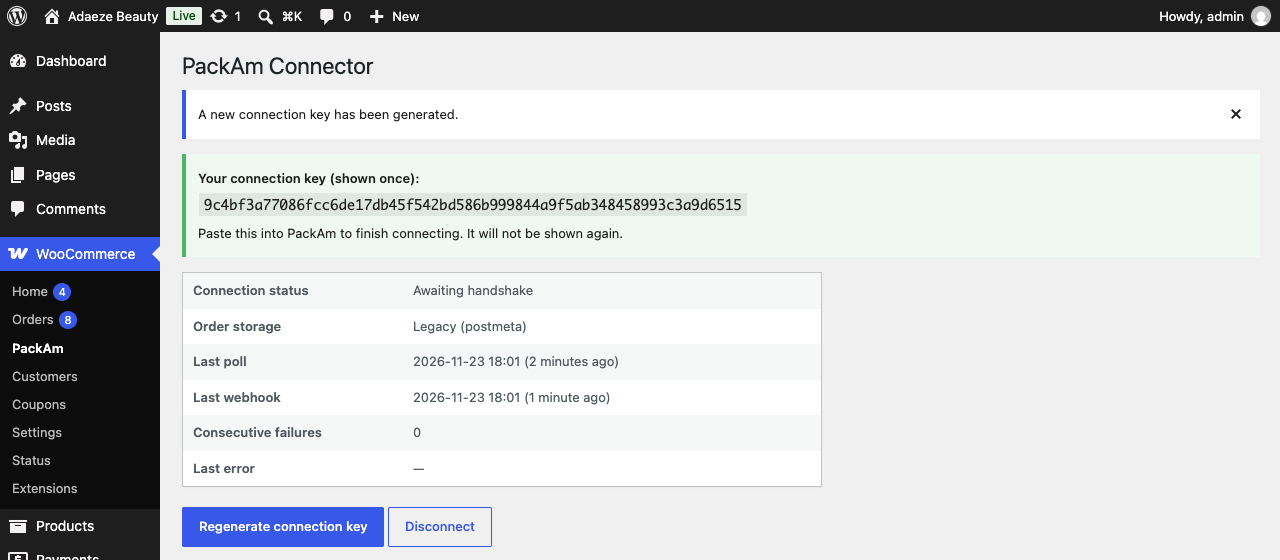
- Generates a one-time connection key and a private store secret, and exposes a handshake endpoint so PackAm can complete the connection.
- Signs every request in both directions with HMAC-SHA256, with a 5-minute timestamp window and nonce replay protection.
- Serves order and product reads through the WooCommerce CRUD layer, so it behaves identically on HPOS and legacy postmeta storage. HPOS compatibility is declared.
- Includes product variations and reports where variation SKUs are missing.
- Registers webhooks for order.created, order.updated and product.updated,
with PackAm's reconciliation poller (a
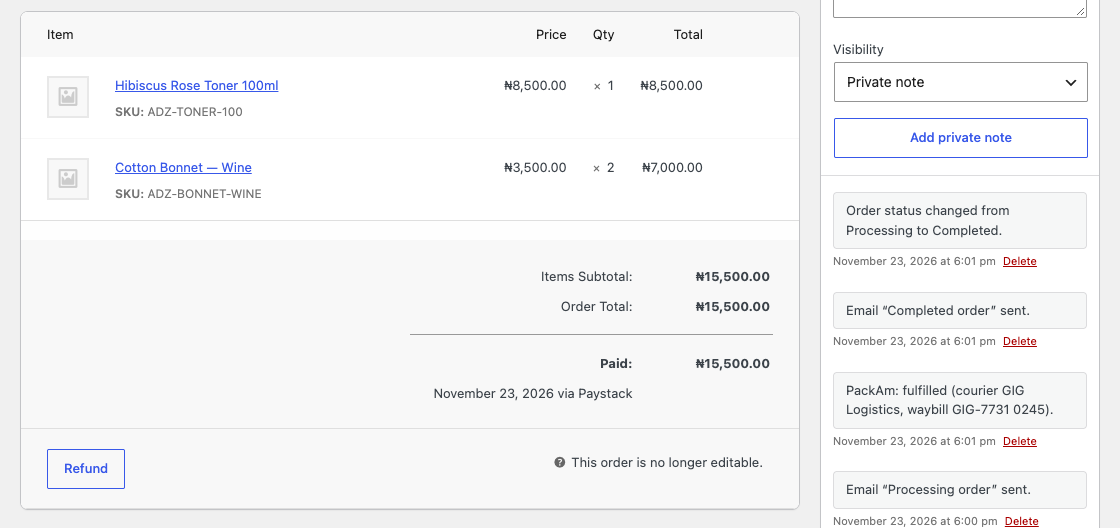
modified_aftercursor on the read endpoints) as a backstop. - Writes fulfilment back to WooCommerce: sets status, attaches tracking number and courier, adds an order note, and supports partial fulfilment.
安装:
- Upload the
packamfolder to/wp-content/plugins/, or install the zip via Plugins → Add New → Upload. - Activate PackAm through the Plugins screen. WooCommerce must be active.
- Go to WooCommerce → PackAm and click Generate connection key.
- Copy the key (shown once) into PackAm to complete the connection.
屏幕截图:

常见问题:
Does it work with High-Performance Order Storage (HPOS)?
Yes. All reads and writes go through the WooCommerce CRUD layer, and the plugin declares HPOS compatibility, so it works the same on custom-tables and legacy storage.
What happens if a webhook fails to deliver?
Nothing is lost. PackAm polls your store on a schedule using a modified_after
cursor and reconciles anything a webhook missed.
Can I rotate the secret?
Yes. Rotation keeps the previous secret valid for 24 hours so nothing breaks mid-rotation, but only the current secret can rotate it again. You can also regenerate the connection key or disconnect at any time from WooCommerce → PackAm. If you think a secret has leaked, disconnect or regenerate: that ends access for every old secret at once.
更新日志:
0.3.2
- Security: PackAm no longer changes the status of an order that is pending, on hold, cancelled, refunded, failed, completed or still a draft. If such an order is sent from PackAm, the tracking number and a private note are added, but the status stays as it is and no customer email goes out.
- Security: unfinished checkouts (draft orders) are no longer sent to PackAm, so the contact details of shoppers who never placed an order stay on your site.
- Security: a fulfilment update from PackAm is read from the signed message itself. An empty or unreadable update is refused, and an item PackAm did not mention is no longer counted as packed.
- Security: after you rotate the store secret, the old secret can no longer be used to rotate it again. Order updates are only sent to an https address and never follow redirects. Failed sign-ins get one plain "Unauthorized" reply.
- Uninstalling on a multisite network now removes PackAm's settings from every site.
- Security: request signatures now cover the query string as well, so no parameter can be added to or changed in a signed request's URL. The order fulfilment endpoint reads the order ID from the signed route only. Requires PackAm's current API, which already sends the new signature.
- Security: request signatures are now bound to their direction, HTTP method and route, so a signed reply from the plugin can no longer be replayed as a request to it. Replies to requests that fail verification are no longer signed. Requires PackAm's current API, which already sends the new signature.
- Security: each request's nonce is claimed in one atomic database statement, so two copies of the same request arriving together can't both pass replay protection.
- Ready for the WordPress.org directory: tested with WordPress 7.1 and WooCommerce 11.3, declares WooCommerce as a required plugin, and suggests privacy policy text under Settings → Privacy.
- Removed the optional Sentry error reporting, which the distributed plugin could not load.
- A corrected waybill from the PackAm app now replaces PackAm's Shipment Tracking entry instead of adding a second one, and leaves the order status alone. A retried write-back no longer duplicates the entry either. Tracking added by staff or other plugins is untouched.
- Expose the store name + address (WooCommerce Settings → General) to PackAm for tax invoices: new signed GET /store endpoint, and the address is included in the handshake response. No new permissions; read-only.
- Initial release: handshake, signed sync, webhooks, fulfilment write-back, admin connection panel.