Packing Charge
| 开发者 | beatbrainsolutions |
|---|---|
| 更新时间 | 2026年8月18日 20:22 |
详情介绍:
- Custom Options: Add a custom packing charge to orders using either a fixed (flat fee) or percentage-based calculation.
- Customizable Labels & Amounts: Easily customize both the label and amount of the packing charge.
- Fixed Fee: Apply a fixed amount to every order (for example, 50).
- Percentage Fee: Apply a packing charge based on a percentage of the cart subtotal (for example, 5% of the cart total, with a maximum of 100%).
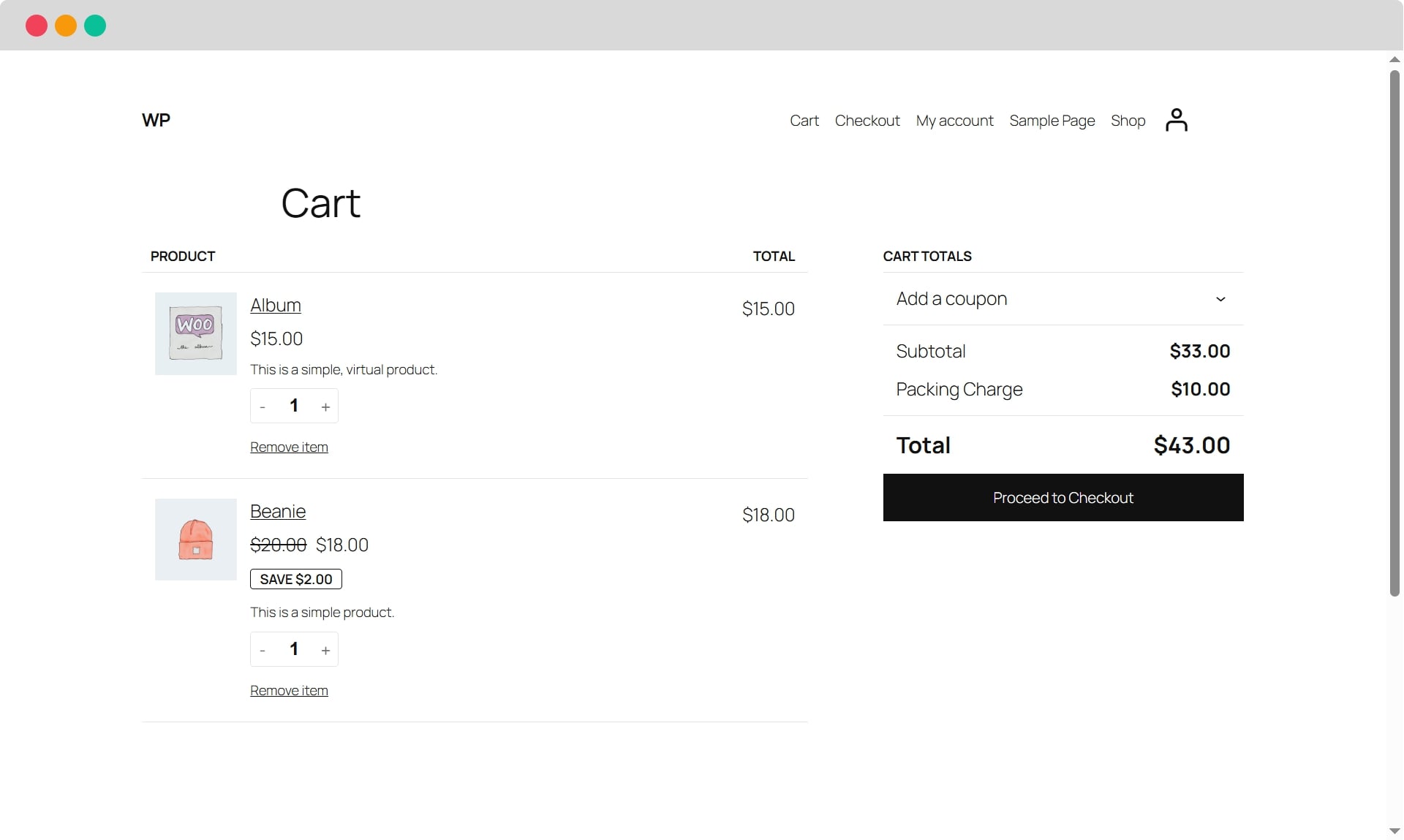
- The packing charges are automatically applied and displayed in the cart, checkout, and all relevant email notifications such as admin order received, customer purchase, and refund emails.
- Product Exclusion Feature: This feature allows you to exclude specific products from packing charges. You can define, on a per-product basis, whether the charge applies or is skipped. If every item in the cart is excluded, the packing charge will not be added.
- Dynamic Field Validation: Ensures that percentage-based packing charges cannot exceed 100%, maintaining accurate calculations.
安装:
- Upload the plugin files to the
/wp-content/plugins/packing-chargedirectory, or install the plugin through the WordPress plugins screen directly. - Activate the plugin through the 'Plugins' screen in WordPress.
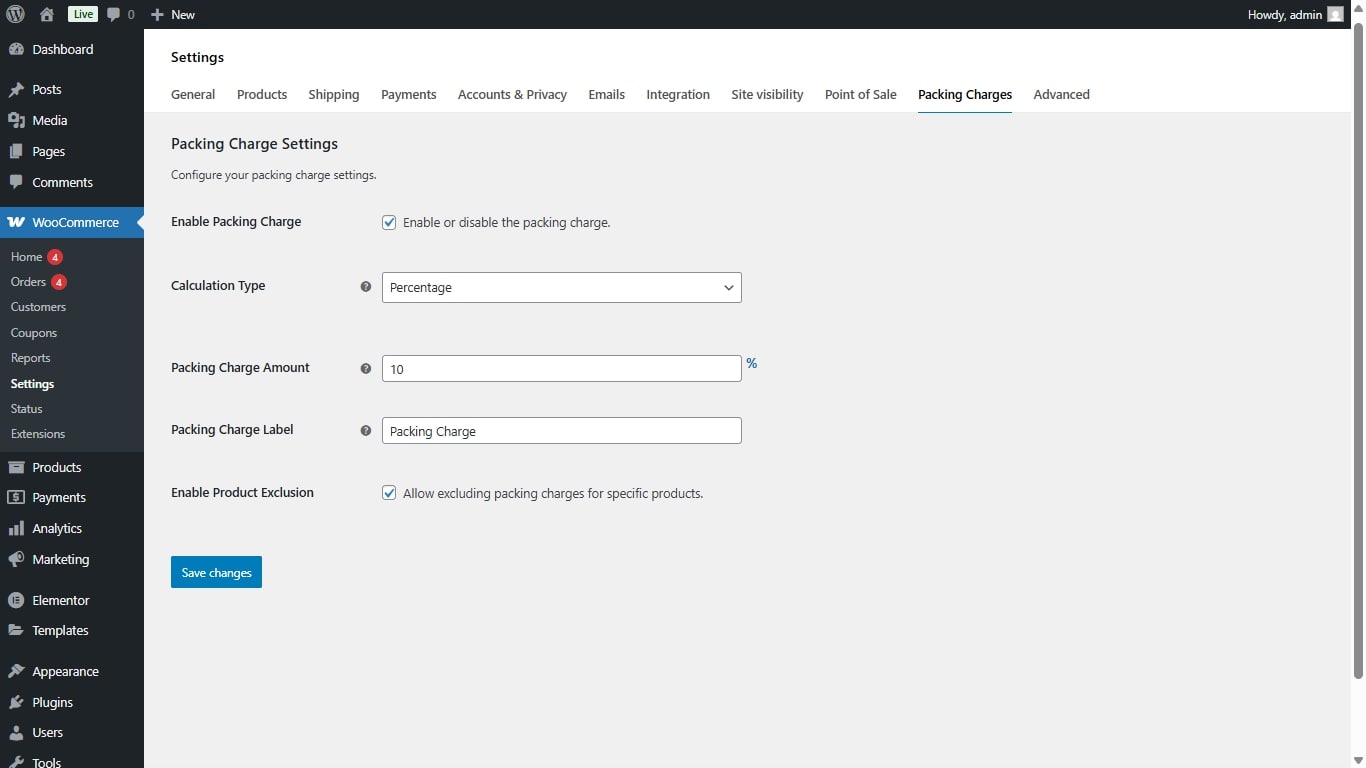
- Go to WooCommerce > Settings > Packing Charge tab to configure the packing charge settings.
- To disable this plugin, simply go to WooCommerce > Settings > Packing Charge and uncheck the 'Enable Packing Charge' option.
屏幕截图:

常见问题:
Is it easy to manage and set up these extra charges?
Absolutely. One of the plugin's strengths is its user-friendly interface, which simplifies the setup and management of extra charges and dynamic labels.
How can I customize the packing charge label and amount?
Navigate to WooCommerce > Settings > Packing Charge. Here, you can set your desired label and charge amount.
Is it possible to enable or disable the process with a single click?
Yes! Simply go to WooCommerce > Settings > Packing Charge, and check and uncheck the 'Enable Packing Charge' option as per your requirement.
Will the packing charges be included in the customer's order confirmation email?
Absolutely. The packing charge will be reflected in the cart, checkout, and in all relevant emails, including admin order received, user purchase, and refund mails.
Can I exclude packing charges for specific products?
Definitely. If you activate the product exclusion option in the settings, you'll have a new checkbox on the product edit page to opt out of the packing charge for individual products. If all products in the cart are excluded, the charge will not be added for that order.
Can I use both fixed and percentage charges?
You can choose either Fixed (Flat Fee) or Percentage calculation type. Select "Fixed" to add a flat amount, or "Percentage" to calculate based on cart subtotal.
What's the maximum percentage I can set?
The maximum percentage value is 100%. The plugin automatically validates and caps the value at 100%.
更新日志:
- Updated compatibility and tested version for WordPress 7.1
- Fixed bugs and improved plugin performance and stability
- Added Calculation Type option: Choose between Fixed (Flat Fee) or Percentage.
- Automatic validation: Percentage values capped at 100%.
- Fixed Product Exclusion support for Variable products.
- Improved save functionality for checkbox states.
- Added feature to remove packing charge for specific products.
- Initial release.