PageForge – AI Programmatic SEO, Bulk Page Generator, SEO MCP & Local SEO
| 开发者 | codefreex |
|---|---|
| 更新时间 | 2026年10月15日 18:38 |
| PHP版本: | 8.0 及以上 |
| WordPress版本: | 7.1 |
| 版权: | GPLv2 or later |
| 版权网址: | 版权信息 |
详情介绍:
{City}, {Service}, {Product}, {Industry}, {Price}, {Benefit} or any column you create, and PageForge turns each row into a real WordPress page, post or supported custom post type.
Each generated page can have its own title, URL, content values, SEO title, meta description, schema data and supported builder content. Your design stays consistent while the information changes for the search intent you want to target.
Build once. Personalize at scale. Optimize every page.
🌐 Visit PageForge · ✨ Explore Features · 💎 Compare Plans · 📚 Knowledgebase
🎯 Create pages for the searches your customers already make
People rarely search using one broad keyword. They search for specific combinations:
{Service} in {City}{Service} near {Area}{Product} for {Industry}{Software} for {Use Case}{Category} in {Location}{Solution} for {Audience}{Product} in {City}{Business Type} in {Location}
City,State,Service,Phone,Benefit,CTA
Template title:
{Service} in {City}, {State}
URL pattern:
{service}-{city}-{state}
Content:
Looking for {Service} in {City}? Get {Benefit}. {CTA}
SEO title:
{Service} in {City}, {State} | {Business}
The next CSV row receives different values again.
Use variables across supported:
- Page titles
- URL slugs
- Headings
- Body content
- Excerpts
- SEO titles
- Meta descriptions
- Schema fields
- Gutenberg content
- Elementor layouts
- Divi layouts
- Supported WordPress templates
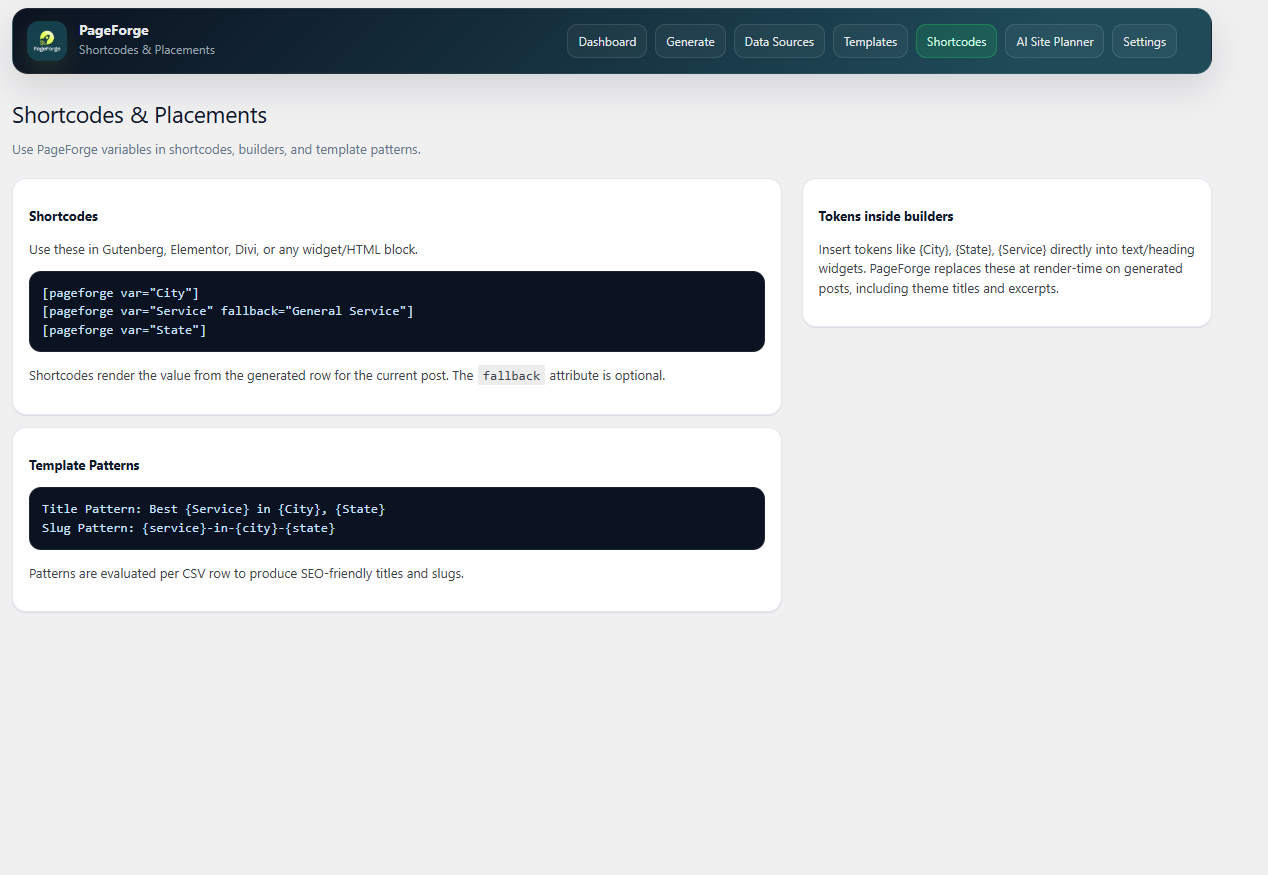
[pageforge var="City"]
Compatible legacy [pf ...] variable forms remain supported where applicable.
Explore WordPress Bulk Page Generation
⚡ From spreadsheet to WordPress in one repeatable workflow
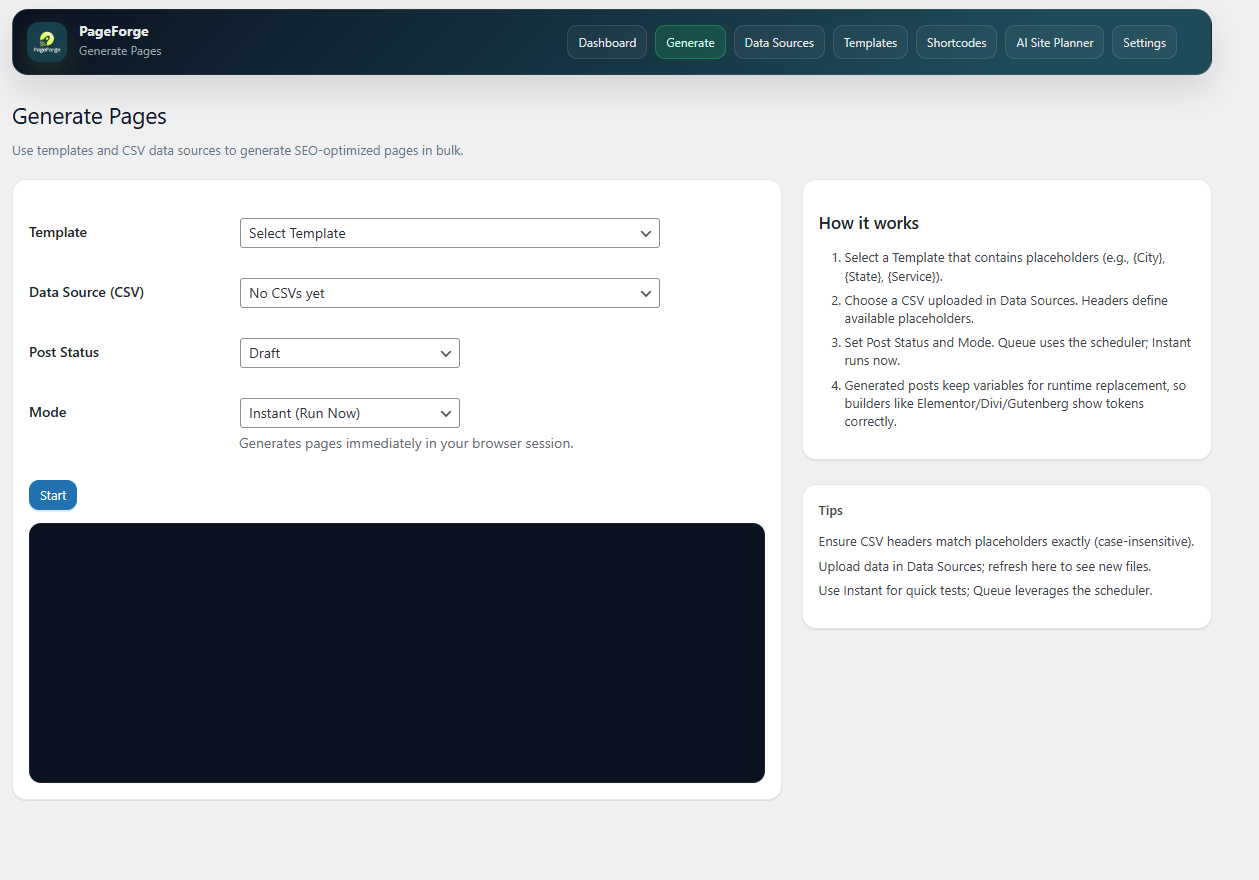
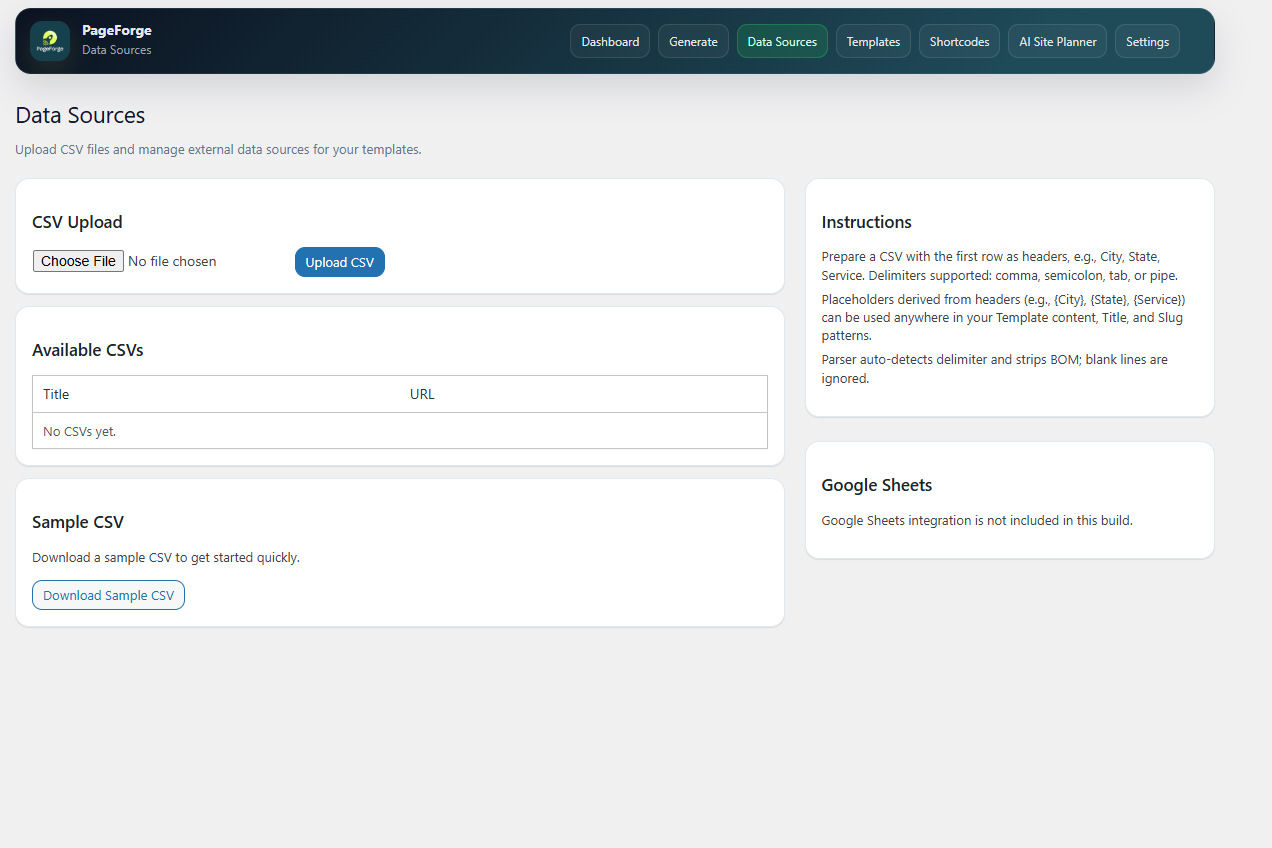
1. Add your data
Upload a CSV containing the values that change from page to page.
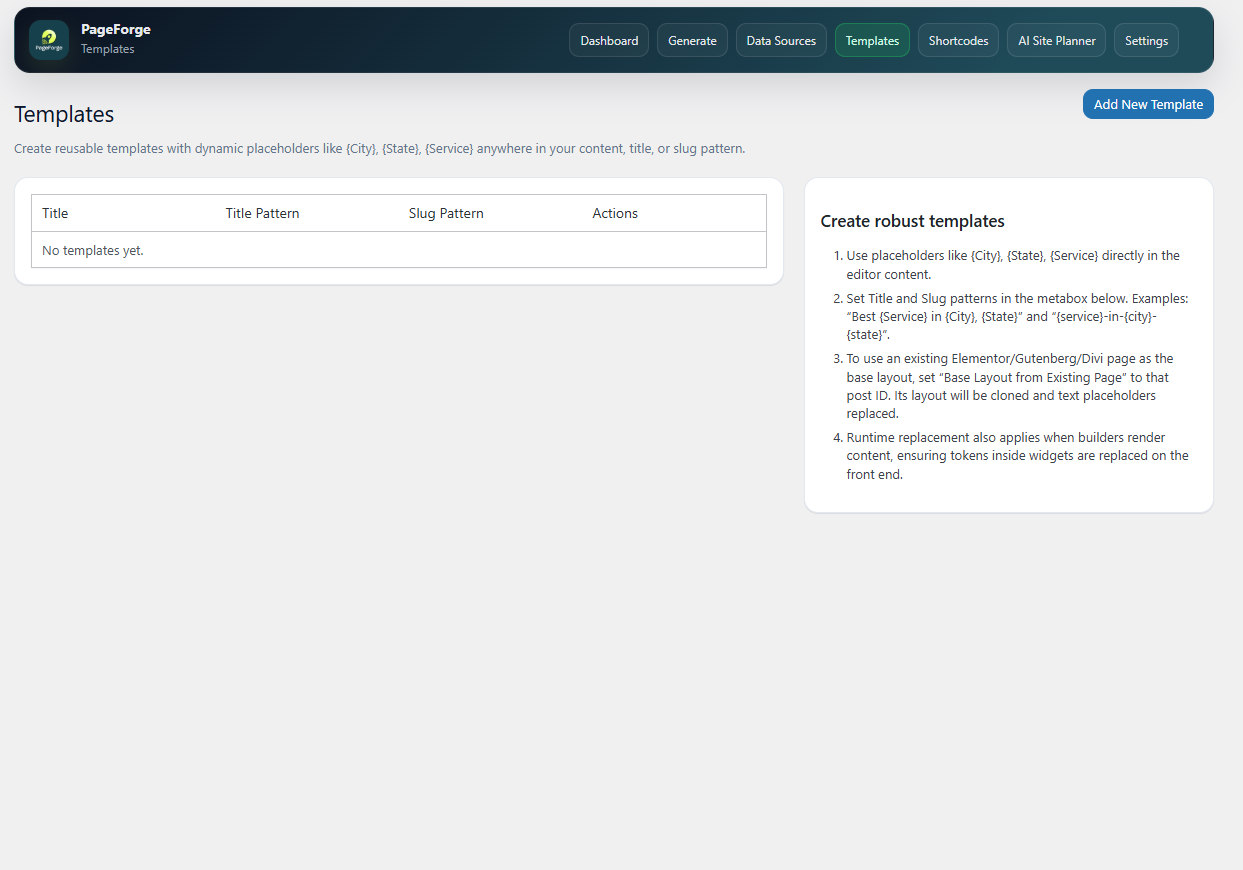
2. Build one strong template
Use the WordPress layout you already want visitors to see. Add PageForge variables wherever information should change.
3. Preview
Review titles, slugs, content values, metadata, schema and supported builder output before scaling.
4. Generate
Each CSV row becomes a real WordPress content item using your chosen structure.
5. Scale
Add more data, improve the template, run another batch, or move to PageForge Pro when you need larger automation, scheduling, Google Sheets and advanced workflows.
Generated pages stay inside WordPress, so you can review, edit, redesign or update them later.
🏆 More than a bulk page creator
PageForge brings the surrounding programmatic SEO workflow together.
Bulk generation
- Generate up to 100 pages per run in PageForge Free
- Run additional controlled batches
- Create Pages, Posts and PageForge content
- Use reusable templates
- Choose Publish, Private, Draft or Pending Review
- Skip duplicate slugs automatically
- Dynamic page titles
- Dynamic URLs
- Dynamic SEO titles
- Dynamic meta descriptions
- Canonical metadata
- Open Graph metadata
- X/Twitter metadata
- Robots metadata
- Schema markup
- Internal discovery hubs
- Gutenberg / Block Editor
- Elementor
- Divi
- Avada
- Reusable blocks
- WordPress page templates
- WooCommerce workflows
- Advanced Custom Fields workflows
- Standard WordPress themes
- Yoast SEO
- Rank Math
- SEOPress
- All in One SEO
- PageForge native SEO output
- Emergency Plumbing in Austin
- Drain Cleaning in Dallas
- Roofing Company in Miami
- Dental Implants in Chicago
- Property Management in Melbourne
- Web Design in Singapore
- City and suburb pages
- Service-area pages
- Franchise locations
- Multi-location business pages
- Product + location pages
- Directory listings
- Real estate area pages
- Ecommerce category pages
- Ecommerce use-case pages
- SaaS industry pages
- SaaS audience pages
- Integration pages
- Comparison pages
- Alternative pages
- Affiliate landing pages
- Long-tail keyword pages
- Lead-generation pages
- Events, courses, venues and destinations
- Topic clusters
{Service} in {City} | {Business}
can become a unique SEO title for every row.
A meta-description pattern can pull in {Service}, {City}, {Benefit}, {Price}, {CTA} or other campaign fields.
This keeps the visible page, URL and search metadata aligned around the same intent.
PageForge works with supported Yoast SEO, Rank Math, SEOPress, All in One SEO and native PageForge metadata. Schema can also be configured as part of the generated-page workflow.
🔗 Turn large page sets into discoverable page networks
PageForge includes a native Sitemap block and [pageforge_sitemap] shortcode for surfacing generated pages inside your website.
Use it for:
- Location hubs
- Service directories
- Campaign indexes
- Topic collections
- Browsable page groups
[pageforge_sitemap]
Example:
[pageforge_sitemap post_type="pf_page,page" generated_only="1" anchor_source="meta_title" description_source="meta_description" columns="3"]
This gives visitors and search crawlers a clearer path through larger PageForge campaigns.
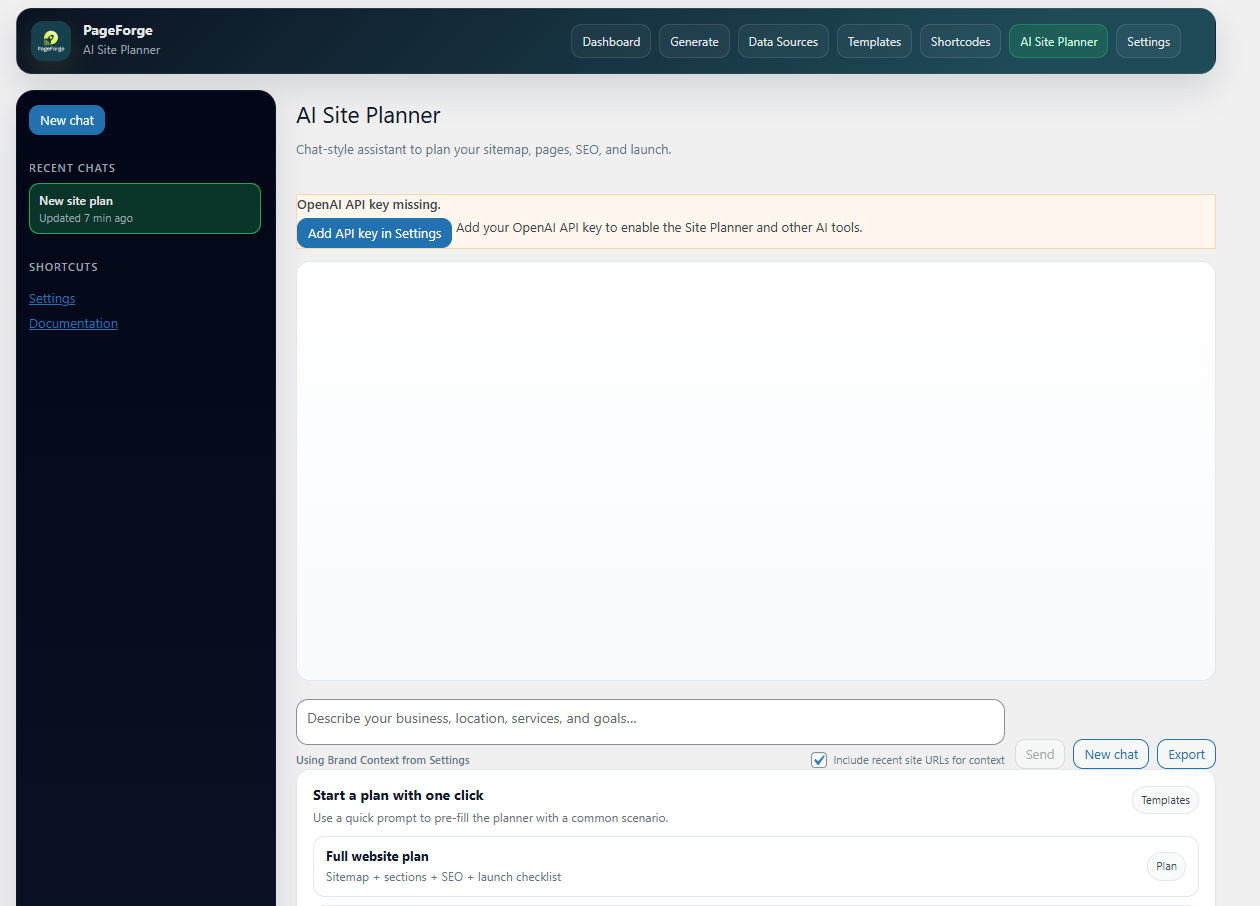
🤖 Use AI when it adds value
The core CSV + template workflow works without an AI provider.
When you want AI assistance, connect your own supported API key.
Supported providers include:
- OpenAI
- Anthropic / Claude
- Google Gemini
- DeepSeek
- Site planning
- Page-pattern ideas
- Keyword directions
- SEO title ideas
- Meta-description ideas
- Supporting blog content
- Campaign expansion
- Site status
- Templates
- Generated pages
- Dynamic variables
- Builder compatibility
- Generation previews
- Campaign validation
- SEO information
- PageForge diagnostics
- CSV data sources
- Reusable templates
- Up to 100 pages per run
- Additional controlled batches
- Dynamic variables
- Supported page builders
- Dynamic SEO metadata
- Schema
- Sitemap and discovery tools
- Optional AI tools
- MCP Lite
- Unlimited generation
- Google Sheets sync
- Queue processing
- Scheduled generation
- Scheduled publishing
- Drip publishing
- AI content for individual pages
- Dynamic AI metadata
- Bulk AI metadata optimisation
- Larger AI workflows
- Reporting
- Multi-site and agency-scale campaigns
- Advanced licensed MCP operations
安装:
- Go to Plugins > Add New in WordPress.
- Search for PageForge.
- Click Install Now.
- Activate PageForge.
- Open PageForge from the WordPress admin menu.
- Add a CSV data source.
- Create a reusable template.
- Add tokens matching your CSV headers.
- Configure the title, slug, post type, status, metadata, schema, and layout.
- Run a small Draft batch.
- Review the generated content.
- Generate the remaining campaign when the template is ready.
- Upload the PageForge plugin folder to
/wp-content/plugins/. - Activate PageForge from the Plugins screen.
- Open PageForge in wp-admin.
- Complete the initial setup.
- Token replacement
- Layout
- URLs
- Metadata
- Schema
- Mobile layout
- Internal links
屏幕截图:

常见问题:
How do I remove /pageforge/ from newly generated Page URLs?
Edit the template and set Target Post Type to Page, or choose Use global default and set Settings > Default Post Type to Page. Native Pages appear under Pages > All Pages and use WordPress Page permalinks. Existing template-specific choices override the global default; changing a default does not convert existing content.
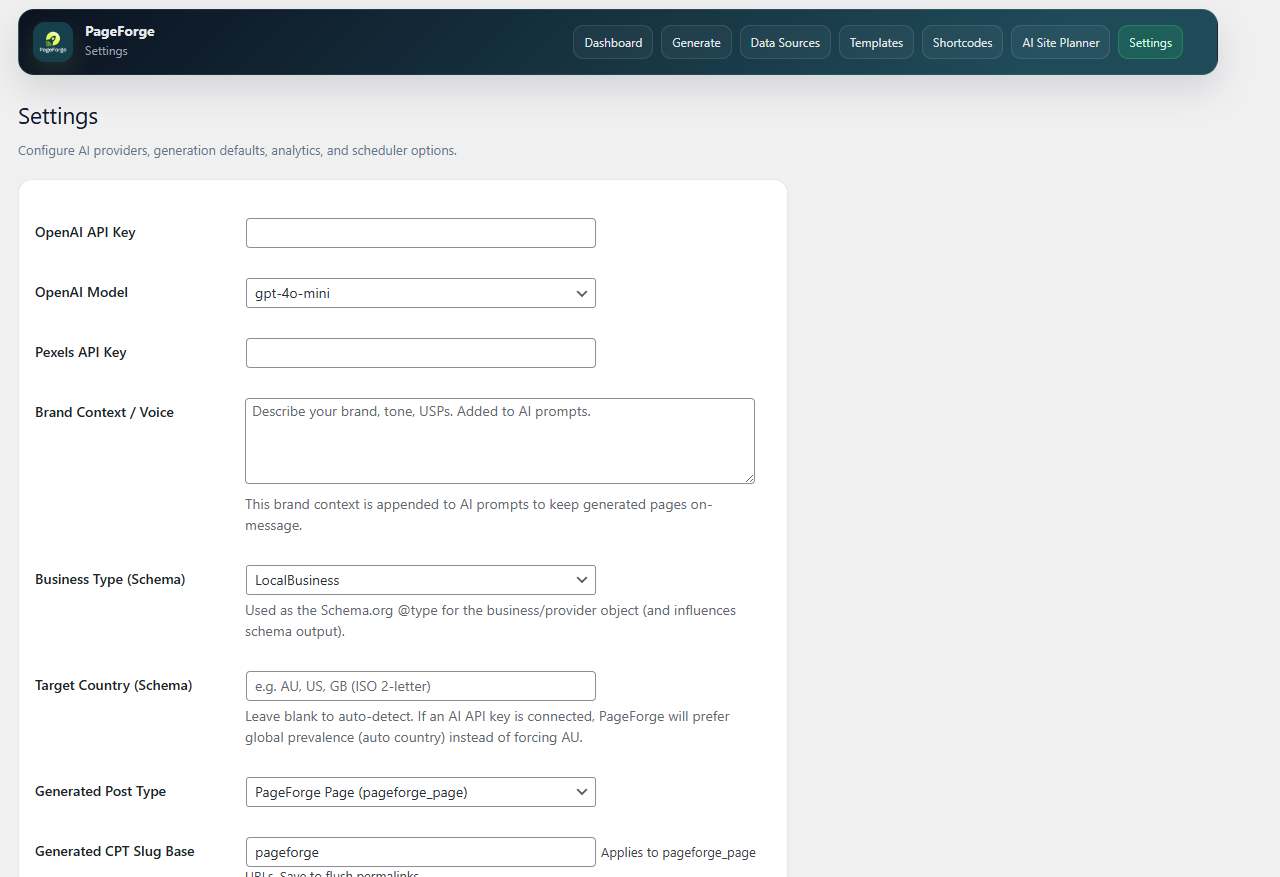
What does Generated CPT Slug Base change?
This existing setting changes the nonempty prefix for PageForge custom content, for example /pageforge/the-magnolias/ to /locations/the-magnolias/. It does not select the output post type or provide a root-level custom post type. Save the setting to refresh rewrite rules. Native Pages use WordPress Page permalinks independently of this setting. Changing an established base affects published links; arrange redirects from old URLs separately. PageForge does not create redirects automatically.
Can Free generate child Pages under a parent?
Yes. Set the template target to Page and select one existing Parent Page, or None for a root Page. For example, a maths-tuition-gurgaon parent and dlf-phase-iv child use /maths-tuition-gurgaon/dlf-phase-iv/ with pretty permalinks enabled. Base Layout to Clone only supplies layout/content; it is separate from Parent Page. Invalid or inaccessible parents stop generation. Existing Pages are not moved automatically.
Can a different parent be selected for every CSV row?
Automatic Parent ID or Parent Path column mapping requires licensed PageForge Premium (Starter or higher). Free includes one static parent per template. Google Sheets remains available on Premium Professional and Enterprise. All referenced parents must exist before the run; forward references and automatic tree creation are not supported.
What is PageForge?
PageForge is a WordPress programmatic SEO and bulk page generator. It combines structured CSV data with reusable WordPress templates to create real WordPress pages, posts, or custom post types with dynamic content, URLs, metadata, schema, and supported builder layouts.
What is programmatic SEO?
Programmatic SEO is a structured approach to creating search-focused pages at scale from repeatable templates and data. Examples include:
- Service-and-city pages
- Product-and-location pages
- Directory listings
- Comparison pages
- Industry-specific landing pages
- Audience-specific pages
How many pages can PageForge Free generate?
PageForge Free processes up to 100 pages in one generation run. You can run additional controlled batches when you need to create more pages.
Does PageForge Free limit the number of CSV tokens?
No fixed token list is required. Any CSV column can become a PageForge token.
How do dynamic tokens work?
If your CSV contains:
City,Service,Phone
you can use:
{City}
{Service}
{Phone}
inside supported PageForge template fields.
Each generated page receives values from the corresponding CSV row.
Can I use PageForge variables as shortcodes?
Supported PageForge-generated content can also resolve PageForge variable shortcodes such as:
[pageforge var="City"]
Legacy PageForge content using compatible [pf ...] variable forms remains supported where applicable.
Are token names case-sensitive?
Use token names that match your CSV headers and the format shown inside PageForge. Avoid unnecessary spaces and duplicate CSV headers.
Can I use PageForge for local SEO?
Yes.
Local SEO and service-area pages are core PageForge use cases.
Examples include:
{Service} in {City}
{Service} in {Area}
{Product} in {Location}
Can PageForge create product, directory, affiliate, or SaaS pages?
Yes. PageForge is data-driven. Any repeatable page type that can be represented by structured data and a reusable template can be considered for a PageForge campaign.
Does PageForge create real WordPress content?
Yes. Generated items are stored as normal WordPress content entries and can be reviewed and edited through WordPress.
Which post statuses are supported?
PageForge supports:
- Publish
- Private
- Draft
- Pending Review
Does PageForge work with Gutenberg?
Yes. PageForge supports standard Gutenberg content and includes a native PageForge Sitemap block.
Does PageForge work with Elementor?
Yes. PageForge can use supported Elementor layouts as the base for generated pages and replace PageForge tokens in supported Elementor content and metadata.
Does PageForge work with Divi?
Yes. PageForge supports compatible Divi layout-cloning workflows where required builder data is available.
Does PageForge work with Yoast SEO?
Yes. PageForge can sync generated SEO titles and meta descriptions with supported Yoast SEO fields.
Does PageForge work with Rank Math?
Yes. PageForge can sync generated SEO titles and meta descriptions with supported Rank Math fields.
Does PageForge add schema markup?
Yes. PageForge can output schema based on the configured template and schema settings. Always validate final structured data and ensure it accurately represents visible page content.
How does duplicate protection work?
PageForge checks the intended page slug before creation. If a matching slug already exists, PageForge can skip that item to reduce accidental duplicate URLs.
Can PageForge build internal links between generated pages?
PageForge includes a Sitemap block and [pageforge_sitemap] shortcode for displaying structured collections of generated content.
These can be used on hub pages to improve navigation and discovery.
What is PageForge MCP?
PageForge MCP allows compatible AI clients to securely interact with controlled PageForge capabilities through Model Context Protocol. PageForge Free includes MCP Lite for read, analysis, validation, preview, and dry-run workflows. PageForge Pro can provide additional licensed operations.
Can I connect ChatGPT to PageForge?
PageForge includes OAuth-based MCP connection support intended for compatible ChatGPT MCP/App connector environments. Actual connector availability depends on the current ChatGPT product, plan, and MCP capabilities.
Can I connect Claude to PageForge?
PageForge includes OAuth-based MCP support for compatible Claude remote connector environments. This is separate from the Anthropic API key used by PageForge's AI content tools.
Can I connect Cursor, VS Code, Claude Code, Roo Code, Codex, or GitHub Copilot?
PageForge provides Personal Access Token support for compatible MCP clients that allow you to configure an Authorization header. Exact setup depends on the MCP support and configuration format of the client you use.
Does MCP give an AI full administrator access to WordPress?
No. PageForge MCP uses scopes and the permissions of the WordPress user associated with the connection. Free MCP does not expose live write tools.
Is MCP enabled automatically?
No. PageForge MCP is disabled by default and must be explicitly enabled by an authorised WordPress user.
Does PageForge guarantee rankings?
No plugin can guarantee a search ranking. PageForge helps you produce technically structured page systems more efficiently, but results depend on:
- Search intent
- Competition
- Content quality
- Originality
- Authority
- Internal links
- Indexing
- Technical SEO
- Ongoing optimisation
Can PageForge pages rank within 24 hours?
Pages can sometimes be discovered, indexed, or ranked quickly, particularly on established websites or low-competition queries, but there is no fixed ranking timeline. PageForge reduces production time. It does not control search-engine crawling, indexing, or ranking decisions.
Does PageForge use AI automatically?
No. The core CSV workflow works without AI. AI requests are made only when an authorised user configures a supported provider and uses an AI-powered feature.
Which AI providers are supported in PageForge Free?
PageForge Free supports:
- OpenAI
- Anthropic / Claude
- Google Gemini
- DeepSeek
Are AI API credits included?
No. API usage is billed and limited according to your account with the selected provider.
What AI blog lengths are available in Free?
The Free AI Blog Generator includes:
- Short
- Medium
- Long
Does PageForge Free generate a unique AI article for every bulk-generated page?
No. Free bulk-generated pages remain template-driven. AI article-per-page automation is a Pro workflow.
Is Google Sheets supported?
Live Google Sheets integration is available in PageForge Pro. PageForge Free uses CSV data sources uploaded to WordPress.
What does PageForge Pro add?
PageForge Pro is designed for larger operations and can include:
- Unlimited generation
- Google Sheets sync
- Queue processing
- Scheduling
- Drip publishing
- AI content per page
- Bulk AI metadata
- Reports
- Deeper campaign automation
- Licensed MCP operations
Can I edit generated pages later?
Yes. Generated pages are real WordPress content and can be edited later.
Why are tokens visible on my published page?
Common causes include:
- Token does not match the CSV header
- CSV value is empty
- CSV header contains unexpected spaces
- CSV is malformed
- Builder content stores text in an unsupported location
Will generating many pages slow down my WordPress website?
Performance depends on:
- Hosting
- Database size
- Theme
- Plugins
- Caching
- Campaign size
Can bulk-generated pages harm SEO?
Automation itself is not the problem. Publishing large numbers of thin, inaccurate, duplicated, or unhelpful pages can perform poorly. Use:
- Accurate data
- Page-specific value
- Editorial review
- Appropriate indexing
- Useful internal links
- Strong site architecture
What should I check before publishing a large campaign?
Check:
- Token replacement
- Page titles
- URL slugs
- Page-specific content
- SEO metadata
- Schema
- Mobile layout
- Calls to action
- Canonical behaviour
- Indexability
- Internal links
- Data accuracy
更新日志:
- Added explicit template inheritance of the global generation target, with the effective WordPress destination shown before generation.
- Added Free static native Parent Page selection, hierarchy-aware preview/validation and duplicate detection, without moving existing content.
- Clarified the existing Generated CPT Slug Base setting, rejected empty bases, and limited settings-save rewrite flushing to actual base changes.
- Aligned generation permissions and final canonical metadata with native Page/Post output; kept layout cloning separate from hierarchy.
- Automatic canonicals on newly generated content follow the current permalink after a CPT-base change while distinct manual overrides remain intact.
- Fixed spacing, word order, and placeholder placement across Portuguese (pt_PT) translations.
- Added Claude Fable 5.1 to the Claude model list.
- Removed GPT-4.1 nano ahead of OpenAI's October 23, 2026 shutdown; sites that selected it fall back to the default OpenAI model.
- Show a clear message when Claude declines a request instead of a generic empty-response error.
- Fixed MCP protocol fallback negotiation and OAuth callback encoding for current and legacy remote clients.
- Preserved read access for OAuth grants created by early MCP Lite builds.
- Fixed MCP OAuth discovery POSTs returning misleading malformed-JSON errors before authentication.
- Kept Free MCP strictly read-and-preview only while improving authenticated JSON and credential diagnostics.
- Stopped expected credential-free OAuth discovery challenges from appearing as rejected requests and cleared obsolete transport entries on upgrade.
- Made AI SEO Report generation request Markdown, build its JSON download server-side, and accept legacy provider JSON responses.
- Added explicit AI SEO Report browser errors for invalid responses, HTTP failures, and provider failures.
- Added a Meta Description Pattern below each template's Title Pattern, with CSV token replacement and an AI/generated-description fallback when left empty.
- Added current All in One SEO read/write support for titles, descriptions, keyphrases, canonicals, social metadata, and robots settings through its capability-aware post SEO service.
- Improved MCP connector discovery with bounded Dynamic Client Registration enabled by default, OAuth refresh-scope metadata, and CORS support for ChatGPT and Claude.
- Added scoped Personal Access Token authentication through the X-PageForge-MCP-API-Key header while rejecting ambiguous dual authentication.
- Kept PageForge Free MCP strictly read-and-preview only and added no-store response headers for authenticated MCP traffic.
- Fixed DeepSeek V4 generation returning empty final content by disabling thinking mode for PageForge content requests.
- Updated current OpenAI, Claude, and Gemini model choices and moved Gemini API keys from request URLs to the supported request header.
- Added consistent HTTP, parse, and empty-response diagnostics across OpenAI-compatible, Claude, and Gemini requests.
- Unified generated-page, AI Meta, and AI Blog metadata through the PageForge SEO adapter.
- Added canonical, Open Graph, X/Twitter, and robots fields for Yoast SEO, Rank Math, SEOPress, and PageForge native output.
- Made AI Blog create standard WordPress posts, sanitize generated HTML, save SEO metadata, and enforce per-status publishing capabilities.
- Filtered Site Planner, SEO report, AI link context, and Meta search results through per-object access checks.
- Kept bulk AI Meta optimization Pro-only while retaining single Meta optimization in Free.
- Fixed Claude Sonnet 5 requests by omitting unsupported non-default sampling parameters.
- Updated Gemini model choices to current Google model identifiers and defaulted Gemini to Gemini 3.6 Flash.
- Fixed UTF-8 length fallback on hosts without mbstring.
- Added Pexels attribution links in admin areas that use Pexels images.
- Added MCP support for compatible AI clients using Model Context Protocol revision 2026-07-28.
- Added PageForge Free MCP Lite with read, analyse, validate, preview, and dry-run capabilities only.
- Added OAuth-based remote AI connector support for compatible ChatGPT and Claude environments.
- Added OAuth Protected Resource Metadata and authorization server metadata.
- Added PKCE S256 protection, resource indicators, and token revocation support.
- Added WordPress-based MCP consent so connections operate as a specific WordPress user.
- Added Personal Access Tokens for compatible MCP clients that provide their own Authorization header.
- Added individually rotatable and revocable Personal Access Tokens stored only as secure hashes.
- Added granular MCP scopes.
- Added a Connections screen for ChatGPT, Claude, other MCP clients, OAuth clients, grants, Personal Access Tokens, and connection diagnostics.
- Added MCP connection diagnostics for HTTPS, REST reachability, Authorization-header forwarding, OAuth metadata, and recent rejected requests.
- Added OAuth Client management for connectors that require a Client ID and Client Secret.
- Improved MCP connection-status reporting so a created credential is not incorrectly reported as an active client connection.
- Fixed MCP transport handling for unsupported HTTP methods.
- Fixed protocol-version mismatch handling.
- Fixed Connections dialogs appearing automatically when the page loads.
- Improved MCP Origin validation.
- Added MCP authentication and expensive-request rate limiting.
- Added per-object capability checks for MCP operations that access WordPress content.
- Improved MCP credential storage and lookup.
- Improved PageForge secret-field handling so stored provider credentials are not rendered back into the browser.
- Improved external provider URL validation.
- Updated bundled translation source strings and language catalogues for the 1.2.0 interface.
- Added bundled German and French translations for PageForge admin UI, block labels, AJAX notices, and JavaScript messages.
- Added bundled English (US), English (UK), and Portuguese (Portugal) translation files.
- Added standard POT, PO, and MO language files.
- Improved text-domain loading and localized previously hard-coded admin strings.
- Updated WordPress.org readme and release documentation.
- Added AI Blog to the PageForge top navigation.
- Expanded OpenAI, Claude, Gemini, and DeepSeek model choices.
- Added Gemini and Claude provider support to the Free AI request layer.
- Expanded schema business-type choices.
- Improved frontend JSON-LD output.
- Improved dashboard action spacing.
- Security and maintenance improvements.
- Security and maintenance improvements.
- Maintenance release.
- Expanded WordPress.org listing with clearer Free and Pro workflows.
- Expanded PageForge Pro automation and reporting positioning.
- Aligned Free messaging with current plugin limits.
- Set the Free CSV generator limit to 100 pages per run.
- Updated admin and WordPress.org messaging.
- Added Free AI provider selection.
- Added Short, Medium, and Long AI Blog presets.
- Improved packaging and WordPress.org release metadata.
- Refreshed programmatic SEO and local SEO listing copy.
- Added template-level generated post statuses.
- Improved Elementor layout cloning.
- Expanded supported base-layout choices.
- Added the native PageForge Sitemap block.
- Added
[pageforge_sitemap]. - Improved Elementor, Gutenberg, and Divi layout cloning.
- Improved runtime token replacement.
- Updated WordPress.org listing and keyword targeting.
- Added tutorials and minor fixes.
- UI improvements and bug fixes.
- Maintenance release.
- Removed custom script insertion functionality for WordPress.org repository compliance.
- WordPress.org public release.
- Initial CSV, template-token, and AI-assisted generation release.