
Parcel Sentry - Fake COD Order Blocker for WooCommerce
| 开发者 | kovaja |
|---|---|
| 更新时间 | 2026年11月22日 17:54 |
| PHP版本: | 7.4 及以上 |
| WordPress版本: | 7.1 |
| 版权: | GPLv2 or later |
| 版权网址: | 版权信息 |
详情介绍:
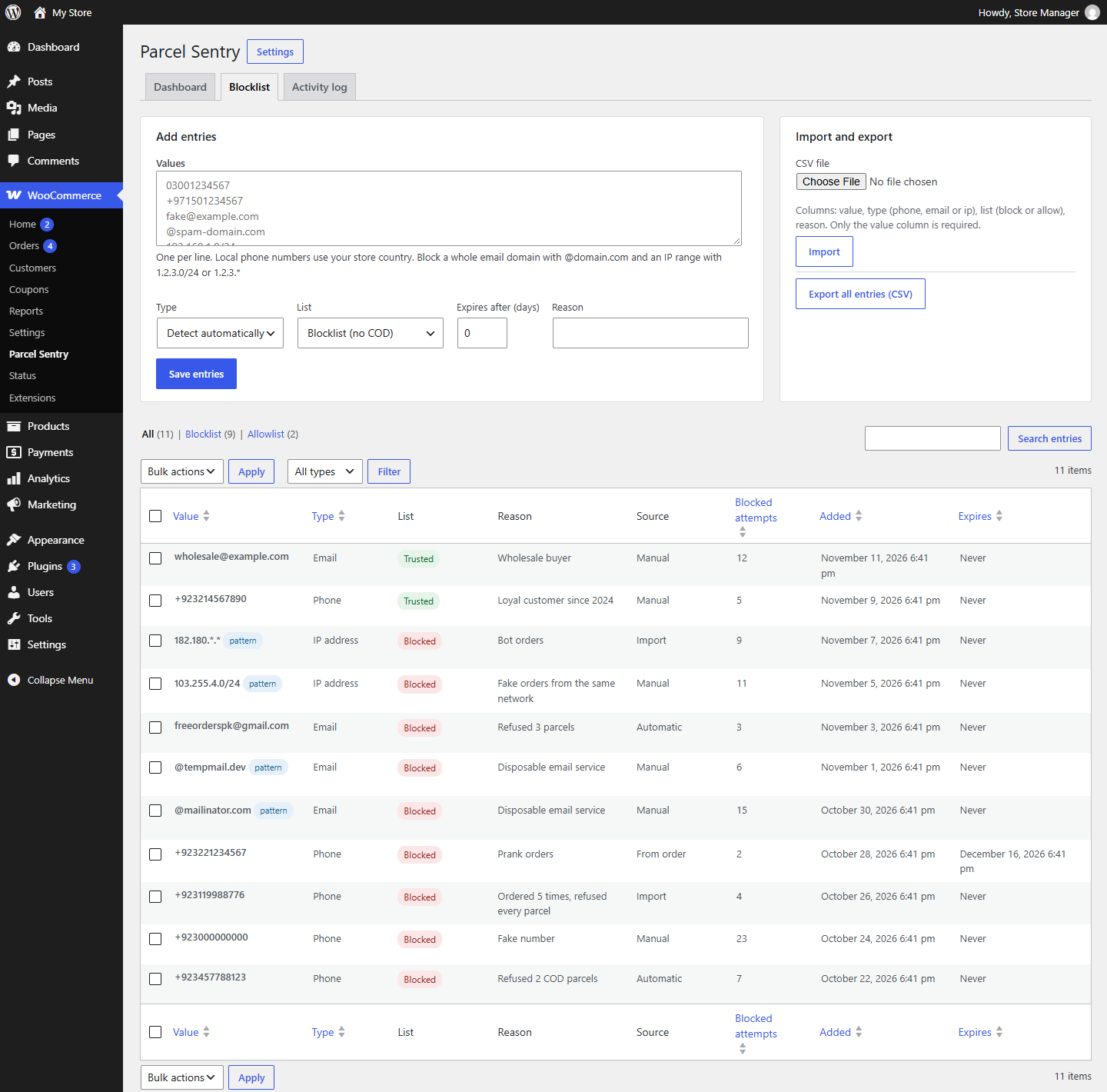
- Block customers by phone number, email address, email domain (@domain.com) or IP address, including IP ranges (1.2.3.0/24) and wildcards (1.2.3.*).
- Smart matching: 0300-1234567, +92 300 1234567 and 00923001234567 are treated as the same number. Gmail dots and "+tags" are matched too, so
j.o.h.n+test@gmail.commatchesjohn@gmail.com. - Choose what happens to a blocked customer: hide Cash on Delivery only (they can still pay online) or reject the order completely.
- Temporary blocks that expire after a set number of days.
- Trusted customers (allowlist) skip every check.
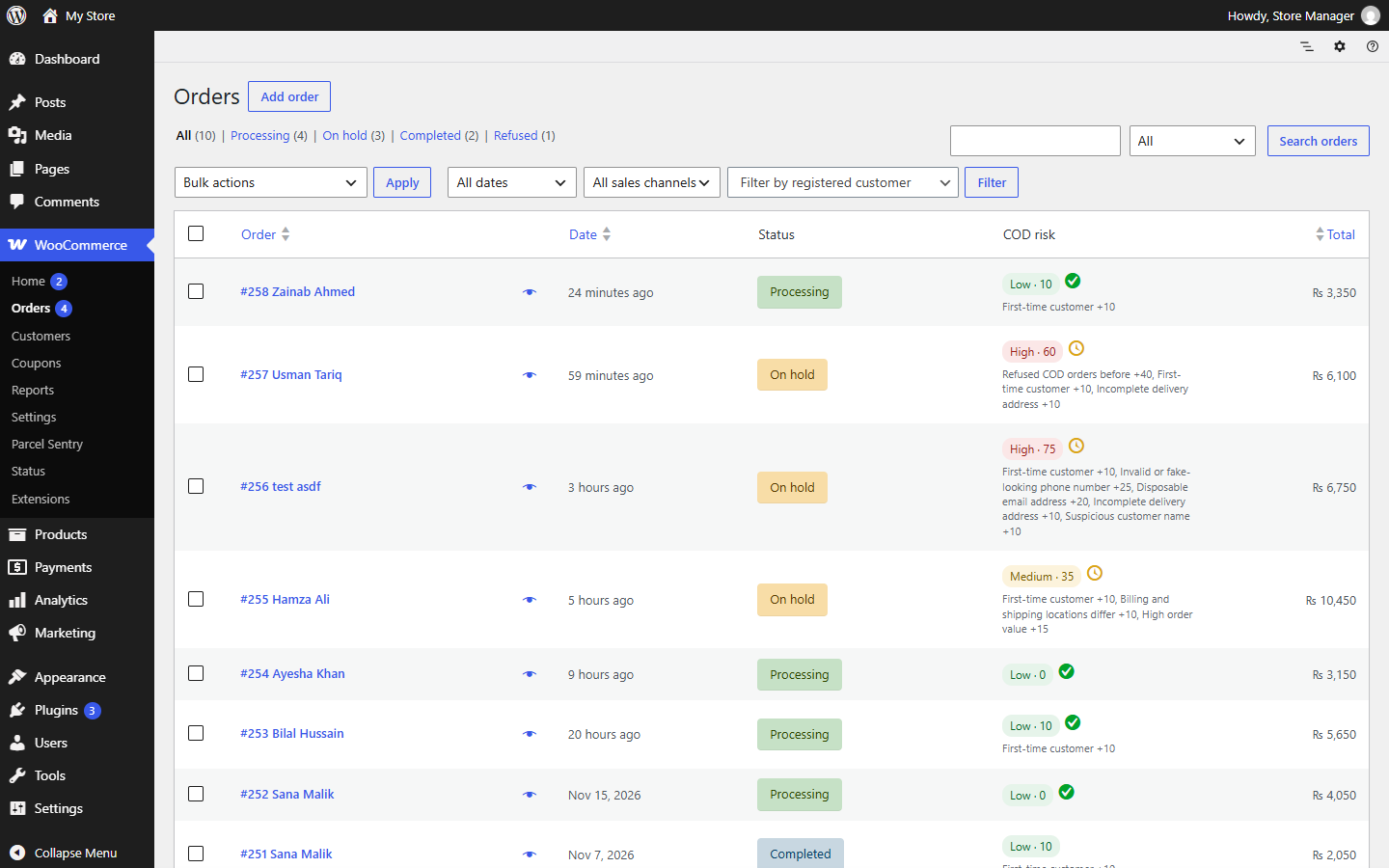
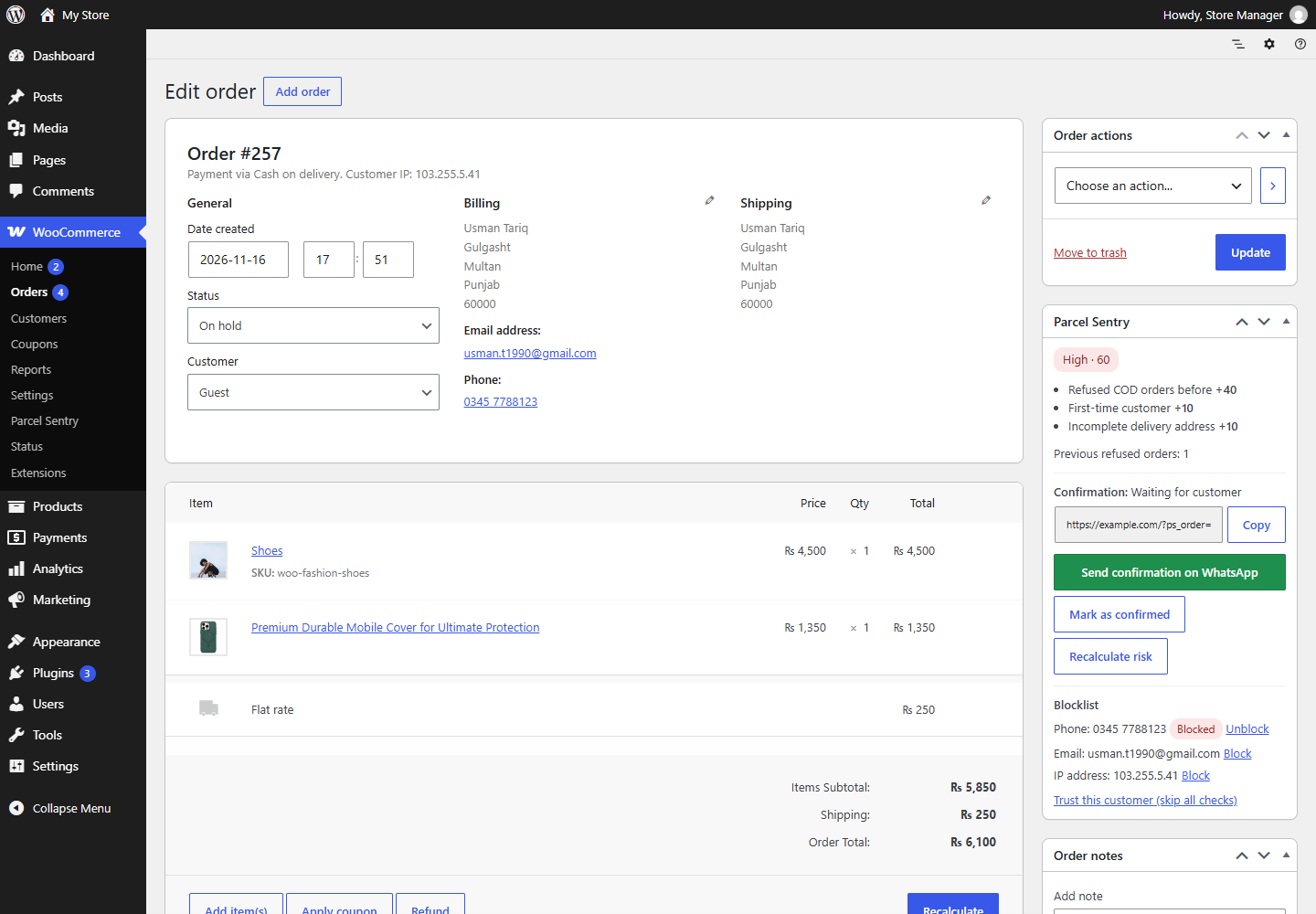
- Block or trust a customer with one click from the order screen, or in bulk from the orders list.
- CSV import and export.
- Adds a Refused order status. Stock is restored automatically when a parcel comes back.
- After a set number of refused orders (2 by default), the customer's phone and email are blocked automatically.
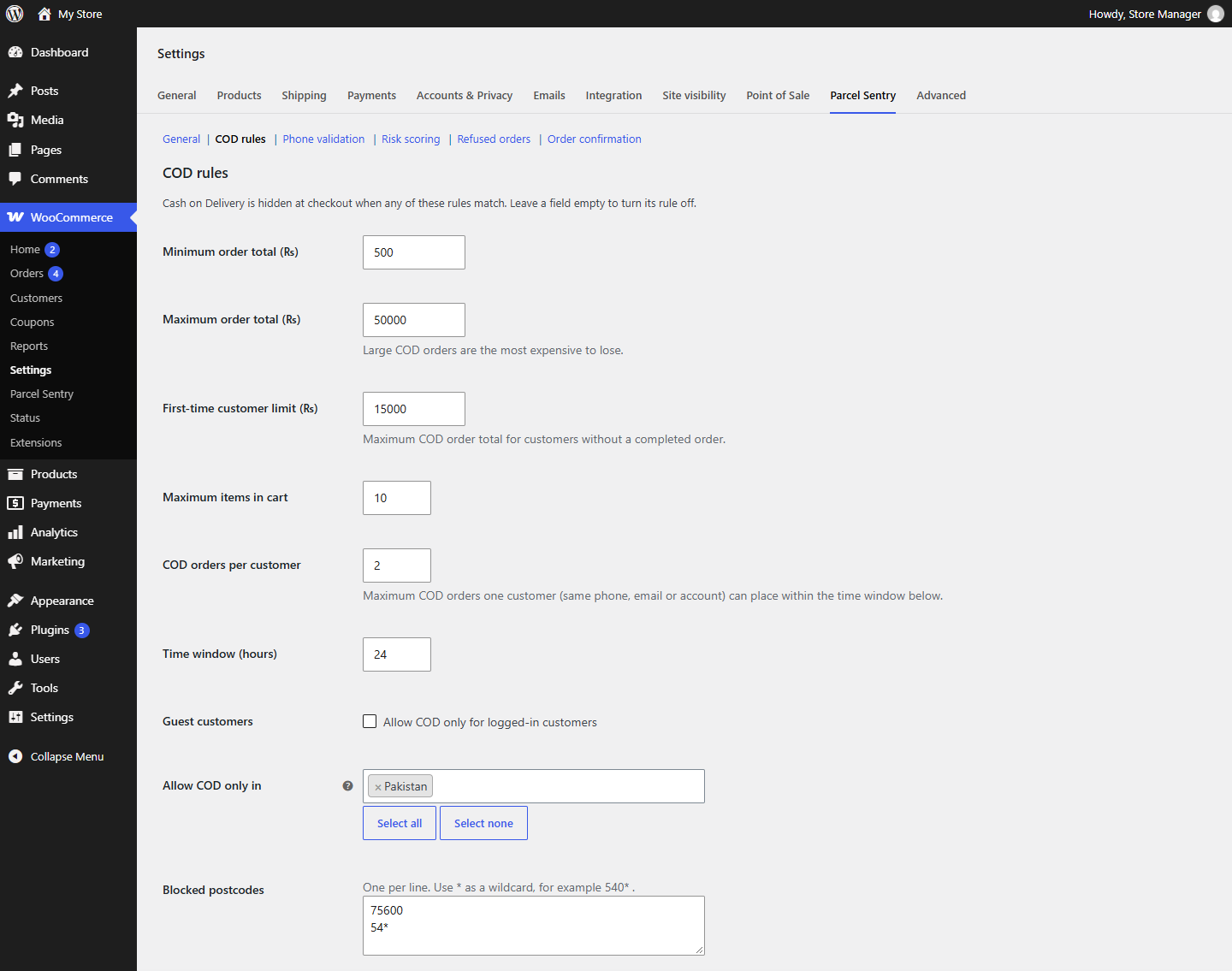
- The order total is below a minimum or above a maximum.
- A first-time customer orders above a set amount.
- The cart has too many items.
- The customer is a guest.
- The delivery country is not on your list, or the postcode or city is blocked (wildcards supported).
- The cart contains selected products or categories (sub-categories included).
- The same customer already placed too many COD orders in the last hours.
- Checks numbers against the official numbering rules of more than 240 countries and territories, based on the customer's country.
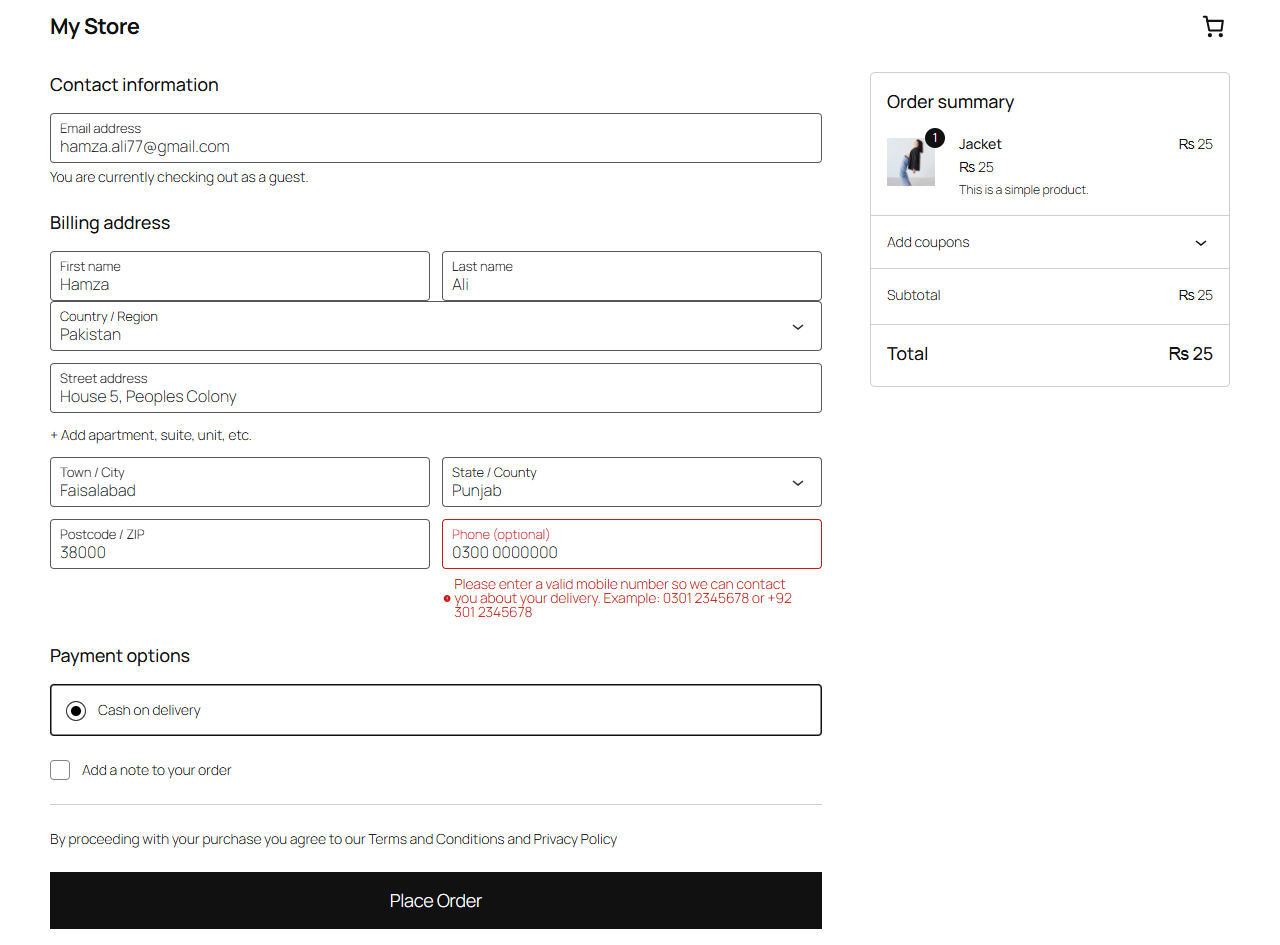
- Live check at checkout: the customer sees the error under the phone field while typing, on both the block and the classic checkout. The block checkout will not place the order until the number is fixed.
- Every error includes an example for the customer's country, such as "0301 2345678 or +92 301 2345678".
- Accept mobile numbers only, or landlines too.
- Understands local and international formats: 0300 1234567, +92 300 1234567, 0092 300 1234567 and 923001234567 are the same number. Local prefixes such as Russia's 8 or Argentina's 15 are handled too.
- Rejects fake numbers such as 0000000000 or 123456789.
- Can apply to COD orders only, or to all orders.
- Previous refused orders
- First-time customer
- Many orders from the same IP address
- Another open order with the same phone or email
- Invalid phone number
- Disposable email address
- Billing and shipping locations differ
- Incomplete delivery address
- High order value
- Suspicious name ("test", "asdf", names with numbers)
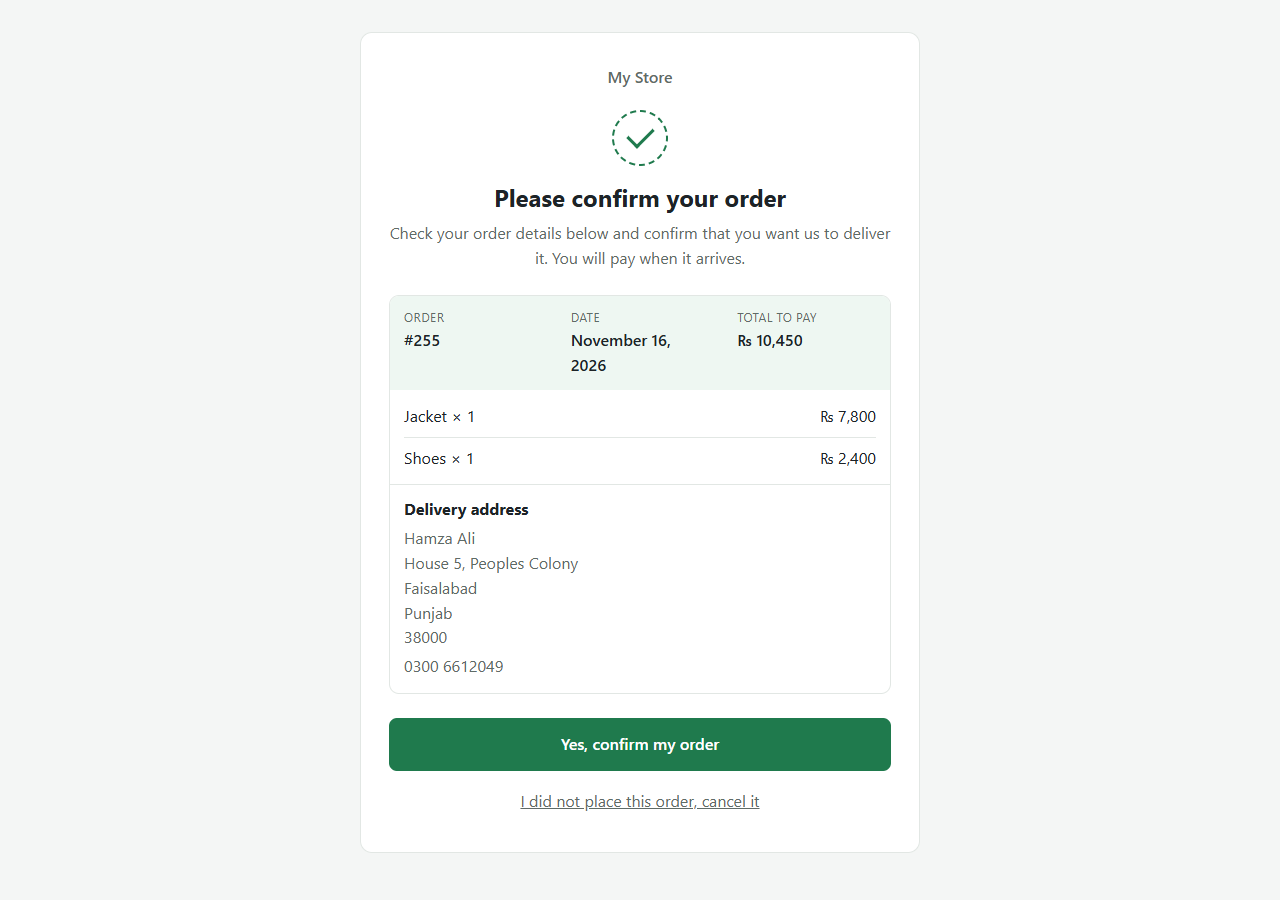
- Customers confirm their order with one click from a private link in the order email.
- Send the same link on WhatsApp from the order screen with one click. No API account is needed.
- Orders wait "On hold" and move to "Processing" when confirmed.
- Customers who did not place the order can cancel it, and stock is restored.
- Unconfirmed orders are cancelled automatically after a set number of hours.
- Ask every COD customer, or only medium and high-risk ones.
- See blocked attempts, high-risk orders, refusals and confirmations for the last 30 days.
- Searchable activity log with automatic cleanup.
- WooCommerce High-Performance Order Storage (HPOS) and the legacy order storage.
- The block-based Cart and Checkout and the classic shortcode checkout.
- Any Cash on Delivery gateway: choose which payment methods Parcel Sentry protects.
- WPML and Polylang: all customer messages can be translated.
- Page caching plugins: the confirmation page is never cached.
- Multisite.
- Checkout field editor plugins, because all data is read from the order.
安装:
- Upload the plugin to
/wp-content/plugins/or install it from Plugins > Add New. - Activate it. WooCommerce must be active.
- Go to WooCommerce > Settings > Parcel Sentry to review the settings. Sensible defaults are on from the start.
- Open WooCommerce > Parcel Sentry to manage the blocklist and see blocked attempts.
屏幕截图:
常见问题:
Does it work with the new block checkout?
Yes. Parcel Sentry supports both the block checkout and the classic checkout.
How does phone validation work?
Each country has official rules for how its phone numbers start and how long they are. Parcel Sentry ships with these rules for more than 240 countries and territories. It converts the number to international format using the customer's country, removes the local prefix, and checks the rest against the rules for mobile numbers (or for all numbers, if you also accept landlines). Repeated and sequential digits are always rejected. This checks that a number is real and correctly typed. To make sure the customer owns the number, use the order confirmation by WhatsApp.
Will blocked customers still be able to buy?
By default they can still pay with any other payment method; only Cash on Delivery is removed. You can switch to rejecting their orders completely.
My COD gateway is not the WooCommerce default one.
Choose your gateway under Protected payment methods in the General settings.
How do I mark a parcel as refused?
Change the order status to Refused, either on the order screen or with the bulk action in the orders list. After the number of refusals you set, the customer is blocked automatically.
Can I override the confirmation page design?
Yes. Copy templates/confirm-order.php to yourtheme/parcel-sentry/confirm-order.php and edit it.
Does the order confirmation work with page caching?
Yes. The confirmation page sends no-cache headers and tells common caching plugins not to cache it.
Can developers extend it?
Yes. Filters include parcel_sentry_cod_gateways, parcel_sentry_risk_result, parcel_sentry_restriction_result, parcel_sentry_validate_order, parcel_sentry_phone_patterns, parcel_sentry_phone_metadata, parcel_sentry_is_valid_phone, parcel_sentry_phone_error_message, parcel_sentry_disposable_email_domains and parcel_sentry_whatsapp_message. Actions include parcel_sentry_order_processed, parcel_sentry_order_confirmed and parcel_sentry_customer_auto_blocked.
更新日志:
- New: Phone validation for more than 240 countries and territories, based on the official numbering rules (previously 32 countries).
- New: Live phone check at checkout. The error appears under the phone field while the customer types, on the block and the classic checkout.
- New: Error messages include an example number for the customer's country.
- New: Option to accept landline numbers as well as mobile numbers.
- Improved: Numbers typed with another country's calling code are checked against that country.
- Improved: Local number formats with special prefixes, such as Russia's 8 or Argentina's 15, are recognized. Countries without a trunk prefix, such as Italy, keep their leading zero.
- Tested with WooCommerce 11.3.
- First release.