
Parcelflare – Royal Mail Click & Drop for WooCommerce
| 开发者 | parcelflare |
|---|---|
| 更新时间 | 2026年11月12日 20:53 |
| PHP版本: | 7.4 及以上 |
| WordPress版本: | 7.1 |
| 版权: | GPLv2 or later |
| 版权网址: | 版权信息 |
详情介绍:
- Automatic sync when an order reaches the statuses you choose (default: Processing).
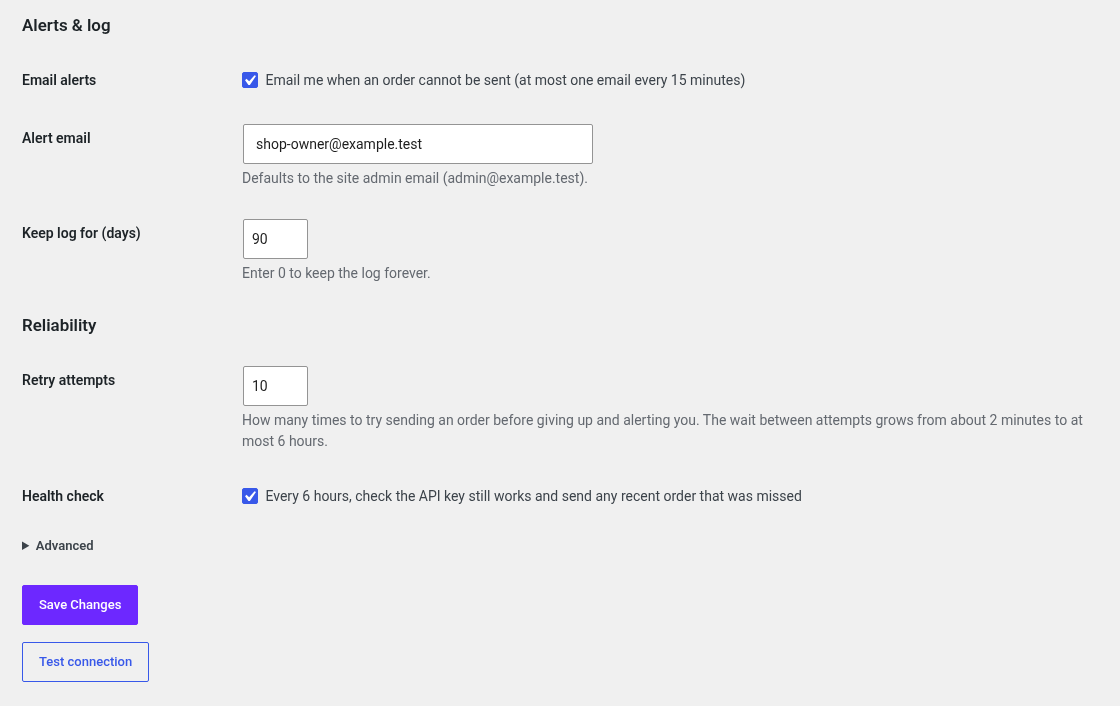
- Background queue (Action Scheduler) with automatic retries and exponential back-off, honouring API rate limits. You choose how many attempts to make.
- Duplicate protection: after a timeout or lost response, the order is looked up by reference before it is created again. If that lookup fails, the order is held for a manual check instead of being created twice.
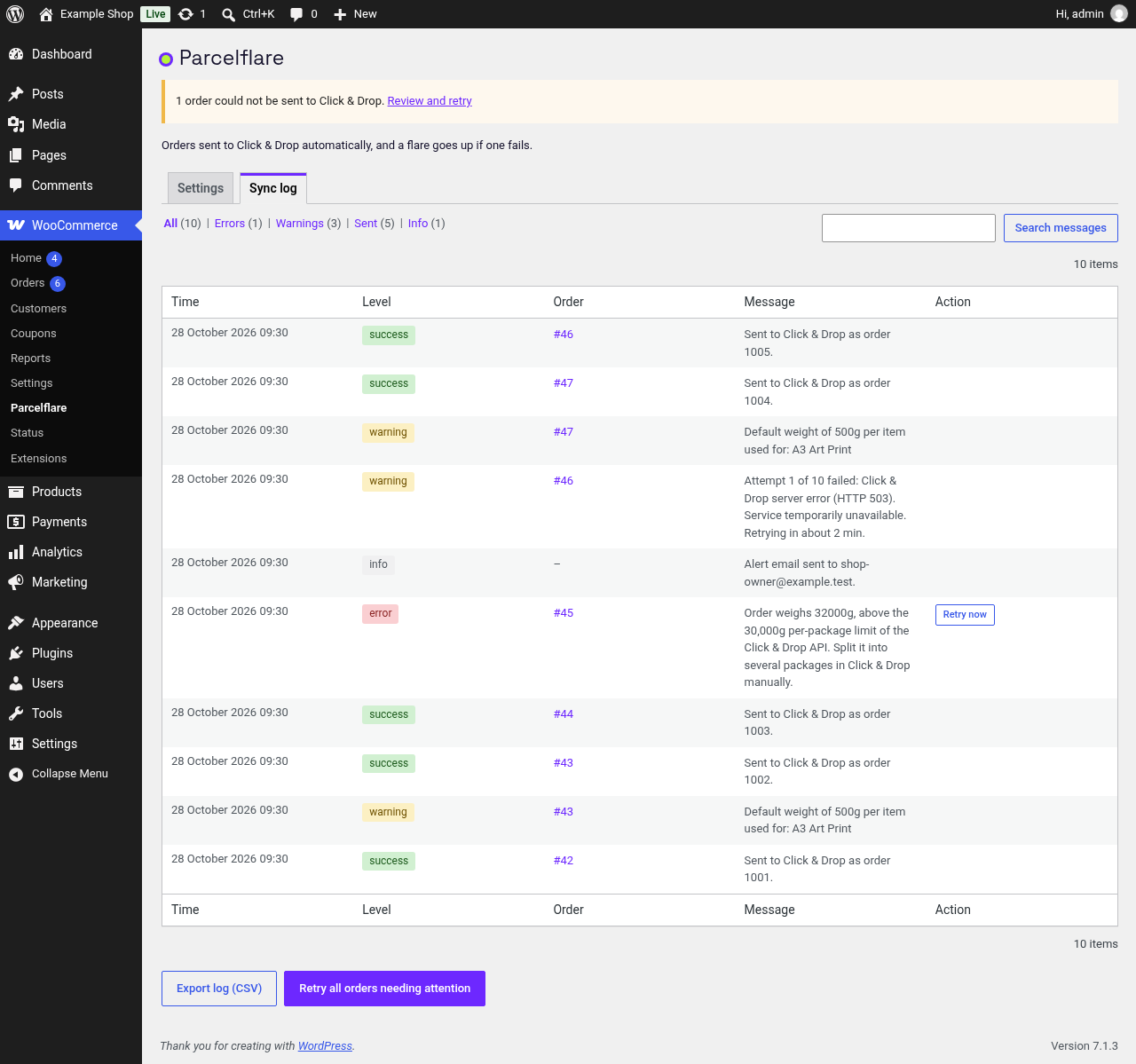
- Email digest and admin notice when an order fails to sync, with a one-click retry.
- Sync log page with filtering, search and CSV export. You choose how long to keep it, or keep it forever.
- Health check every 6 hours: warns you if the API key stops working and sends any recent order that was missed.
- Default parcel weight for products with no weight, and a 30 kg per-parcel safety check.
- International orders: customs line items, HS codes, country of origin and IOSS for EU destinations.
- Map WooCommerce shipping methods to Click & Drop service codes.
- Manual "Send to Click & Drop" order action and bulk action.
- Works with High-Performance Order Storage (HPOS) and legacy order storage.
安装:
- Install and activate WooCommerce.
- Install and activate this plugin.
- In Click & Drop, go to Settings > Integrations, add a "Click & Drop API" integration and copy the API key.
- In WordPress go to WooCommerce > Parcelflare, paste the key, press "Test connection", then tick "Enable sync".
屏幕截图:


常见问题:
Do I need a Click & Drop account?
Yes. Click & Drop is free to use with a Royal Mail business account; you pay Royal Mail for postage as usual. Parcelflare uses the Click & Drop API key from Settings > Integrations inside Click & Drop.
Is this the same as Royal Mail's built-in WooCommerce sales channel?
No. Royal Mail's own channel pulls orders into Click & Drop over the WooCommerce REST API. Parcelflare works the other way: your store pushes each order to Click & Drop with your API key. Many stores use Parcelflare when the built-in channel disconnects, stops importing, or is not available for their account.
Does this calculate Royal Mail shipping rates at checkout?
No. Parcelflare syncs paid (or ready-to-ship) orders into Click & Drop for label printing. For live Royal Mail rates at cart and checkout, use a separate shipping-rates plugin alongside it.
What happens if Click & Drop is down?
The order stays in the queue and is retried automatically with increasing delays. If it still fails you get an email and an admin notice with a retry button.
Will an order ever be sent twice?
The plugin stores the Click & Drop order identifier on the WooCommerce order and, after any uncertain failure such as a timeout, checks Click & Drop for the order reference before creating it again. If that check fails, the order is not created.
How many times is a failed order retried?
10 times by default, with the wait between attempts growing from about 2 minutes to at most 6 hours. Change "Retry attempts" under WooCommerce > Parcelflare to any number you like. Problems that retrying cannot fix, such as a rejected address, are flagged straight away instead.
How long is the sync log kept?
90 days by default. Change "Keep log for (days)" to any number, or 0 to keep it forever. Use "Export log (CSV)" on the Sync log tab to download it.
What about products without a weight?
Set a default item weight on the settings page. Orders over 30 kg are flagged rather than sent.
Does it work with HPOS?
Yes. It is tested with WooCommerce High-Performance Order Storage and with classic order posts.
更新日志:
- After an uncertain send, a failed reference lookup no longer creates the order again. The order is held as outcome unknown and needs a manual check. Automatic retries stop. Send to Click & Drop looks the order up again and creates it only when Click & Drop says it is not there.
- Readme and plugin name clarified for Royal Mail Click & Drop / WooCommerce shipping-label search.
- Optional dismissible review prompt after 10 successful syncs and 7 days (Parcelflare and WooCommerce order screens only).
- Install timestamp recorded for the review milestone; cleaned up on uninstall.
- Retry attempts and log retention are now settings with no upper limit (log can be kept forever).
- Added CSV export of the sync log.
- Added a health check that detects a rejected API key and sends recent orders that were missed.
- The setup reminder now appears only on the Dashboard, Plugins and WooCommerce screens and can be dismissed.
- Corrected menu name in messages (WooCommerce > Parcelflare).
- Deleting or trashing an order now clears its failure alert.
- First release.